

New Features
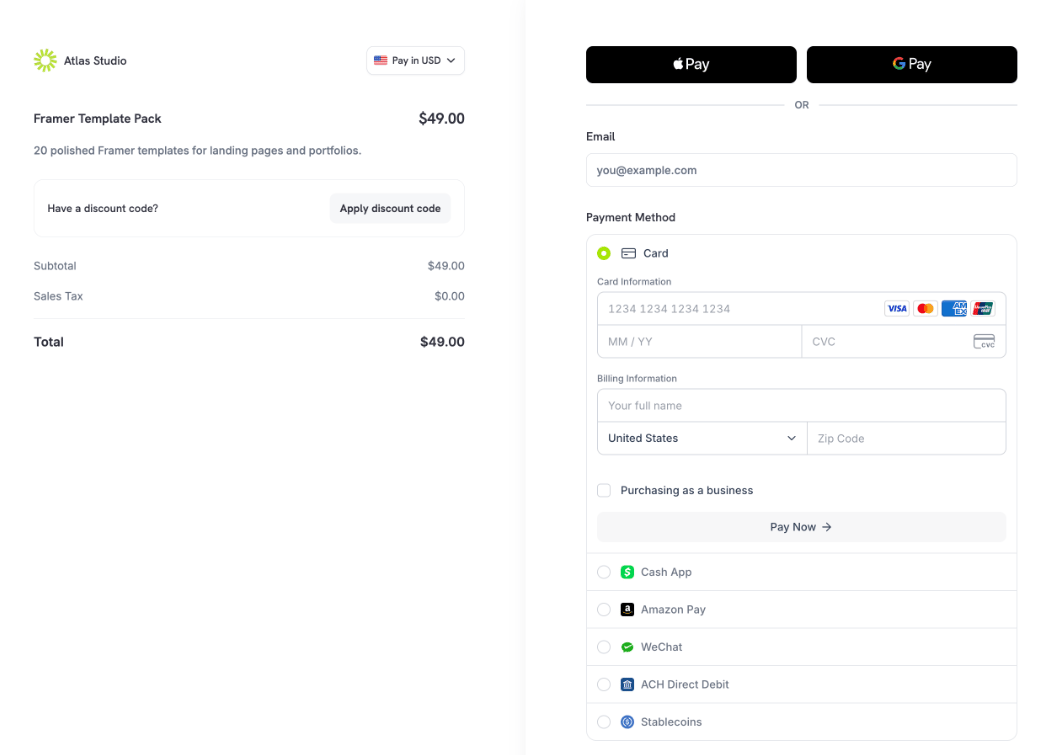
1. Single Page Checkout
Checkout can now run on one page. Contact details, payment methods, and the pay button sit together, and the payment confirms without leaving the page. Setfeature_flags.single_page to true on a checkout session to use it. Single page sessions collect a minimal address by default.
Choose how payment methods appear with customization.payment_method_layout: accordion, the default, shows one row per method, and tabs shows one tab per method with wallet buttons above them.
On a single page checkout, Apple Pay also checks the total and currency against what the customer saw, and test card autofill in test mode fills every required field.
2. Dodo AI in the Dashboard
Ask Dodo AI from the sparkle button in the top bar or the Dodo AI item in the sidebar. It opens in a side panel next to the page you are on and can answer questions about your business, summarize sales, and carry out tasks such as refunding a payment or creating a usage meter. Dodo AI asks for your approval before it changes anything, and it can only do what your own role allows. In live mode it reminds you that actions affect real customers and data.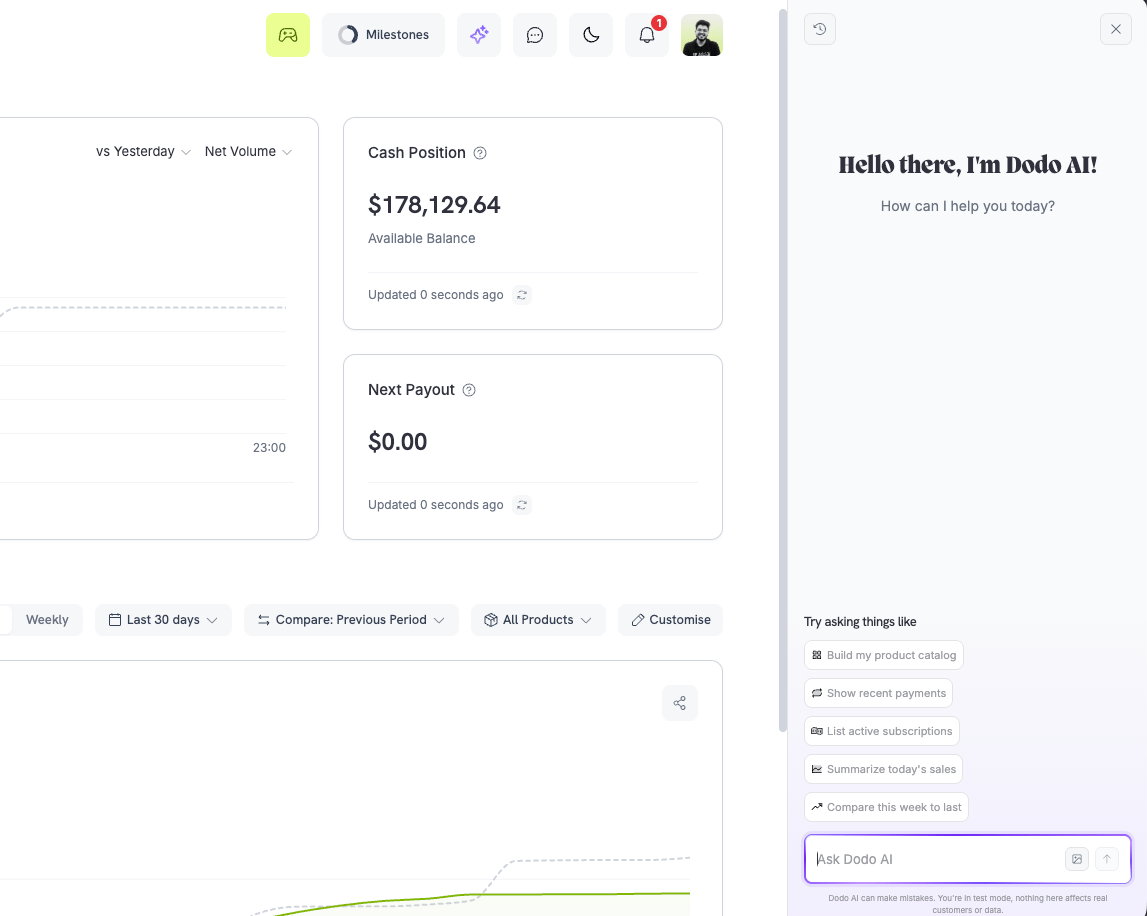
3. Connected Apps for MCP and the CLI
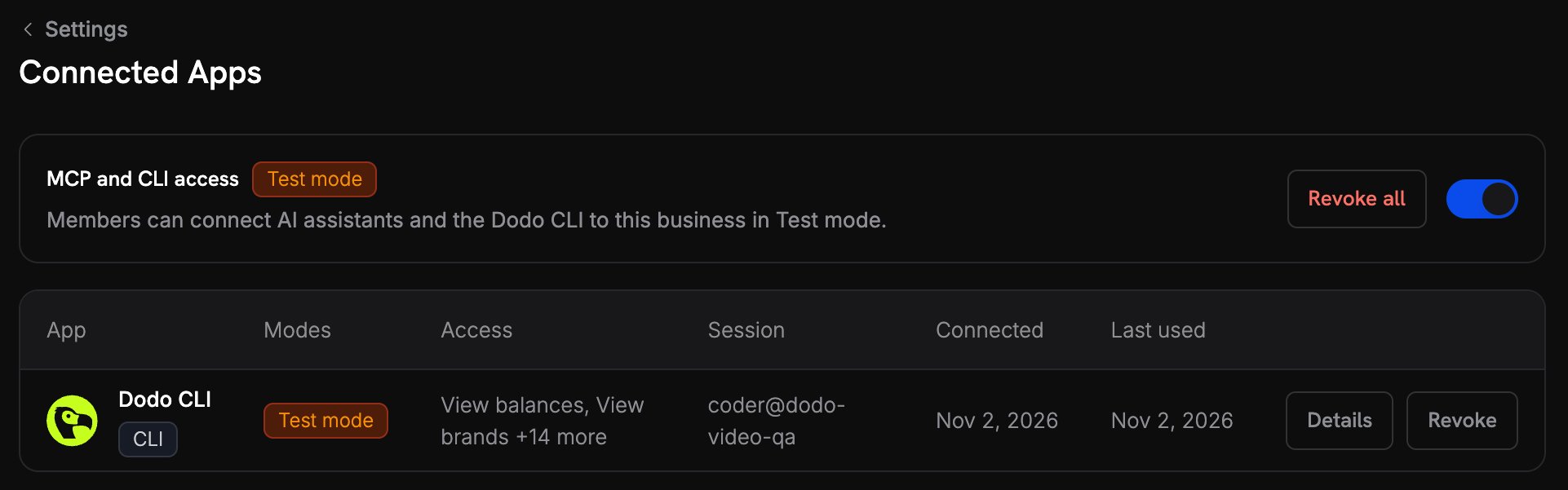
AI assistants and the Dodo CLI can now sign in to your business with OAuth instead of a stored API key. You choose a mode and the access to grant on a consent page, and you can only grant access your own role holds. The CLI signs in withdodo login, including from a machine without a browser.
Review every connection under Settings → Connected Apps, revoke one or all of them, and turn MCP and CLI access off for a mode to refuse new connections.
4. Custom Team Roles
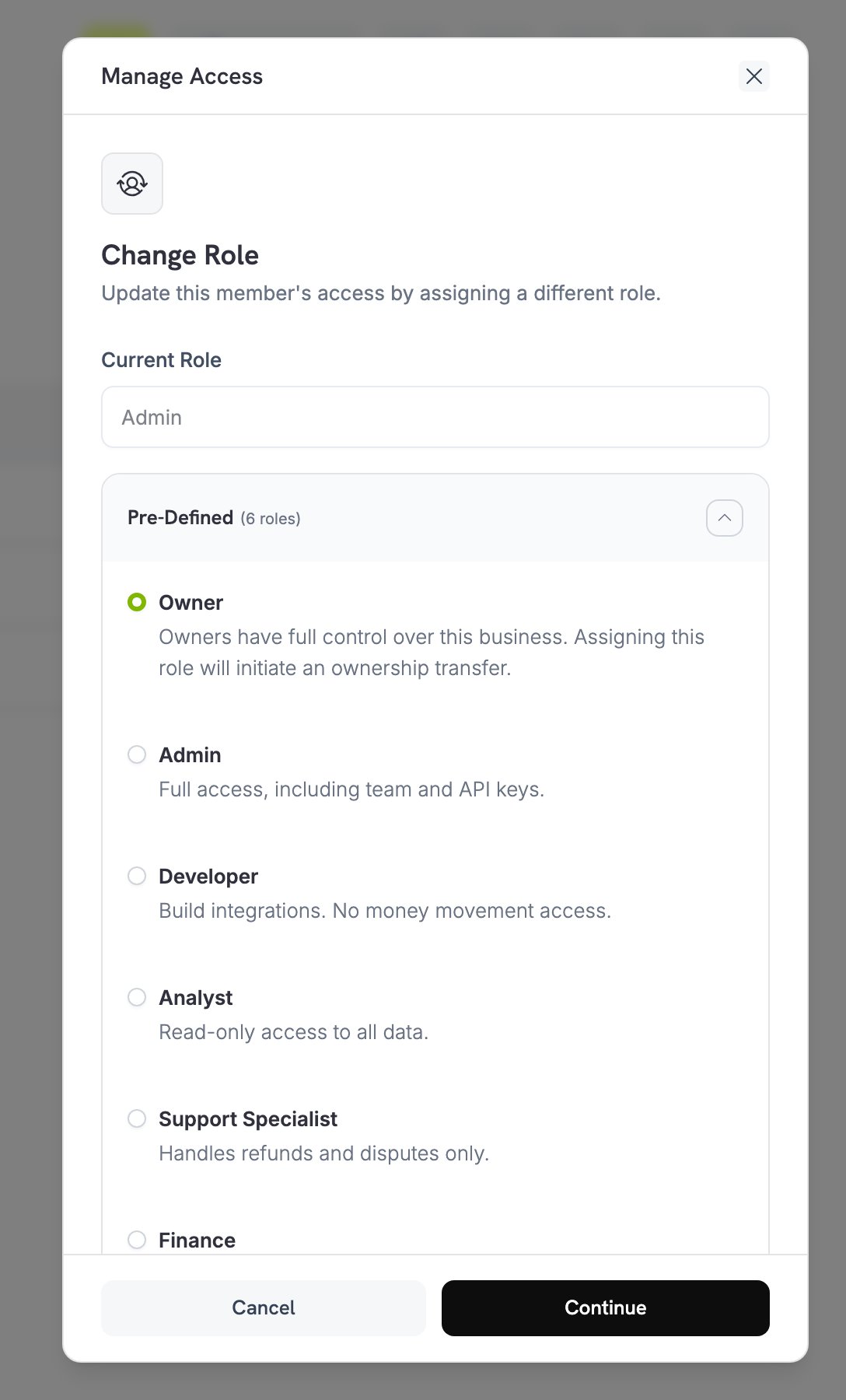
Give each team member only the access they need. Seven predefined roles cover common jobs — Admin, Developer, Analyst, Support Specialist, Finance, and View Only, alongside Owner — and Create Custom Role lets you set None, Read, or Write for each resource. Invite Member now accepts several email addresses at once, all with the same role.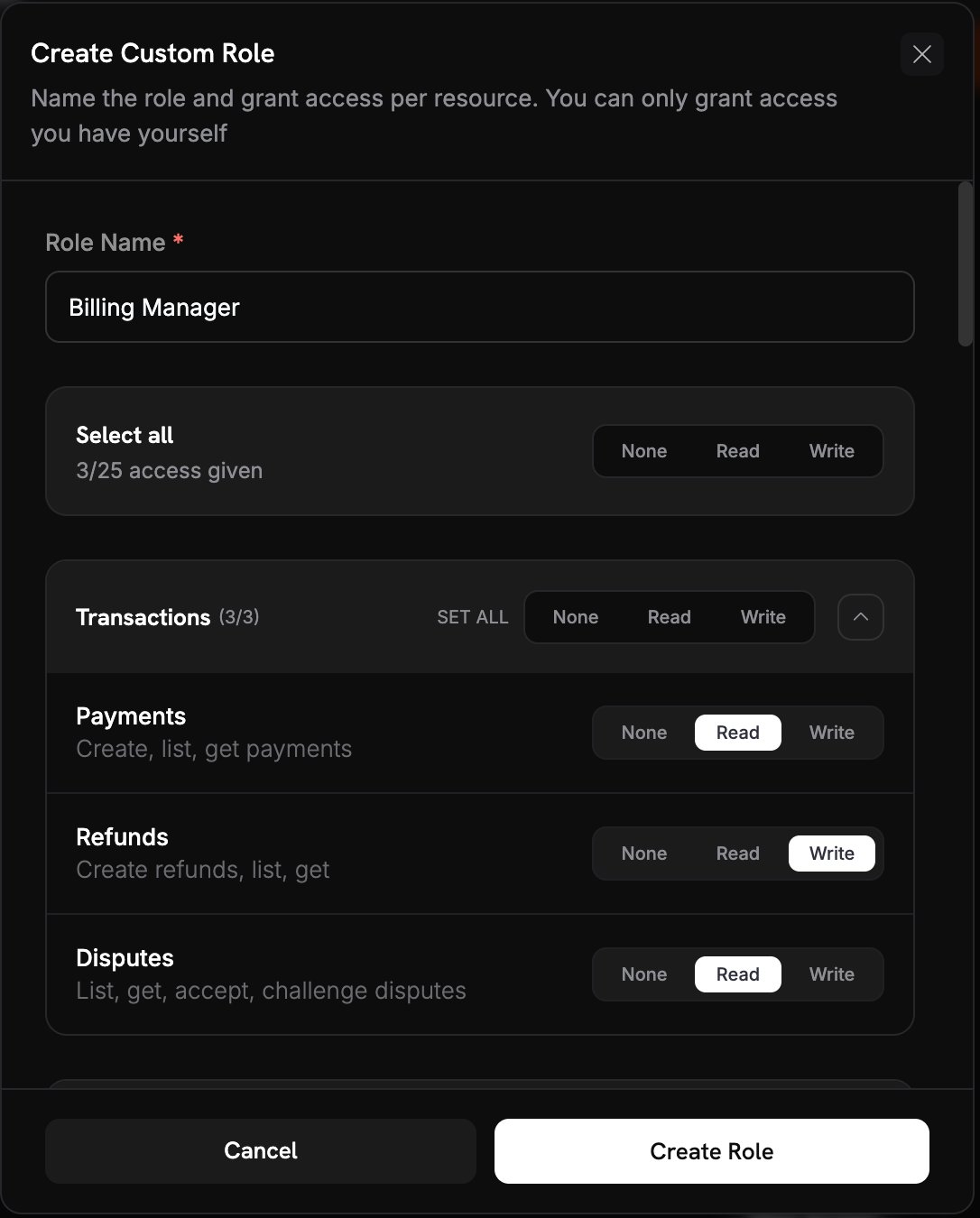
5. API Key Access and IP Allowlists
Each API key can now have its own access, set to None, Read, or Write per resource, and an IP Allowlist of up to 20 IP addresses or CIDR ranges. A request from any other address is refused. The API keys table now shows each key’s prefix, access, and IP limits.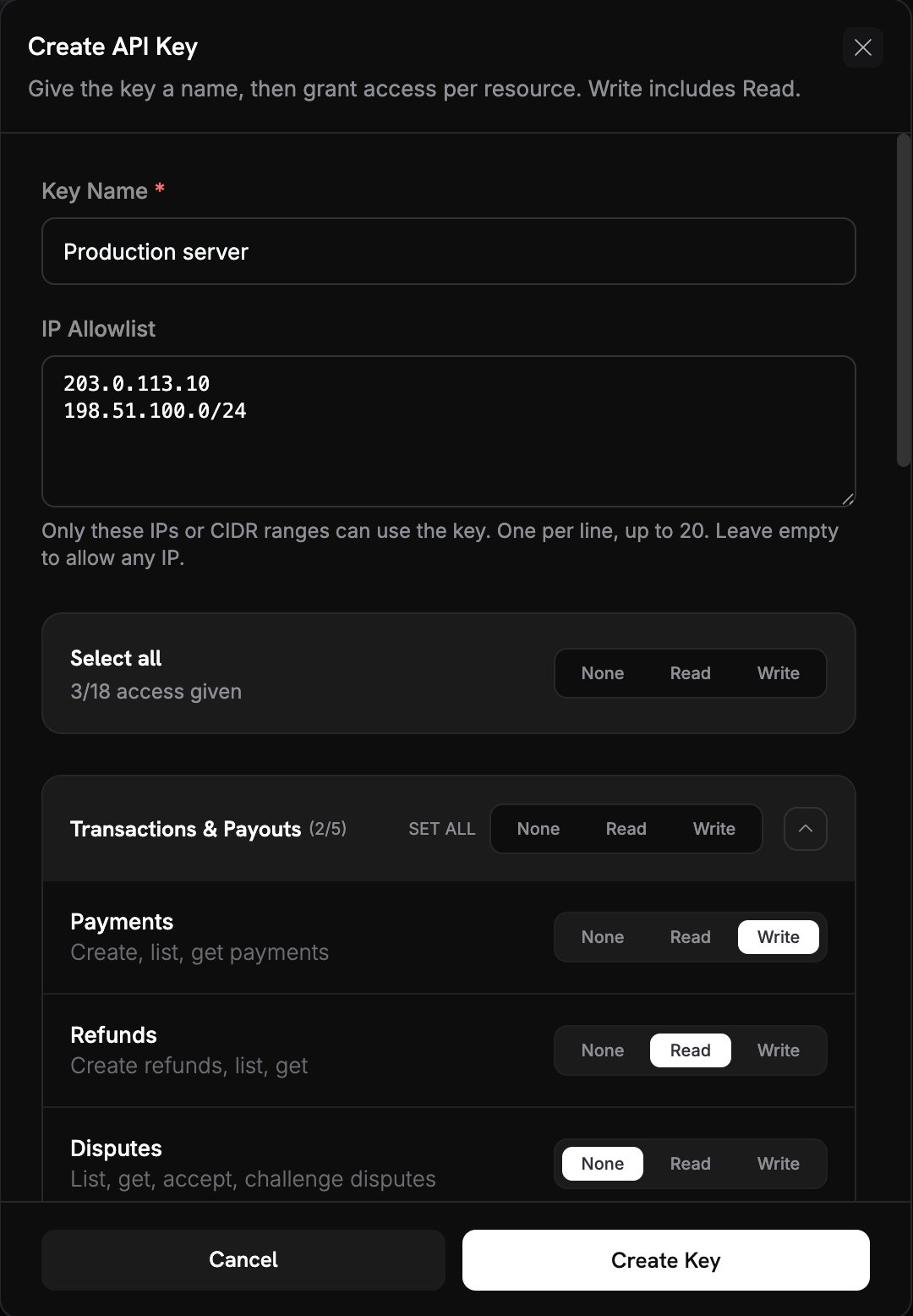
6. Workload Identity
Let CI/CD pipelines and cloud workloads call Dodo Payments with short-lived tokens instead of stored API keys. Add an identity provider under Developer → Workload Identity — GitHub Actions, GitLab CI, Terraform Cloud, Vercel, Google Cloud, AWS, Kubernetes, or any OIDC provider — and set trust rules for which workloads may get a token and with what scopes.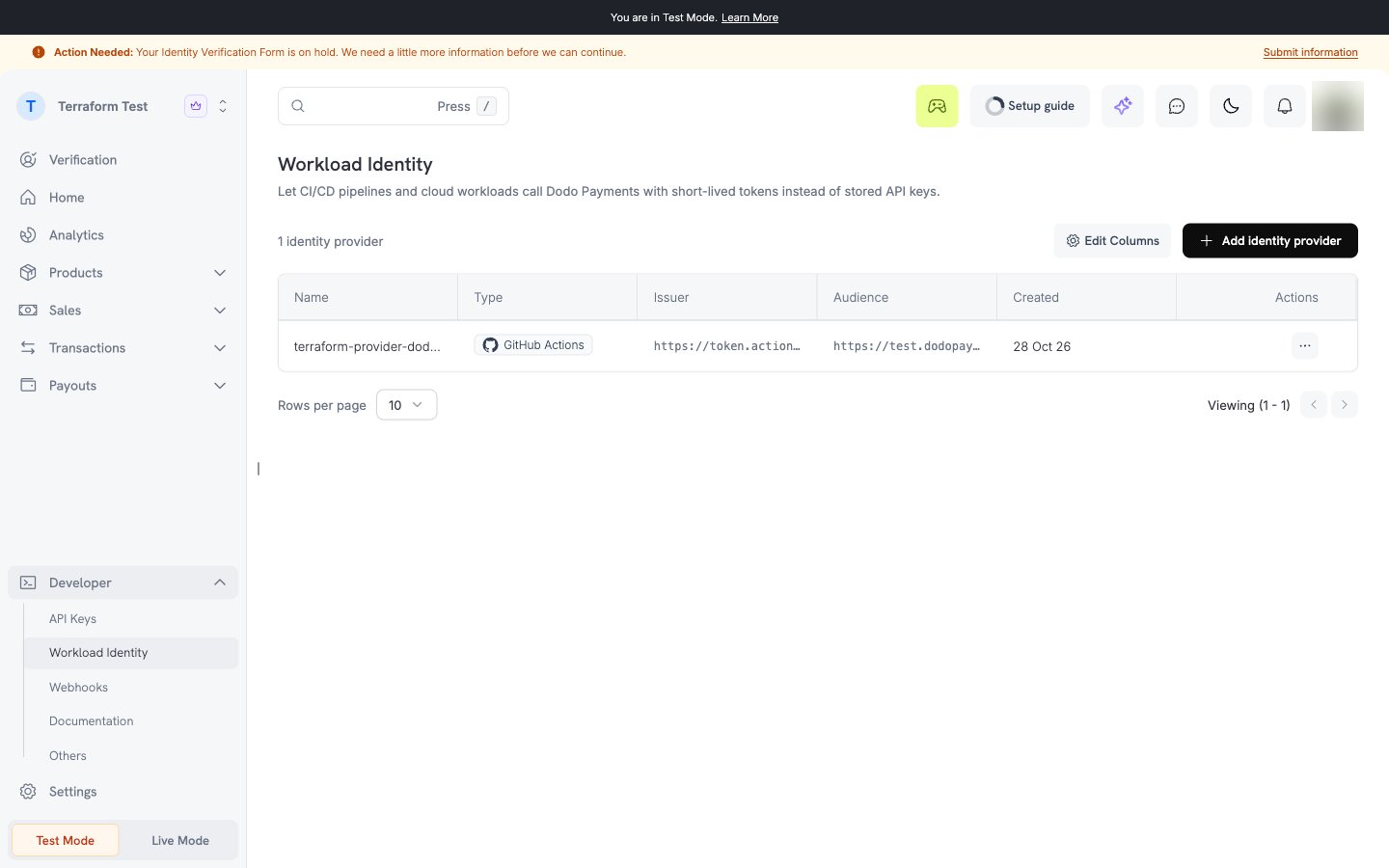
7. Ownership and Entity Transfers
Hand a business to another team member, or change the legal entity behind it, from the dashboard.- Ownership transfer: Change a team member’s role to Owner from Settings → Team & Access. You confirm with an emailed code, the new owner accepts within 48 hours, and you stay on the team as an Admin.
- Entity transfer: Start one from Danger Zone under Settings → Business to move between an individual and a registered entity. The new entity goes through verification again.
8. Custom Payment Retry Schedules
Choose when failed subscription payments are retried. Under Settings → Revenue Recovery, keep the Standard schedule or switch to Custom and set up to eight retries, each waiting between 12 hours and 7 days, all within 30 days. Dodo Payments still never retries hard declines such as lost, stolen, or invalid cards. The payment page shows when the next automatic retry runs.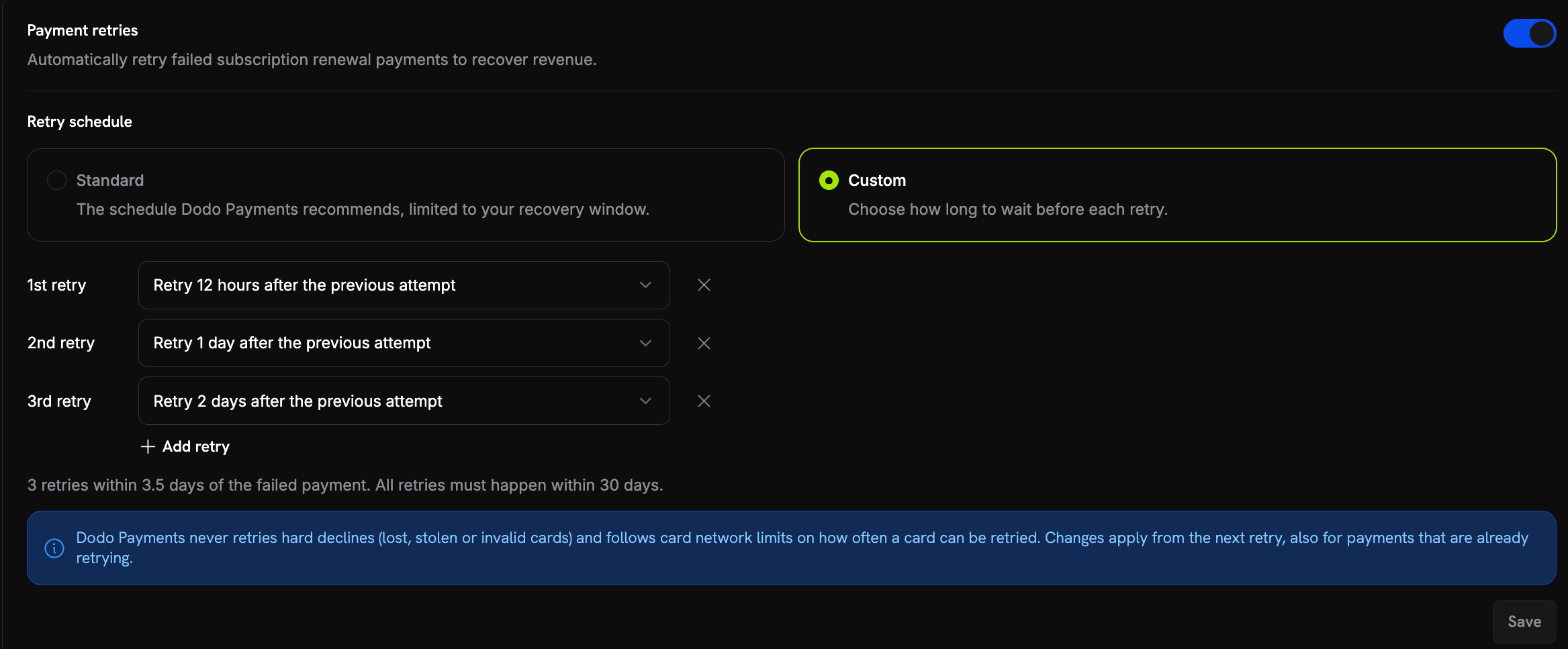
9. Cancellation Retention Offer
Offer customers a discount when they try to cancel. Turn on Offer a Discount When a Customer Cancels under Settings → Subscriptions and set the percentage, 10% by default. The Customer Portal shows the offer before the cancellation goes through. It applies to the next billing cycle only, each customer can accept it once, and accepting it removes a cancellation that was already scheduled.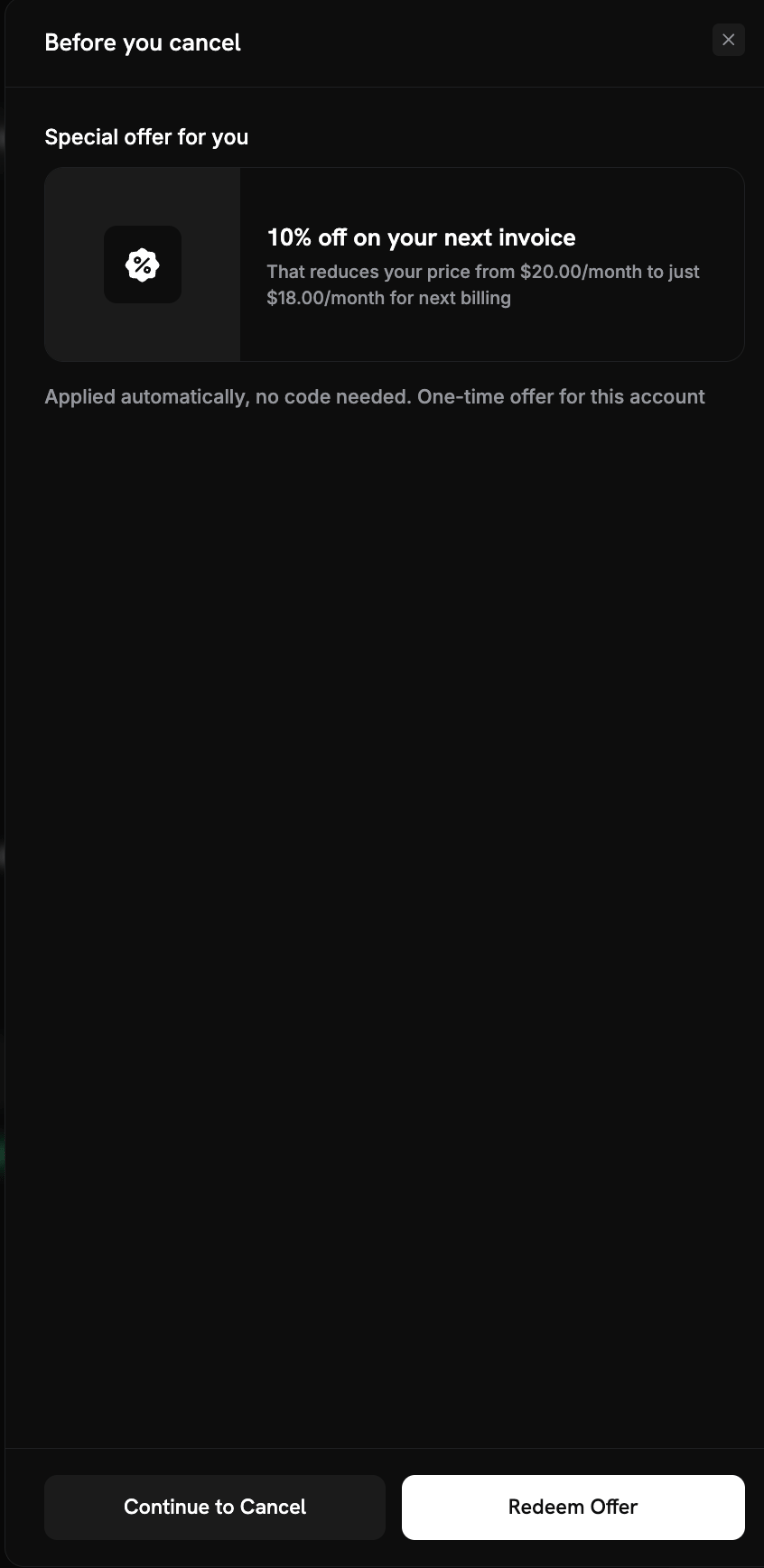
10. A Rebuilt Customer Portal
The Customer Portal has been redesigned, with subscriptions first on the overview and a detail page for each subscription. URLs are unchanged.- Retry a failed payment: A customer whose renewal failed can select Retry Payment on a past-due or on-hold subscription, or Update Payment Method. Retries need payment retries turned on for your business.
- Invoices open in the portal: Invoices open in the browser instead of downloading.
- Wallet card details: Billing history shows the card behind each Apple Pay or Google Pay payment.
11. Prorated, Keep Billing Date
A new proration mode,prorated_immediately_keep_cycle, charges the price difference for the time left in the current billing cycle without moving the next billing date. It appears in the dashboard as Prorated, keep billing date and needs the plan change to apply immediately. A change to a longer billing interval falls back to prorated_immediately.
Learn more: Proration Modes
12. Refunds in the Payment Currency
Refund a cross-currency payment in the currency the customer paid. Sendcurrency on the refund request, and the amount is taken exactly in that currency, including the proportional share of any Adaptive Currency fee. Refunded tax never exceeds the tax settled on the payment.
Each successful refund also shows its network reference — the ARN, RRN, or STAN — once the card network provides it, usually one to three business days after the refund.
Learn more: Refunds in the Payment Currency
13. More Detail on Every Payment
- 3D Secure result: Payments return
three_ds_status,three_ds_flow, andthree_ds_version, and the payment page shows the authentication result and flow. - Wallet card details: Apple Pay and Google Pay payments show the card’s last four digits, expiry, and type.
- Subscription billing: Payments carry
charge_type(new,renewal,plan_change, oron_demand) andservice_periods, the subscription periods the payment covers. - Payment lists: Each item now includes
checkout_session_idandretry_attempt. - Renewal webhooks:
subscription.renewednow includes thepayment_idof the renewal payment.
14. Analytics, Payouts, and Catalog
- Analytics: Charts gain a Daily, Weekly, or Monthly interval, plus the date presets 1 year, This month, This quarter, and This year.
- Payouts: Payout balances, the home cards, and the Balances total now show your settlement currency.
- Add-ons: Archive an add-on to remove it from every product that offers it, and unarchive it later. Existing subscriptions keep it.
- Meters: Edit a meter’s name, description, and measurement unit.
15. Checkout Improvements
- Payment methods by currency: Methods are ordered for the currency the customer pays in.
- Shorter forms: SEPA, EPS, iDEAL, and Klarna ask only for the details they still need.
- Order summary: A new summary shows product images, add-ons, and a trial row per subscription.
- Pix: The customer sees the IOF fee and the total due before confirming.
- WeChat Pay: Offered for payments of 1,000 CNY or less.
16. Serbian and Croatian
Checkout, the Customer Portal, and the dashboard are now available in Serbian and Croatian. Checkout supports 24 languages and the Customer Portal supports 23. Learn more: Supported Languages17. Account Security
- Active sessions: See every device signed in to your account under Settings → Account, and sign out of one, all others, or everywhere.
- Sign-in: The login page marks the option you used last, and Sign Out is back in the profile menu.
18. Checkout SDK 2.1
merchant_page_url:Checkout.open()andCheckout.buildUrl()now send the URL of the page that opened checkout, without its query string or fragment.- UPI on Android: UPI app links open from inline and overlay checkout on Android Chrome.
- Apple Pay name: Apple Pay asks for the payer’s name when the checkout requires a cardholder name.