New Features
1. Checkout Redesign
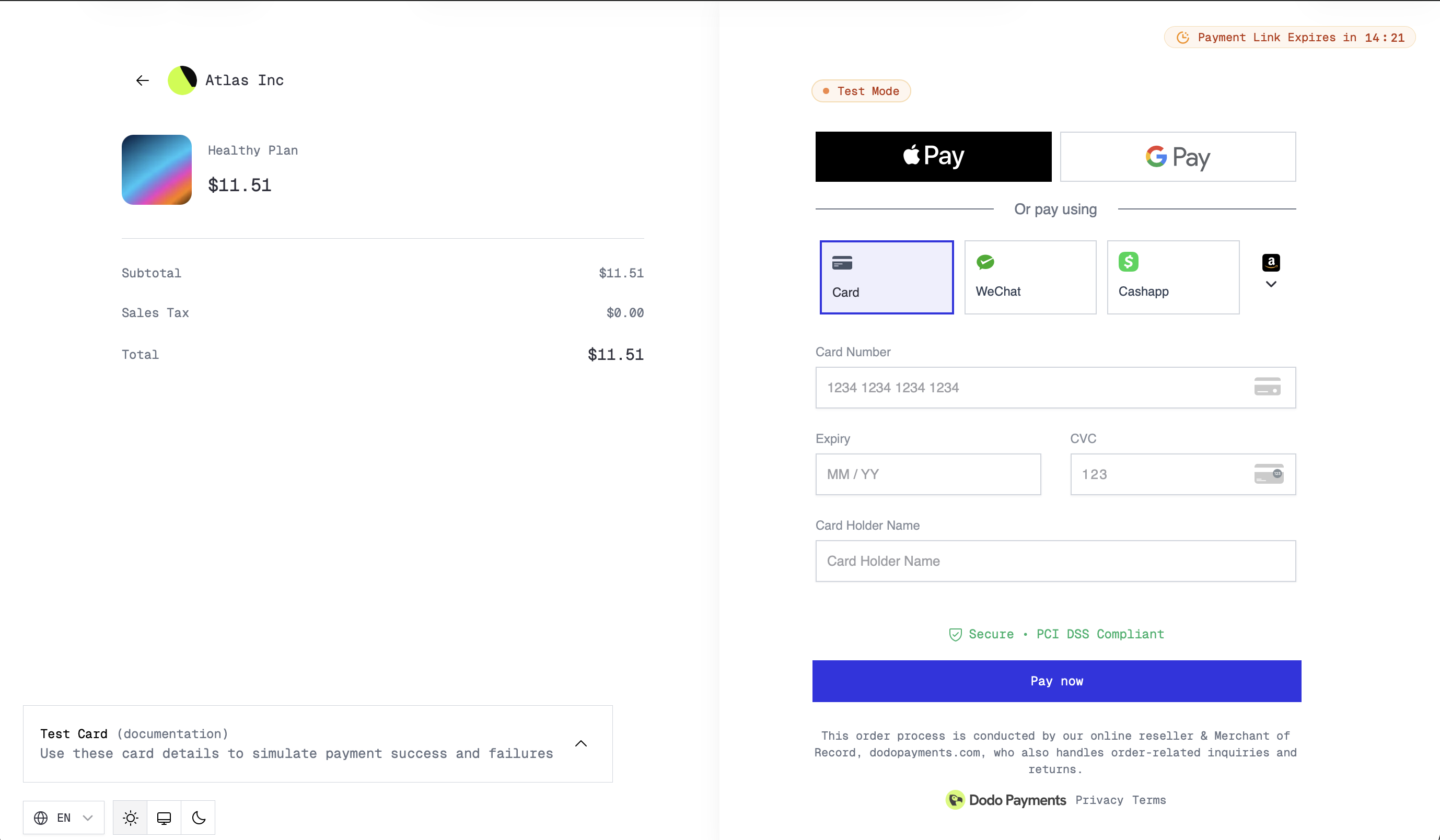
The checkout experience has been completely redesigned with improved loading states that prevent flickering during page transitions. Customers now see smooth skeleton loading instead of jarring content shifts, creating a more polished payment experience.
Additionally, cancel URL support is now available — customers can return to your site if they decide not to complete their purchase.
Configure the cancel_url when creating checkout sessions to provide customers with a clear exit path back to your site.
2. Net Revenue Analytics
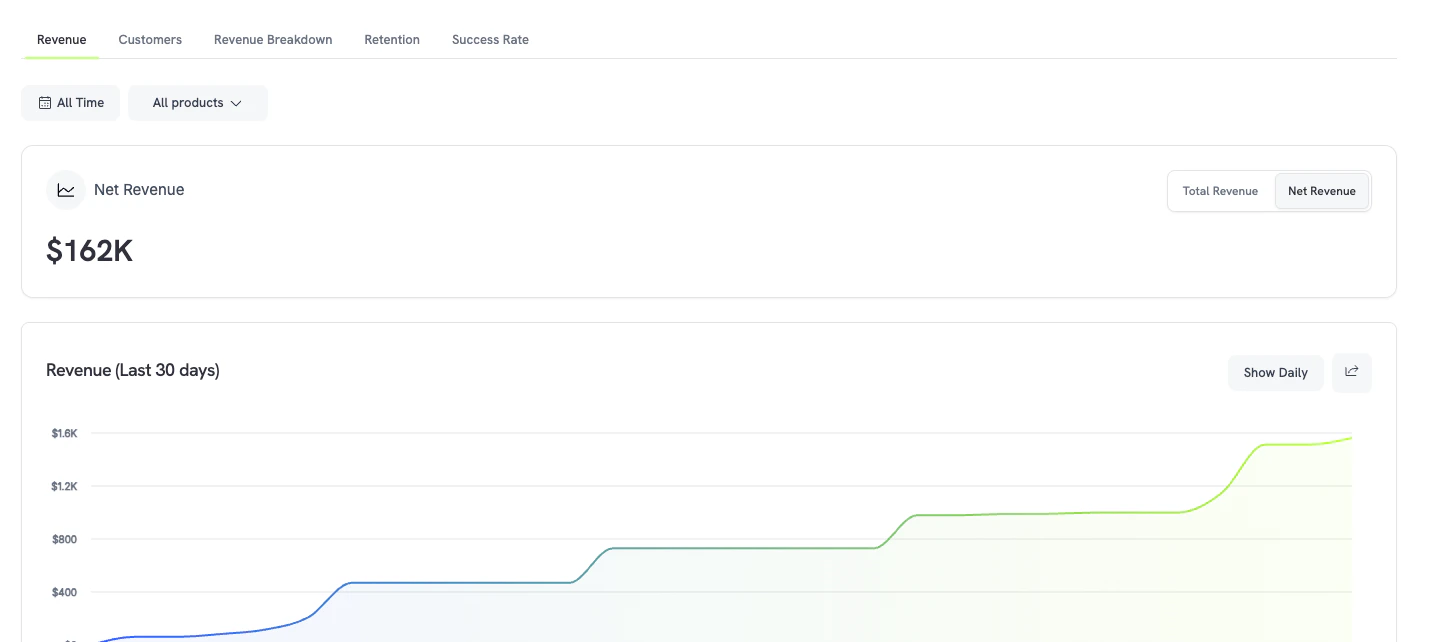
A new Net Revenue metric is now available on the analytics page, giving you a clear view of your actual earnings after refunds, disputes, and fees. Track net revenue trends over time and compare across periods to understand your true business performance.
3. Business-Level Payment Method Disabling
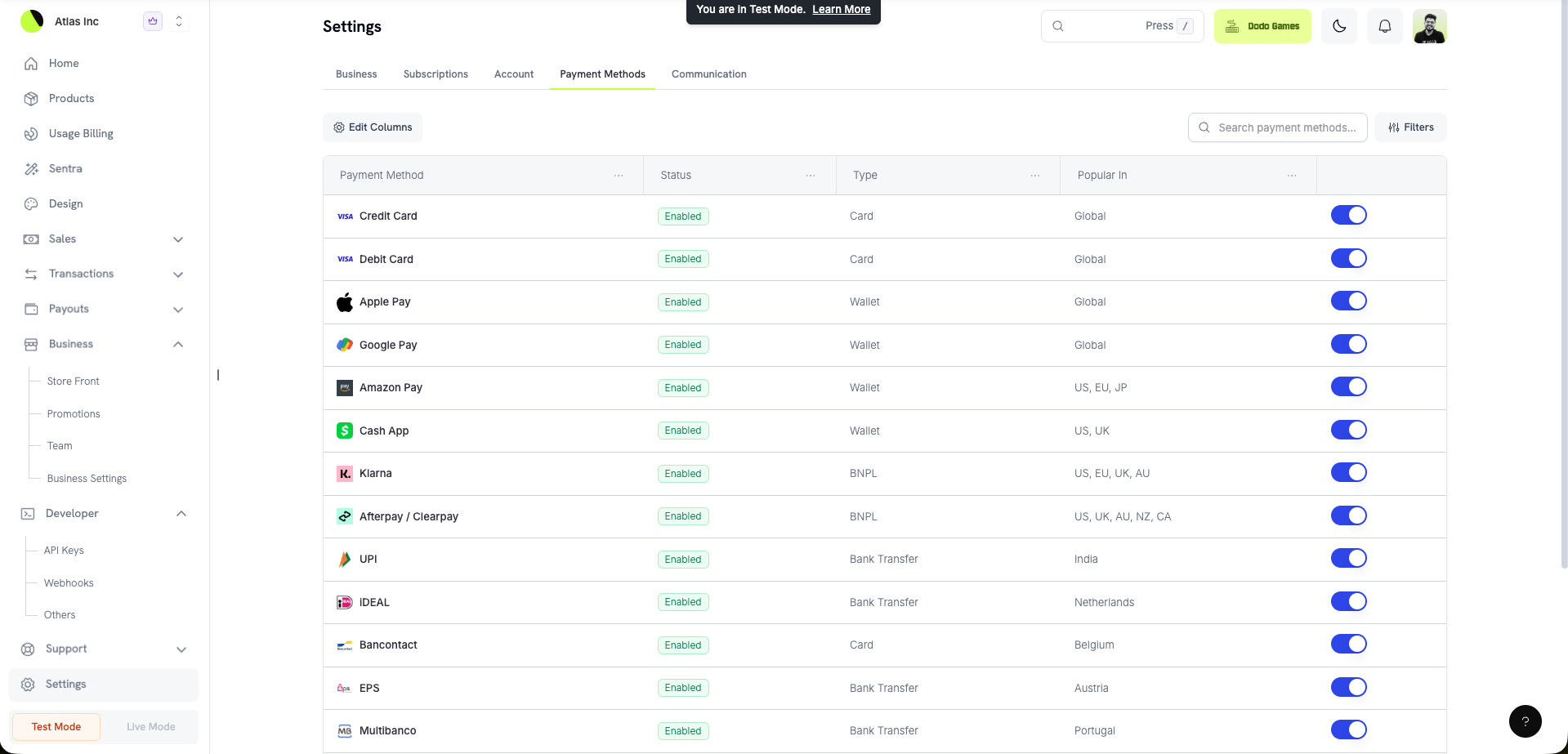
You can now disable specific payment methods at the business level. This gives you granular control over which payment options are available to your customers across all checkout sessions, without needing to configure it per product or session.
Use this to disable payment methods that have high fraud rates in your region, or to limit options to only the methods your business supports operationally.
4. Payout Breakdown
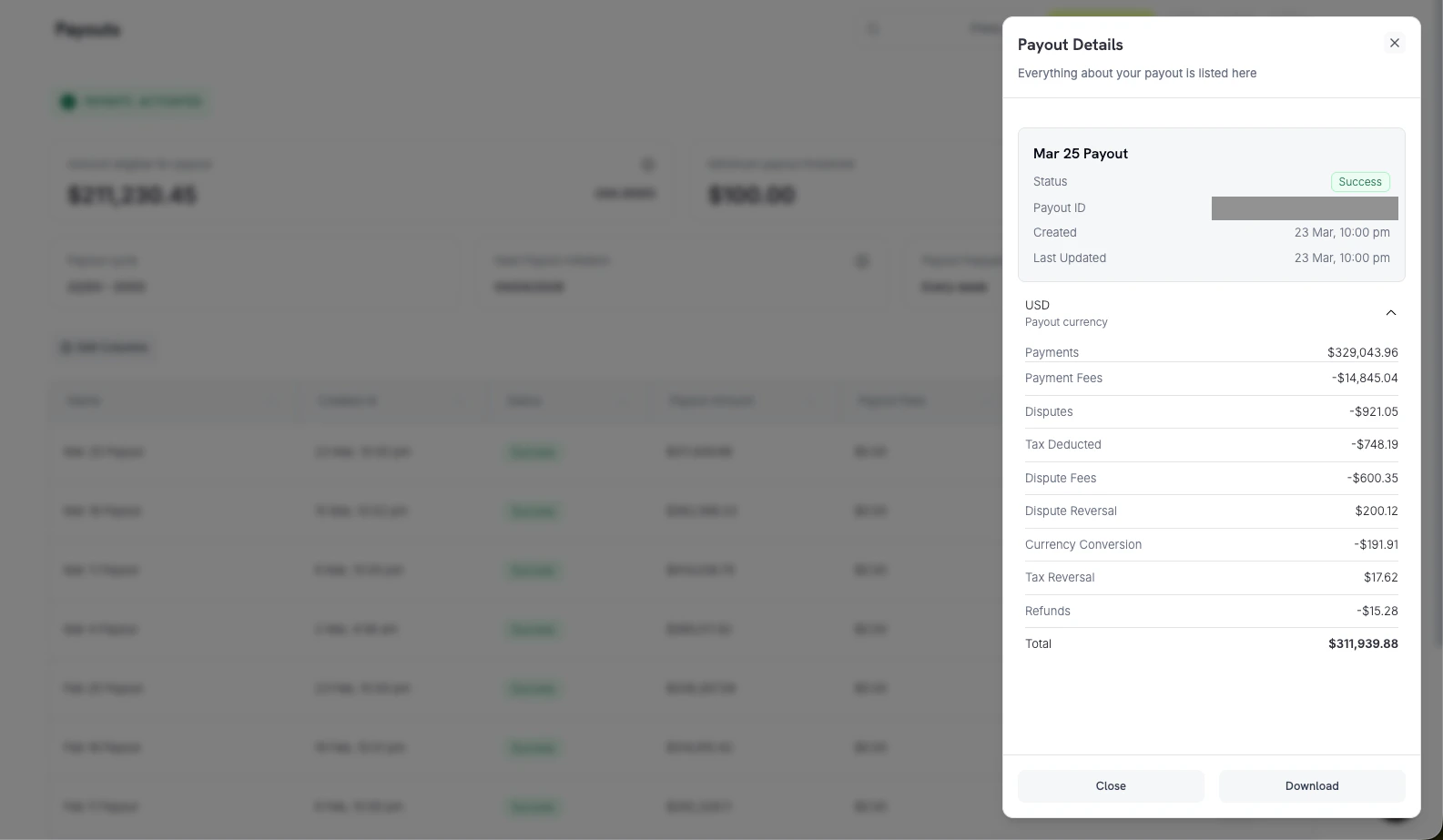
The payouts section now includes a detailed payout breakdown, showing exactly how each payout amount was calculated. View the individual transactions — payments, refunds, disputes, and fees — that make up each payout directly from the dashboard.
A new Payout Breakup API is also available for programmatic access to payout composition data.
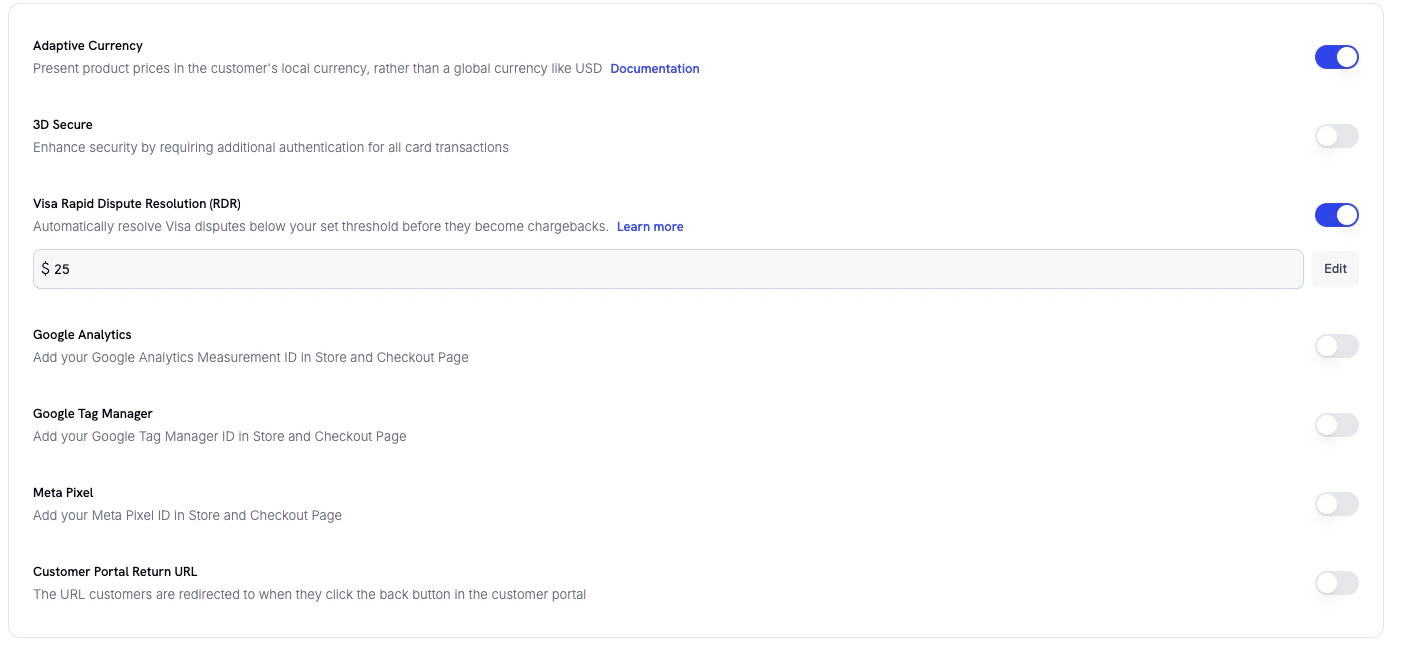
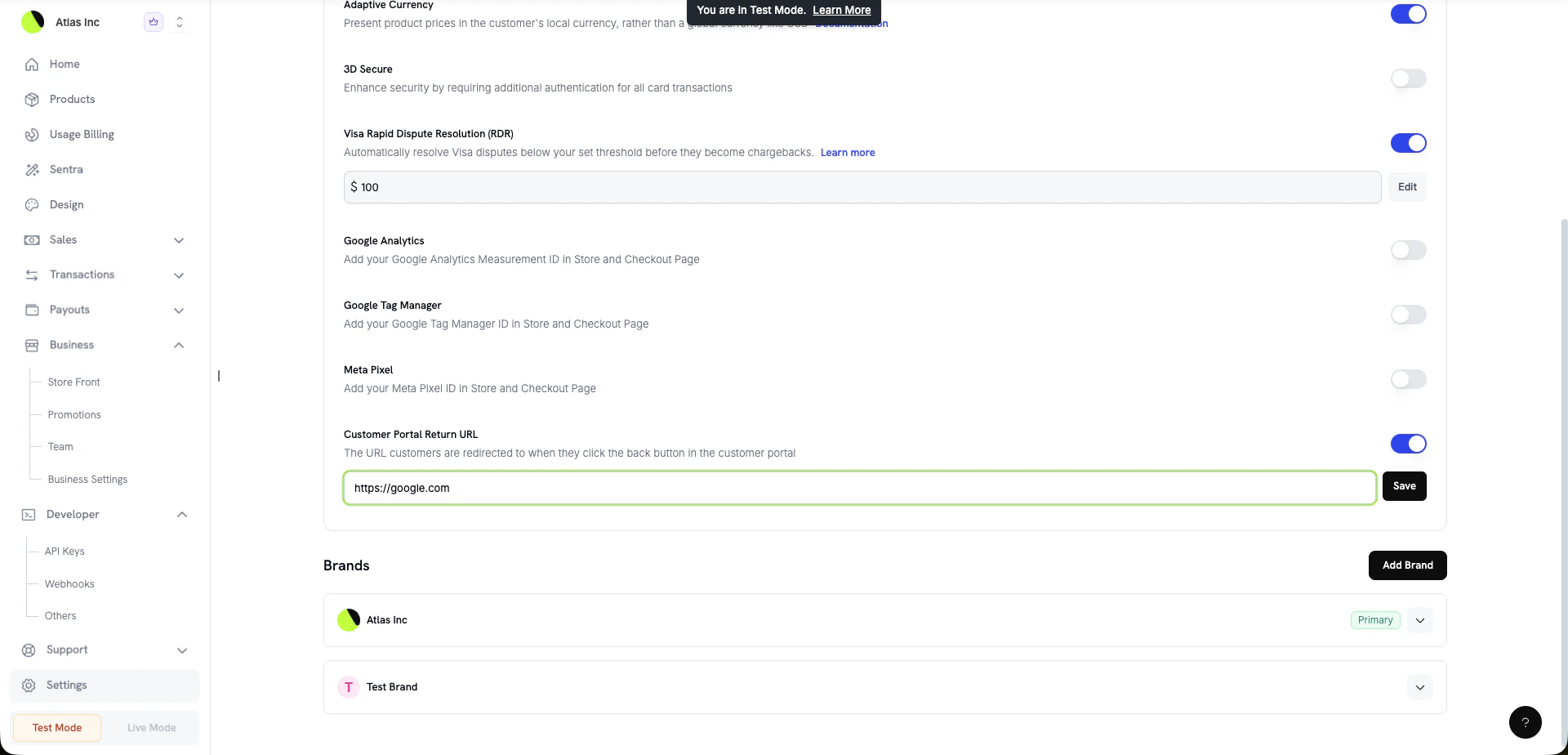
5. Visa RDR Configuration
You can now configure Visa Rapid Dispute Resolution (RDR) directly from your business settings. Set your RDR threshold and enable automatic dispute resolution without needing to contact support.
RDR automatically resolves eligible Visa disputes before they become formal chargebacks, helping you stay below Visa’s 0.9% dispute rate threshold.
7. Change Plan on Next Billing Date
Subscription plan changes can now be scheduled to take effect on the next billing date instead of immediately. This gives customers a smoother transition experience, especially for downgrades, where they retain access to their current plan until the end of the billing period.
Learn more: Change Plan API
8. DoNotBill Proration Mode
A new do_not_bill proration mode is available for subscription plan changes. When using this mode, no proration charges or credits are calculated — the customer simply moves to the new plan without any billing adjustment.
| Proration Mode | Behavior |
|---|
prorated_immediately | Bill or credit the difference immediately |
prorated_next_billing | Apply proration at the next billing cycle |
do_not_bill | No proration — switch plans without billing adjustments |
9. Delete Customer Payment Method
A new API endpoint lets you delete a customer’s saved payment method programmatically. Remove outdated or unwanted payment methods from customer accounts via the API or dashboard.
Learn more: Customer Payment Methods
Improvements
- Skeleton loading implemented across the dashboard for faster perceived load times
- Filter persistence when navigating between pages — your selected filters are preserved when you leave and return
- Contextual drill-down navigation added for easier data exploration across dashboard views
- CBB demo added to Atlas for testing credit-based billing flows
Bug Fixes
- Fixed incorrect expiry time display on certain subscription views
- Fixed iOS notification sound not playing for push notifications