New Features
1. Communication Preferences
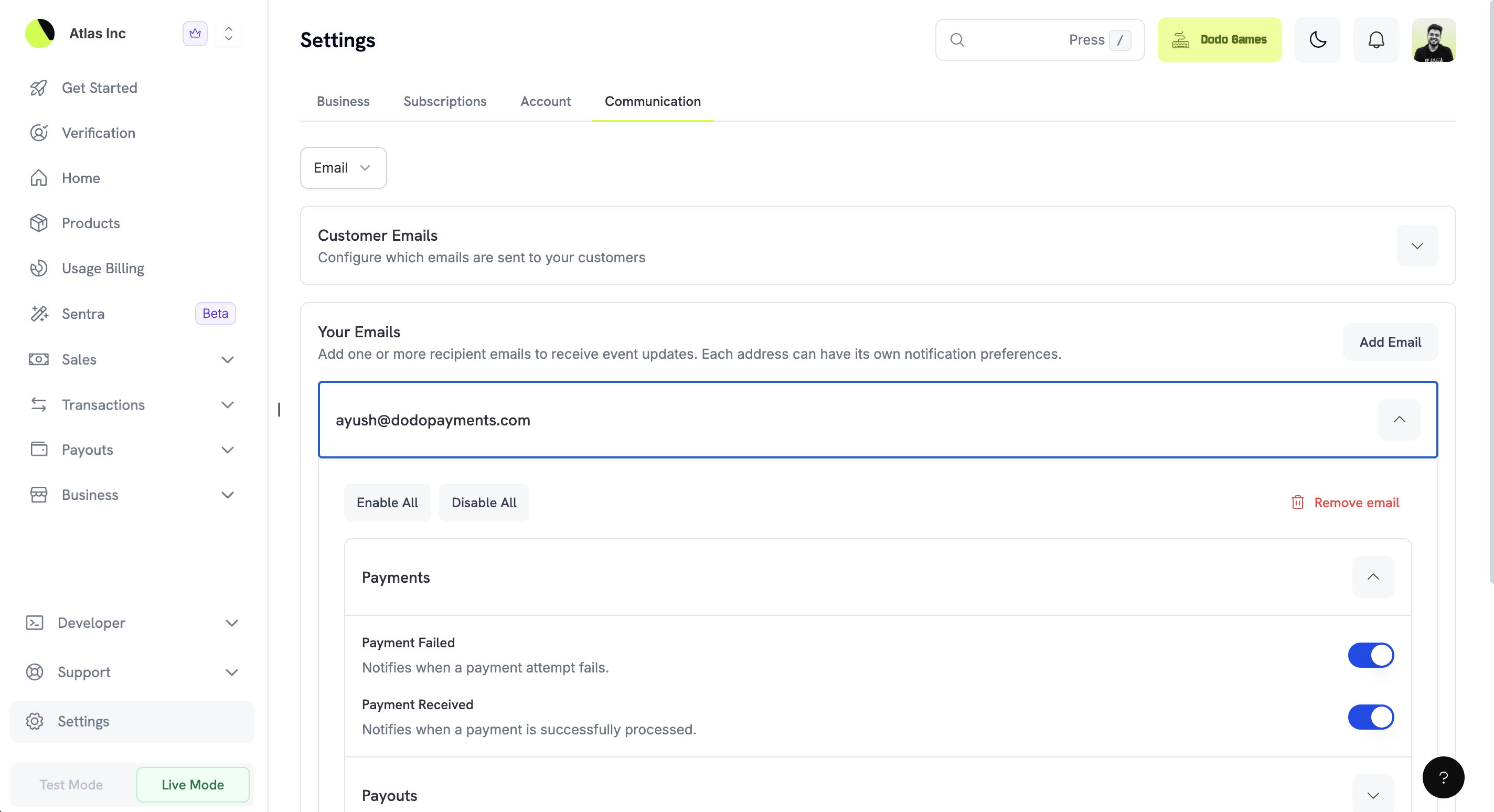
Take control of how you receive notifications with our revamped Communication Preferences. Configure email, push, and in-app notifications to match your workflow.
Key Features
- Revamped email designs: Fresh, modern email templates with clear calls-to-action and improved readability
- Push notifications: Get instant alerts on your mobile device for critical events like new sales, disputes, and payouts
- Granular controls: Choose exactly which events trigger notifications and through which channels
- Multi-email support: Add multiple email addresses to receive notifications
- Customer email preferences: Configure which emails your customers receive
Notification Categories
| Category | Description |
|---|
| Sales & Payments | New sales, successful payments, failed payments |
| Payouts & Refunds | Payout completions, refund requests, refund completions |
| Subscriptions | New subscriptions, renewals, cancellations, plan changes |
| Disputes | Dispute opened, evidence required, dispute resolved |
Result: Stay informed about your business with notifications delivered exactly how and when you want them.
2. Custom Fields in Checkout Sessions
Collect additional information from customers during checkout with custom fields. Add text inputs, dropdowns, dates, and more to gather the data you need.
Supported Field Types
| Type | Description | Use Case |
|---|
text | Single-line text input | Company name, order notes |
number | Numeric input | Quantity, age |
email | Email input with validation | Billing contact email |
url | URL input with validation | Website, social profile |
date | Date picker | Delivery date, event date |
dropdown | Selection from predefined options | Size, color, plan type |
boolean | Checkbox for yes/no values | Terms acceptance, newsletter opt-in |
const session = await client.checkoutSessions.create({
  product_cart: [{ product_id: 'prod_123', quantity: 1 }],
  custom_fields: [
    {
      name: 'company_name',
      label: 'Company Name',
      type: 'text',
      required: true
    },
    {
      name: 'team_size',
      label: 'Team Size',
      type: 'dropdown',
      options: ['1-10', '11-50', '51-200', '200+'],
      required: true
    },
    {
      name: 'newsletter',
      label: 'Subscribe to our newsletter',
      type: 'boolean',
      required: false
    }
  ],
  return_url: 'https://yoursite.com/success'
});
- Flexible data collection: Gather any information needed for fulfillment or personalization
- Validation built-in: Email and URL fields automatically validate input format
- Required/optional control: Mark fields as required or optional based on your needs
- Webhook delivery: Custom field values are included in payment webhook events
Custom field values are returned in the custom_fields object within payment and checkout session responses.
3. Expanded Checkout Language Support
The checkout page now supports 21 languages, up from 16. Reach more customers in their native language for a better checkout experience.
New Languages Added
| Language | Code |
|---|
| Korean | ko |
| Malay | ms |
| Romanian | ro |
| Russian | ru |
| Thai | th |
force_language parameter to override automatic language detection:
const session = await client.checkoutSessions.create({
  product_cart: [{ product_id: 'prod_123', quantity: 1 }],
  force_language: 'ko', // Force Korean language
  return_url: 'https://yoursite.com/success'
});
By default, the checkout page automatically detects the customer’s preferred language from their browser settings. Use force_language when you want to ensure consistency with your website’s language.
4. General Bug Fixes and Enhancements
This release includes performance improvements, UI polish, and resolves minor bugs for a more reliable, streamlined experience.