New Features
1. Analytics v3 — A Completely Rebuilt Dashboard
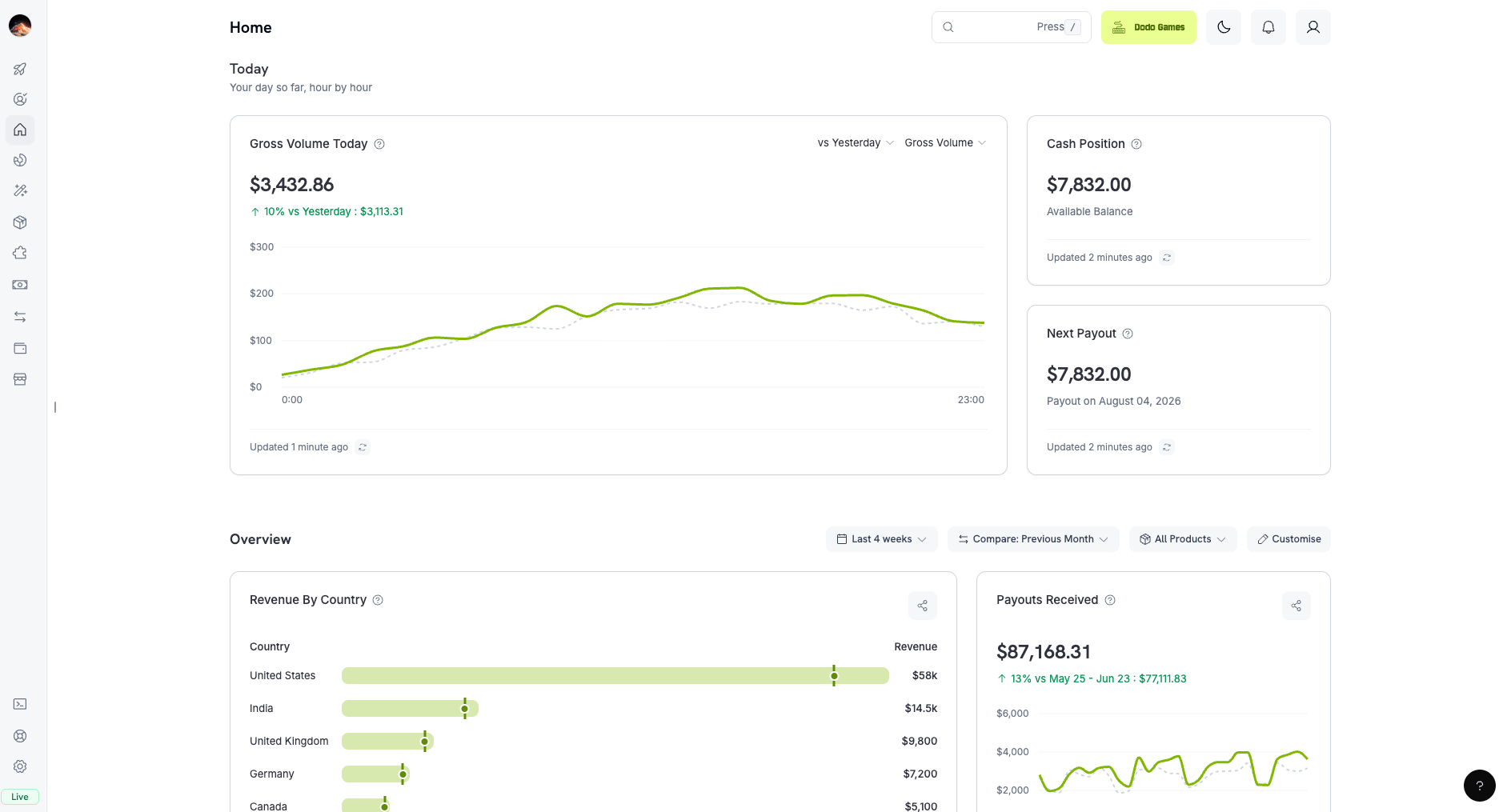
We completely rebuilt analytics from the ground up. Your dashboard now brings every metric that matters into one place, powered by a new real-time data engine (Analytics v3).
Everything in one place
- Real-time revenue — see today’s revenue as it comes in, hour by hour.
- One-click comparisons — compare any metric against the previous period, like last month, with a single click.
- Revenue by country — see exactly which countries your revenue comes from.
- Payments health — track failed payments, refunds, and recovery together in one view.
- Subscription insights — built-in retention cohorts, MRR, and churn tracking.
Two things we’re especially proud of:
- Customizable layout. Drag widgets around and pick which metrics appear — your dashboard, your way. Your layout is saved automatically.
- Shareable chart cards. Click Share on any metric, pick a color theme, add your logo, and download a ready-to-post image — perfect for investor updates or team reports, with no design tool needed.
Learn more: Dashboard Analytics
2. Paid Trials for Subscriptions & Checkout
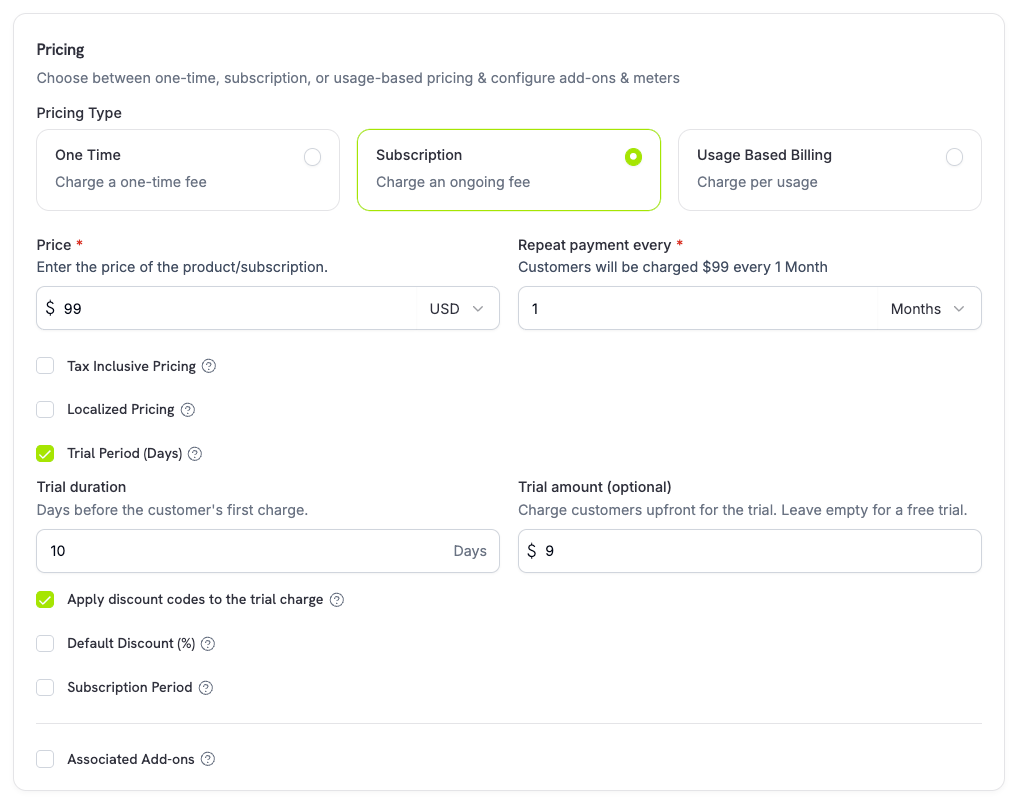
Trials no longer have to be free. You can now charge a trial amount on a subscription product’s recurring price, so customers pay a reduced upfront fee for the trial window before the full price kicks in at the first renewal.
- Set a
trial_amount alongside trial_period_days on a recurring price — a paid trial requires a positive trial period.
- Choose whether checkout discounts apply to the trial charge (
trial_apply_discounts), so the paid-trial amount can be discounted or charged in full independently of the recurring price.
- Paid trials flow through checkout as well: the trial amount is taxed and surfaced in checkout-session calculations and payment-link pricing, with adaptive currency markup applied per currency.
Free trials are unchanged — leaving the trial amount unset keeps the existing behavior where the first charge is 0 and occurs when the trial ends.
Learn more: Subscriptions | Checkout Session
3. Prevent Trial Misuse on Subscriptions
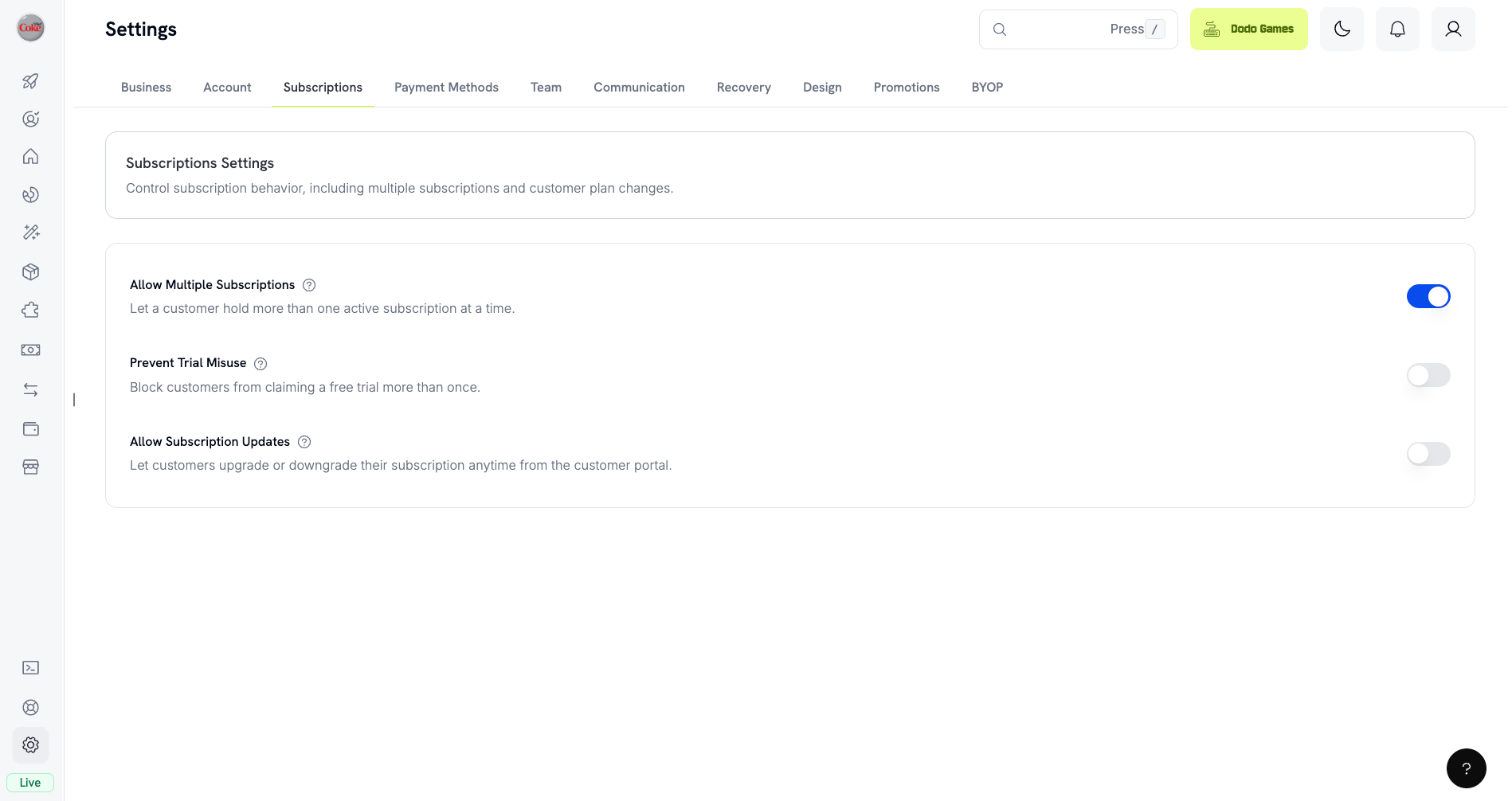
A new opt-in Prevent Trial Misuse setting stops customers from repeatedly claiming trials for the same business. When enabled, a customer who has already redeemed a trial — matched by normalized email (plus-aliases stripped) — is automatically degraded to a paid, no-trial purchase instead of receiving a fresh trial.
Enable it from the Subscriptions tab in dashboard settings. The setting is off by default, redemptions are recorded at trial activation (so even a same-day cancel consumes the trial), and existing customers are backfilled from historical trials by email.
Learn more: Subscriptions
4. Payout Accounts
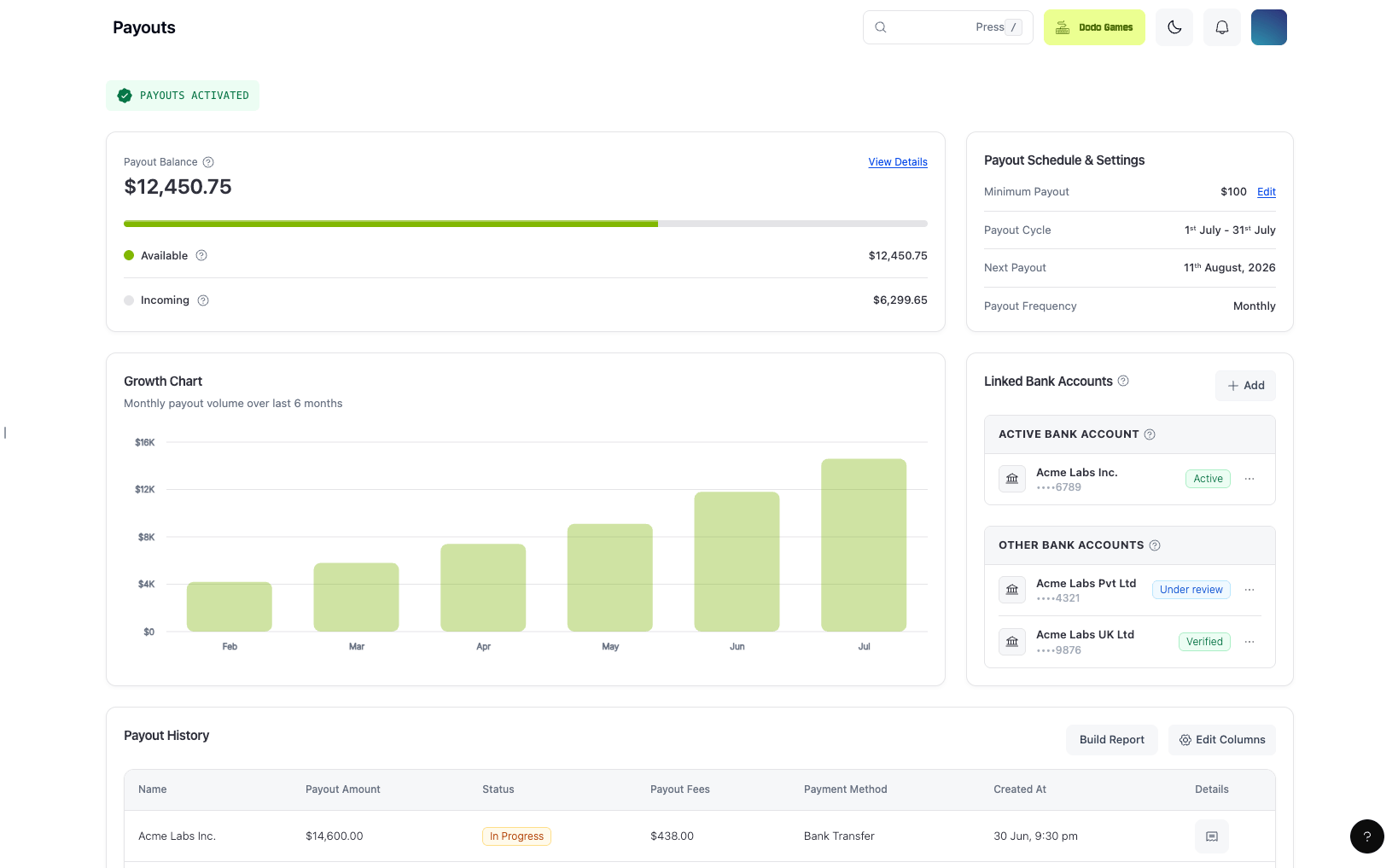
You can now manage multiple payout bank accounts from the dashboard instead of a single fixed account. Add accounts per currency and transfer method, save drafts, resubmit accounts placed on hold, and see the active account and any hold or failure reason inline.
- The first approved account is activated automatically, and on-hold or failed accounts show the reason inline with a resubmit action.
- Bank verification during business onboarding is now driven by the same payout-accounts flow for a single, consistent experience.
Learn more: Payouts Process | Balances
5. Product & Add-on Pricing in Any Chargeable Currency
Product and add-on base prices can now be set in any currency Dodo Payments can charge, not just USD. The pricing forms include a searchable currency selector with country flags, and the most common currencies — USD, GBP, EUR, and INR — are pinned to the top of the dropdown.
Everyone outside your base currency is still billed through Adaptive Currency, but you now have full freedom to author prices in the currency that best fits your market.
Learn more: Products | Add-ons | Adaptive Currency
6. New Webhook: subscription.update_payment_method
A new subscription.update_payment_method webhook event fires whenever a subscription’s payment method changes — for example, when a customer switches to a different saved card. It carries the Subscription payload, so you can keep your records in sync without polling.
The event is additive and appears automatically on existing webhook endpoints.
Learn more: Webhook Events
7. Native Social Login in the Mobile App
The Dodo Payments mobile app now supports native social login — sign in with Google or GitHub through your device’s secure system auth session instead of typing an email and password. The OAuth exchange uses PKCE (S256) bound to a per-request state nonce, so sign-in is both faster and hardened against code-injection and CSRF. The same flow is also available in the desktop app.
Improvements & Bug Fixes
8. next_billing_date in Checkout Session Preview
The checkout session preview now returns a next_billing_date when the cart contains a subscription product, so you can show the upcoming billing date before the subscription is created. It is computed relative to now (now + trial period when a trial applies, otherwise now + one payment frequency) and is omitted for one-time-only carts.
Learn more: Previewing Checkout Sessions | Preview Checkout
9. Filter Subscriptions by cancel_at_next_billing_date
GET /subscriptions now accepts a cancel_at_next_billing_date filter, so you can list only the subscriptions scheduled to cancel at the end of their current period (or exclude them).
Learn more: List Subscriptions
10. Copy Checkout Design From Test to Live Mode
You can now copy your custom checkout design from test mode to live mode in one step, extended to cover all design surfaces and storefront branding — no more re-creating your theme by hand when you go live.
Learn more: Storefront
11. Per-Mode Product Drafts
Product creation now keeps separate drafts for test and live mode, with a Clear Draft option, so an in-progress product in one mode no longer bleeds into the other. Product and collection form pages also gained header action buttons for quicker saves.
Learn more: Products
12. All List-API Fields as Selectable Table Columns
Dashboard tables now expose every field returned by the underlying list API as a selectable column, with a scrollable column-visibility menu and humanized labels — so you can surface exactly the data you need without opening each record.
13. Keyboard Accessibility Across Dashboard & Checkout
We made a broad accessibility pass across the dashboard, checkout, and checkout SDK: consistent keyboard access and focus visibility, accessible names on icon controls and inputs, and a unified focus/error convention on form controls, checkboxes, radios, switches, tabs, and buttons.
Other Fixes & Improvements
- Fixed a checkout crash triggered by in-browser page translation (e.g. Google Translate), which could remove DOM nodes React still owned.
- Improved address autofill in checkout, rebuilt on the Google Places API (New) so dropdown selections survive blur, keyboard collapse, and repositioning.
- Minor bug fixes and stability improvements across the platform.
Last modified on July 24, 2026