Documentation Index
Fetch the complete documentation index at: https://docs.dodopayments.com/llms.txt
Use this file to discover all available pages before exploring further.
New Features
1. Stacked Discount Codes
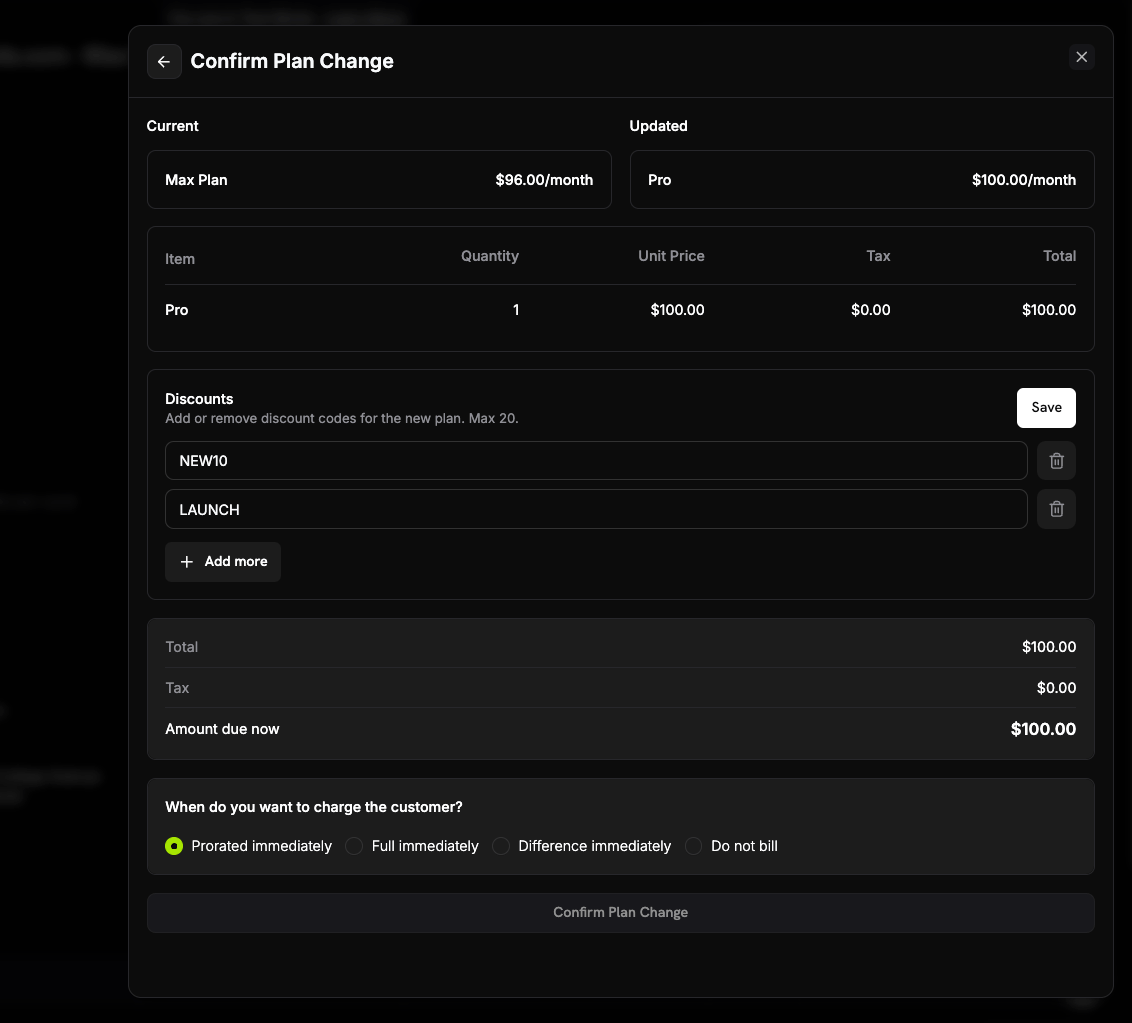
Checkout sessions, payments, subscriptions, and plan changes now accept up to 20 discount codes in a single request via the discount_codes array. Codes are applied in array order — the first eligible code reduces the base price, the second reduces the already-discounted price, and so on — so you can layer campaigns without creating bespoke combined codes.
const session = await client.checkoutSessions.create({
  product_cart: [{ product_id: 'prod_abc', quantity: 1 }],
  discount_codes: ['WELCOME10', 'BLACKFRIDAY20'], // applied in this order
  customer: { email: 'user@example.com' },
  return_url: 'https://yoursite.com/return'
});
| Surface | Field | Max codes |
|---|
| Checkout Sessions | discount_codes | 20 |
| Payments | discount_codes | 20 |
| Subscriptions | discount_codes | 20 |
| Plan Changes | discount_codes | 20 |
discount_codes value | Effect |
|---|
| Not provided | Existing discounts with preserve_on_plan_change=true are kept if applicable to the new product |
[] (empty array) | All existing discounts are removed from the subscription |
['CODE_A', 'CODE_B', ...] | Replaces any existing discounts with this stacked set, applied in array order |
discounts array on payments and subscriptions — each entry includes discount_id, position, and cycles_remaining (for subscriptions). The legacy singular discount_id field is deprecated but still present for backward compatibility.
The singular discount_code field is deprecated but still fully supported — existing integrations continue to work without changes. It cannot be combined with discount_codes in the same request. We recommend migrating to discount_codes when convenient, even for single codes, to take advantage of stacking and the richer response shape.
2. Seven New Customer Notification Emails
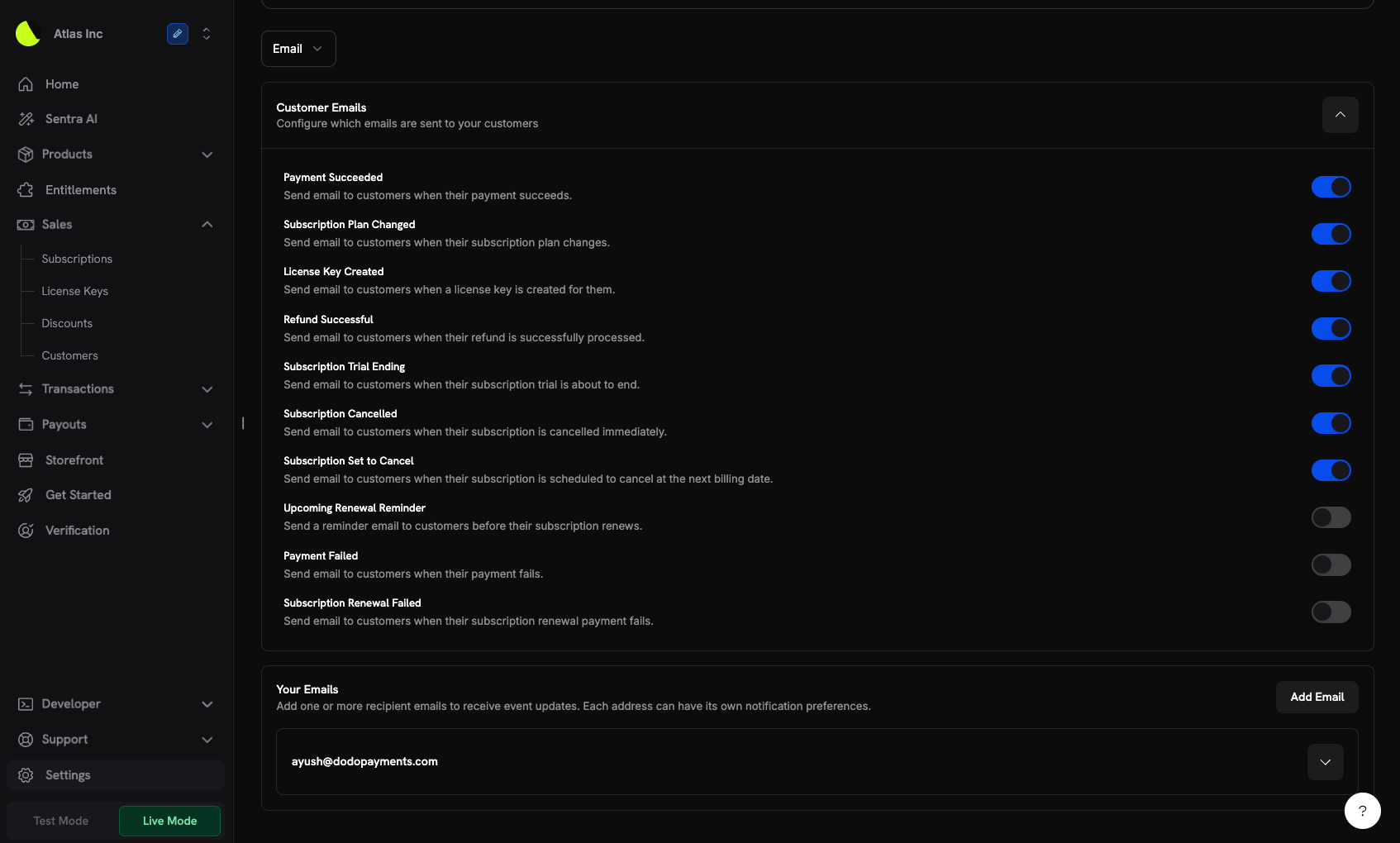
Seven new transactional emails are now sent to your customers automatically, covering refund confirmations, subscription lifecycle milestones, and payment failures. Each email is independently toggleable from Settings → Communication under the Customer Emails section.
Opt-in (enabled by default)
| Email | When it fires |
|---|
| Refund Successful | A refund is successfully processed and funds are on their way back to the customer |
| Subscription Trial Ending | ~2 days before a trial expires and the first billing charge occurs |
| Subscription Cancelled Immediately | A subscription is cancelled with immediate effect |
| Subscription Set to Cancel at Next Billing Date | A subscription is scheduled to cancel at end of the current billing period |
| Email | When it fires |
|---|
| Payment Failed | A payment attempt fails — enable if you want Dodo Payments to notify the customer directly rather than handling it in your own system |
| Subscription Renewal Failed | A subscription renewal payment fails specifically; fires instead of (not in addition to) the general Payment Failed email for renewal payments |
| Upcoming Renewal Reminder | ~2 days before a subscription renews |
If you manage customer communication yourself via webhooks, leave the opt-out emails disabled to avoid sending customers duplicate notifications for the same event.
Customer emails are separate from the notification emails sent to your team. Disabling a customer email does not affect your team’s notifications for the same event.
3. Sunbit — Installment Financing for US Customers
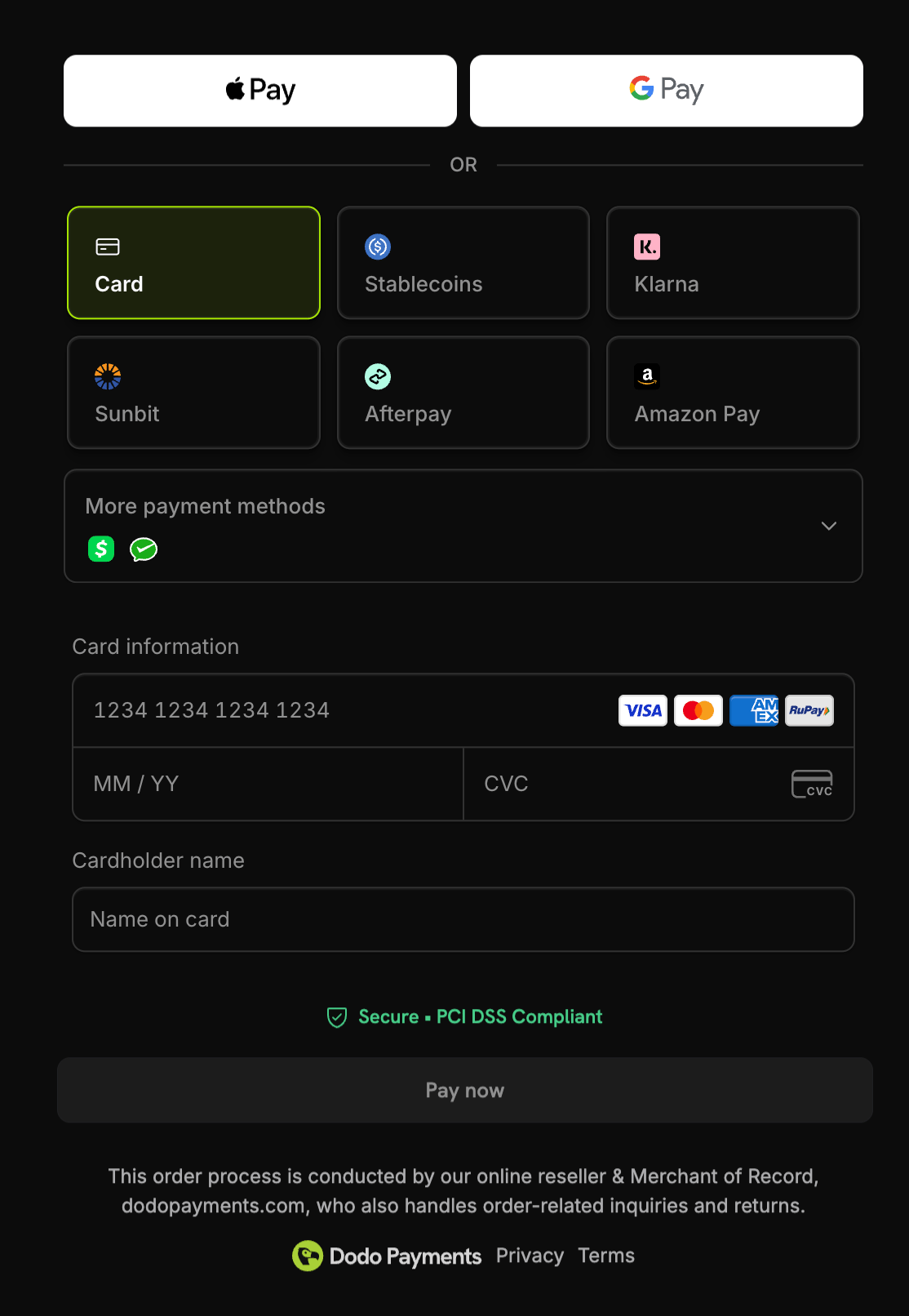
Sunbit is now available as a Buy Now, Pay Later payment method, letting US customers split purchases into manageable monthly installments at checkout.
| Feature | Details |
|---|
| Availability | United States |
| Currency | USD |
| Minimum amount | $60.00 |
| Maximum amount | $19,999.00 |
| Subscriptions | Not supported (one-time payments only) |
sunbit in allowed_payment_method_types to enable it on a checkout session:
const session = await client.checkoutSessions.create({
  product_cart: [{ product_id: 'prod_123', quantity: 1 }],
  allowed_payment_method_types: ['sunbit', 'credit', 'debit'],
  return_url: 'https://example.com/success'
});
Always include credit and debit as fallbacks. Not all customers will qualify for Sunbit financing, and transactions outside the 60.00–19,999.00 range won’t display the option. Improvements
4. Checkout Payment Page Overhaul
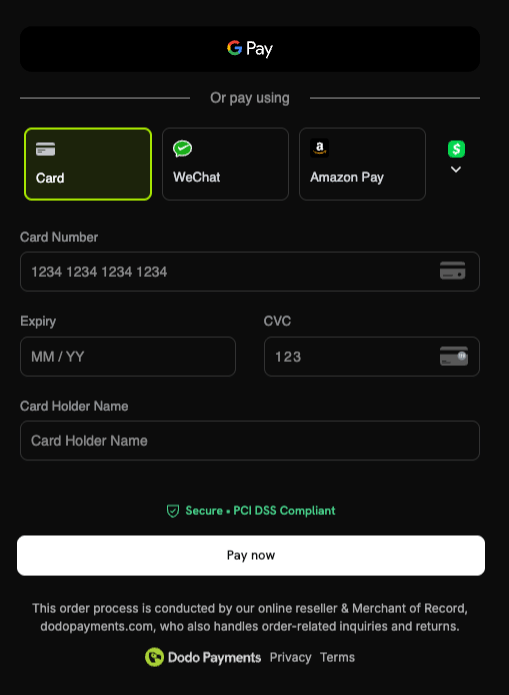
The payment page on checkout has been substantially reworked end-to-end — tighter layout, faster perceived load, clearer validation states, and refined card-input UX. In aggregate, these changes lifted observed checkout success rates by ~2–3% across global traffic.
What changed:
- Smoother field interactions — autofocus, smarter tab order, and improved keyboard navigation on the card form
- Cleaner error and loading states — inline validation surfaces precisely where the customer needs to act, replacing the previous full-form error banner pattern
- Faster paint — skeletons and progressive hydration eliminate the brief blank-state flicker on slow networks
- Mobile polish — tap targets, scroll behavior, and keyboard handling tuned specifically for mobile checkout, where the majority of traffic now lives
No integration changes are required. Existing checkout sessions automatically pick up the new payment page.
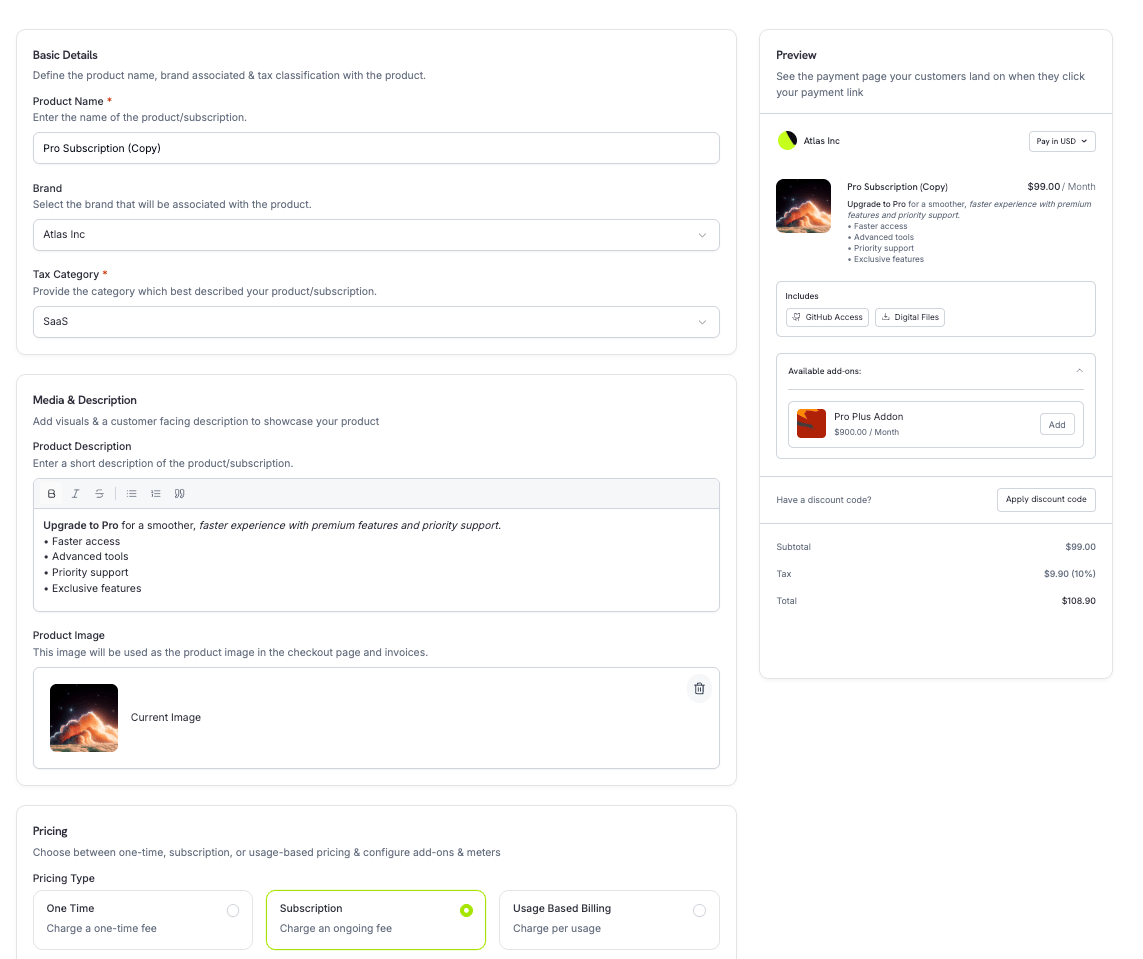
- Live preview — see how your product appears on the checkout and customer portal as you edit, side-by-side with the form
- Autosave — drafts are persisted automatically, so navigating away or losing your tab no longer means losing your work
- Markdown editor — product descriptions now support a full markdown editor with live rendering, link previews, and inline formatting controls
- Duplicate flow parity — duplicating a product opens the same unified form pre-filled, instead of a stripped-down dialog, so you can adjust every field before saving the copy
Use Duplicate to spin up regional or pricing-tier variants of an existing product without re-entering descriptions, metadata, or fulfilment configuration.
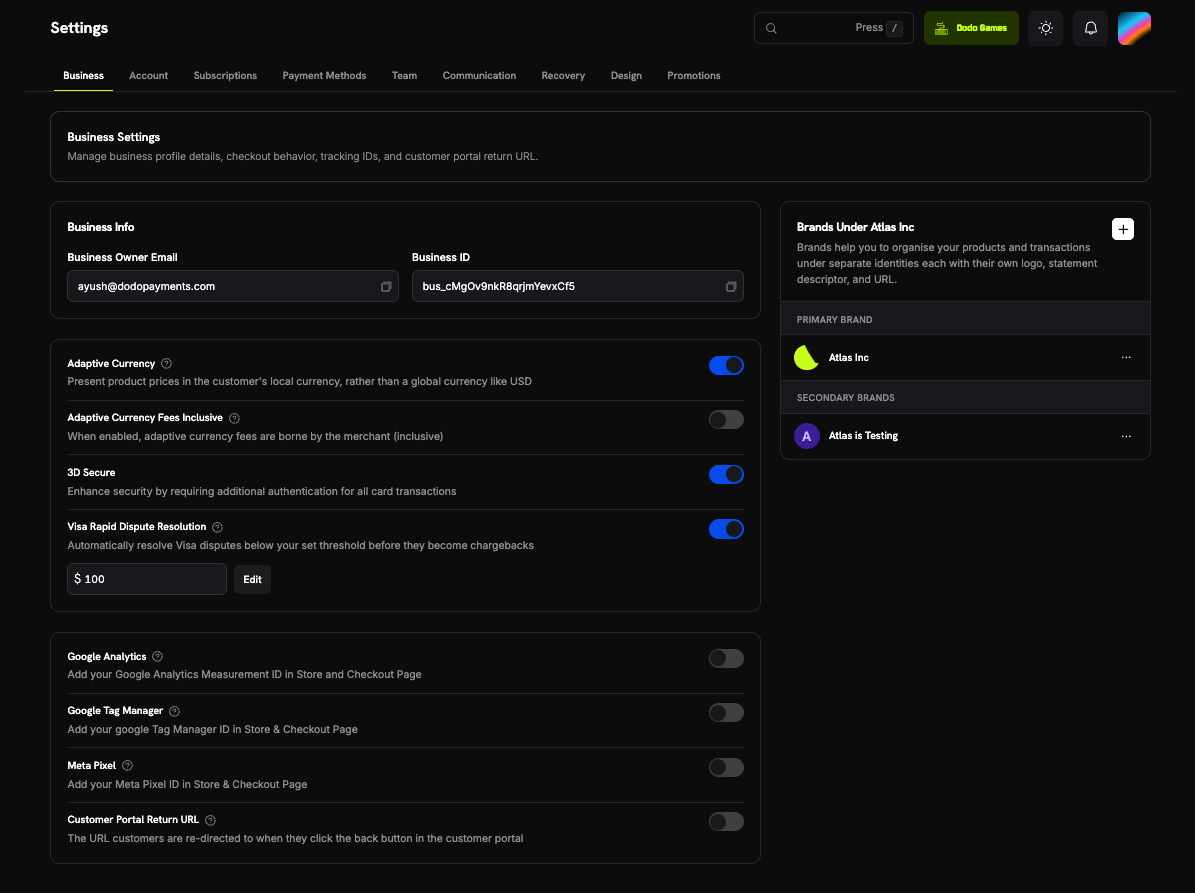
6. Business Settings Page Redesign
The Settings → Business page has been redesigned to make configuration easier to scan and faster to update. Settings are now grouped into clearer sections with explanatory copy that describes the impact of every toggle before you flip it.
There are no behavioural changes to existing settings — only the layout, grouping, and surrounding explanations have improved.
Improvements
credits_amount override now propagated correctly to GET checkout session and payment link routes — when a checkout session or payment link was created with a per-checkout credit_entitlements override, fetching that session or link via GET was returning the product-level default credits_amount instead of the overridden value. This is now fixed.- Refund action disabled for fully refunded payments — the Refund button on a payment is now disabled once a payment is fully refunded, with a tooltip explaining why. Previously the button remained active and returned an error only after submission.
- Minor bug fixes and stability improvements across the platform