

New Features
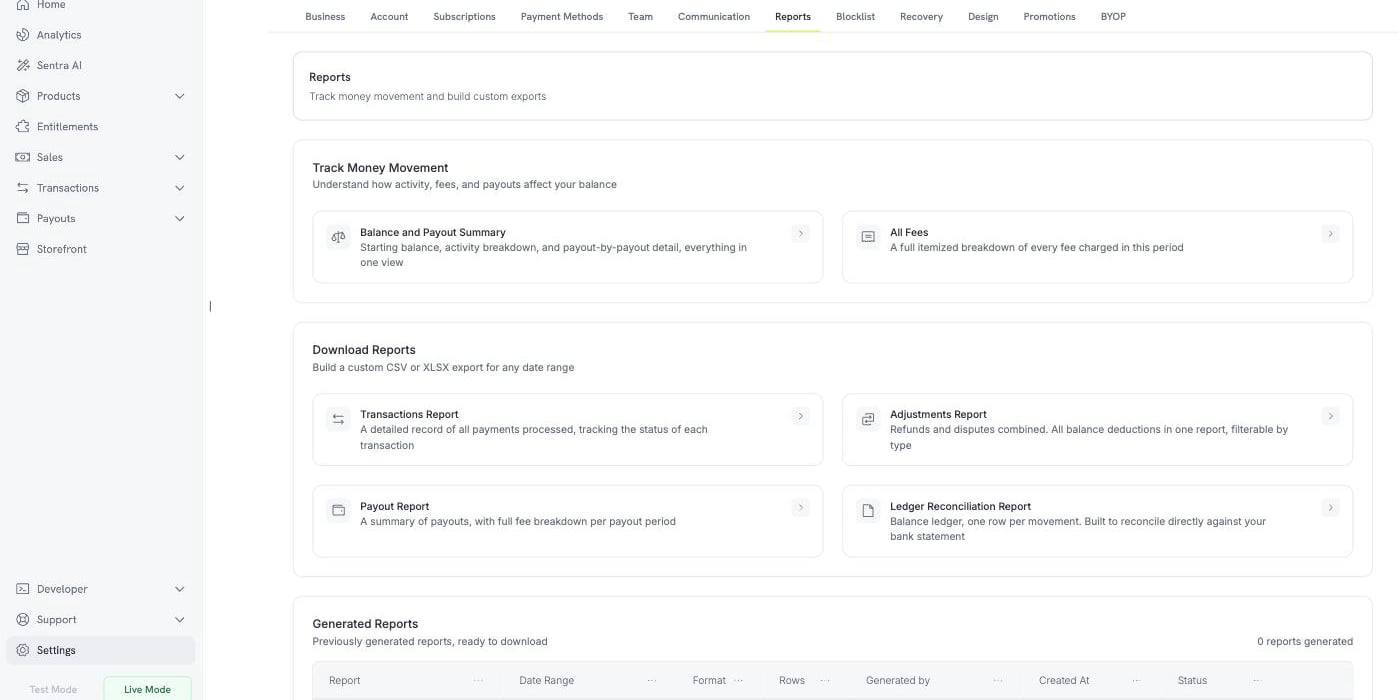
1. Reports
A new Reports tab under Settings brings balance, fee and reconciliation reporting together in one place. Track Money Movement Two always-current views, described as “Understand how activity, fees, and payouts affect your balance”:- Balance and Payout Summary — starting balance, activity breakdown, and payout-by-payout detail in one view
- All Fees — a full itemized breakdown of every fee charged in the period
2. Subscription Grace Period
A subscription whose renewal fails can now keep working for a configurable window instead of going on hold immediately. Enable Subscription Grace Period under Settings → Subscriptions and set the Number of days of grace period — anything from 1 to 30 days. Grace periods are off by default. During the window the subscription takes the newpast_due status: access is preserved and usage keeps accruing, so a customer whose card simply expired is not cut off while they fix it. A new subscription.past_due webhook fires when the window opens.
Choose what happens if the window closes unpaid with Status of subscription after grace period — either On Hold, which matches today’s behavior, or Cancel Subscription.

3. Customer Blocklist
Block a customer who should not be able to buy from you again, by customer ID or by email address. Blocking cancels the customer’s active subscriptions, stops future checkout sessions and direct payments, and leaves their Customer Portal read-only. Because entries match on the email address, a customer who signs up again with the same email is still caught. Blocklist entries carry notes, so you can record why someone was blocked.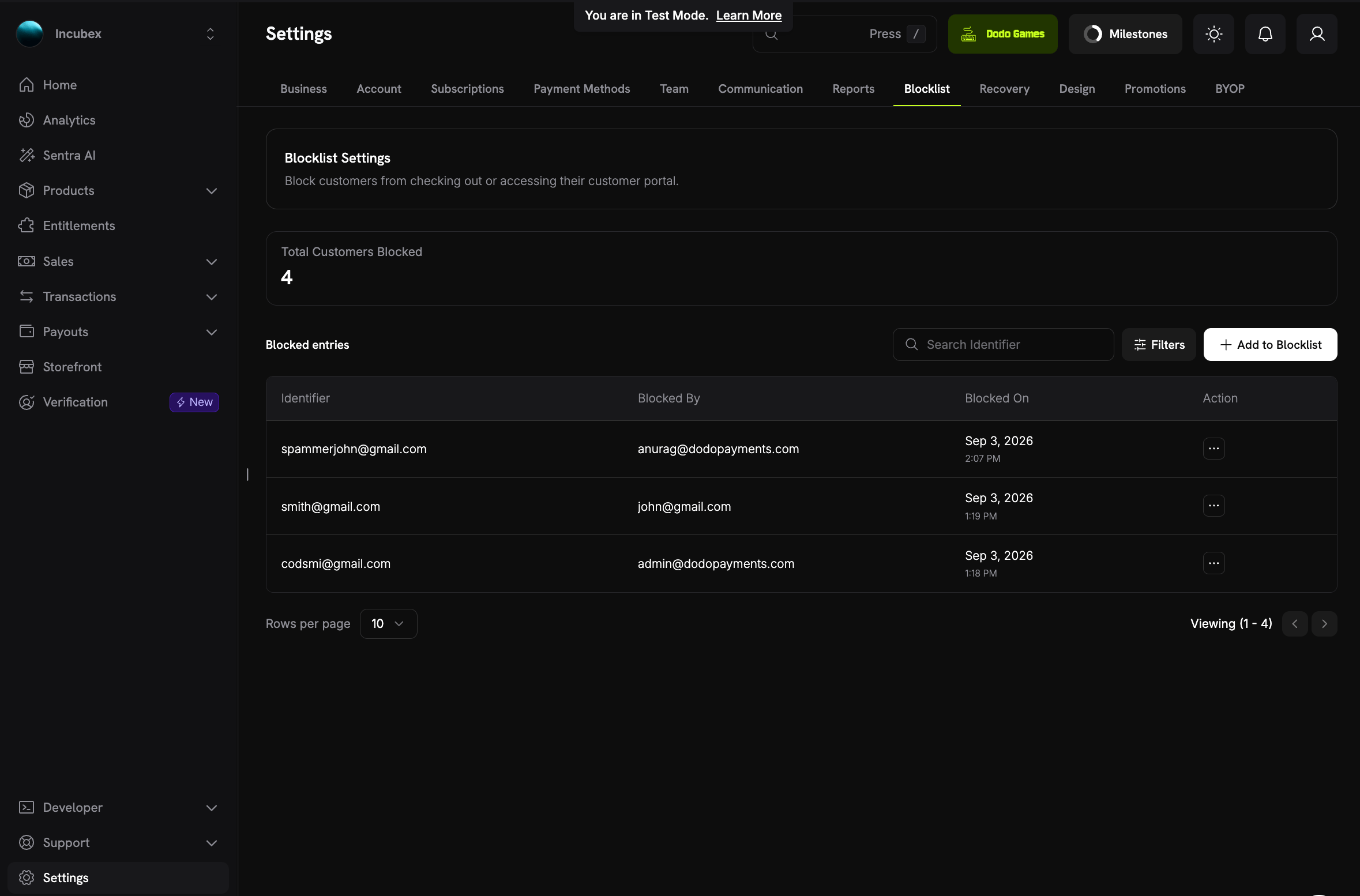
4. Manual Payment Retry
Retry a failed subscription renewal yourself instead of waiting for the automatic retry schedule, using Retry Payment Manually on the payment’s detail page. The charge goes to the payment method already saved on the subscription, so the customer does nothing, and it does not consume an attempt from the automatic schedule. Each renewal invoice allows up to three manual retries, with a cooldown between them — one hour before the second, three hours before the third — so repeated declines do not hurt your authorization rate.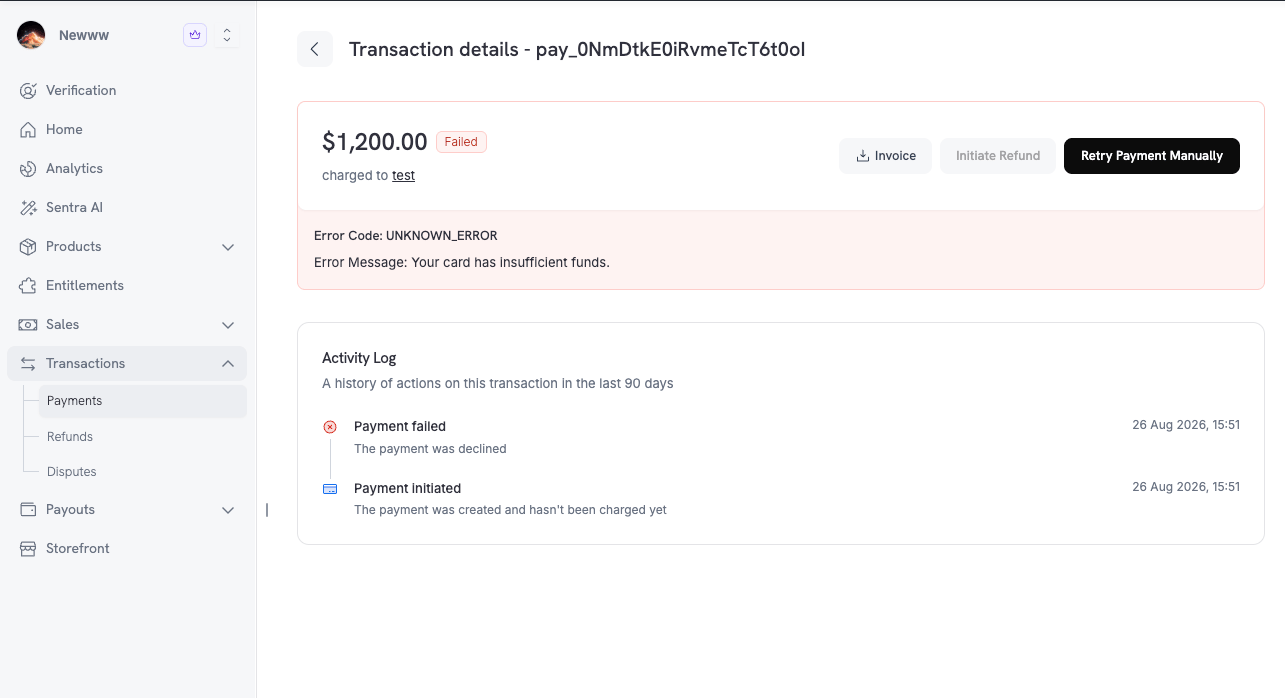
5. Activity Log on Payments
Every payment detail page now carries an Activity Log — “A history of actions on this transaction in the last 90 days”. The log traces the whole lifecycle in order, from Payment initiated through authentication and capture to Payment succeeded, and it continues into refunds and disputes, so a contested payment reads as one story rather than several disconnected records.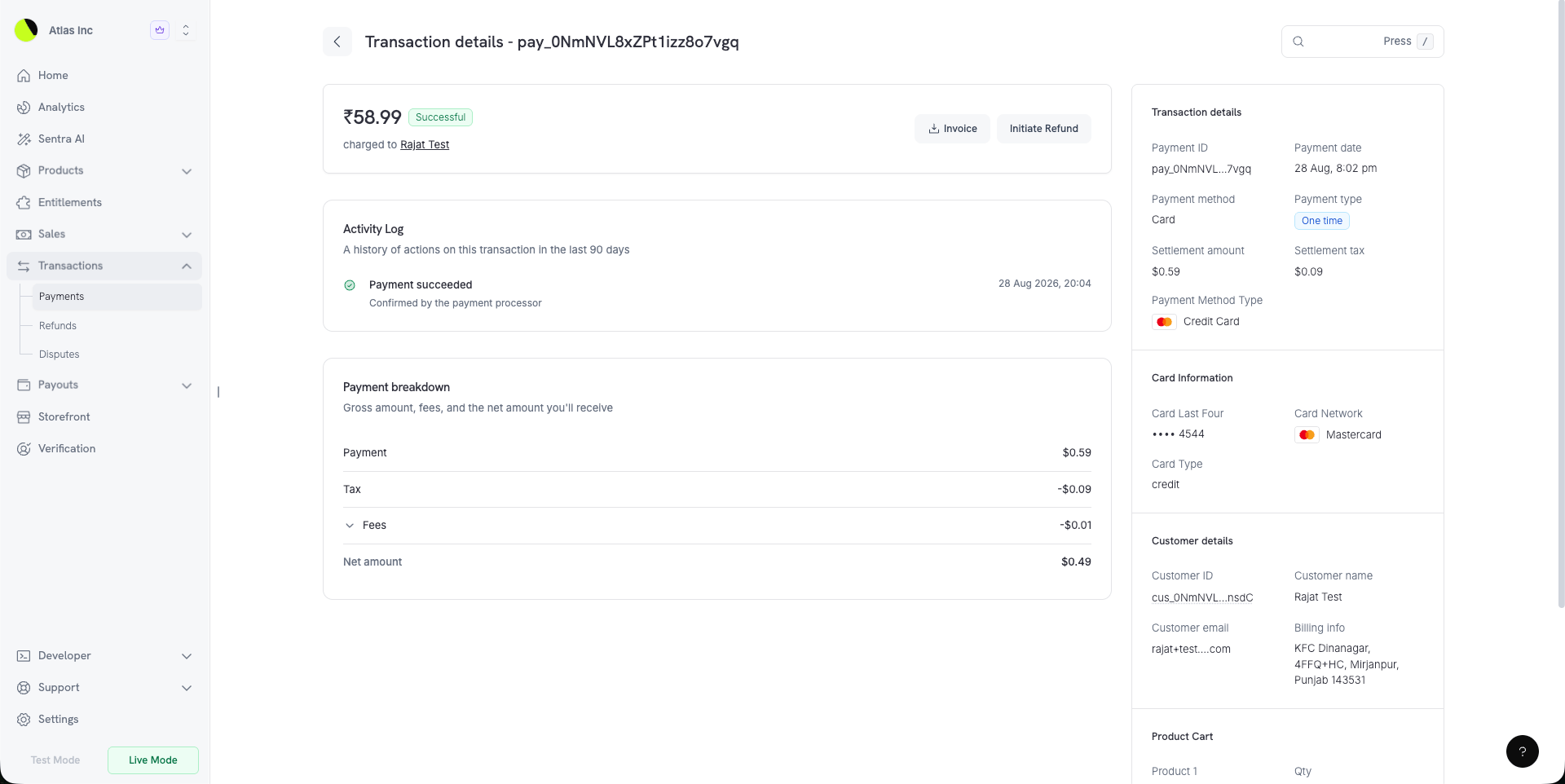
6. A Rebuilt Discount Form
Creating a discount code now shows you what you are building as you build it. A side panel switches between Summary, a plain-language readout of the discount, and Preview, which renders the discount as a customer would see it at checkout. Currency options lets you set the discount amount for each currency you sell in. Eligibility & restrictions gathers the product and customer rules together. Redemption limits, the billing-cycle limit, and Require a minimum order value — a minimum cart amount enforced per currency — now live under Advanced.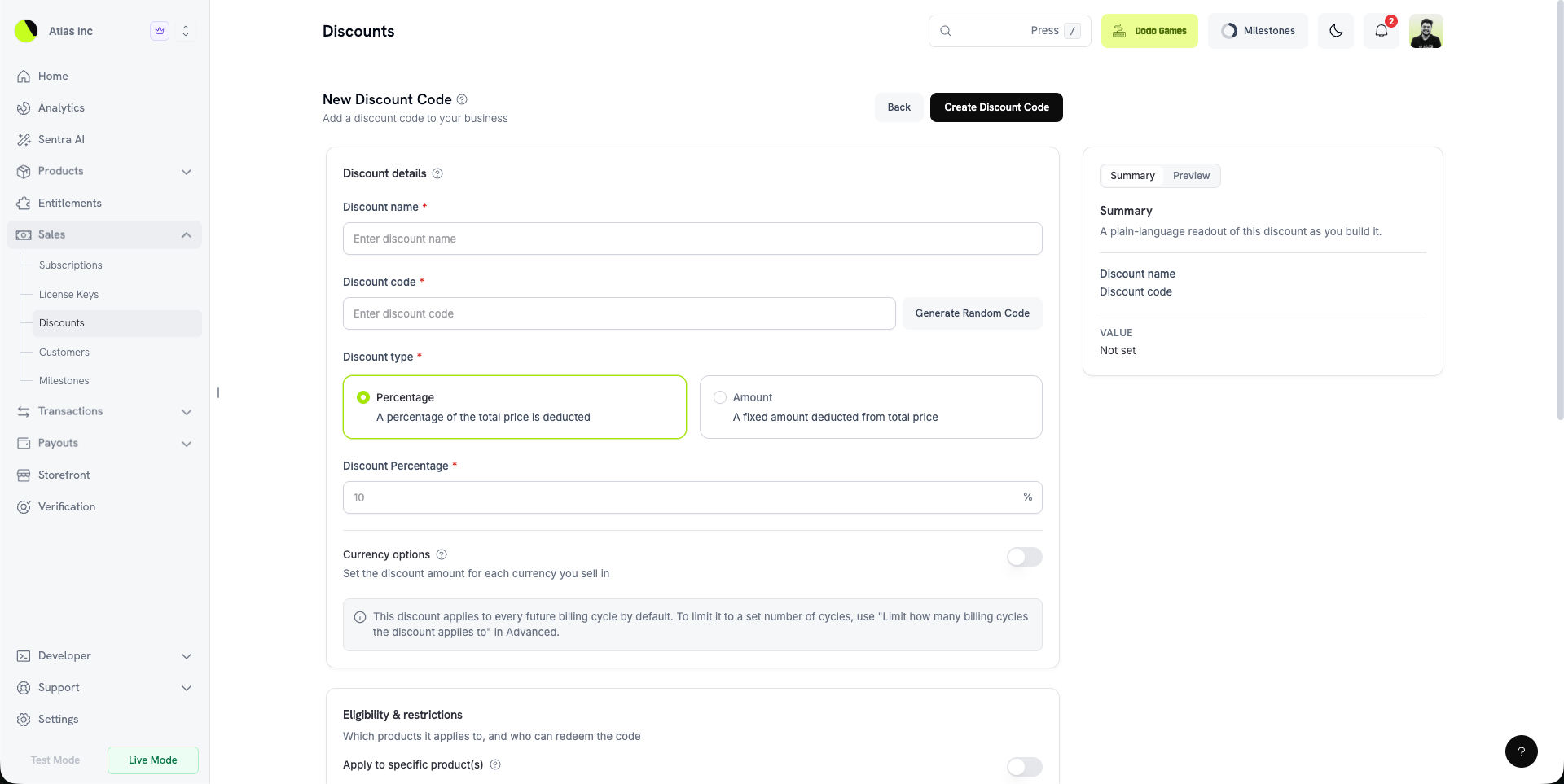
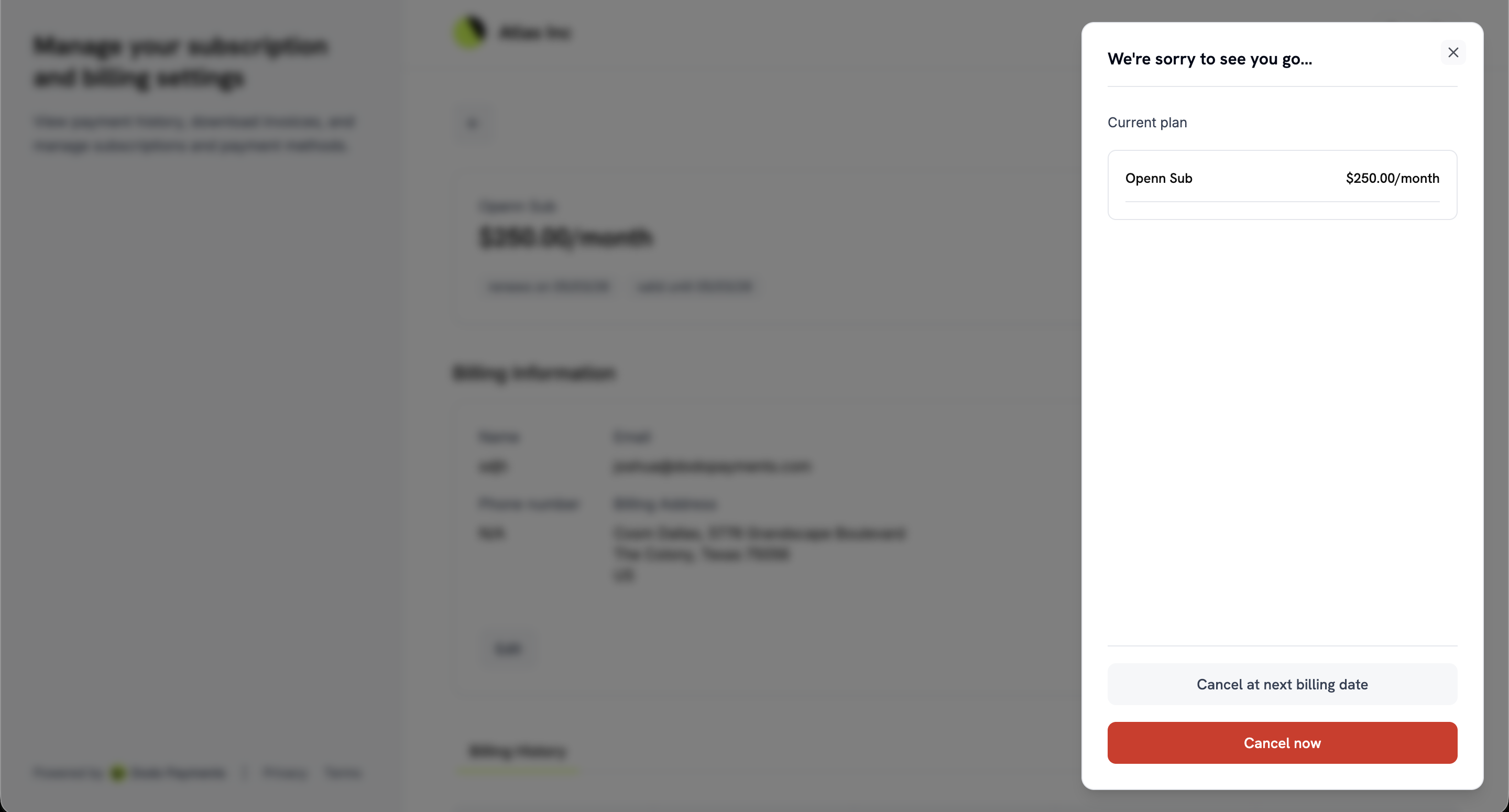
7. Split Cancellation Controls
Self-service cancellation used to be a single switch. It is now two independent settings under Settings → Subscriptions:- Allow Immediate Cancellation — “Let customers end their subscription and lose access straight away.”
- Allow Cancellation at Next Billing Date — “Let customers cancel at the end of the period they have already paid for.”
8. Plan Changes Paid on a Checkout Page
Turn on Collect Plan Change Payments by Payment Link under Settings → Subscriptions and a customer upgrading in the Customer Portal pays for the change on a hosted checkout page instead of against the stored mandate. The confirm button shows the amount due, and once checkout opens the customer is told: “Complete your payment in the new tab. Your current plan stays active until the payment succeeds.” The subscription stays on its old plan until payment succeeds, and a declined payment can be retried on the same link. The Customer Portal also now knows whether you permit cancelling a scheduled plan change, so it shows or hides that control instead of offering an action that would be refused.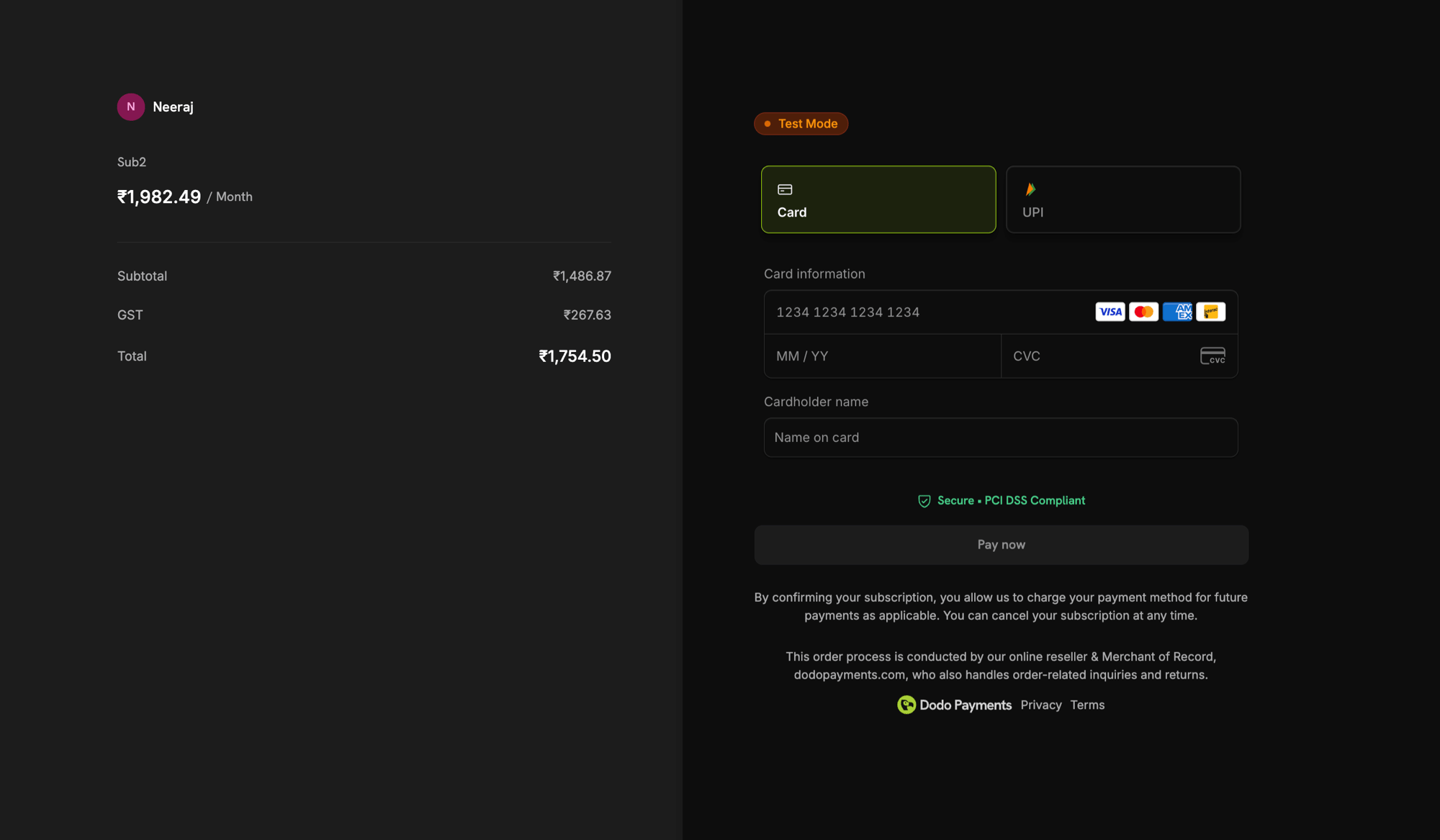
9. KYC Retry Budget
A failed identity verification now tells you why it failed and how many attempts you have left, rather than simply reporting a failure. Each user gets three attempts, and the notice reads “Attempts remaining: 2/3” with the real reason from the verification provider. The button changes to Try again while attempts remain. If all three are used, the notice explains that support can reopen verification. Learn more: Account Verification10. Georgian Checkout
Checkout is now available in Georgian, bringing the total to 22 languages. Georgian is detected from the customer’s browser like every other supported language, or you can force it with theforce_language parameter.
Learn more: Supported Languages
11. Card-Optional at $0 Price
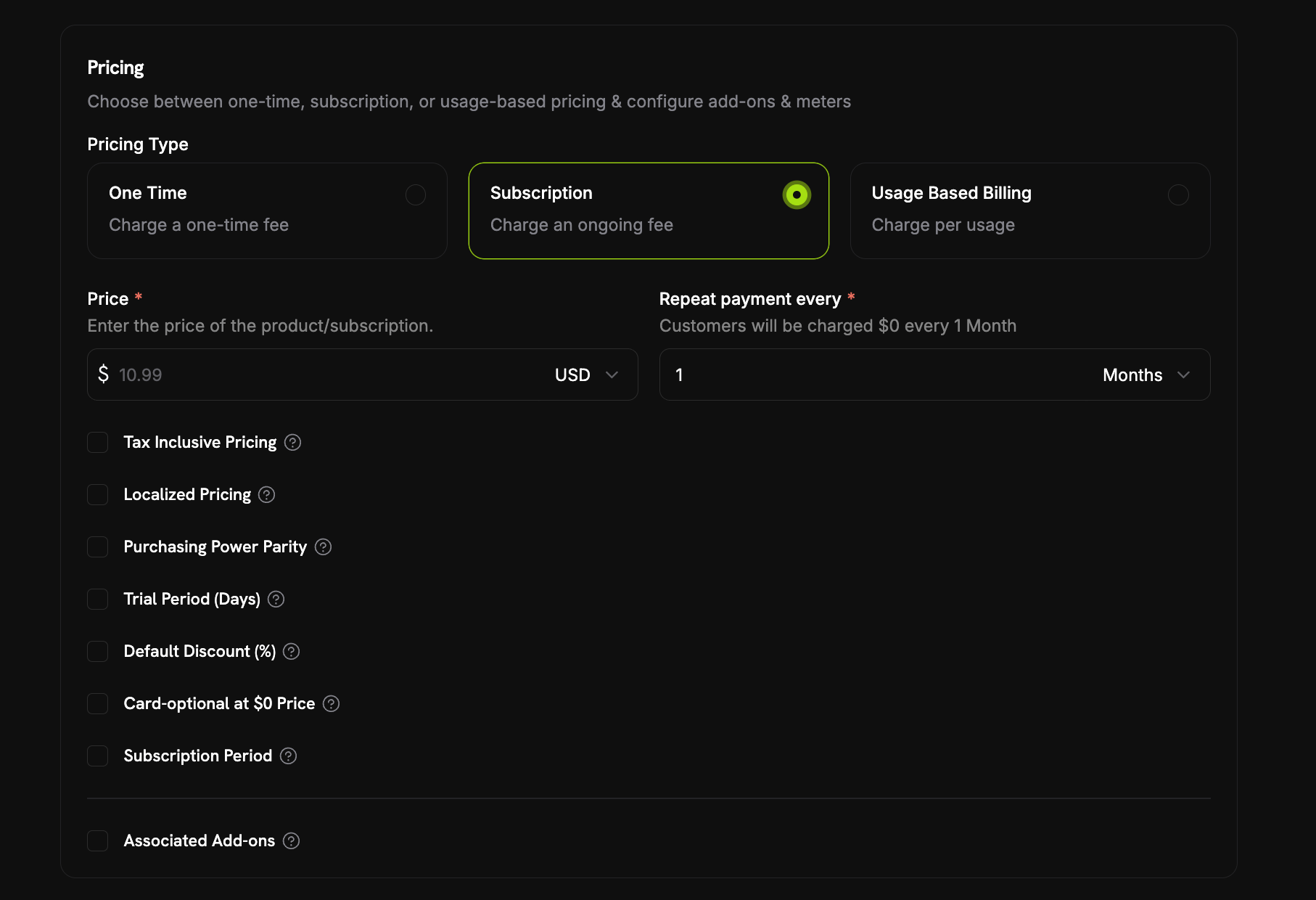
A subscription can now start without a payment method whenever nothing is due today. Turn on the Card-Optional at $0 Price checkbox in the product’s pricing section, next to Trial Period (Days) and Default Discount (%). Nothing due today arises two ways, and the one checkbox covers both:- A free trial — a trial period with no trial amount, so the first charge is
0while the trial runs. - A $0 recurring price — either the price is
0outright, or a discount brings it there, whether that is the product’s own Default Discount (%) or discount codes stacked to 100% off at checkout.
payment_method_required: false. A reminder email then goes out before real billing starts — how far ahead is set by Payment Method Reminder under Settings → Subscriptions, anywhere from 1 to 30 days, defaulting to 3. If the card never arrives, the subscription moves to on_hold when the first real charge is due, and adding a payment method reactivates it. Two customer emails cover this, both on by default: Add Payment Method Reminder and Subscription On Hold, No Payment Method.
Over the API the single checkbox maps to two independent price fields, trial_payment_method_optional and zero_amount_payment_method_optional, so you can enable either case on its own if you manage products directly.
12. Mandatory Tax ID at Checkout
Checkout sessions accept a newrequire_tax_id feature flag, for businesses that sell only to registered businesses. It defaults to false, so nothing changes unless you ask for it.
With the flag on, Purchasing as a business is pre-selected and locked on the checkout page, Business Name and Tax ID Number both become mandatory, and Continue to Payment stays greyed out while either is empty or the Tax ID is rejected. Tax ID validation remains fail-open, so a lookup outage never blocks the customer outright.
allow_tax_id must also be true or the request is rejected with a 400, and a session created with confirm: true has to carry a tax_id because it skips the checkout page entirely.
The requirement is enforced on the checkout page rather than server-side — a confirmation sent straight to the API can still omit tax_id, so treat the flag as a checkout experience control rather than a guarantee.
Learn more: Making the Tax ID Mandatory