

Tax ID Validation for B2B Transactions
When a valid Tax ID is provided during checkout:- The invoice includes the customer’s Tax ID.
- Tax deductions are determined based on applicable regulations for the customer’s country.
- The invoice includes Dodo Payments’ tax details and the tax applied to the transaction.
Collecting a Business Name for B2B Invoices
For B2B purchases, you can have the customer’s legal business name rendered on the invoice instead of the buyer’s personal name. This is collected alongside the Tax ID via thecustomer_business_name field.
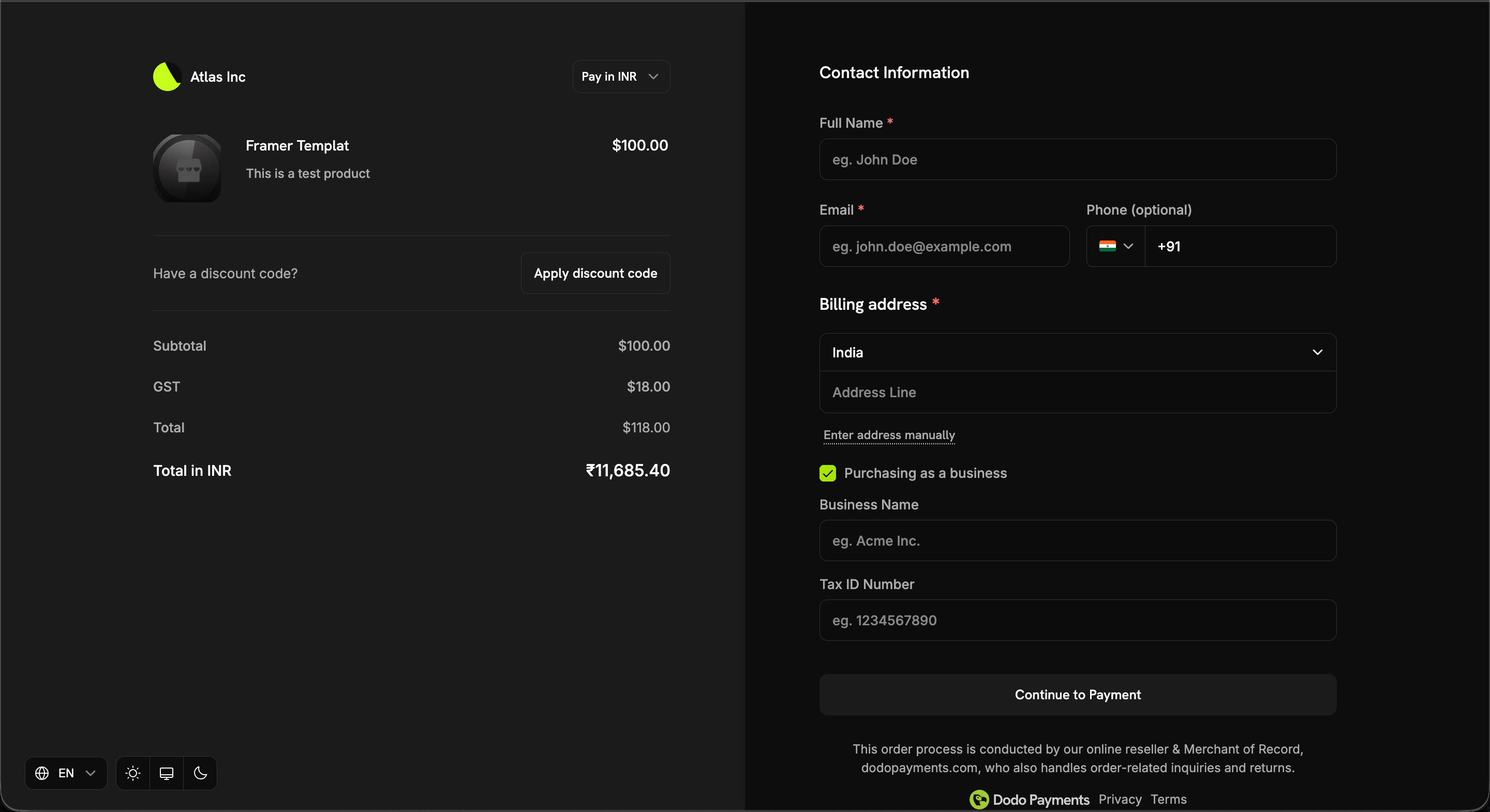
When the customer selects Purchasing as a business at checkout, they’re prompted for both a Business Name and a Tax ID Number.
The Tax ID is validated live as the customer types. For EU member states, Great Britain, and Australia, checkout performs both format and checksum validation and a live registry lookup (VIES, HMRC, and ABR respectively) and autofills the registered legal business name when a match is found. For all other countries, only format and checksum validation is performed.
- The transaction is B2B (
b2b = true). - A
tax_idis present. - A non-empty
customer_business_nameis supplied.
Setting It at Checkout
Passcustomer_business_name directly, and/or enable allow_customer_editing_business_name to let the customer enter or edit it on the checkout page next to their Tax ID:
Making the Tax ID Mandatory
By default the Tax ID is optional — the customer decides whether to purchase as a business. If you sell exclusively to registered businesses, set therequire_tax_id feature flag on the checkout session to make it compulsory for customers who purchase as a business:
What Changes at Checkout
- A customer who selects Purchasing as a business must fill in both Business Name and Tax ID Number.
- Checkout doesn’t change for a customer who buys as an individual.
- Continue to Payment stays greyed out while either field is empty, or while the entered Tax ID is rejected by validation.
Passing
tax_id and customer_business_name on the session pre-fills both fields, which satisfies the requirement before the customer touches the form. Omit them if you want the customer to supply their own.Rules and Limits
A blank or whitespace-only
tax_id counts as missing, both on the confirm: true guard and when a hosted-page session is confirmed.