वैकल्पिक role के साथ अपने Discord server में paying customers जोड़ें और उनका access समाप्त होने पर उन्हें स्वचालित रूप से हटाएँ।
Discord entitlement किसी paying customer को आपके Discord server में जोड़ता है और उन्हें एक role दे सकता है। Customer की subscription active होने या उनका one-time payment सफल होने के बाद वे अपना Discord account connect करते हैं। जब grant revoke किया जाता है, जैसे cancellation या refund पर, Dodo Payments role हटा देता है और customer को server से हटा देता है।
Customer Customer Portal से अपना Discord account connect करता है। Payment confirmation email entitlement को Action Required के रूप में चिह्नित करती है और portal का link देती है।
Authorization के बाद, Dodo Payments bot उन्हें आपके server में जोड़ता है या उनकी मौजूदा membership ढूँढता है, और आपके द्वारा configure किया गया role assign करता है।
यदि आप कोई role नहीं चुनते हैं, तो customer को केवल server membership मिलती है।
इसे paid communities, supporter perks और tiered access channels के लिए उपयोग करें।
Dodo Payments dashboard में Entitlements पर जाएँ और नया entitlement शुरू करने के लिए + पर click करें।
2
Pick Discord
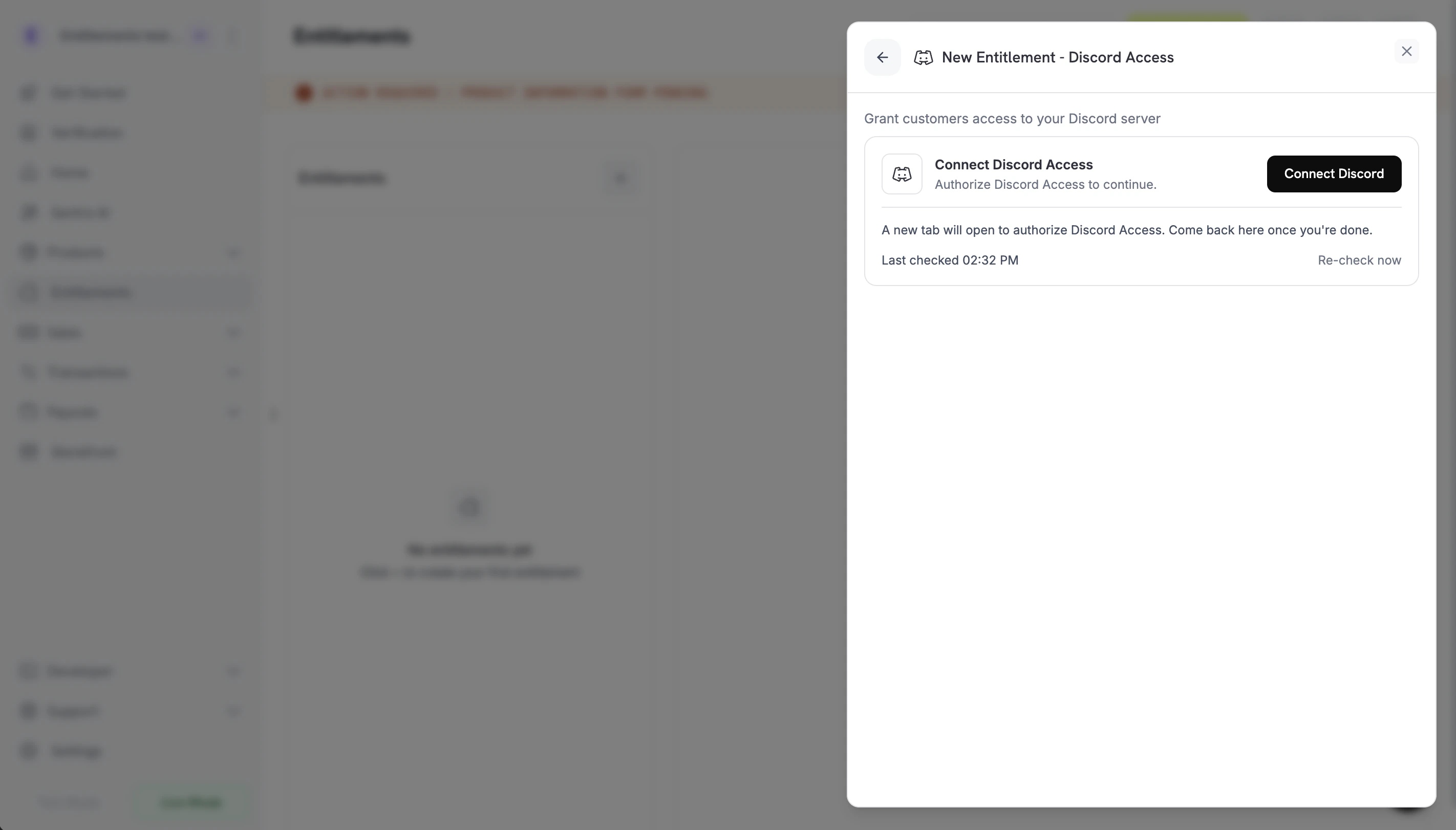
Integration के रूप में Discord Access चुनें। यदि आपके business के लिए Discord अभी तक connected नहीं है, तो Connect Discord पर click करें।
Connect Discord prompt before the OAuth handoff.
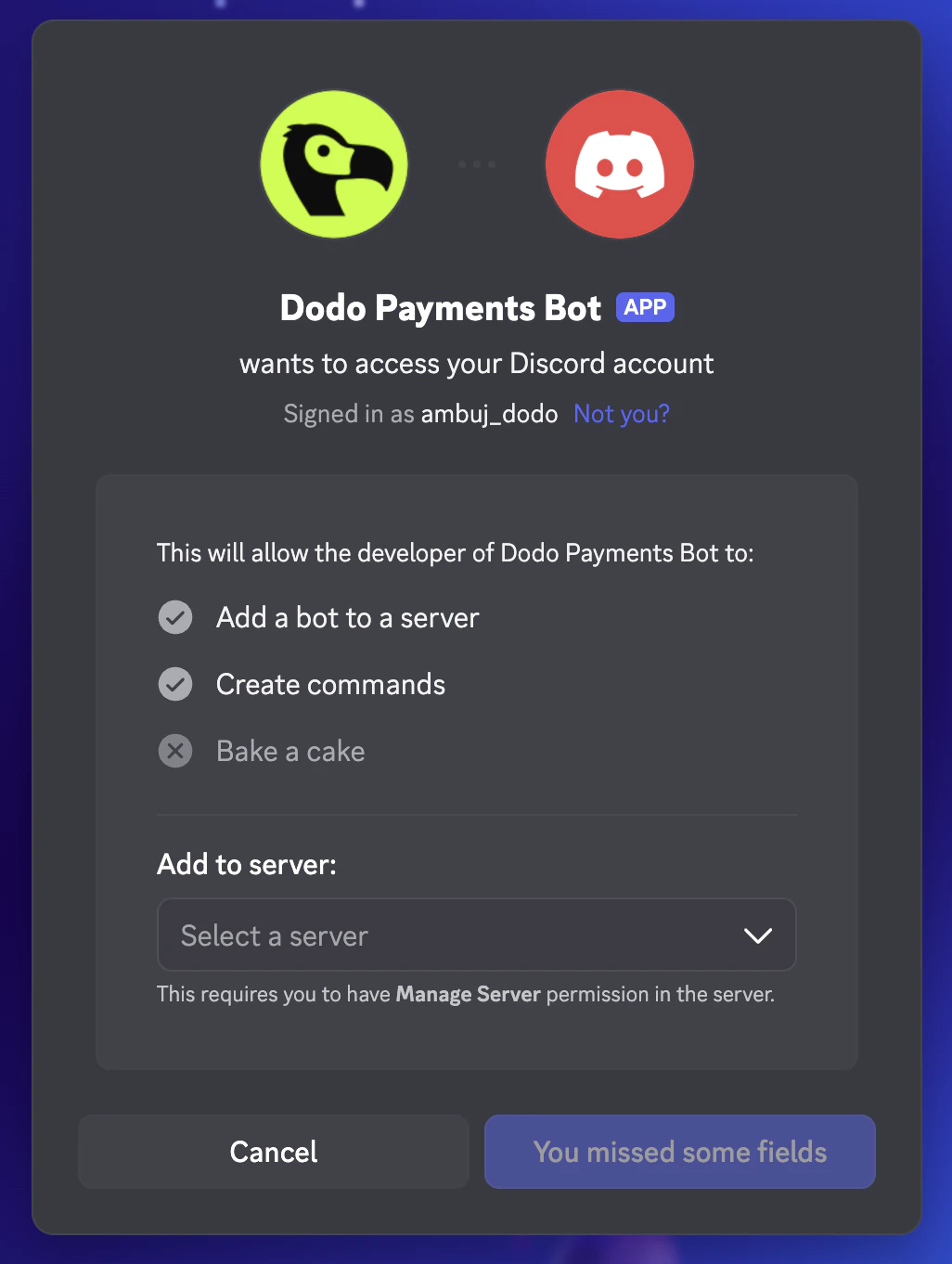
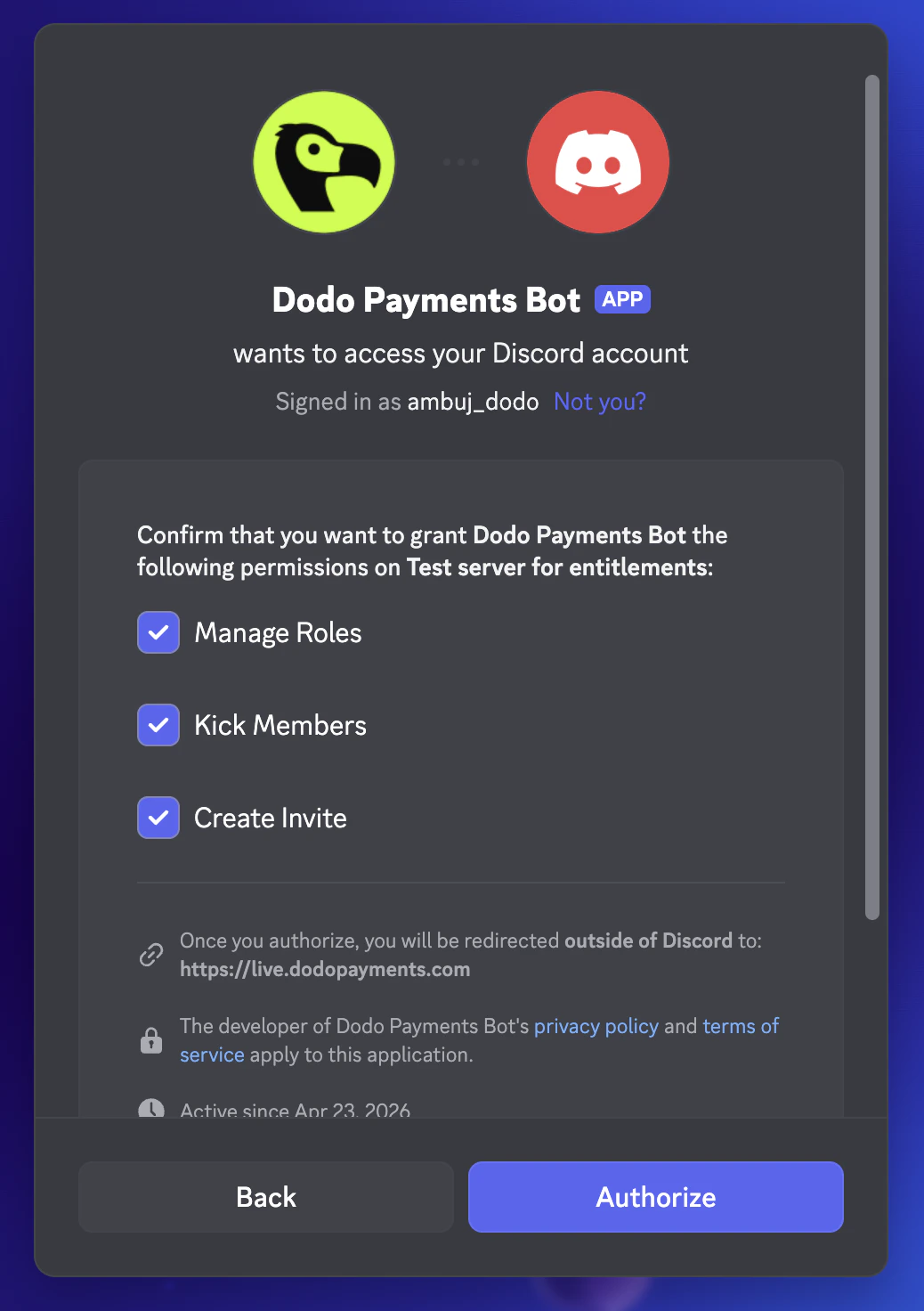
Discord एक नए tab में खुलता है। Sign in करें, वह server चुनें जिसे आप gate करना चाहते हैं और उस server पर bot की permissions approve करें: Manage Roles, Kick Members और Create Invite।
Discord OAuth: pick the server to add the bot to.
Discord OAuth: confirm the bot's permissions on the server.
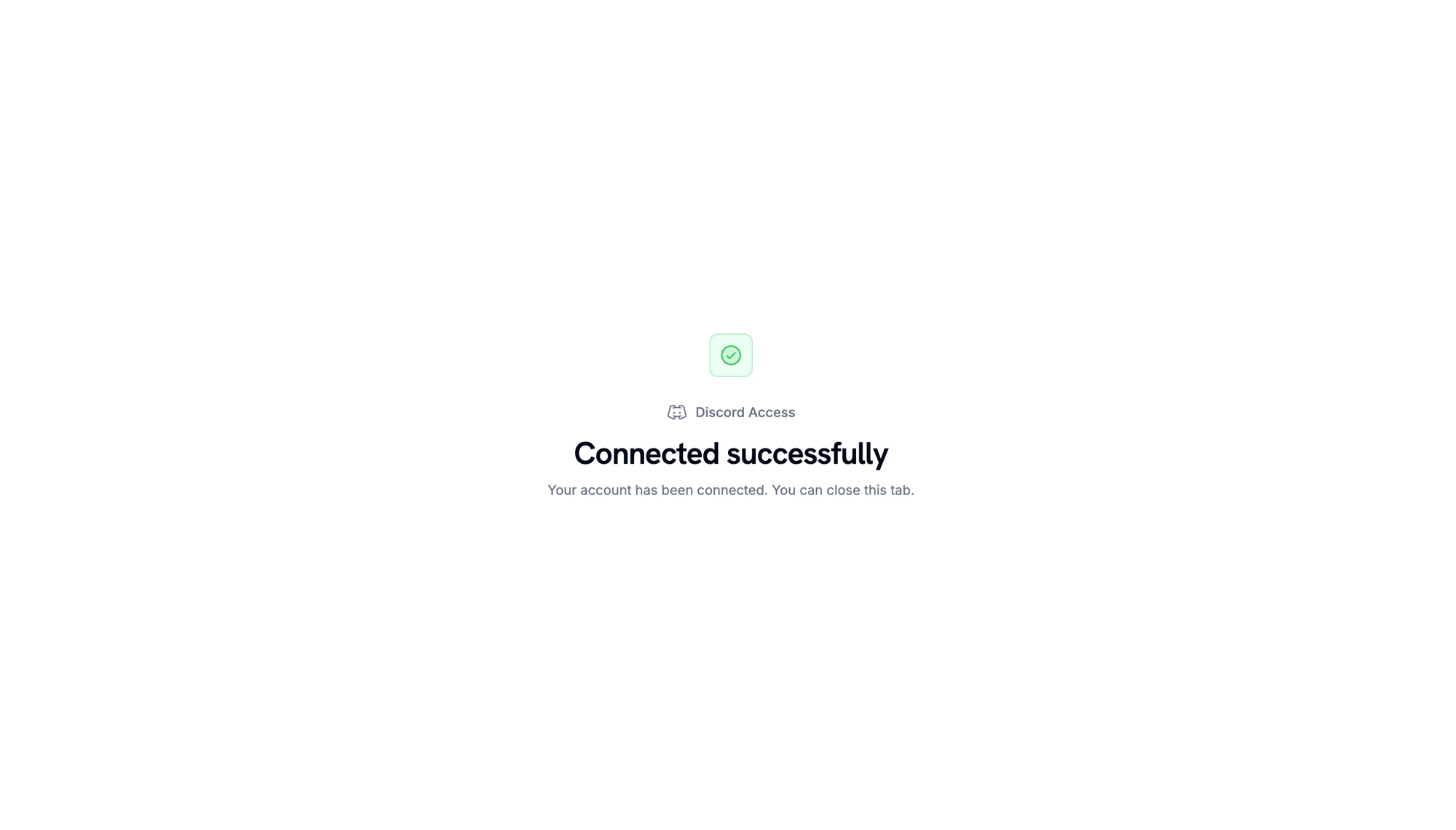
जब Discord वापस redirect करता है, तो confirmation page दिखाता है कि server connected है।
Server connected. Return to the Dodo Payments dashboard to continue.
3
Pick a Server and Role
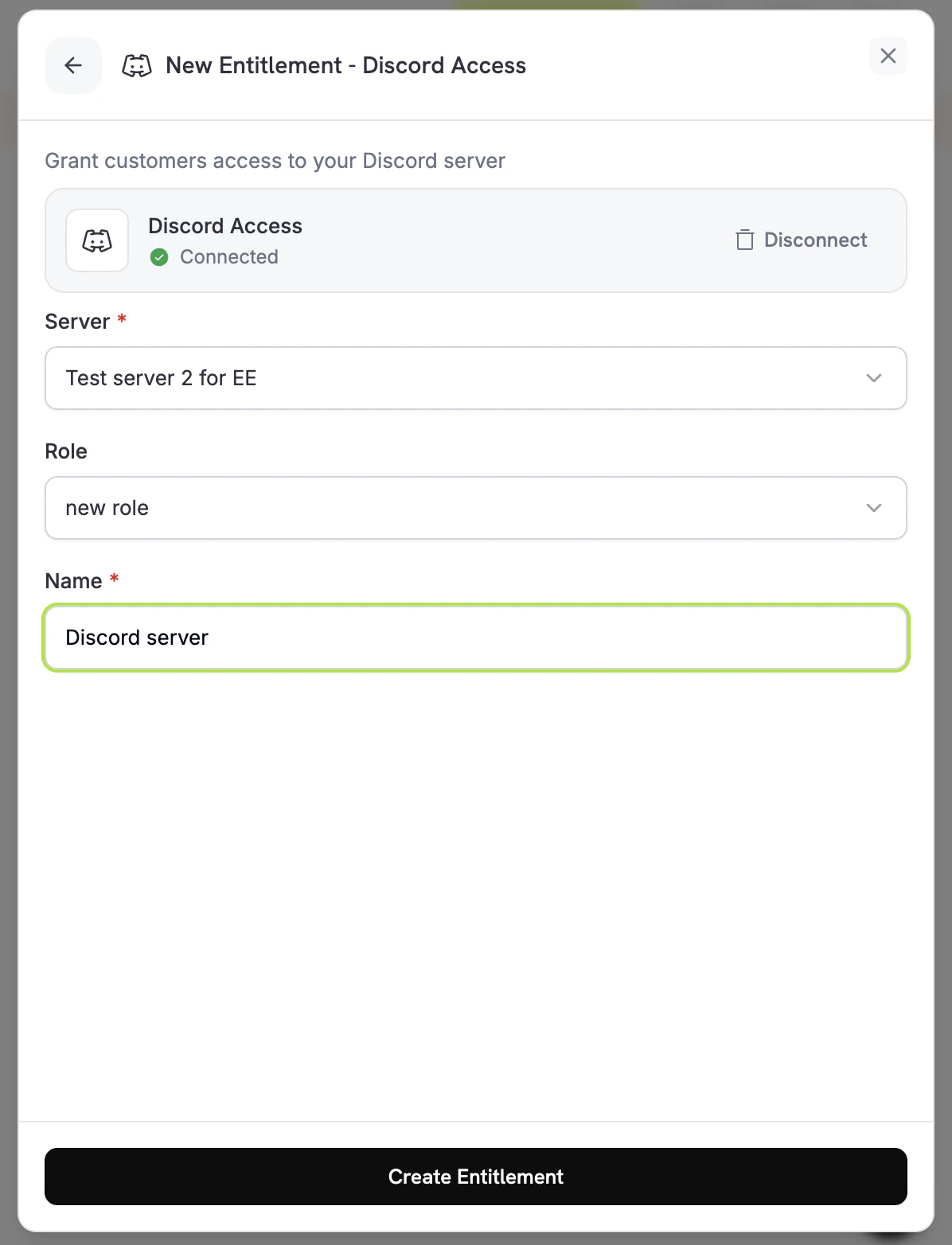
Dashboard में वापस जाकर आपके द्वारा connected Server चुनें। Delivery के समय कोई role assign करने के लिए उसे Role के अंतर्गत चुनें। केवल server membership देने के लिए Role को No specific role पर रहने दें। Entitlement के लिए Name दर्ज करें और Create Entitlement पर click करें।
Dodo Payments Pending स्थिति में एक grant बनाता है। Dodo Payments तुरंत Discord authorization URL बनाने का प्रयास करता है और उसे oauth_url में संग्रहीत करता है। यदि यह विफल रहता है, तो oauth_urlnull पर तब तक बना रहता है, जब तक ग्राहक accept flow शुरू नहीं करता।
payment confirmation email entitlement को Action Required के रूप में सूचीबद्ध करती है और Customer Portal से लिंक करती है। पोर्टल में ग्राहक entitlement पर Connect क्लिक करता है।
ग्राहक Discord पर Dodo Payments को authorize करता है। bot उसे server में जोड़ता है और configured role assign करता है, और grant Delivered पर चला जाता है।
जब grant revoke किया जाता है (subscription cancel, pause, hold पर रखी जाती है या expire हो जाती है, one-time payment refund की जाती है, या आप grant revoke करते हैं), तो bot role हटा देता है और ग्राहक को server से हटा देता है। grant Revoked पर चला जाता है।
Authorization link generate होने के 30 मिनट बाद expire हो जाता है। यदि customer इसके बाद Customer Portal पर वापस आता है, तो Dodo Payments नया link generate करता है। यदि कोई customer स्वयं आपका server छोड़ देता है, तो Dodo Payments उनके grant को revocation_reason: platform_external के साथ revoke करता है।
Dodo Payments bot का role आपके द्वारा grant किए जाने वाले role से ऊपर रखें। Discord bot को अपने highest role के बराबर या उससे ऊपर का role assign करने की अनुमति नहीं देता। Managed roles, जैसे bot और integration roles, assign नहीं किए जा सकते।
// client is a *dodopayments.Client, for example from// dodopayments.NewClient(option.WithEnvironmentTestMode()); ctx is a context.Context.client.Entitlements.New(ctx, dodopayments.EntitlementNewParams{ Name: dodopayments.F("Patrons Discord Role"), IntegrationType: dodopayments.F(dodopayments.EntitlementIntegrationTypeDiscord), IntegrationConfig: dodopayments.F[dodopayments.IntegrationConfigUnionParam]( dodopayments.IntegrationConfigDiscordConfigParam{ GuildID: dodopayments.F("123456789012345678"), RoleID: dodopayments.F("987654321098765432"), }, ),})
entitlement_grant.created, status: "Pending" के साथ fire होता है। oauth_url में authorization URL पहले से मौजूद हो सकता है। यदि यह null है, तो Customer Portal से customer accept flow शुरू करने के बाद इसमें URL भरा जाता है।
entitlement_grant.delivered तब fire होता है, जब ग्राहक server में join कर लेता है और role assign हो जाता है।
entitlement_grant.revoked तब fire होता है, जब role हटा दिया जाता है और ग्राहक को server से हटा दिया जाता है।
Customer के Discord authorization को पूरा करने तक grant Pending रहता है। Dashboard में entitlement खोलें और customer का grant check करें। यदि यह अभी भी Pending है, तो customer से Customer Portal खोलकर Discord entitlement पर Connect click करने को कहें।
Grant moves to failed with permission errors
सुनिश्चित करें कि Dodo Payments bot अभी भी server में मौजूद है, उसके पास Manage Roles permission है, और वह assign किए जा रहे role से ऊपर है। यदि bot को server से हटा दिया जाता है, तो Dodo Payments server के pending और delivered grants revoke कर देता है। Entitlement को दोबारा save करने पर केवल उसकी settings की जाँच होती है, bot की permissions की नहीं। Permissions ठीक करने के बाद, ग्राहक से Customer Portal खोलने और Discord entitlement पर Connect क्लिक करने के लिए कहें, ताकि grant का पुनः प्रयास किया जा सके।
Customer cancelled but still has the role
Revocation role को हटाती है और customer को server से हटा देती है। यदि grant Revoked दिखाता है, लेकिन customer अभी भी server में है, तो पुष्टि करें कि bot के पास Manage Roles और Kick Members permissions अभी भी हैं और वह role से ऊपर है। यदि customer का Discord app अभी भी role दिखाता है, तो उनसे उसे refresh करने को कहें। Server-side state ही source of truth है।