

Credit-Based Billing क्या है?
Credit-Based Billing आपको अपने products के हिस्से के रूप में ग्राहकों को credit entitlements जारी करने की flexible system देता है। प्रति उपयोग charge करने या feature flags के माध्यम से access सीमित करने के बजाय, आप credits का एक pool allocate करते हैं, जिसका उपयोग ग्राहक आपकी service इस्तेमाल करते समय करते हैं। Credits इन मामलों के लिए उपयोगी हैं:- AI और LLM platforms: प्रत्येक plan tier के लिए tokens या generation credits दें
- API services: overage pricing के साथ API call credits allocate करें
- Infrastructure platforms: compute hours या storage credits जारी करें
- Communication services: प्रत्येक subscription के लिए message या minute credits दें
- Consumption tiers वाले SaaS: शामिल usage को credit pools में bundle करें
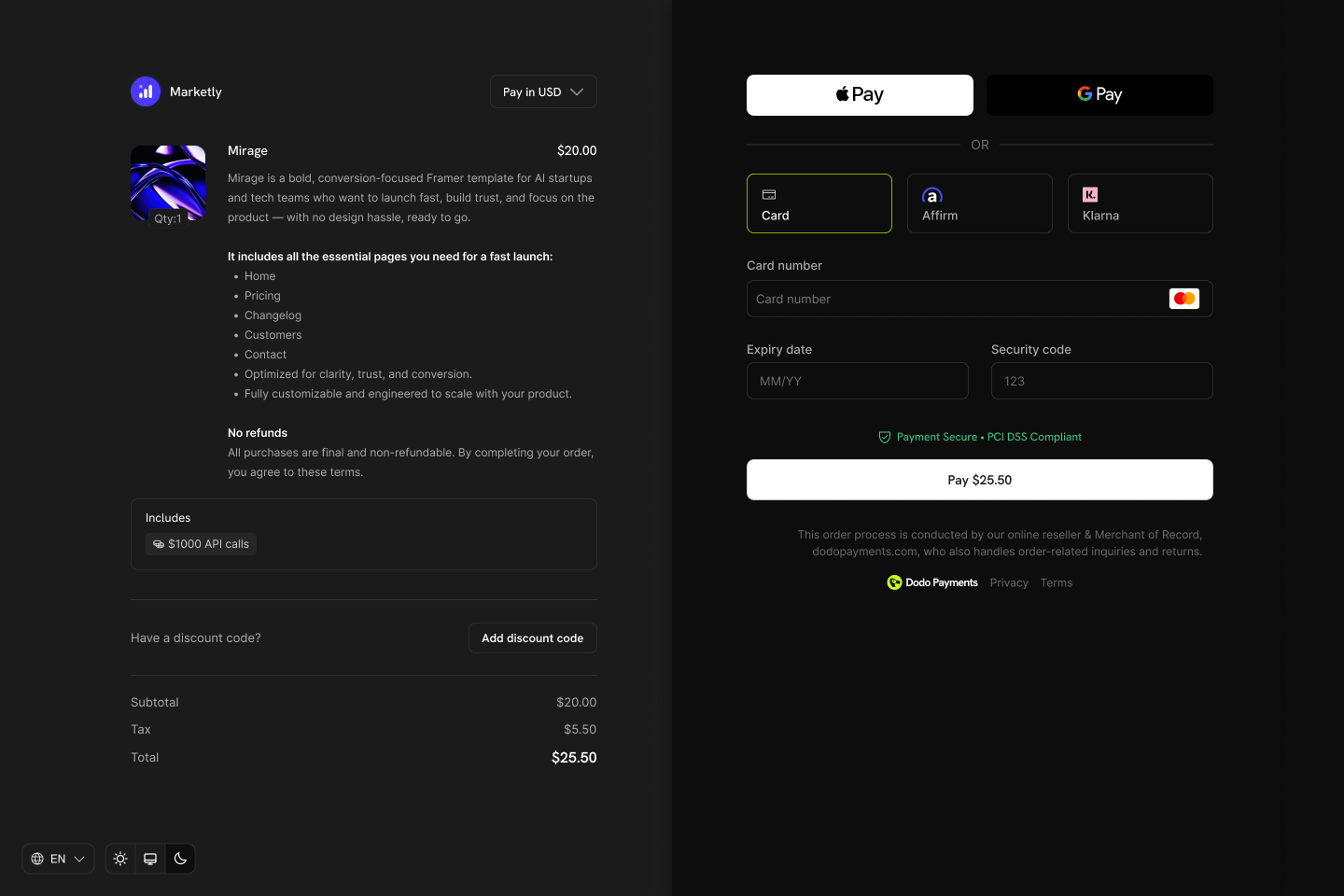
Credits appear as entitlements on your products and show in checkout, customer portal, and subscription details.
मुख्य अवधारणाएँ
Credit Types
Credit बनाते समय, आप दो types में से एक चुनते हैं:- Custom Unit
- Fiat Credits
Credit Lifecycle
Credits जारी होने से लेकर उपयोग होने तक एक स्पष्ट lifecycle का पालन करते हैं:Credits Issued
Credits Consumed
Credits Expire or Roll Over
Overage Handling
Grant Sources
Credits कई sources से दिए जा सकते हैं:Credits बनाना
अपने dashboard के Products → Credits section में credit entitlements बनाएं। प्रत्येक credit में unit, precision, expiry rules और lifecycle behavior define होता है।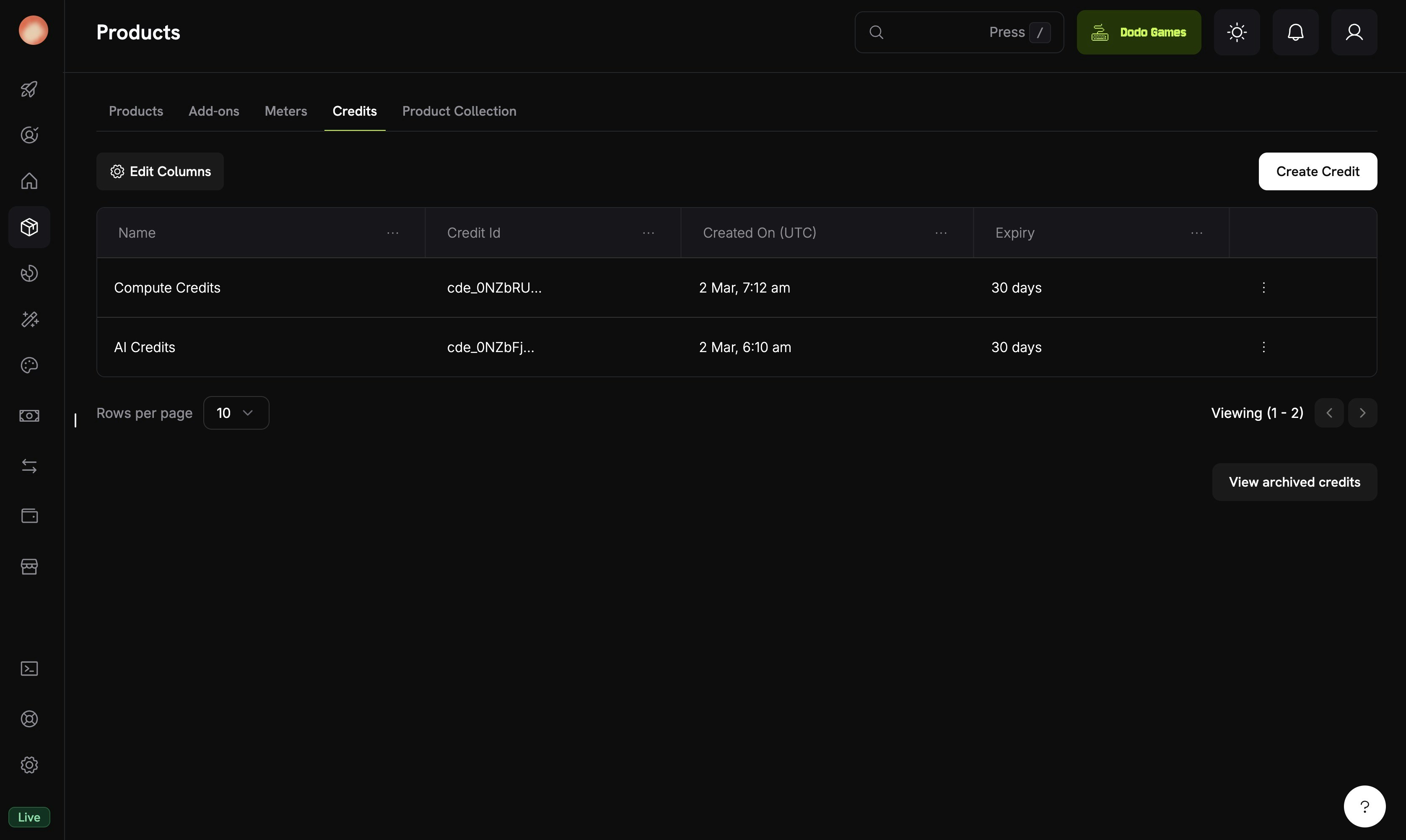
The Credits tab under Products shows all your credit entitlements.
Navigate to Credits
Configure Basic Information
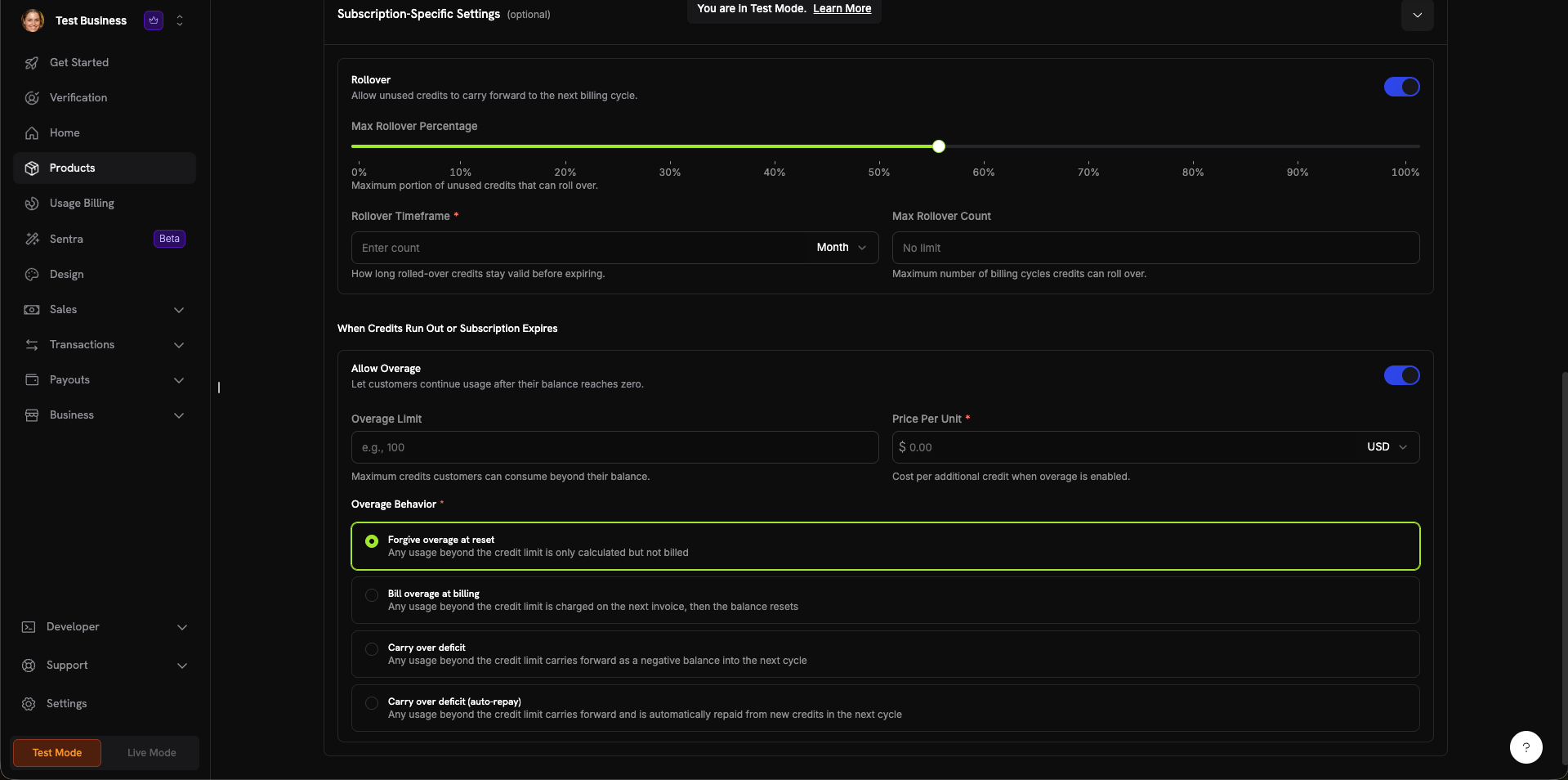
The credit creation form with all configuration sections.
Set General Settings
- Custom Unit: अपना metric परिभाषित करें (tokens, API calls, compute hours)। इसके लिए Unit Name (उदाहरण के लिए, “Platform tokens”) और Precision setting आवश्यक है।
- Fiat Credits: Credits वास्तविक currency value को दर्शाते हैं। इसके लिए Unit Currency selection (USD, EUR, GBP, INR आदि) आवश्यक है।
0 से 10 तक:0: पूर्ण संख्याएँ (API calls जैसी गिनी जा सकने वाली items के लिए सर्वोत्तम)1: एक decimal (0.0)2: दो decimals (0.00)—default3: तीन decimals (0.000)10तक: high-precision units के लिए (उदाहरण के लिए, fractional tokens या micro-usage)
- 7 days, 30 days (default), 60 days, 90 days, Custom, या Never
Configure Subscription Settings (Optional)
- Max Rollover Percentage (0–100%): Carry over होने वाली मात्रा की सीमा
- Rollover Timeframe: Rolled-over credits कितने समय तक valid रहते हैं (उदाहरण के लिए, 1 Month)
- Max Rollover Count: Credits forfeited होने से पहले consecutive rollovers की अधिकतम संख्या
- Overage Limit: Customers अपने balance से अधिकतम कितने credits consume कर सकते हैं
- Price Per Unit: Overage enabled होने पर प्रत्येक अतिरिक्त credit की cost (currency selector के साथ)
- Forgive overage at reset (default): Credit limit से अधिक usage को track किया जाता है, लेकिन bill नहीं किया जाता। Balance प्रत्येक cycle में reset होता है।
- Bill overage at billing: Credit limit से अधिक usage को next invoice में charge किया जाता है, फिर balance reset होता है।
- Carry over deficit: Credit limit से अधिक usage negative balance के रूप में अगले cycle में carry forward होता है।
- Carry over deficit (auto-repay): Deficit carry forward होता है और अगले cycle में नए credits से automatically repay किया जाता है।
Create Credit
Products से Credits Attach करना
Product creation या editing flow में credits को entitlements के रूप में products से attach किया जाता है। आप प्रत्येक product में अधिकतम 5 credits attach कर सकते हैं। Credits सभी तीन pricing types के साथ काम करते हैं।Subscription Products
Subscriptions के लिए credits प्रत्येक billing cycle में जारी किए जाते हैं और proration, trial credits तथा cycle-specific settings के साथ configure किए जा सकते हैं।Create or Edit a Subscription Product
Open Entitlements Section
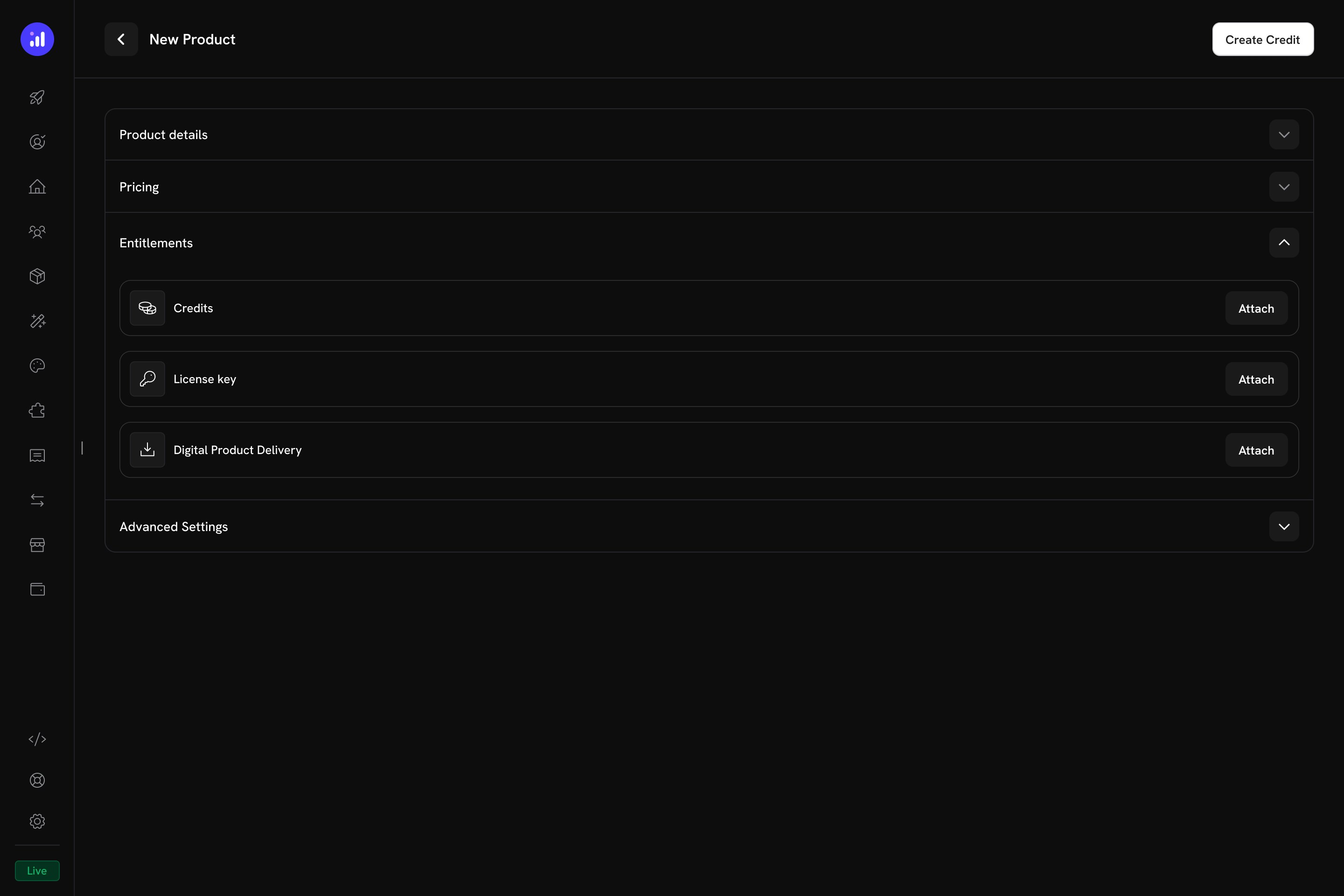
The Entitlements section in the product form with Credits, License Key, and Digital Product Delivery options.
Select Credits to Attach
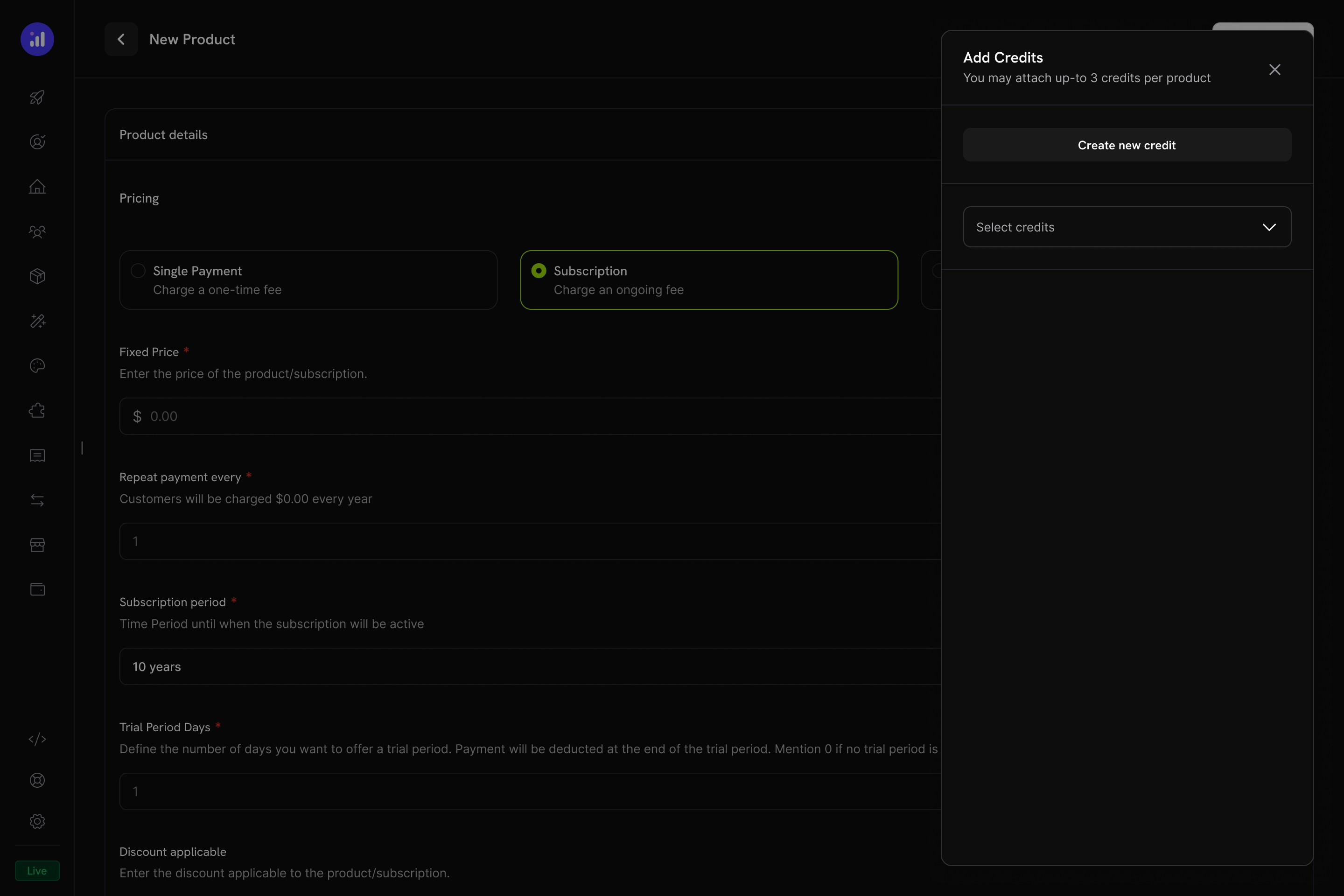
The Add Credits panel lets you select existing credits or create new ones.
Configure Credit Settings
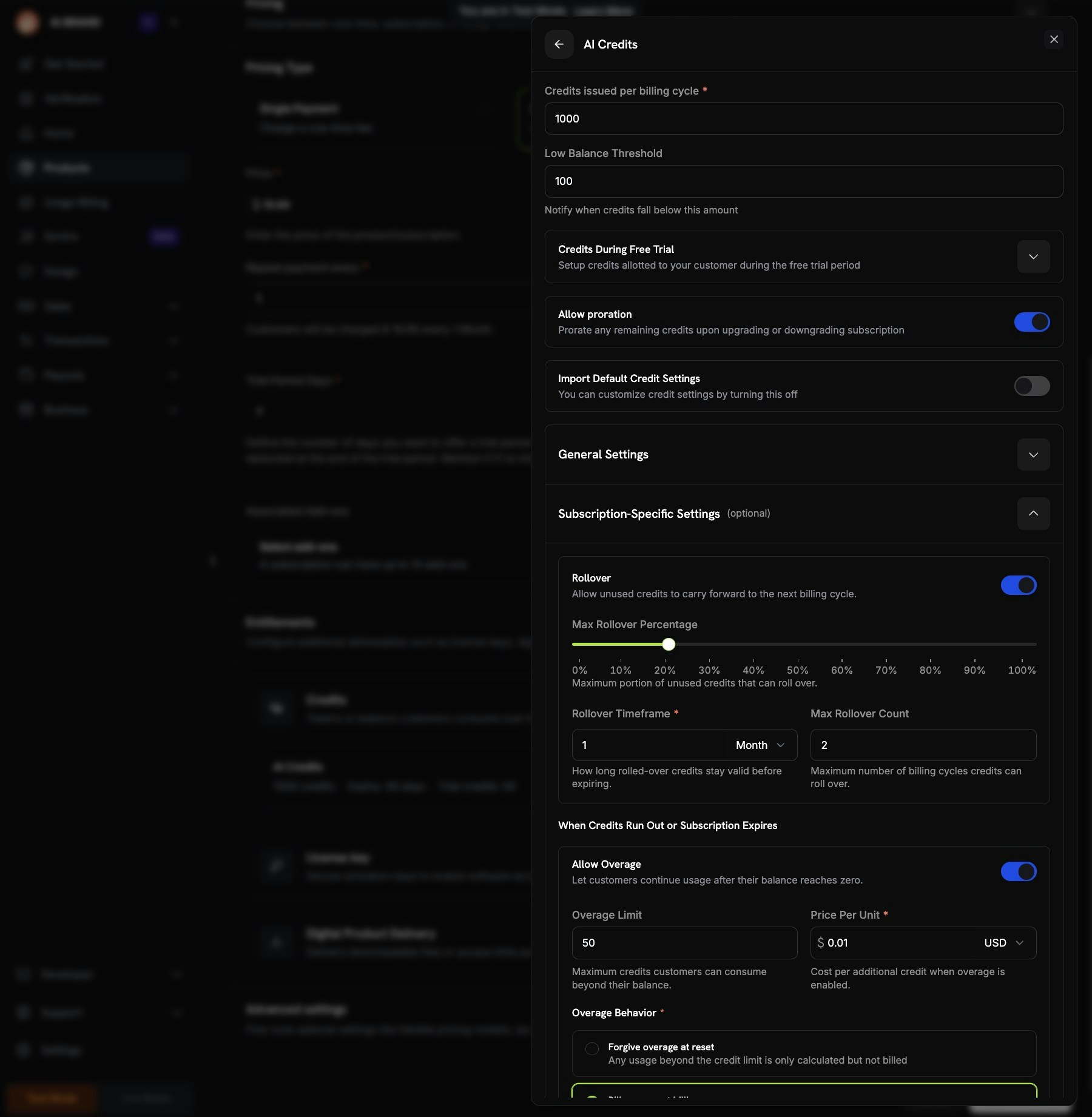
Credit configuration showing per-cycle amount, trial credits, proration, and custom settings.
Review and Add
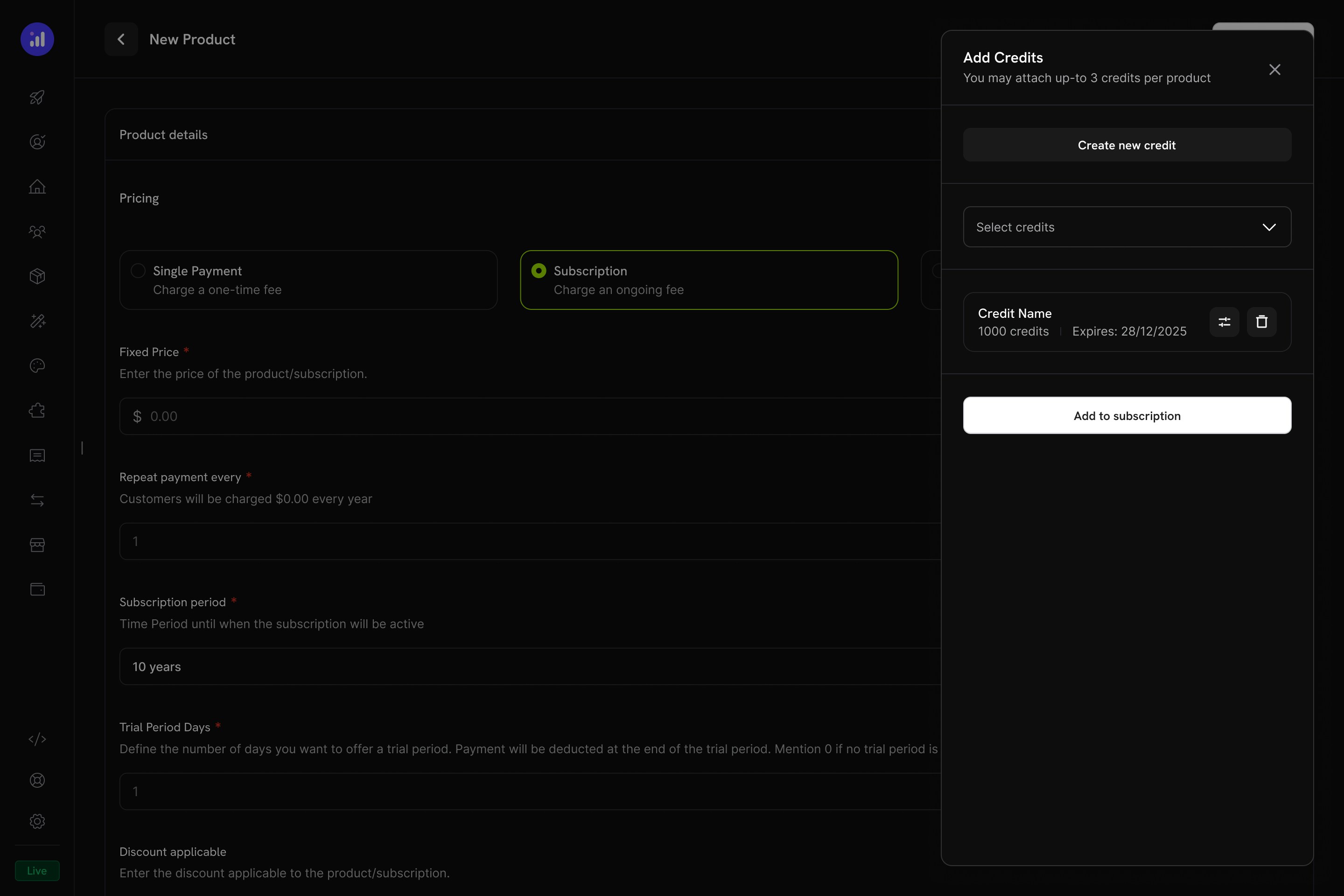
Review attached credits before adding them to the subscription.
One-Time Payment Products
One-time payments के लिए credits खरीदारी के समय एक बार जारी किए जाते हैं।Create a One-Time Product
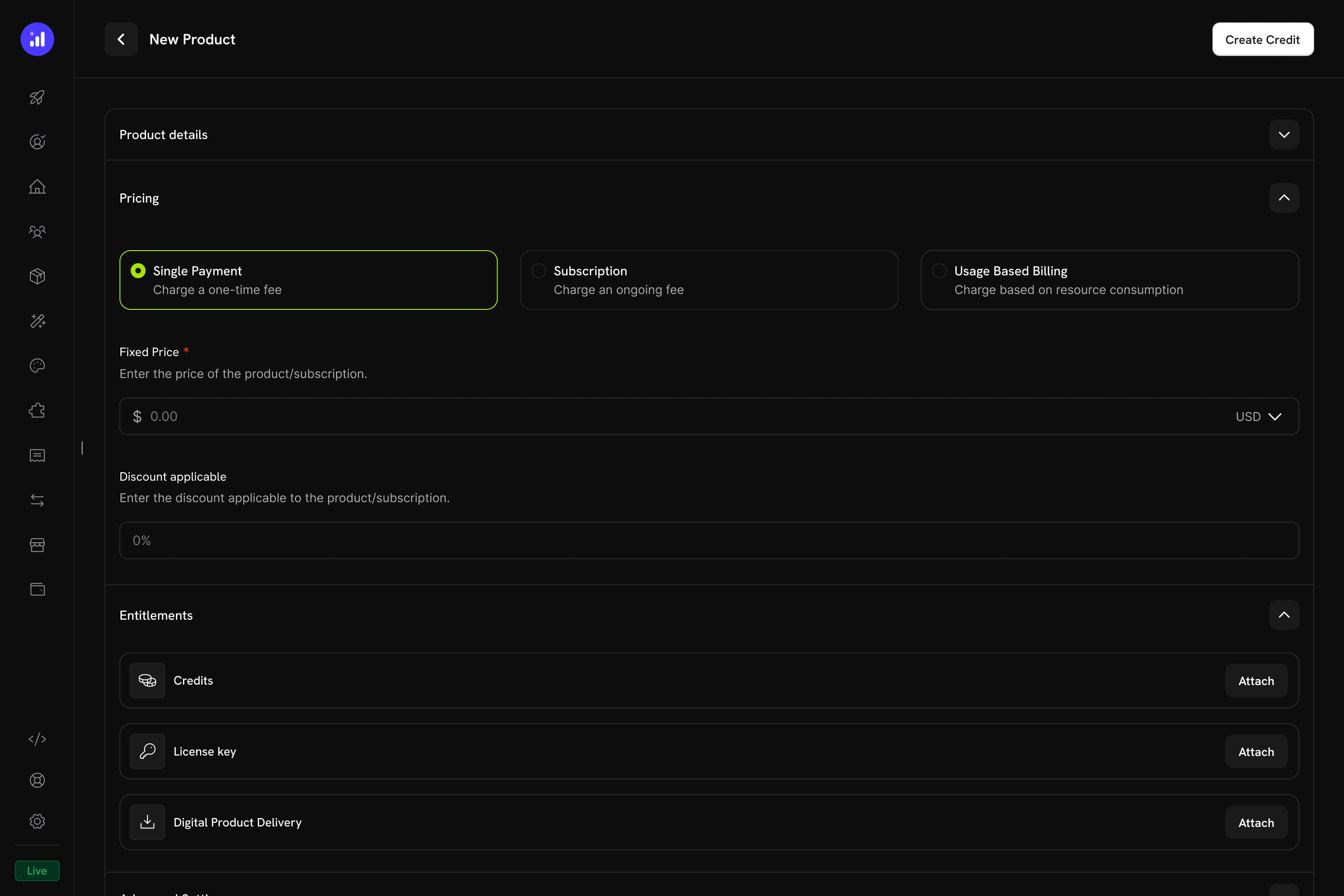
Single Payment pricing selected for a one-time credit product.
Attach Credits
Usage-Based Billing Products
Usage-based products के लिए credits meters से linked होते हैं और real-time consumption events के आधार पर automatically deduct किए जाते हैं।Create a Usage-Based Product
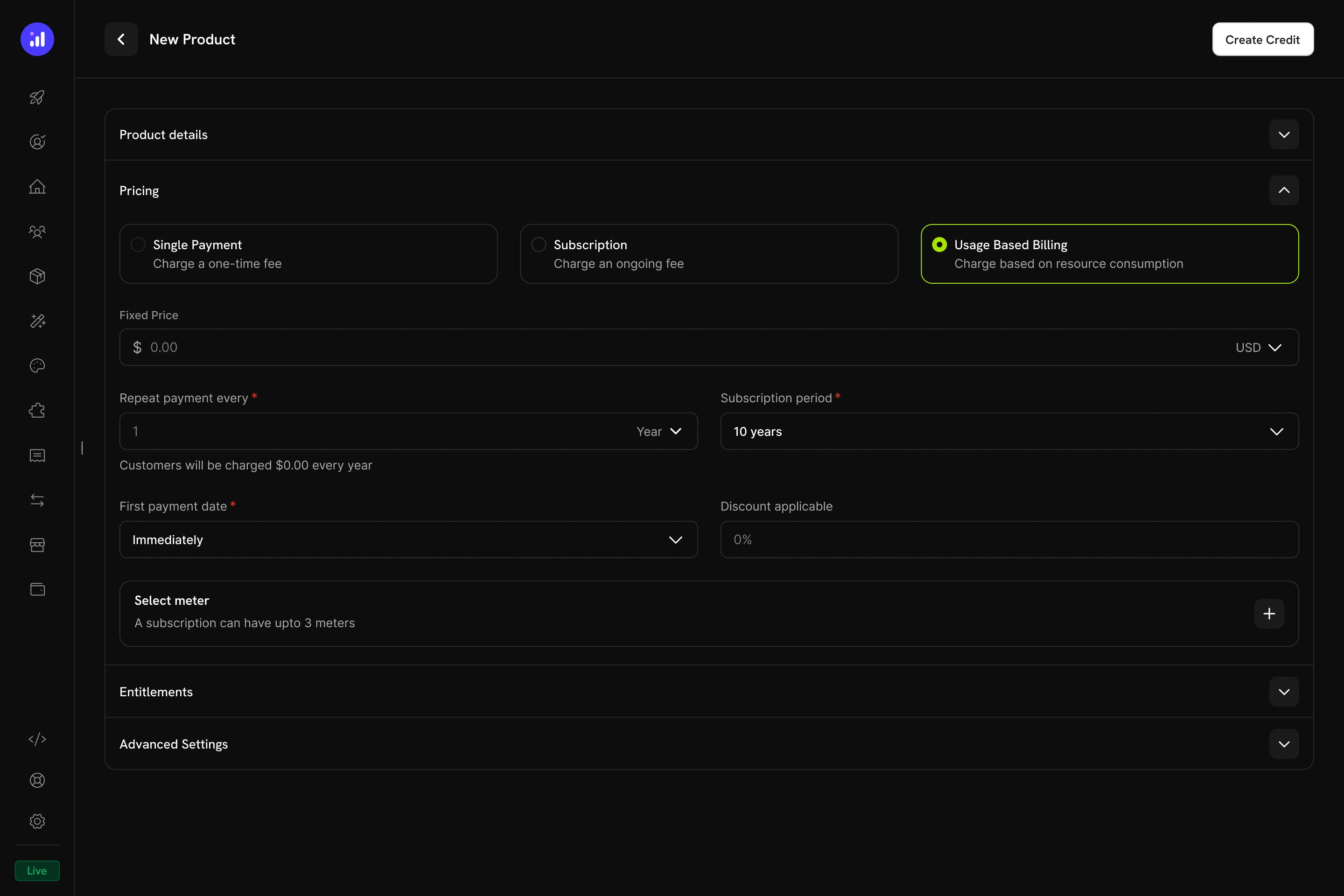
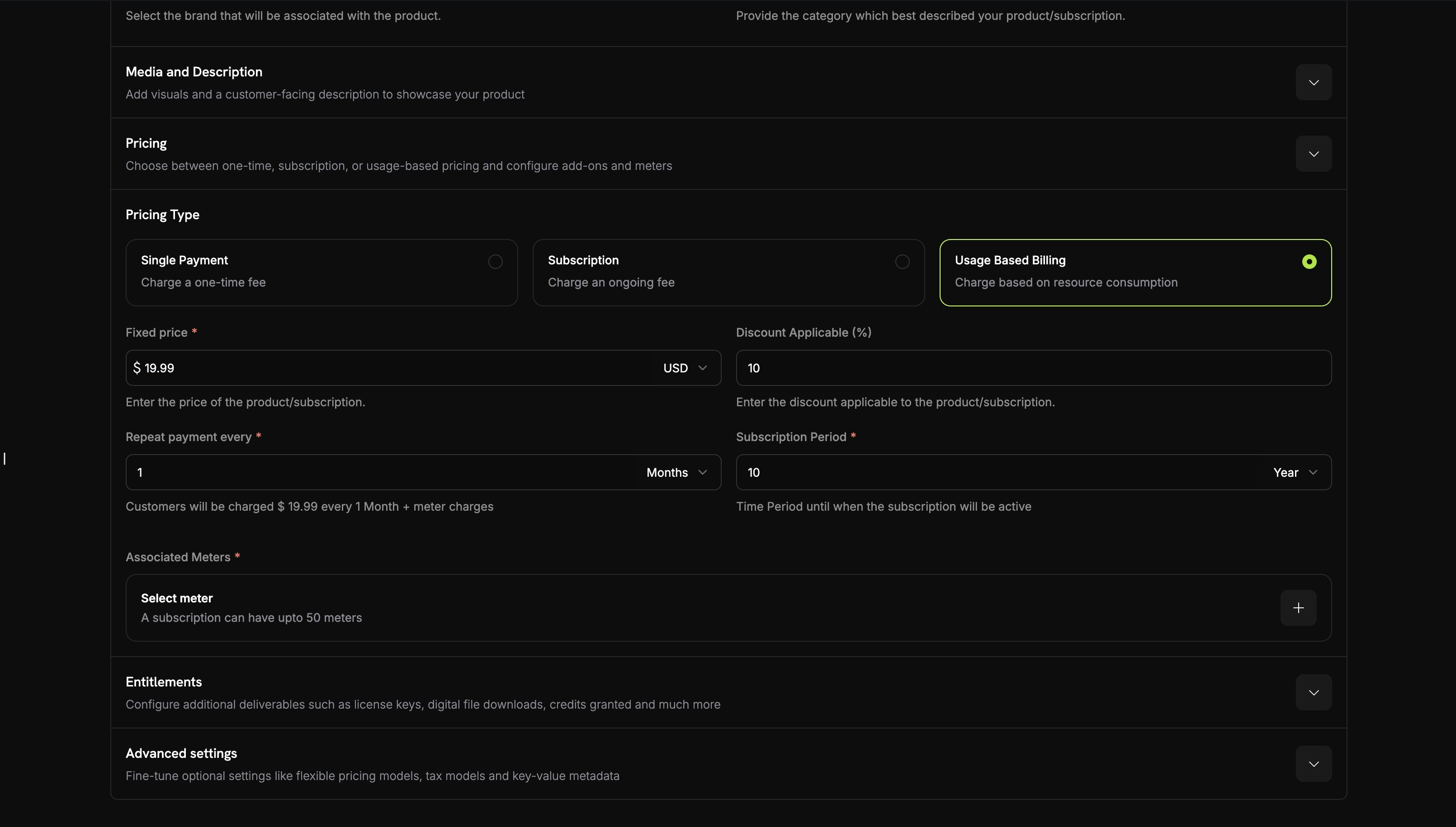
Usage Based Billing pricing type with meter configuration.
Add a Meter
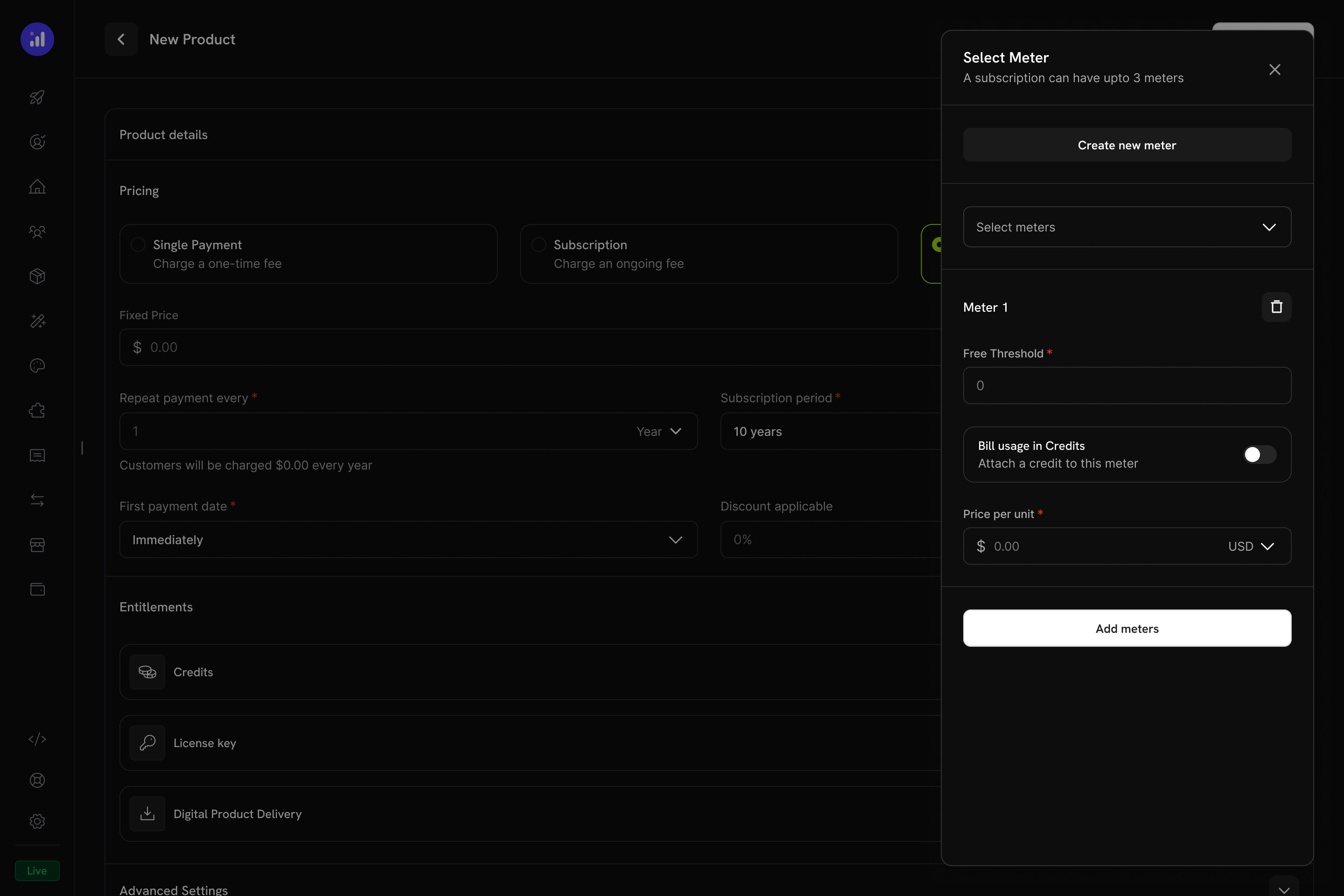
The Select Meter panel with meter configuration and credit toggle.
Enable Credit Billing on the Meter
1000 पर सेट किया गया है, तो 1,000 API calls से 1 credit consume होगा।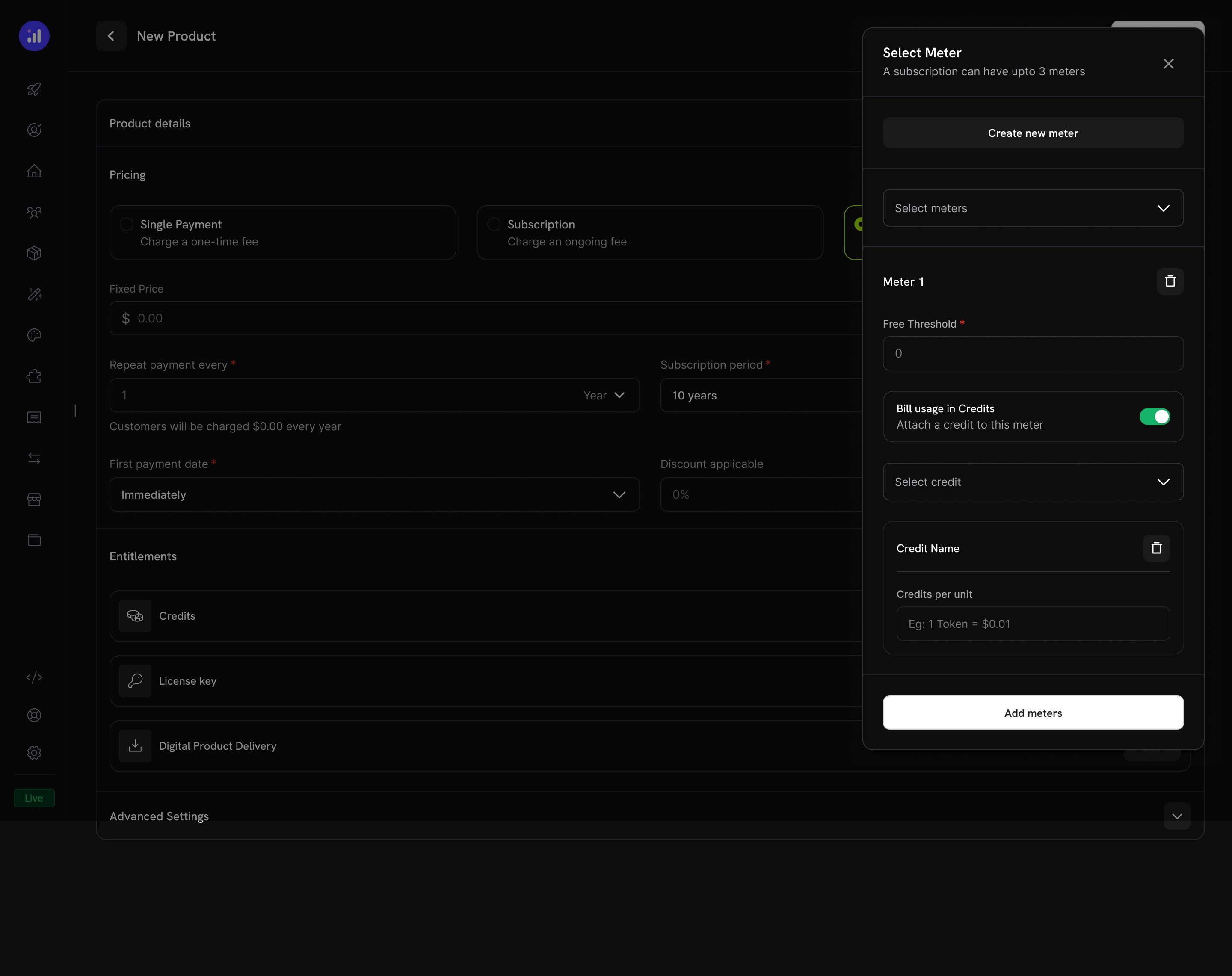
Credit attached to a meter with per-unit conversion rate.
Configure Credit Issuance
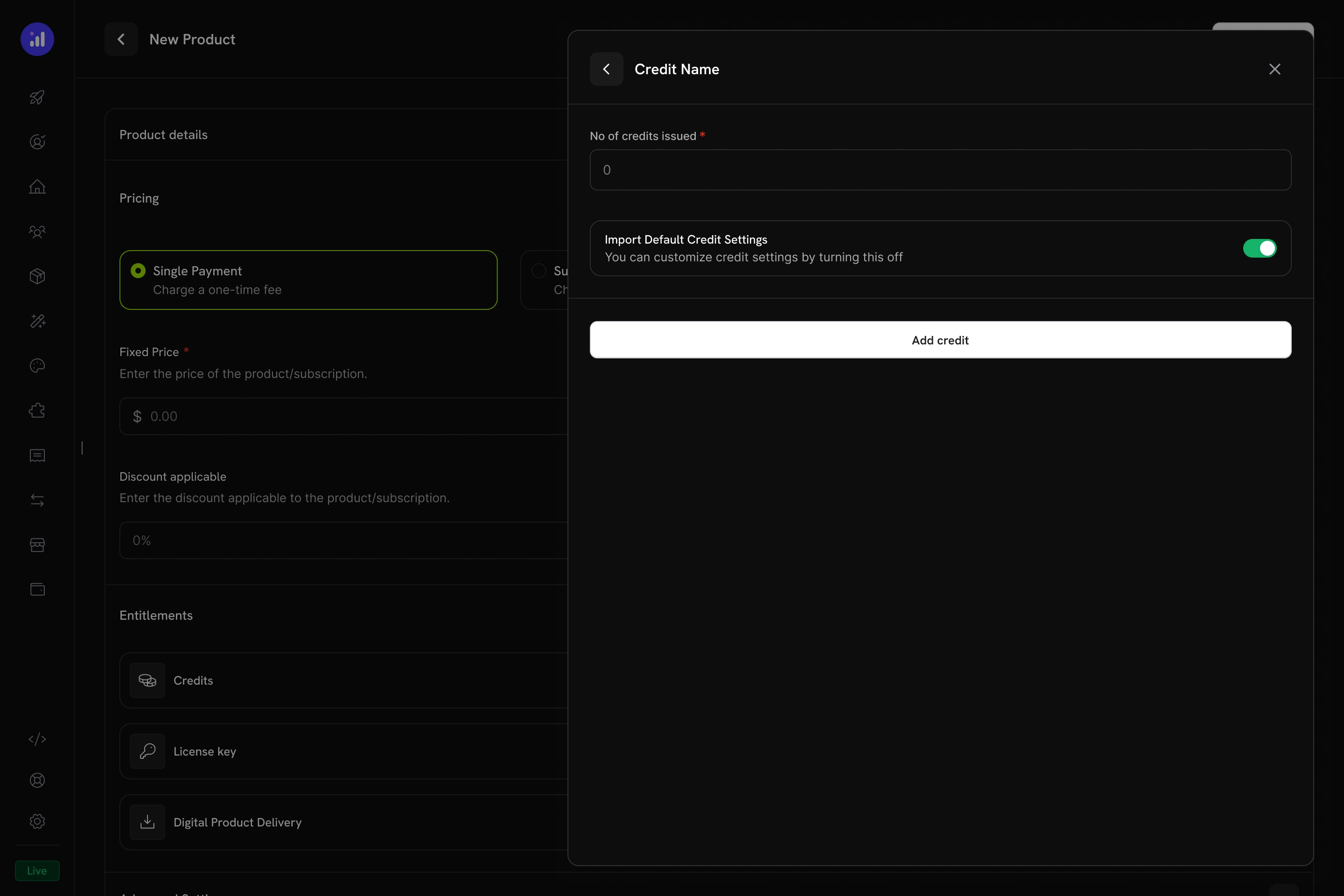
Configure how many credits to issue and whether to use default settings.
Verify Attachment
Meter with credit attached showing price, threshold, and credit name.
Credit Settings
Rollover
Rollover unused credits को expire होने के बजाय अगले billing cycle में carry forward करता है।Overage
Overage नियंत्रित करता है कि cycle के बीच में customer का credit balance शून्य होने पर क्या होता है।Expiration
credit_expired ledger entry बनाते हैं। यदि rollover enabled है, तो expiration से पहले rollover percentage लागू किया जाता है और केवल शेष credits expire होते हैं।Credits के साथ Usage Billing
जब credits usage meters से link होते हैं, तो system एक शक्तिशाली consumption-based billing model बनाता है। Customers को credit allocation मिलता है और usage events उनके balance से automatically deduct हो जाते हैं।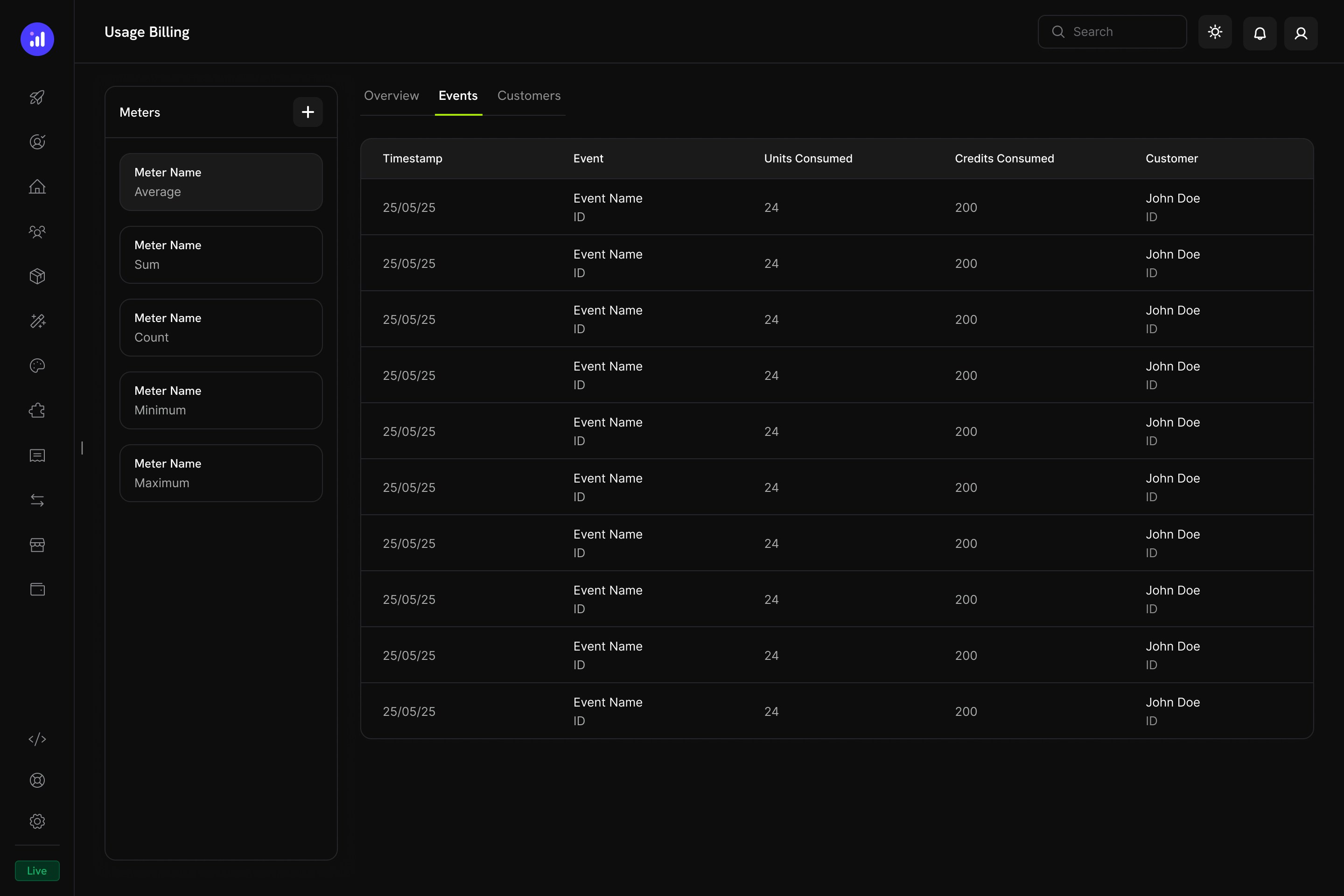
The Usage Billing dashboard shows meter events with units consumed, credits consumed, and customer details.
Meter-Based Credit Deduction कैसे काम करता है
- आपका application usage events भेजता है: प्रत्येक event में customer ID, event name और metadata शामिल होते हैं
- Meters events को aggregate करते हैं: Count, Sum, Max या Last aggregation का उपयोग करके
- Credits automatically deduct होते हैं: एक background worker प्रत्येक minute में events process करता है, configured rate का उपयोग करके meter units को credits में convert करता है और FIFO ordering (सबसे पहले expire होने वाले grants) के अनुसार customer के balance से deduct करता है
- Overage track होता है: यदि credit balance zero पर पहुंचता है और overage enabled है, तो system end-of-cycle billing के लिए overage usage track करता है
Meters Panel
Usage Billing dashboard में एक Meters panel शामिल है, जिसमें सभी defined meters उनके aggregation type के साथ सूचीबद्ध होते हैं:Customer Experience
Checkout
जब कोई customer attached credits वाला product खरीदता है, तो checkout page product offering के हिस्से के रूप में included credits दिखाता है।Checkout shows included credits with the product, making the value proposition clear.
Customer Portal
Customers Credits section के अंतर्गत Customer Portal में अपने credit balances देख और manage कर सकते हैं।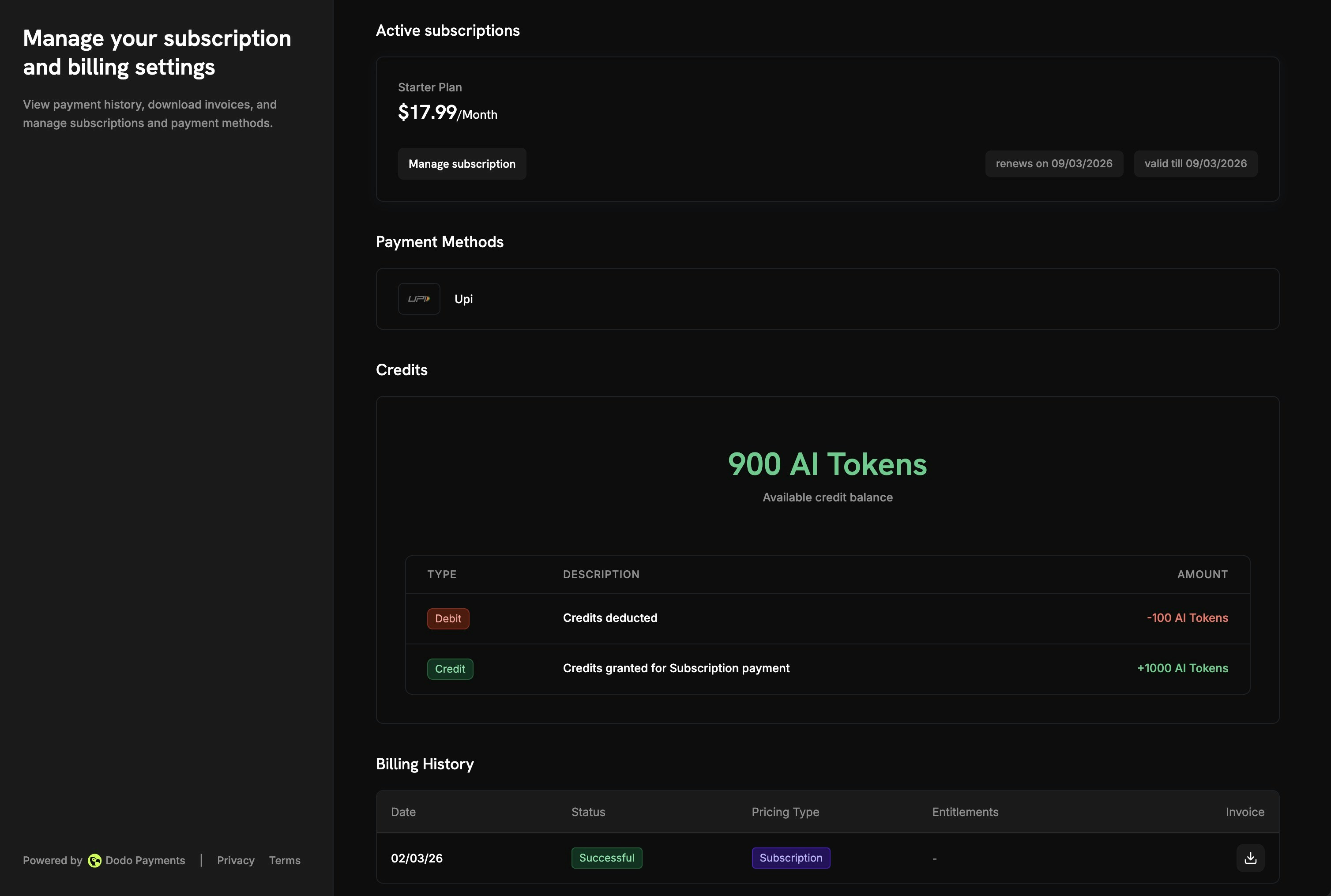
The Customer Portal shows available balance and full transaction history.
- Available Balance: Current credit balance प्रमुख रूप से प्रदर्शित होता है
- Credit Tabs: विभिन्न credit types के बीच switch करें (उदाहरण के लिए, “OpenAI Credits” या “Usage Tokens”)
- Recent Transactions: date, transaction ID, type, amount और running balance के साथ पूरी history
Subscription Details
Subscription detail page अन्य plan information के साथ credit entitlements दिखाता है।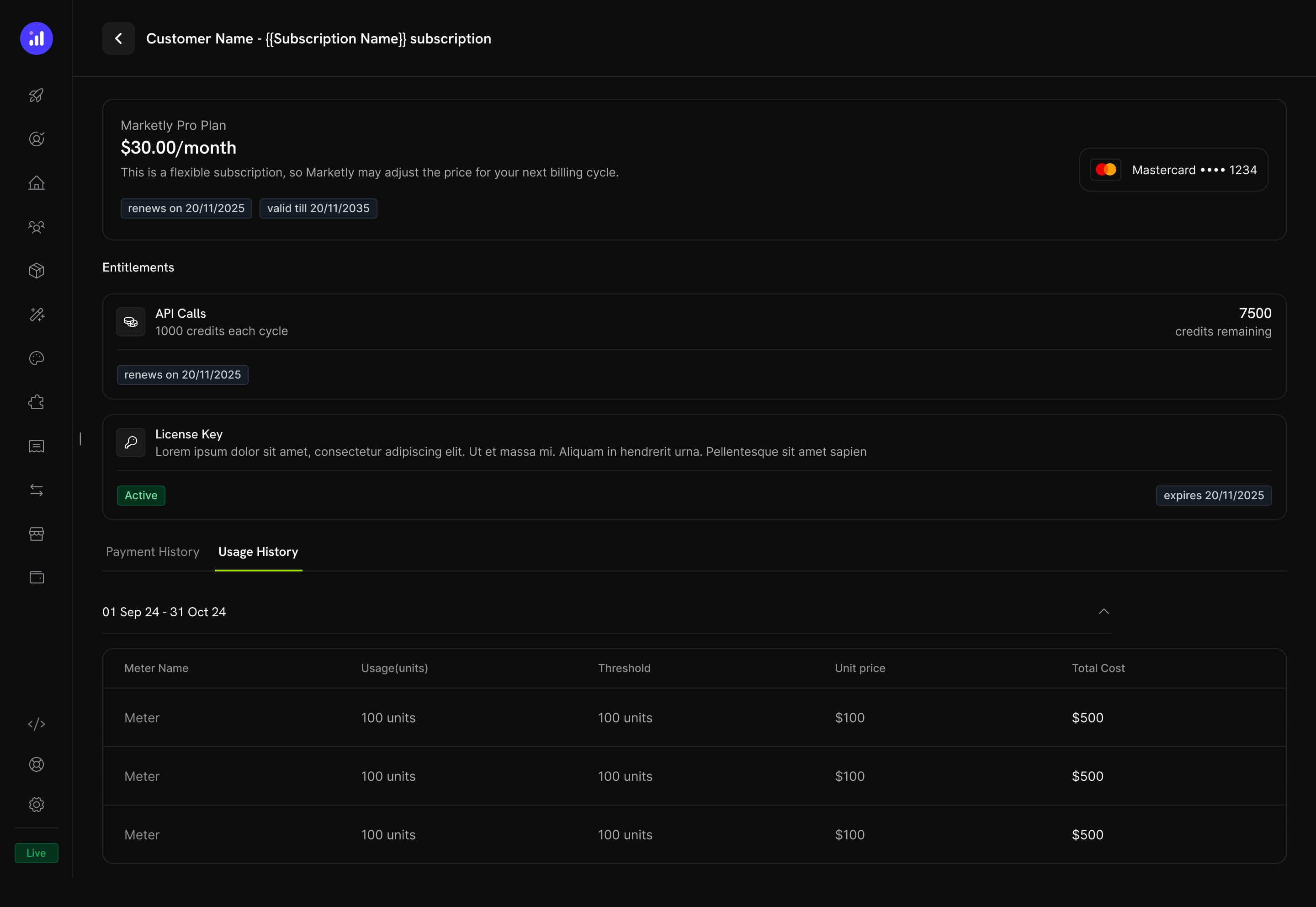
Subscription details show credit allocation, remaining balance, and renewal date.
- प्रत्येक billing cycle के लिए Credit allocation (उदाहरण के लिए, “1000 credits each cycle”)
- Remaining balance (उदाहरण के लिए, “7500 credits remaining”)
- अगली credit issuance की Renewal date
- Usage History tab, जिसमें meter-level breakdown के साथ consumed units, thresholds, unit prices और total costs दिखते हैं
Transaction Details
Payment transaction pages में एक Entitlements section शामिल होता है, जिसमें payment के साथ delivered सभी entitlements, including credits, दिखाए जाते हैं।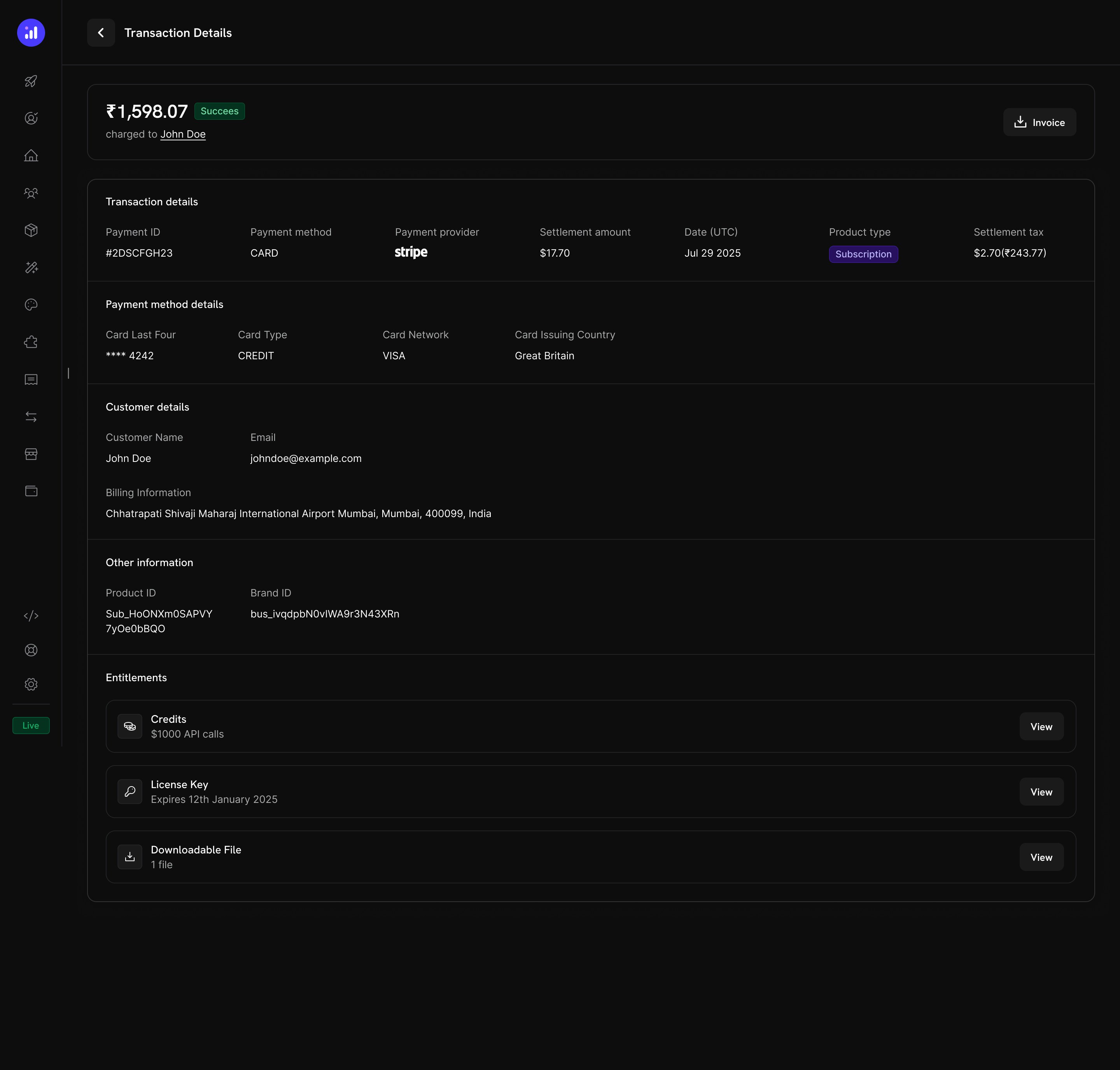
Transaction details show credits alongside other entitlements like license keys and digital downloads.
Credits Manage करना
Dashboard Views
Credit Entitlements List
Products → Credits में अपने सभी credit entitlements देखें। Table में credit name और expiry settings दिखाई जाती हैं तथा editing या archiving के लिए quick actions उपलब्ध होते हैं।Credits listing with total count, creation button, and management actions.
Customer Credit Details
Customers → [Customer Name] → Credits से किसी specific customer के credit balances और transaction history देखें।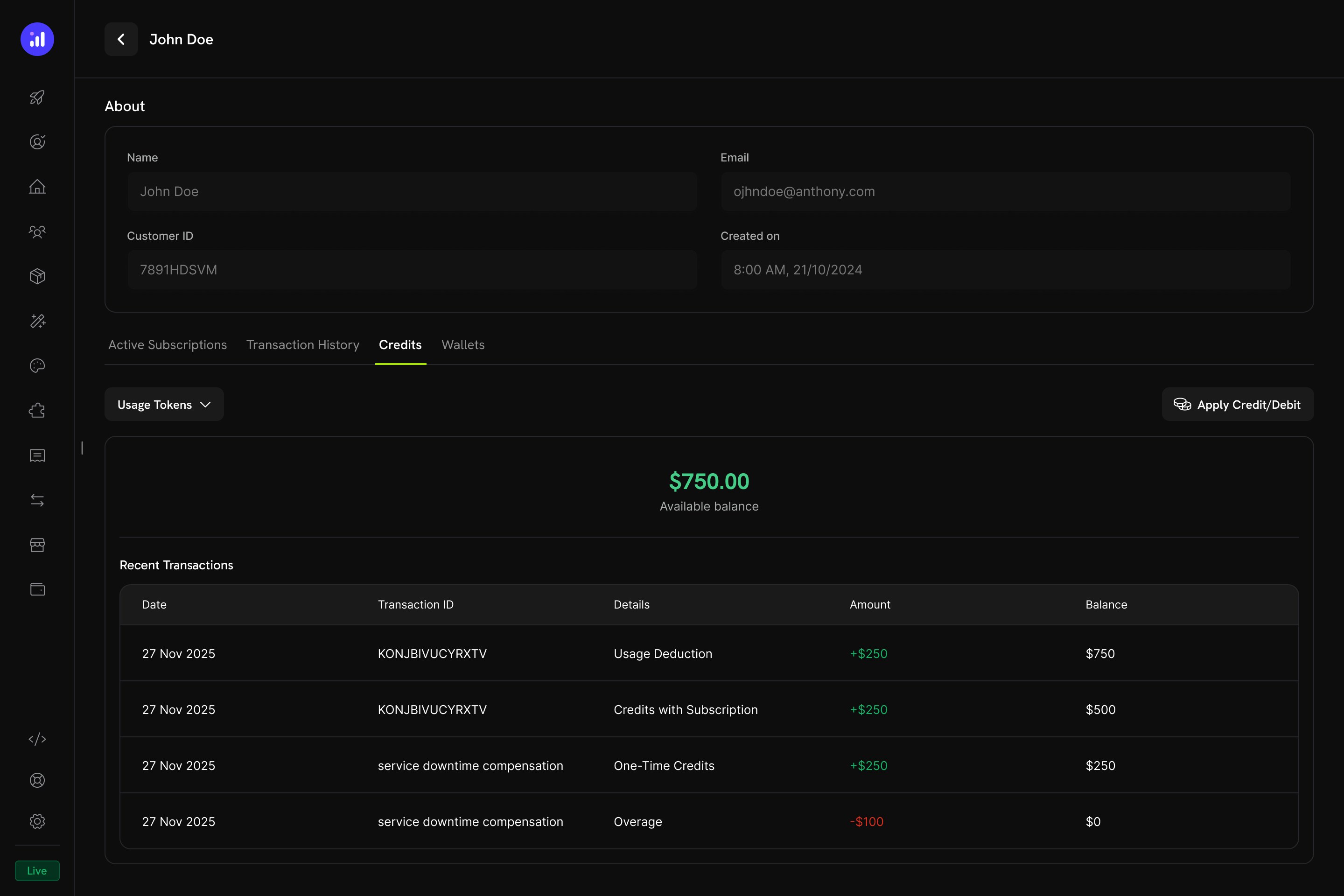
Customer detail page showing credit balance and full transaction ledger.
- Credit Selector - विभिन्न credit entitlements के बीच switch करें
- Available Balance - Current balance बड़े और प्रमुख display में
- Apply Credit/Debit - Customer के balance को manually adjust करने के लिए button
- Recent Transactions - Date, transaction ID, type, amount और running balance के साथ पूरा ledger
Manual Adjustments
आप dashboard से सीधे customer के balance को manually credit या debit कर सकते हैं:Navigate to Customer
Open Credits Tab
Apply Credit or Debit
Confirm
manual_adjustment ledger entry बनाते हैं, जिसमें full audit trail होता है।Credit Ledger
हर credit operation credit ledger में record होता है, जो complete audit trail प्रदान करता है:Webhooks
Credit-Based Billing प्रत्येक credit lifecycle change के लिए webhook events fire करता है। इनका उपयोग अपने application को credit balances के साथ sync रखने, notifications trigger करने या custom billing workflows बनाने के लिए करें।credit.balance_low event को छोड़कर हर credit.* event) में full CreditLedgerEntry payload शामिल होता है, जिसमें पहले/बाद का balance, पहले/बाद का overage, source reference और grant के source subscription या payment का metadata शामिल होता है (API के माध्यम से सीधे बनाए गए grants के लिए empty)। credit.balance_low event में threshold configuration और current balance शामिल होते हैं।
Credit Webhook Payloads
API Management
Create Credit Entitlements
Create Credit Entitlements
Create Credit Entitlement
List Credit Entitlements
Manage Credit Entitlements
Manage Credit Entitlements
Get Credit Entitlement
Update Credit Entitlement
Delete Credit Entitlement
Undelete Credit Entitlement
Grant and Adjust Credits
Grant and Adjust Credits
Create Ledger Entry
Query Balances and Ledger
Query Balances and Ledger
List Balances
Get Customer Balance
List Customer Grants
List Customer Ledger
Integration Example
Dodo Payments client initialize करें:Real-World Examples
AI SaaS Platform
AI SaaS Platform
- Credit Type: Custom Unit (“AI Tokens”)
- Precision: 0 (whole tokens)
- Rollover: 25% max, 1-month timeframe
- Overage: Enabled, bill overage at billing
- Meter:
ai.generationwith Sum aggregation ontokensfield
API Gateway
API Gateway
- Credit Type: Custom Unit (“API Calls”)
- Precision: 0 (whole calls)
- Rollover: Disabled
- Overage: Developer+ plans allow overage (forgive at reset), Free plan disables overage
- Meter:
api.requestwith Count aggregation
Cloud Storage Service
Cloud Storage Service
- क्रेडिट प्रकार: Custom Unit (“GB-hours”)
- सटीकता: 2 (दो दशमलव स्थान)
- रोलओवर: अधिकतम 50%, एक बार आगे ले जाया जाता है
- अतिरिक्त उपयोग: सक्षम, GB-hours में अतिरिक्त उपयोग सीमा सेट की गई है
- मीटर:
storage.usage, Sum aggregation के साथ
Best Practices
- Start simple: एक single credit type और बिना rollover के शुरू करें। Customer feedback और usage patterns के आधार पर complexity जोड़ें।
- Set clear expectations: अपने product pages और customer portal में credit allocations, remaining balances और overage pricing को प्रमुख रूप से दिखाएं।
- Use meaningful units: Generic terms के बजाय credits का नाम उनके representation के आधार पर रखें (उदाहरण के लिए, “API Calls” या “AI Tokens”)। इससे customers को value समझने में मदद मिलती है।
- Configure expiry thoughtfully: Short expiry windows (7 days) urgency बढ़ाती हैं, लेकिन customers को निराश कर सकती हैं। अधिकांश SaaS products के लिए longer windows (30–90 days) अधिक customer-friendly होती हैं।
- Monitor low balances: Customers के credits समाप्त होने से पहले alert करने के लिए low balance thresholds सेट करें, जिससे unexpected overage charges कम हों।
- Test in test mode: Live जाने से पहले credits बनाएं, उन्हें test products से attach करें और पूरे purchase → usage → deduction → expiration cycle को simulate करें।