

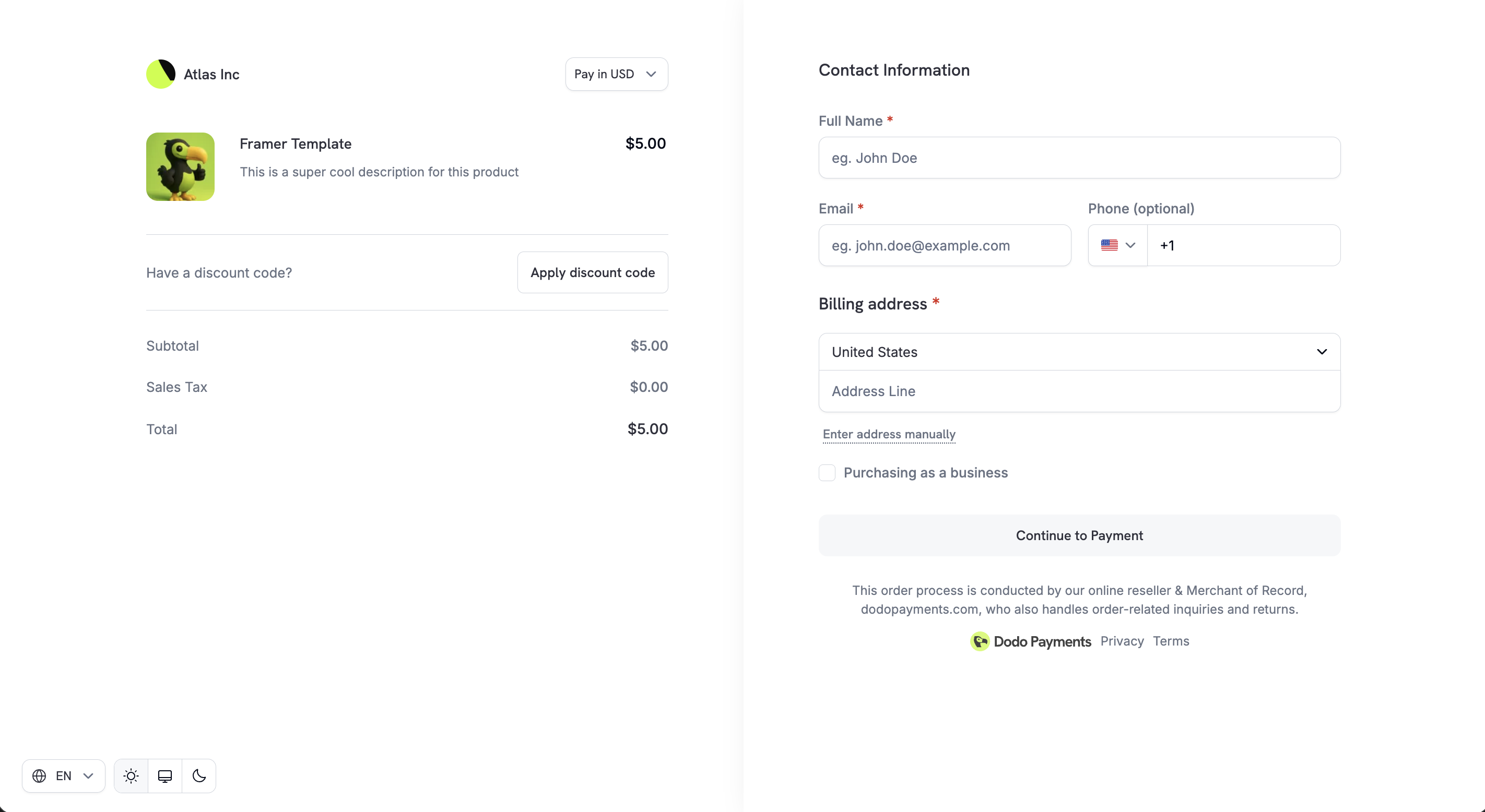
Checkout Sessions API
Preview Checkout
Payment Methods
Integration Guide
Checkout Sessions API के माध्यम से बनाए गए Checkout links reusable नहीं होते। वे 24 घंटे बाद expire हो जाते हैं, या यदि
confirm: true सेट है तो 15 मिनट बाद expire होते हैं। प्रत्येक ग्राहक और प्रत्येक payment attempt के लिए नया session बनाएं।Adaptive Currency
Adaptive Currency ग्राहकों को अपनी पसंद की local currency में payment करने देती है, जिससे trust और conversion rates बेहतर होते हैं। सक्षम होने पर checkout में customers को currency selector दिखाई देता है। Price live FX rates पर उनकी चुनी हुई currency में convert हो जाती है। यदि product में Purchasing Power Parity सक्षम है, तो base price के बजाय PPP-adjusted price convert होती है। यदि Charm Pricing सक्षम है, तो converted amount को 49.99 जैसे साफ़ ending पर round किया जाता है।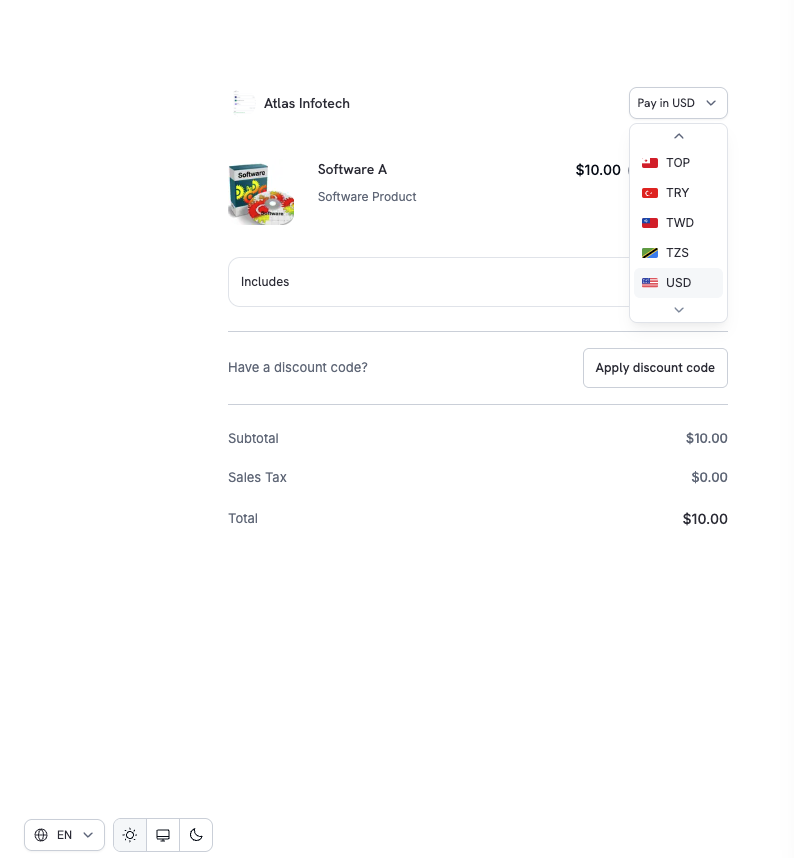
Adaptive Currency
Multi-Language Checkout
Checkout 22 languages को support करता है। ग्राहक सीधे page पर languages बदल सकते हैं और UI text, labels तथा system messages localized होते हैं। Arabic और Hebrew में checkout दाईं से बाईं ओर render होता है और पूरा layout mirror हो जाता है। Email addresses, codes और phone numbers अपना स्वाभाविक reading order बनाए रखते हैं।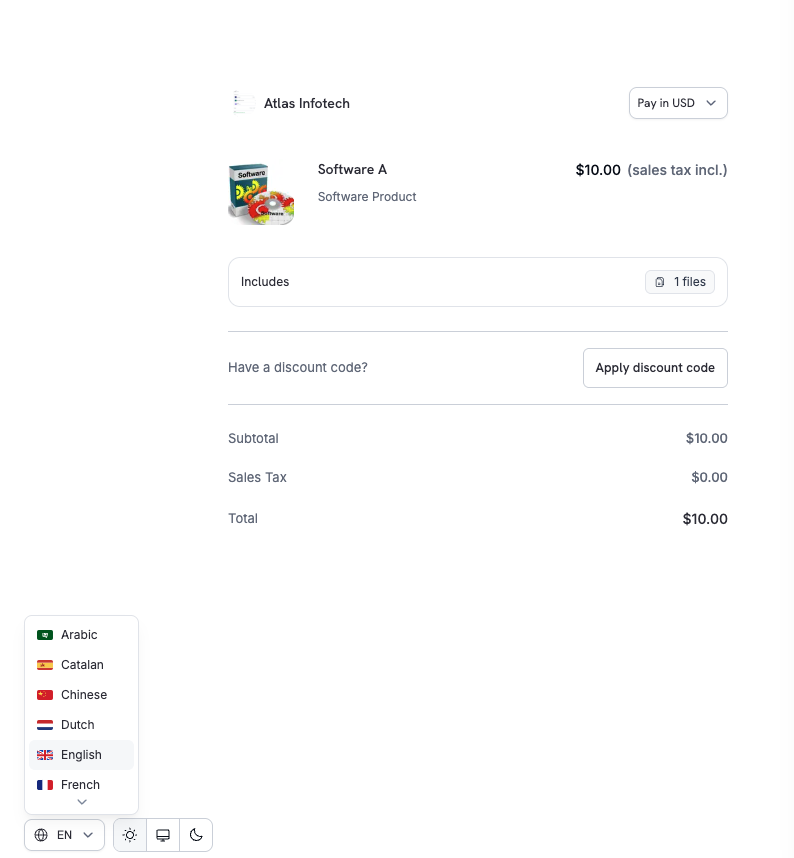
समर्थित भाषाएँ
किसी विशिष्ट भाषा को अनिवार्य करने के लिए checkout session बनाते समय
customization.force_language सेट करें। विवरण के लिए Checkout Sessions API देखें।
Automatic Tax Calculation
GST, VAT और sales tax की आवश्यकताओं के अनुपालन को सुनिश्चित करने के लिए, customer के billing location के आधार पर taxes की स्वचालित रूप से गणना की जाती है। जहाँ लागू हो, tax rules customer के country और region के आधार पर लागू होते हैं। Customer द्वारा अपना country बदलने या address अपडेट करने पर tax amount अपने-आप अपडेट हो जाता है। Payment से पहले अंतिम tax breakdown स्पष्ट रूप से दिखाया जाता है।Business Tax ID Support
B2B transactions के लिए checkout customers को अपना Business Tax ID (जैसे VAT या GST number) दर्ज करने की सुविधा देता है। दर्ज किए जाने पर tax ID को real-time में validate किया जाता है और लागू tax exemptions या reverse-charge rules अपने-आप लागू हो जाते हैं।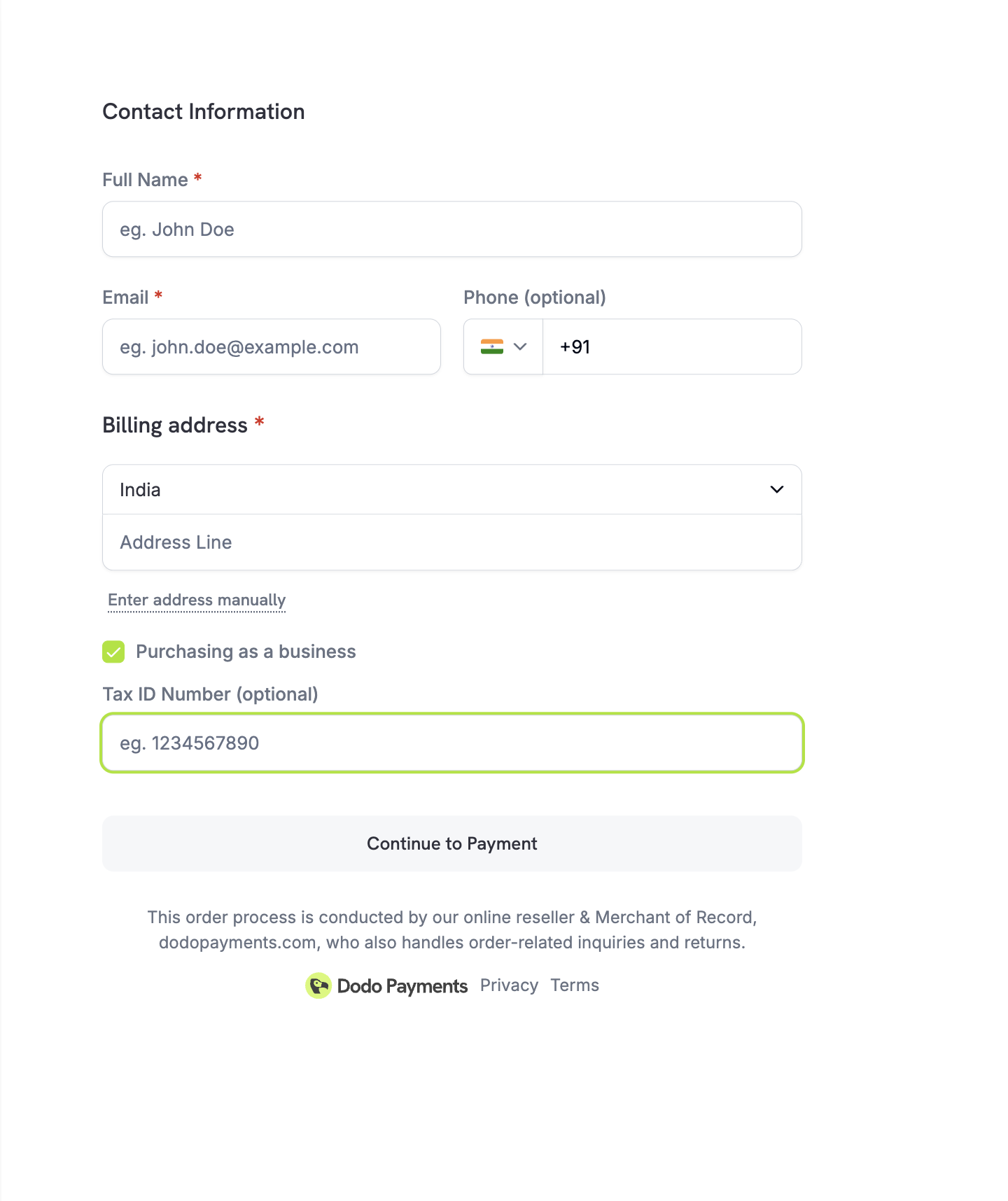
Discount Codes
Customers dashboard में आपके द्वारा बनाए गए discount या promo codes लागू कर सकते हैं। Discount तुरंत validate होता है और updated price दिखाया जाता है। जब किसी product पर Purchasing Power Parity enabled होता है, तो discount base price के बजाय PPP-adjusted price पर लागू होता है।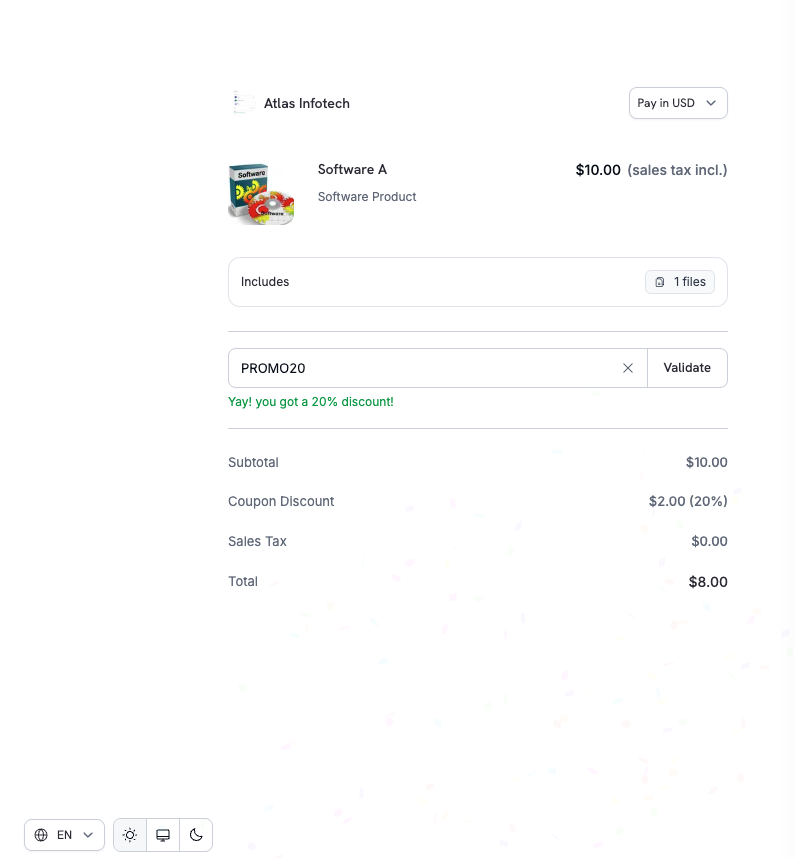
discount_codes अधिकतम 20 codes का array स्वीकार करता है, जो क्रम से stack होते हैं। Singular discount_code field deprecated है, लेकिन backward compatibility के लिए अभी भी काम करता है।Discount Codes
Validate Discount by Code
Smart Address Collection
Checkout speed, accuracy और global coverage के बीच संतुलन बनाने के लिए flexible address entry का समर्थन करता है।Options
Minimal Address Mode
अधिकतम conversion के लिए checkout friction कम करने हेतु minimal address collection enabled करें। जबminimal_address को true पर सेट किया जाता है, तो checkout केवल ये जानकारी collect करता है:
- Country — tax determination के लिए हमेशा आवश्यक
- ZIP/Postal code — केवल उन regions में जहाँ sales tax, VAT या GST calculation के लिए यह आवश्यक है
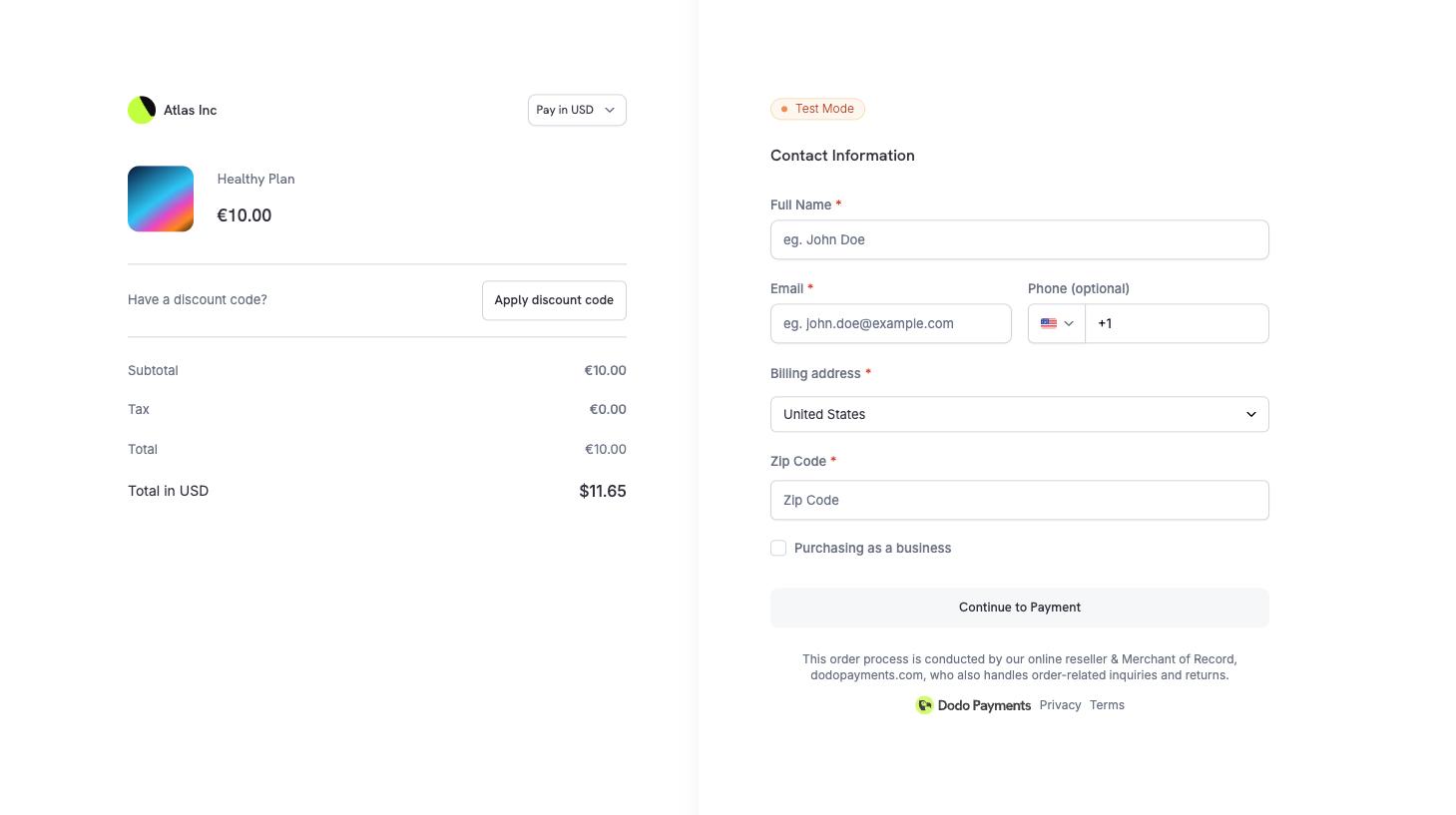
Full address collection default है। ऐसे digital products और SaaS flows के लिए
minimal_address enabled करें जहाँ complete billing details आवश्यक नहीं हैं।Phone Number Collection
यह नियंत्रित करें कि checkout पर phone number field दिखाई दे और क्या वह required हो।Custom Fields
Custom form fields define करके checkout के दौरान customers से अतिरिक्त जानकारी collect करें। यह company name, team size, referral source या किसी अन्य business-specific data को collect करने के लिए उपयोगी है।Available Field Types
Example
Customer responses webhook payloads (
payment.succeeded, subscription.active) और API responses में custom_field_responses array के माध्यम से अपने-आप शामिल हो जाते हैं। आप प्रत्येक checkout session में अधिकतम 5 custom fields define कर सकते हैं।Custom Fields Guide
Privacy Policy & Terms Acceptance
कानूनी और compliance transparency सुनिश्चित करने के लिए:- Privacy Policy और Buyer Terms links checkout पर स्पष्ट रूप से प्रदर्शित किए जाते हैं
- Payment पूरा करने से पहले customers इन्हें स्पष्ट रूप से acknowledge करते हैं
यह GDPR compliance सहित global consumer protection और data privacy requirements को पूरा करने में सहायता करता है।
Product Collections
Product Collections एक unified checkout experience सक्षम करते हैं, जहाँ customers एक ही checkout में कई संबंधित products (जैसे Starter, Pro, Enterprise plans) देख और select कर सकते हैं। Collection का उपयोग करने पर collection के सभी active products प्रदर्शित किए जाते हैं। पहला product pre-selected होता है और customers चुनने से पहले options की तुलना कर सकते हैं।Product Collections
Checkout Session Configuration
Checkout behavior को Checkout Sessions API का उपयोग करके नियंत्रित करें:Payment के बाद customers को आपके
return_url पर redirect किया जाता है और query parameters अपने-आप append होते हैं — इनमें payment_id या subscription_id, status, email और license_key (यदि लागू हो) शामिल हैं। पूरी list के लिए Checkout Sessions guide देखें।Checkout Sessions API
Checkout Integration Guide
Theme Customization
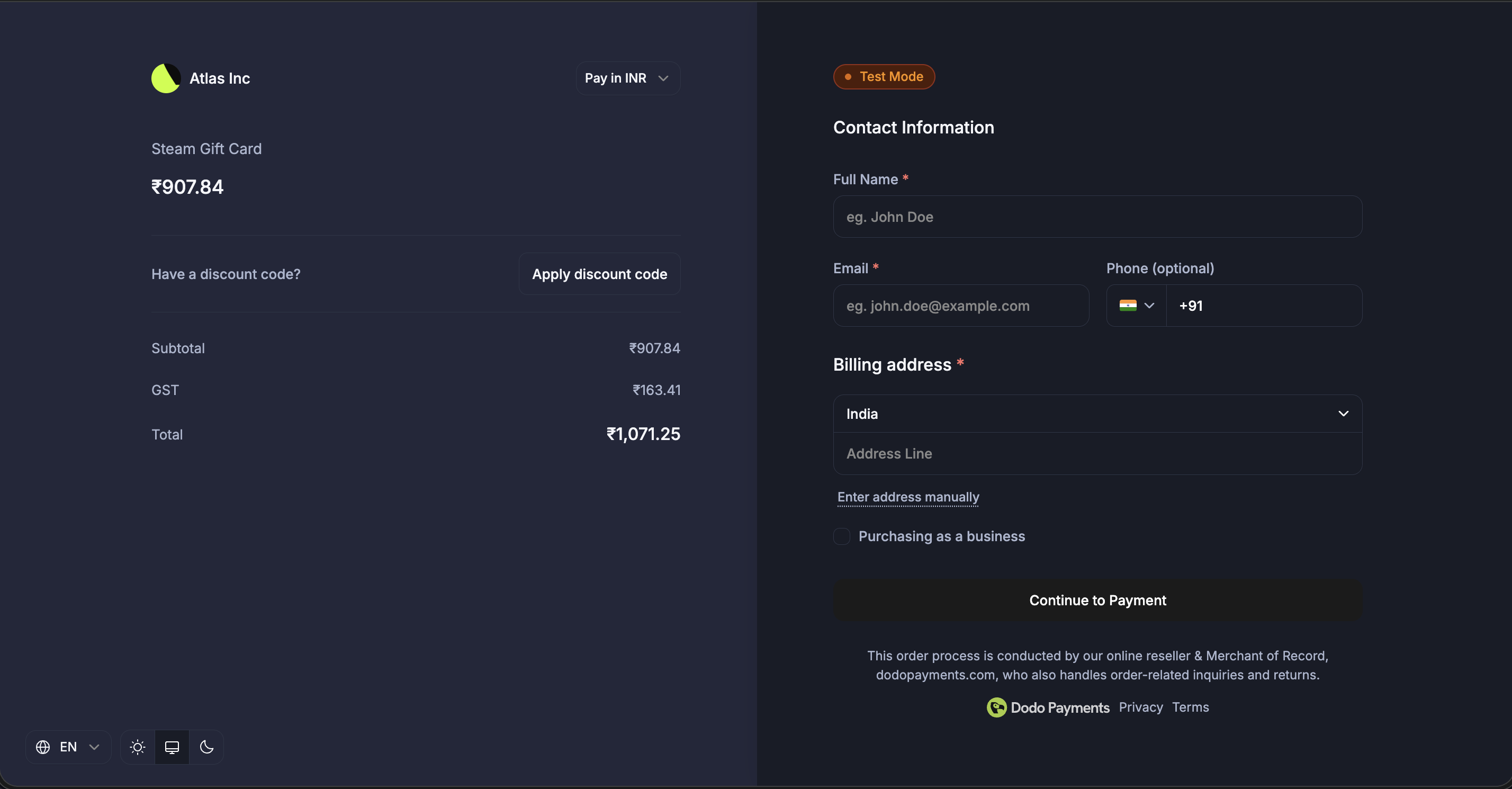
customization.theme_config parameter का उपयोग करके checkout page का appearance अपने brand के अनुरूप customize करें। Light और dark modes के लिए colors, fonts, border radius और button text configure करें।
यह section server-side API को cover करता है, जो bg_primary जैसे property names का उपयोग करता है। Session पर set की गई theme hosted, overlay और inline checkout पर लागू होती है। Checkout SDK का client-side themeConfig option, जो bgPrimary जैसे property names का उपयोग करता है, deprecated है। Overlay Checkout देखें।
Design & Theme Customization
Theme Configuration Options
Color Configuration (Light/Dark Mode)
प्रत्येक mode इन color properties का समर्थन करता है:सभी color fields standard CSS color formats स्वीकार करते हैं:
- Hex:
#fff,#ffffff,#ffffffff - RGB/RGBA:
rgb(255, 255, 255),rgba(255, 255, 255, 0.5) - HSL/HSLA:
hsl(120, 100%, 50%),hsla(120, 100%, 50%, 0.5) - Named colors:
red,blue,transparent