

List Customer Emails
Read a customer’s sent emails and their delivery outcome.
Get Email Content
Read one email exactly as it was sent.
Overview
Dodo Payments sends transactional email to your customers on your behalf: receipts, refund notices, subscription notices, dunning and recovery emails, entitlement grants, and Customer Portal login links. The Sent Emails tab on a customer records each one. For every email, you see what was sent, how far it got, and why it did not arrive when it failed. You can open the email your customer received, and you can send it again.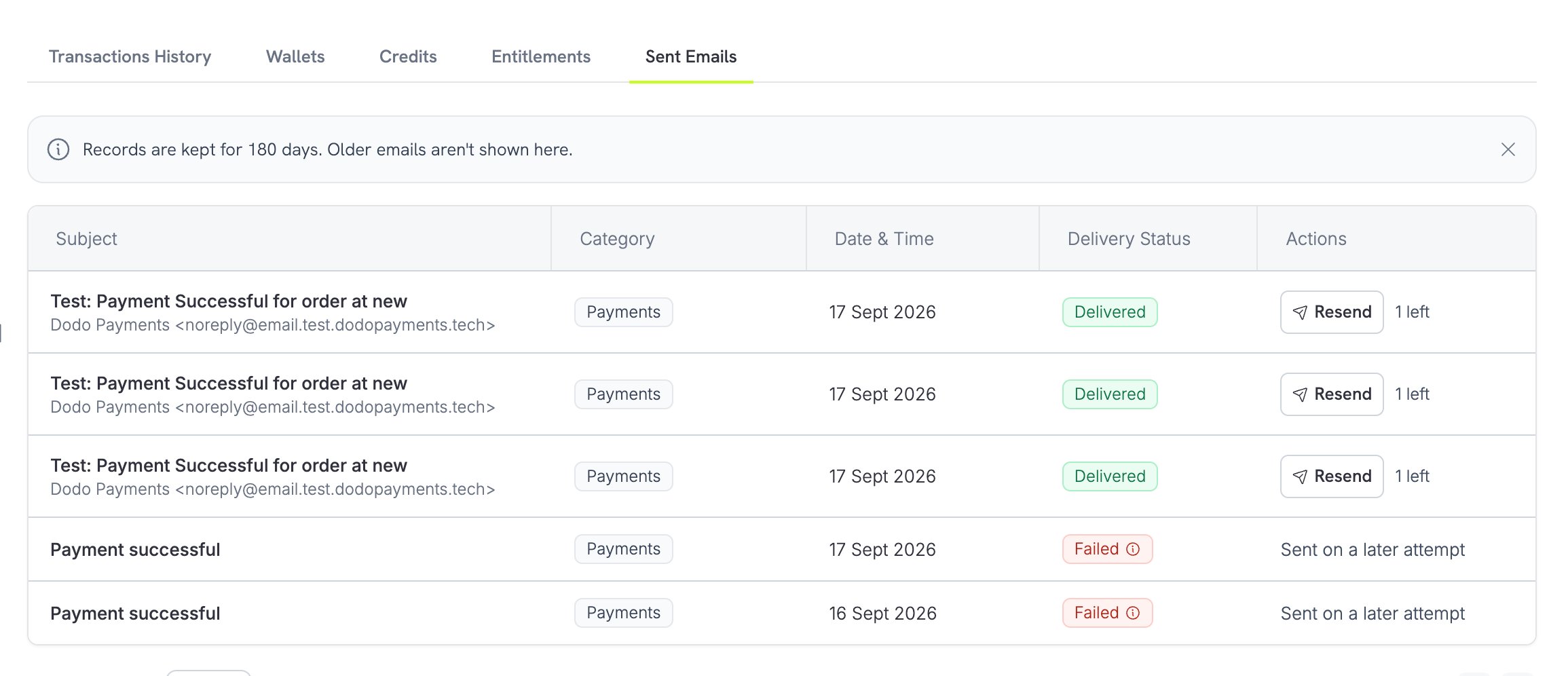
Emails are kept for 180 days. Delivery status comes from the email provider and typically updates within seconds of each delivery event.
Viewing a Customer’s Emails
1
Open the Customer
Go to Sales → Customers in the dashboard and select the customer.
2
Open the Sent Emails Tab
The tab lists every email sent to this customer in the last 180 days, newest first.
3
Read a Row
Each row shows the subject, with the sender and the recipient address below it. The other columns show the Category, the Date & Time, the Delivery Status, and the Actions you can take.
Delivery Status
Each email has one of five statuses. The API returns the status value, and the dashboard shows its label:Failure Reasons
When an email does not arrive, the row carries a reason so you know whether to act. Point at the status on the row to read it. The API returns the same reason infailure_reason and a stable code in failure_code:
Five of these reasons need a different address on a resend, because the same address would fail again: mailbox does not exist, address rejected, address blocked after earlier failures, message rejected as too large, and recipient marked the email as spam.
Reading an Email
To read an email, select Resend on its row, or Retry on a failed row. The panel that opens shows the stored copy under Email Preview, exactly as it was sent. Recovery and dunning emails that you wrote carry a Written by you label.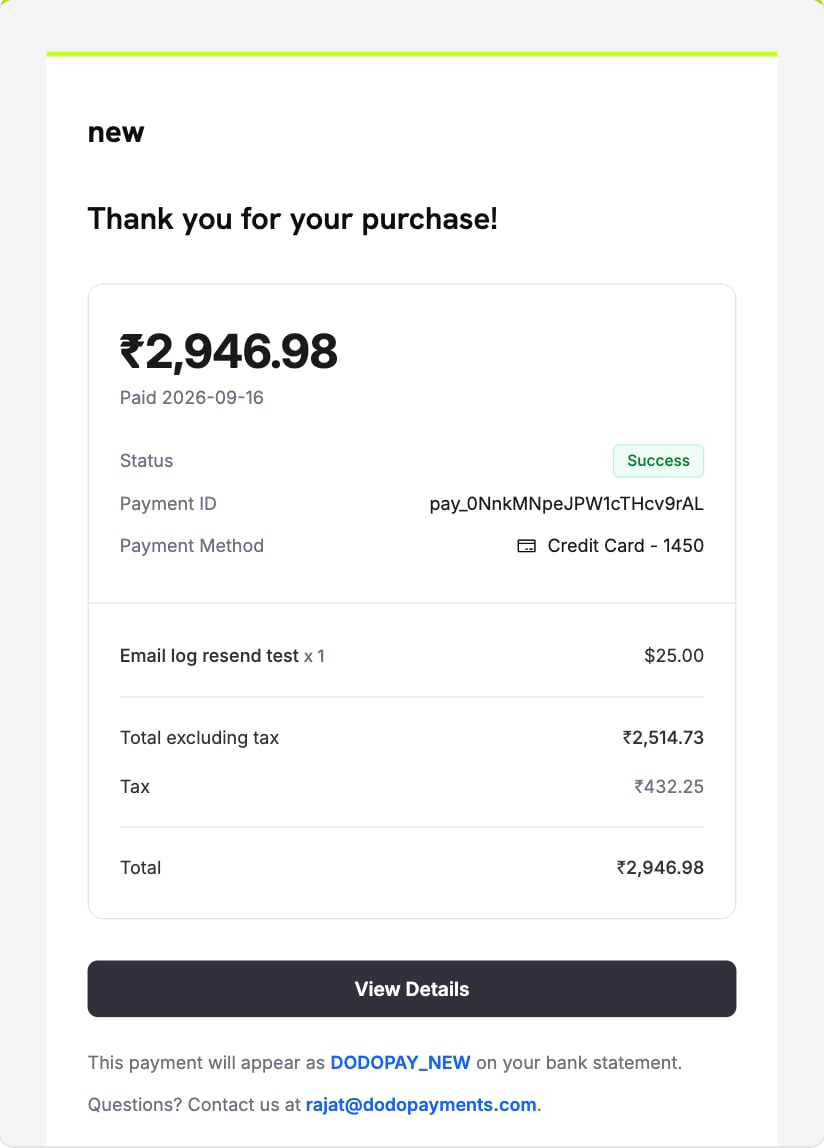
- Customer Portal login emails. They carry a live login link, so the content is never displayed.
- Blocked emails. They never reached the provider, so no copy exists.
- Emails that could not be handed to the provider. No copy was stored.
- Emails older than 180 days. The provider clears the content at that point.
Sending an Email Again
To send an email again, select Resend on its row, or Retry on a failed row, and confirm in the panel. The button shows how many resends the email has left. Dodo Payments rebuilds the email from the original event, not from the stored copy, so a receipt shows the current state of the payment. The email keeps the date of the original event.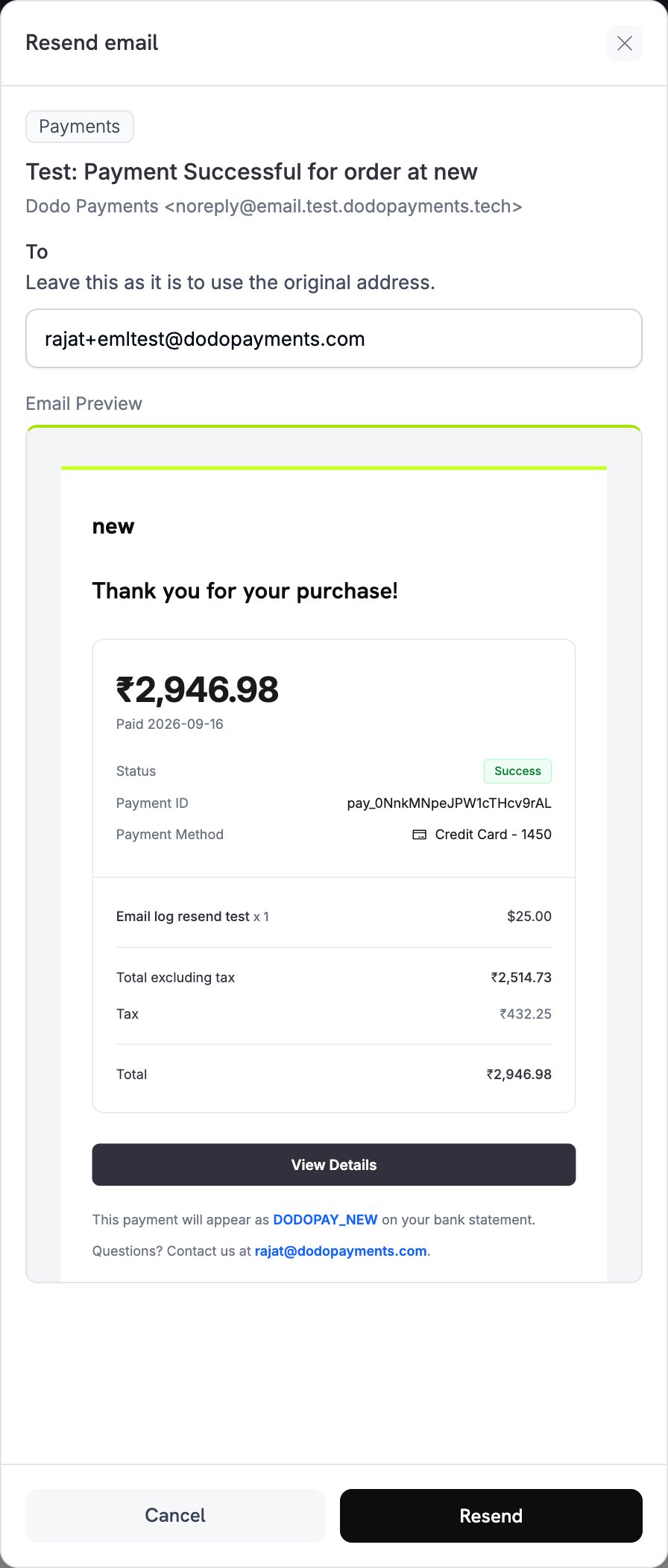
Limits
These limits apply to every resend:- Each email may be sent again three times.
- Resends of one email to the same address wait between attempts: five minutes after the latest send before the first resend, ten before the second, and fifteen before the third.
- A resend to any address waits until five minutes have passed since that address last received an email from you.
- A send that never reached the provider does not count against the three. It still adds to the wait.
- Resend is available in the dashboard only. The API is read-only.
When Resend Is Not Available
The dashboard does not offer a resend, or refuses it, in these cases:A Customer Portal login email always goes to the address that asked for it, and each resend creates a fresh login link.
Test Mode
Test mode sends real email, so it carries an allowance: 100 emails per business per week. Resends draw from the same allowance. Each test-mode email goes to the real recipient, with[TEST MODE] at the start of the subject.
To stop test-mode customer emails, turn off Test Mode Emails in Settings → Communication → Email (see Test Mode Emails). While it is off, no customer email is sent in test mode, no row is added to the tab, no allowance is spent, and the dashboard refuses a resend. Live mode emails are not affected.
When the allowance is spent, nothing more is sent in test mode that week. The first email refused that week is recorded as one blocked row, which reads “Not sent: the test-mode email allowance for this week is spent”. Later refusals in the same week add no rows. The allowance resets at the start of each week, on Monday. Live mode has no such limit.
Customer Portal login emails never send in test mode, and they do not spend the allowance.
Reading Emails Through the API
The list and the content are also available with your API key, so you can show delivery state in your own support tools. The list returns 10 emails per page by default. Setpage_size to return up to 100, and page_number to page through, starting at 0.
client.customers.emails.list() and client.customers.emails.retrieveBody() (retrieve_body() in Python).
Each item carries its email_log_id, which you pass to the content endpoint, and its status. It also carries the failure_code and failure_reason when the send failed, and has_preview to say whether stored content exists. The content endpoint returns 422 when an email has no content to show. Each item also carries a policies object that states what you may do with the row:
Read
policies rather than deriving eligibility yourself. The server applies the rules above.
Customer Management
Manage customers, purchase history, and self-service access.
Communication Preferences
Choose which emails Dodo Payments sends on your behalf.