

What the App Marketplace is
The App Marketplace is a directory of apps that you can install in your Dodo Payments business. An app connects your business to a tool that you already use, for example a chat tool or an analytics tool. After you install an app, the app can read data from your business and receive webhooks about it. You decide which permissions the app gets. You can remove the app at any time.The App Marketplace is available only to businesses that have the
app_marketplace feature enabled. If you do not see Apps in the dashboard, contact support.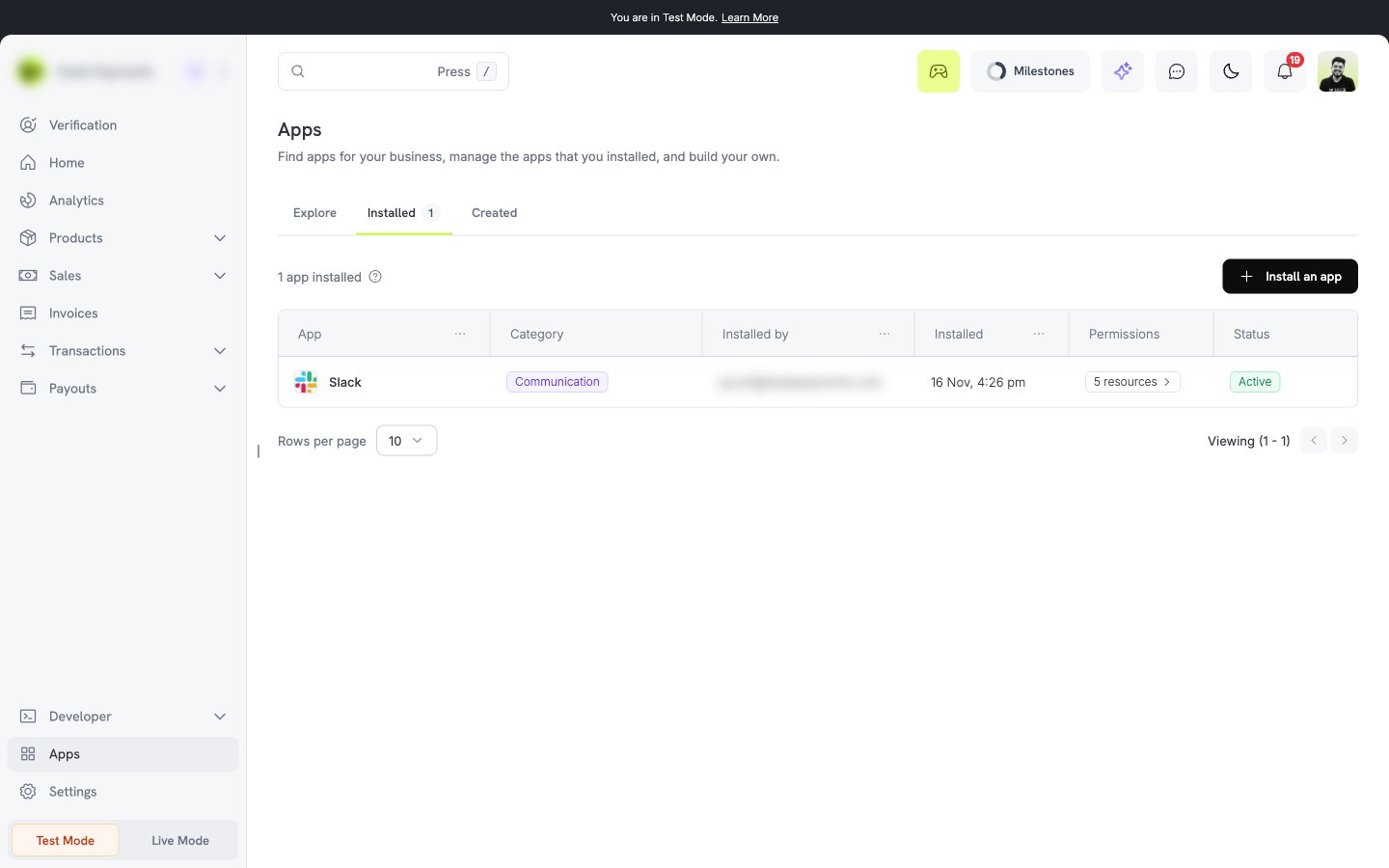
Official apps and third-party apps
The official apps are Slack, PostHog, and Mixpanel. See Official apps.
Dodo Payments reviews each third-party app before it is listed in the marketplace. The review does not replace your own check. Install only apps that you trust.
Test mode and live mode
Test installs and live installs are separate. When you install an app in live mode, it can use your live data. When you install it in test mode, it can use only test data.- Each install has its own permissions and its own webhooks.
- To use an app in both modes, install it two times, one time in each mode.
- The page shows a banner that tells you which mode you are in.
Permissions
A permission has a resource and an access level. The access level is Read or Write. Read lets the app view the resource. Write lets the app view, create, and change it. When you install a third-party app, you see all permissions that it asks for. You can approve all of them or cancel the install. You cannot approve only some of them. Examples of resources are payments, refunds, disputes, customers, subscriptions, products, and license keys. The consent screen shows the reason that the developer gives for each permission. An app can also receive webhooks. It receives an event only if it subscribed to the event and you gave it the read permission for the resource of that event.Who can install and manage apps
Only an owner or an admin of the business can install, connect, configure, and uninstall apps. Other members can see the Installed tab and the settings of an app. They cannot see secret values.Next steps
Find and install an app
Search the marketplace and approve the permissions.
Connect and configure
Connect your account and set the options of the app.
Official apps
Slack, PostHog, and Mixpanel by Dodo Payments.
Manage and uninstall
Review permissions, remove an app, and fix problems.