

Review the permissions of an app
1
Open the Installed tab
Open Apps, then Installed. Select the mode at the top of the page.
2
Open the permissions
The Permissions column shows how many resources the app can use. Select it to see the list. Select the app name or View app for the app page.
Approve new permissions
A developer can ask for more permissions after you installed the app. The app keeps its old permissions. Calls that need a new permission fail until you approve. The Installed tab shows a banner: “These apps now ask for more permissions. They keep their current access until you approve the new permissions.” The status of the app is Needs re-approval. Select Review next to the app, read the new permissions and the reasons, and approve them. An owner or an admin must approve.Disconnect or uninstall
Dodo Payments has no separate disconnect button for an official app. To remove the connection, uninstall the app. To use other credentials, select Update connection.
Uninstall an app
1
Open the actions
On the Installed tab, open the row menu for the app, then select Uninstall. You can also open More actions on the app page and select Uninstall.
2
Confirm
The dialog says “Uninstall Slack? The app loses access within 2 minutes. Its tokens stop working, and it gets an app.uninstalled webhook.” An install belongs to one mode. In test mode, the dialog adds “This removes only the test mode install.” Select Uninstall.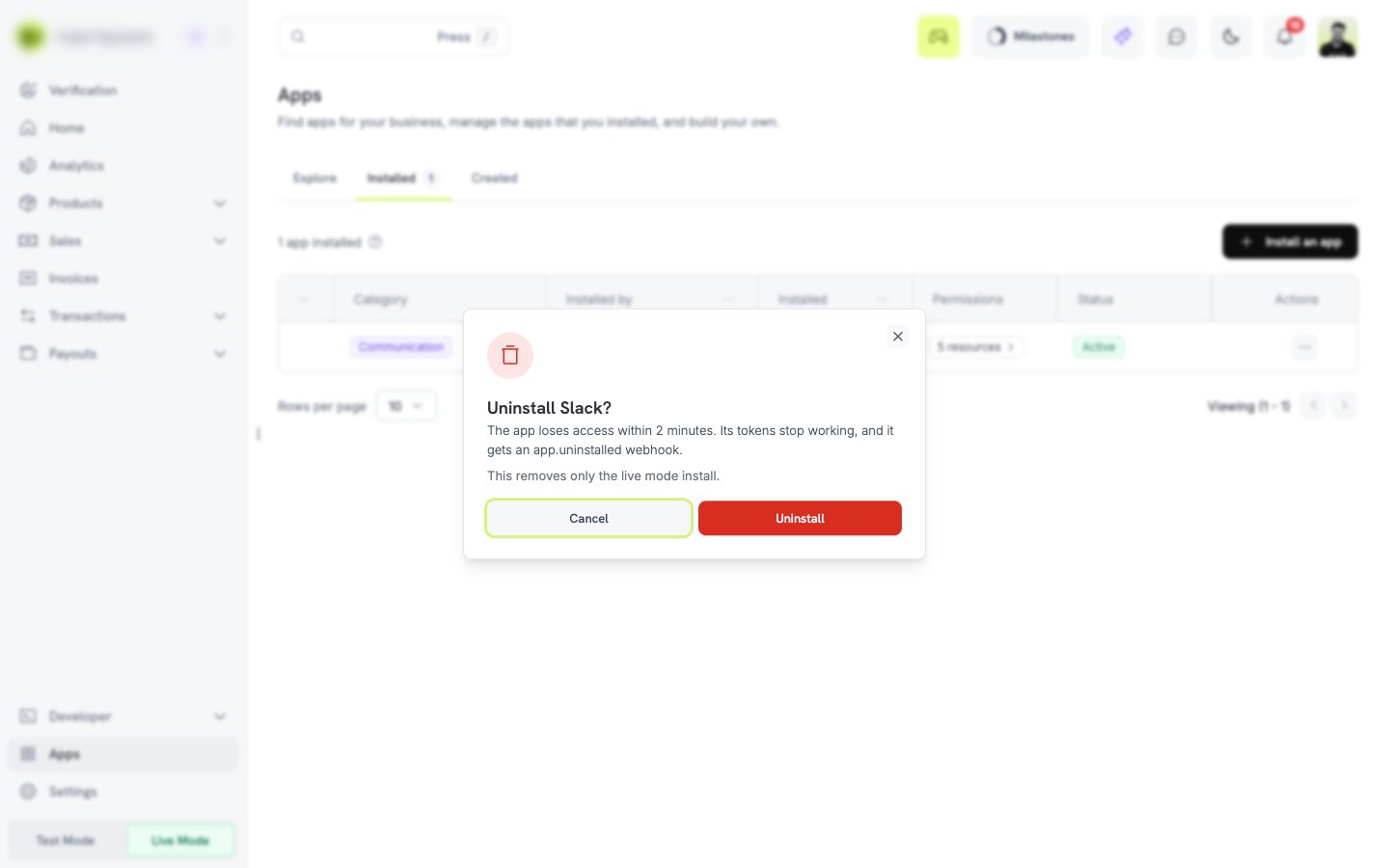
What happens after you uninstall
- The app loses access to your business. Its tokens stop working within 2 minutes. During that time, an old token can still work.
- The app receives an
app.uninstalledwebhook, and its other webhooks for your business stop. - For an official app, Dodo Payments deletes the saved connection and the data that it stored for the install.
- 48 hours after the uninstall, the app receives a
business.redactwebhook. The developer must then delete or make anonymous the data that the app holds about your business. If you install the app again in the same mode within 48 hours, Dodo Payments does not sendbusiness.redact. - If the app has customer data, it must also answer
customer.data_requestandcustomer.redactrequests.
Uninstalling in one mode does not affect the install in the other mode.
FAQ
Why can I not install an app?
Why can I not install an app?
Only an owner or an admin can install apps. Check your role in Settings. Also check that the app has an install link. If it does not, contact the developer.
Can I give an app only some of its permissions?
Can I give an app only some of its permissions?
No. You approve all of them or you cancel the install.
Does an app see my live data when I install it in test mode?
Does an app see my live data when I install it in test mode?
No. A test install uses only test data.
An app does not receive events. What do I check?
An app does not receive events. What do I check?
The app only gets events for resources that you gave it the read permission for. For an official app, also check the connection card and the Configure tab.
How do I revoke the access of an app?
How do I revoke the access of an app?
Uninstall the app on the Installed tab. The app loses access within 2 minutes.
How do I report an app?
How do I report an app?
Open the app page, select More actions, then Report app.