

New Features
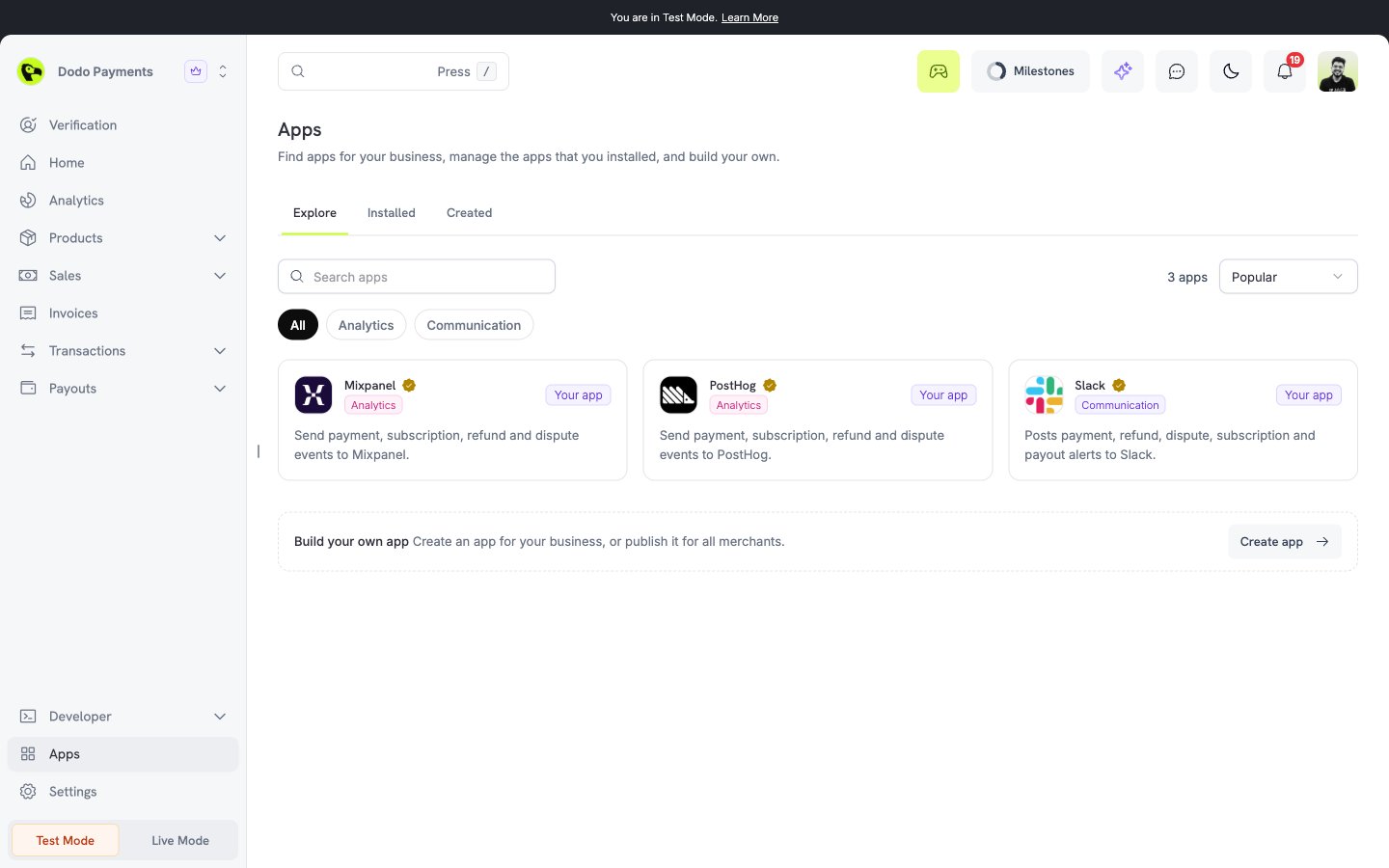
1. App Marketplace
Install apps that connect your business to the tools you already use, such as Slack, PostHog, HubSpot, and Intercom. The Apps page of the dashboard has three tabs: Installed, Explore, and Created.- Official apps: Install with one click, then connect your account in the tool. Dodo Payments runs the app for you.
- Third-party apps: Review and approve the permissions the app asks for on a consent screen. You can remove an app at any time.
- Configure tab: Fill in the settings of an installed app.
- Build your own app: Create an app, test it, and submit it for review to list it in the marketplace. An app gets OAuth credentials, scoped access tokens, and webhooks for each business that installs it.
app_marketplace feature enabled.
2. Two-Factor Authentication with Passkeys
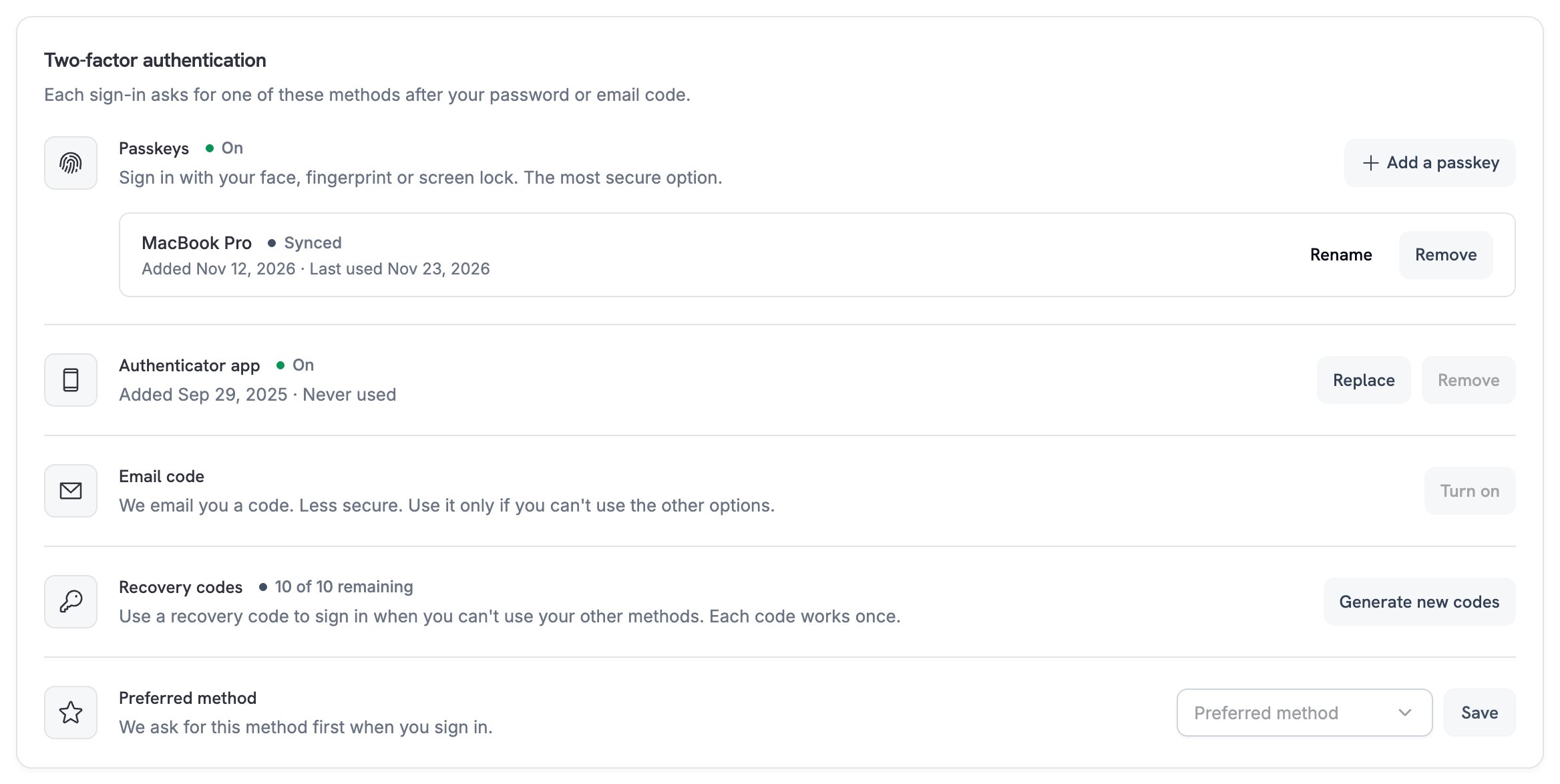
A rebuilt Sign-in & security area on Settings → Account manages two-factor authentication. Each sign-in asks for a second method after your password, email code, or Google or GitHub sign-in.- Passkeys: Sign in with your face, fingerprint, or screen lock. You can add up to 10 passkeys, and rename or remove each one.
- Authenticator app and email code: Use a 6-digit code from an app such as Google Authenticator, 1Password, or Authy, or from an email. Confirming your email during setup turns on email codes.
- Recovery codes: Save 10 single-use codes for when you can’t use your other methods, and generate a new set at any time.
- Setup in a dialog: Set up two-factor authentication in a dialog over the dashboard. A passkey user also adds an authenticator app or email code, so that the desktop and mobile apps work too.
- Preferred method and Try another way: Choose the method Dodo Payments asks for first, and switch methods at sign-in.
- Team view: The Team & Access page shows which members have two-factor authentication on.
3. Invoice-Based Billing
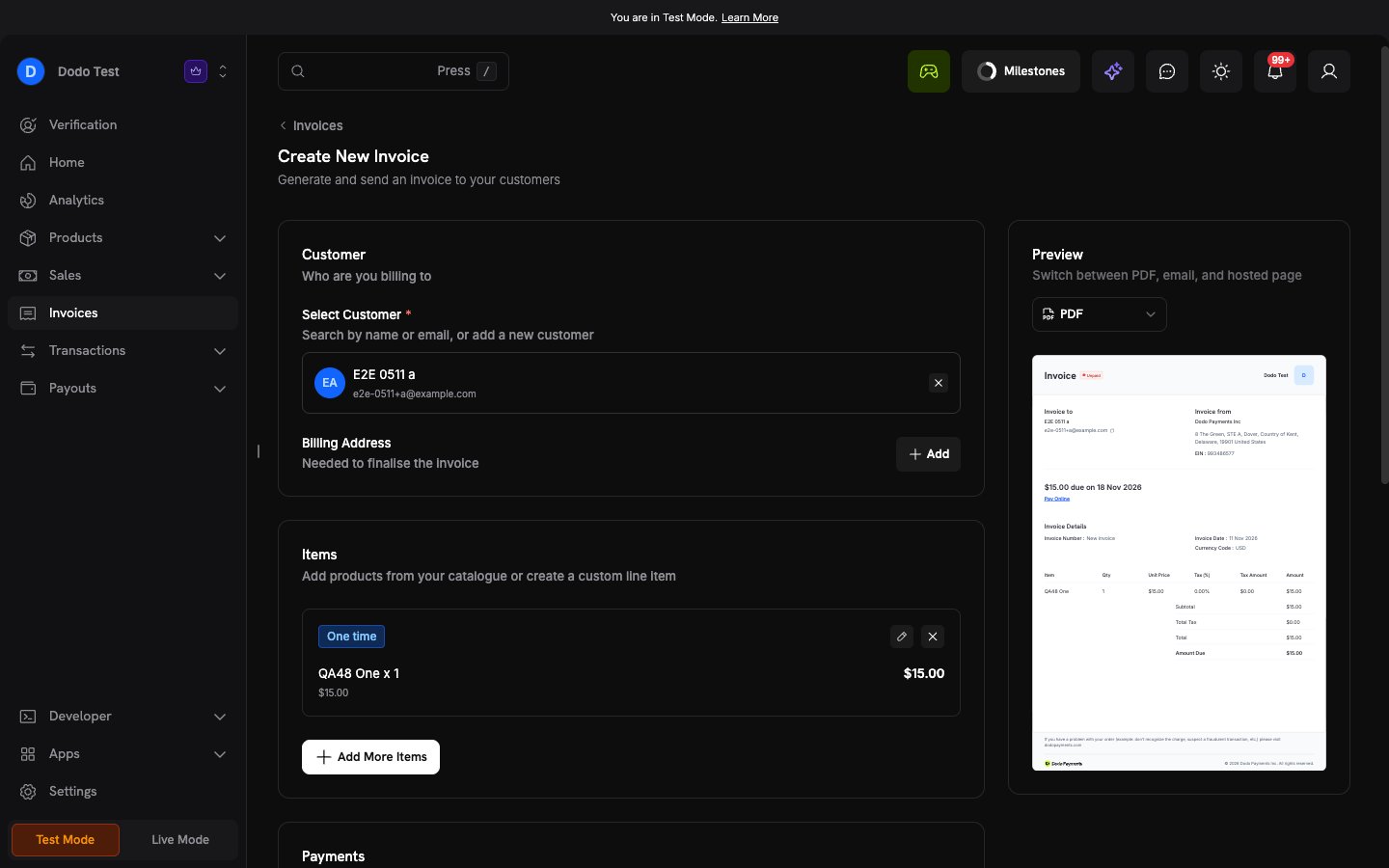
Bill a customer before they pay. Create an invoice with a due date and payment terms such as Net 30, finalize it, and send it. The customer pays on a hosted invoice page, or Dodo Payments charges their saved card on the due date. Reminder emails follow your reminder schedule.- Free and paid trials: Start a subscription with a trial from the invoice form. A free trial makes the subscription active at once. A paid trial bills the trial fee of the product on a trial invoice.
- Hosted invoice page: The customer pays without a login and downloads the invoice PDF. After a refund, the page links to the refund receipt.
4. Terms Consent at Checkout
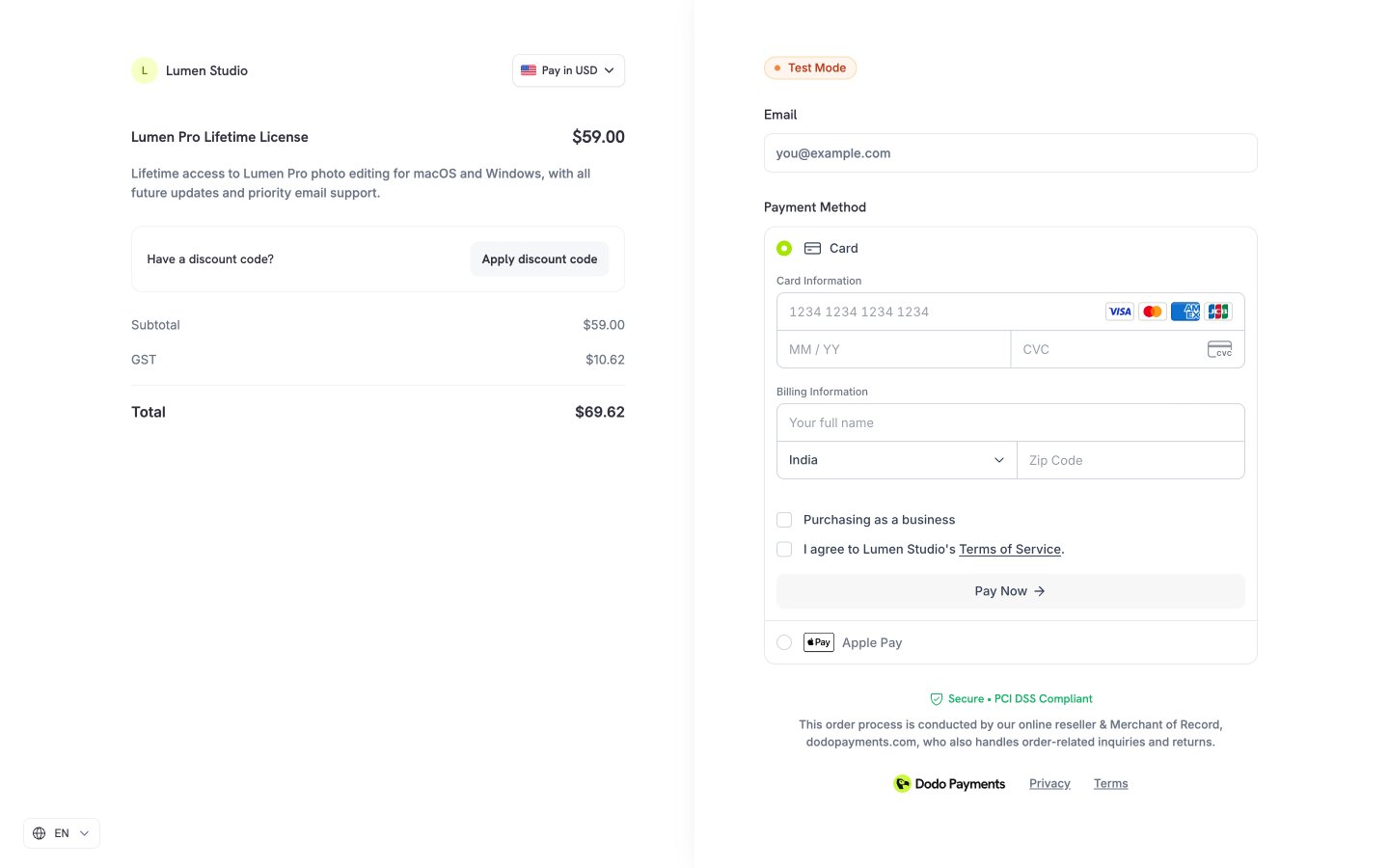
Ask customers to accept your own Terms of Service before they pay. The checkout shows a required checkbox that links to your Terms of Service, and to your Refund Policy and Privacy Policy if you set them on the brand. Dodo Payments saves the acceptance on the payment, so you can use it as evidence in a dispute. Setfeature_flags.require_terms_acceptance to true when you create a checkout session. The checkbox works on single page and two-step checkout.
5. Cart Value Limits
See the highest cart value a customer can pay in one live mode checkout under Settings → Pricing. To sell above it, click Request increase, enter the new limit and the reason, and attach up to 5 supporting documents. The risk team reviews each request.
6. Plan Changes on On-Hold Subscriptions
Move anon_hold subscription to a different plan and charge the new plan instead of the failed renewal. Use it to keep a customer whose renewal failed on a cheaper plan instead of cancelling. In the dashboard, open the subscription, click Update, and choose a plan. In the API, send a change-plan request with proration_billing_mode: full_immediately, effective_at: immediately, and on_payment_failure: apply_change.
Learn more: Change Plan on an On-Hold Subscription