

Route by Geography
विशिष्ट देशों से आने वाले payments को अपने processor पर भेजें और बाकी सभी को Dodo Payments पर भेजें।
Keep Your Processor Accounts
अपने मौजूदा Stripe या Adyen accounts और relationships का उपयोग जारी रखें।
Stay the Merchant of Record
अपने routes पर आप legal seller बने रहते हैं और tax, disputes और payouts पर नियंत्रण रखते हैं।
One Billing Layer
Dodo Payments दोनों routes पर products, subscriptions, invoices और analytics चलाता है।
BYOP बनाम Dodo as Merchant of Record
दोनों models साथ-साथ चलते हैं। हर payment customer के country के लिए सेट किए गए route का अनुसरण करता है। Dashboard में यह comparison देखने के लिए Settings → BYOP के अंतर्गत Show Comparison चुनें।Supported Processors
आप Stripe और Adyen connect कर सकते हैं।Stripe

Adyen
Set Up BYOP
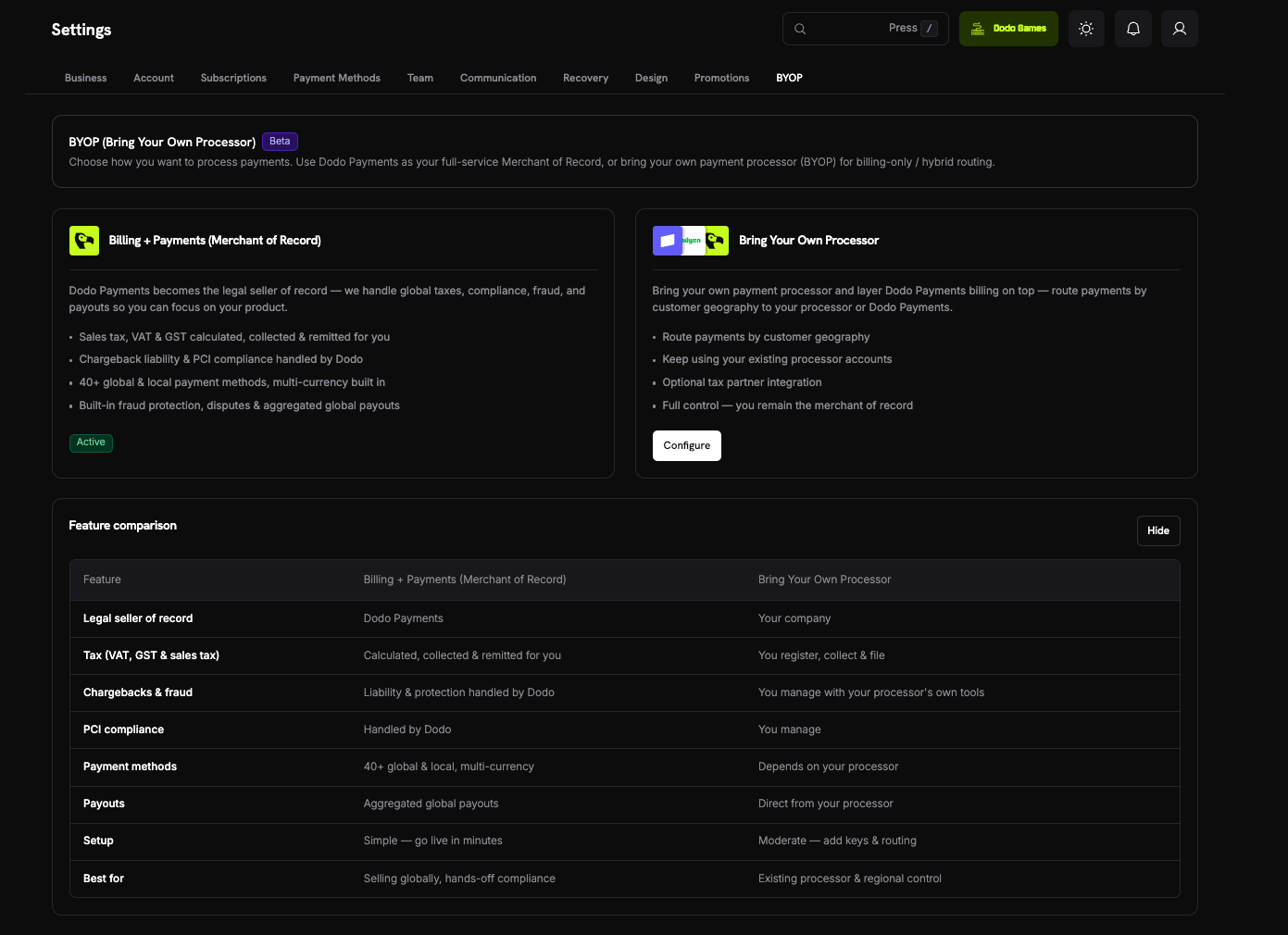
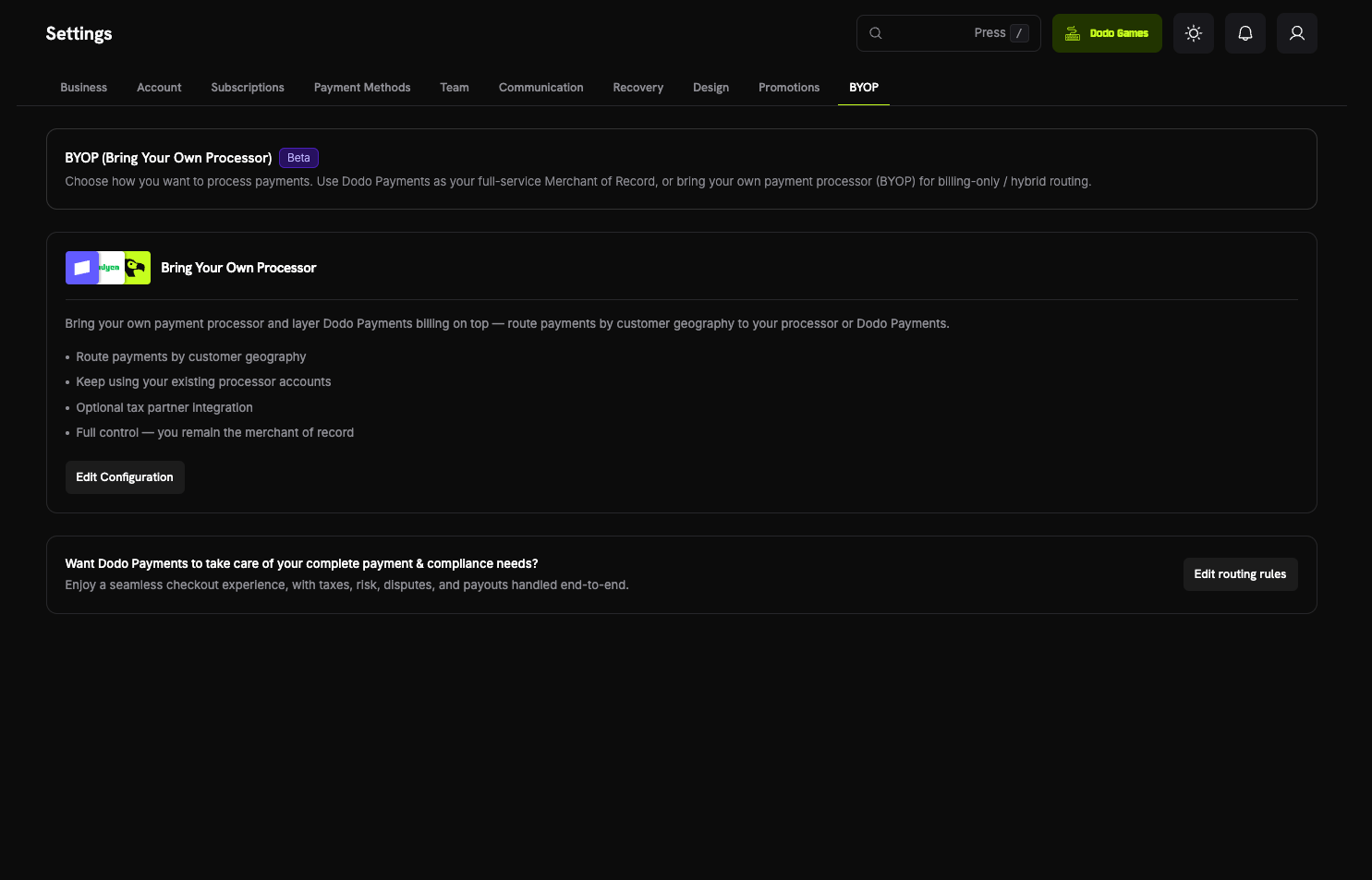
Setup wizard शुरू करने के लिए dashboard में Settings → BYOP खोलें और Bring Your Own Processor card पर Configure चुनें।Connections per environment configure किए जाते हैं। Test mode में connect किया गया processor (जिसे Sandbox के रूप में दिखाया जाता है) live mode में connect किए गए processor (जिसे Production के रूप में दिखाया जाता है) से अलग होता है। Live होने से पहले test करने के लिए दोनों configure करें। Setup wizard sidebar में Live Mode switch से सेट किए गए mode का उपयोग करता है।
1
Choose a Payment Processor
Select Payment Processor में Stripe या Adyen चुनें, फिर Continue चुनें।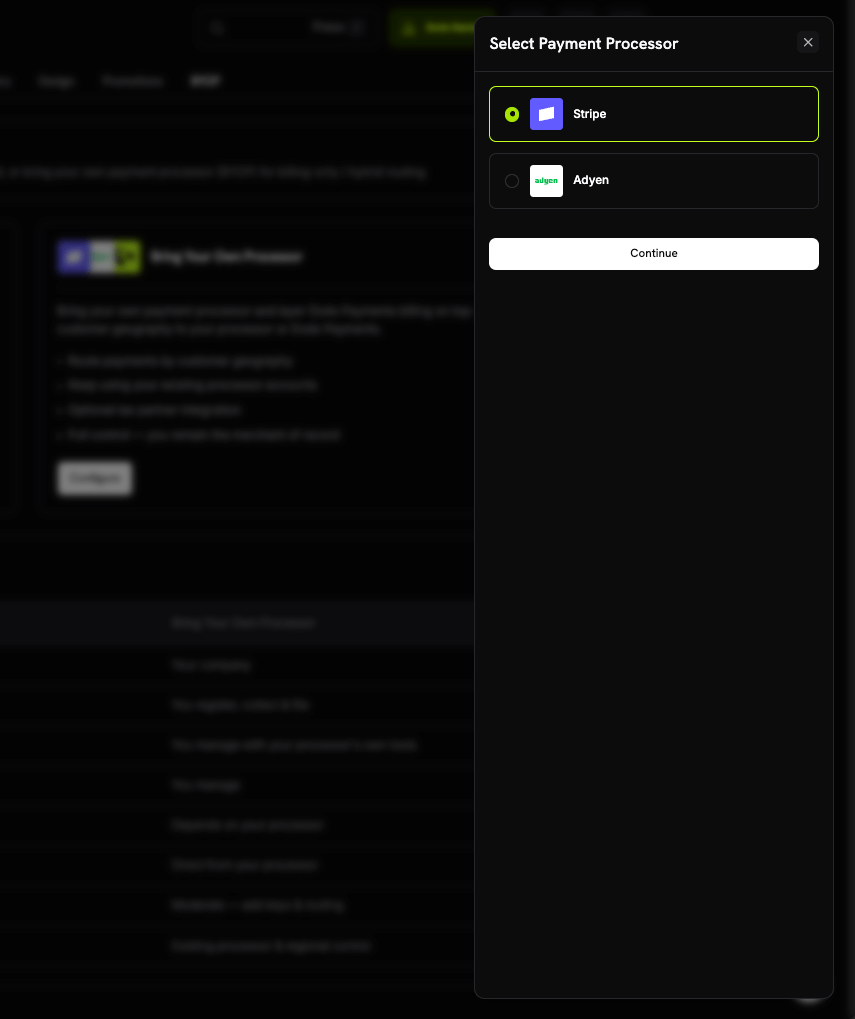
2
Connect Your Account
Connection details दर्ज करें, फिर Connect processor चुनें: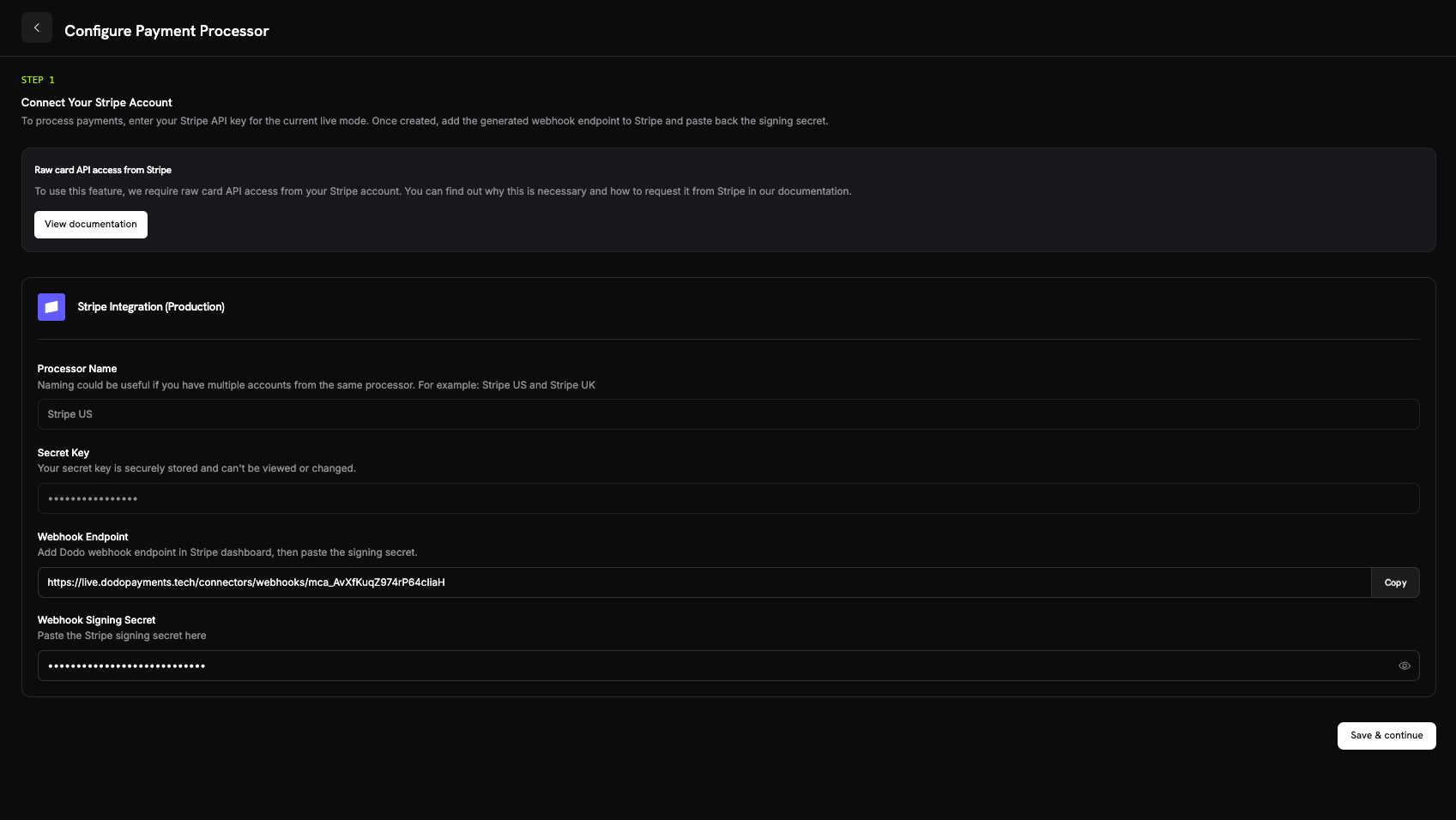
- Processor Name: इस connection का नाम, 2–75 characters। जब आप एक ही processor से कई accounts connect करते हैं, तो नाम मदद करता है, जैसे Stripe US और Stripe UK।
- Secret Key: मौजूदा mode के लिए आपके processor की API key। Stripe के लिए, यह आपकी
sk_...secret key है। - Merchant Account (केवल Adyen): आपका Adyen merchant account identifier।
- Stripe: आपके द्वारा जोड़े गए webhook endpoint का signing secret।
- Adyen: Customer Area → Webhooks से HMAC key।
Connect करने के बाद आपकी secret key सुरक्षित रूप से store की जाती है और इसे देखा या बदला नहीं जा सकता। Setup के बाद Adyen merchant account भी बदला नहीं जा सकता। अपने processor में आप केवल Dodo Payments द्वारा generate किया गया webhook URL configure करते हैं; underlying infrastructure के साथ आपको सीधे कभी काम नहीं करना पड़ता।
3
Configure Payment Routing
ऐसे routing rules जोड़ें जो customer countries को किसी processor से map करें। हर country केवल एक processor पर route होता है: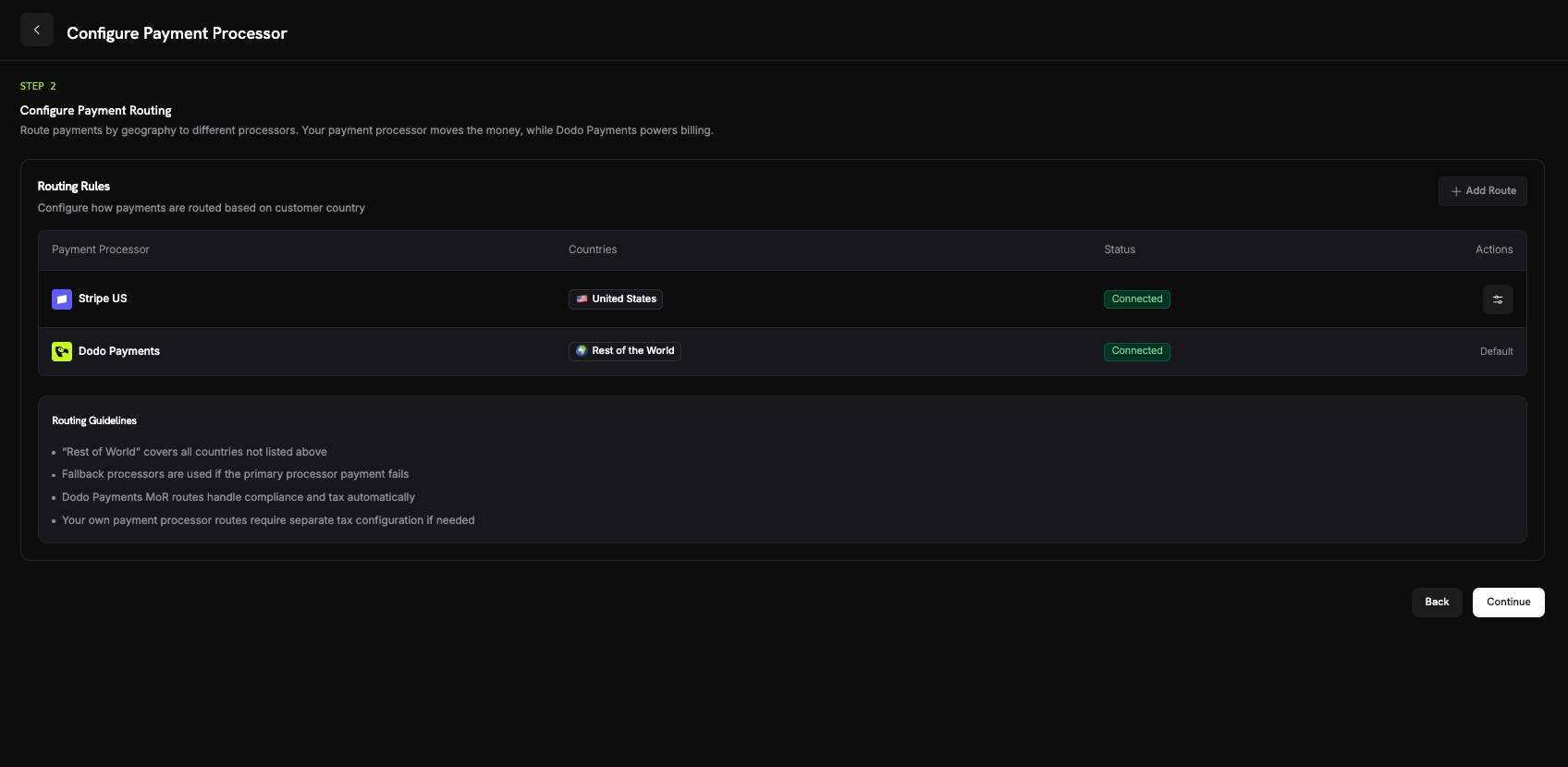
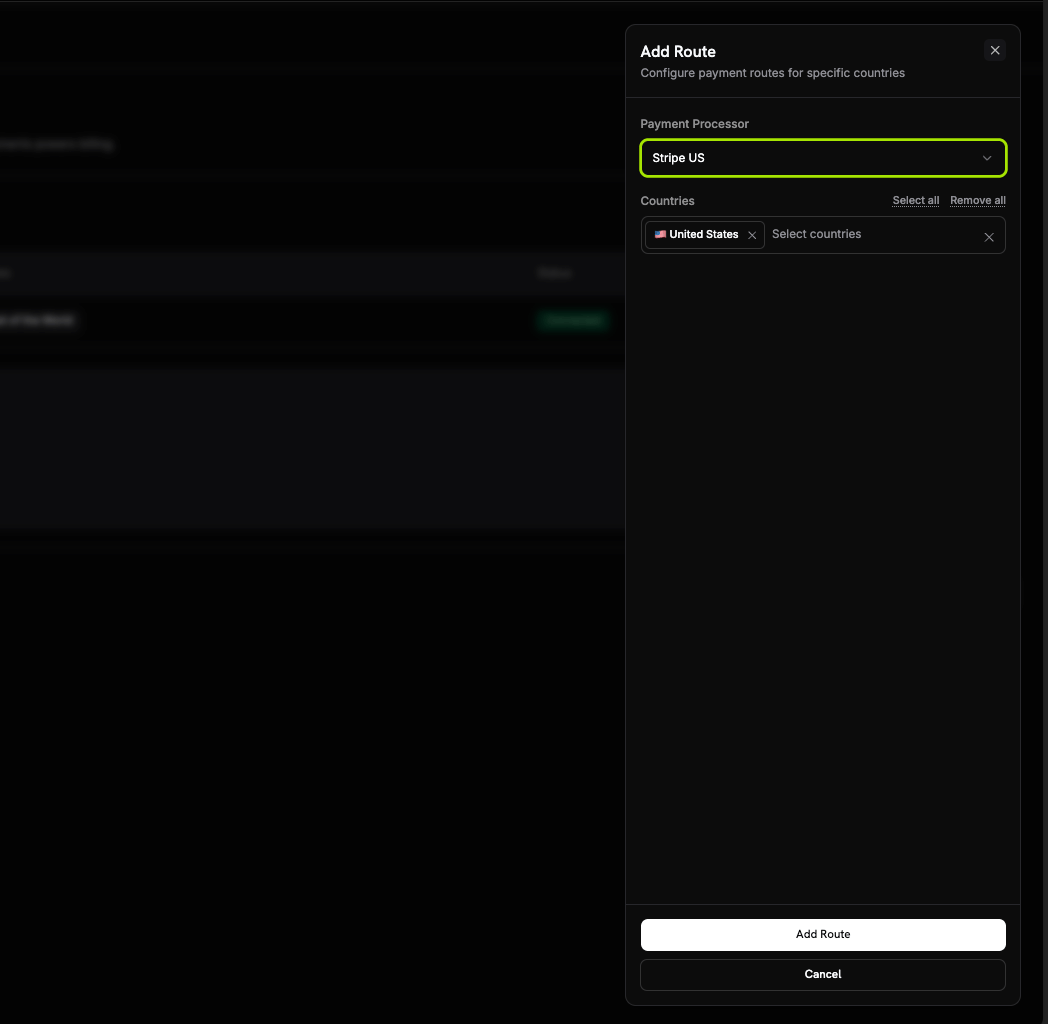
- Your processor उन countries से आने वाले payments संभालता है जिन्हें आप उसे assign करते हैं।
- Dodo Payments Rest of the World संभालता है, यानी हर वह country जिसे आप route नहीं करते, Merchant of Record के रूप में।
Routing Guidelines
- Rest of the World में route के बिना हर country शामिल होता है।
- Dodo Payments Merchant of Record routes compliance और tax को automatically handle करते हैं।
- आपके अपने payment processor पर routes के लिए आवश्यकता होने पर अलग tax configuration चाहिए।
4
Configure Invoice Information
अपने processor के माध्यम से routed payments पर invoice में आप seller होते हैं। उन invoices के लिए business details दर्ज करें: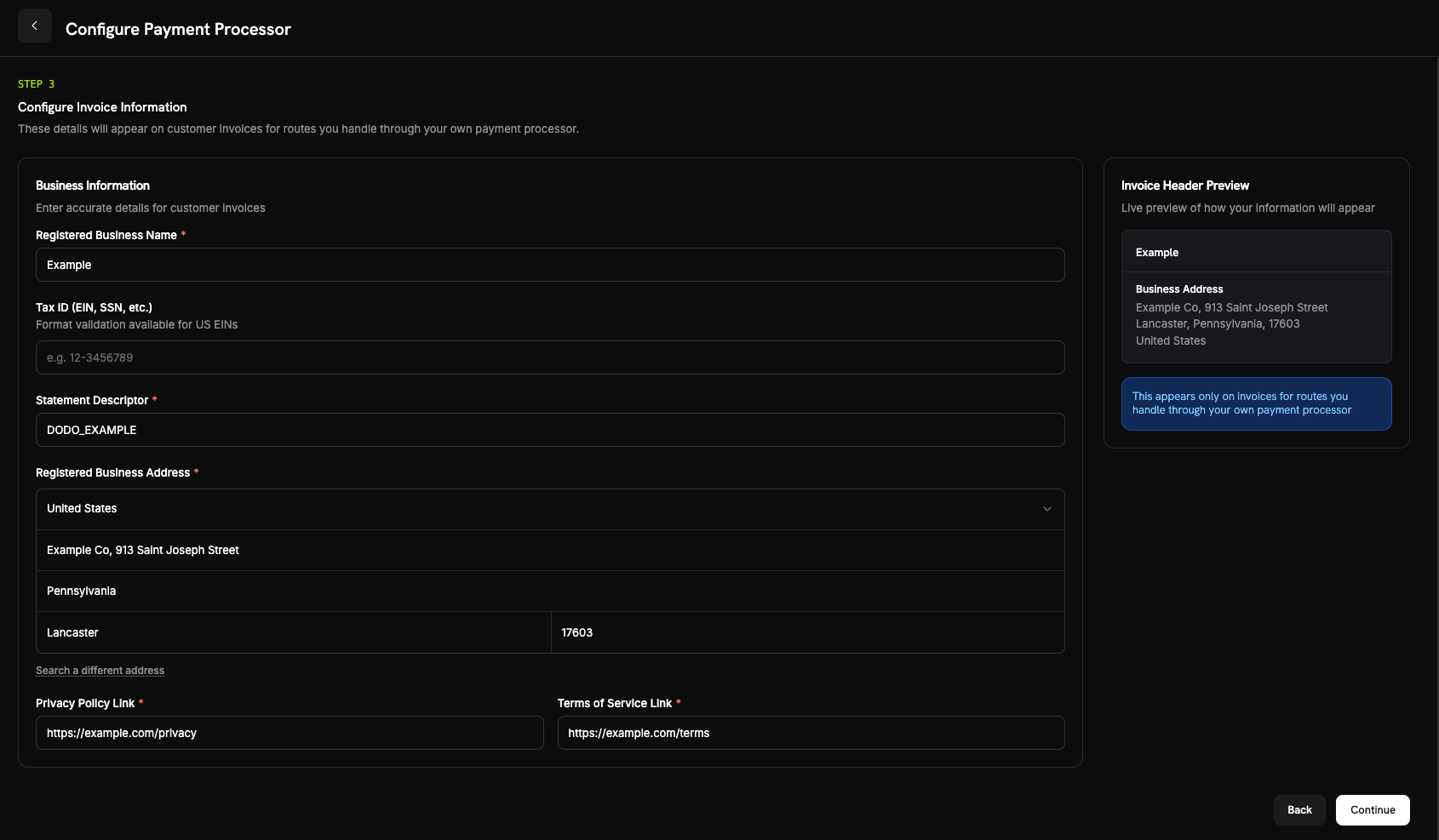
- Registered Business Name (आवश्यक)।
- Tax ID (EIN, SSN, आदि) (वैकल्पिक): 3–32 letters, numbers या dashes। US EINs के लिए format validation उपलब्ध है।
- Statement Descriptor (आवश्यक): 5–22 letters, numbers, spaces,
_या-का उपयोग करें। आपके processor पर किए गए payments आपके brand के statement descriptor को processor के पास भेजते हैं, इस value को नहीं। - Registered Business Address (आवश्यक): अपना address खोजने के लिए typing शुरू करें या इसे manually enter करें।
- Privacy Policy Link और Terms of Service Link (आवश्यक)।
5
Review and Finish
अपने processor connection, routing rules और invoice details की समीक्षा करें। I confirm that the routing and billing details are correct चुनें, फिर Finish setup चुनें।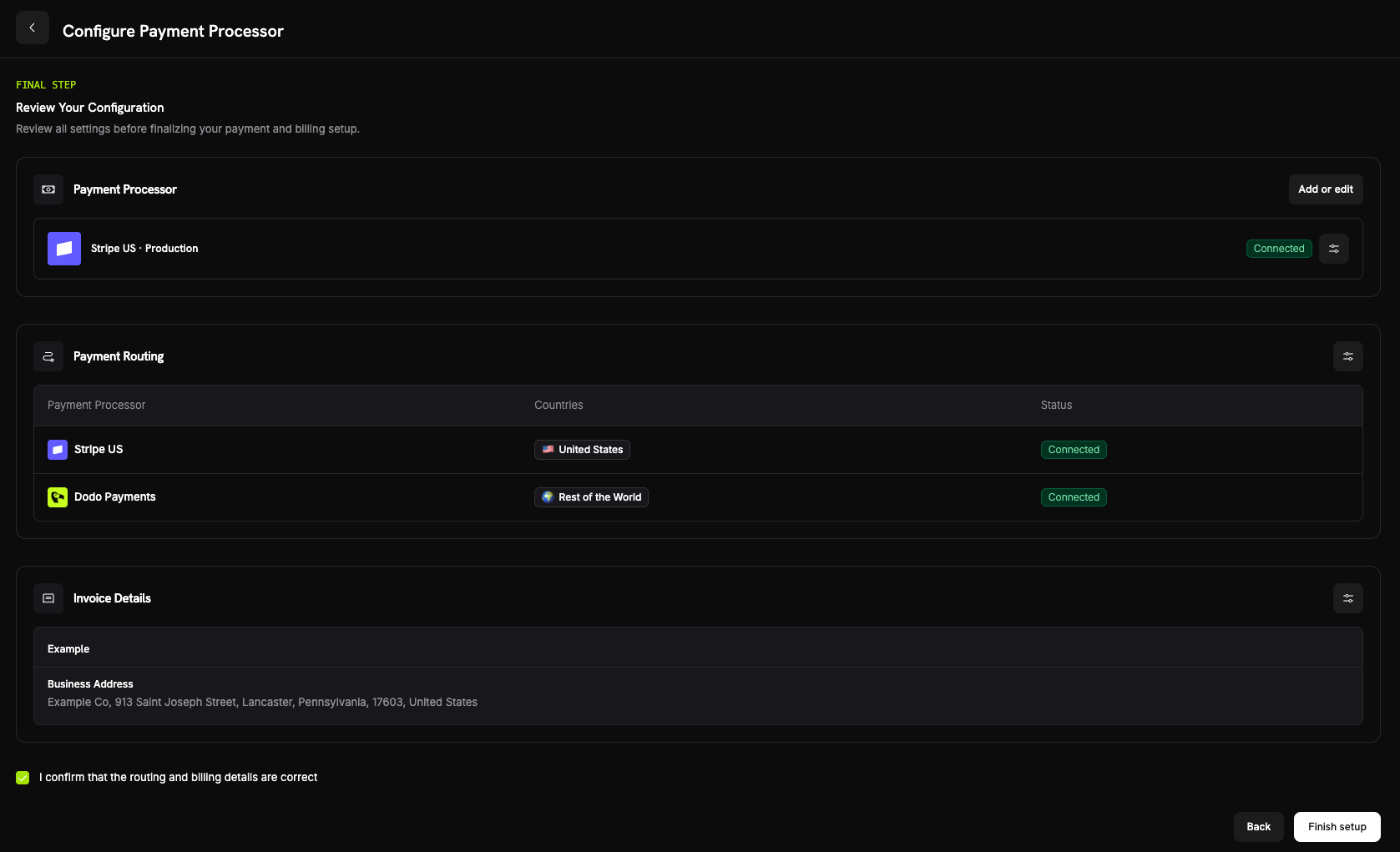
How Routing Works
Payment create होने पर Dodo Payments customer के billing country से route चुनता है। यही rule one-time payments, checkout sessions और new subscriptions पर लागू होता है। Renewals उसी processor का फिर से उपयोग करते हैं जिस पर subscription बनाई गई थी (देखें Subscriptions)। उस route पर जिसे your processor संभालता है:- Payment आपके billing currency में your processor account पर चलता है।
- Dodo Payments tax calculate या collect नहीं करता। उस route पर tax की जिम्मेदारी आपकी है।
- Invoices में आपके द्वारा configure किए गए business details और statement descriptor दिखाई देते हैं, Dodo Payments के Merchant of Record details नहीं।
- आपका processor आपको directly pay करता है। Payment amount कभी आपके Dodo Payments balance में नहीं आता; वहां केवल BYOP billing fee record की जाती है।
Subscriptions
Subscription उसी processor पर बनी रहती है जिस पर उसे create किया गया था। Renewal के समय Dodo Payments उसी processor को उस payment mandate के साथ charge करता है जो customer के subscribe करने पर store किया गया था और routing rules का दोबारा मूल्यांकन नहीं करता। Subscription के लिए payment method updates भी उसी processor से होकर जाते हैं। Subscription पर Dodo Payments tax calculate करता है या नहीं, यह भी subscription create होने पर तय हो जाता है।Seeing Which Processor Handled a Payment
BYOP configure करने के बाद Payments और Disputes tables की हर row में processor icon (Stripe, Adyen या Dodo Payments) दिखाई देता है। Payment और dispute detail pages में Payment Processor field जोड़ा जाता है, जिससे आप पता लगा सकते हैं कि transaction किस route से handle हुआ।Refunds, Disputes & Payouts
- Refunds
- Disputes
- Payouts
Refunds सामान्य तरीके से Dodo dashboard से शुरू करें। अपने processor के माध्यम से routed payment के लिए Dodo Payments refund उस processor को भेजता है, जो funds लौटाता है; refund आपके Dodo Payments balance से नहीं लिया जाता। Dodo-routed payment के लिए Dodo Payments refund process करता है।
Analytics
Revenue, tax और subscription analytics में दोनों routes शामिल होते हैं, इसलिए आपकी सारी billing एक ही जगह दिखाई देती है। Disputes और payouts widgets केवल Dodo-processed activity दिखाते हैं। आपके अपने processor की activity उस processor के dashboard में भी दिखाई देती है।Billing Fee
Dodo Payments आपके own processor के माध्यम से routed हर payment पर BYOP billing fee charge करता है, क्योंकि Dodo Payments उन payments पर भी आपके products, subscriptions, invoicing और analytics चलाता है। Default rate payment की USD-equivalent amount का 0.5% है और exact rate तब confirm किया जाता है जब आपके account के लिए BYOP enable किया जाता है। Fee आपके balance ledger में एकbyop_fee entry के रूप में दिखाई देती है। अपने rate पर चर्चा करने के लिए team से संपर्क करें।
Frequently Asked Questions
Which processors can I connect?
Which processors can I connect?
Can I route only some countries to my processor?
Can I route only some countries to my processor?
हां। विशिष्ट countries को अपने processor पर assign करें और बाकी को Rest of the World रहने दें, जिसे Dodo Payments Merchant of Record के रूप में संभालता है। हर country केवल एक processor पर route होता है।
Who is the Merchant of Record on BYOP routes?
Who is the Merchant of Record on BYOP routes?
हां। आपके अपने processor द्वारा संभाले गए routes पर आप legal seller बने रहते हैं और उन transactions के tax, chargebacks, PCI compliance और payouts के लिए जिम्मेदार होते हैं।
Does Dodo calculate tax on my processor's routes?
Does Dodo calculate tax on my processor's routes?
नहीं। आपके own processor द्वारा संभाले गए routes पर Dodo Payments tax calculate या collect नहीं करता; उन transactions के tax को आप manage करते हैं। Dodo Payments, Merchant of Record के रूप में Dodo Payments को routed payments पर tax संभालना जारी रखता है।
What happens to active subscriptions if I disable a processor?
What happens to active subscriptions if I disable a processor?
उस processor पर renewals विफल हो जाते हैं, जबकि वह disabled होता है, क्योंकि प्रत्येक subscription उसी processor पर renew होती है जिस पर उसे बनाया गया था। ये renewals dashboard में failed payments के रूप में दिखाई देती हैं।
Dodo Payments उन subscriptions के लिए payment recovery emails को भी pause कर देता है। Renewals बहाल करने के लिए processor को re-enable करें; इसके बाद paused recovery attempts फिर से शुरू हो जाते हैं।
Get Started
What is Merchant of Record?
समझें कि Dodo Payments का full-service Merchant of Record model कैसे काम करता है।