Introduction

Send professional transactional emails automatically when payment and subscription events occur. Deliver payment confirmations, subscription updates, and failure notifications through Keplars with no middleware server required. Dodo Payments calls the Keplars API directly using a JavaScript transformation handler.
This integration requires your Keplars API Key for authentication. Find it in the Keplars dashboard under Settings → API Keys, and verify a sender domain or address under Domains.

Getting Started

1

Open the Webhook Section

In your Dodo Payments dashboard, navigate to Webhooks → + Add Endpoint and expand the integrations dropdown.
2

Select Keplars

Choose the Keplars integration card.
Select the Keplars integration card
3

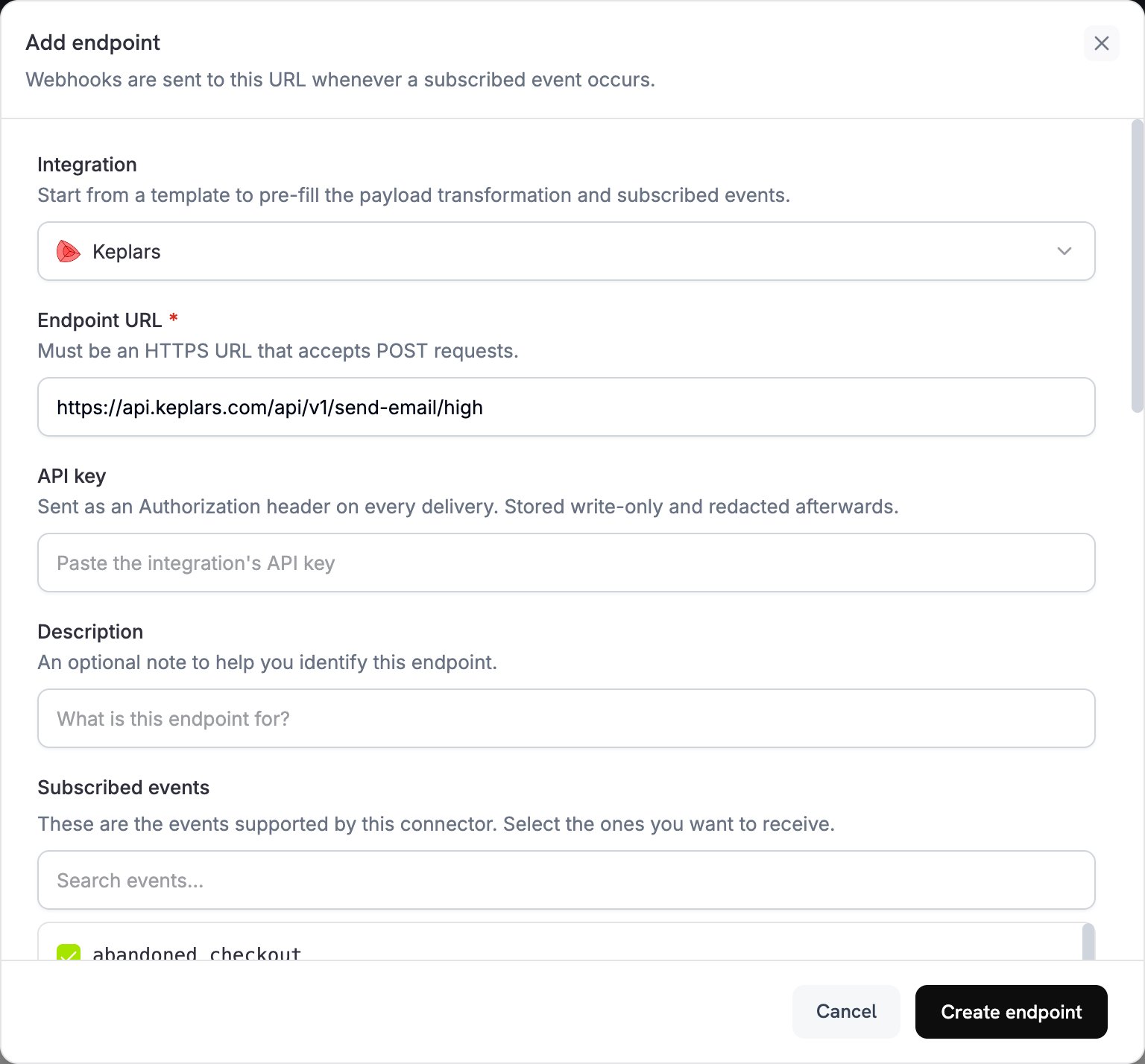
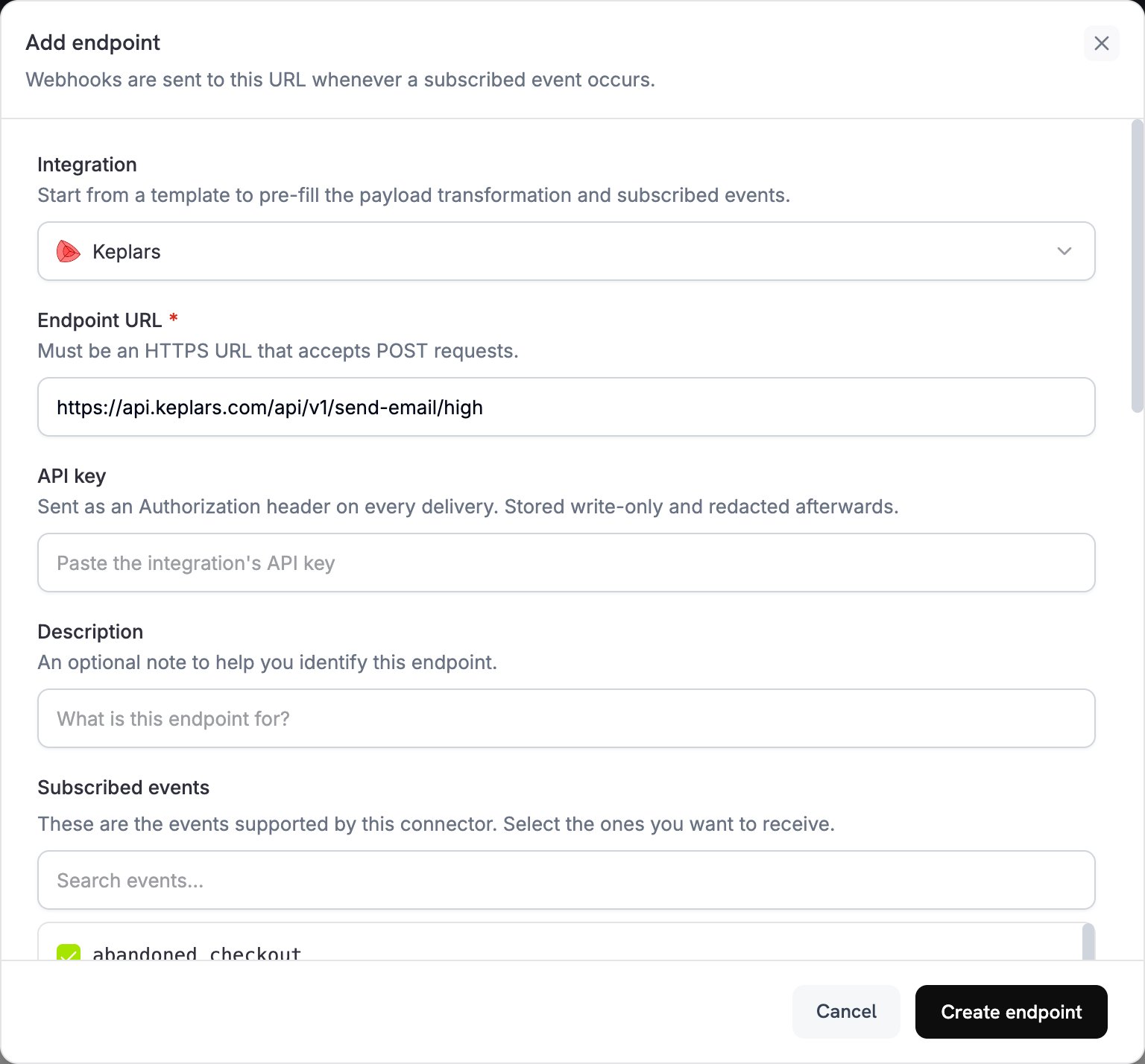
Enter API Key

Provide your Keplars API Key. It is sent as a Bearer token on every request.
Enter the Keplars API URL, API Key, and subscribe to events
4

Configure Transformation

Edit the transformation code to format emails for Keplars. Replace the placeholder sender address and template IDs with your own.
5

Test & Create

Test with sample payloads and click Create to activate email sending.
6

Done!

🎉 Payment events will now automatically trigger transactional emails via Keplars.

Transformation Code Examples

Each handler sets webhook.url to the Keplars high-priority send endpoint and rewrites webhook.payload into a Keplars request (the API key is sent automatically as a Bearer token). Replace payments@mail.yourdomain.com with your verified sender and your-keplars-*-template-id with your actual template IDs.
to must be an array, even for a single recipient. When using template_id, do not also send subject or body. The template supplies them.

Payment Confirmation Email

payment_succeeded.js
function handler(webhook) {
  if (webhook.eventType !== "payment.succeeded") return webhook;

  const data = webhook.payload.data || {};
  const paymentDate = new Date(webhook.payload.timestamp).toLocaleDateString("en-US", {
    year: "numeric", month: "long", day: "numeric",
  });

  webhook.url = "https://api.keplars.com/api/v1/send-email/high";
  webhook.payload = {
    to: [data.customer?.email],
    from: "payments@mail.yourdomain.com",
    template_id: "your-keplars-payment-success-template-id",
    params: {
      customer_name: data.customer?.name,
      amount: ((data.total_amount || 0) / 100).toFixed(2),
      currency: data.currency || "USD",
      payment_id: data.payment_id,
      payment_method: data.payment_method,
      payment_date: paymentDate,
    },
  };
  return webhook;
}

Payment Failure Notification

payment_failed.js
function handler(webhook) {
  if (webhook.eventType !== "payment.failed") return webhook;

  const data = webhook.payload.data || {};
  const paymentDate = new Date(webhook.payload.timestamp).toLocaleDateString("en-US", {
    year: "numeric", month: "long", day: "numeric",
  });

  webhook.url = "https://api.keplars.com/api/v1/send-email/high";
  webhook.payload = {
    to: [data.customer?.email],
    from: "payments@mail.yourdomain.com",
    template_id: "your-keplars-payment-failed-template-id",
    params: {
      customer_name: data.customer?.name,
      amount: ((data.total_amount || 0) / 100).toFixed(2),
      currency: data.currency || "USD",
      payment_id: data.payment_id,
      error_message: data.error_message || "Your payment could not be processed.",
      payment_date: paymentDate,
    },
  };
  return webhook;
}

Subscription Welcome Email

subscription_active.js
function handler(webhook) {
  if (webhook.eventType !== "subscription.active") return webhook;

  const data = webhook.payload.data || {};
  const nextBilling = data.next_billing_date
    ? new Date(data.next_billing_date).toLocaleDateString("en-US", {
        year: "numeric", month: "long", day: "numeric",
      })
    : "";

  webhook.url = "https://api.keplars.com/api/v1/send-email/high";
  webhook.payload = {
    to: [data.customer?.email],
    from: "payments@mail.yourdomain.com",
    template_id: "your-keplars-subscription-active-template-id",
    params: {
      customer_name: data.customer?.name,
      subscription_id: data.subscription_id,
      product_id: data.product_id,
      amount: ((data.recurring_pre_tax_amount || 0) / 100).toFixed(2),
      currency: data.currency || "USD",
      billing_interval: data.payment_frequency_interval || "month",
      next_billing_date: nextBilling,
    },
  };
  return webhook;
}

Subscription Cancellation Email

subscription_cancelled.js
function handler(webhook) {
  if (webhook.eventType !== "subscription.cancelled") return webhook;

  const data = webhook.payload.data || {};
  const cancellationDate = new Date(webhook.payload.timestamp).toLocaleDateString("en-US", {
    year: "numeric", month: "long", day: "numeric",
  });

  webhook.url = "https://api.keplars.com/api/v1/send-email/high";
  webhook.payload = {
    to: [data.customer?.email],
    from: "payments@mail.yourdomain.com",
    template_id: "your-keplars-subscription-cancelled-template-id",
    params: {
      customer_name: data.customer?.name,
      subscription_id: data.subscription_id,
      cancellation_date: cancellationDate,
    },
  };
  return webhook;
}

Tips

  • Use a verified sender domain or address for better deliverability.
  • Create a dedicated Keplars template per event type so each email stays on-brand and on-message.
  • Personalize each email by passing customer data like name, amount, and payment ID through params.
  • Test in sandbox mode first. Sandbox sends are captured in the Keplars Test Inbox rather than delivered.

Troubleshooting

  • Verify your API key is correct and active in Keplars under Settings → API Keys.
  • Verify your sender domain or address is verified.
  • Dodo Payments shows the raw Keplars error response in the webhook delivery log. Check it for details.
  • The template_id in your handler must match an active template in your Keplars account. Verify the ID (and that it’s active) in the dashboard.
  • Each handler checks webhook.eventType and returns early if it does not match. Make sure the correct events are subscribed on the Dodo Payments webhook endpoint.
Last modified on June 16, 2026