

customization.checkout_variant. An express session always uses the single page checkout.
Checkout Sessions API
Create a checkout session with
customization.checkout_variant.Inline Checkout
Embed checkout directly in your page.
Single Page Checkout
The one-page flow that express checkout builds on.
Digital Wallets
Set up Apple Pay and Google Pay.
Turn On Express Checkout
Setcustomization.checkout_variant to "express" when you create the checkout session. The examples use a client set up as in the Checkout Sessions guide:
checkout_url in the response, or pass it to inline checkout.
- An express session always uses the single page checkout, even if you set
feature_flags.single_pagetofalse.
What Customers See
On a Phone
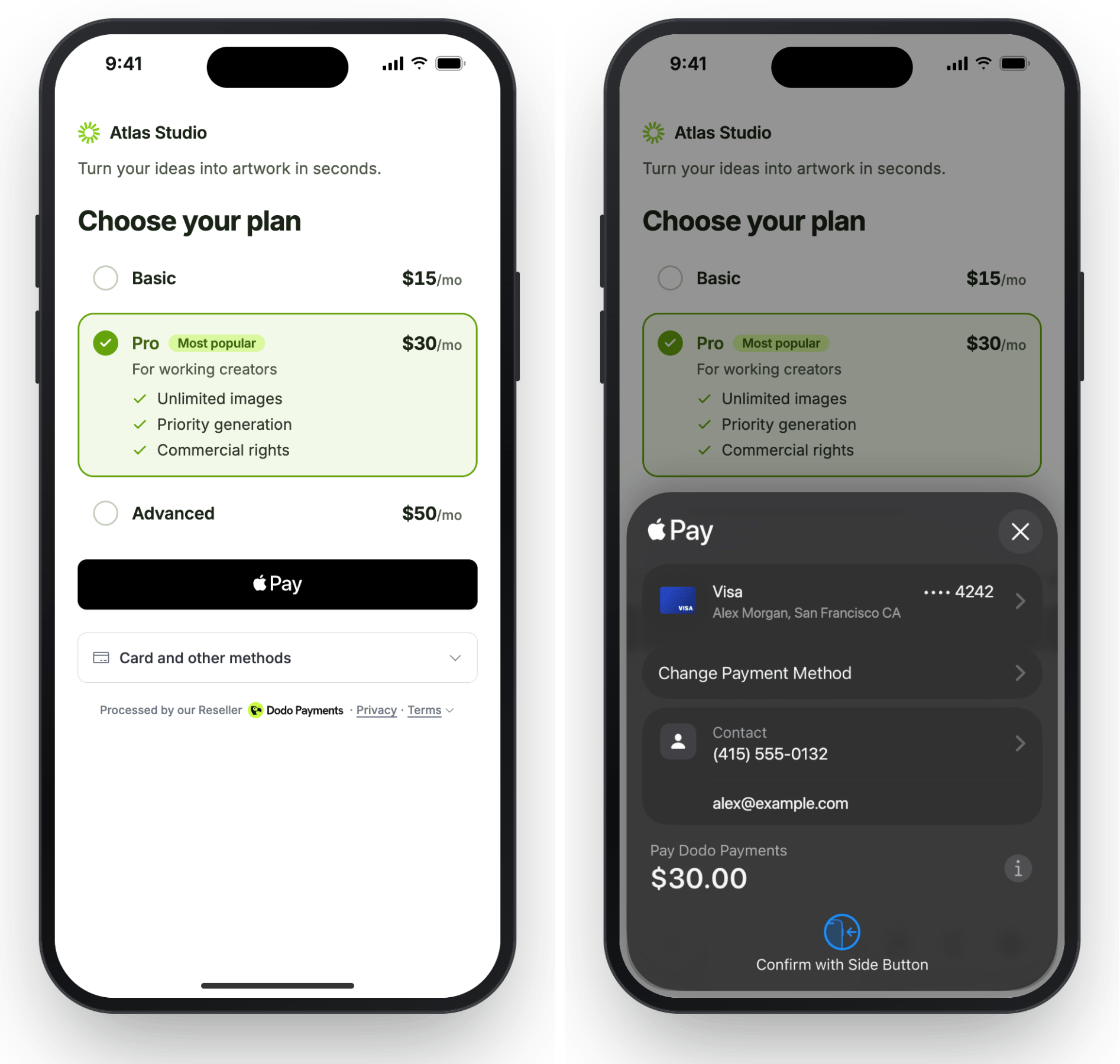
Express checkout is built for phones. On a touch device the page shows only what a wallet customer needs: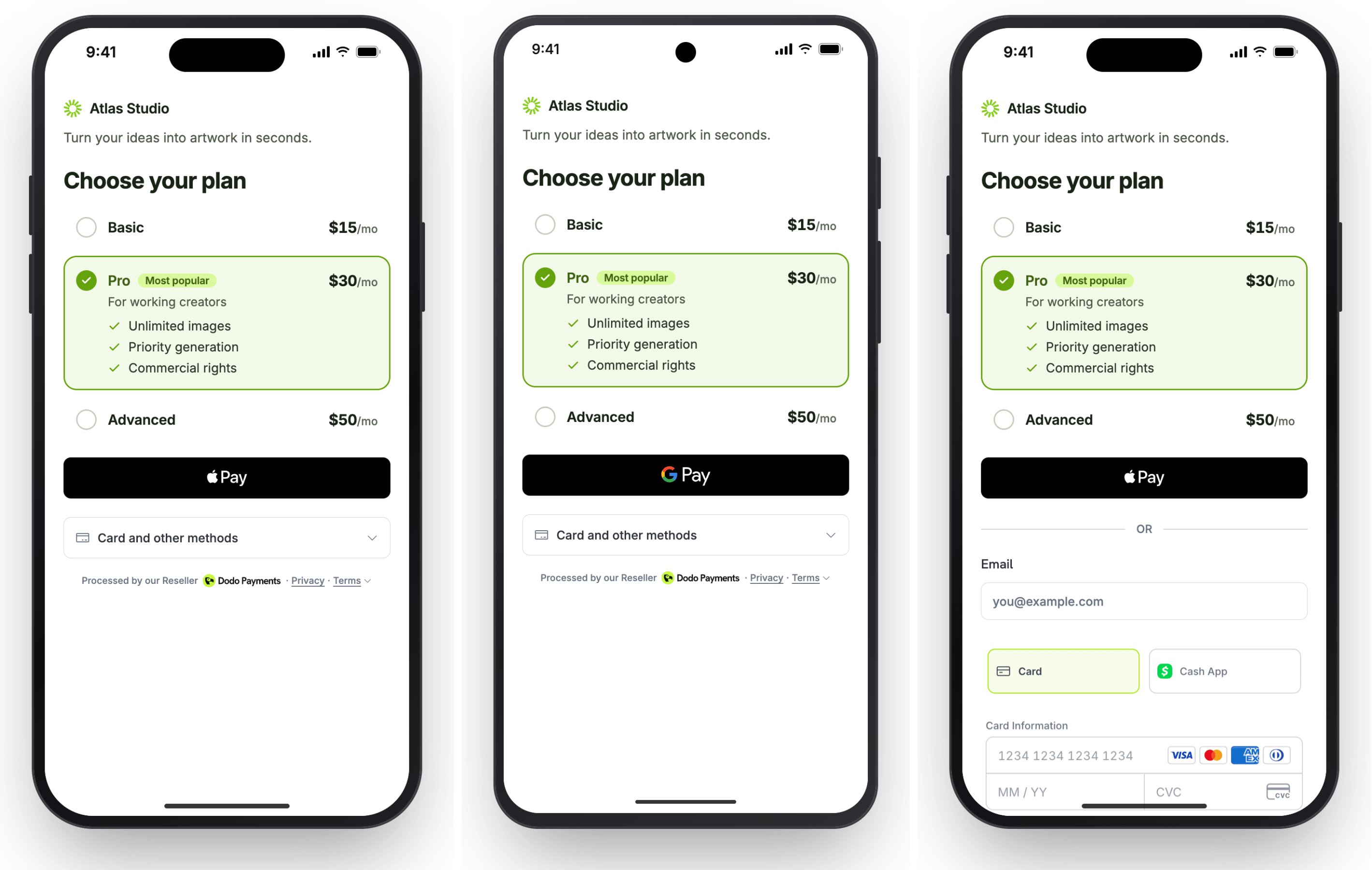
- The wallet for the device sits at the top: Apple Pay on an iPhone, Google Pay on Android. Each wallet shows only where the device and browser support it, and Safari shows Apple Pay only.
- Card and other methods keeps the email field and the full payment form folded below the wallets. One tap opens them in place.
- A shorter footer fits on one line. For subscriptions, the recurring-charge notice opens from Terms.
On a Desktop
On a desktop or laptop, express checkout keeps the wallets at the top and shows the standard form below them: the OR divider, the email field, the payment methods, and the full footer.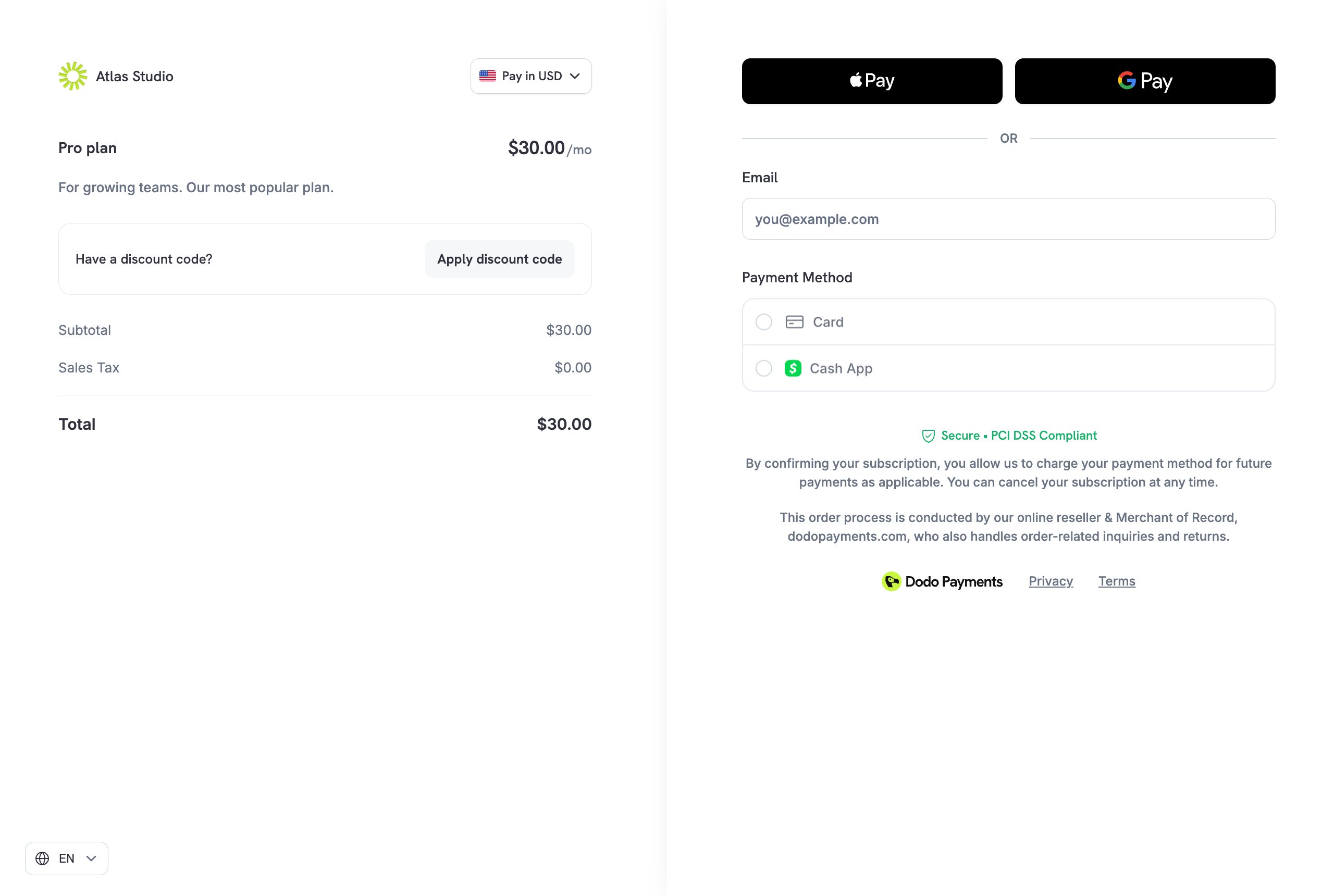
Show Only Wallets
To hide the email field and every payment method except the wallets, setshow_non_express_payment_methods to false:
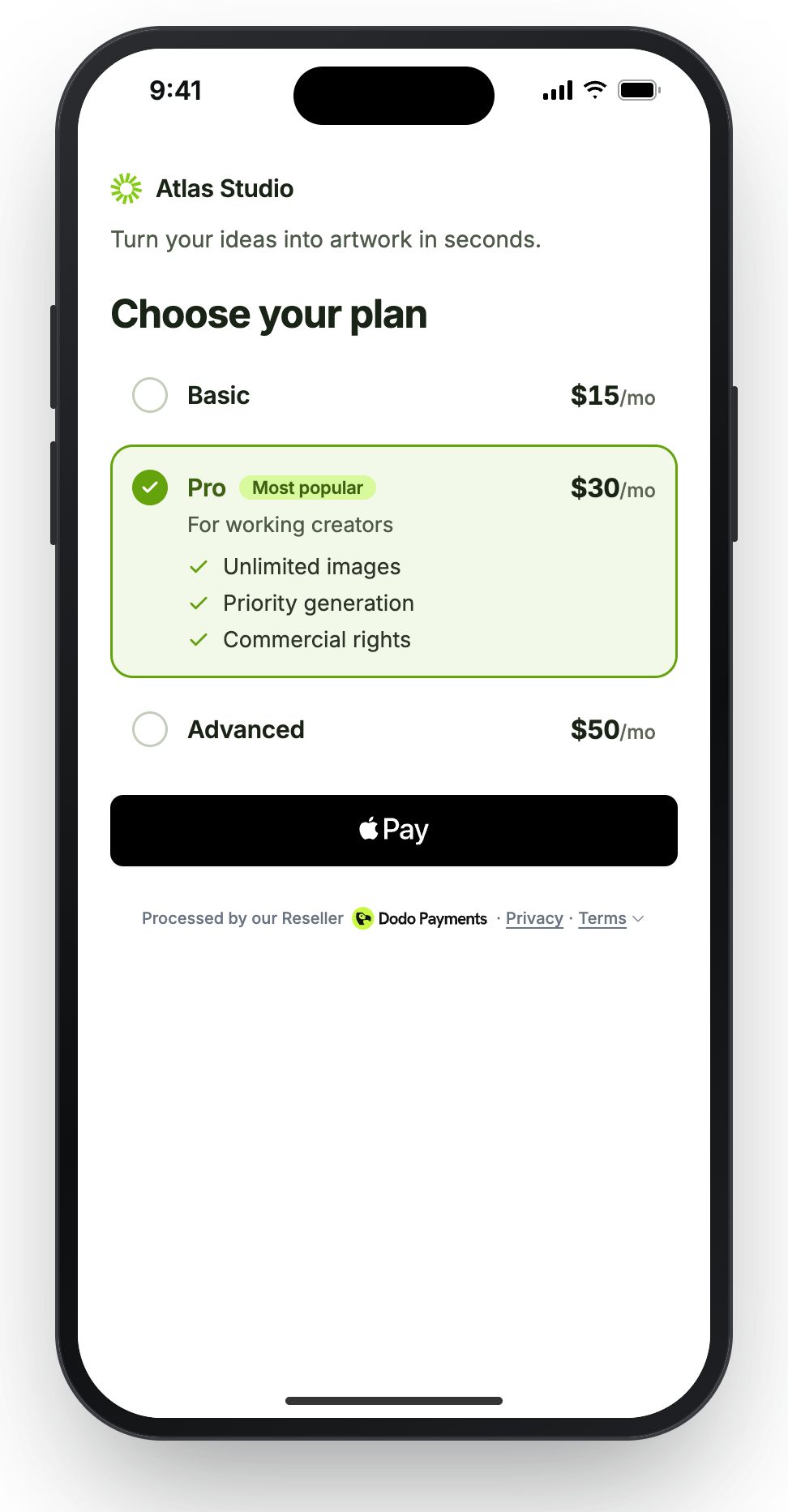
Wallets only
checkout.express_fallback to your page, with the reason in data.message.reason:
The SDK passes
checkout.express_fallback to onEvent from dodopayments-checkout 2.2.0.
Fields the Wallet Cannot Fill
The wallet sheet supplies the email, the name, and the billing address. Anything else the session needs goes above the wallets, and the wallet sheet stays closed until it is complete:- A required phone number.
- Your custom fields. An optional custom field can stay empty.
- Your terms checkboxes, when the session requires terms acceptance.
- The business name and tax ID, when the session requires a tax ID.
Embed Express Checkout on Your Page
Express checkout works with inline checkout and overlay checkout. For a mobile purchase page, inline checkout under your plan picker works best. Keep the checkout hidden until it sendscheckout.form_ready, and show your own loading state until then. The customer then sees the finished checkout appear at once, with the wallets already in place.
Inline express checkout
Choose the Footer
ThecompactFooter option in dodopayments-checkout 2.2.0 and later sets the footer for an embedded checkout:
Apple Pay in an embedded checkout needs your domain verified for Apple Pay. See Quick Setup for Apple Pay. Apple Pay is not available in overlay checkout, so an overlay express checkout shows Google Pay only.
Works With Your Checkout Settings
- Tax. The Apple Pay and Google Pay sheets show the total for the card’s billing address before the customer approves.
- Locked country. If you set the billing country and
allow_customer_editing_countryisfalse, a wallet card billed in another country cannot pay. The checkout asks for a card from your country. - Subscriptions and add-ons. Express checkout works for subscriptions, trials, and add-ons. A free trial that starts without a card shows no wallets.
- Discount codes. In inline checkout, the discount code field sits above the wallets, and the wallet total updates after a code is applied.
- Saved payment methods. Returning customers see their saved cards below the wallets.
- Look and language. Tabs or accordion layout, light or dark theme, and every checkout language, including right-to-left languages.
Single Page Checkout
How the one-page checkout collects details and prices the order.
Inline Checkout
Events, sizing, and options for embedded checkout.