

Best for: APIs, AI services, infrastructure platforms, and any product where value scales with usage.
How It Works
1
Send Usage Events
Your application sends events when billable actions occur.
2
Meters Aggregate Usage
Meters aggregate events into billable quantities using Count, Sum, Max, or Last aggregation.
3
Automatic Billing
Set pricing per unit and optional free thresholds. Customers are billed automatically each cycle.
Core Concepts
Events
Events represent usage actions in your application. Each event includes:- Event Name: Type of usage (e.g.,
api.call) - Customer ID: Who used it
- Metadata: Additional properties for aggregation and filtering
Meters
Meters aggregate events into billable quantities:- Count: Total number of events (API calls, uploads)
- Sum: Sum of numeric values (total bytes, tokens)
- Max: Highest value in the period (peak users, max storage)
- Last: Most recent value
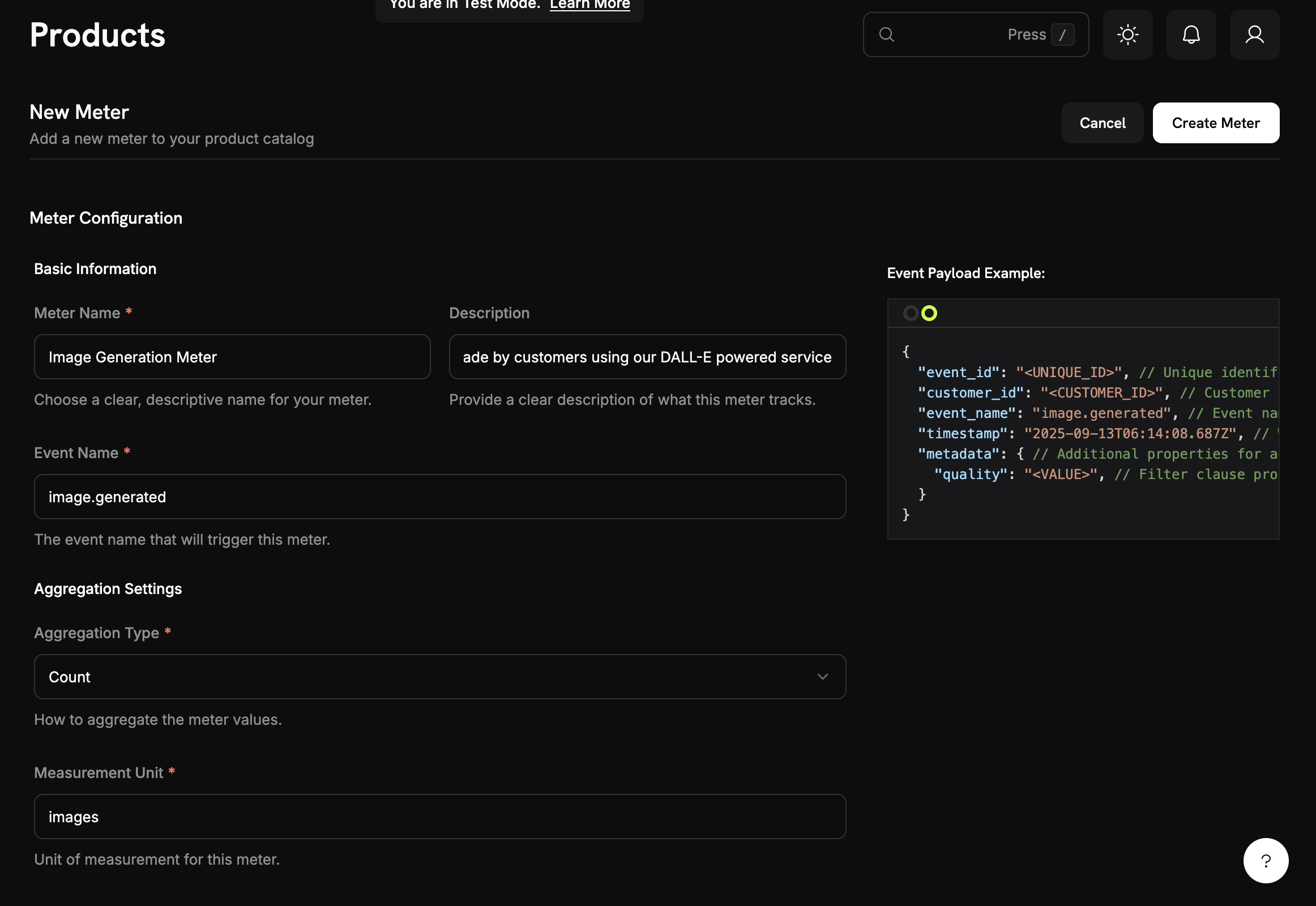
Products with Usage Pricing
Set pricing per unit and optional free thresholds: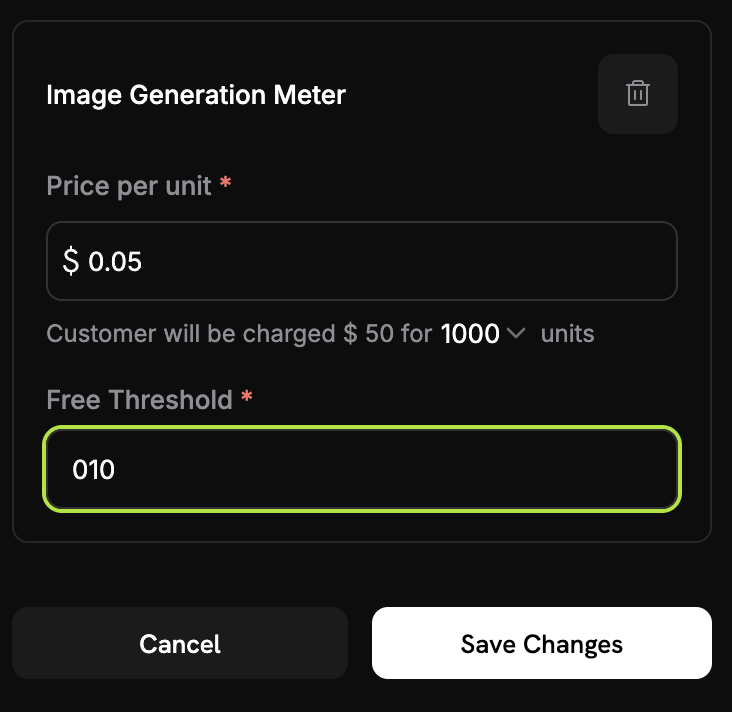
Credit-Based Deduction
Instead of charging per-unit in dollars, you can configure meters to deduct from a customer’s credit balance. Credits refresh each billing cycle and apply before any overage charges.Quick Start
1
Create a Meter
Go to Meters in the dashboard and click Create Meter.
- Enter an event name (e.g.,
api.call) - Choose an aggregation type (Count, Sum, Max, or Last)
- Add optional filters to exclude certain events
2
Add Meter to a Product
Link the meter to a product and set pricing: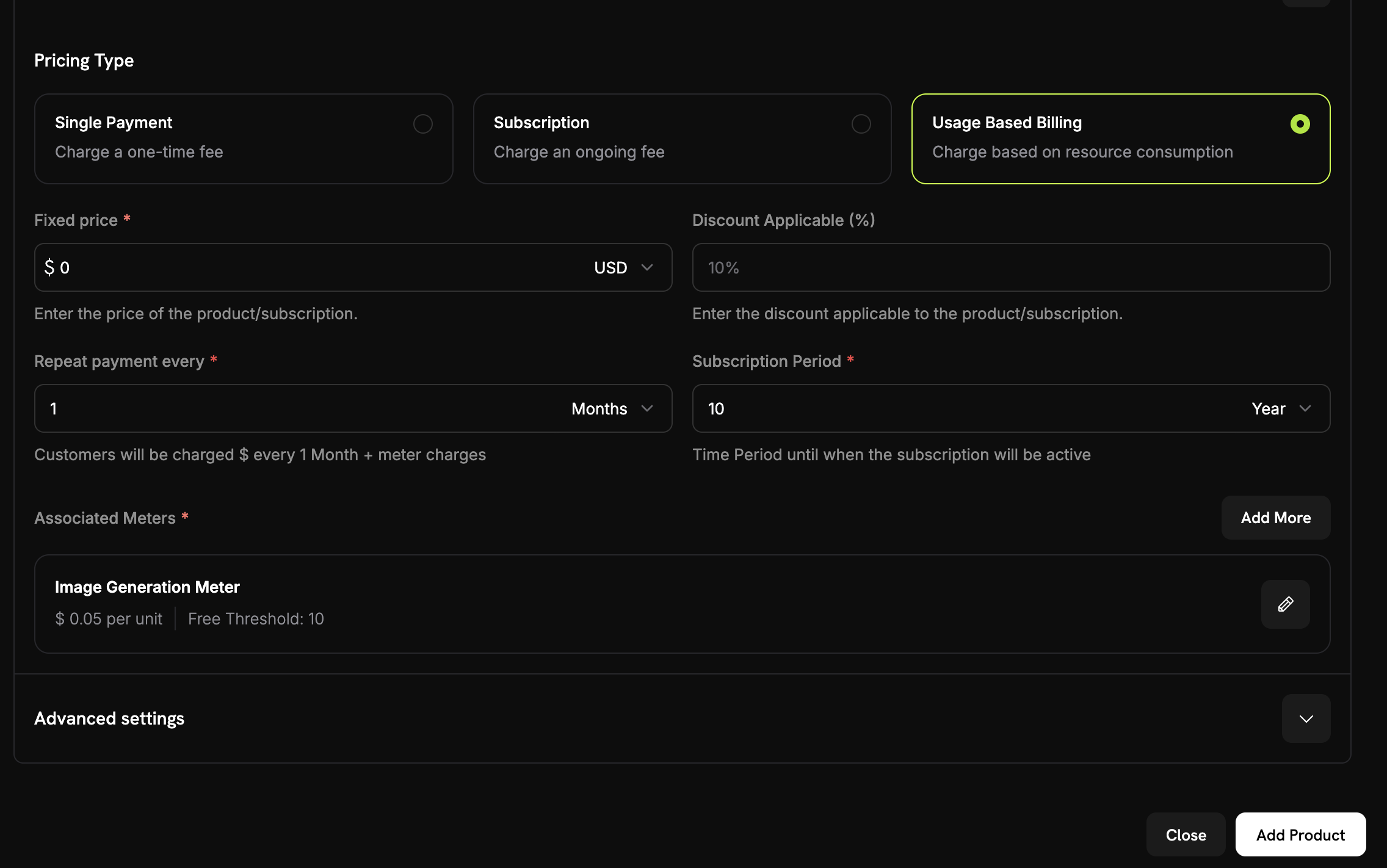
- Go to Products and select or create a product
- Select Usage Based Billing as the pricing type
- Choose your meter
- Set the price per unit and optional free threshold
3
Send Events
4
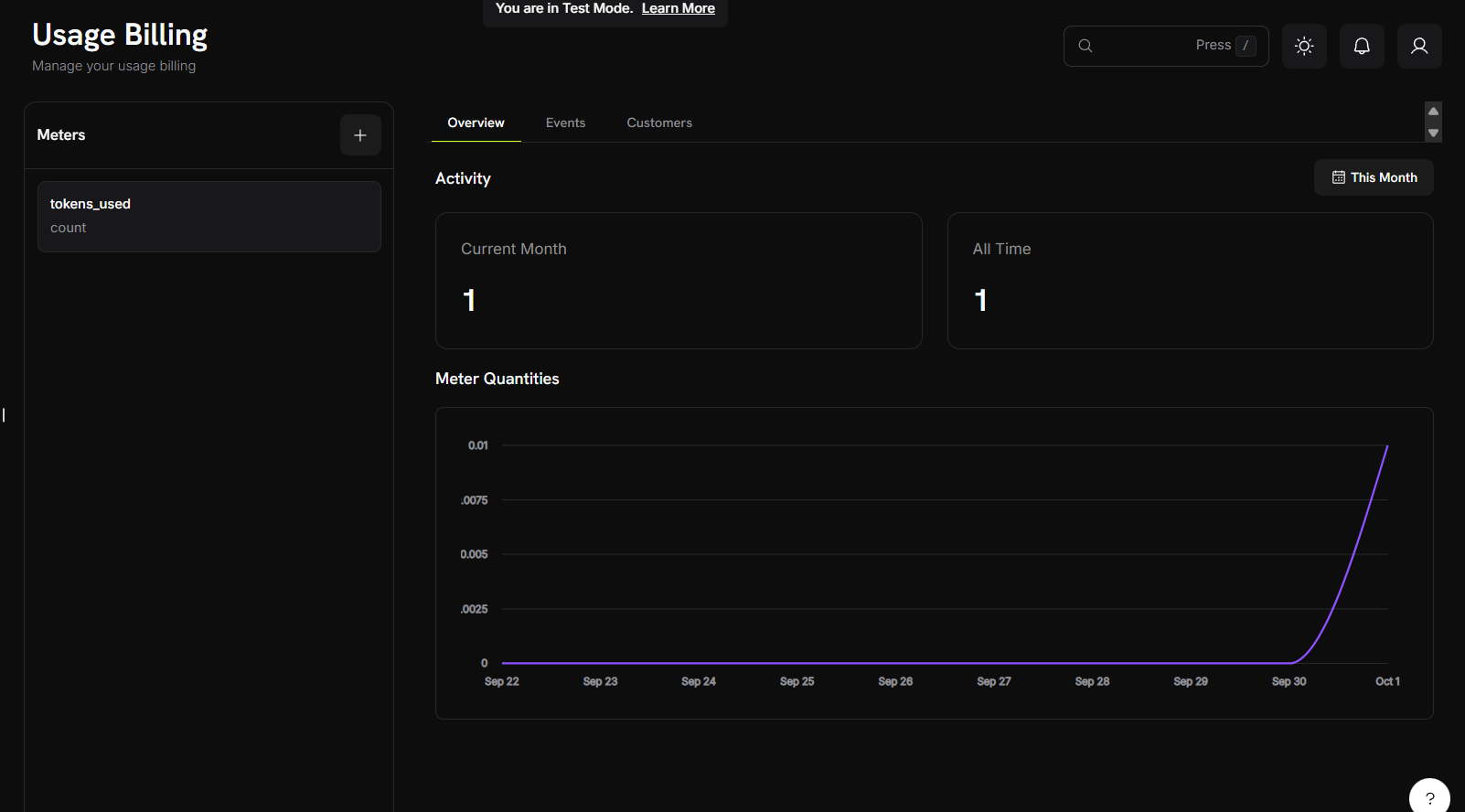
Monitor Usage
Use Cases
APIs and Infrastructure
Track API calls, compute hours, bandwidth, or storage. Example: $0.001 per call after 10,000 free calls.
AI Usage Tracking
Track tokens, image generations, or processing time. Example: $0.04 per standard image, $0.08 per HD image.
Data and Analytics
Bill by data processed, queries run, or records analyzed. Example: $5 per GB after 10 GB free.
Communication
Count messages, minutes, or data transferred. Example: $0.01 per SMS sent.
Next Steps
Event Ingestion
Learn how to structure and send usage events from your application.
Meters Guide
Master meter configuration, aggregation types, and event filtering.
Complete Tutorial
Build a complete AI image generator with usage-based billing from scratch.
Integration Guide
Comprehensive guide to implementing usage-based billing in your application.