

Abandoned Cart Recovery (ACR) detects checkouts that were abandoned or whose payment failed, and emails the customer a link to complete the purchase. You can add an automatic discount to each recovery.
What Is Abandoned Cart Recovery?
ACR identifies customers who started a checkout but didn’t complete it, whether the payment failed or they left before paying, and sends them a sequence of recovery emails. It covers one-time purchases and the first payment of a new subscription, including a free trial.- Failed payments: The customer attempted payment, but it was declined or failed with an error.
- Incomplete checkouts: The customer visited checkout but never attempted payment.
How ACR Works
1
Detection
Dodo Payments looks for payments that are at least 60 minutes old and haven’t succeeded. It skips payments that are still processing or were cancelled, payments without a customer email address, and one-time payments with a zero total. If the customer has made a newer successful payment, no abandoned checkout is recorded.
2
Classification
Each abandoned checkout is classified by reason:
- Payment Failed: The customer attempted payment, but it failed.
- Checkout Incomplete: The customer visited checkout but never attempted payment.
3
Email Sequence
Based on the classification, Dodo Payments sends up to 3 recovery emails at the delays you configure. Each email contains a unique recovery link and an unsubscribe link. The email also supports one-click unsubscribe (RFC 8058), so mail apps that support it can show their own unsubscribe button.
4
Recovery
When the customer clicks the recovery link, a checkout opens with their original cart. They complete payment in a fresh checkout session.
Status Lifecycle
Each abandoned checkout moves through these states:Configuring ACR
Turn on and configure ACR in Settings → Recovery in your dashboard.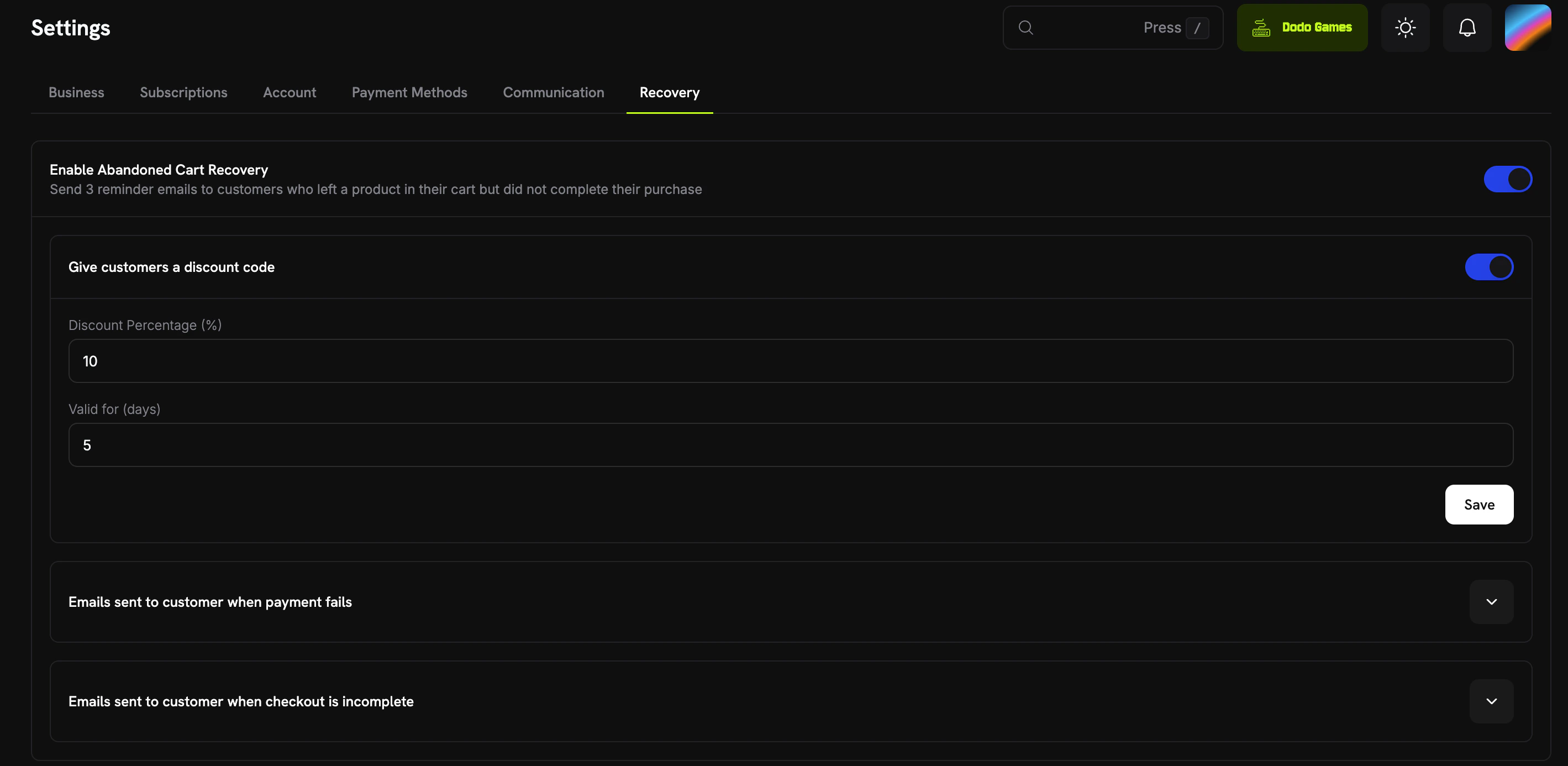
Abandoned Cart Recovery settings in the dashboard
Global Settings
These settings apply to every abandoned checkout:Email Sequences
ACR has two email sequences, Payment Failed and Checkout Incomplete, each with up to 3 emails. The dashboard lists them as Emails sent to customer when payment fails and Emails sent to customer when checkout is incomplete.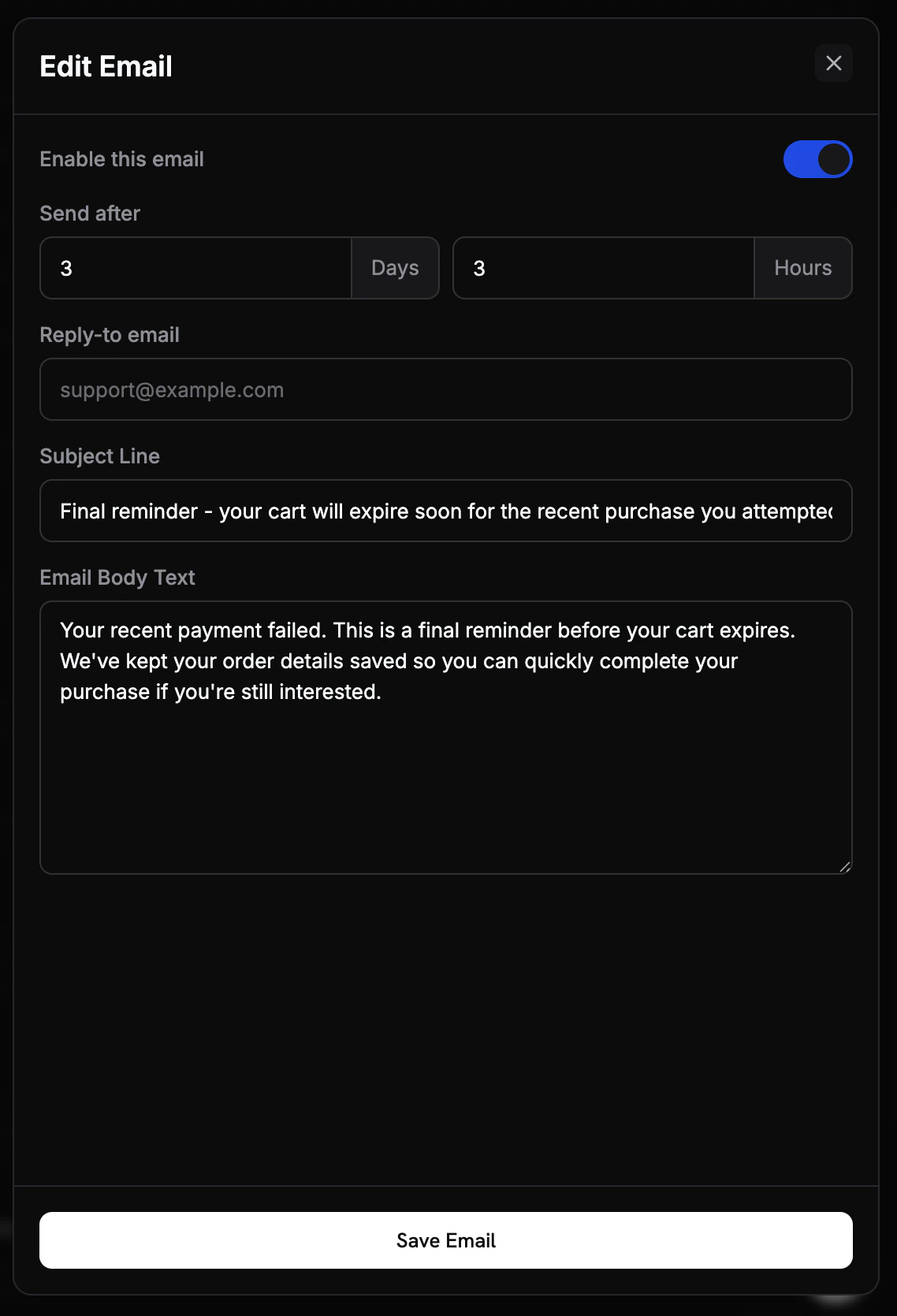
ACR email sequence configuration
In Subject Line, Dodo Payments replaces these placeholders:
{store_name}, {store_owner_name}, {store_contact_email}, {discount_code}, {recovery_link}, and {unsubscribe_link}.
Both sequences use the same default delays:
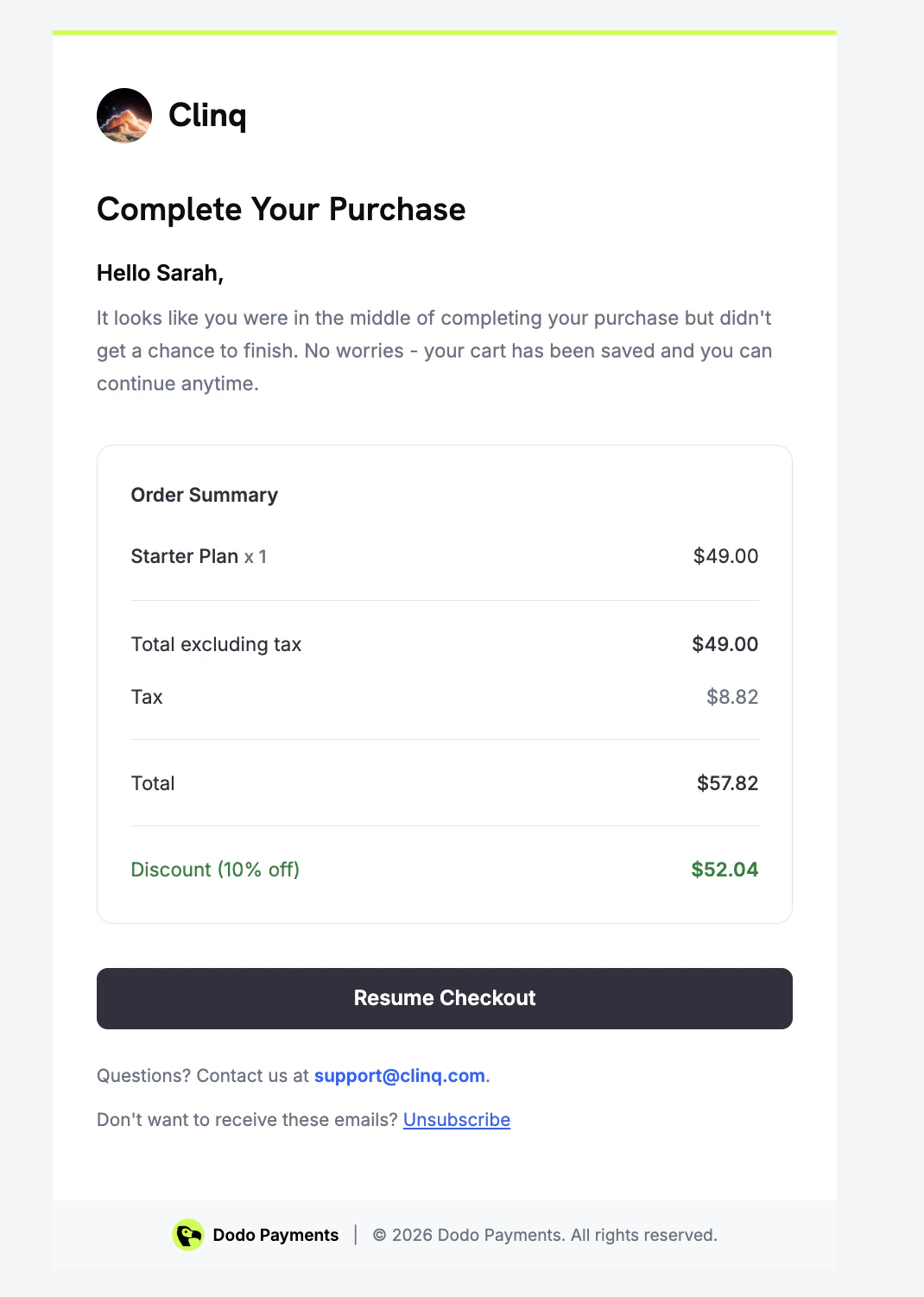
Example Recovery Emails
ACR sends a different email for each abandonment reason. These examples show what the customer sees.- Payment Failed
- Checkout Incomplete
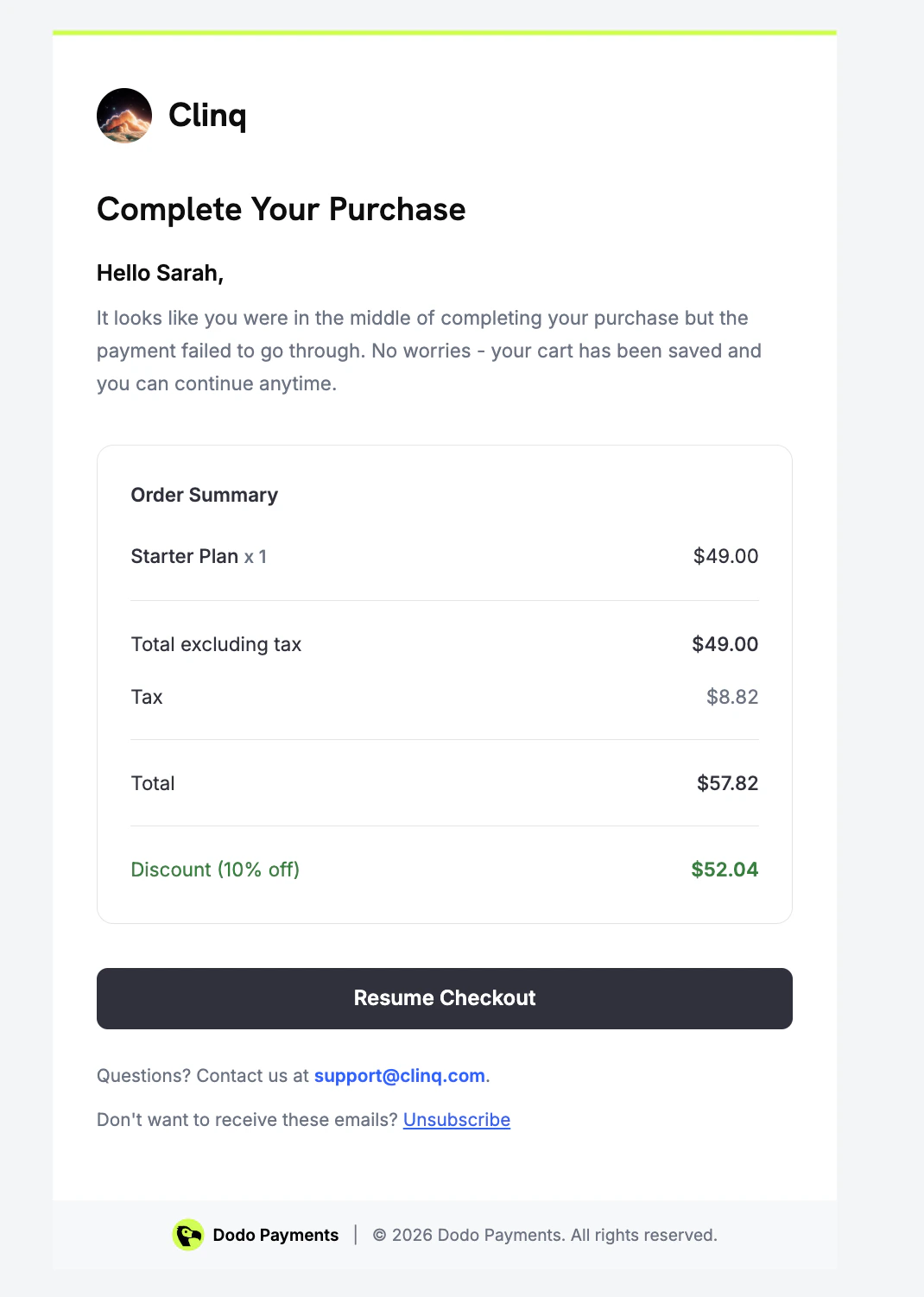
Recovery email sent when a payment attempt fails
Recovery Discounts
When Give customers a discount code is on and the percentage is above 0, ACR generates a unique, single-use discount code for each abandoned checkout at detection. The codes start withACR-. Each discount:
- Is restricted to the products from the original checkout
- Expires after the number of days in Valid for (days), counted from detection
- Is limited to one redemption
- Is hidden from your dashboard discount list (internal use only)
Customer Recovery Experience
When a customer clicks Resume Checkout in a recovery email, Dodo Payments opens a new checkout session with the same cart: the same products, add-ons, and quantities, and the amount the customer entered for a Pay What You Want product. If you turned on the discount, its code is already applied. If the customer opens the link again while that session is still valid, the same session reopens.Analytics
Track ACR performance under Analytics → Recovery in your dashboard.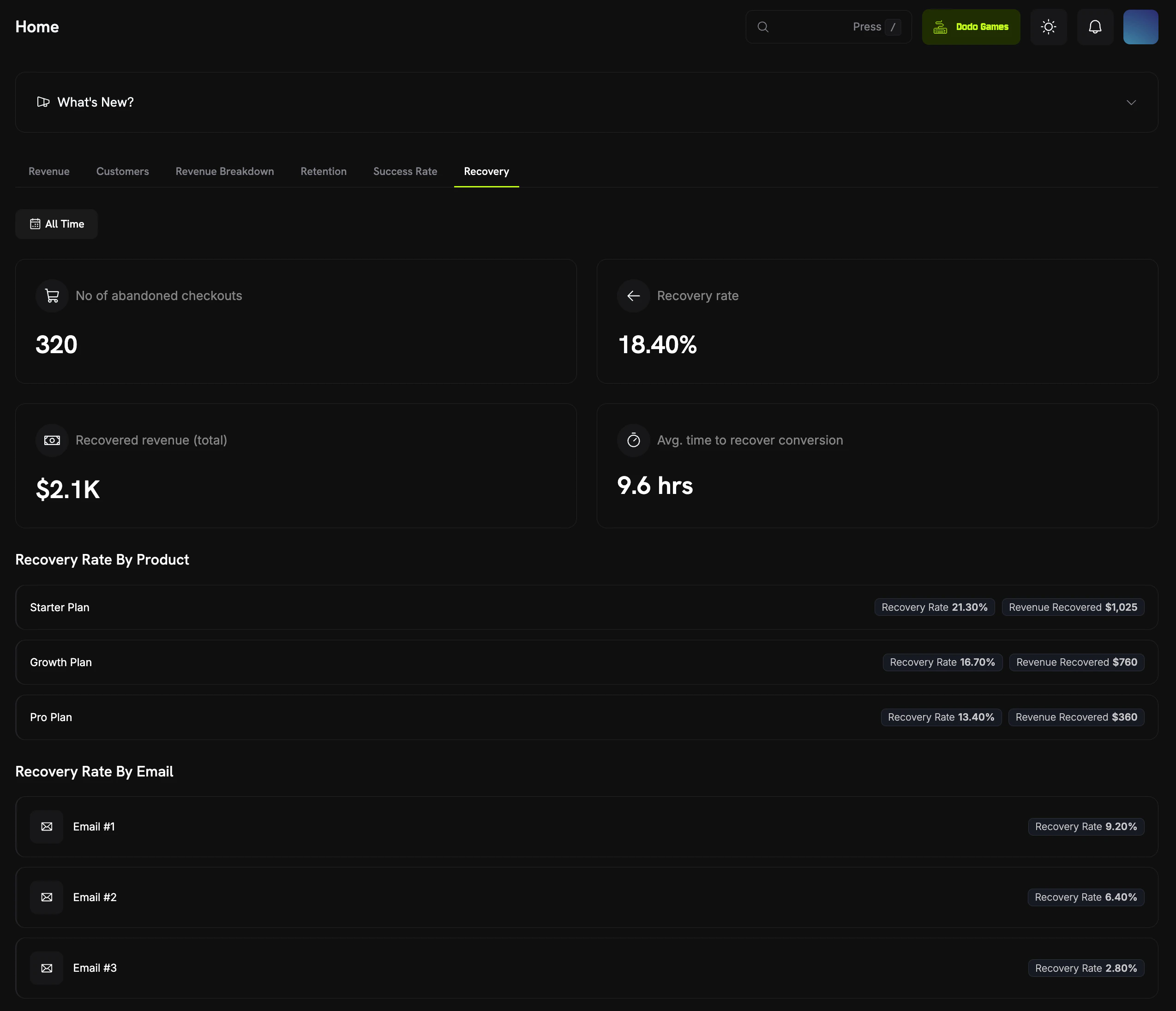
Recovery analytics dashboard showing ACR and dunning metrics
Webhook Events
ACR sends two webhook events:Recovery Webhook Payloads
View the full webhook payload schemas for ACR events.
Edge Cases
ACR handles these cases automatically:Best Practices
- Start with defaults: Every email comes with a default delay and subject. Customize them after you have baseline data.
- Personalize emails: Use subject placeholders such as
{store_name}and{discount_code}to make each email specific to the purchase. - Monitor analytics: Check Recovery rate by email to see which messages drive the most conversions, and turn off emails that recover little.
- Use discounts strategically: Start small (5-10%) to protect margins while you test the effect on conversion.
- Keep emails concise: Keep recovery emails short and focused on one action. The email layout already includes the Resume Checkout button.
ACR runs automatically once you turn it on. Start with the default settings, watch your analytics, and adjust based on the results.
Related
Recovery Webhooks
React to
abandoned_checkout.detected and abandoned_checkout.recovered events.Subscription Dunning
Recover lapsed subscriptions with automated dunning emails.
Customer Portal
Where customers manage their subscriptions and payment methods.
Discounts
How discount codes work, including the codes ACR generates.