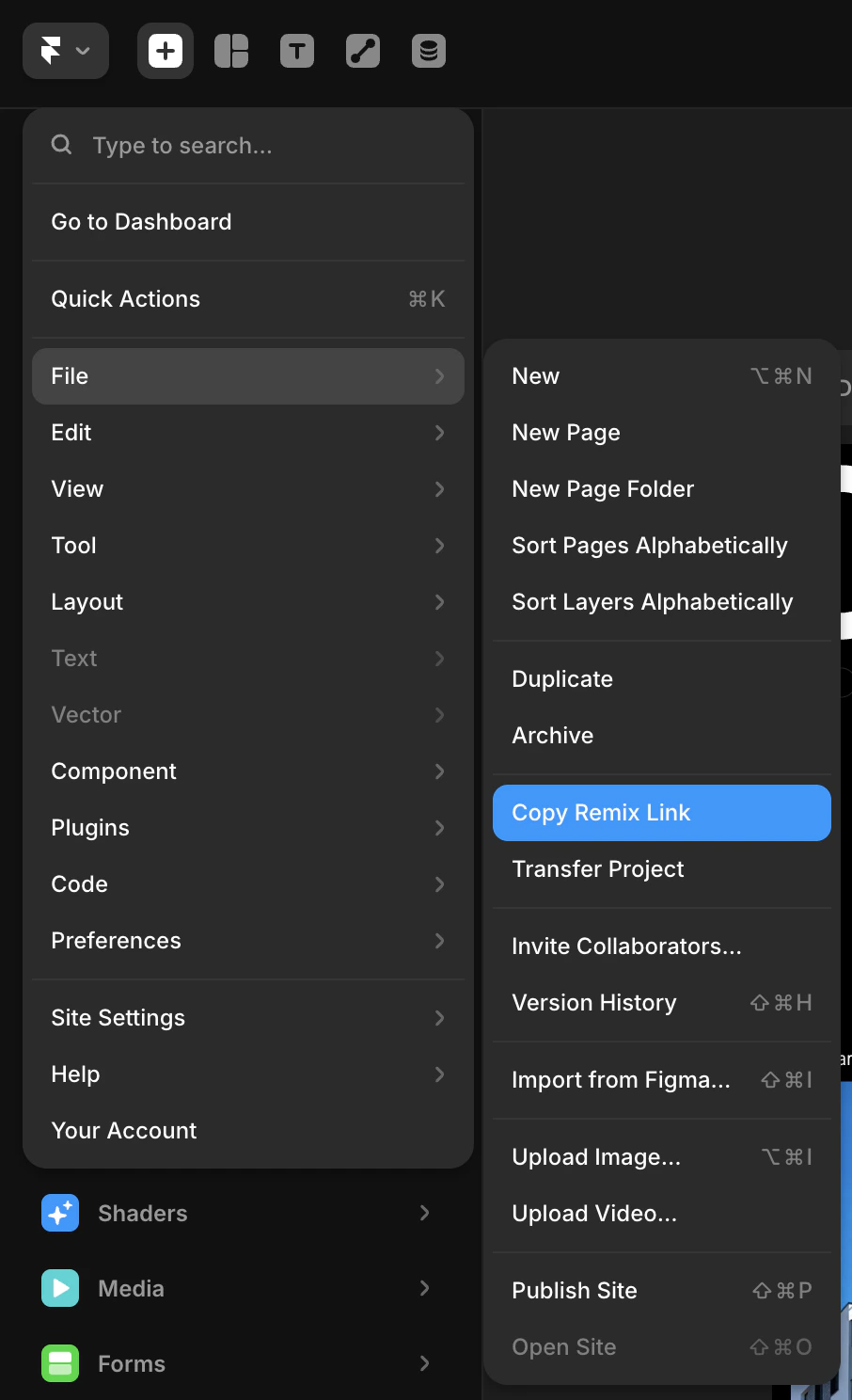
Framerプロジェクトを開きます。左上のメニューから File → Copy Remix Link に移動します。これにより、誰でも自分のFramerアカウントにプロジェクトを複製できる公開リミックスURLがコピーされます。Dodo Paymentsはこのリンクを支払い済みの顧客と共有します。
Framer File menu: click Copy Remix Link to copy the template's remix URL.
4
Add the Template and Create the Entitlement
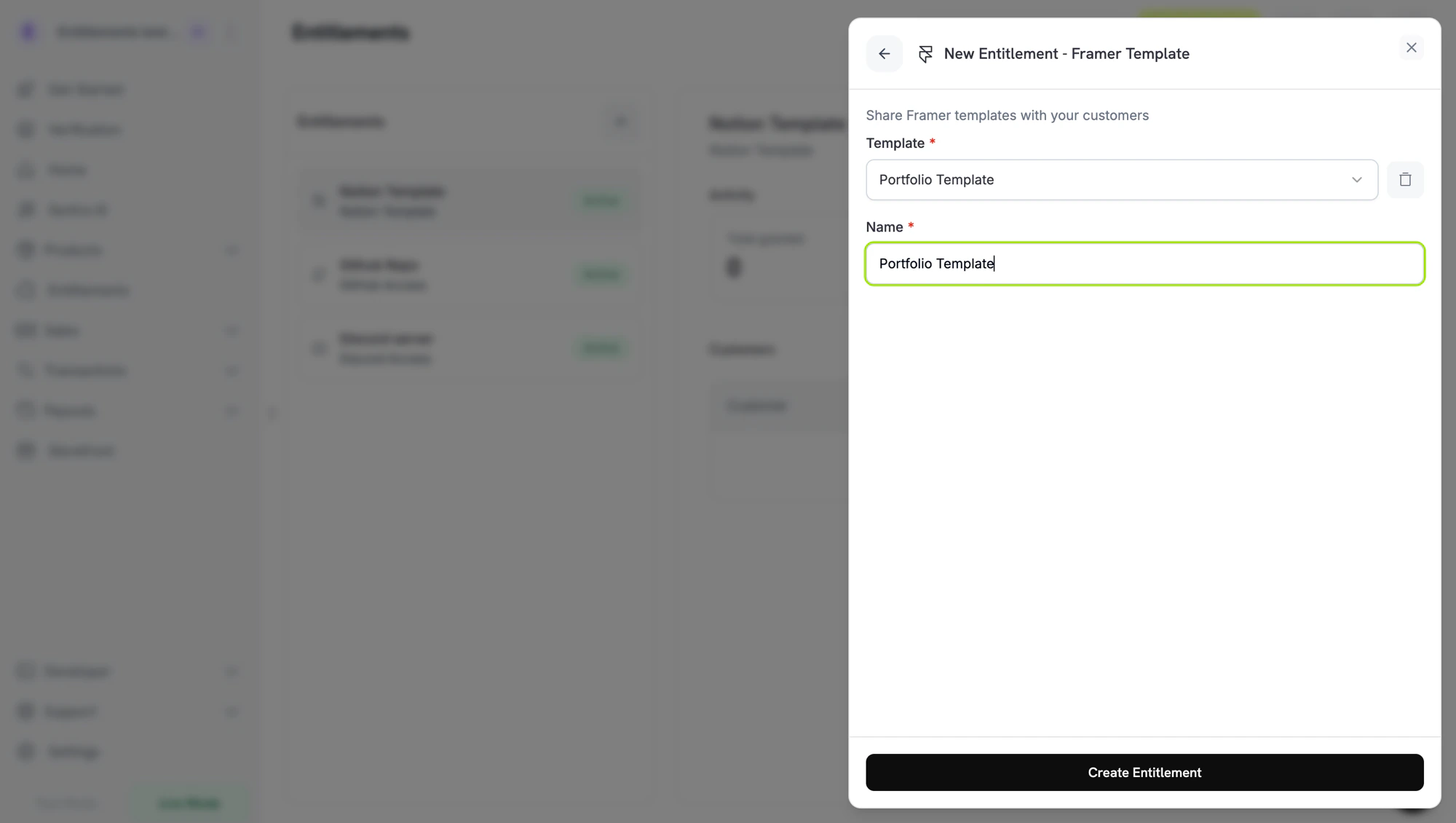
Dodo Paymentsのダッシュボードに戻り、Template でテンプレートを選択します。新しいテンプレートを登録するには、+ Create new template をクリックし、Template name を入力して、コピーしたリンクを Remix link に貼り付けます(framer.com URLである必要があります)。その後、Create template をクリックします。entitlementの Name を入力し、Create Entitlement をクリックします。
// client is a *dodopayments.Client, for example from// dodopayments.NewClient(option.WithEnvironmentTestMode()); ctx is a context.Context.client.Entitlements.New(ctx, dodopayments.EntitlementNewParams{ Name: dodopayments.F("Portfolio Kit"), IntegrationType: dodopayments.F(dodopayments.EntitlementIntegrationTypeFramer), IntegrationConfig: dodopayments.F[dodopayments.IntegrationConfigUnionParam]( dodopayments.IntegrationConfigFramerConfigParam{ FramerTemplateID: dodopayments.F("3f2b8c1e-7d4a-4e9b-a6c5-1d2e3f4a5b6c"), }, ),})