

परिचय
जब payment और subscription events होते हैं, तब transactional emails अपने-आप भेजें। Payment confirmations, subscription updates और failure notifications बिना middleware server के Keplars के माध्यम से भेजे जाते हैं: Dodo Payments JavaScript transformation handler का उपयोग करके सीधे Keplars API को call करता है।यह integration आपकी Keplars API key से authenticate होता है। इसे Keplars dashboard में Settings → API Keys के अंतर्गत खोजें और Domains के अंतर्गत sender domain या address verify करें।
आरंभ करें
1
Open the Webhook Section
Dodo Payments dashboard में Developer → Webhooks पर जाएँ और Add endpoint पर click करें।
2
Select Keplars
Integration में Keplars चुनें। टेम्पलेट Keplars API URL और transformation code भर देता है।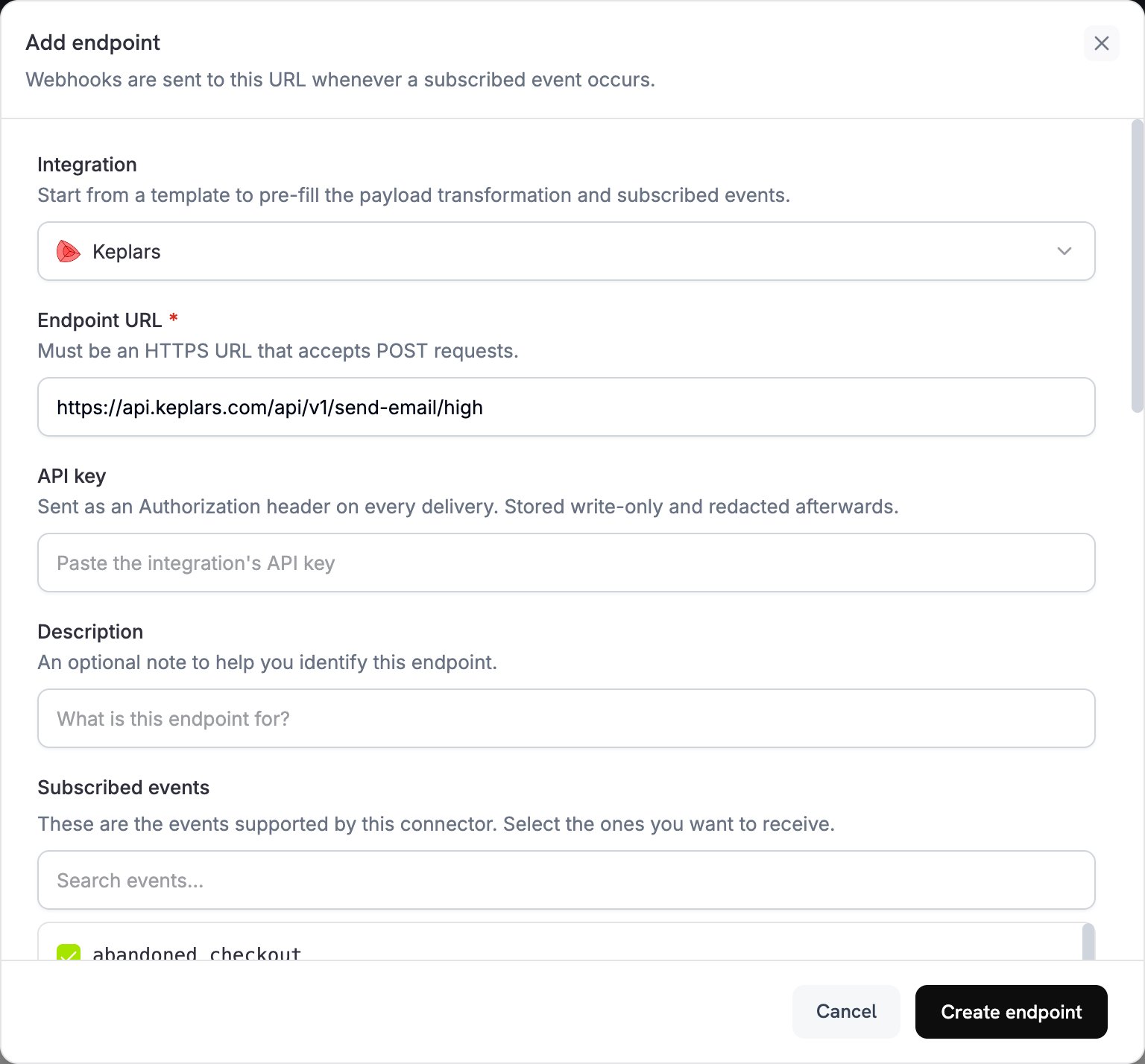
3
Enter API Key
अपनी Keplars API key को API key में पेस्ट करें। Dodo Payments इसे हर request पर Bearer token के रूप में भेजता है। Subscribed events के अंतर्गत, वे events चुनें जिन पर email भेजा जाना चाहिए।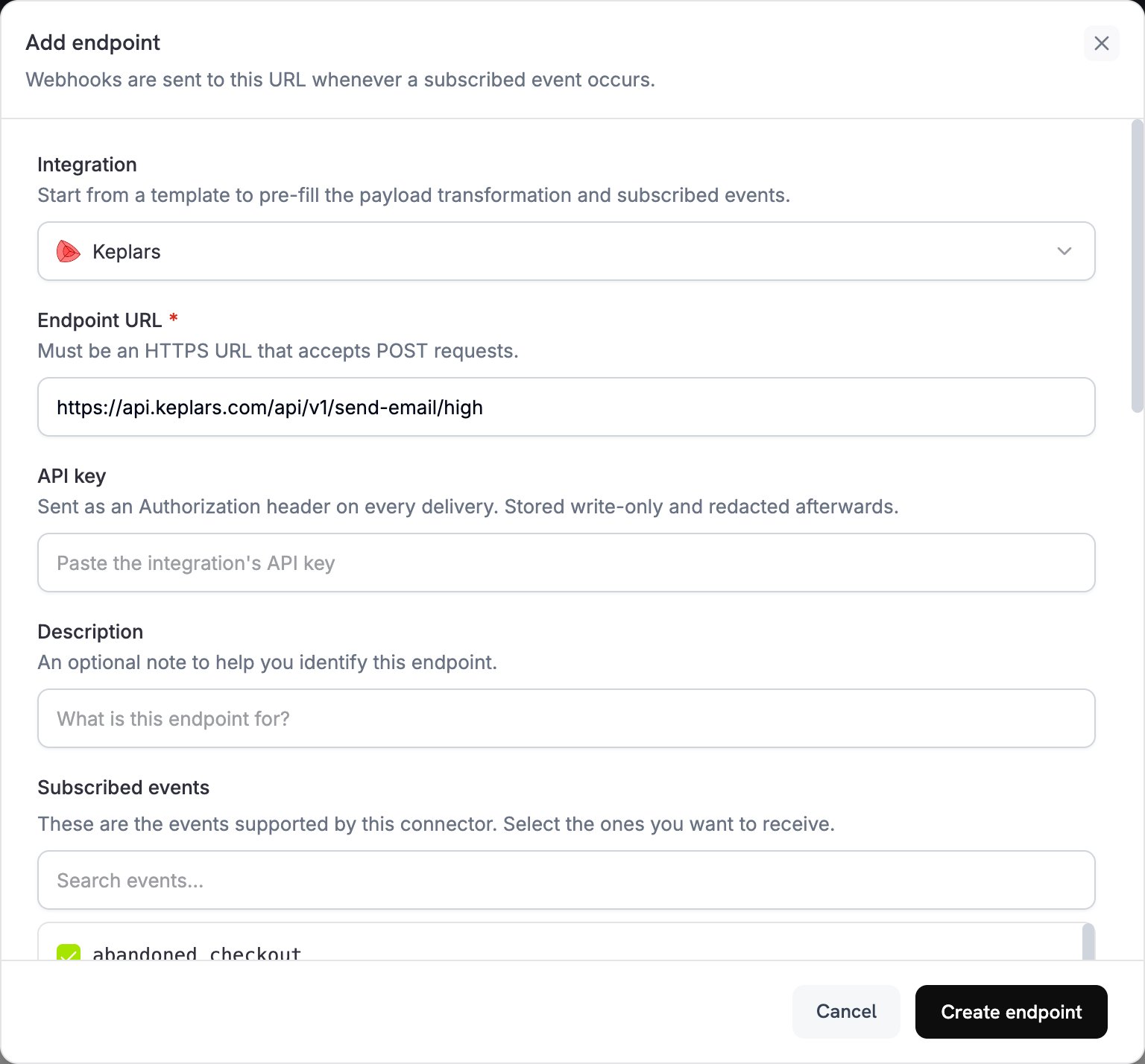
4
Configure Transformation
Transformation code में, Keplars के लिए emails को format करने हेतु code को edit करें। Placeholder template IDs को अपने IDs से बदलें।
5
Test & Create
Test this code के अंतर्गत कोई event type चुनें और sample payload पर transformation चलाने के लिए Simulate पर click करें। फिर emails भेजना शुरू करने के लिए Create endpoint पर click करें।
6
Done
Dodo Payments events अब Keplars के माध्यम से transactional emails भेजते हैं।
ट्रांसफॉर्मेशन कोड उदाहरण
हर handlerwebhook.url को Keplars high-priority send endpoint पर सेट करता है और webhook.payload को Keplars request में फिर से लिखता है। Dodo Payments API key को Bearer token के रूप में जोड़ता है। your-keplars-*-template-id को अपने template IDs से बदलें। Keplars send API में from field नहीं है, इसलिए Keplars हर email को उस sender से भेजता है जिसे आपने Keplars dashboard में सेट किया है।
Payment Confirmation Email
payment_succeeded.js
Payment Failure Notification
payment_failed.js
Subscription Welcome Email
subscription_active.js
Subscription Cancellation Email
subscription_cancelled.js
सुझाव
- Deliverability बेहतर करने के लिए किसी verified domain या address से भेजें।
- प्रत्येक event type के लिए एक Keplars template बनाएं, ताकि हर email brand और message के अनुरूप रहे।
paramsमें customer data, जैसे name, amount और payment ID, पास करके हर email को personalize करें।- पहले sandbox mode में test करें। Keplars sandbox sends को deliver करने के बजाय अपने Test Inbox में capture करता है।
समस्या निवारण
Emails not being sent
Emails not being sent
- जाँचें कि आपकी API key सही और Keplars में Settings → API Keys के अंतर्गत active है।
- जाँचें कि आपका sender domain या address verified है।
- Dodo Payments dashboard में, Developer → Webhooks के Logs tab में message खोलें। प्रत्येक delivery attempt Keplars से प्राप्त raw error response दिखाता है।
Template not found
Template not found
- आपके handler में मौजूद
template_idआपके Keplars account में active template से मेल खाना चाहिए। ID जाँचें और Keplars dashboard में जाँचें कि template active है।
Wrong event triggered
Wrong event triggered
- प्रत्येक handler
webhook.eventTypeकी जाँच करता है और event के मेल न खाने पर webhook को बिना बदलाव के वापस करता है। जाँचें कि endpoint के Subscribed events में केवल वही events शामिल हैं जिन्हें आप चाहते हैं।