Framer는 템플릿 권한을 처음 생성할 때 암시적으로 연결됩니다. 별도의 OAuth 단계는 없습니다.
1
Open Entitlements
Dodo Payments dashboard에서 Entitlements로 이동한 다음 **+**를 클릭합니다.
2
Pick Framer
통합 항목으로 Framer Template을 선택합니다.
3
Grab the Remix Link from Framer
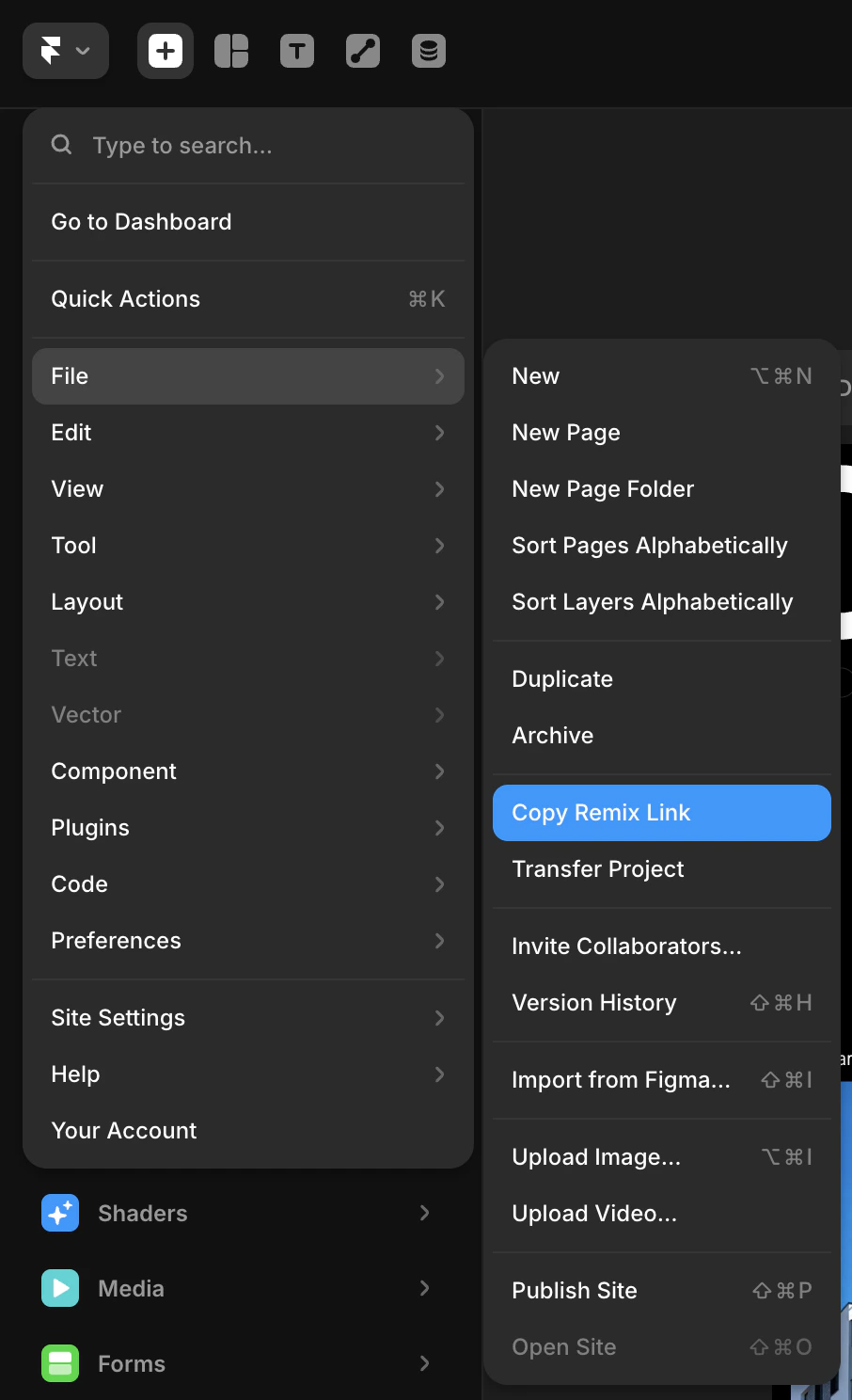
Framer 프로젝트를 엽니다. 왼쪽 상단 메뉴에서 File → Copy Remix Link로 이동합니다. 그러면 누구나 프로젝트를 자신의 Framer 계정으로 복제할 수 있는 공개 remix URL이 복사됩니다. Dodo Payments는 이 링크를 결제한 고객에게 공유합니다.
Framer File menu: click Copy Remix Link to copy the template's remix URL.
4
Add the Template and Create the Entitlement
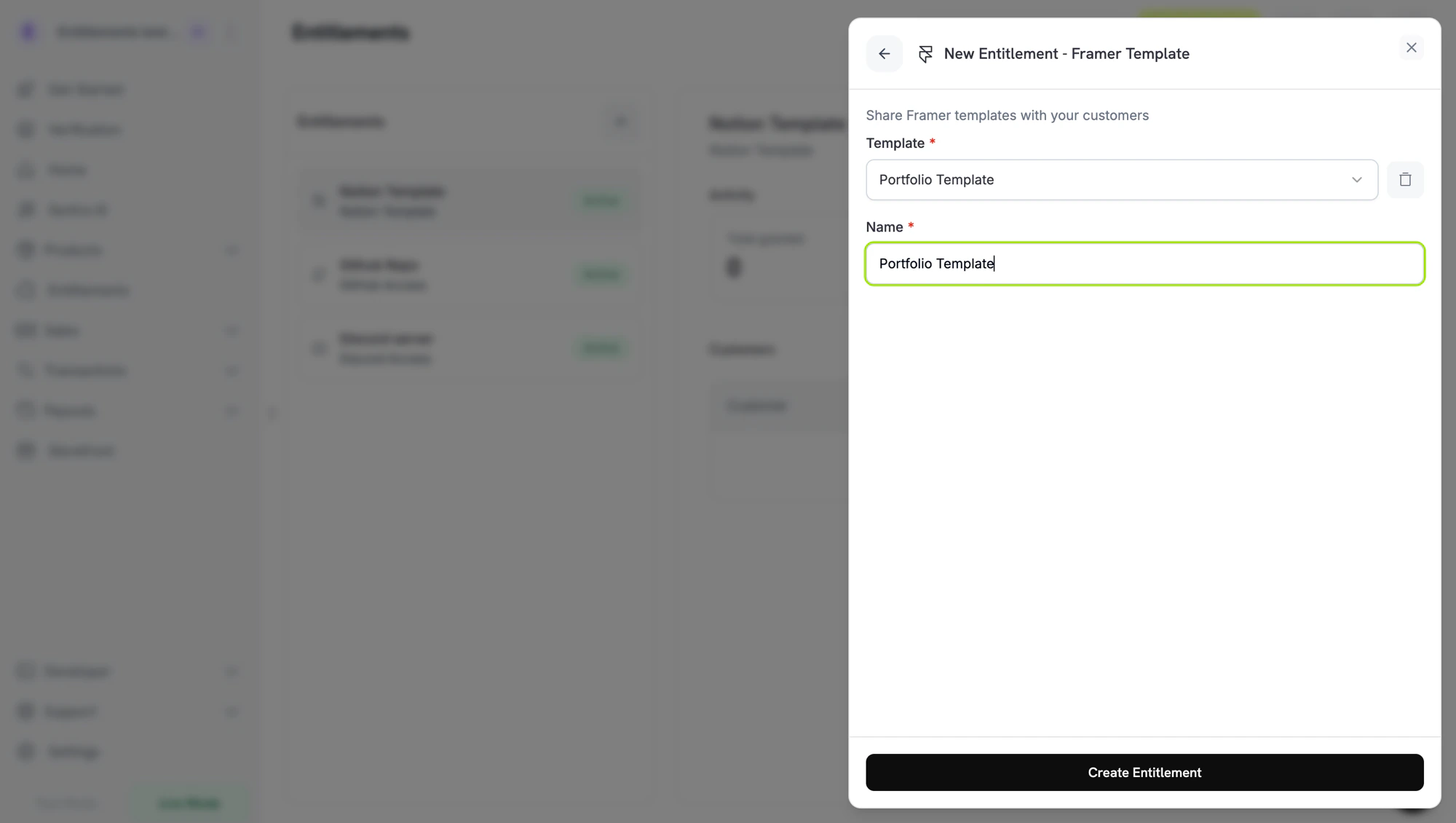
Dodo Payments dashboard로 돌아가 Template에서 템플릿을 선택합니다. 새 템플릿을 등록하려면 + Create new template를 클릭하고, Template name을 입력한 다음, 복사한 링크를 Remix link에 붙여넣습니다( framer.com URL이어야 함). 그런 다음 Create template를 클릭합니다. entitlement의 Name을 입력하고 Create Entitlement를 클릭합니다.
Dodo Payments는 등록한 템플릿의 ID를 entitlement의 integration_config에 framer_template_id로 저장하므로, 프로그래밍 방식으로 참조할 수 있습니다.
// client is a *dodopayments.Client, for example from// dodopayments.NewClient(option.WithEnvironmentTestMode()); ctx is a context.Context.client.Entitlements.New(ctx, dodopayments.EntitlementNewParams{ Name: dodopayments.F("Portfolio Kit"), IntegrationType: dodopayments.F(dodopayments.EntitlementIntegrationTypeFramer), IntegrationConfig: dodopayments.F[dodopayments.IntegrationConfigUnionParam]( dodopayments.IntegrationConfigFramerConfigParam{ FramerTemplateID: dodopayments.F("3f2b8c1e-7d4a-4e9b-a6c5-1d2e3f4a5b6c"), }, ),})
remix link는 일회용이 아니며 특정 고객에게 연결되지 않습니다. 모든 고객은 등록한 링크를 받으며, grant가 Delivered인 동안 Customer Portal에서 링크를 다시 열 수 있습니다. 링크가 작동하지 않으면 직접 열어 Framer에서 remix link가 여전히 유효한지 확인하세요.
Refunded customer still has a remixed copy
예상된 동작입니다. Framer는 프로젝트가 복제되면 remix를 고객의 자체 프로젝트로 처리합니다. Dodo Payments는 Customer Portal에서 링크를 더 이상 표시하지 않지만 고객 계정의 복사본을 삭제할 수 없으며 remix link 자체를 비활성화할 수도 없습니다.