

Route by Geography
特定の国からの決済を独自の processor に送り、それ以外を Dodo Payments に送ります。
Keep Your Processor Accounts
既存の Stripe または Adyen アカウントと関係を引き続き利用できます。
Stay the Merchant of Record
独自のルートでは、法的な販売者として、税金、disputes、payouts を管理します。
One Billing Layer
Dodo Payments は、両方のルートにわたって商品、サブスクリプション、請求書、分析を管理します。
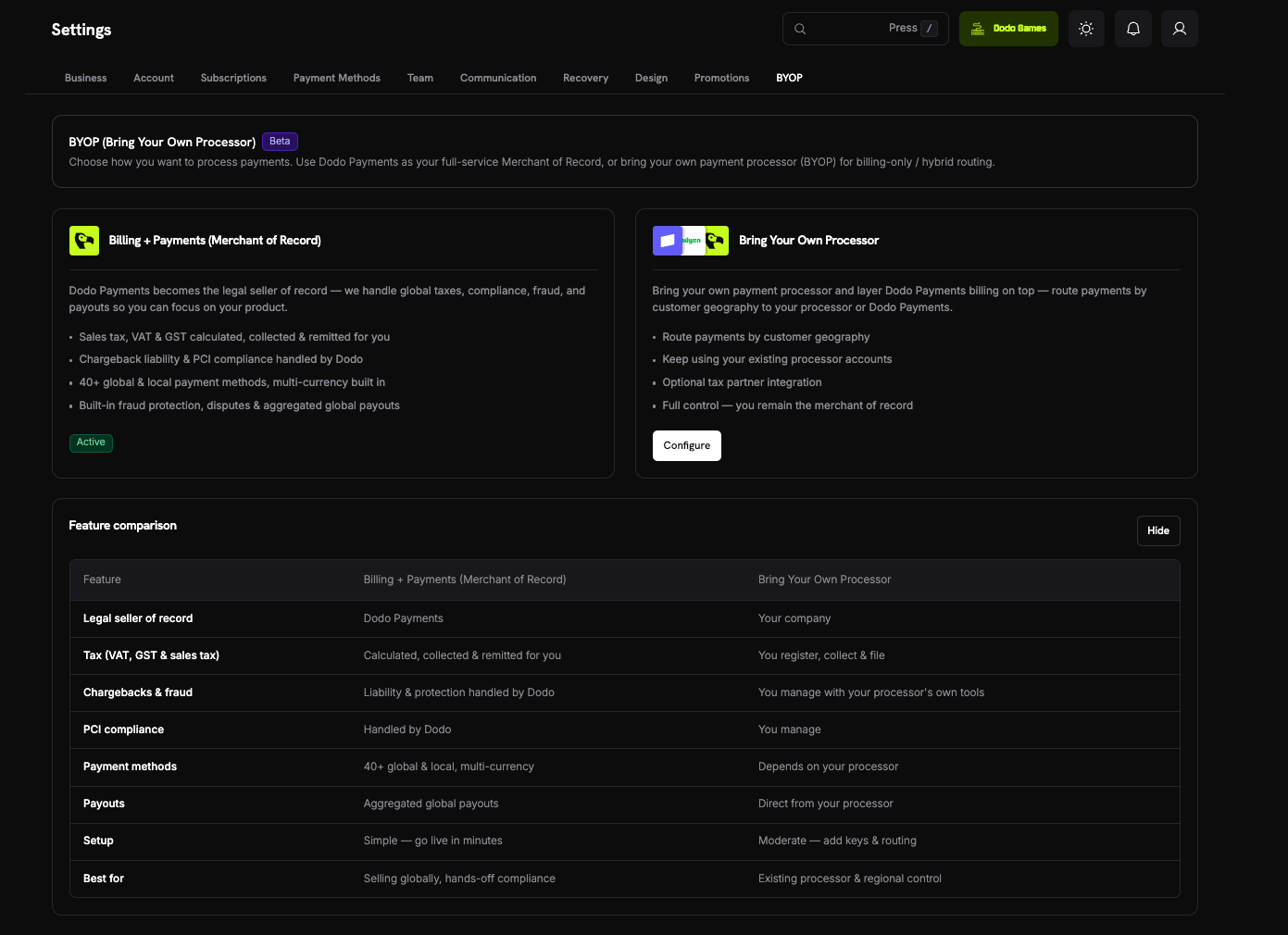
BYOPとDodoの販売者記録としての違い
2つのモデルは並行して動作します。各決済は、顧客の国に設定されたルートに従います。ダッシュボードでこの比較を表示するには、Settings → BYOP の Show Comparison を選択します。対応している Processor
Stripe と Adyen を接続できます。Stripe

Adyen
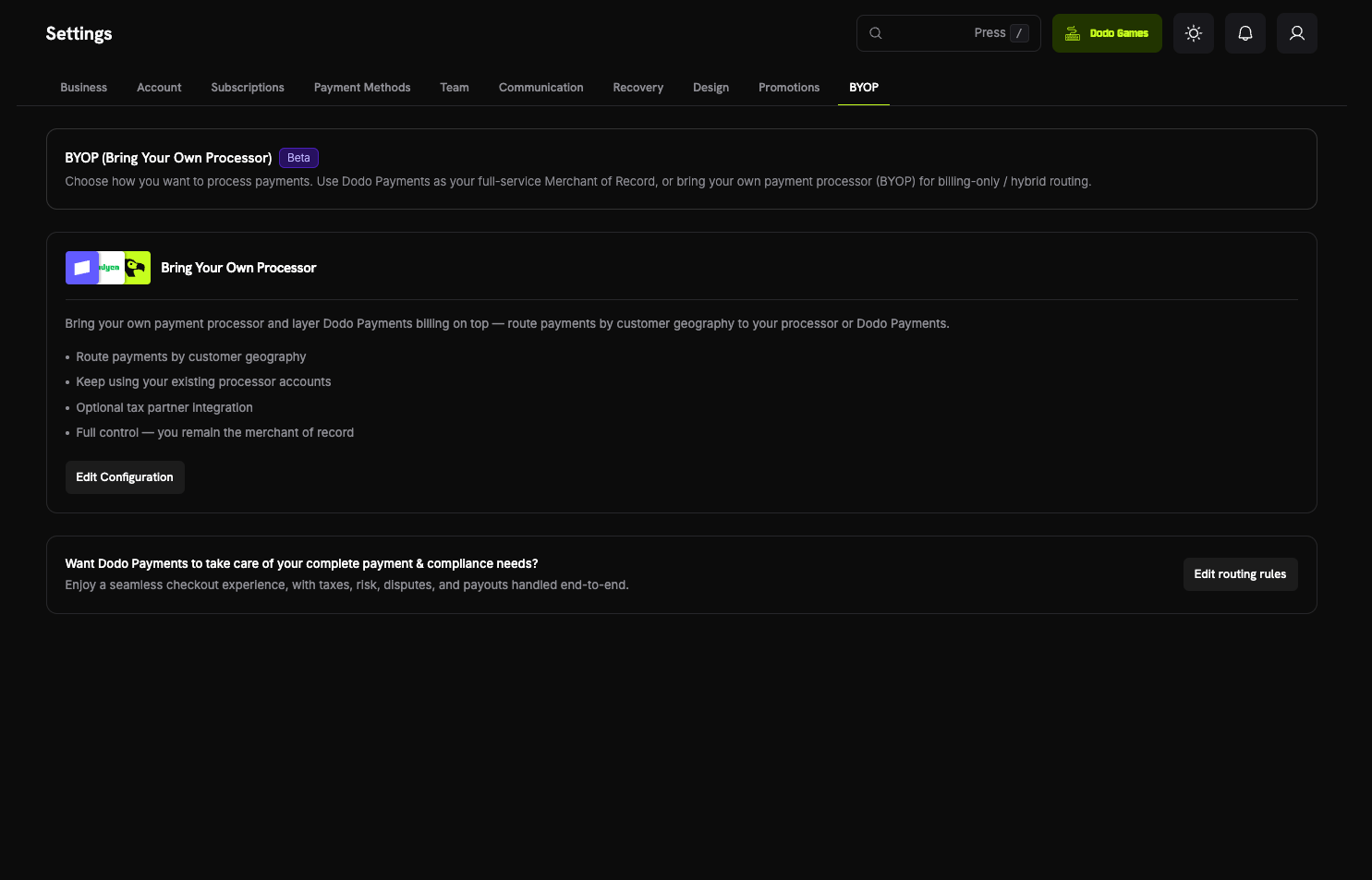
BYOP を設定する
セットアップウィザードを開始するには、ダッシュボードで Settings → BYOP を開き、Bring Your Own Processor カードの Configure を選択します。接続は per environment で設定されます。test mode(Sandbox と表示)で接続した processor は、live mode(Production と表示)で接続した processor とは別のものです。運用開始前にテストするには、両方を設定してください。セットアップウィザードでは、サイドバーの Live Mode switch で設定された mode が使用されます。
1
Choose a Payment Processor
Select Payment Processor で Stripe または Adyen を選択し、Continue を選択します。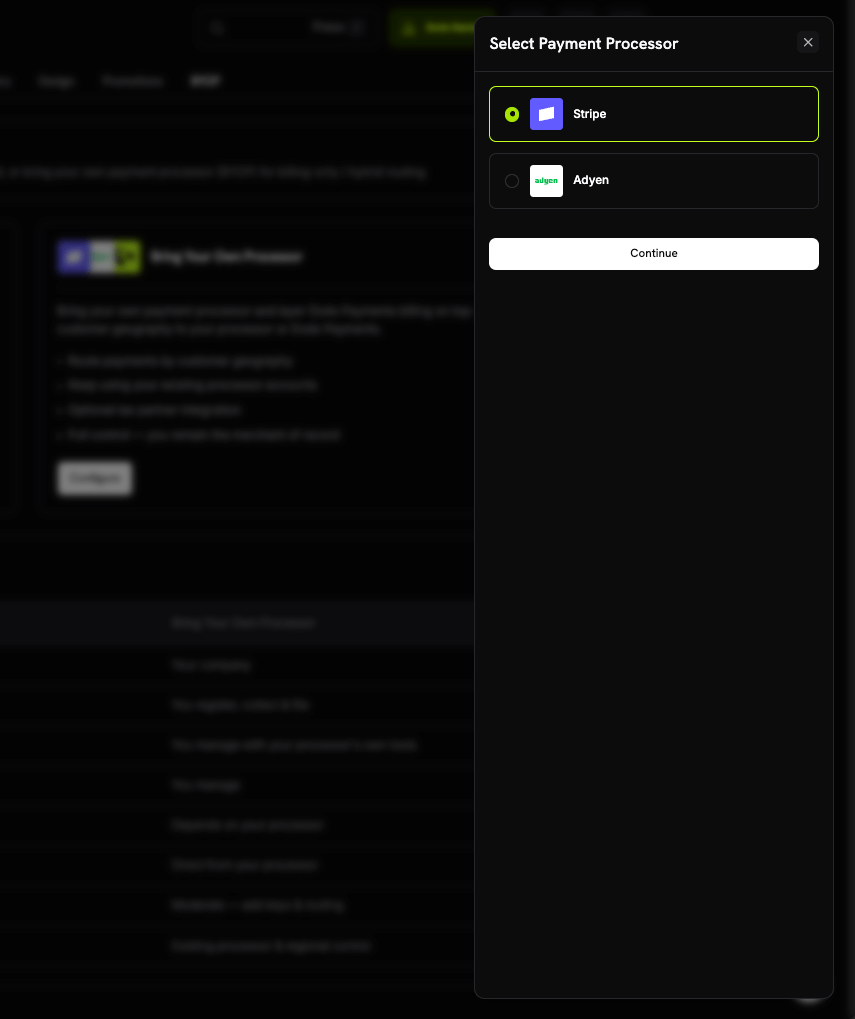
2
Connect Your Account
接続の詳細を入力し、Connect processor を選択します。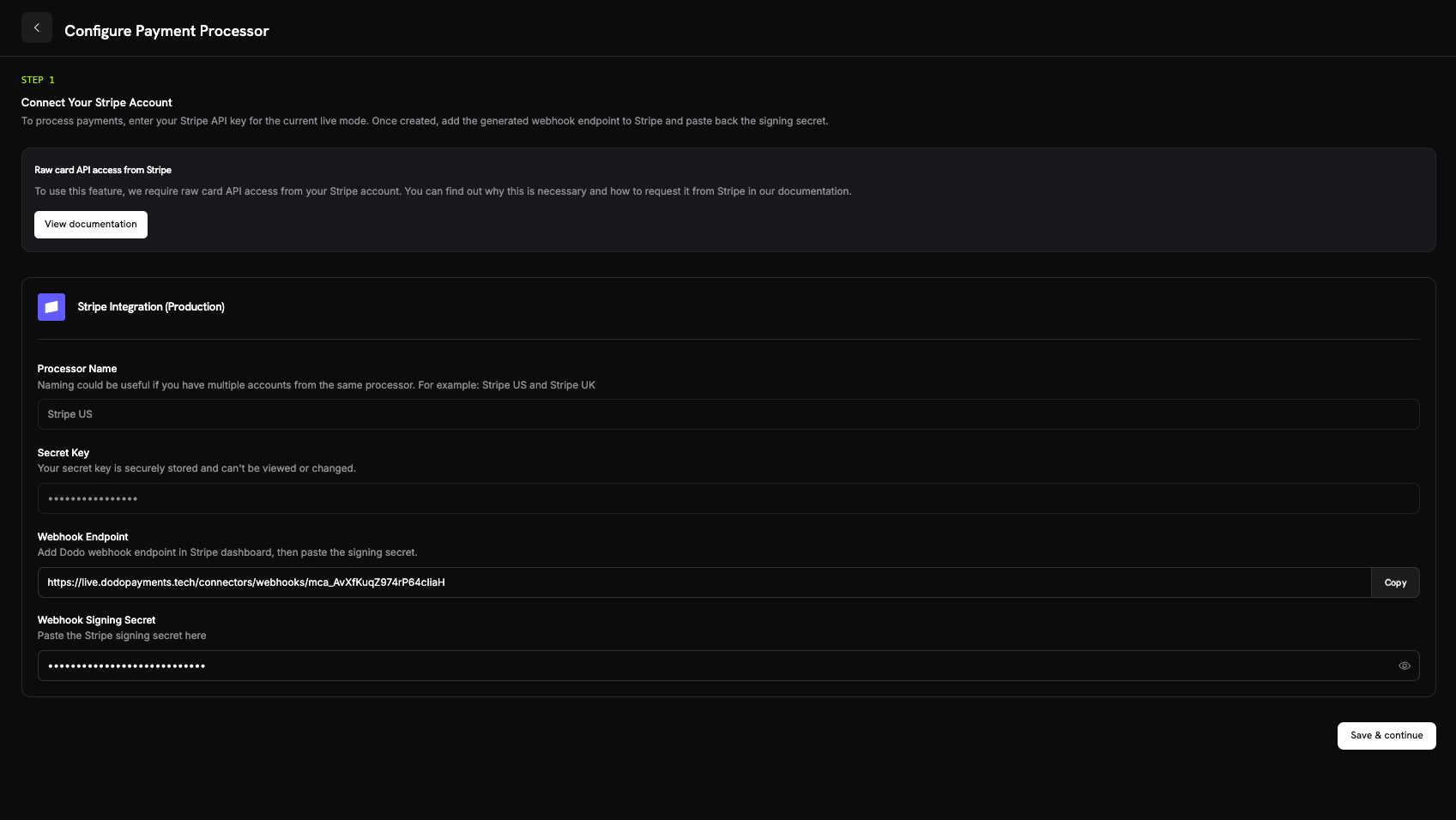
- Processor Name: この接続の名前(2~75文字)。1つの processor から複数のアカウントを接続する場合に役立ちます。たとえば Stripe US や Stripe UK です。
- Secret Key: 現在の mode における processor の API key。Stripe では、これは processor の
sk_...secret key です。 - Merchant Account(Adyen のみ): Adyen の merchant account identifier。
- Stripe: 追加した webhook endpoint の signing secret。
- Adyen: Customer Area → Webhooks の HMAC key。
接続後、secret key は安全に保存され、表示または変更できません。Adyen merchant account もセットアップ後は変更できません。processor 側では Dodo Payments が生成した webhook URL のみを設定し、基盤となる infrastructure を直接操作することはありません。
3
Configure Payment Routing
顧客の国を processor に対応付ける routing rules を追加します。各国は必ず1つの processor にルーティングされます。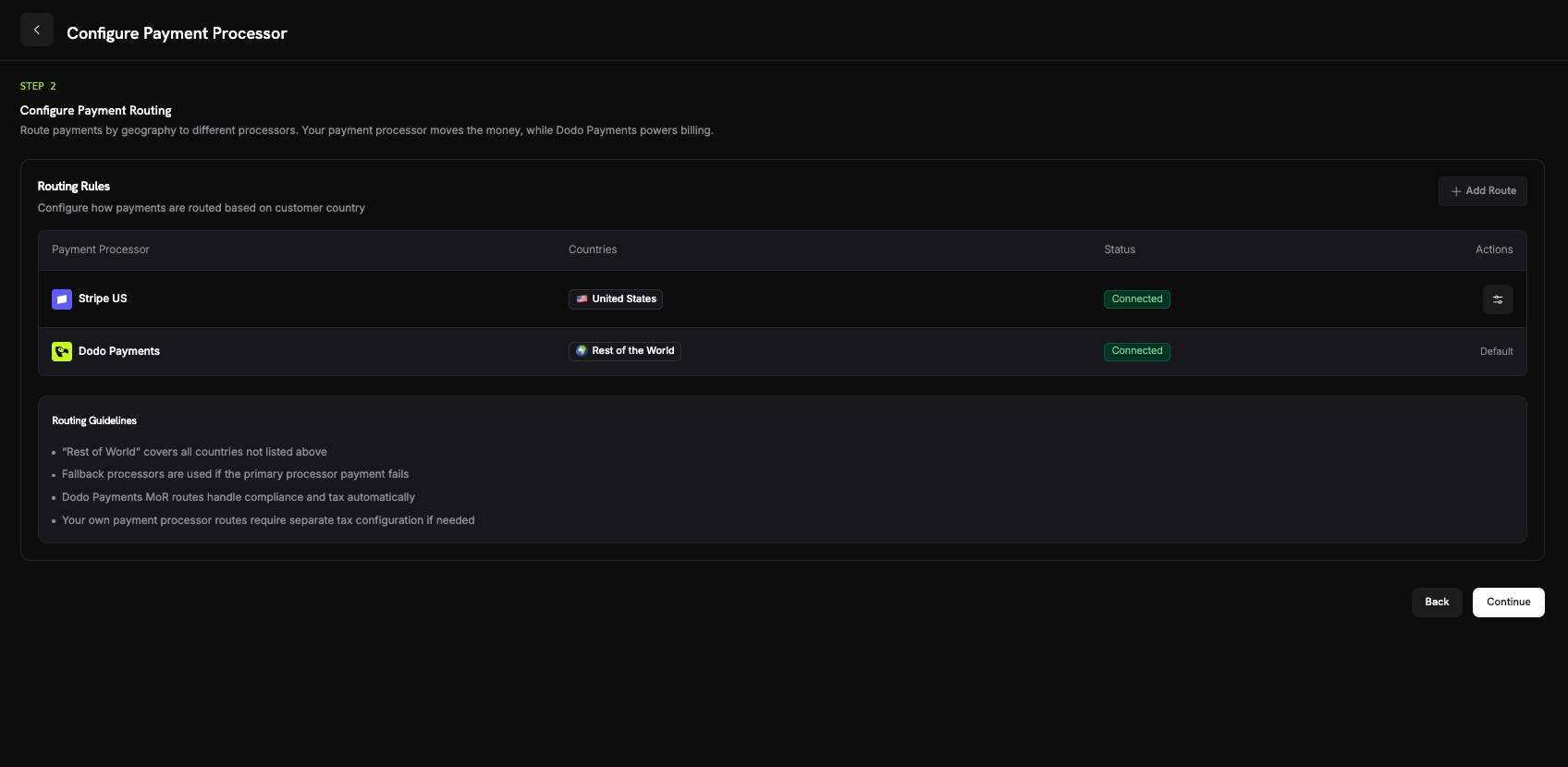
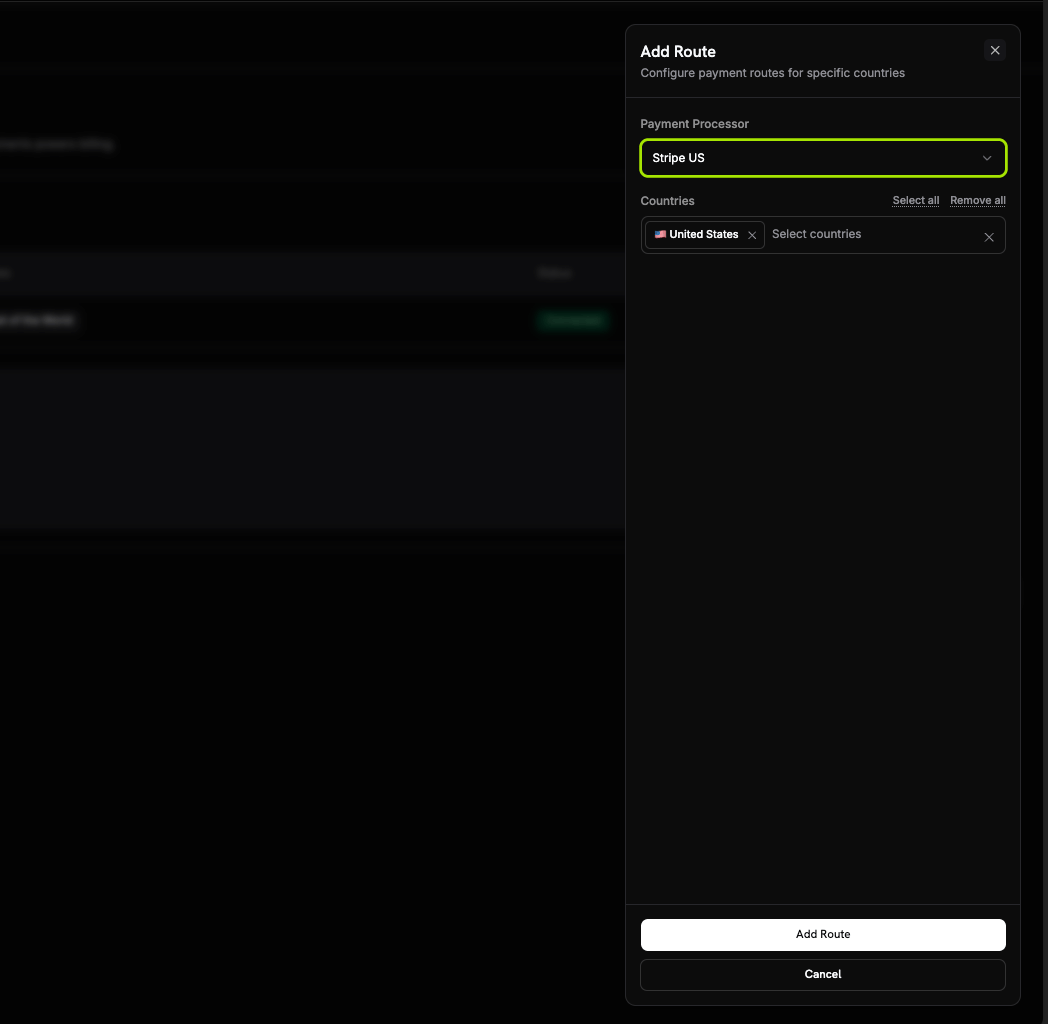
- Your processor は、割り当てた国からの決済を処理します。
- Dodo Payments は Rest of the World、つまりルーティングしていないすべての国を、Merchant of Record として処理します。
Routing Guidelines
- Rest of the World は、ルートが設定されていないすべての国を対象とします。
- Dodo Payments Merchant of Record のルートでは、compliance と tax が自動的に処理されます。
- 独自の payment processor のルートでは、必要に応じて別途 tax configuration が必要です。
4
Configure Invoice Information
独自の processor にルーティングされた決済では、請求書上の販売者は お客様 です。これらの請求書に記載する business details を入力します。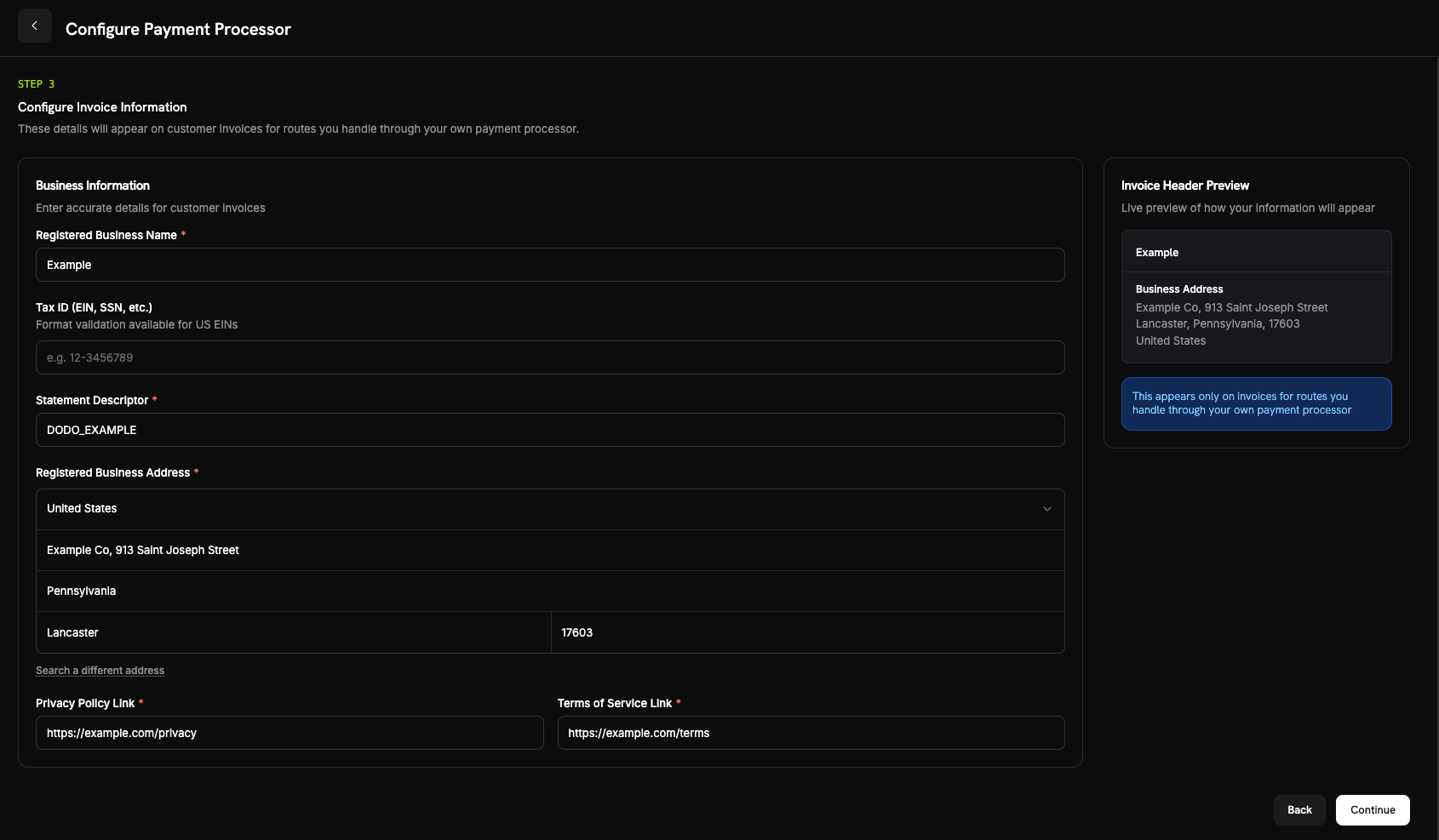
- 登録済みビジネス名(必須)。
- Tax ID(EIN、SSNなど)(任意):英字、数字、ハイフンを3~32文字。米国の EIN では形式検証を利用できます。
- Statement Descriptor(必須):5~22文字の英字、数字、スペース、
_、または-を使用してください。お客様の Processor での支払いでは、この値ではなくブランドの Statement Descriptor が Processor に送信されます。 - 登録済みビジネス住所(必須):入力を開始して住所を検索するか、手動で入力してください。
- プライバシーポリシーのリンクおよび利用規約のリンク(必須)。
5
Review and Finish
processor の接続、routing rules、invoice details を確認します。I confirm that the routing and billing details are correct を選択し、次に Finish setup を選択します。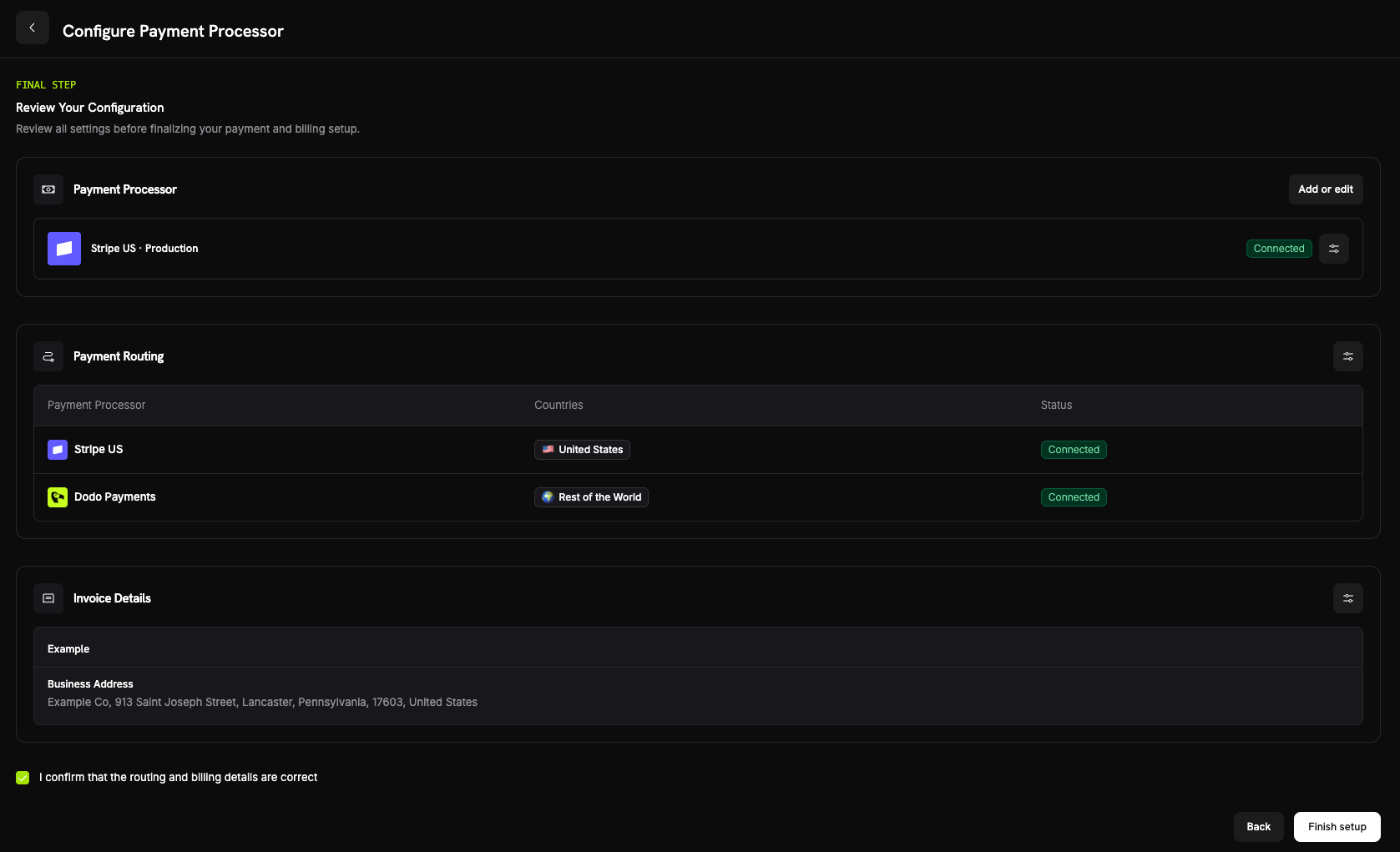
Routing の仕組み
Dodo Payments は、決済作成時に顧客の billing country からルートを選択します。同じルールが one-time payments、checkout sessions、新しいサブスクリプションに適用されます。更新では、サブスクリプション作成時に使用された processor が再利用されます(Subscriptions を参照)。 your processor が処理するルートでは、次のようになります。- 決済は、billing currency で お客様の processor アカウント上で実行されます。
- Dodo Payments は tax を計算または徴収しません。そのルートの tax はお客様の責任です。
- 請求書には、設定した business details and statement descriptor が表示され、Dodo Payments の Merchant of Record details は表示されません。
- processor はお客様に directly 支払います。決済金額が Dodo Payments の残高に入ることはなく、そこには BYOP billing fee のみが記録されます。
サブスクリプション
サブスクリプションは、作成時に使用された processor に留まります。更新時、Dodo Payments は顧客がサブスクリプション登録時に保存した payment mandate を使用して同じ processor に請求し、routing rules を再評価しません。サブスクリプションの payment method updates も同じ processor を経由します。Dodo Payments がサブスクリプションの tax を計算するかどうかも、サブスクリプション作成時に固定されます。決済を処理した Processor の確認
BYOP を設定すると、Payments および Disputes テーブルの各行に processor icon(Stripe、Adyen、または Dodo Payments)が表示されます。決済と dispute の詳細ページには Payment Processor field が追加され、どのルートで取引が処理されたかを確認できます。Refunds、Disputes、Payouts
- Refunds
- Disputes
- Payouts
通常どおり Dodo ダッシュボードから refunds を開始します。独自の processor にルーティングされた決済では、Dodo Payments がその processor に refund を送信し、processor が資金を返します。refund が Dodo Payments の残高から引き出されることはありません。Dodo にルーティングされた決済では、Dodo Payments が refund を処理します。
Analytics
売上、税金、サブスクリプション分析には両方の経路が含まれるため、すべての請求を1か所で確認できます。Disputes と Payouts のウィジェットには、Dodo-processed のアクティビティのみが表示されます。お客様独自の Processor でのアクティビティは、その Processor のダッシュボードにも表示されます。Billing Fee
Dodo Payments は、独自の processor にルーティングされた各決済に BYOP billing fee を請求します。これは、それらの決済についても Dodo Payments が商品、サブスクリプション、invoicing、analytics を引き続き管理するためです。デフォルトの rate は決済の USD-equivalent amount の 0.5% で、正確な rate はアカウントで BYOP を有効にするときに確定します。この fee は残高 ledger のbyop_fee entry として表示されます。rate について相談するには、contact the team を利用してください。
Frequently Asked Questions
Which processors can I connect?
Which processors can I connect?
Can I route only some countries to my processor?
Can I route only some countries to my processor?
はい。特定の国を processor に割り当て、残りを Rest of the World として残します。Dodo Payments はその地域を Merchant of Record として処理します。各国は必ず1つの processor にルーティングされます。
Who is the Merchant of Record on BYOP routes?
Who is the Merchant of Record on BYOP routes?
はい。独自の processor が処理するルートでは、お客様が引き続き法的な販売者となり、それらの取引に関する tax、chargebacks、PCI compliance、payouts に責任を負います。
Does Dodo calculate tax on my processor's routes?
Does Dodo calculate tax on my processor's routes?
いいえ。独自の processor が処理するルートでは、Dodo Payments は tax を計算または徴収しません。これらの取引の tax はお客様が管理します。Dodo Payments に Merchant of Record としてルーティングされた決済については、Dodo Payments が引き続き tax を処理します。
What happens to active subscriptions if I disable a processor?
What happens to active subscriptions if I disable a processor?
その Processor が無効になっている間は、その Processor での更新に失敗します。各サブスクリプションは、作成時に使用された Processor 上で更新されるためです。これらの更新は、ダッシュボードでは支払い失敗として表示されます。
Dodo Payments は、それらのサブスクリプションに対する支払い回収メールも一時停止します。Processor を再度有効にすると更新が再開され、一時停止されていた回収試行も再開されます。
Get Started
What is Merchant of Record?
Dodo Payments のフルサービス Merchant of Record model の仕組みを理解します。