

Route by Geography
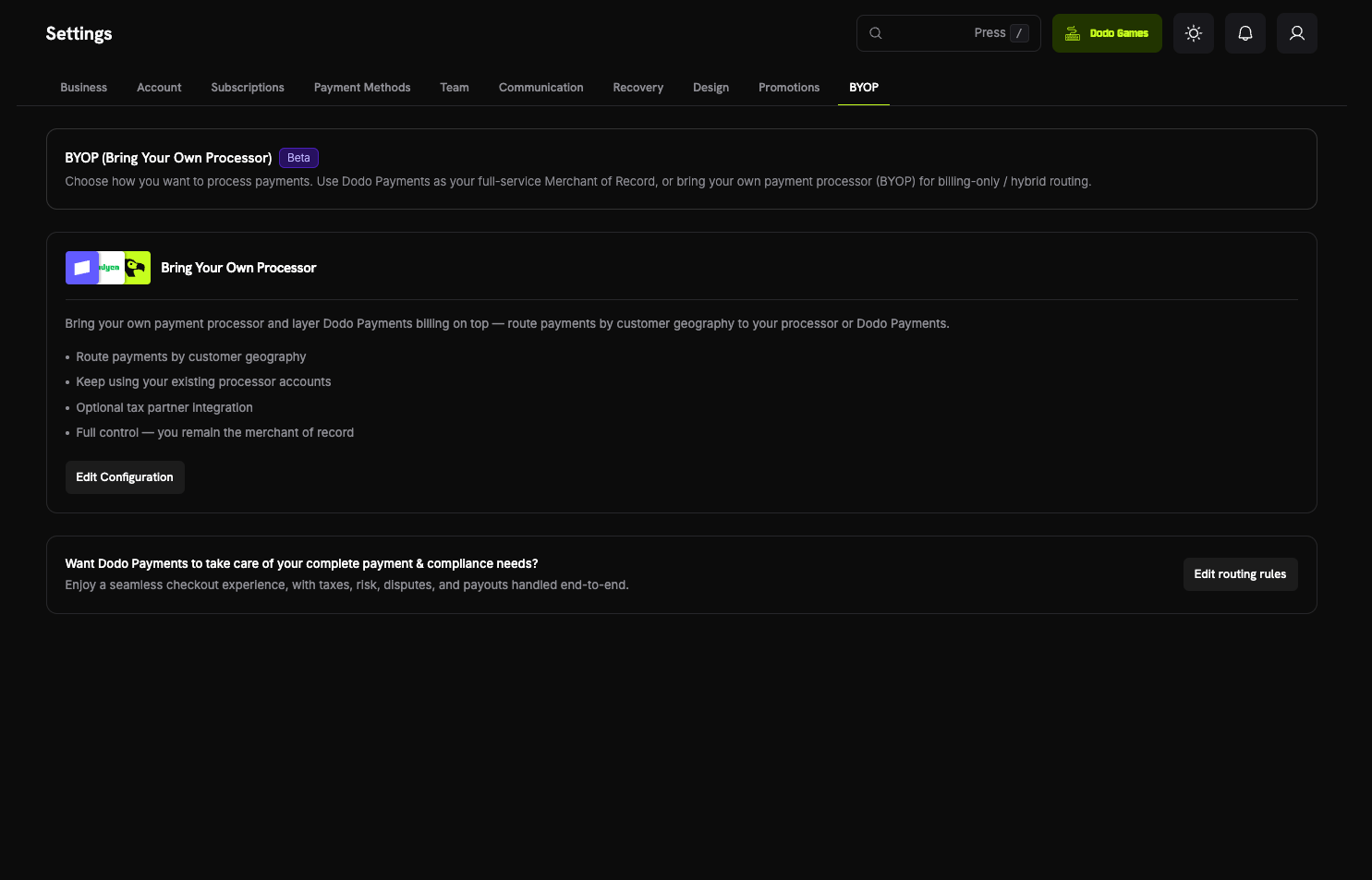
Send payments from specific countries to your own processor, and everything else to Dodo Payments.
Keep Your Processor Accounts
Continue using your existing Stripe or Adyen accounts and relationships.
Stay the Merchant of Record
On your own routes, you remain the legal seller and control tax, disputes, and payouts.
One Billing Layer
Dodo Payments runs products, subscriptions, invoices, and analytics across both routes.
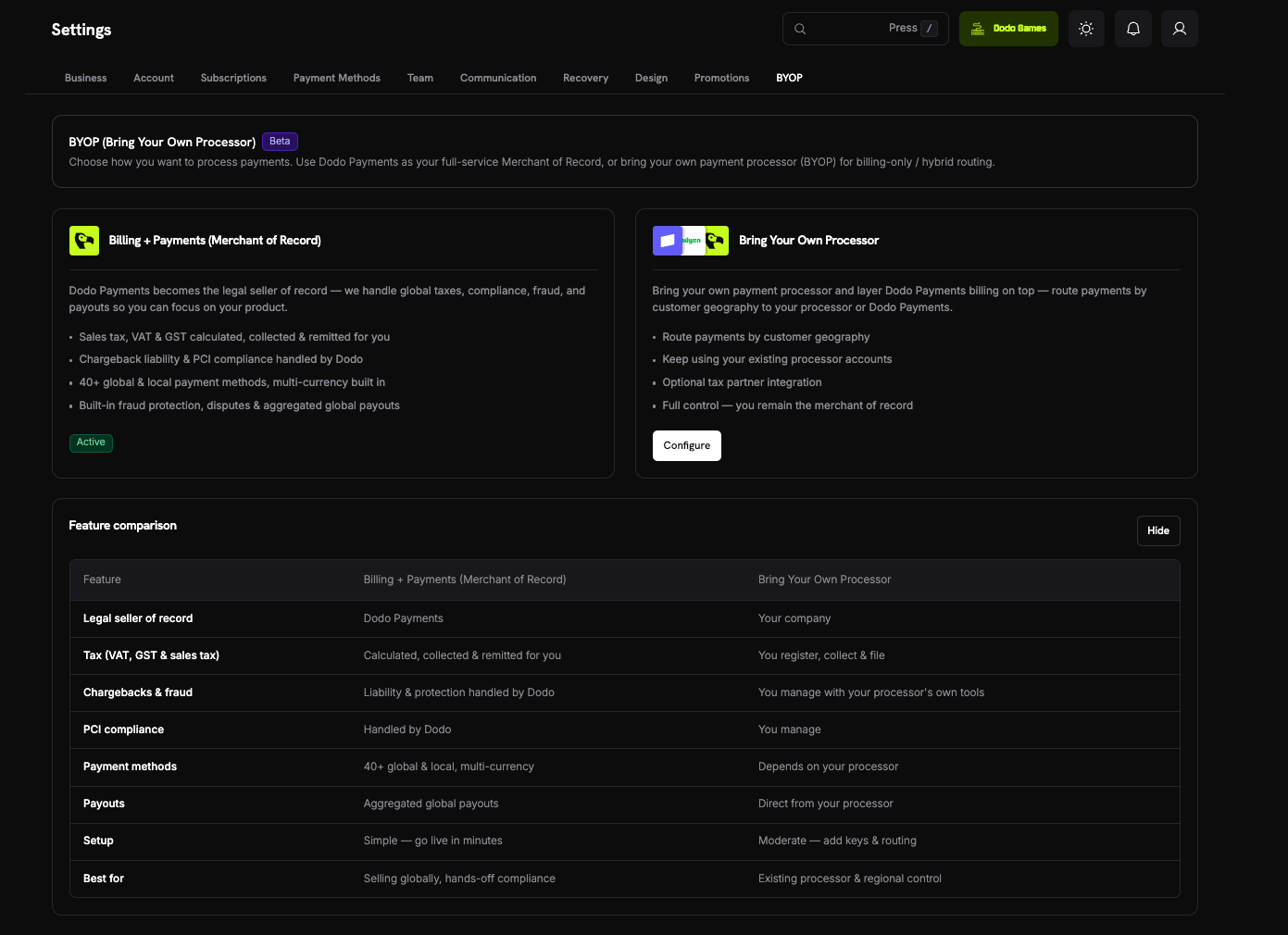
BYOP vs. Dodo as Merchant of Record
The two models run side by side. Each payment follows the route set for the customer’s country. To see this comparison in the dashboard, select Show Comparison under Settings → BYOP.Supported Processors
You can connect Stripe and Adyen.Stripe

Adyen
Set Up BYOP
To start the setup wizard, open Settings → BYOP in the dashboard and select Configure on the Bring Your Own Processor card.Connections are configured per environment. A processor you connect in test mode (shown as Sandbox) is separate from one you connect in live mode (shown as Production). To test before you go live, set up both. The setup wizard uses the mode set by the Live Mode switch in the sidebar.
1
Choose a Payment Processor
In Select Payment Processor, select Stripe or Adyen, then select Continue.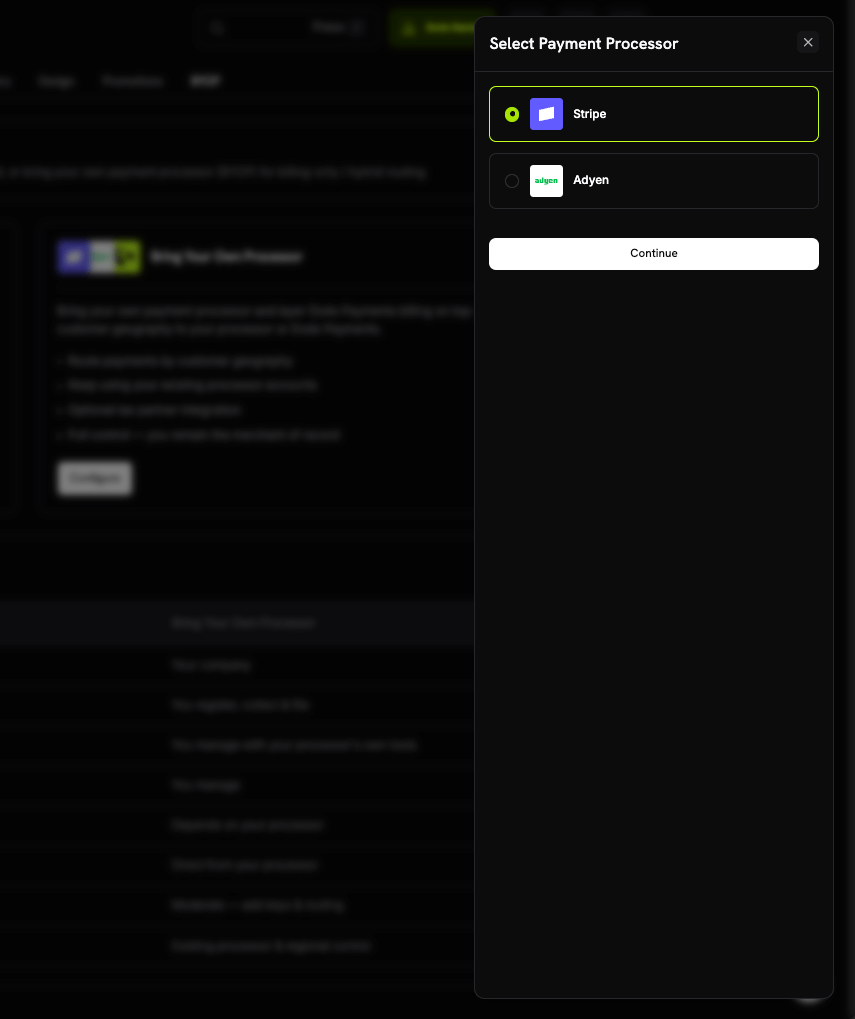
2
Connect Your Account
Enter the connection details, then select Connect processor: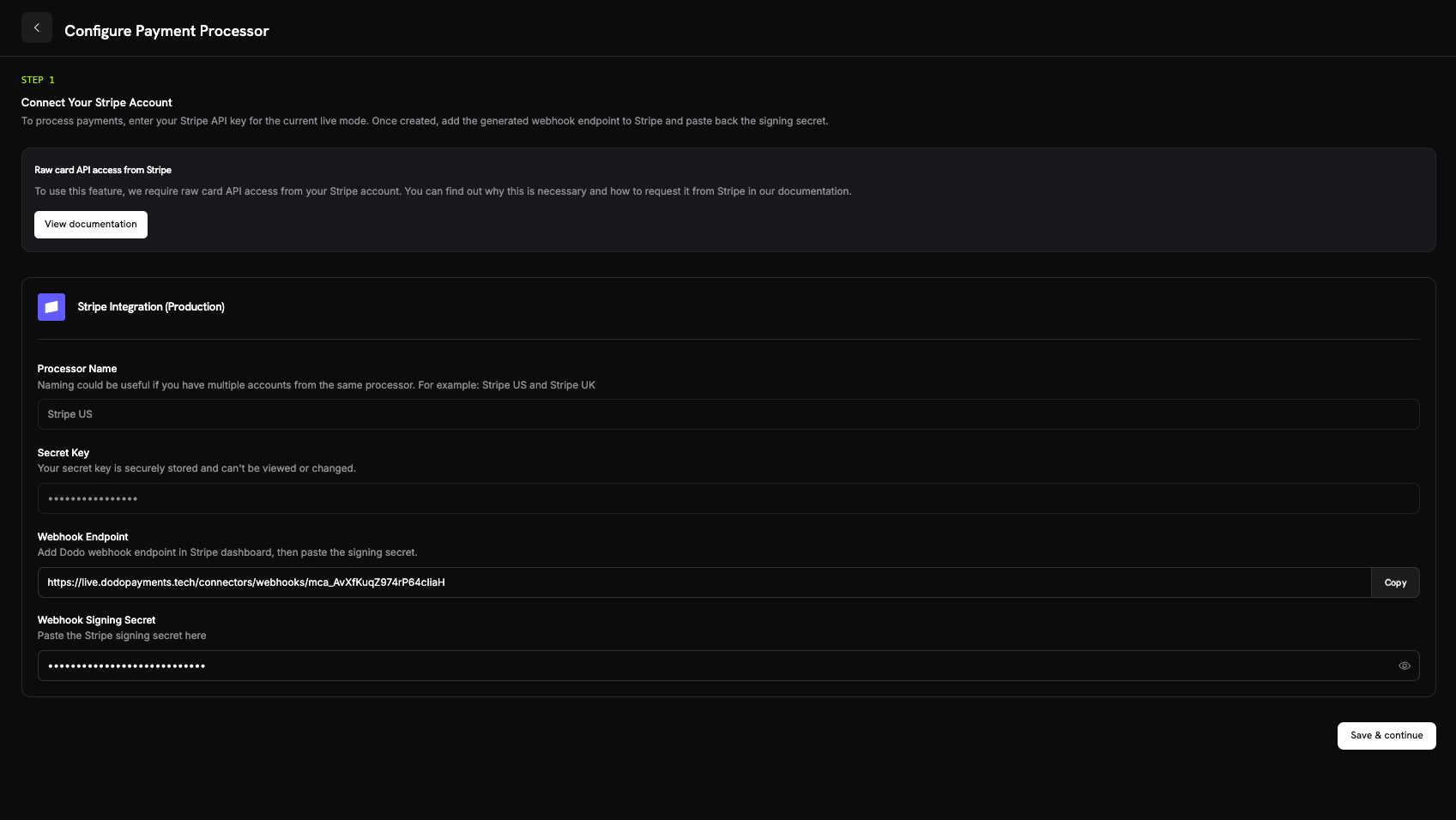
- Processor Name: a name for this connection, 2–75 characters. A name helps when you connect several accounts from one processor, for example Stripe US and Stripe UK.
- Secret Key: your processor’s API key for the current mode. For Stripe, this is your
sk_...secret key. - Merchant Account (Adyen only): your Adyen merchant account identifier.
- Stripe: the signing secret of the webhook endpoint you added.
- Adyen: the HMAC key from Customer Area → Webhooks.
After you connect, your secret key is stored securely and can’t be viewed or changed. The Adyen merchant account can’t be changed after setup either. In your processor, you configure only the webhook URL that Dodo Payments generates; you never work with the underlying infrastructure directly.
3
Configure Payment Routing
Add routing rules that map customer countries to a processor. Each country routes to exactly one processor: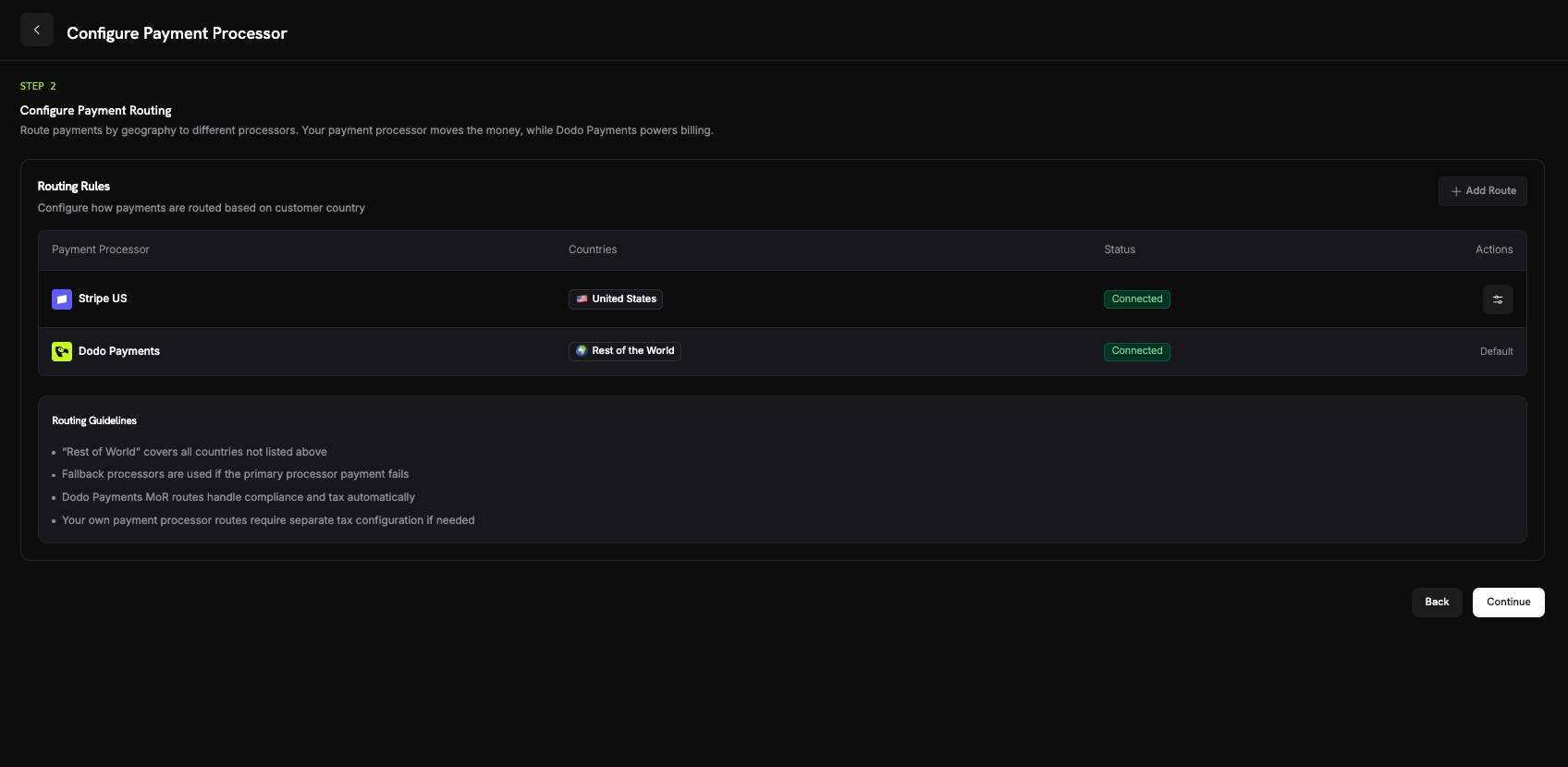
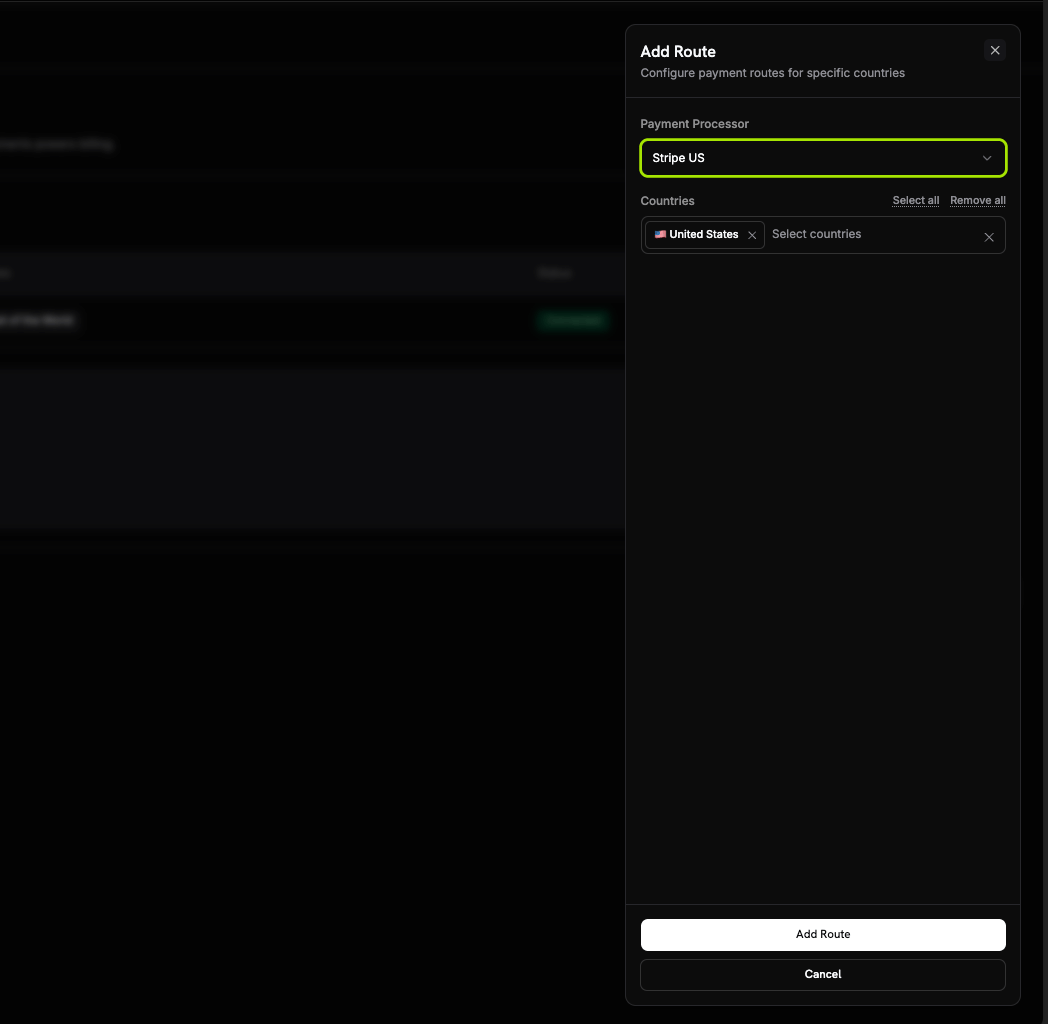
- Your processor handles payments from the countries you assign to it.
- Dodo Payments handles Rest of the World, every country you don’t route, as Merchant of Record.
Routing Guidelines
- Rest of the World covers every country without a route.
- Dodo Payments Merchant of Record routes handle compliance and tax automatically.
- Routes on your own payment processor require separate tax configuration if needed.
4
Configure Invoice Information
On payments routed through your own processor, you are the seller on the invoice. Enter the business details for those invoices: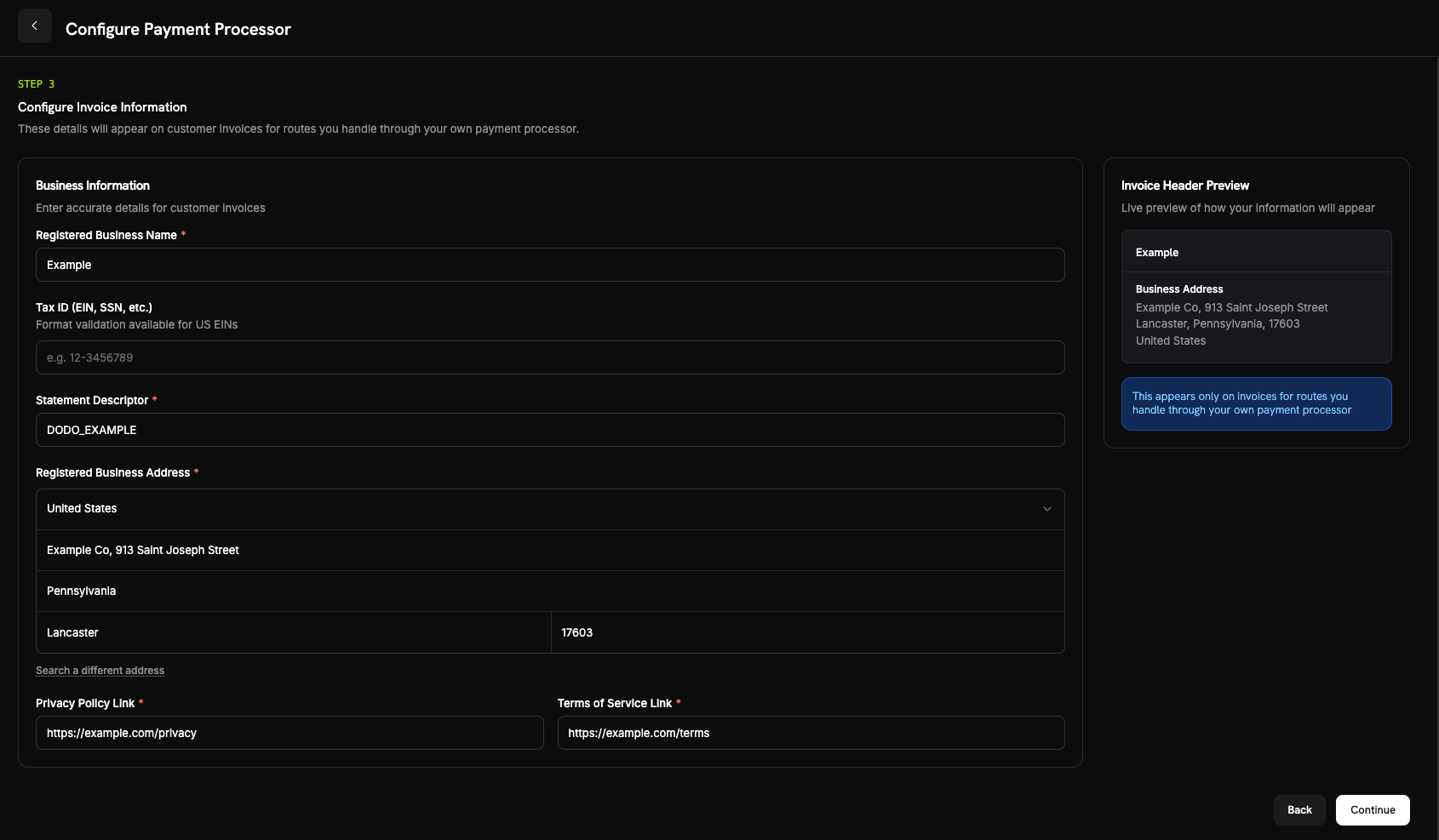
- Registrerat företagsnamn (obligatoriskt).
- Skatteregistreringsnummer (EIN, SSN osv.) (valfritt): 3–32 bokstäver, siffror eller bindestreck. Formatvalidering är tillgänglig för amerikanska EIN.
- Kontoutdragsreferens (obligatoriskt): använd 5–22 bokstäver, siffror, mellanslag,
_eller-. Betalningar via din betalningsprocessor skickar din varumärkes kontoutdragsreferens till betalningsprocessorn, inte detta värde. - Registrerad företagsadress (obligatoriskt): börja skriva för att söka efter din adress eller ange den manuellt.
- Länk till integritetspolicy och Länk till användarvillkor (obligatoriskt).
5
Review and Finish
Review your processor connection, routing rules, and invoice details. Select I confirm that the routing and billing details are correct, then select Finish setup.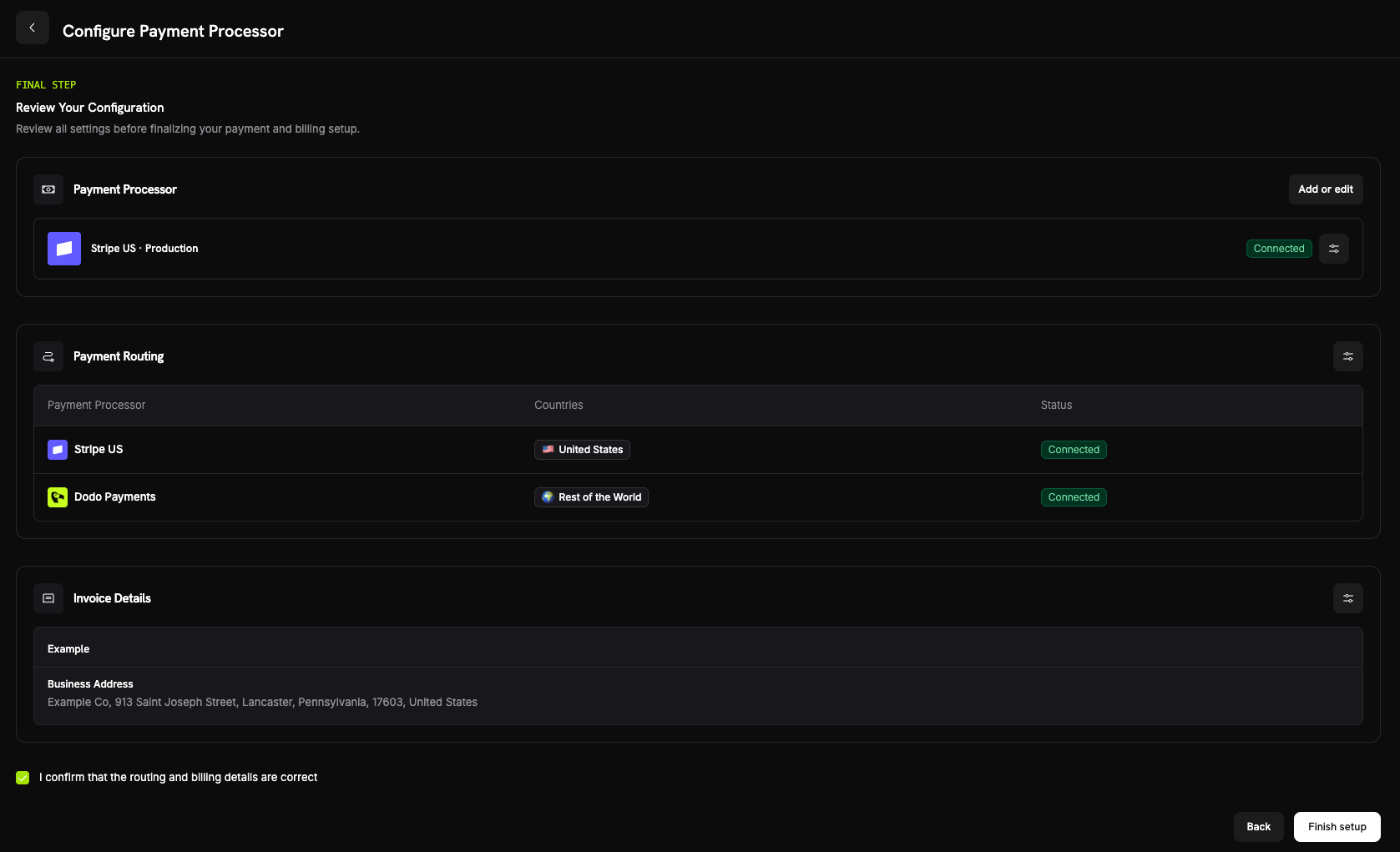
How Routing Works
Dodo Payments picks the route from the customer’s billing country when the payment is created. The same rule applies to one-time payments, checkout sessions, and new subscriptions. Renewals reuse the processor the subscription was created on (see Subscriptions). On a route that your processor handles:- The payment runs on your processor account, in the billing currency.
- Dodo Payments doesn’t calculate or collect tax. You’re responsible for tax on that route.
- Invoices show the business details and statement descriptor you configured, without Dodo Payments’ Merchant of Record details.
- Your processor pays you directly. The payment amount never enters your Dodo Payments balance; only the BYOP billing fee is recorded there.
Subscriptions
A subscription stays on the processor it was created on. At renewal, Dodo Payments charges that same processor with the payment mandate stored when the customer subscribed, and doesn’t re-evaluate routing rules. Payment method updates for the subscription go through the same processor. Whether Dodo Payments calculates tax on a subscription is also fixed when the subscription is created.Seeing Which Processor Handled a Payment
After you configure BYOP, the Payments and Disputes tables show a processor icon (Stripe, Adyen, or Dodo Payments) on each row. Payment and dispute detail pages add a Payment Processor field, so you can tell which route handled a transaction.Refunds, Disputes & Payouts
- Refunds
- Disputes
- Payouts
Start refunds from the Dodo dashboard as usual. For a payment routed through your own processor, Dodo Payments sends the refund to that processor, which returns the funds; the refund doesn’t draw on your Dodo Payments balance. For a Dodo-routed payment, Dodo Payments processes the refund.
Analytics
Intäkts-, skatte- och prenumerationsanalyser omfattar båda rutterna, så att du ser all din fakturering på ett och samma ställe. Widgetarna för tvister och utbetalningar visar endast aktivitet som har behandlats av Dodo. Aktivitet på din egen betalningsprocessor visas också i den processorns dashboard.Billing Fee
Dodo Payments charges a BYOP billing fee on each payment routed through your own processor, because Dodo Payments still runs your products, subscriptions, invoicing, and analytics on those payments. The default rate is 0.5% of the payment’s USD-equivalent amount, and the exact rate is confirmed when BYOP is enabled for your account. The fee appears as abyop_fee entry in your balance ledger. To discuss your rate, contact the team.
Frequently Asked Questions
Which processors can I connect?
Which processors can I connect?
Can I route only some countries to my processor?
Can I route only some countries to my processor?
Yes. Assign specific countries to your processor and leave the rest as Rest of the World, which Dodo Payments handles as Merchant of Record. Each country routes to exactly one processor.
Who is the Merchant of Record on BYOP routes?
Who is the Merchant of Record on BYOP routes?
You are. On routes that your own processor handles, you remain the legal seller and are responsible for tax, chargebacks, PCI compliance, and payouts on those transactions.
Does Dodo calculate tax on my processor's routes?
Does Dodo calculate tax on my processor's routes?
No. Dodo Payments doesn’t calculate or collect tax on routes that your own processor handles; you manage tax for those transactions. Dodo Payments continues to handle tax on payments routed to Dodo Payments as Merchant of Record.
What happens to active subscriptions if I disable a processor?
What happens to active subscriptions if I disable a processor?
Förnyelser hos den betalningsprocessorn misslyckas medan den är inaktiverad, eftersom varje prenumeration förnyas hos den betalningsprocessor där den skapades. Dessa förnyelser visas som misslyckade betalningar i dashboarden.
Dodo Payments pausar också e-postmeddelanden om betalningsåterställning för dessa prenumerationer. Aktivera betalningsprocessorn igen för att återuppta förnyelserna; pausade återställningsförsök återupptas då.
Get Started
What is Merchant of Record?
Understand how the Dodo Payments full-service Merchant of Record model works.