

Einführung
Die Resend-Integration sendet über Resend eine Transaktions-E-Mail, wenn ein Ereignis in Dodo Payments auftritt. Verwende sie, um Zahlungen zu bestätigen, neue Abonnenten willkommen zu heißen und Kunden über fehlgeschlagene Zahlungen zu informieren – über deine eigene Absenderdomain.Für diese Integration benötigst du einen Resend API key mit Sending access sowie eine in Resend verifizierte Absenderdomain. Außerdem benötigst du Zugriff auf Developer → Webhooks im Dodo Payments-Dashboard.
Erste Schritte
1
Open the Webhook Section
Gehen Sie im Dashboard von Dodo Payments zu Developer → Webhooks und klicken Sie auf Add endpoint.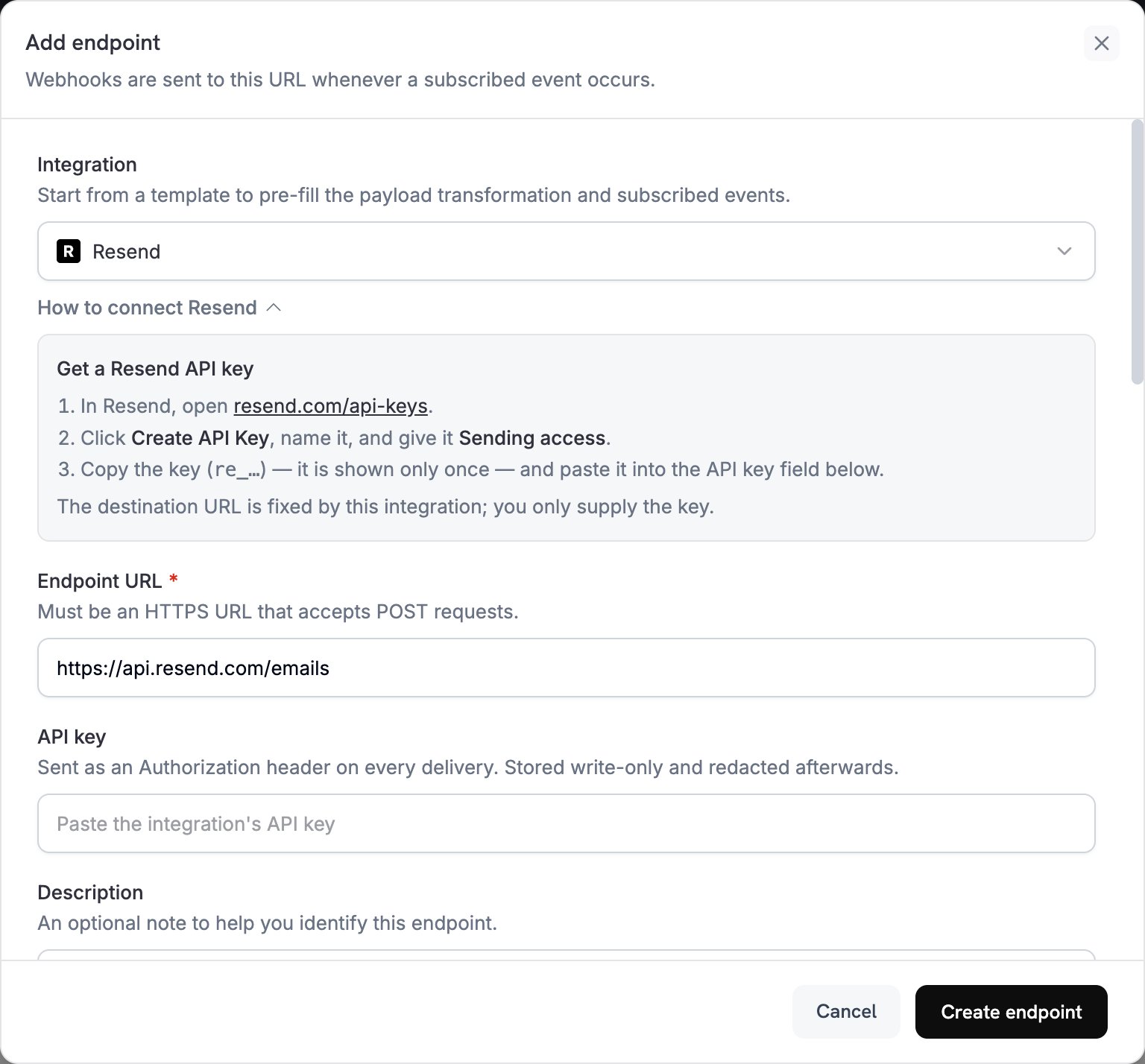
2
Select Resend
Wähle unter Integration die Option Resend aus. Das Dashboard trägt die Endpoint URL und den Transformationscode für Resend ein. Im Bereich How to connect Resend werden die Einrichtungsschritte angezeigt.
3
Enter API Key
Öffne in Resend API Keys, klicke auf Create API Key und gib dem Schlüssel Sending access. Resend zeigt den Schlüssel, der mit
re_ beginnt, nur einmal an. Füge ihn unter API key ein. Dodo Payments sendet ihn als Bearer-Token im Authorization-Header jeder Anfrage an Resend.4
Select Events
Wähle unter Subscribed events nur die Ereignisse aus, die deine Transformation verarbeitet. Ein Ereignis, das von der Transformation unverändert gelassen wird, erreicht Resend im Dodo Payments-Format, und Resend lehnt es ab.
5
Configure Transformation
Bearbeite unter Transformation code den Handler so, dass jedes abonnierte Ereignis zu einer Resend-E-Mail wird. Beginne mit den Beispielen.
6
Test & Create
Wähle unter Test this code einen Ereignistyp aus und klicke auf Simulate, um die Anfrage an Resend in der Vorschau anzuzeigen. Klicke anschließend auf Create endpoint.
7
Done
Dodo Payments sendet jetzt für jedes abonnierte Ereignis eine E-Mail über Resend. Um jede Zustellung und die Antwort von Resend anzuzeigen, öffne den Tab Logs unter Developer → Webhooks.
Beispiele für Transformationscode
Jeder Handler setztwebhook.url auf den Send-email-Endpunkt von Resend und ersetzt webhook.payload durch die E-Mail. Beträge in Dodo Payments werden in der kleinsten Währungseinheit angegeben. Daher teilen die Beispiele durch 100 und zeigen den Währungscode an. Verwende bei Währungen ohne Nachkommastellen wie JPY und KRW den Betrag unverändert.
E-Mail zur Zahlungsbestätigung
Sende eine Quittung, wenn eine Zahlung erfolgreich ist (payment.succeeded):
payment_confirmation.js
Willkommens-E-Mail für Abonnements
Heiße einen Kunden willkommen, wenn ein Abonnement aktiv wird (subscription.active):
subscription_welcome.js
Benachrichtigung über fehlgeschlagene Zahlungen
Bitte den Kunden, seine Zahlungsmethode zu aktualisieren, wenn eine Zahlung fehlschlägt (payment.failed):
payment_failure.js
Tipps
- Sende von einer Domain, die du in Resend verifiziert hast, um die Zustellbarkeit zu verbessern.
- Füge für jede E-Mail sowohl eine
html- als auch einetext-Version ein. - Personalisiere Inhalte mit Kundendaten aus der Payload, z. B.
customer.name. - Formuliere Betreffzeilen, die das Ergebnis oder die erforderliche Aktion nennen.
- Füge jeder E-Mail, die Marketinginhalte enthält, einen Abmeldelink hinzu.
- Sieh dir jede Vorlage mit Simulate in der Vorschau an, bevor du den Endpunkt erstellst.
- Um ein Ereignis im Code zu überspringen, setze
webhook.cancel = true, bevor du den Webhook zurückgibst. In den Logs wird eine übersprungene Zustellung als erfolgreich protokolliert.
Fehlerbehebung
Emails Not Being Sent
Emails Not Being Sent
- Überprüfe, ob der API key korrekt und aktiv ist und über Sending access verfügt. Um ihn zu ersetzen, bearbeite den Endpunkt und füge unter API key einen neuen Schlüssel ein.
- Überprüfe, ob die Absenderdomain in Resend verifiziert ist.
- Überprüfe, ob die E-Mail-Adressen der Empfänger gültig sind.
- Überprüfe die Versandlimits und Kontingente deines Resend-Tarifs.
- Öffne den Tab Logs unter Developer → Webhooks und lies die Antwort von Resend zur fehlgeschlagenen Zustellung.
Transformation Errors
Transformation Errors
- Überprüfe, ob die Payload dem Send-email-Format von Resend entspricht. Resend benötigt
from,toundsubject. - Überprüfe, ob jedes von deinem Code verarbeitete Ereignis alle erforderlichen Felder setzt.
- Überprüfe, ob der Wert von
htmlwohlgeformtes HTML enthält. - Überprüfe, ob die Adresse in
fromeine in Resend verifizierte Domain verwendet.