

소개
Microsoft Teams 통합은 Dodo Payments 이벤트를 Adaptive Cards로 Teams 채널에 게시하므로, 팀에서 결제, 구독 변경 및 분쟁이 발생하는 즉시 확인할 수 있습니다. Teams를 비즈니스 팀의 주요 업무 공간으로 사용하는 경우 이 통합을 사용하세요.이 가이드는 Microsoft Teams 작업 공간에서 웹후크를 생성할 수 있는 관리자 액세스 권한이 있다고 가정합니다.
시작하기
1
Open the Webhook Section
Dodo Payments 대시보드에서 Developer → Webhooks로 이동한 다음 Add endpoint를 클릭합니다.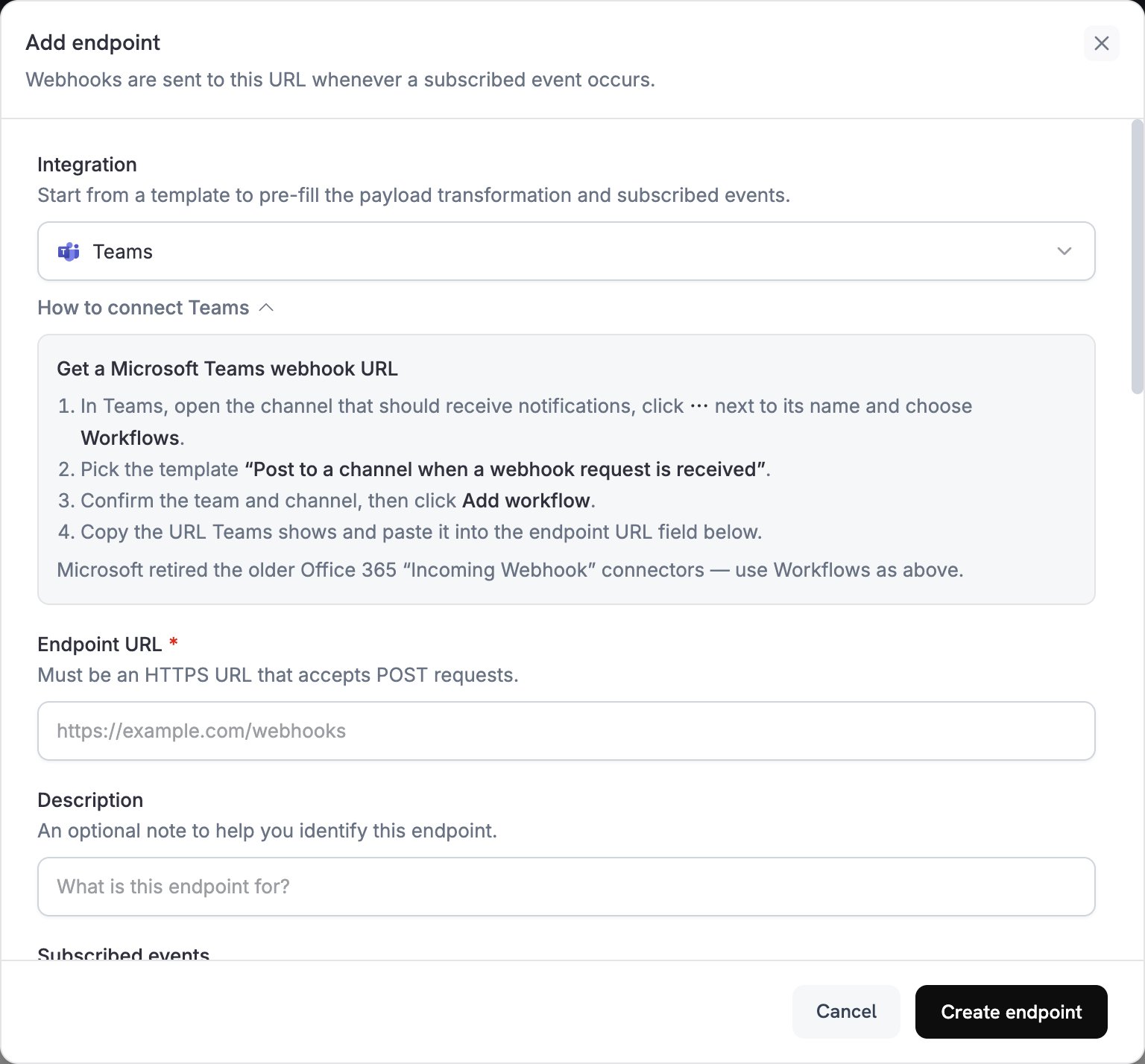
2
Select Microsoft Teams
Integration 목록에서 Teams를 선택합니다.
3
Create Teams Webhook
Microsoft는 Teams의 Office 365 Incoming Webhook 커넥터를 종료했으므로 Workflows 앱을 사용하여 webhook을 생성합니다:
- Teams에서 알림을 받을 채널을 엽니다.
- 채널 이름 옆의 **⋯**을 클릭하고 Workflows를 선택합니다.
- Post to a channel when a webhook request is received 템플릿을 선택합니다.
- 팀과 채널을 확인한 다음 Add workflow를 클릭합니다.
- Teams에 표시되는 webhook URL을 복사합니다.
4
Paste Webhook URL
Teams webhook URL을 Endpoint URL 필드에 붙여 넣습니다.
5
Customize Transformation
Transformation code 아래의 코드를 편집하여 각 이벤트를 Adaptive Card로 포맷합니다. 아래 예제에서 시작하세요.
6
Test & Create
Test this code에서 샘플 payload에 대해 변환을 실행한 다음 Create endpoint를 클릭합니다.
7
Done
이제 Teams 채널에서 Dodo Payments 이벤트를 Adaptive Cards로 수신합니다.
Transformation Code 예제
각 예제는 이벤트 payload를 Adaptive Card 첨부 파일 하나가 포함된 Teams 메시지로 대체합니다.기본 결제 카드
이 예제는 결제가 성공하면 금액, 고객 이메일 및 payment ID를 게시합니다.payment_card.js
구독 관리
이 예제는 구독이 활성화될 때 카드 하나를 게시하고, 구독이 취소될 때 또 다른 카드를 게시합니다.subscription_card.js
분쟁 알림
이 예제는 모든dispute.* 이벤트에 대해 카드를 게시합니다. 분쟁이 승소 또는 패소하면 제목과 색상이 변경됩니다.
dispute_card.js
팁
- 풍부하고 대화형인 형식을 사용하려면 Adaptive Cards를 사용하세요.
- 의미에 따라 색상을 선택하세요:
Good(녹색),Warning(노란색),Attention(빨간색). - fact 세트는 짧고 읽기 쉽게 유지하세요.
- endpoint를 실제로 사용하기 전에 Testing 탭을 열고 Send example을 클릭하여 샘플 카드를 채널에 게시하세요.
문제 해결
No Messages in Teams
No Messages in Teams
- webhook URL이 올바르고 workflow가 켜져 있는지 확인합니다.
- 변환 결과가 유효한 Adaptive Card JSON인지 확인합니다.
- workflow에 채널에 게시할 권한이 있는지 확인합니다.
Card Formatting Issues
Card Formatting Issues
- Test this code에서 변환을 실행하고 결과를 Adaptive Card schema와 비교하여 확인합니다.
- 필요한 모든 필드가 있는지 확인합니다.
- 색상 값이
Default,Good,Warning또는Attention와 같이 유효한지 확인합니다.