

소개
MailerLite 통합은 결제 이벤트가 발생할 때 유료 고객을 MailerLite에 추가합니다. 고객을 그룹에 추가하고, 결제 데이터를 구독자 필드에 저장하며, 자동화 워크플로를 시작할 수 있으므로 이메일 목록에 실제 결제 활동이 반영됩니다. MailerLite는 뉴스레터, 캠페인 및 자동화를 위한 이메일 마케팅 플랫폼입니다. 이 통합을 사용하면 온보딩 시퀀스, 고객 세분화 및 타겟 캠페인을 위해 결제 활동을 기준으로 구독자를 관리할 수 있습니다.이 통합은 MailerLite API key로 인증합니다. API key를 만들려면 MailerLite Integrations 페이지를 열고 Generate new token을 클릭합니다.
시작하기
1
Open the Webhook Section
Dodo Payments 대시보드에서 Developer → Webhooks로 이동한 다음 Add endpoint를 클릭합니다.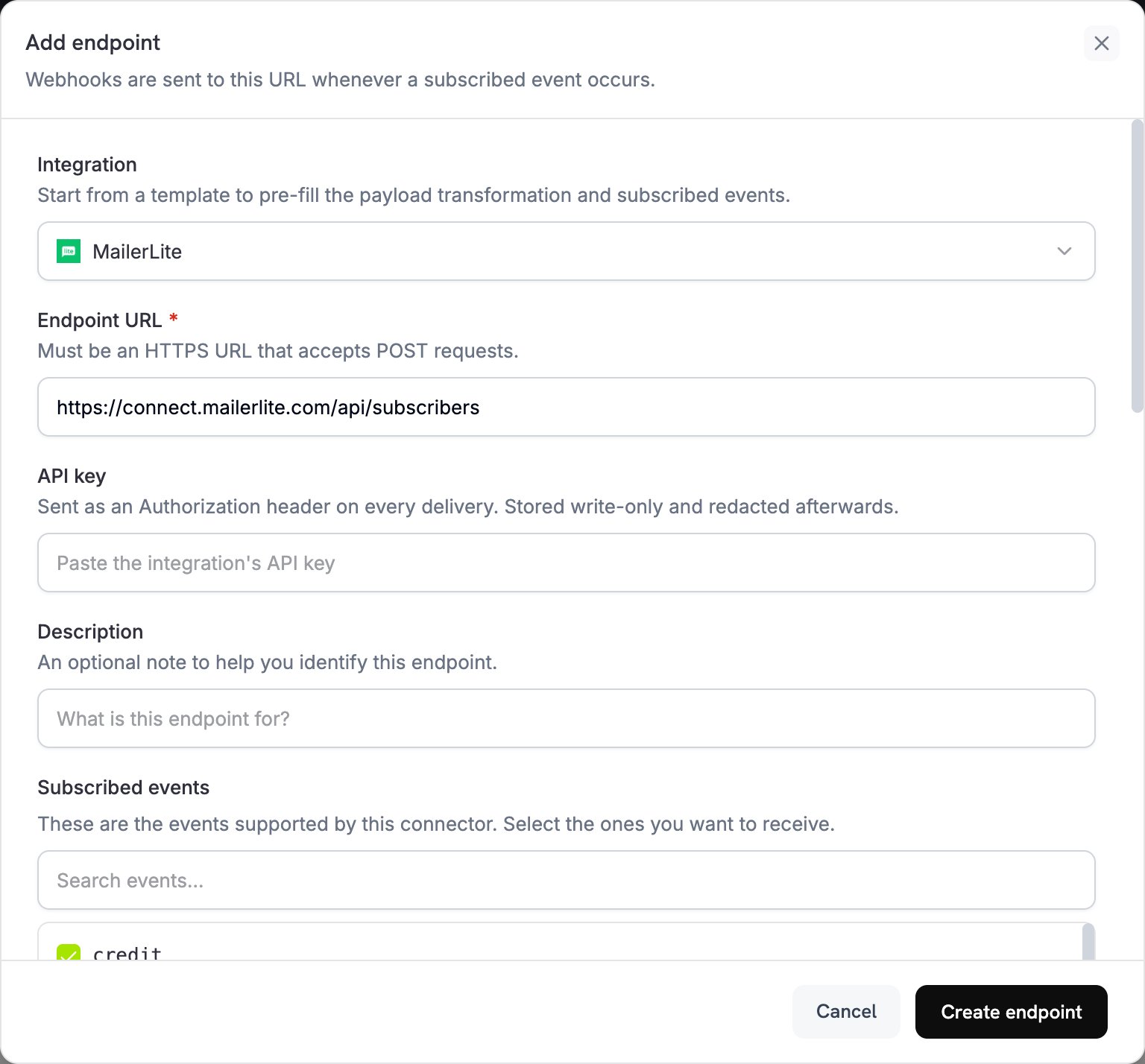
2
Select MailerLite
Integration 목록에서 MailerLite를 선택합니다.
3
Enter API Key
MailerLite API key를 API key 필드에 붙여넣습니다. Dodo Payments는 모든 전송에서 이를
Authorization header로 전송합니다.4
Configure Transformation
각 이벤트가 MailerLite 구독자 요청이 되도록 Transformation code 아래의 코드를 수정합니다. 아래 예제에서 시작하세요.
5
Test & Create
Test this code에서 샘플 payload에 대해 변환을 실행한 다음 Create endpoint를 클릭합니다.
6
Done
이제 결제 이벤트가 MailerLite 그룹의 구독자를 추가하고 업데이트합니다.
변환 코드 예제
대부분의 예제는 MailerLite subscribers API에POST 요청을 전송합니다. MailerLite는 구독자를 생성하거나 동일한 이메일 주소를 가진 기존 구독자를 업데이트합니다. 이 upsert는 지정하지 않은 필드나 그룹을 제거하지 않습니다.
결제 성공 시 고객 추가
이 예제는 결제가 성공하면 고객을 하나의 그룹에 추가합니다.your-group-id-here를 MailerLite 그룹 ID로 바꾸세요.
add_customer.js
제품에 따라 구독자를 여러 그룹에 추가
이 예제는 모든 유료 고객을 customers 그룹에 추가하고, $100 이상을 결제한 고객은 premium 그룹에도 추가합니다.product_segmentation.js
구독 활성화 시 새 구독자 추가
이 예제는 구독이 활성화되면 고객을 두 개의 구독자 그룹에 추가하고 플랜 세부 정보를 저장합니다.subscription_subscriber.js
구독 취소 시 구독자 업데이트
이 예제는 구독이 취소될 때 기존 subscriber를 업데이트합니다. MailerLite의PUT 업데이트 endpoint는 MailerLite subscriber ID를 필요로 하지만 Dodo Payments payload에는 이 ID가 포함되어 있지 않으므로, 이메일 주소를 기준으로 POST upsert를 전송합니다. upsert는 subscriber를 이탈 그룹에 추가하고 기존의 다른 그룹은 유지합니다.
subscription_cancelled.js
Custom Fields로 Customer 추가
이 예제는 subscriber 필드에 위치, 연락처 및 결제 세부 정보를 저장합니다. Custom Fields Setup에 설명된 대로 먼저 MailerLite에서 custom fields를 생성합니다.custom_fields.js
Event를 통한 Automation 트리거
이 예제는 모든 결제 성공 시 트리거 필드를 업데이트합니다.last_payment_trigger가 변경될 때 시작되는 automation을 MailerLite에서 구축합니다.
trigger_automation.js
팁
- transformation에서 사용하기 전에 MailerLite에서 custom fields를 생성합니다.
- product, plan tier 또는 구매 행동별로 customer를 분류하려면 groups를 사용합니다.
- field가 업데이트될 때 시작되는 automation workflow를 MailerLite에서 설정합니다.
- 중복 subscriber 오류를 방지하려면
/subscribers에POST요청을 전송하여 upsert합니다. - customer에 대해 더 자세히 파악하려면 결제 metadata를 custom fields에 저장합니다.
- 모든 결제에 integration을 활성화하기 전에 소규모 group으로 테스트합니다.
Custom Fields 설정
transformation이 해당 필드에 값을 기록하기 전에 MailerLite에서 각 custom field를 생성합니다:- MailerLite 대시보드를 엽니다.
- Subscribers → Fields로 이동합니다.
- Create field를 클릭하고 다음과 같은 field를 추가합니다:
total_spent(Number)customer_since(Date)subscription_plan(Text)payment_method(Text)last_payment_amount(Number)
문제 해결
Subscribers Not Being Added
Subscribers Not Being Added
- API key가 올바르고 활성 상태인지 확인합니다.
- 이메일 주소가 RFC 2821에 따라 유효한지 확인합니다.
- 각 group ID가 올바르고 계정에 존재하는지 확인합니다.
- MailerLite는 API를 통해 반송되었거나 스팸 처리된 subscriber를 다시 활성화하지 않습니다. 이전에 구독을 취소한 subscriber를 다시 구독시키려면
POST본문에resubscribe: true를 추가합니다.
Custom Fields Not Updating
Custom Fields Not Updating
- 각 custom field가 MailerLite에 존재하는지 확인합니다.
- field 이름이 정확히 일치하는지 확인합니다. 대소문자를 구분합니다.
- 각 값이 field type(텍스트, 숫자 또는 날짜)과 일치하는지 확인합니다.
Rate Limit Errors
Rate Limit Errors
- MailerLite API는 분당 120개의 요청을 허용합니다.
- 많은 subscriber를 처리할 때는 batch endpoint를 사용합니다.
- 대량 트래픽 상황을 위해 backoff 전략을 추가합니다.
Group Assignment Not Working
Group Assignment Not Working
- group ID가 숫자 문자열인지 확인합니다.
- 해당 groups가 MailerLite 계정에 존재하는지 확인합니다.
groups를 포함한PUT요청은 목록에 포함되지 않은 모든 group에서 subscriber를 제거합니다.POST요청은 groups를 추가만 합니다.
API Reference
MailerLite의 create 또는 upsert subscriber endpoint는 다음 주요 parameter를 허용합니다:
전체 API 문서는 MailerLite Developers를 참조하세요.