

소개
결제 이벤트가 발생하면 Inngest functions 및 background jobs를 실행합니다. Dodo Payments는 각 이벤트를 Inngest로 전송하며, 여기서 functions를 사용해 알림을 보내고, 데이터베이스를 업데이트하고, Inngest의 retries 및 error handling을 활용해 여러 단계의 workflows를 실행할 수 있습니다.Inngest webhook URL이 필요합니다. Inngest dashboard의 Manage → Webhooks에서 생성합니다.
시작하기
1
Open the Webhook Section
Dodo Payments 대시보드에서 개발자 → 웹훅으로 이동한 다음 엔드포인트 추가를 클릭합니다.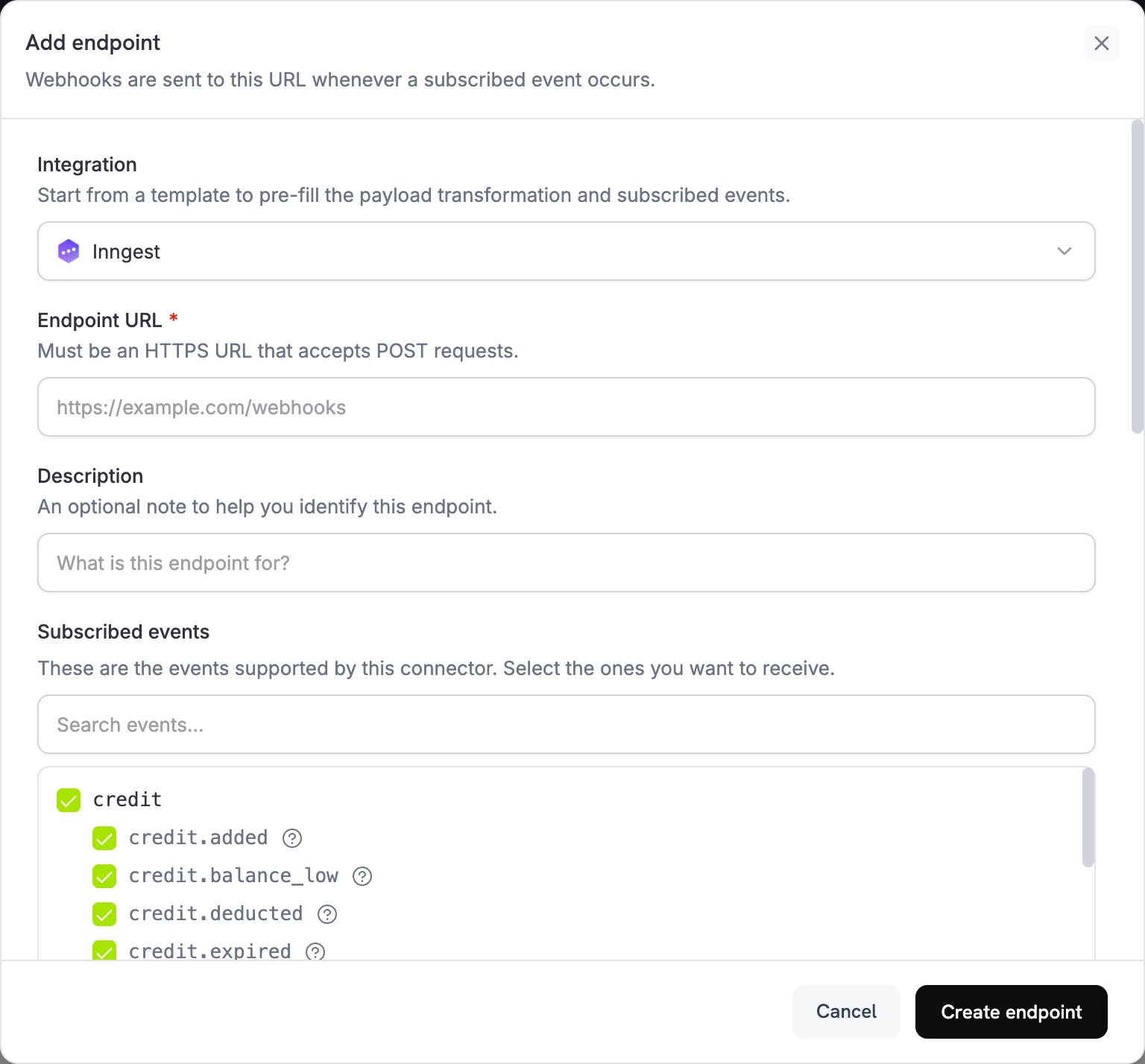
2
Select Inngest
Integration에서 Inngest를 선택합니다. Subscribed events에서 functions를 트리거할 이벤트를 선택합니다.
3
Create an Inngest Webhook
Inngest dashboard에서 Manage 탭을 열고 Webhooks를 선택합니다. webhook을 생성하고 URL을 복사합니다. Inngest는 각 요청에서 webhook의 transform function을 실행하므로, functions에 필요한
name 및 data 필드가 유지되는지 확인합니다.4
Paste Webhook URL
Inngest webhook URL을 Endpoint URL에 붙여넣습니다.
5
Configure Transformation
Transformation code에서 코드를 편집하여 Inngest functions에 맞는 형식으로 이벤트를 지정합니다. 자세한 내용은 아래 예시를 참조하세요.
6
Test & Create
Test this code에서 이벤트 유형을 선택하고 Simulate를 클릭하여 샘플 payload에 transformation을 실행합니다. 그런 다음 Create endpoint를 클릭하여 integration을 활성화합니다.
7
Done
이제 Dodo Payments 이벤트가 Inngest functions를 트리거합니다.
변환 코드 예제
각 예시는webhook.payload를 Inngest event로 다시 작성합니다. name는 function이 트리거되는 event이고, data에는 event details가 저장되며, user에는 customer가 저장됩니다. ts는 밀리초 단위의 event time이며 Inngest의 event format에 필요합니다.
Basic Event Payload
basic_event.js
Subscription Event Handler
subscription_event.js
Dispute Event Handler
이 handler는 모든dispute.* event를 전달하고 dispute.opened를 긴급 항목으로 표시합니다. Dispute payload에는 customer details가 포함되지 않으므로 user object를 전송하지 않습니다.
dispute_event.js
일반적인 Inngest 사용 사례
Payment Processing
Payment Processing
- 확인 이메일 보내기
- customer records 업데이트
- refunds 처리
- invoices 생성
- inventory 업데이트
Subscription Management
Subscription Management
- 신규 subscribers 환영하기
- cancellations 처리
- renewal reminders 보내기
- billing cycles 업데이트
- failed payments 처리
Analytics & Reporting
Analytics & Reporting
- revenue metrics 업데이트
- customer behavior 추적
- reports 생성
- analytics platforms에 데이터 동기화
- churn rates 계산
팁
- 설명이 명확한 event names를 사용합니다. Inngest는
dodo/payment.succeeded와 같이 source를 접두사로 추가하는 방식을 권장합니다. - customer details는
user에 저장합니다. Inngest는 저장된 데이터를 암호화합니다. - webhook의
timestamp에서ts를 밀리초 단위로 설정하여 event가 원래 순서와 시간을 유지하도록 합니다. - 모든 event에서 동일한 data structure를 사용합니다.
- Inngest의 retry 및 error handling features를 사용합니다.
문제 해결
Functions not triggering
Functions not triggering
- endpoint URL이 Inngest webhook URL과 일치하고 webhook이 활성 상태인지 확인합니다.
- Inngest function이 배포되어 활성 상태인지 확인합니다.
- event names가 function triggers와 일치하는지 확인합니다.
- Inngest function logs에서 errors를 검토합니다.
Data not received correctly
Data not received correctly
- payload structure가 Inngest event format과 일치하는지 확인합니다.
- event names가 올바르게 formatted되었는지 확인합니다.
- Inngest webhook의 transform function이 Dodo Payments transformation에서 설정한 fields를 유지하는지 확인합니다.
- 필요한 모든 fields가 포함되었는지 확인합니다.
- Inngest의 webhook testing tool로 테스트합니다.