

소개
Loops 통합은 Dodo Payments 이벤트를 Loops 이벤트로 변환하므로 결제 확인, 구독 업데이트, 결제 실패 알림이 Loops 이메일로 전송됩니다. 변환을 통해 각 결제 이벤트를 Loops 이벤트에 매핑하고, 해당 이벤트가 Loops에서 일치하는 워크플로를 트리거합니다.Loops API key가 필요합니다. Loops에서 Settings → API로 이동한 다음 key를 생성하세요.
시작하기
1
Open the Webhook Section
Dodo Payments 대시보드에서 Developer → Webhooks로 이동한 다음 Add endpoint를 클릭합니다.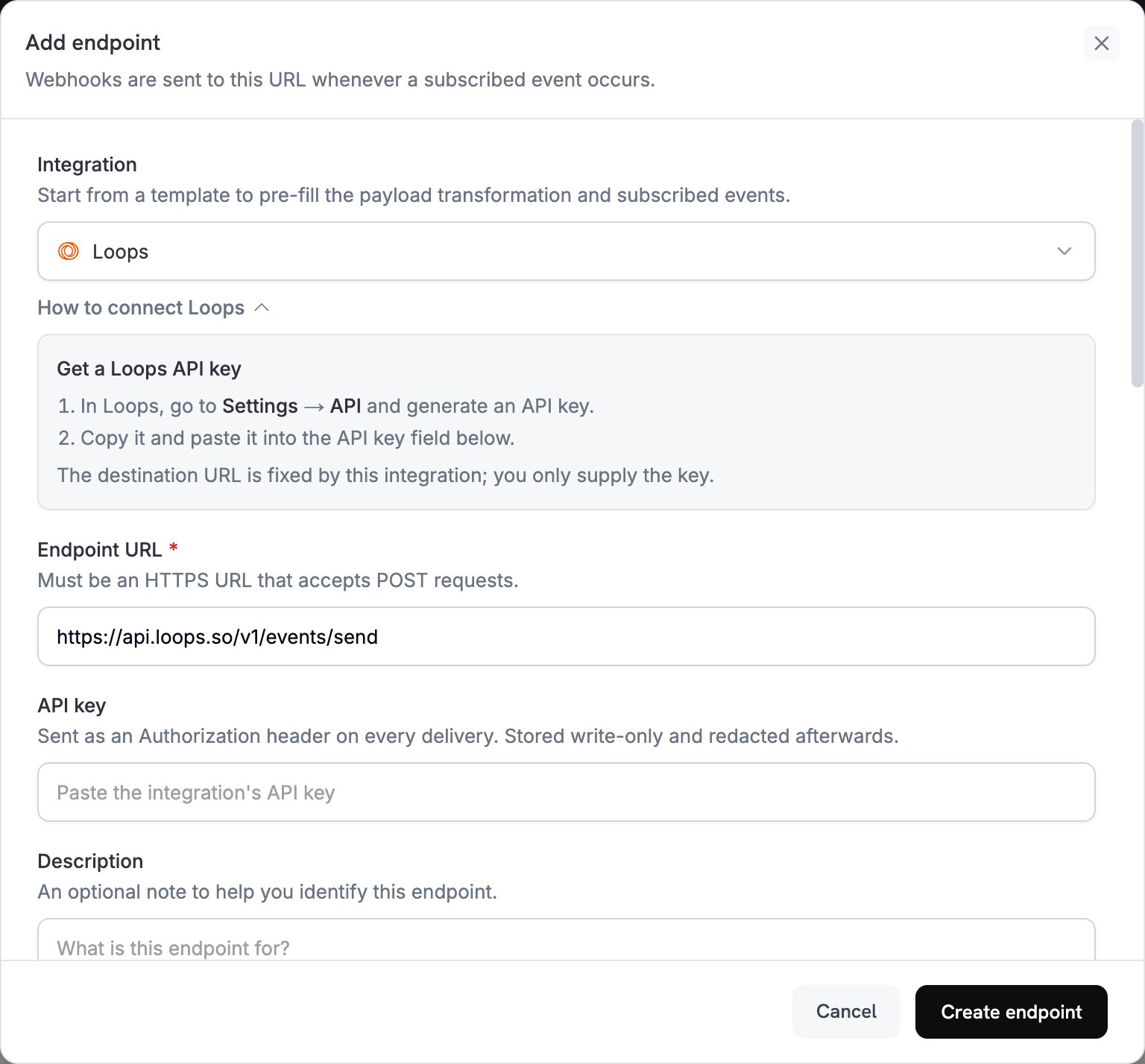
2
Select Loops
Integration 목록에서 Loops를 선택하세요.
3
Enter API Key
Loops API key를 API key 필드에 붙여 넣으세요. Dodo Payments는 모든 전송에
Authorization 헤더로 이를 전송합니다. 통합에서 대상 URL을 설정하므로 입력해야 하는 값은 key뿐입니다.4
Configure Transformation
각 이벤트가 Loops 이벤트가 되도록 Transformation code 아래의 코드를 수정하세요. 아래 예제에서 시작하면 됩니다. Subscribed events에서 코드가 처리하는 이벤트를 선택하세요.
5
Test & Create
Test this code에서 샘플 페이로드에 대해 변환을 실행한 다음 Create endpoint를 클릭하세요.
6
Done
이제 결제 이벤트가 Loops를 통해 이메일을 트리거합니다.
변환 코드 예제
각 예제는 하나의 이벤트 유형을 Loops Send an Event API 요청 본문으로 다시 작성합니다. 여기에는eventName, 연락처의 email, 그리고 Loops 이메일에서 사용할 수 있는 eventProperties가 포함됩니다.
결제 확인 이메일
이 예제는 결제가 성공하면payment_confirmation 이벤트를 전송합니다.
payment_confirmation.js
구독 환영 이메일
이 예제는 구독이 활성화되면subscription_welcome 이벤트를 전송합니다.
subscription_welcome.js
결제 실패 알림
이 예제는 오류 메시지와 재시도 링크가 포함된payment_failed 이벤트를 전송합니다. yourdomain.com를 자체 도메인으로 바꾸세요.
payment_failure.js
팁
- 각 이벤트에
payment_confirmation와 같이 설명적인 이름을 지정하여 Loops 이메일을 체계적으로 관리하세요. - 이메일에서 개인화에 사용할 고객 속성을 포함하세요.
- Loops에서 전송하는 각 이벤트 이름에 대해 워크플로와 이메일을 설정하세요.
- 이벤트 전체에서 동일한 속성 이름을 사용하세요.
- 실제 운영을 시작하기 전에 이메일 전송을 테스트하세요.
문제 해결
Emails Not Being Sent
Emails Not Being Sent
- API key가 올바르고 활성 상태인지 확인하세요.
- 각 이벤트 이름이 Loops 워크플로를 트리거하는 이벤트와 일치하는지 확인하세요.
- 수신자 이메일 주소가 유효한지 확인하세요.
- Loops의 전송 한도와 할당량을 검토하세요.
Transformation Errors
Transformation Errors
- 페이로드가 Loops API 형식과 일치하는지 확인하세요. 즉,
eventName와email또는userId가 포함되어야 합니다. - 필요한 모든 필드가 있는지 확인하세요.
- 이벤트 이름의 형식이 올바른지 확인하세요.
- 각 이벤트 속성에 string, number, boolean 또는 date 값을 지정하세요.
- API key의 권한을 확인하세요.