

소개
Customer.io 통합은 Dodo Payments 이벤트를 Customer.io의 Track API로 전송하므로 결제 및 구독 변경으로 캠페인과 고객 여정을 트리거할 수 있습니다. 예를 들어 신규 고객에게 환영 이메일을 보내고, 구독 변경 시 업데이트를 전송하며, 결제 실패 시 알림을 보낼 수 있습니다.이 통합에는 Customer.io Site ID와 API key가 필요합니다. Track API는 HTTP Basic 인증을 사용하며, Site ID를 username으로, API key를 password로 사용합니다.
시작하기
1
Open the Webhook Section
Dodo Payments 대시보드에서 Developer → Webhooks로 이동한 다음 Add endpoint를 클릭합니다.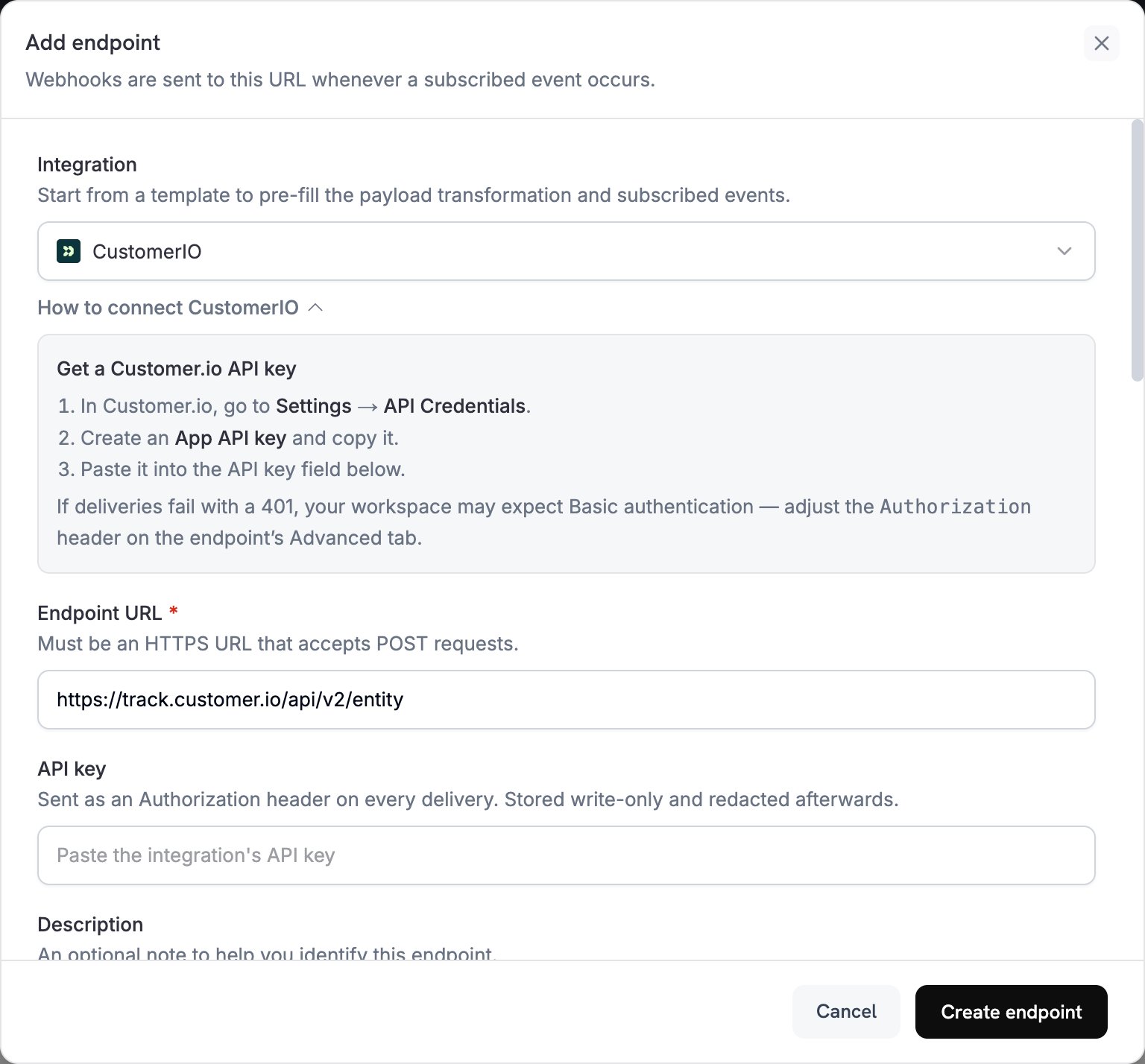
2
Select Customer.io
Integration에서 CustomerIO를 선택합니다.
3
Enter Credentials
API key에 Customer.io API key를 붙여 넣습니다. Dodo Payments는 키를
Authorization 헤더에 bearer token으로 전송합니다.Track API는 Basic 인증을 사용합니다. 전송이 401와 함께 실패하면 엔드포인트의 Advanced 탭을 열고 Authorization 헤더를 site_id:api_key의 Base64 인코딩을 뒤에 붙인 Basic로 바꿉니다.4
Select Events
Subscribed events에서 transformation이 처리할 이벤트를 선택합니다. 이 페이지의 예제에서는
payment.succeeded, subscription.active 및 subscription.cancelled를 사용합니다.5
Configure Transformation
Transformation code에서 handler를 편집하여 Customer.io의 Track API에 맞는 형식으로 이벤트를 지정합니다. 예제에서 시작하세요.
6
Test & Create
Test this code에서 Simulate를 클릭하여 샘플 payload에 대해 handler를 실행합니다. 그런 다음 Create endpoint를 클릭합니다.
7
Done
이제 구독한 이벤트가 Customer.io에 도달하며, 이메일 자동화를 트리거할 수 있습니다.
Transformation 코드 예제
각 handler는 Track API v2entity endpoint로 하나의 요청을 전송하고, Dodo Payments customer_id로 사용자를 식별합니다. 이벤트를 기록하려면 요청에서 action를 event로 설정하고 이벤트 이름을 name에 입력합니다. 사용자의 attributes를 업데이트하려면 action를 identify로 설정합니다. Dodo Payments 금액은 가장 작은 통화 단위로 표시되므로 예제에서는 100으로 나눕니다.
결제 이벤트 추적
결제가 성공하면payment_completed 이벤트를 기록합니다:
track_payments.js
구독 Lifecycle 추적
구독이 활성화되면subscription_started 이벤트를 기록하고, 취소되면 subscription_cancelled 이벤트를 기록합니다:
track_subscriptions.js
고객 attributes 추적
결제가 성공하면 사용자의 profile attributes를 업데이트합니다. 각identify 요청은 전송하는 attributes를 덮어쓰므로 last_payment_amount 및 last_payment_date에는 항상 최신 결제 정보가 저장됩니다.
track_attributes.js
팁
- transformation과 Customer.io campaign trigger에서 동일한 이벤트 이름을 사용합니다. 예:
payment_completed. 발생한 일을 설명하는 이름을 선택하세요. - 메시지 개인화에 사용하는 attributes를 포함하세요.
- 모든 요청에서 동일한 ID로 각 사용자를 식별하세요. 예제에서는 Dodo Payments
customer_id를 사용합니다. - 모든 요청 field는 Customer.io Track API reference를 참조하세요.
문제 해결
Events Not Triggering Campaigns
Events Not Triggering Campaigns
- Site ID와 API key가 올바른지 확인합니다.
- 전송이
401와 함께 실패하면 Getting Started에 설명된 대로Authorization헤더를 Basic 인증으로 설정합니다. - 이벤트 이름이 Customer.io campaign trigger와 일치하는지 확인합니다.
- customer identifier가 설정되어 있는지 확인합니다.
- Customer.io API rate limit을 검토합니다.
Transformation Errors
Transformation Errors
- payload가 Customer.io API 형식과 일치하는지 확인합니다.
- 모든 필수 field가 포함되어 있고
action가event또는identify와 같이 Track API가 지원하는 action인지 확인합니다. - 이벤트 이름과 attributes 형식이 올바른지 확인합니다.