

はじめに
支払いおよびサブスクリプションイベントが発生した際に、トランザクションメールを自動送信します。支払い確認、サブスクリプションの更新、失敗通知を、ミドルウェアサーバーなしでKeplars経由で送信できます。Dodo PaymentsがJavaScript transformation handlerを使用してKeplars APIを直接呼び出します。このintegrationではKeplars API keyで認証します。Keplars dashboardのSettings → API KeysでAPI keyを確認し、Domainsでsender domainまたはaddressを検証してください。
はじめに
1
Open the Webhook Section
Dodo Payments dashboardでDeveloper → Webhooksに移動し、Add endpointをクリックします。
2
Select Keplars
IntegrationでKeplarsを選択します。テンプレートによって、Keplars API URLと変換コードが入力されます。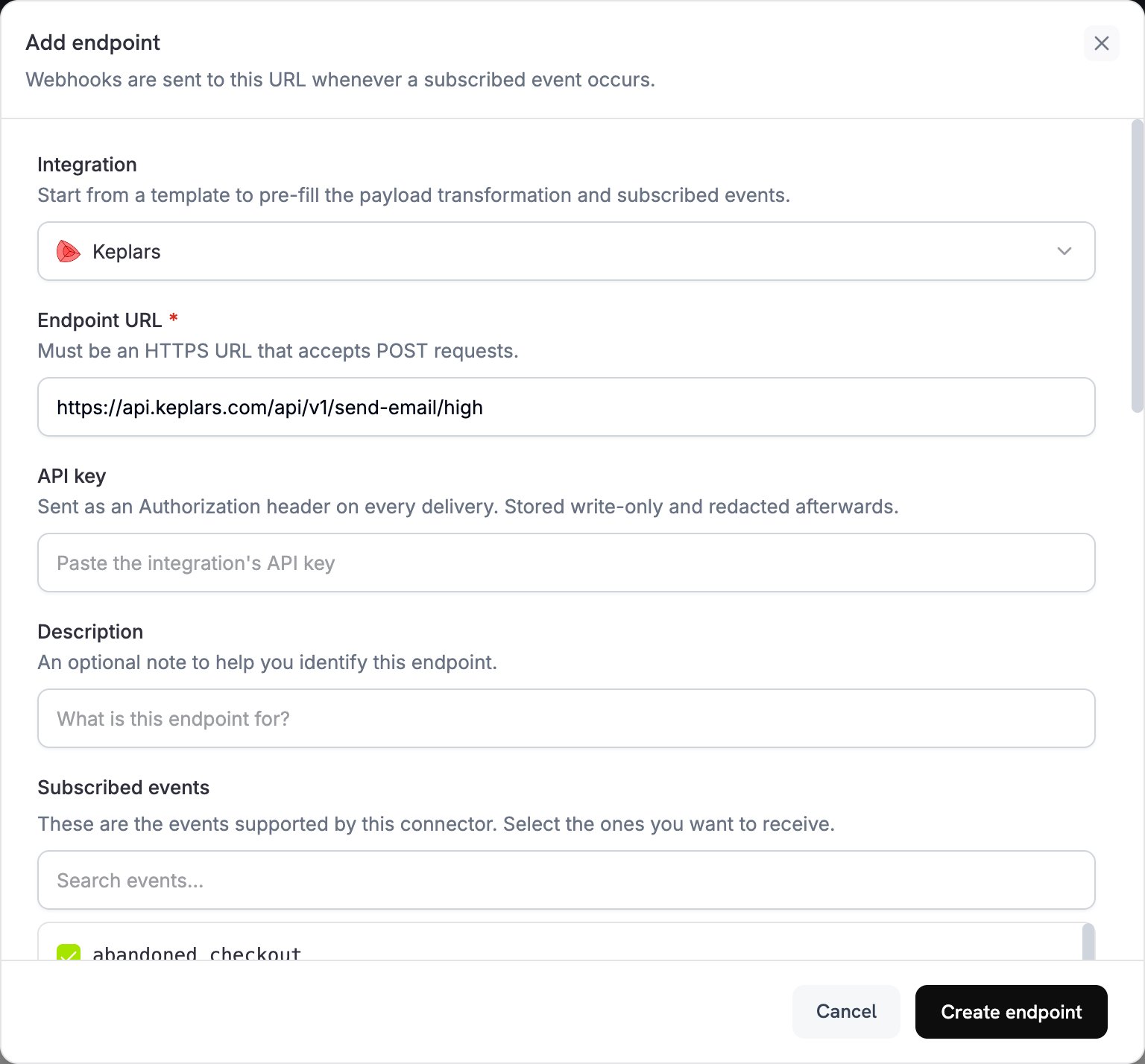
3
Enter API Key
Keplars API keyをAPI keyに貼り付けます。Dodo Paymentsは、すべてのリクエストでこれをBearer tokenとして送信します。Subscribed eventsで、メールを送信するイベントを選択します。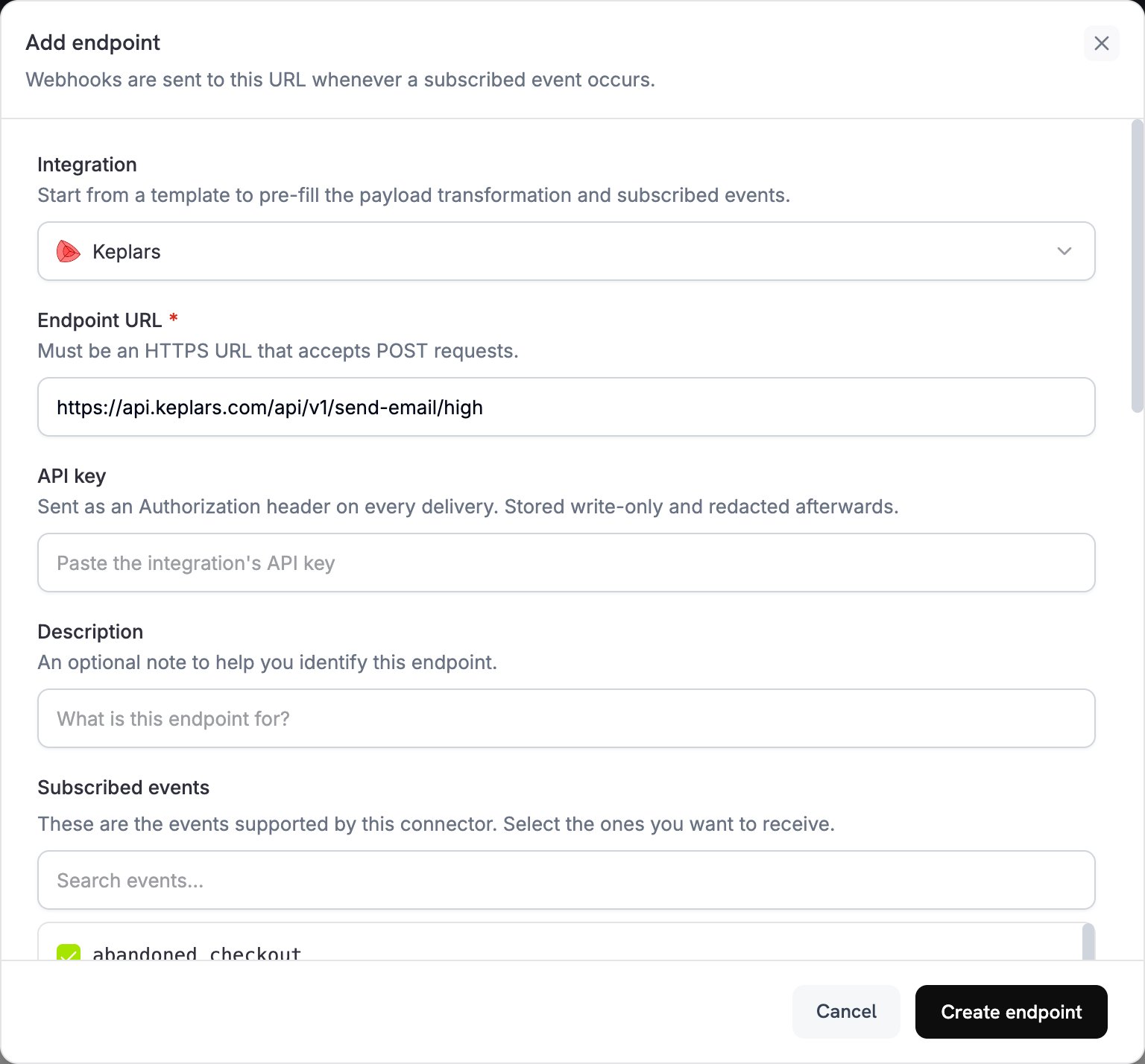
4
Configure Transformation
Transformation codeで、Keplars向けにメールをフォーマットするコードを編集します。プレースホルダーのテンプレートIDを自分のものに置き換えます。
5
Test & Create
Test this codeでevent typeを選択し、Simulateをクリックして、sample payloadに対してtransformationを実行します。次にCreate endpointをクリックして、メールの送信を開始します。
6
Done
Dodo Paymentsのイベントによって、Keplars経由でトランザクションメールが送信されるようになりました。
変換コード例
各ハンドラーはwebhook.urlをKeplarsの高優先度送信エンドポイントに設定し、webhook.payloadをKeplarsリクエストに書き換えます。Dodo PaymentsはAPI keyをBearer tokenとして追加します。your-keplars-*-template-idを自分のテンプレートIDに置き換えます。Keplars send APIにはfromフィールドがないため、KeplarsはKeplars dashboardで設定した送信者から各メールを送信します。
支払い確認メール
payment_succeeded.js
支払い失敗通知
payment_failed.js
サブスクリプションウェルカムメール
subscription_active.js
サブスクリプションキャンセルメール
subscription_cancelled.js
ヒント
- 配信性を高めるため、認証済みのドメインまたはアドレスから送信します。
- 各メールのブランドとメッセージを一貫させるため、イベントタイプごとにKeplarsテンプレートを1つ作成します。
paramsに名前、金額、支払いIDなどの顧客データを渡して、各メールをパーソナライズします。- まずsandboxモードでテストします。Keplarsでは、sandboxでの送信は配信されず、Test Inboxに記録されます。
トラブルシューティング
Emails not being sent
Emails not being sent
- KeplarsのSettings → API Keysで、API keyが正しく、有効になっていることを確認します。
- 送信者のドメインまたはアドレスが認証済みであることを確認します。
- Dodo Payments dashboardで、Developer → WebhooksのLogsタブからメッセージを開きます。各配信試行には、Keplarsからの生のエラーレスポンスが表示されます。
Template not found
Template not found
- ハンドラー内の
template_idが、Keplarsアカウントで有効なテンプレートと一致している必要があります。Keplars dashboardでIDを確認し、テンプレートが有効になっていることを確認します。
Wrong event triggered
Wrong event triggered
- 各ハンドラーは
webhook.eventTypeを確認し、イベントが一致しない場合はwebhookを変更せずに返します。エンドポイントのSubscribed eventsに、必要なイベントだけが含まれていることを確認します。