

はじめに
支払いイベントの発生時に Inngest の functions とバックグラウンドジョブを実行します。Dodo Payments は各イベントを Inngest に送信し、そこで functions から通知の送信、データベースの更新、Inngest のリトライおよびエラーハンドリングを利用した複数ステップのワークフローを実行できます。Inngest webhook URL が必要です。これは Inngest ダッシュボードの Manage → Webhooks で作成します。
始め方
1
Open the Webhook Section
Dodo Payments ダッシュボードで、Developer → Webhooks に移動し、Add endpoint をクリックします。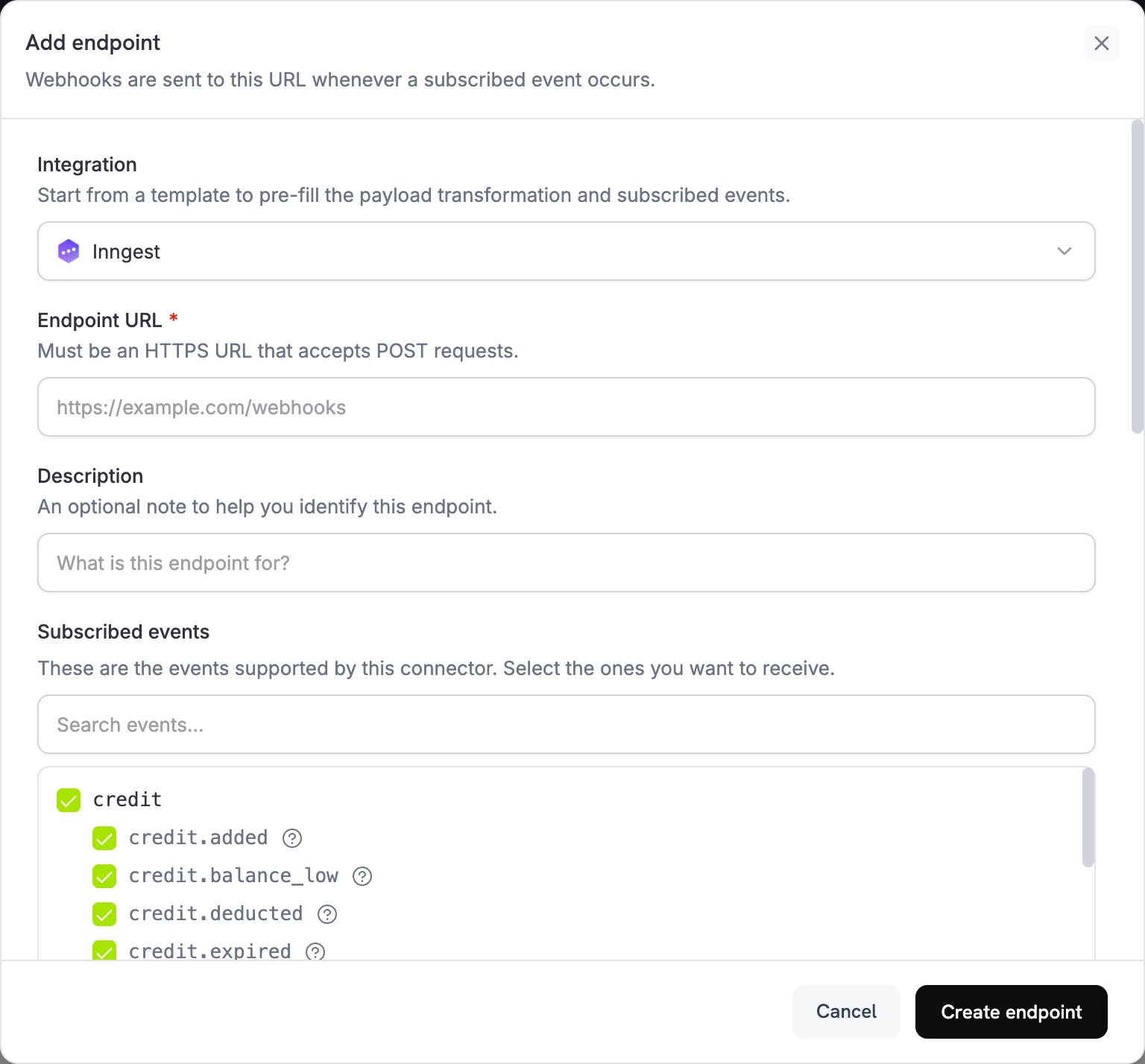
2
Select Inngest
Integration で Inngest を選択します。Subscribed events で、functions をトリガーするイベントを選択します。
3
Create an Inngest Webhook
Inngest ダッシュボードで Manage タブを開き、Webhooks を選択します。webhook を作成して URL をコピーします。Inngest は各リクエストで webhook の transform function を実行するため、functions が想定する
name フィールドと data フィールドが保持されていることを確認してください。4
Paste Webhook URL
Inngest webhook URL を Endpoint URL に貼り付けます。
5
Configure Transformation
Transformation code でコードを編集し、Inngest functions 用にイベントをフォーマットします。以下の例を参照してください。
6
Test & Create
Test this code でイベントタイプを選択し、Simulate をクリックしてサンプルペイロードに対して変換を実行します。次に Create endpoint をクリックしてインテグレーションを有効にします。
7
Done
Dodo Payments のイベントによって Inngest functions がトリガーされるようになります。
変換コードの例
各例ではwebhook.payload を Inngest event に書き換えます。name は function がトリガーされるイベント、data はイベントの詳細、user は顧客、ts はミリ秒単位のイベント時刻を保持します。これは Inngest のイベント形式で必要です。
Basic Event Payload
basic_event.js
Subscription Event Handler
subscription_event.js
Dispute Event Handler
この handler はすべてのdispute.* イベントを転送し、dispute.opened を緊急としてマークします。dispute のペイロードには顧客の詳細が含まれないため、user オブジェクトは送信しません。
dispute_event.js
Inngest の一般的なユースケース
Payment Processing
Payment Processing
- 確認メールを送信する
- 顧客レコードを更新する
- 返金を処理する
- 請求書を生成する
- 在庫を更新する
Subscription Management
Subscription Management
- 新しいサブスクライバーを歓迎する
- キャンセルを処理する
- 更新リマインダーを送信する
- 請求サイクルを更新する
- 支払い失敗に対応する
Analytics & Reporting
Analytics & Reporting
- 収益指標を更新する
- 顧客行動を追跡する
- レポートを生成する
- 分析プラットフォームにデータを同期する
- 解約率を計算する
ヒント
- 説明的なイベント名を使用します。Inngest は
dodo/payment.succeededのように、ソースを接頭辞として付けることを推奨しています。 - 顧客の詳細は
userに格納します。Inngest は保存時にこれを暗号化します。 - webhook の
timestampからtsをミリ秒単位で設定し、イベントが元の順序と時刻を維持するようにします。 - イベント間で同じデータ構造を使用します。
- Inngest のリトライおよびエラーハンドリング機能を使用します。
トラブルシューティング
Functions not triggering
Functions not triggering
- endpoint URL が Inngest webhook URL と一致し、webhook が有効になっていることを確認します。
- Inngest function がデプロイされ、有効になっていることを確認します。
- イベント名が function のトリガーと一致していることを確認します。
- Inngest function のログでエラーを確認します。
Data not received correctly
Data not received correctly
- ペイロードの構造が Inngest event の形式と一致していることを確認します。
- イベント名が正しくフォーマットされていることを確認します。
- Inngest webhook の transform function が、Dodo Payments の変換によって設定されたフィールドを保持していることを確認します。
- 必須フィールドがすべて含まれていることを確認します。
- Inngest の webhook testing tool でテストします。