

はじめに
MailerLite integration は、支払いイベントが発生したときに支払い済みの顧客を MailerLite に追加します。顧客をグループに追加したり、支払いデータを購読者フィールドに保存したり、自動化ワークフローを開始したりできるため、メールリストに実際の支払いアクティビティを反映できます。 MailerLite は、ニュースレター、キャンペーン、自動化のためのメールマーケティングプラットフォームです。この integration を使用すると、オンボーディングシーケンス、顧客セグメンテーション、ターゲットキャンペーンなど、支払いアクティビティに基づいて購読者を管理できます。この integration は MailerLite API key で認証します。作成するには、MailerLite Integrations page を開き、Generate new token をクリックします。
始め方
1
Open the Webhook Section
Dodo Payments ダッシュボードで、Developer → Webhooks に移動し、Add endpoint をクリックします。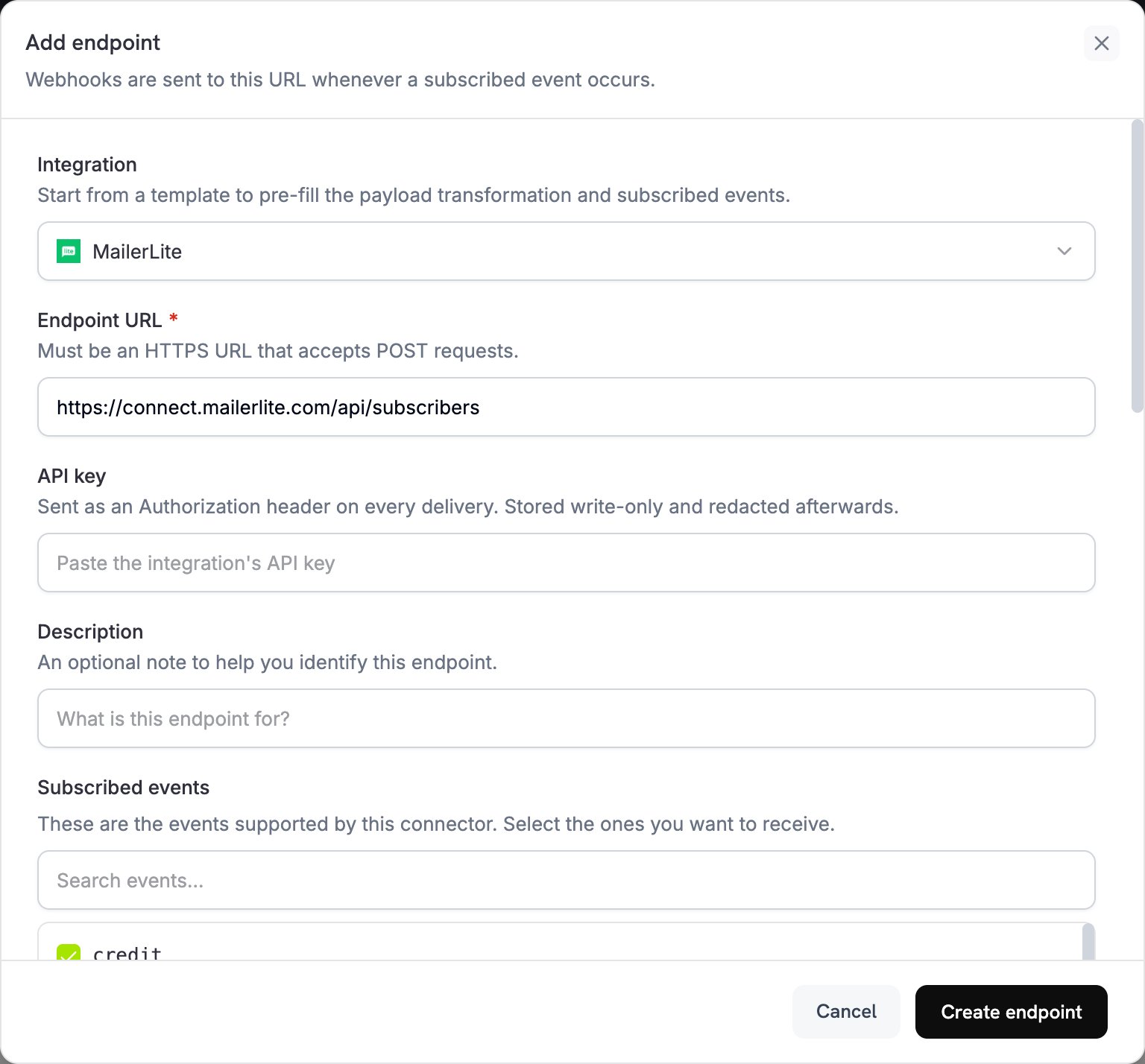
2
Select MailerLite
Integration リストで MailerLite を選択します。
3
Enter API Key
MailerLite API key を API key フィールドに貼り付けます。Dodo Payments はすべての配信で
Authorization header として送信します。4
Configure Transformation
Transformation code の下にあるコードを編集し、各イベントが MailerLite subscriber request になるようにします。以下の例を出発点として使用してください。
5
Test & Create
Test this code でサンプル payload に対して transformation を実行し、Create endpoint をクリックします。
6
Done
これで、支払いイベントによって MailerLite のグループ内の購読者が追加・更新されます。
変換コードの例
ほとんどの例では、MailerLite subscribers API にPOST request を送信します。MailerLite は購読者を作成するか、同じメールアドレスを持つ既存の購読者を更新します。この upsert では、リクエストから省略したフィールドやグループが削除されることはありません。
支払い成功時に顧客を追加する
この例では、支払いが成功したときに顧客を 1 つのグループに追加します。your-group-id-here を MailerLite のグループ ID に置き換えてください。
add_customer.js
商品に基づいて購読者を複数のグループに追加する
この例では、支払い済みのすべての顧客を customers グループに追加し、$100 以上を支払った顧客を premium グループにも追加します。product_segmentation.js
Subscription Activation 時に新しい購読者を追加する
この例では、subscription が active になったときに顧客を 2 つの購読者グループに追加し、プランの詳細を保存します。subscription_subscriber.js
Subscription Cancellation 時に購読者を更新する
この例では、subscription がキャンセルされたときに既存の subscriber を更新します。MailerLite のPUT update endpoint は MailerLite subscriber ID を受け取りますが、Dodo Payments の payload にはこの ID が含まれていないため、email address をキーにした POST upsert を送信します。upsert により subscriber が churned group に追加され、他の group は維持されます。
subscription_cancelled.js
Custom Fields を使用して Customer を追加
この例では、location、contact、payment の詳細を subscriber fields に保存します。Custom Fields Setup の説明に従い、最初に MailerLite で custom fields を作成してください。custom_fields.js
Event による Automation のトリガー
この例では、成功した payment ごとに trigger field を更新します。last_payment_trigger が変更されたときに開始する automation を MailerLite で作成します。
trigger_automation.js
Tips
- transformation で使用する前に、MailerLite で custom fields を作成します。
- group を使用して、product、plan tier、または purchase behavior に基づいて customer をセグメント化します。
- field が更新されたときに開始する automation workflow を MailerLite で設定します。
/subscribersにPOSTrequest を送信して upsert します。これにより、subscriber の重複エラーを回避できます。- payment metadata を custom fields に保存して、customer についてさらに詳しく把握します。
- すべての payment に対して integration を有効にする前に、小規模な group でテストします。
Custom Fields Setup
transformation で書き込む前に、MailerLite で各 custom field を作成します。- MailerLite ダッシュボードを開きます。
- Subscribers → Fields に移動します。
- Create field をクリックし、次のような field を追加します。
total_spent(Number)customer_since(Date)subscription_plan(Text)payment_method(Text)last_payment_amount(Number)
トラブルシューティング
Subscribers Not Being Added
Subscribers Not Being Added
- API key が正しく、有効であることを確認します。
- email address が RFC 2821 に準拠して有効であることを確認します。
- 各 group ID が正しく、アカウント内に存在することを確認します。
- MailerLite は API を介して bounced subscriber または junk subscriber を再有効化しません。以前 unsubscribe した subscriber を再登録するには、
POSTbody にresubscribe: trueを追加します。
Custom Fields Not Updating
Custom Fields Not Updating
- 各 custom field が MailerLite に存在することを確認します。
- field name が完全に一致していることを確認します。大文字と小文字は区別されます。
- 各 value が field type(text、number、または date)と一致していることを確認します。
Rate Limit Errors
Rate Limit Errors
- MailerLite API では、1 分あたり 120 requests が許可されています。
- 多数の subscriber を処理する場合は、batch endpoint を使用します。
- 大量処理のシナリオでは、backoff strategy を追加します。
Group Assignment Not Working
Group Assignment Not Working
- group ID が numeric string であることを確認します。
- group が MailerLite アカウントに存在することを確認します。
groupsを指定したPUTrequest は、指定されていないすべての group から subscriber を削除します。POSTrequest は group を追加するだけです。
API Reference
MailerLite の create または upsert subscriber endpoint は、次の主要な parameter を受け付けます。
完全な API ドキュメントについては、MailerLite Developers を参照してください。