

नई सुविधाएँ
1. Reports
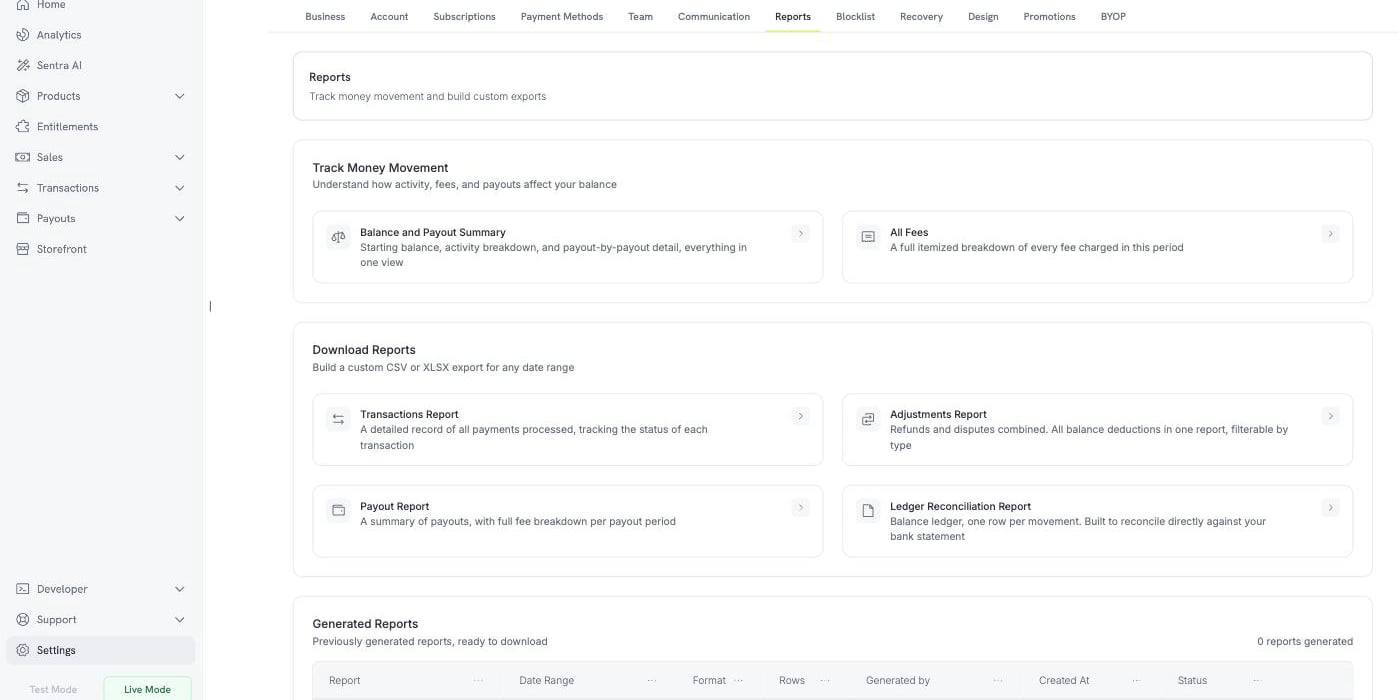
Settings के अंतर्गत नया Reports टैब balance, fee और reconciliation reporting को एक ही जगह पर लाता है। Money Movement ट्रैक करें दो हमेशा अपडेटेड views, जिनका वर्णन है “समझें कि activity, fees और payouts आपके balance को कैसे प्रभावित करते हैं”:- Balance and Payout Summary — एक ही view में starting balance, activity breakdown और payout-by-payout विवरण
- All Fees — अवधि में लगाए गए हर शुल्क का पूरा itemized breakdown
2. Subscription Grace Period
अब जिस subscription का renewal विफल हो जाता है, वह तुरंत hold पर जाने के बजाय configurable अवधि तक काम करता रह सकता है। Settings → Subscriptions में Subscription Grace Period सक्षम करें और Number of days of grace period सेट करें — 1 से 30 दिनों तक। Grace periods डिफ़ॉल्ट रूप से बंद रहते हैं। इस अवधि के दौरान subscription नईpast_due status में चला जाता है: access बना रहता है और usage बढ़ता रहता है, इसलिए जिस customer का card केवल expire हुआ है, उसे ठीक करने तक access से वंचित नहीं किया जाता। अवधि शुरू होने पर नया subscription.past_due webhook fire होता है।
यदि अवधि unpaid समाप्त हो जाए, तो Status of subscription after grace period में चुनें कि क्या होना चाहिए — या तो On Hold, जो आज के behavior से मेल खाता है, या Cancel Subscription।

3. Customer Blocklist
जिस customer को आपसे दोबारा खरीदारी नहीं करनी चाहिए, उसे customer ID या email address के आधार पर block करें। Blocking customer की active subscriptions cancel करता है, future checkout sessions और direct payments रोकता है और उनके Customer Portal को read-only छोड़ देता है। Entries email address से match होती हैं, इसलिए वही email इस्तेमाल करके दोबारा sign up करने वाला customer भी block हो जाता है। Blocklist entries में notes जोड़े जा सकते हैं, ताकि आप दर्ज कर सकें कि किसी को क्यों block किया गया।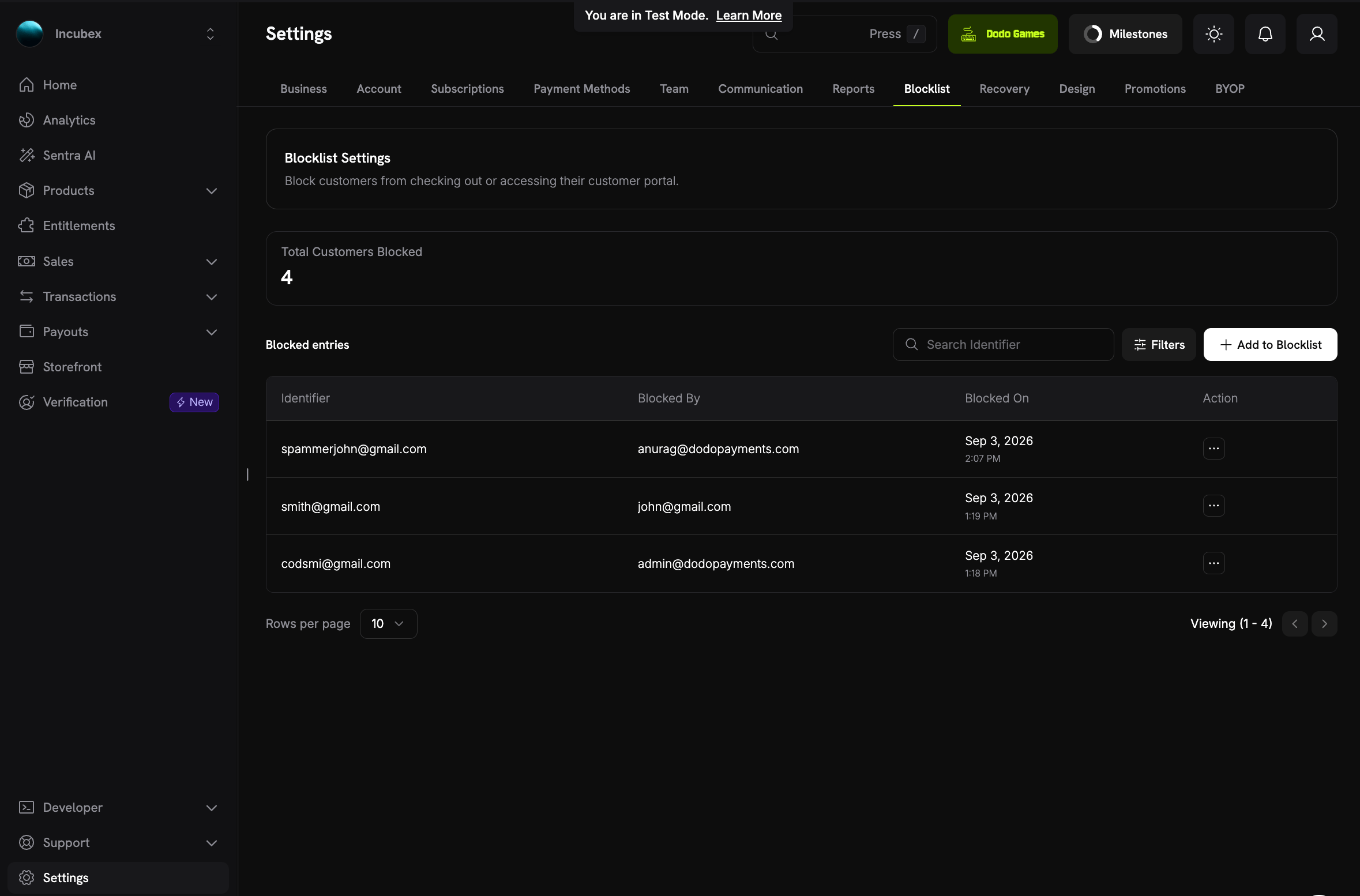
4. Manual Payment Retry
Automatic retry schedule की प्रतीक्षा करने के बजाय payment के detail page पर Retry Payment Manually का उपयोग करके विफल subscription renewal को स्वयं retry करें। Charge subscription पर पहले से saved payment method पर जाता है, इसलिए customer को कुछ नहीं करना पड़ता और automatic schedule का कोई attempt खर्च नहीं होता। हर renewal invoice में अधिकतम तीन manual retries की अनुमति है और इनके बीच cooldown होता है — दूसरे से पहले एक घंटा और तीसरे से पहले तीन घंटे — ताकि बार-बार होने वाले declines आपकी authorization rate को नुकसान न पहुँचाएँ।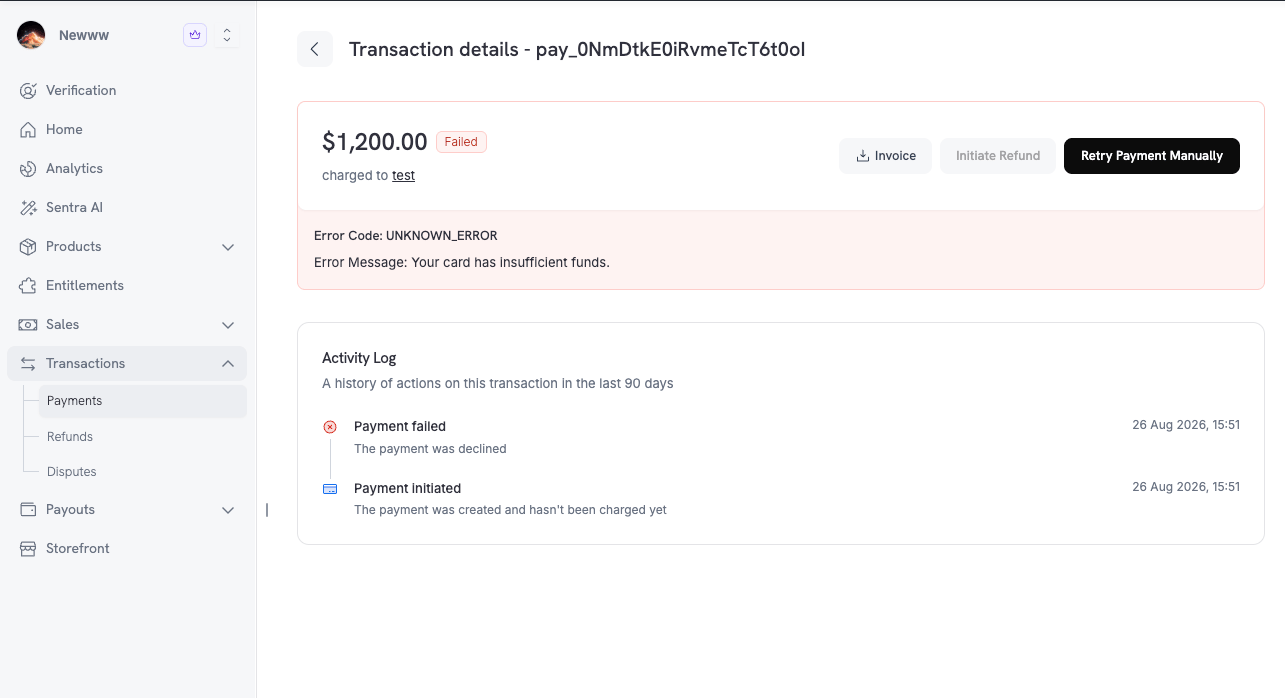
5. Payments पर Activity Log
अब हर payment detail page में Activity Log होता है — “पिछले 90 दिनों में इस transaction पर की गई actions का history”। Log पूरे lifecycle को क्रम से दर्ज करता है, Payment initiated से लेकर authentication और capture के बाद Payment succeeded तक, और refunds तथा disputes तक जारी रहता है। इसलिए contested payment कई अलग-अलग disconnected records के बजाय एक ही पूरी कहानी के रूप में दिखाई देता है।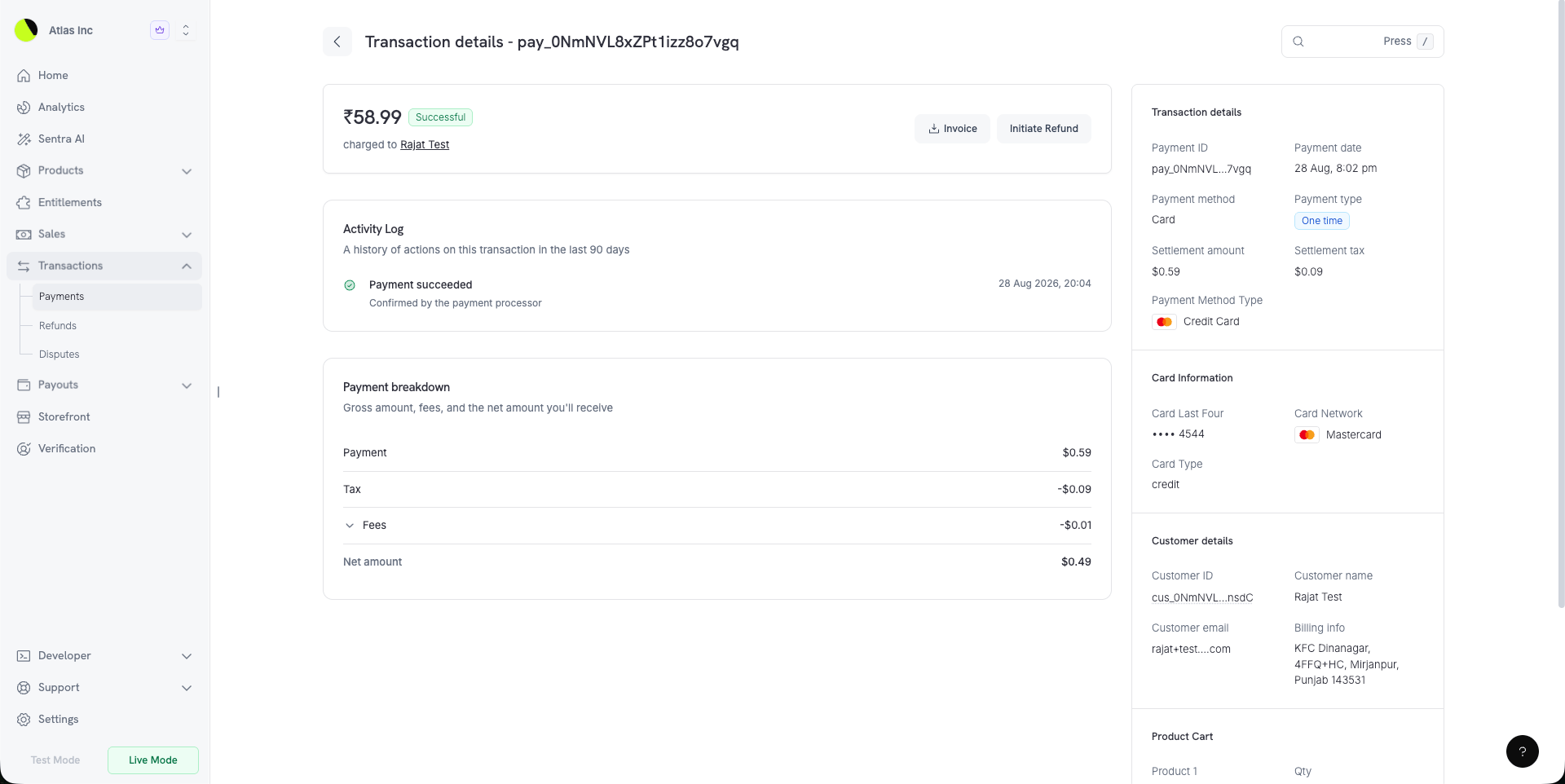
6. दोबारा बनाया गया Discount Form
अब discount code बनाते समय आपको यह दिखाई देता है कि आप क्या बना रहे हैं। एक side panel Summary, यानी discount का सरल भाषा में विवरण, और Preview, जो discount को checkout पर customer के view के अनुसार render करता है, के बीच switch करता है। Currency options में आप अपने द्वारा बेची जाने वाली प्रत्येक currency के लिए discount amount सेट कर सकते हैं। Eligibility & restrictions product और customer rules को एक साथ रखता है। Redemption limits, billing-cycle limit और Require a minimum order value — प्रत्येक currency के लिए लागू minimum cart amount — अब Advanced के अंतर्गत हैं।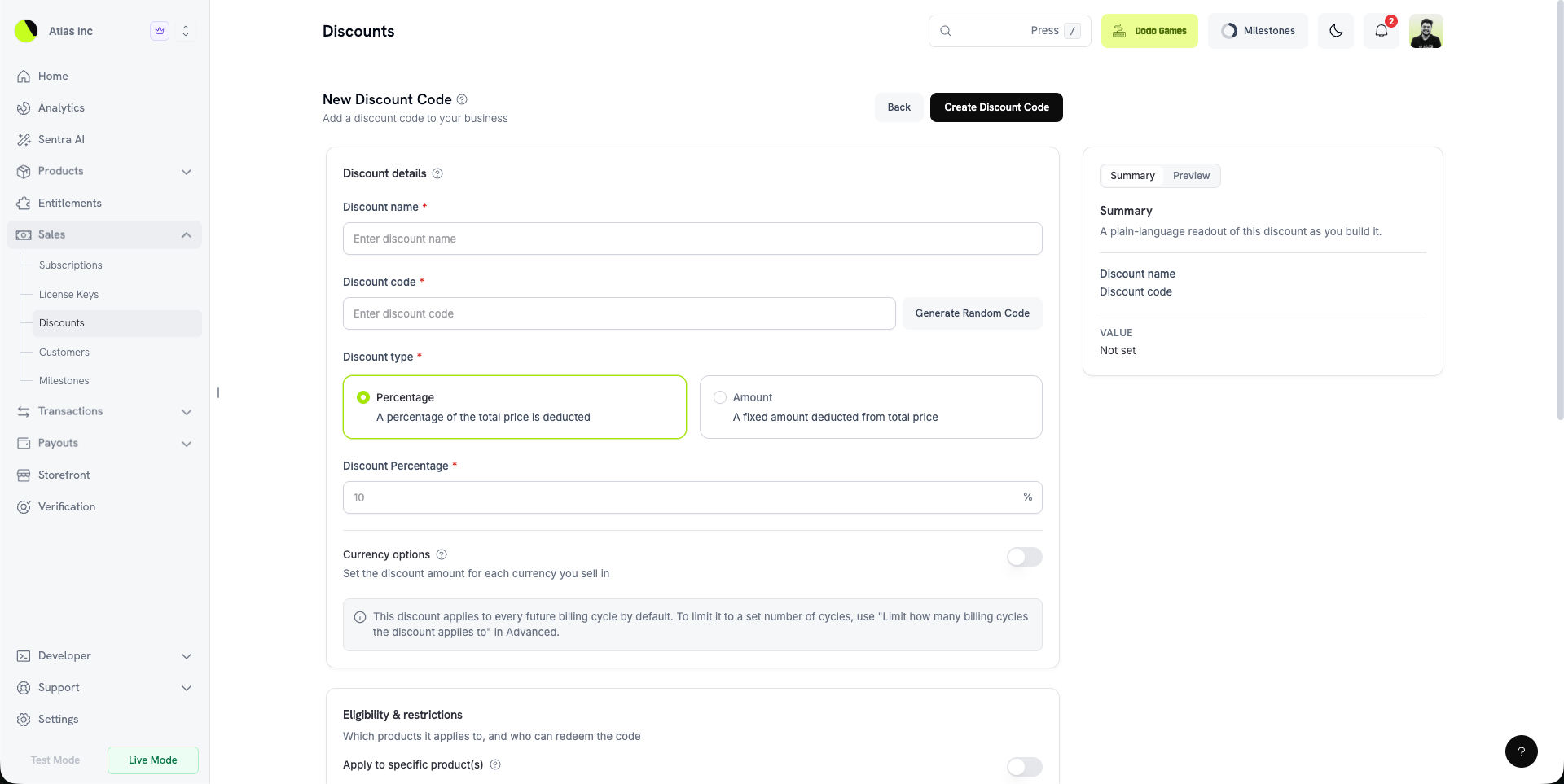
7. अलग-अलग Cancellation Controls
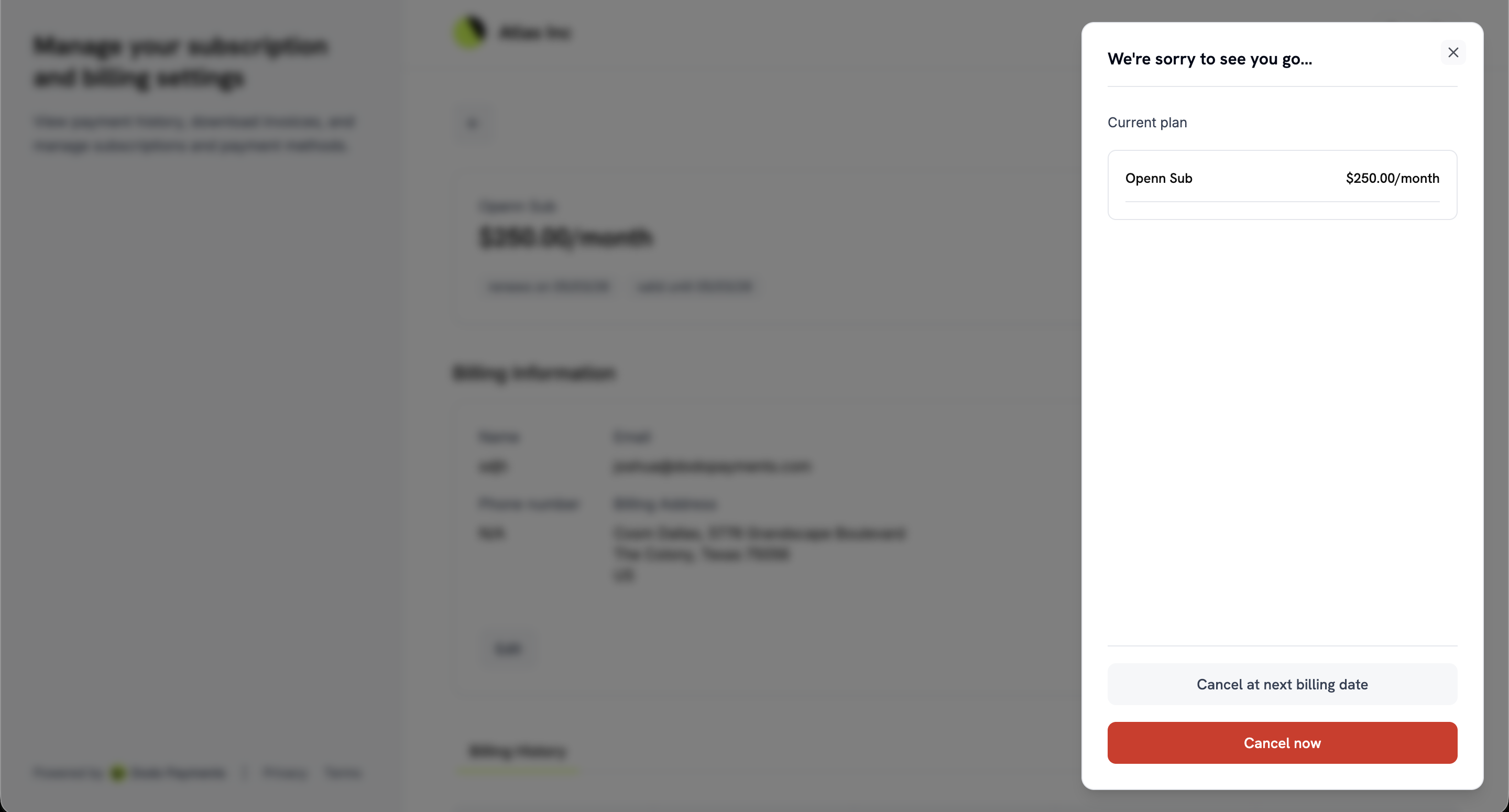
Self-service cancellation पहले एक ही switch हुआ करता था। अब Settings → Subscriptions के अंतर्गत यह दो स्वतंत्र settings हैं:- Allow Immediate Cancellation — “Customers को अपनी subscription समाप्त करने और तुरंत access खोने दें।”
- Allow Cancellation at Next Billing Date — “Customers को उस अवधि के अंत में cancel करने दें जिसके लिए उन्होंने पहले ही भुगतान किया है।”
8. Checkout Page पर Paid Plan Changes
Settings → Subscriptions में Collect Plan Change Payments by Payment Link चालू करें। इसके बाद Customer Portal में upgrade करने वाला customer stored mandate के विरुद्ध भुगतान करने के बजाय hosted checkout page पर change के लिए भुगतान करेगा। Confirm button देय amount दिखाता है, और checkout खुलने पर customer को बताया जाता है: “नई tab में अपना payment पूरा करें। Payment सफल होने तक आपका current plan active रहेगा।” Payment सफल होने तक subscription अपने पुराने plan पर रहती है और declined payment को उसी link पर retry किया जा सकता है। Customer Portal अब यह भी जानता है कि scheduled plan change को cancel करने की अनुमति है या नहीं। इसलिए यह उस control को दिखाता या छिपाता है, बजाय ऐसा action देने के जिसे अस्वीकार कर दिया जाएगा।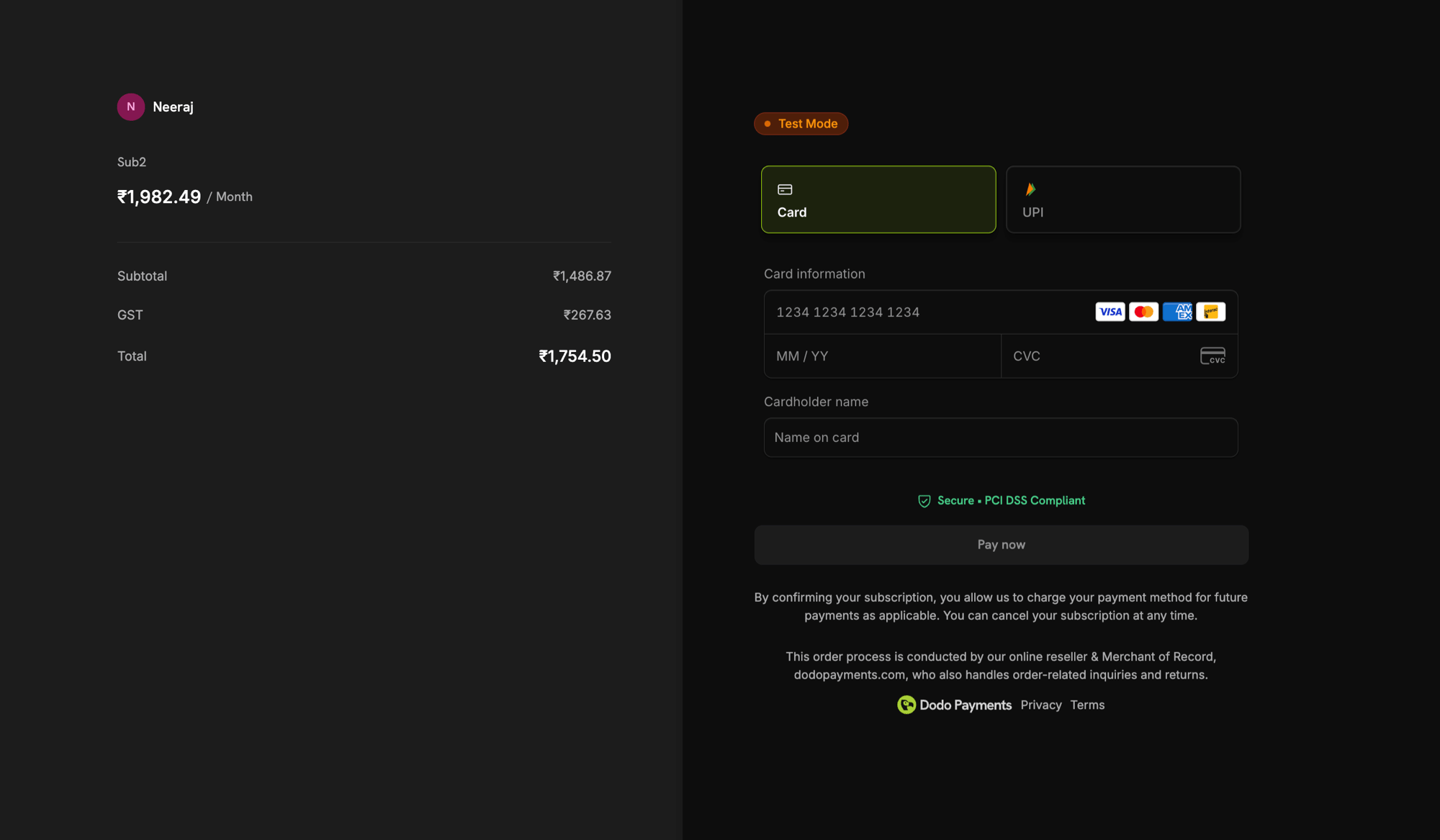
9. KYC Retry Budget
विफल identity verification अब केवल failure report करने के बजाय यह बताता है कि वह क्यों विफल हुआ और आपके कितने attempts बाकी हैं। हर user को तीन attempts मिलते हैं और notice में वास्तविक verification provider reason के साथ “Attempts remaining: 2/3” लिखा होता है। Attempts बाकी रहने तक button Try again में बदल जाता है। तीनों attempts इस्तेमाल हो जाने पर notice बताता है कि support verification को दोबारा खोल सकता है। और जानें: Account Verification10. Georgian Checkout
अब checkout Georgian में उपलब्ध है, जिससे कुल 22 languages हो गई हैं। हर अन्य supported language की तरह Georgian customer के browser से detect होती है, या आपforce_language parameter के साथ इसे force कर सकते हैं।
और जानें: Supported Languages
11. $0 Price पर Card-Optional
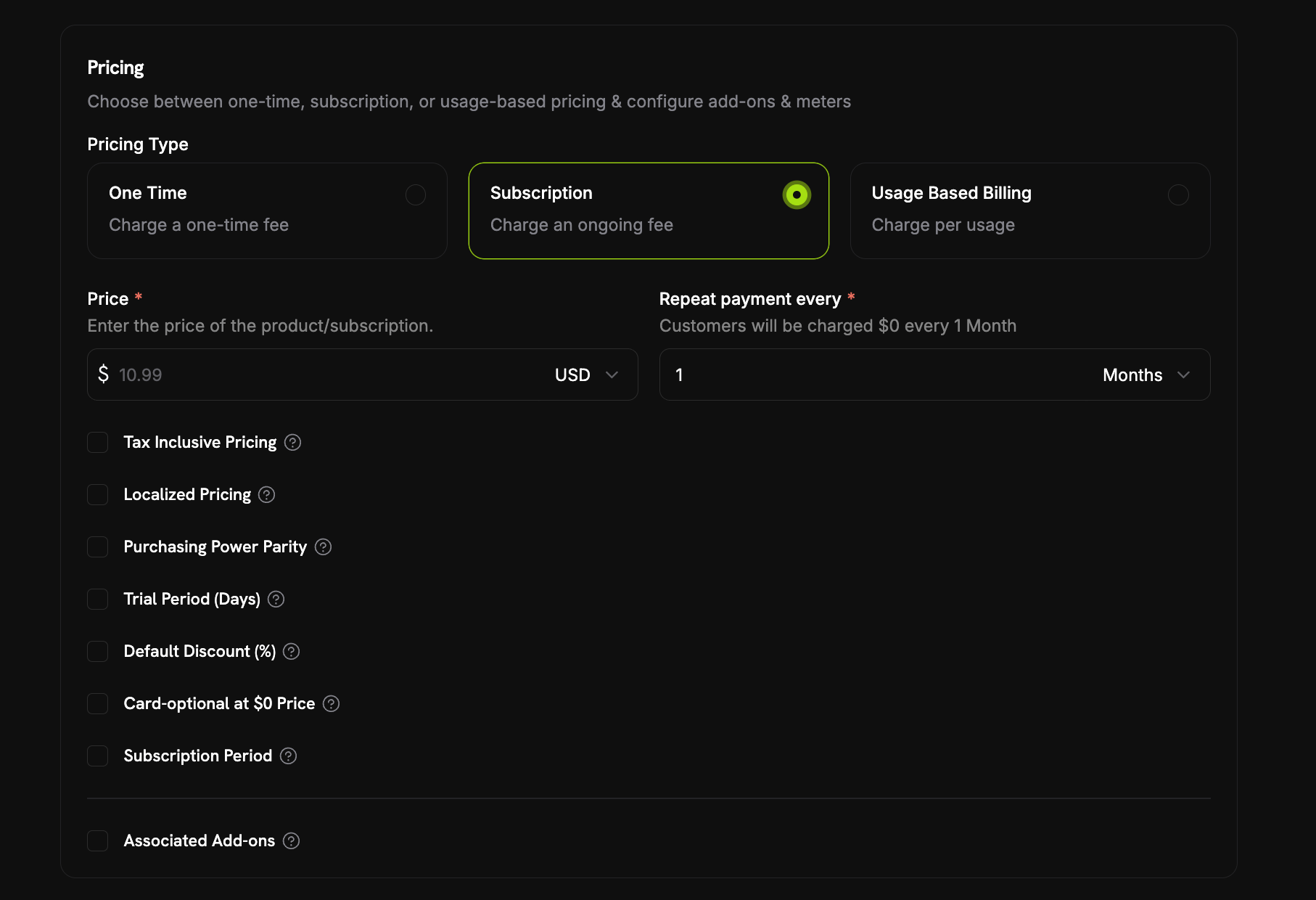
अब जब आज कुछ भी देय न हो, subscription payment method के बिना शुरू हो सकती है। Product के pricing section में Card-Optional at $0 Price checkbox चालू करें, जो Trial Period (Days) और Default Discount (%) के पास है। आज कुछ भी देय न होने की दो स्थितियाँ हैं और एक ही checkbox दोनों को कवर करता है:- A free trial — बिना trial amount की trial period, इसलिए trial के दौरान पहला charge
0होता है। - A $0 recurring price — या तो price सीधे
0है, या discount उसे वहाँ ले आता है, चाहे वह product का अपना Default Discount (%) हो या checkout पर 100% off तक stacked discount codes।
payment_method_required: false लौटाती है। इसके बाद वास्तविक billing शुरू होने से पहले reminder email भेजा जाता है — यह कितनी पहले भेजा जाए, इसे Settings → Subscriptions के अंतर्गत Payment Method Reminder निर्धारित करता है। अवधि 1 से 30 दिनों तक हो सकती है और default 3 दिन है। यदि card कभी नहीं आता, तो पहले real charge के देय होने पर subscription on_hold में चली जाती है और payment method जोड़ने पर फिर active हो जाती है। Customer की दो emails इसे कवर करती हैं, दोनों default रूप से on हैं: Add Payment Method Reminder और Subscription On Hold, No Payment Method।
API के माध्यम से single checkbox दो independent price fields, trial_payment_method_optional और zero_amount_payment_method_optional, से map होता है। इसलिए यदि आप products को सीधे manage करते हैं, तो आप दोनों में से किसी एक case को अलग से enable कर सकते हैं।
12. Checkout पर अनिवार्य Tax ID
Checkout sessions अब एक नयाrequire_tax_id feature flag स्वीकार करते हैं, उन businesses के लिए जो केवल registered businesses को बेचते हैं। इसका default false है, इसलिए जब तक आप इसे न माँगें, कुछ नहीं बदलता।
Flag चालू होने पर checkout page पर Purchasing as a business पहले से selected और locked रहता है, Business Name और Tax ID Number दोनों अनिवार्य हो जाते हैं और इनमें से कोई खाली होने या Tax ID reject होने पर Continue to Payment greyed out रहता है। Tax ID validation fail-open रहती है, इसलिए lookup outage customer को पूरी तरह block नहीं करता।
allow_tax_id भी true होना चाहिए, अन्यथा request को 400 के साथ reject कर दिया जाता है। साथ ही confirm: true के साथ बनाई गई session में tax_id होना चाहिए, क्योंकि वह checkout page को पूरी तरह skip करती है।
यह requirement server-side के बजाय checkout page पर लागू होती है — सीधे API को भेजा गया confirmation अभी भी tax_id को छोड़ सकता है। इसलिए flag को guarantee के बजाय checkout experience control मानें।
और जानें: Making the Tax ID Mandatory