

介绍
当支付和订阅事件发生时,自动发送事务性电子邮件。支付确认、订阅更新和失败通知将通过 Keplars 发送,无需 middleware server:Dodo Payments 直接调用 Keplars API,并使用 JavaScript transformation handler。此集成使用你的 Keplars API key 进行身份验证。你可以在 Keplars dashboard 的 Settings → API Keys 下找到它,并在 Domains 下验证 sender domain 或 address。
入门指南
1
Open the Webhook Section
在 Dodo Payments dashboard 中,前往 Developer → Webhooks,然后点击 Add endpoint。
2
Select Keplars
在 Integration 中选择 Keplars。模板会填入 Keplars API URL 和转换代码。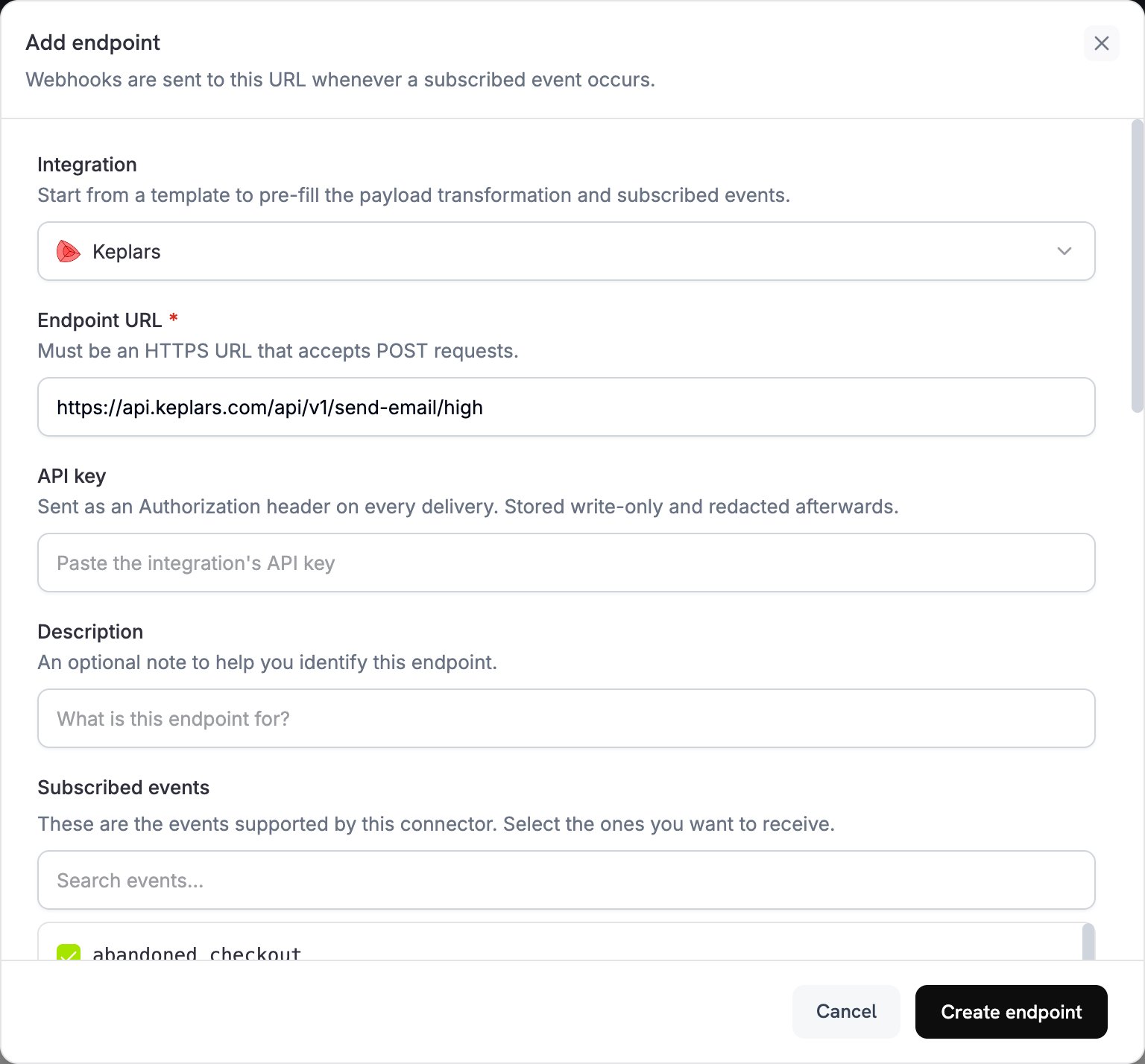
3
Enter API Key
将 Keplars API key 粘贴到 API key 中。Dodo Payments 会在每个请求中将其作为 Bearer token 发送。在 Subscribed events 下,选择应发送电子邮件的事件。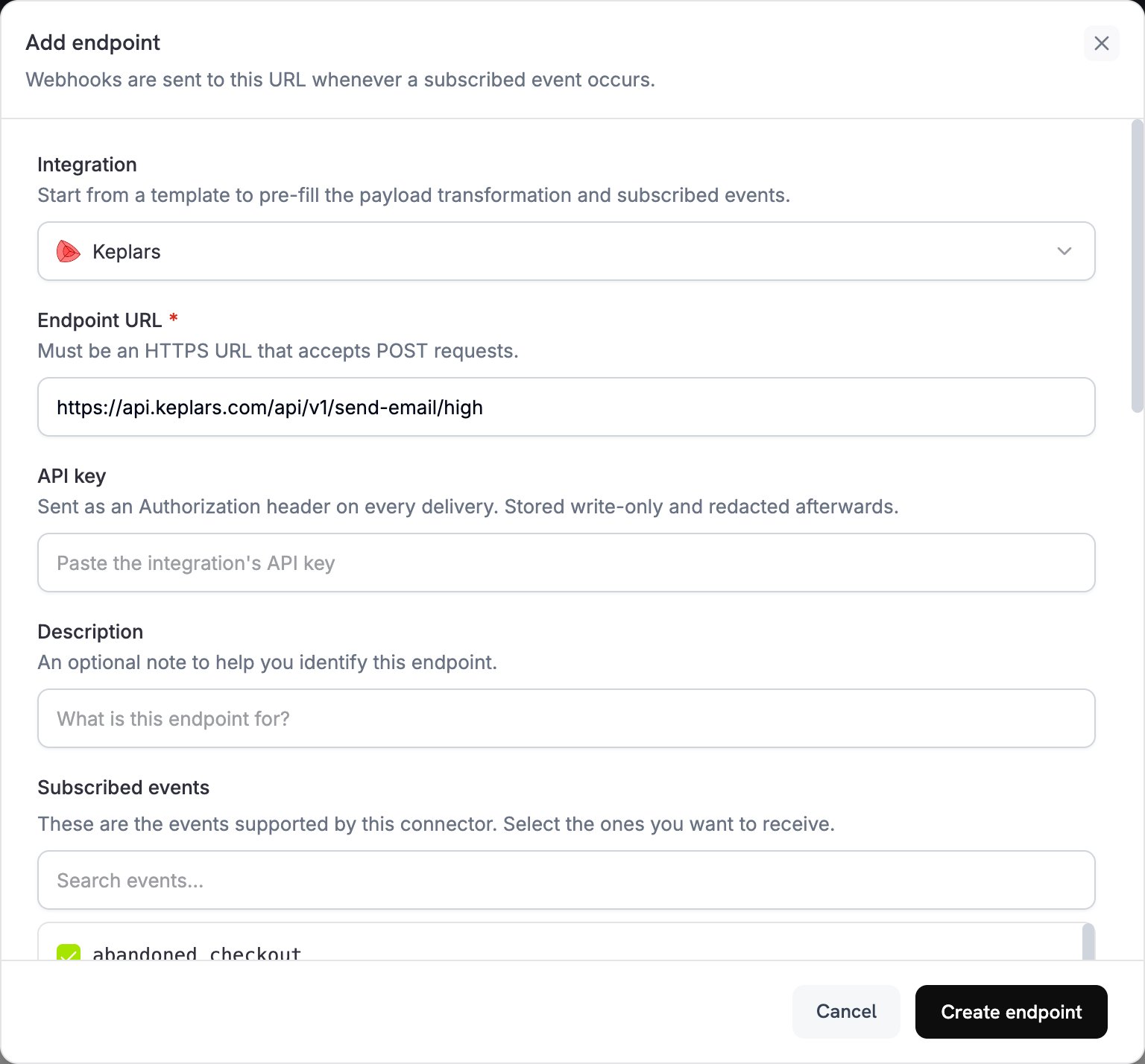
4
Configure Transformation
在 Transformation code 中编辑代码,以便为 Keplars 格式化电子邮件。将占位模板 ID 替换为你自己的 ID。
5
Test & Create
在 Test this code 下选择事件类型,然后点击 Simulate,针对示例 payload 运行 transformation。然后点击 Create endpoint,开始发送电子邮件。
6
Done
Dodo Payments 事件现在会通过 Keplars 发送事务性电子邮件。
转换代码示例
每个 handler 都会将webhook.url 设置为 Keplars 高优先级发送 endpoint,并将 webhook.payload 重写为 Keplars 请求。Dodo Payments 会将 API key 添加为 Bearer token。将 your-keplars-*-template-id 替换为你的模板 ID。Keplars send API 没有 from 字段,因此 Keplars 会使用你在 Keplars dashboard 中设置的发件人发送每封电子邮件。
Payment Confirmation Email
payment_succeeded.js
Payment Failure Notification
payment_failed.js
Subscription Welcome Email
subscription_active.js
Subscription Cancellation Email
subscription_cancelled.js
提示
- 使用经过验证的域名或地址发送邮件,以提高送达率。
- 为每种事件类型创建一个 Keplars 模板,以确保每封电子邮件都符合你的品牌风格并传达一致的信息。
- 通过在
params中传递客户数据(例如姓名、金额和 payment ID),为每封电子邮件进行个性化设置。 - 首先在 sandbox mode 中进行测试。Keplars 会将 sandbox 发送记录在其 Test Inbox 中,而不会实际投递。
故障排除
Emails not being sent
Emails not being sent
- 在 Keplars 的 Settings → API Keys 中检查你的 API key 是否正确且处于 active 状态。
- 检查你的发件人域名或地址是否已验证。
- 在 Dodo Payments dashboard 中,打开 Developer → Webhooks 的 Logs 标签页中的消息。每次投递尝试都会显示来自 Keplars 的原始错误响应。
Template not found
Template not found
- handler 中的
template_id必须与 Keplars 账户中的 active 模板匹配。在 Keplars dashboard 中检查 ID,并确认模板处于 active 状态。
Wrong event triggered
Wrong event triggered
- 每个 handler 都会检查
webhook.eventType;如果事件不匹配,则原样返回 webhook。检查 endpoint 的 Subscribed events 是否仅包含你需要的事件。