

介绍
Segment 集成会将 Dodo Payments 事件作为 Track 和 Identify 调用发送到 Segment 的 HTTP Tracking API。随后,Segment 会将支付、订阅和客户数据转发到连接到您工作区的分析、营销和数据仓库工具,这些工具来自包含 300 多个目标的目录。此集成需要您在 Segment 工作区中使用 HTTP API source 的 Write Key。您还需要在 Dodo Payments 控制台中访问 Developer → Webhooks。
开始使用
1
Open the Webhook Section
在 Dodo Payments 控制面板中,前往 Developer → Webhooks,然后点击 Add endpoint。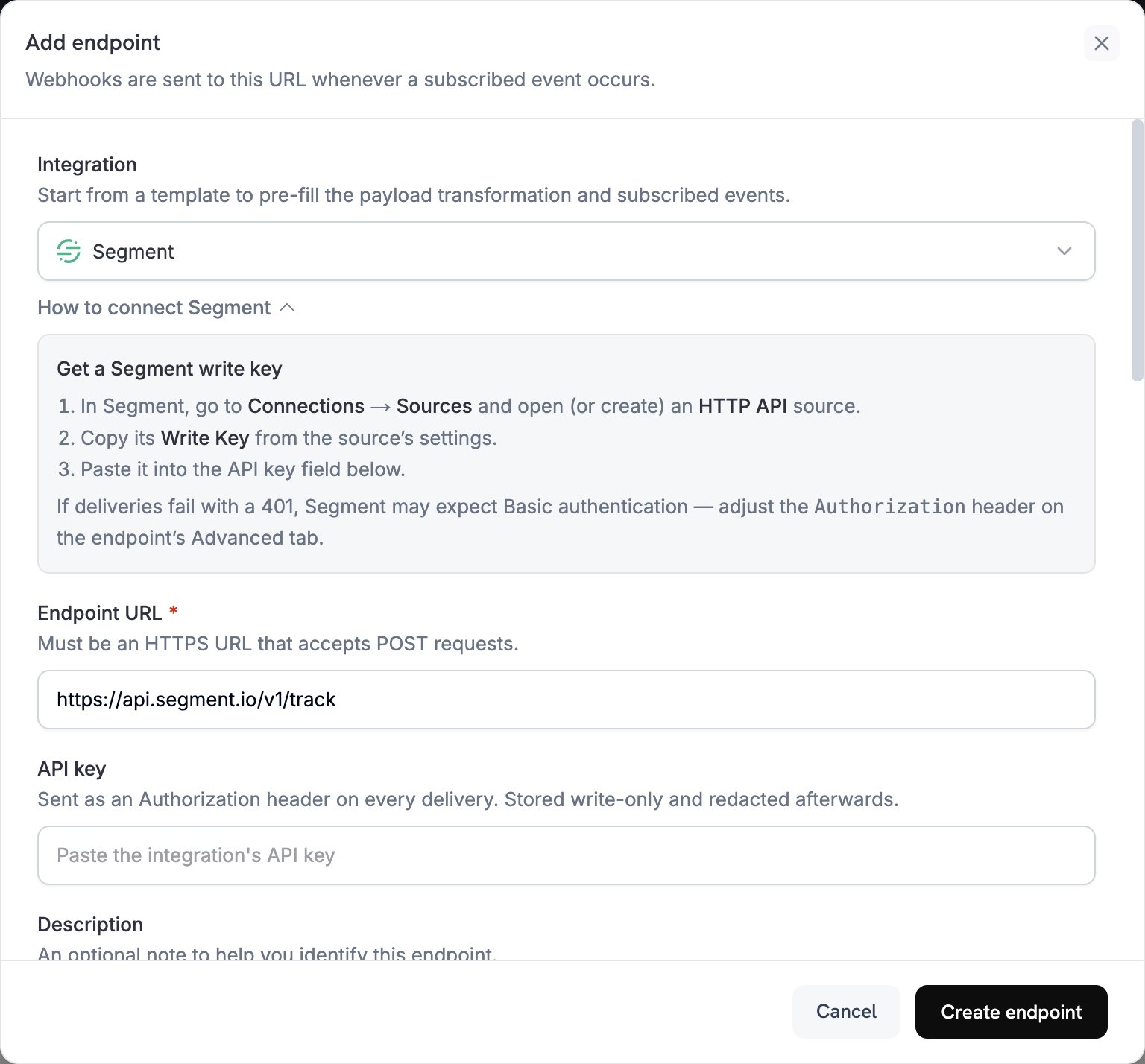
2
Select Segment
在 Integration 中选择 Segment。控制台会自动填充 Endpoint URL 和用于 Segment 的转换代码。
3
Enter Write Key
在 Segment 中,前往 Connections → Sources,然后打开或创建一个 HTTP API source。从 source 的设置中复制 Write Key,并将其粘贴到 API key 中。
4
Select Events
在 Subscribed events 中,仅选择您的转换代码会处理的事件。本页面中的示例使用
payment.succeeded、subscription.active 和 subscription.cancelled。5
Configure Transformation
在 Transformation code 下,编辑处理程序以便为 Segment 的 Track 或 Identify API 设置事件格式。请从示例开始。
6
Test & Create
在 Test this code 下选择事件类型,然后点击 Simulate 预览发送到 Segment 的调用。之后点击 Create endpoint。
7
Switch to Basic Authentication
Dodo Payments 会将 API key 值作为 bearer token 发送,但 Segment 的 HTTP API 接受通过 Basic authentication 传递的 Write Key,或接受请求正文中的
writeKey 字段。创建端点后,立即打开其 Advanced 标签页。在 Custom headers 下,在隐藏的 Authorization 行中输入新值:Basic、一个空格,以及在末尾追加冒号后对 Write Key 进行 Base64 编码的结果。然后点击 Save。例如,echo -n 'YOUR_WRITE_KEY:' | base64 会输出编码后的值。8
Done
订阅的事件现在会到达 Segment,Segment 会将它们转发到您连接的目标。
转换代码示例
每个处理程序都会将webhook.url 设置为 Segment API 端点,并将 webhook.payload 替换为调用。Dodo Payments 的金额以最小货币单位表示,因此示例会将金额除以 100。对于 JPY 和 KRW 等零小数位货币,请直接使用金额值。
跟踪支付事件
支付成功时,记录一个Payment Completed 事件:
track_payments.js
跟踪订阅生命周期
记录Subscription Started 和 Subscription Cancelled 事件:
track_subscriptions.js
识别客户属性
每次支付成功后更新客户的 traits。每个 Identify 调用都会将 traits 设置为其发送的值,因此这些 traits 表示最新一次支付:identify_customer.js
提示
- 在整个集成中使用一致的事件名称,例如
Payment Completed中 Segment 的对象和操作格式。 - 包含分析和细分所需的属性。
- 从事件的
timestamp设置timestamp,这样 Segment 记录的是事件发生的时间,而不是事件到达的时间。 - 使用 Dodo Payments 的
customer_id作为userId,这样同一客户的每次调用都会关联到同一个 Segment 用户。
故障排除
Events Not Appearing in Segment
Events Not Appearing in Segment
- 确认 Write Key 属于 HTTP API source,并且
Authorizationheader 使用 Basic authentication。 - 对于大多数请求,Segment 都会返回
200,包括它不接受的请求,因此 Dodo Payments 日志中的成功交付并不能证明事件已经到达。请在 Segment 中检查 source 的 Debugger。 - 确认事件名称遵循 Segment 的命名约定。
- 确认每次调用都设置了
userId。如果既没有userId,也没有anonymousId,Segment 会拒绝该调用。 - 检查 Segment 对 HTTP API 的速率限制。Segment 建议每个工作区保持低于每秒 1,000 个请求。
- 如果您的工作区使用 Segment 的 EU 区域,请改为将调用发送到
https://events.eu1.segmentapis.com/v1/track和https://events.eu1.segmentapis.com/v1/identify。
Transformation Errors
Transformation Errors
- 确认 payload 符合 Segment 的 API 格式。
- 确认所有必填字段都已存在。Track 要求
event,Track 和 Identify 都要求userId或anonymousId。 - 确认事件名称是字符串,而不是对象。