

介绍
Loops 集成会将 Dodo Payments 事件转换为 Loops 事件,因此付款确认、订阅更新和付款失败通知会以 Loops 电子邮件的形式发送。转换会将每个付款事件映射到一个 Loops 事件,该事件会在 Loops 中触发匹配的工作流。你需要一个 Loops API key。在 Loops 中,前往 Settings → API 并生成一个 key。
开始使用
1
Open the Webhook Section
在 Dodo Payments 控制面板中,前往 开发者 → Webhooks,然后点击 添加端点。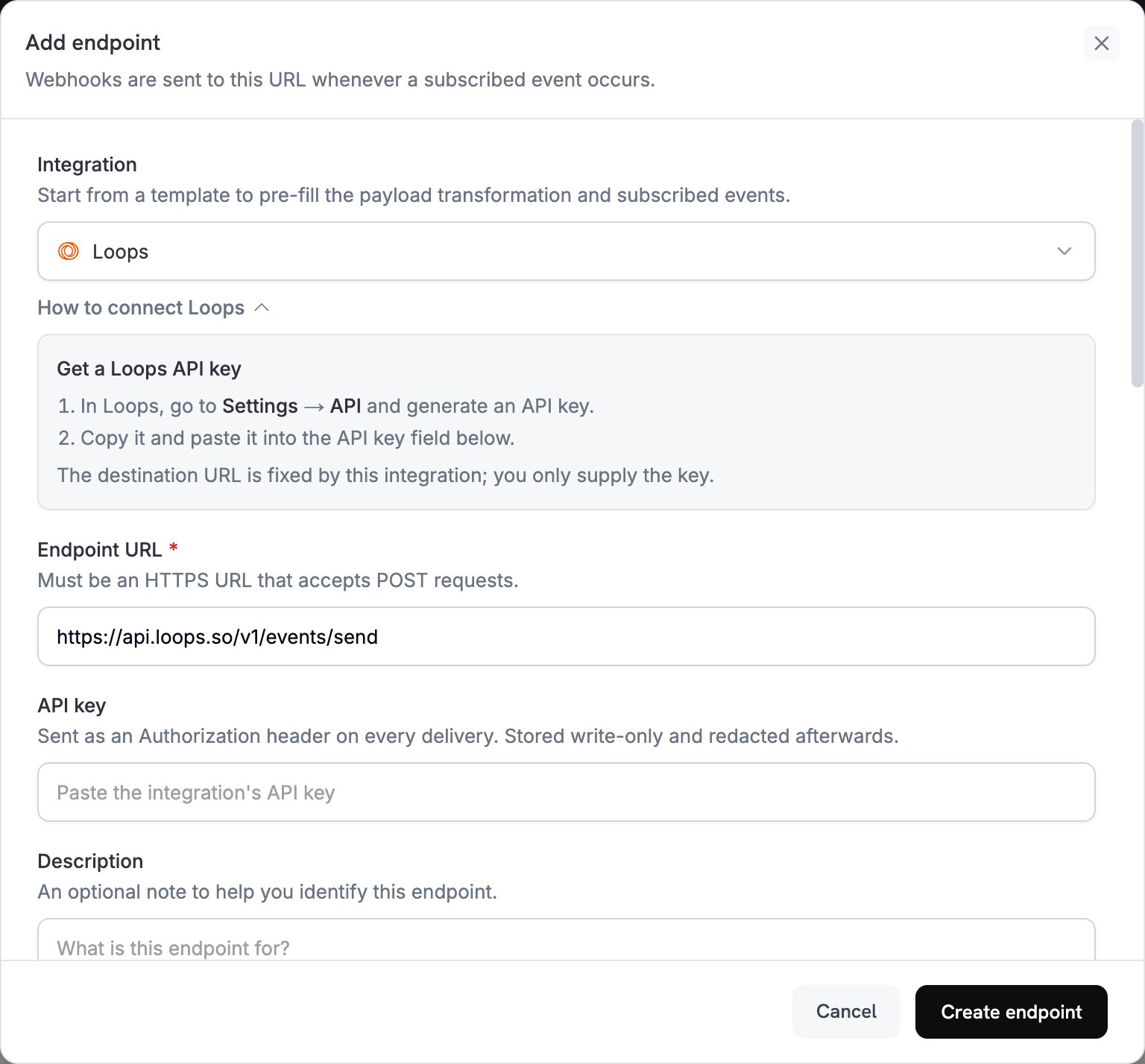
2
Select Loops
在 Integration 列表中选择 Loops。
3
Enter API Key
将 Loops API key 粘贴到 API key 字段中。Dodo Payments 会在每次传送时将其作为
Authorization 标头发送。集成会设置目标 URL,因此你只需提供该 key。4
Configure Transformation
编辑 Transformation code 下的代码,使每个事件都转换为 Loops 事件。请从下面的示例开始。在 Subscribed events 下,选择代码处理的事件。
5
Test & Create
在 Test this code 下,针对示例 payload 运行转换,然后点击 Create endpoint。
6
Done
付款事件现在会通过 Loops 触发电子邮件。
转换代码示例
每个示例都会将一种事件类型重写为 Loops Send an Event API 的请求正文:一个eventName、联系人的 email,以及 Loops 电子邮件可以使用的 eventProperties。
付款确认电子邮件
此示例会在付款成功时发送一个payment_confirmation 事件。
payment_confirmation.js
订阅欢迎电子邮件
此示例会在订阅变为 active 时发送一个subscription_welcome 事件。
subscription_welcome.js
付款失败通知
此示例会发送一个包含错误消息和重试链接的payment_failed 事件。将 yourdomain.com 替换为你自己的域名。
payment_failure.js
提示
- 为每个事件指定描述性名称,例如
payment_confirmation,以便让 Loops 电子邮件井然有序。 - 包含电子邮件用于个性化的客户属性。
- 在 Loops 中,为发送的每个事件名称设置一个工作流和电子邮件。
- 在不同事件中使用相同的属性名称。
- 正式上线前测试电子邮件传送。
故障排除
Emails Not Being Sent
Emails Not Being Sent
- 检查 API key 是否正确且处于 active 状态。
- 检查每个事件名称是否与触发 Loops 工作流的事件匹配。
- 检查收件人的电子邮件地址是否有效。
- 查看 Loops 的发送限制和配额。
Transformation Errors
Transformation Errors
- 检查 payload 是否符合 Loops API 格式:一个
eventName,以及一个email或userId。 - 检查所有必需字段是否存在。
- 检查事件名称的格式是否正确。
- 为每个事件属性提供字符串、数字、布尔值或日期值。
- 检查 API key 的权限。