

介绍
SendGrid 集成会在 Dodo Payments 事件发生时,通过 SendGrid 的 Mail Send API 发送事务性电子邮件。每封电子邮件都会使用你的某个 SendGrid 动态模板,并填充事件中的数据,因此你可以确认付款、欢迎新订阅者,以及跟进失败的付款。此集成需要具有 Mail Send 权限的 SendGrid API key、SendGrid 中经过验证的发件人,以及每种要发送的电子邮件对应的动态模板。你还需要在 Dodo Payments 控制台中访问 Developer → Webhooks。
开始使用
1
Open the Webhook Section
在 Dodo Payments 控制台中,前往 开发者 → Webhooks,然后点击 添加 endpoint。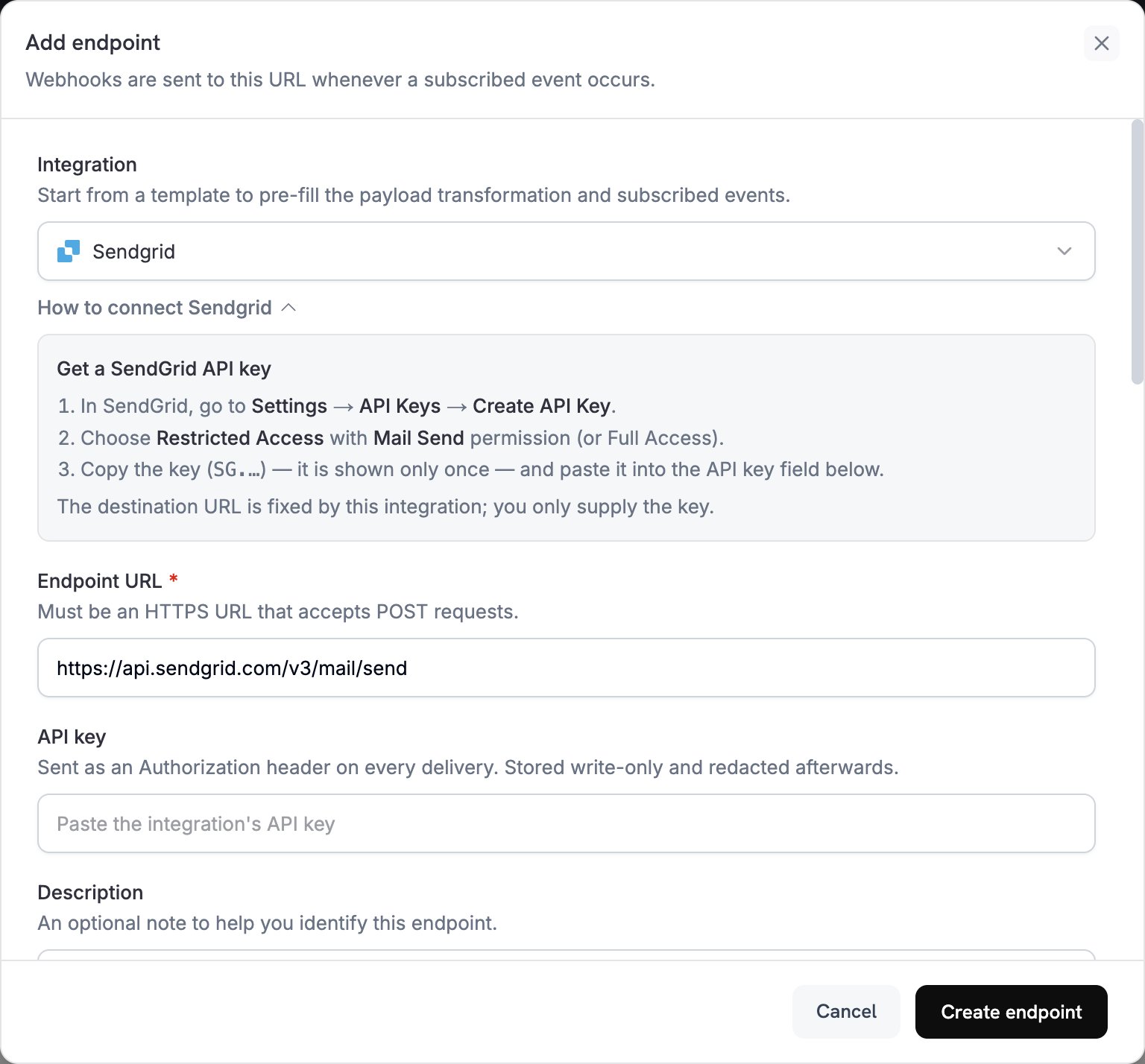
2
Select SendGrid
在 Integration 中选择 SendGrid。控制台会填充 Endpoint URL 和 SendGrid 的转换代码,同时 How to connect SendGrid 面板会显示设置步骤。
3
Enter API Key
在 SendGrid 中,前往 Settings → API Keys,然后点击 Create API Key。选择具有 Mail Send 权限的 Restricted Access,或选择 Full Access。SendGrid 只会显示一次以
SG. 开头的 key。将其粘贴到 API key 中。Dodo Payments 会在每个发送到 SendGrid 的请求的 Authorization header 中,将其作为 bearer token 发送。4
Select Events
在 Subscribed events 中,仅选择你的转换所处理的事件。转换未更改的事件会以 Dodo Payments 格式发送到 SendGrid,而 SendGrid 会拒绝该事件。
5
Configure Transformation
在 Transformation code 下,编辑处理程序以便为 SendGrid 的 Mail Send API 格式化电子邮件。从示例开始,并将每个
template_id 替换为你自己的动态模板 ID,该 ID 以 d- 开头。6
Test & Create
在 Test this code 下,选择事件类型并点击 Simulate,预览发送到 SendGrid 的请求。然后点击 Create endpoint。
7
Done
Dodo Payments 现在会为每个已订阅的事件通过 SendGrid 发送电子邮件。要查看每次发送及 SendGrid 的响应,请在 Developer → Webhooks 中打开 Logs 标签页。
转换代码示例
每个处理程序都会将webhook.url 设置为 Mail Send endpoint,并通过 dynamic_template_data 将事件数据传递给动态模板。Dodo Payments 的金额以最小货币单位表示,因此示例会将金额除以 100。对于 JPY 和 KRW 等零小数位货币,请直接使用金额值。
付款确认电子邮件
付款成功时发送收据(payment.succeeded):
payment_confirmation.js
订阅欢迎电子邮件
订阅激活后欢迎客户(subscription.active):
subscription_welcome.js
付款失败通知
付款失败时要求客户重试(payment.failed):
payment_failure.js
提示
- 使用 SendGrid 动态模板来个性化内容。
- 在
dynamic_template_data中传递模板所需的付款数据。 - 设置一个与经过验证的发件人匹配的
from地址,以及发件人name。 - 重用模板 ID,以便同类电子邮件保持相同的格式。
- 在包含营销内容的任何电子邮件中加入退订链接。
- 要在代码中跳过某个事件,请在返回 webhook 前设置
webhook.cancel = true。日志会将跳过的发送记录为成功。
故障排除
Emails Not Being Sent
Emails Not Being Sent
- 检查 API key 是否具有 Mail Send 权限。要替换它,请编辑 endpoint,并在 API key 中粘贴新的 key。
- 检查每个
template_id是否属于活跃的动态模板。 - 检查收件人的电子邮件地址是否有效。
- 检查 SendGrid 针对你的计划设置的发送限制和配额。
- 在 Developer → Webhooks 中打开 Logs 标签页,阅读 SendGrid 对失败发送的响应。
Transformation Errors
Transformation Errors
- 检查 payload 是否符合 SendGrid 的 Mail Send 格式。
- 检查所有必填字段是否存在:
personalizations,其中至少包含一个to地址,以及from。 - 检查
dynamic_template_data中的 key 是否与模板中的变量匹配,例如{{customer_name}}。 - 检查每个
from地址是否已在 SendGrid 中完成验证。