

What is Credit-Based Billing?
Credit-Based Billing gives you a flexible system to issue credit entitlements to customers as part of your products. Instead of charging per-use or limiting access through feature flags, you allocate a pool of credits that customers draw from as they use your service. Credits 适用于:- AI and LLM platforms: Grant tokens or generation credits per plan tier
- API services: Allocate API call credits with overage pricing
- Infrastructure platforms: Issue compute hours or storage credits
- Communication services: Provide message or minute credits per subscription
- SaaS with consumption tiers: Bundle included usage into credit pools
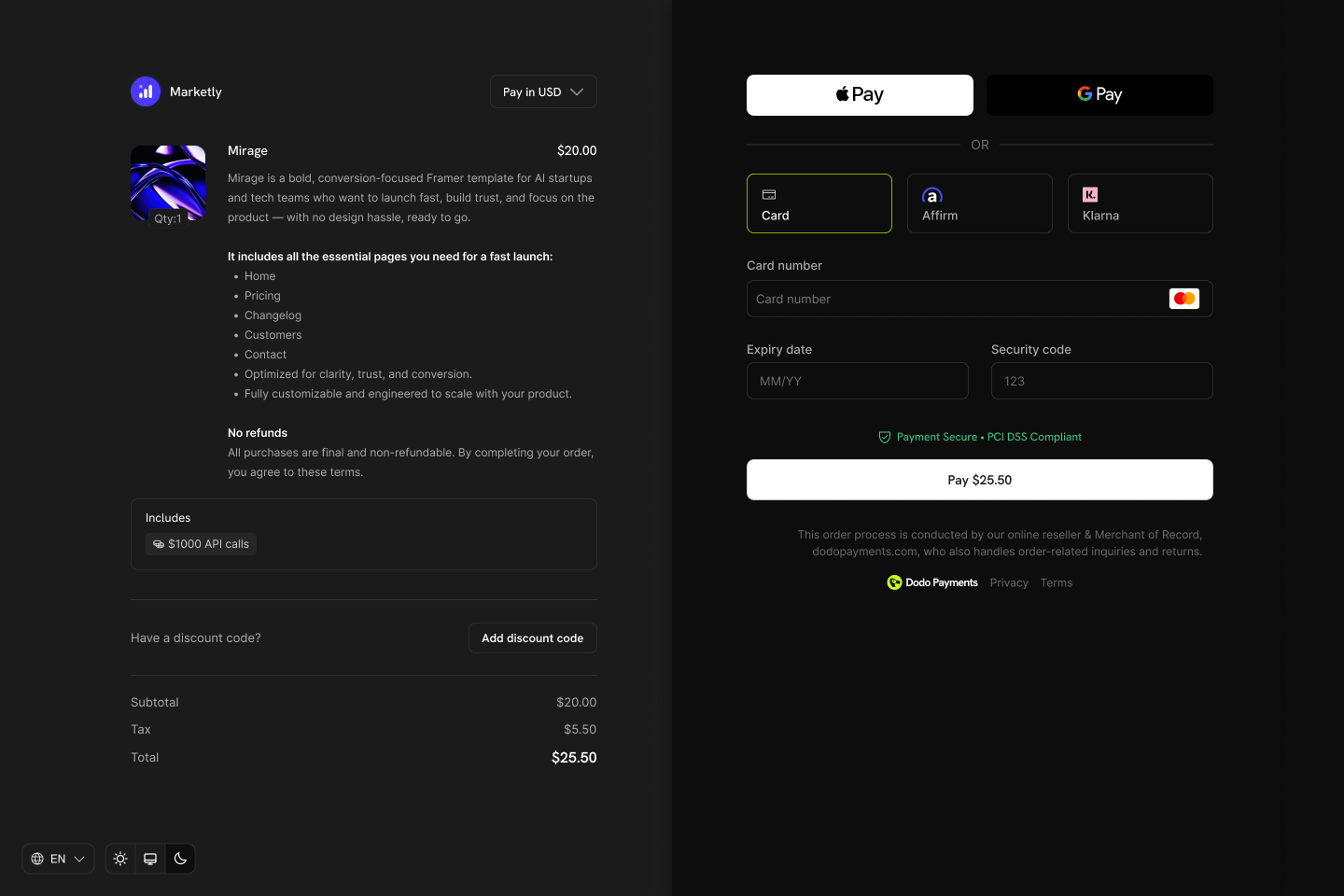
Credits appear as entitlements on your products and show in checkout, customer portal, and subscription details.
Core Concepts
Credit Types
When creating a credit, you choose between two types:- Custom Unit
- Fiat Credits
Credit Lifecycle
Credits follow a clear lifecycle from issuance through consumption:Credits Issued
Credits Consumed
Credits Expire or Roll Over
Overage Handling
Grant Sources
Credits can be granted from multiple sources:Creating Credits
Create credit entitlements in the Products → Credits section of your dashboard. Each credit defines the unit, precision, expiry rules, and lifecycle behavior.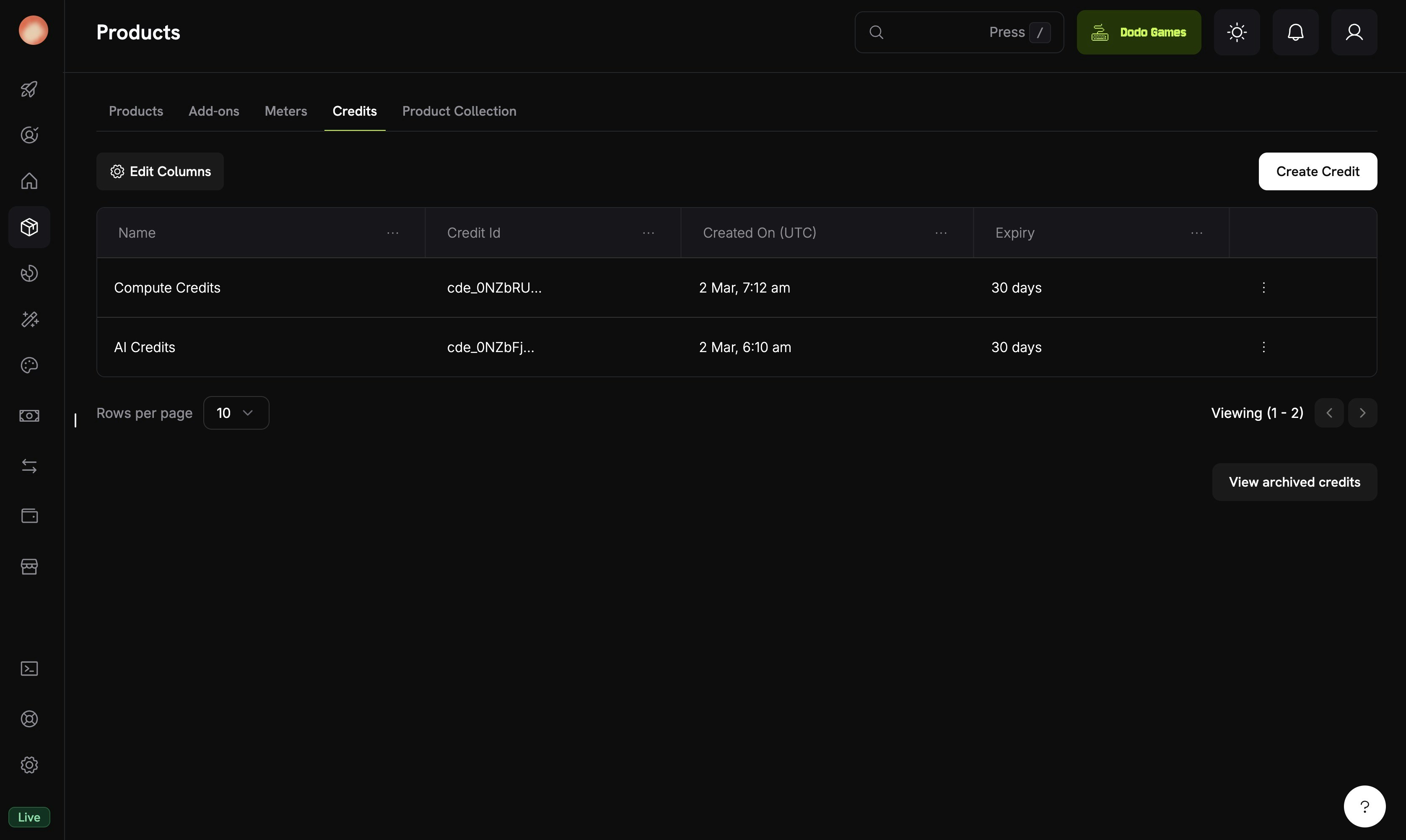
The Credits tab under Products shows all your credit entitlements.
Navigate to Credits
Configure Basic Information
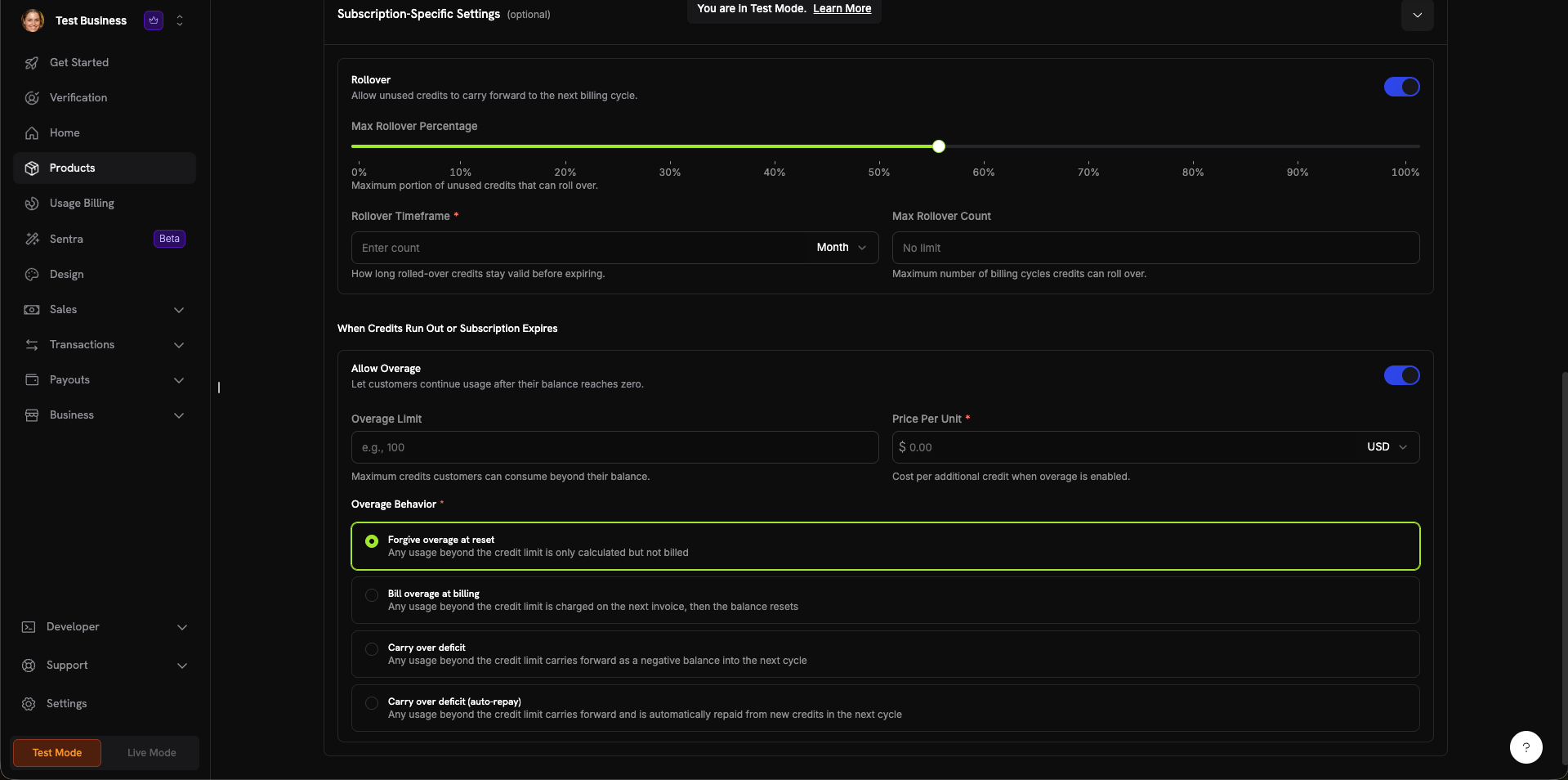
The credit creation form with all configuration sections.
Set General Settings
- Custom Unit:定义您自己的指标(tokens、API 调用、compute hours)。需要设置 Unit Name(例如,“Platform tokens”)和 Precision。
- Fiat Credits:Credits 代表实际货币价值。需要选择 Unit Currency(USD、EUR、GBP、INR 等)。
0 to 10:0:整数(适合 API 调用等可计数项目)1:一位小数(0.0)2:两位小数(0.00)——默认值3:三位小数(0.000)- 最多
10:适用于高精度单位(例如,分数 tokens 或微量使用量)
- 7 days, 30 days (default), 60 days, 90 days, Custom, or Never
Configure Subscription Settings (Optional)
- Max Rollover Percentage(0–100%):限制可结转的额度
- Rollover Timeframe:结转 credits 保持有效的时长(例如,1 Month)
- Max Rollover Count:credits 被作废前允许连续结转的最大次数
- Overage Limit:客户可在余额之外使用的最大 credits 数量
- Price Per Unit:启用超额使用时每个额外 credit 的费用(带货币选择器)
- Forgive overage at reset(默认):记录超过 credit 限额的使用量,但不计费。余额在每个周期重置。
- Bill overage at billing:超过 credit 限额的使用量会在下一张发票中计费,随后余额重置。
- Carry over deficit:超过 credit 限额的使用量会以负余额形式结转到下一周期。
- Carry over deficit (auto-repay):欠额结转到下一周期,并自动从新 credits 中偿还。
Create Credit
Attaching Credits to Products
Credits are attached to products as entitlements in the product creation or editing flow. You can attach up to 5 credits per product. Credits work with all three pricing types.Subscription Products
For subscriptions, credits are issued per billing cycle and can be configured with proration, trial credits, and cycle-specific settings.Create or Edit a Subscription Product
Open Entitlements Section

The Entitlements section in the product form with Credits, License Key, and Digital Product Delivery options.
Select Credits to Attach
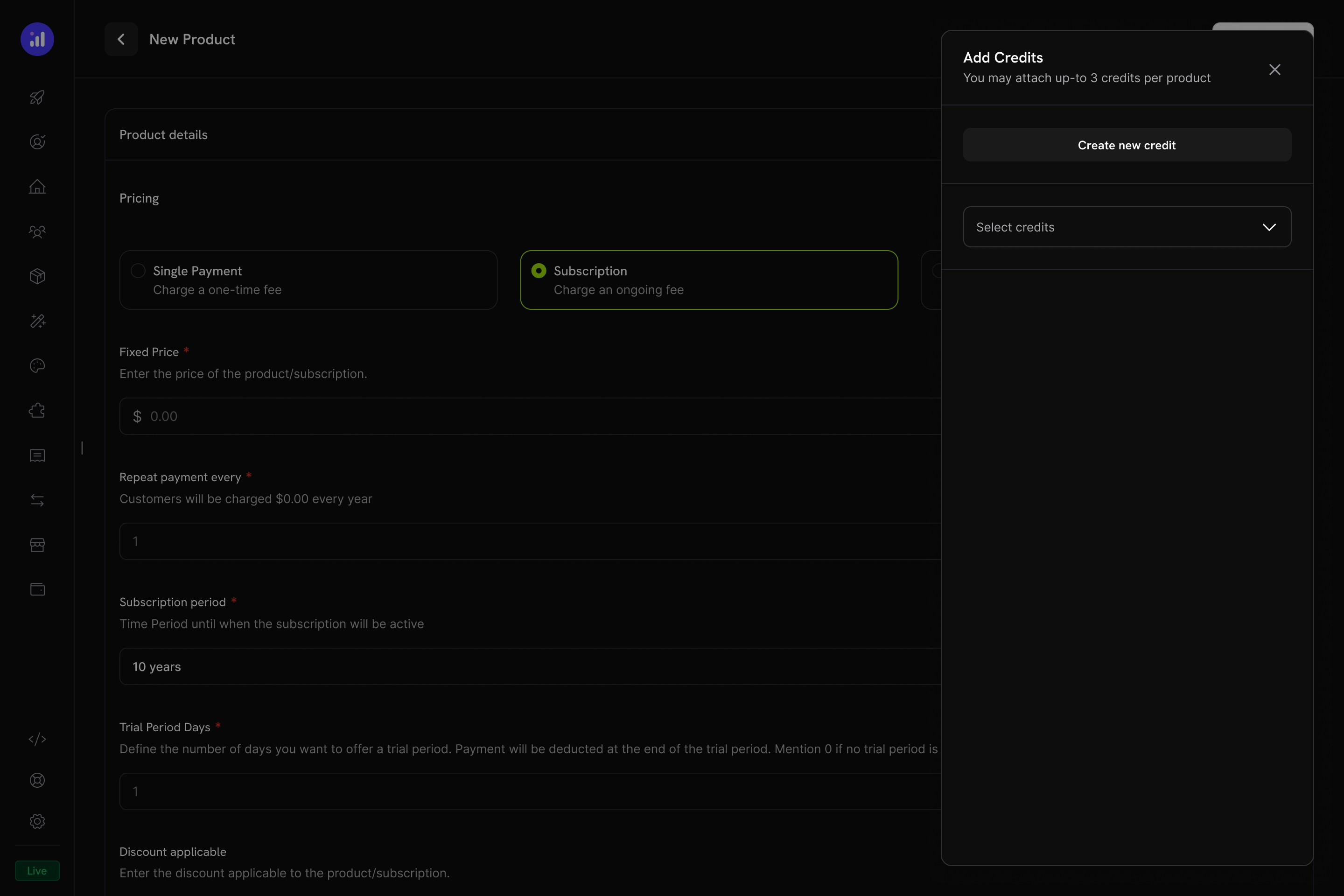
The Add Credits panel lets you select existing credits or create new ones.
Configure Credit Settings
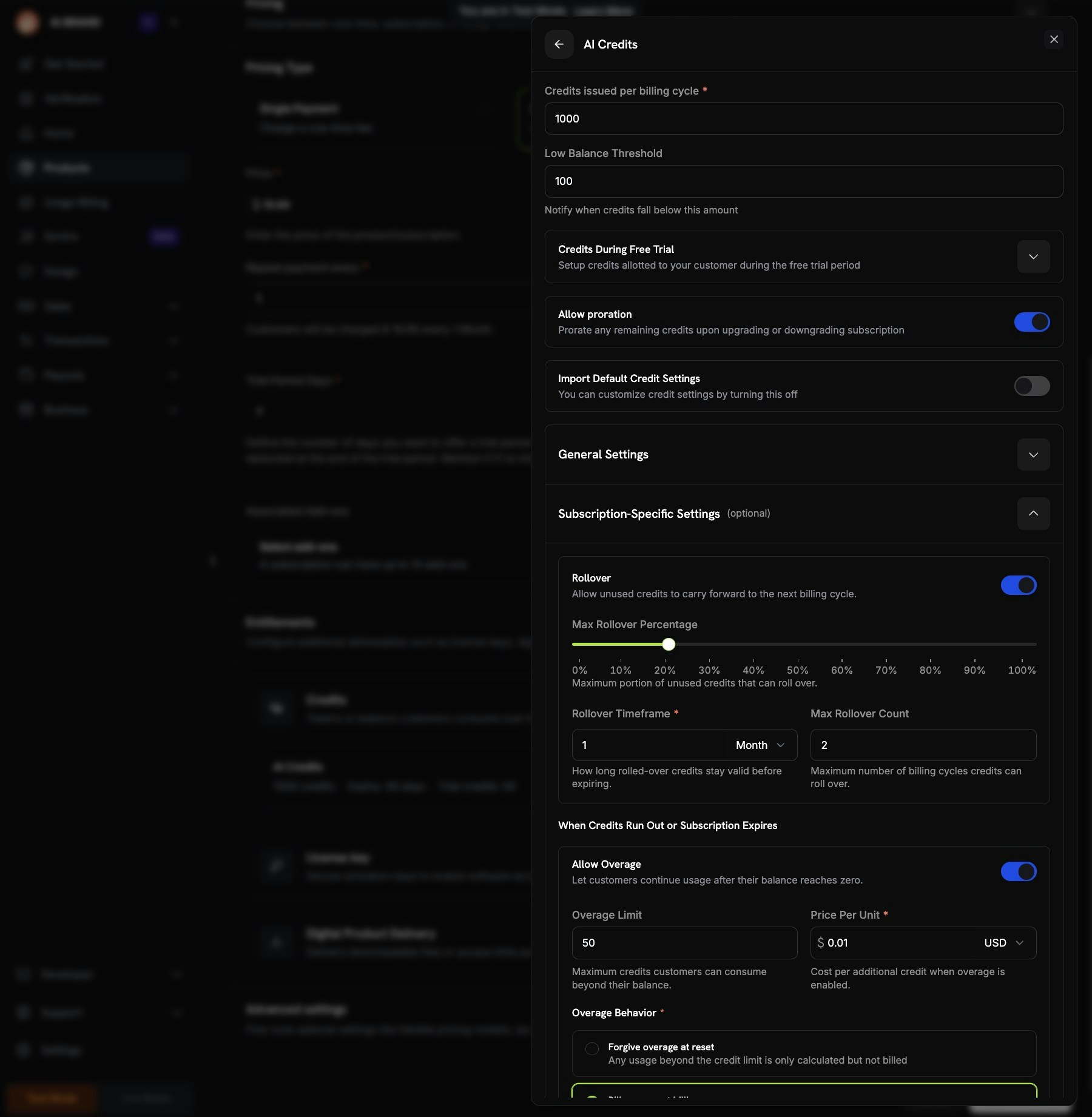
Credit configuration showing per-cycle amount, trial credits, proration, and custom settings.
Review and Add
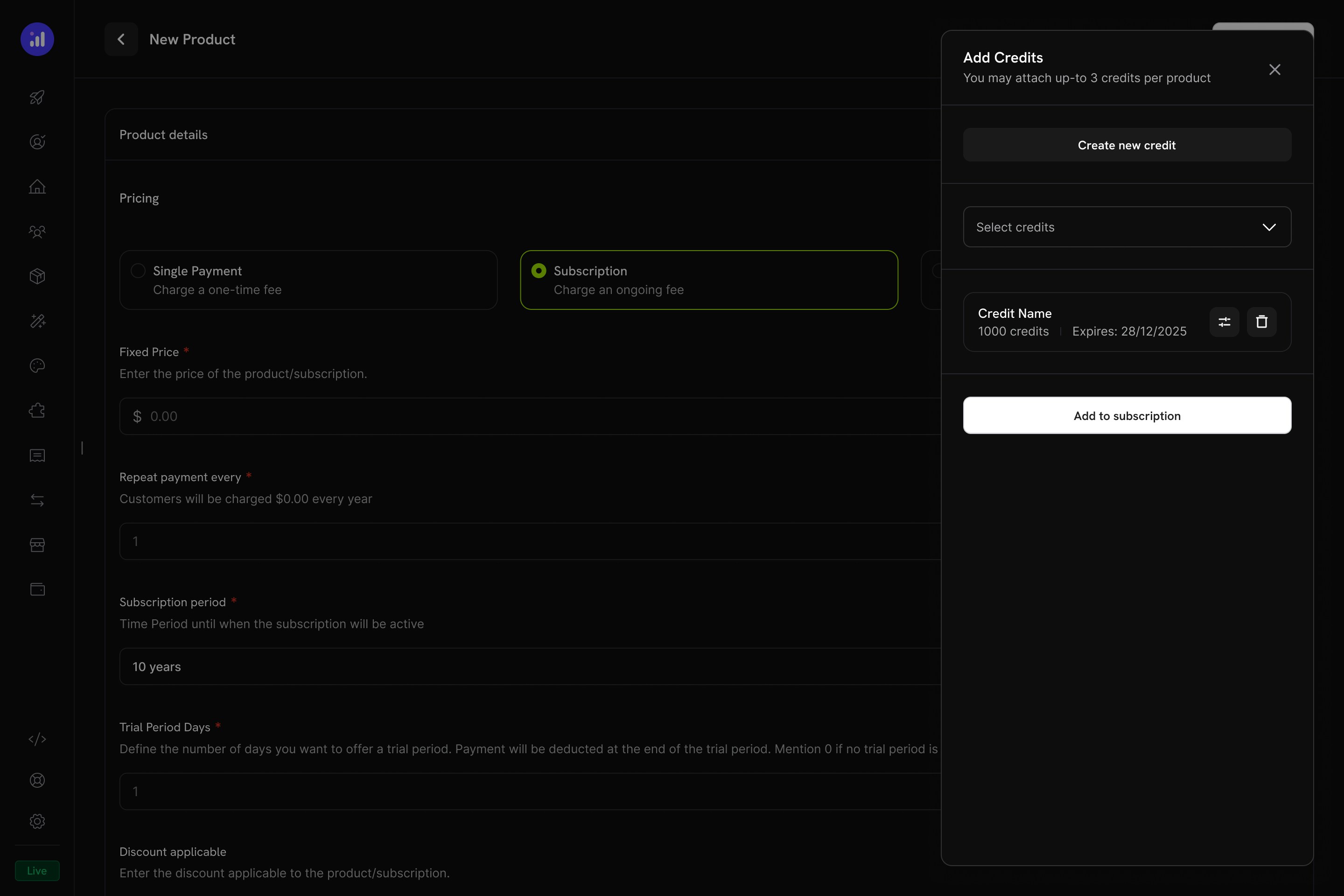
Review attached credits before adding them to the subscription.
One-Time Payment Products
For one-time payments, credits are issued once at the time of purchase.Create a One-Time Product
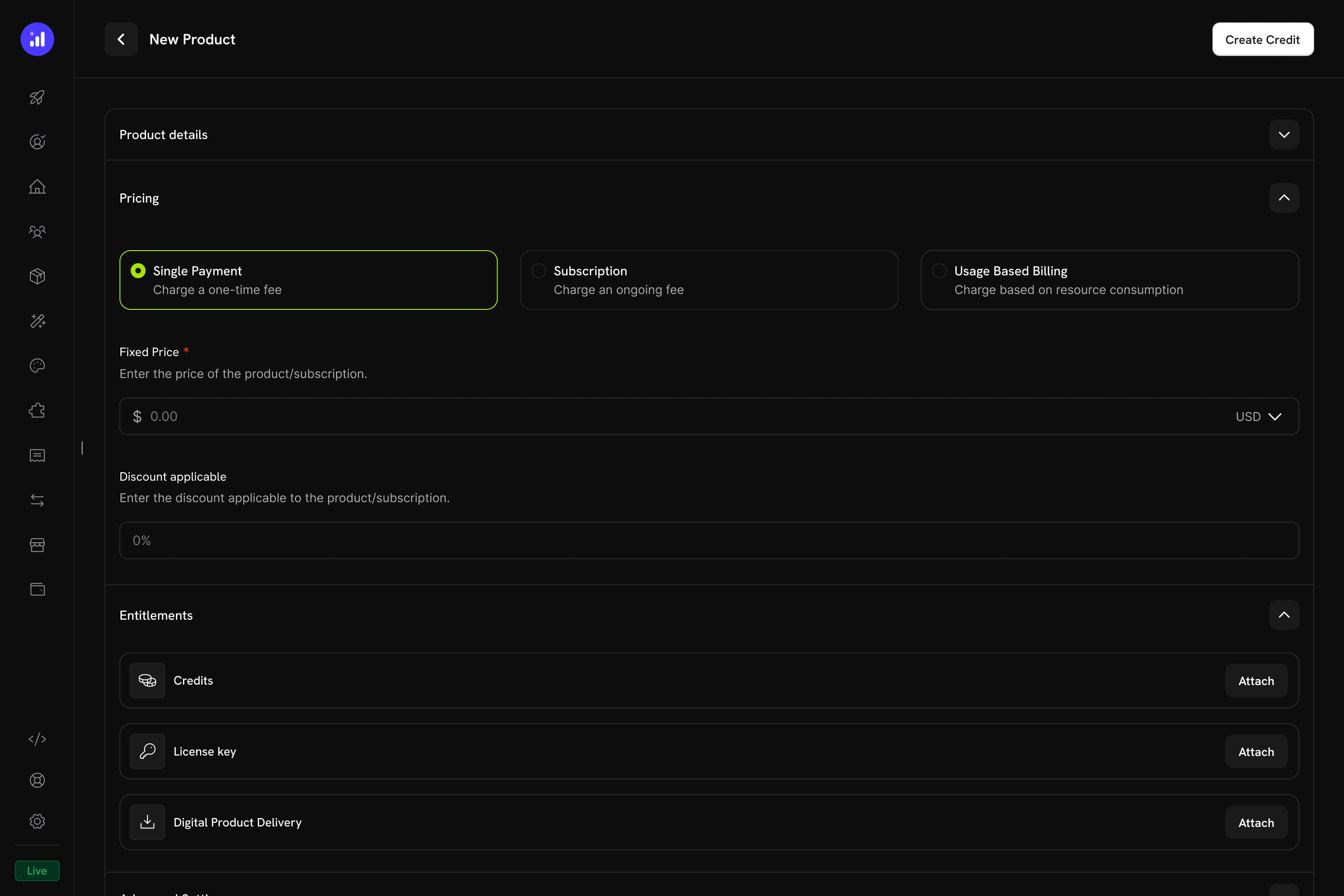
Single Payment pricing selected for a one-time credit product.
Attach Credits
Usage-Based Billing Products
For usage-based products, credits are linked to meters and automatically deducted based on real-time consumption events.Create a Usage-Based Product
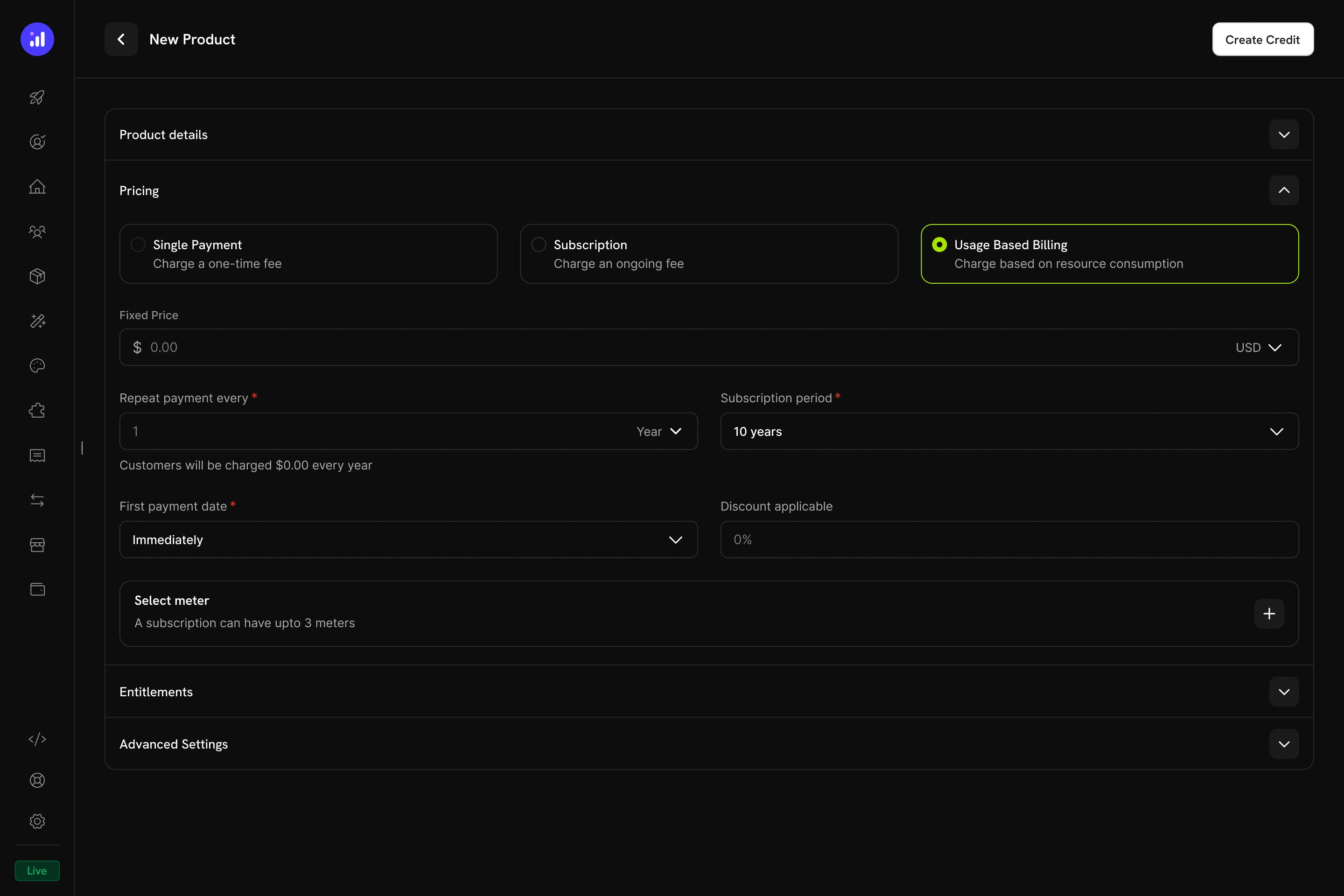
Usage Based Billing pricing type with meter configuration.
Add a Meter
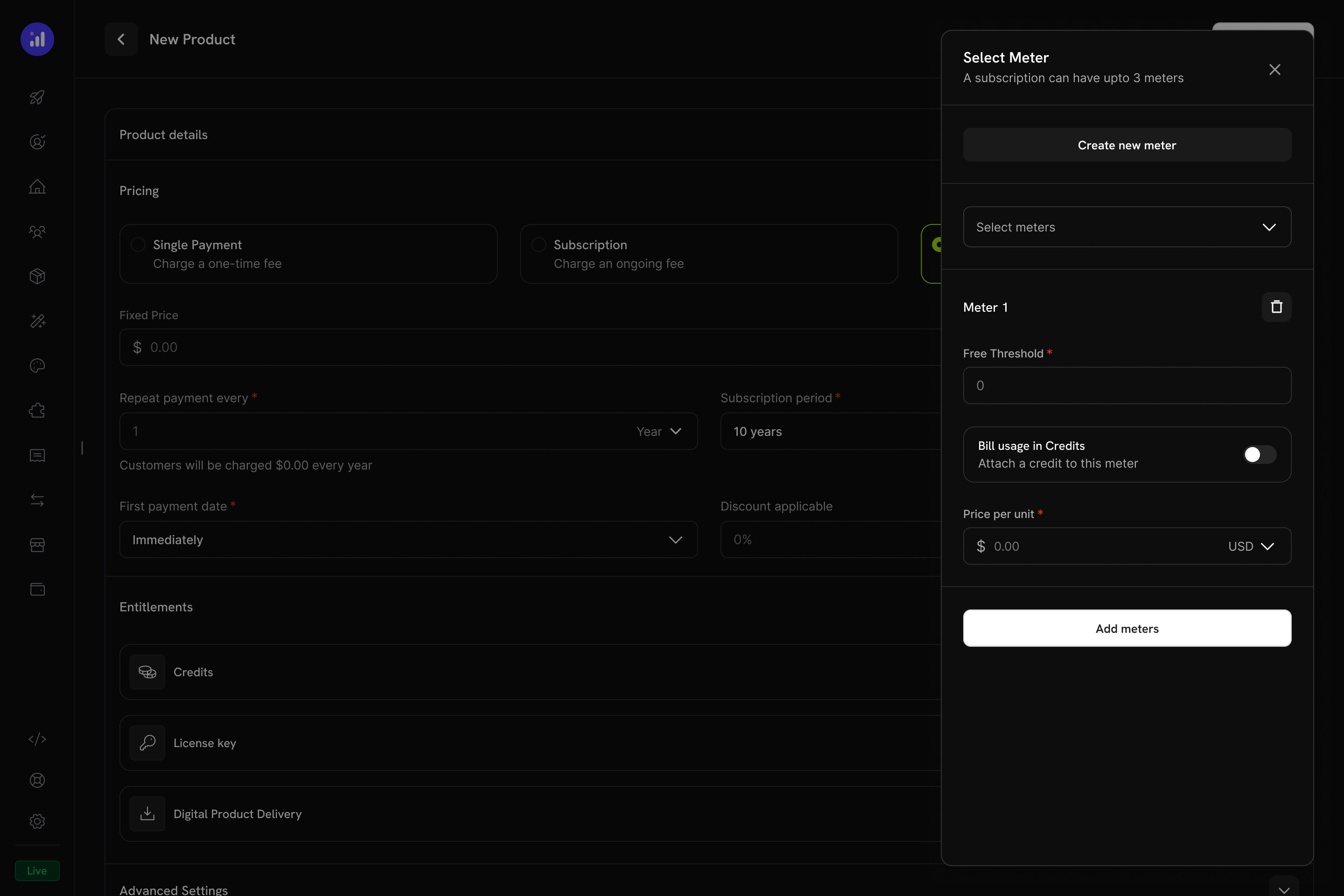
The Select Meter panel with meter configuration and credit toggle.
Enable Credit Billing on the Meter
1000, then 1,000 API calls consume 1 credit.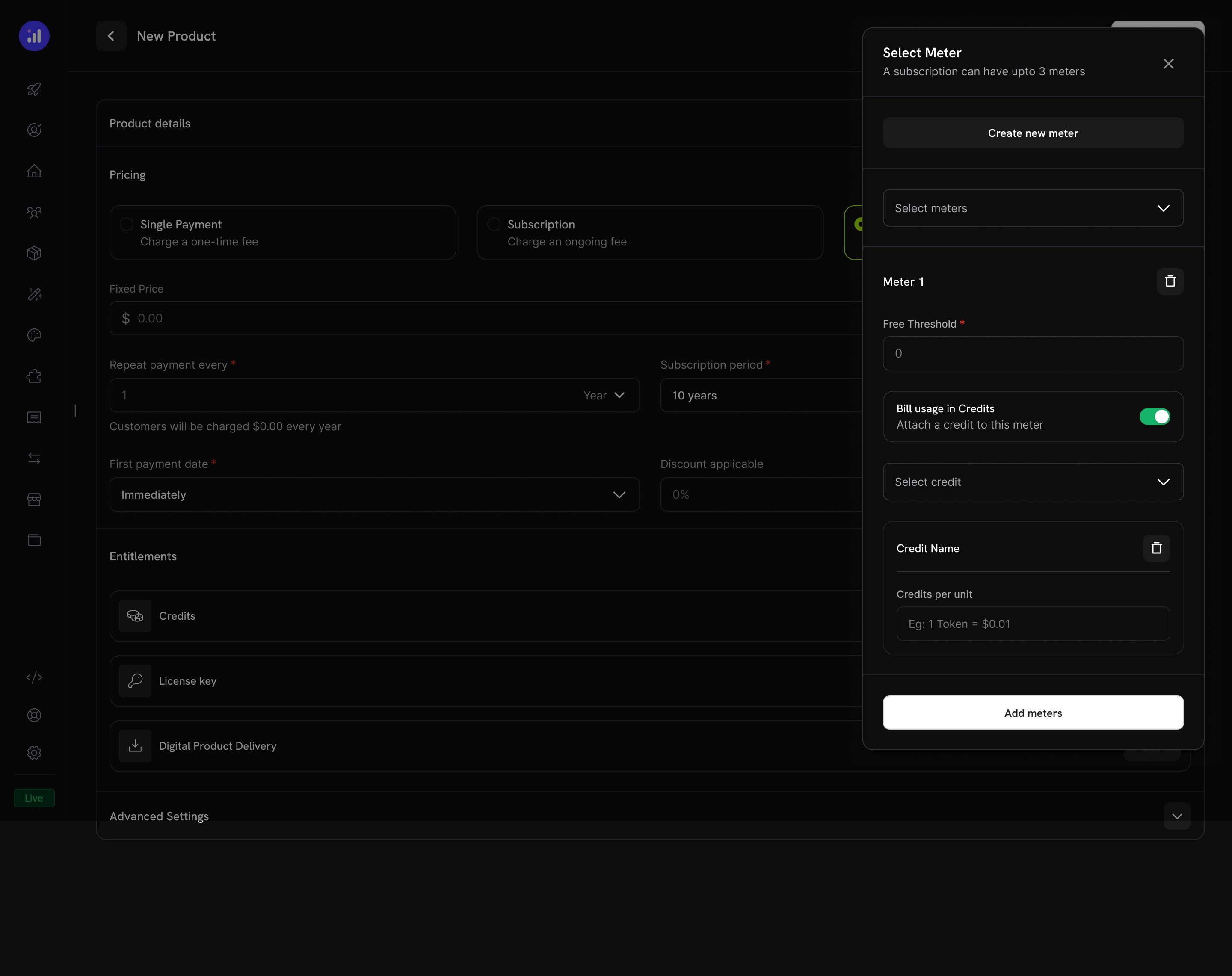
Credit attached to a meter with per-unit conversion rate.
Configure Credit Issuance
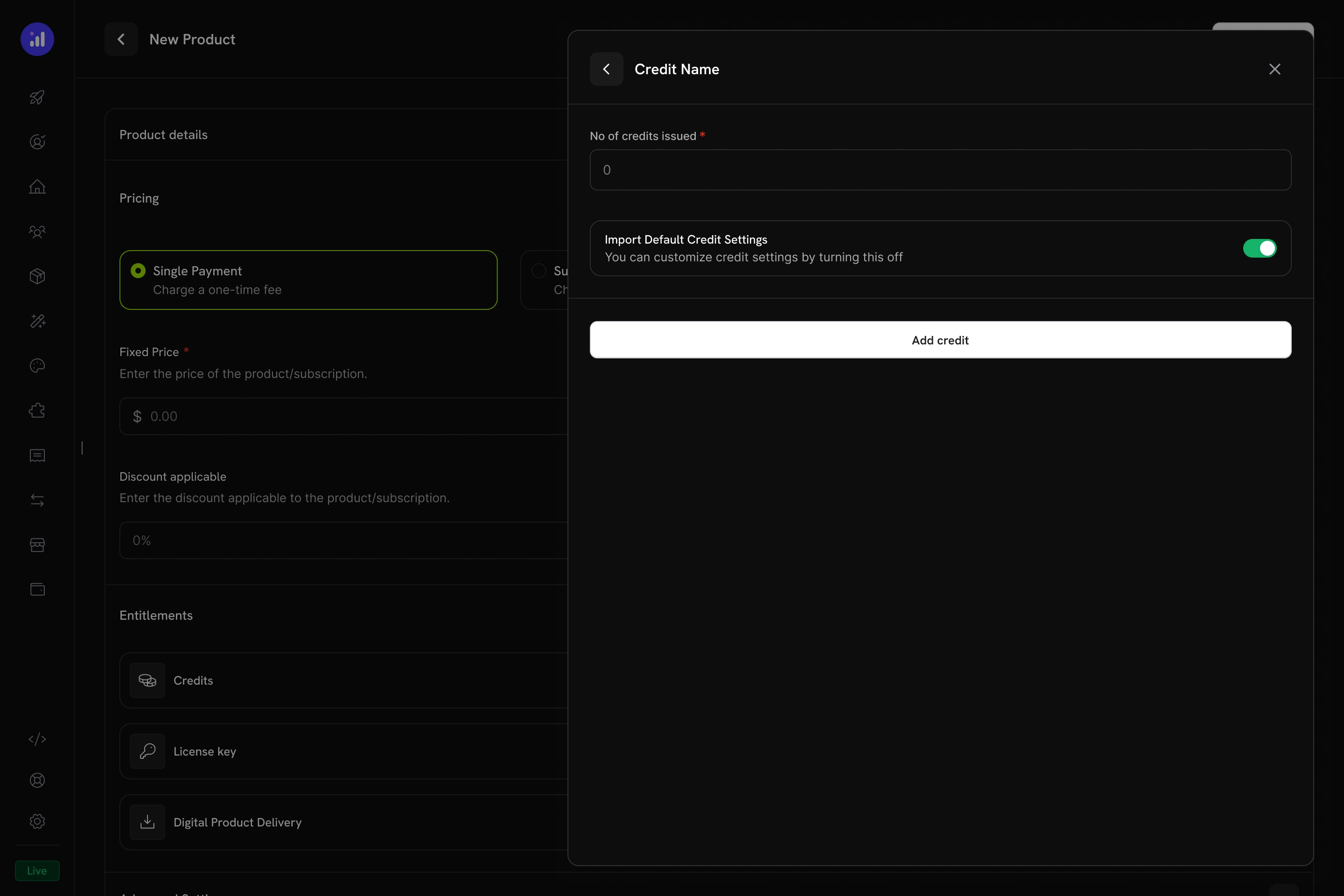
Configure how many credits to issue and whether to use default settings.
Verify Attachment
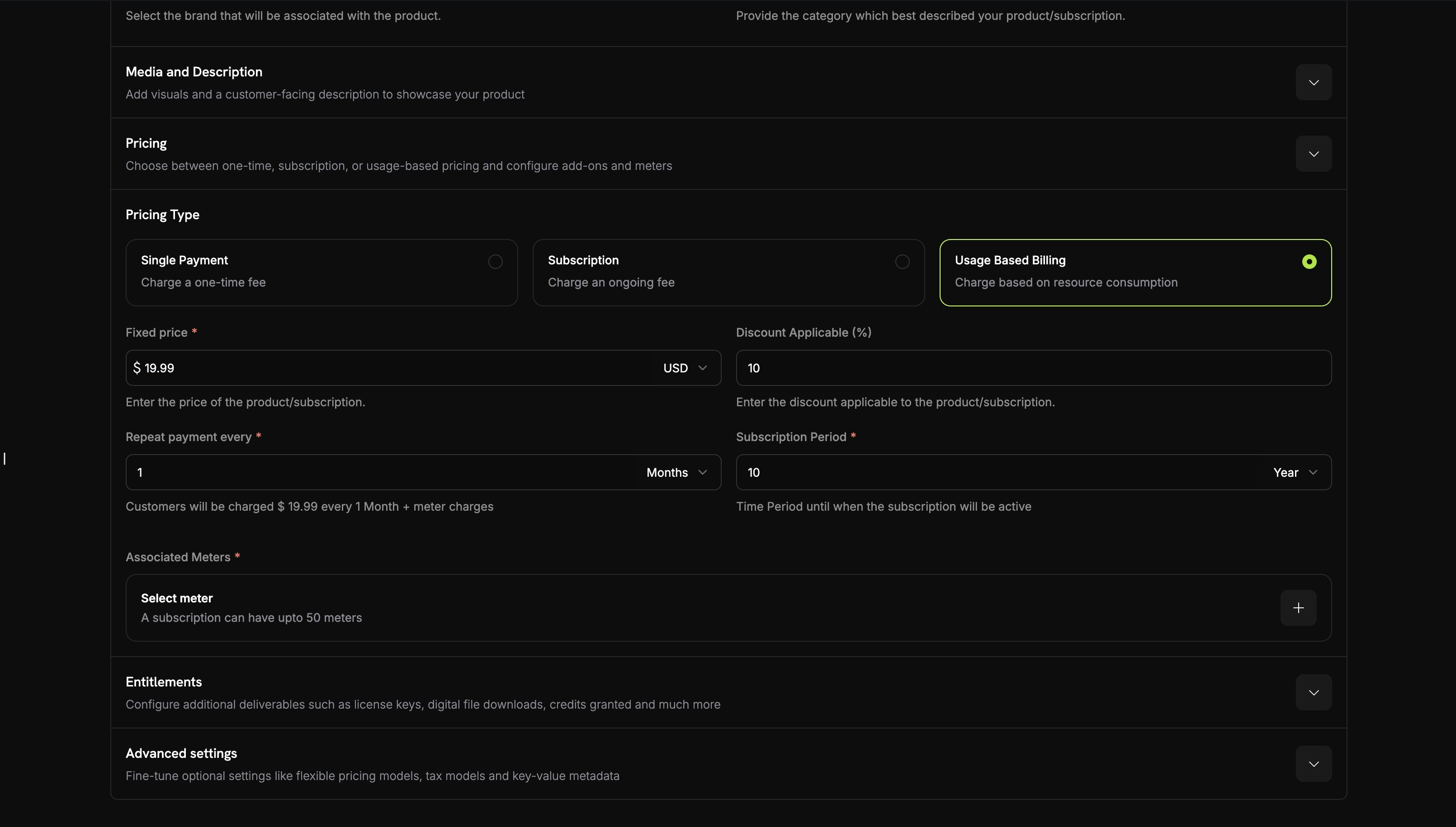
Meter with credit attached showing price, threshold, and credit name.
Credit Settings
Rollover
Rollover lets unused credits carry forward to the next billing cycle instead of expiring.Overage
Overage controls what happens when a customer’s credit balance reaches zero mid-cycle.过期
credit_expired ledger 条目。如果启用了 rollover,则会在过期前应用结转百分比,只有剩余部分会过期。使用 Credits 的用量计费
当 credits 与 usage meters 关联后,系统会创建强大的基于消耗量的计费模式。客户获得 credit 配额,使用事件会自动从其余额中扣除 credits。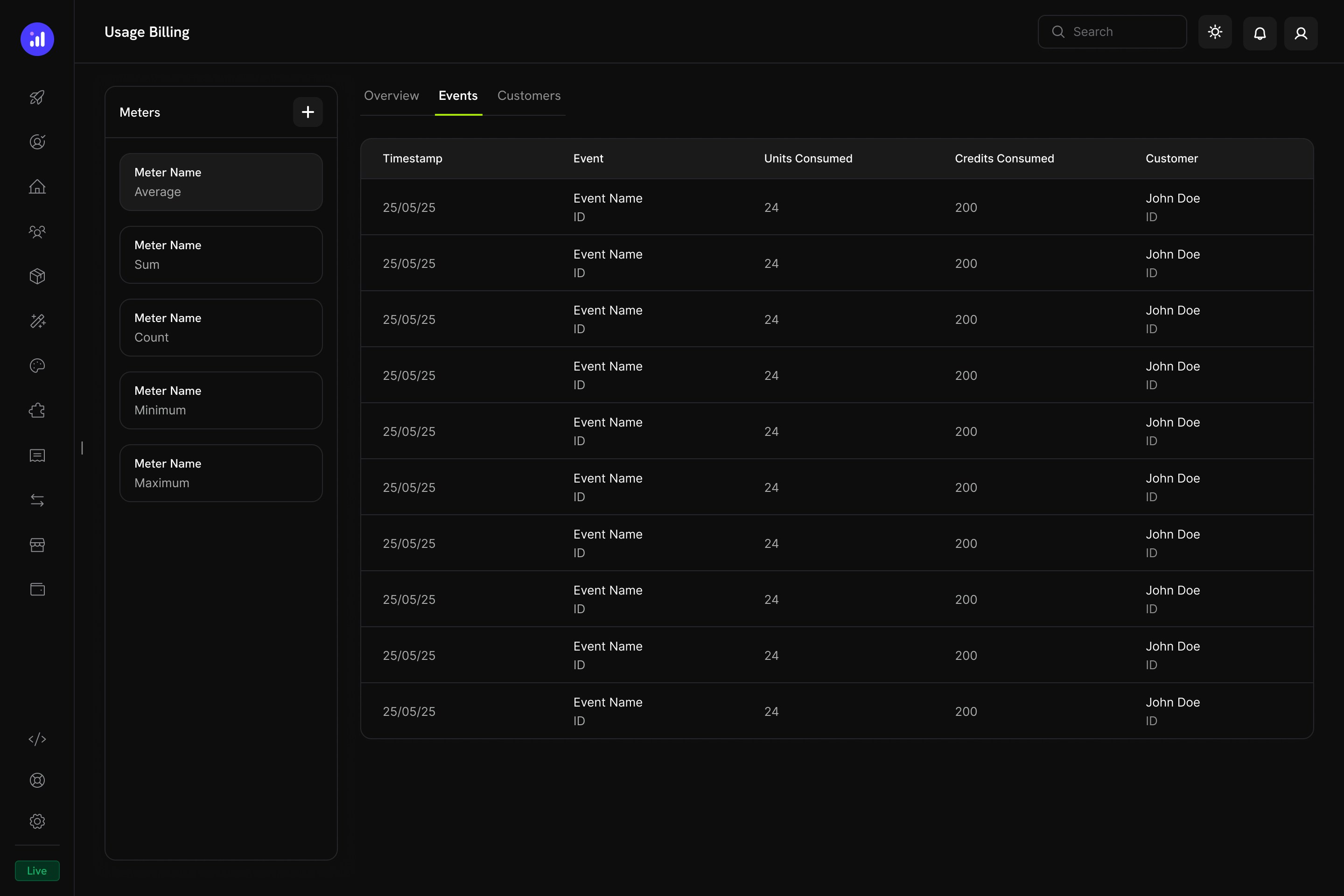
The Usage Billing dashboard shows meter events with units consumed, credits consumed, and customer details.
基于 Meter 的 Credit 扣除方式
- 您的应用程序发送使用事件:每个事件包含客户 ID、事件名称和 metadata
- Meters 聚合事件:使用 Count、Sum、Max 或 Last 聚合方式
- Credits 自动扣除:后台 worker 每分钟处理一次事件,使用您配置的费率将 meter 单位转换为 credits,并按照 FIFO 顺序(最早过期的 grants 优先)从客户余额中扣除
- 跟踪超额使用量:如果 credit 余额达到零且启用了超额使用,系统会跟踪超额使用量,以便在周期结束时计费
Meters 面板
Usage Billing 仪表板包含一个 Meters 面板,其中列出所有已定义的 meters 及其聚合类型:客户体验
结账
当客户购买附带 credits 的产品时,结账页面会将包含的 credits 显示为产品权益的一部分。Checkout shows included credits with the product, making the value proposition clear.
Customer Portal
客户可以在 Customer Portal 的 Credits 部分查看和管理其 credit 余额。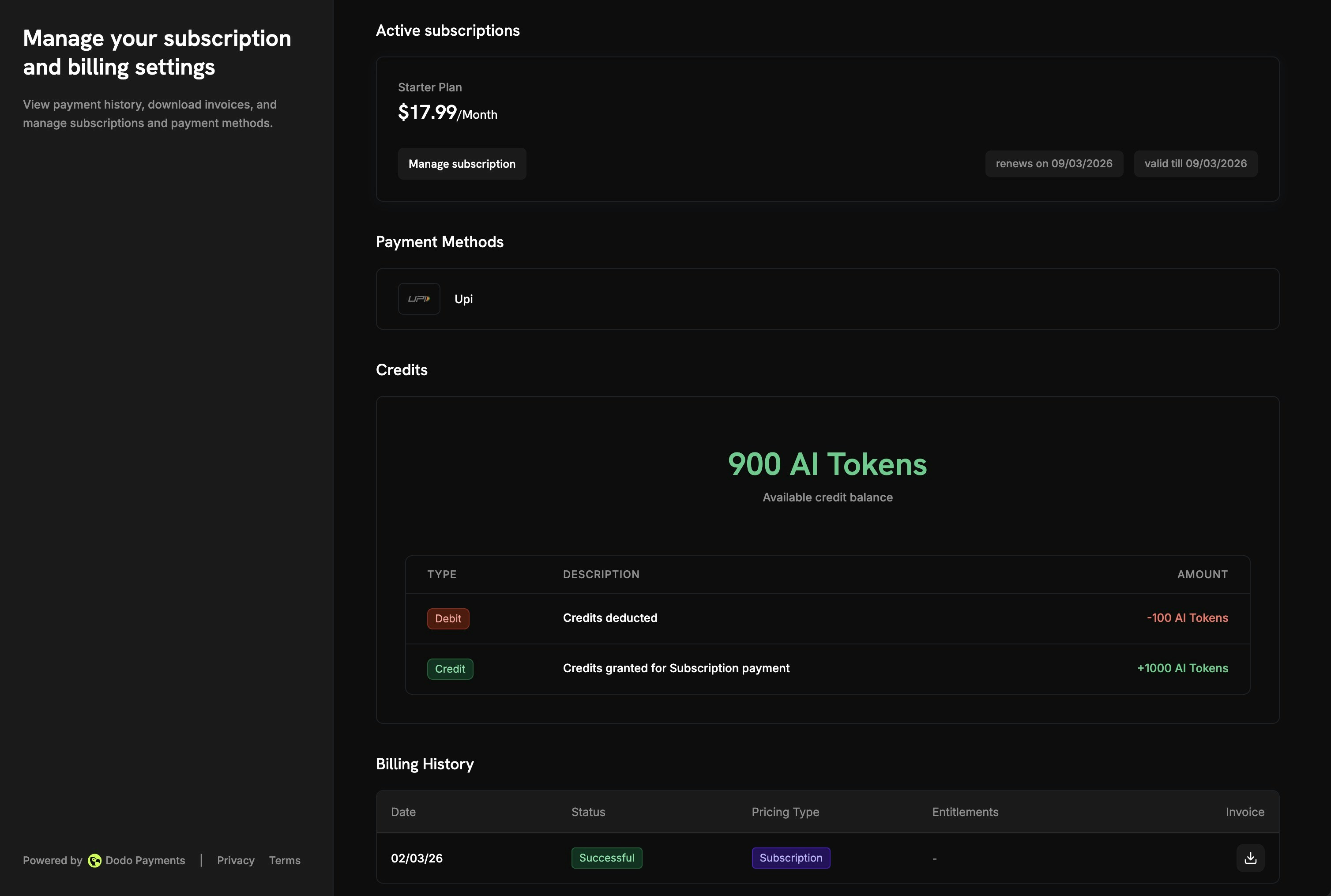
The Customer Portal shows available balance and full transaction history.
- Available Balance:醒目显示当前 credit 余额
- Credit Tabs:在不同 credit 类型之间切换(例如,“OpenAI Credits” 或 “Usage Tokens”)
- Recent Transactions:完整历史记录,包括日期、交易 ID、类型、金额和实时余额
订阅详情
订阅详情页会在其他计划信息旁显示 credit 权益。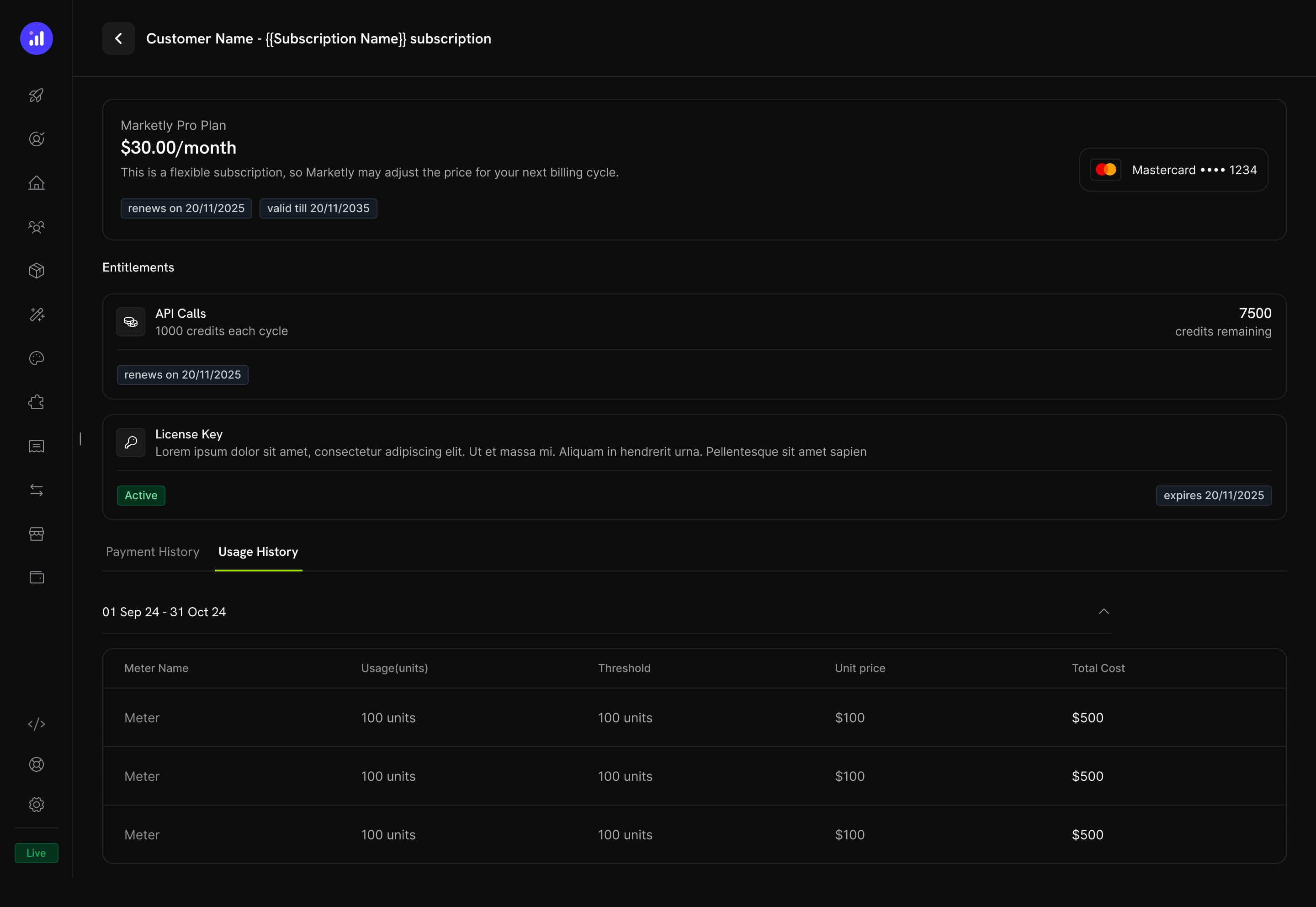
Subscription details show credit allocation, remaining balance, and renewal date.
- 每个计费周期的 Credit allocation(例如,“每个周期 1000 credits”)
- Remaining balance(例如,“剩余 7500 credits”)
- 下一次发放 credits 的 Renewal date
- Usage History 标签页,其中包含 meter 级别的明细,包括已消耗单位、阈值、单位价格和总费用
交易详情
Payment transaction 页面包含 Entitlements 部分,其中显示付款交付的所有权益,包括 credits。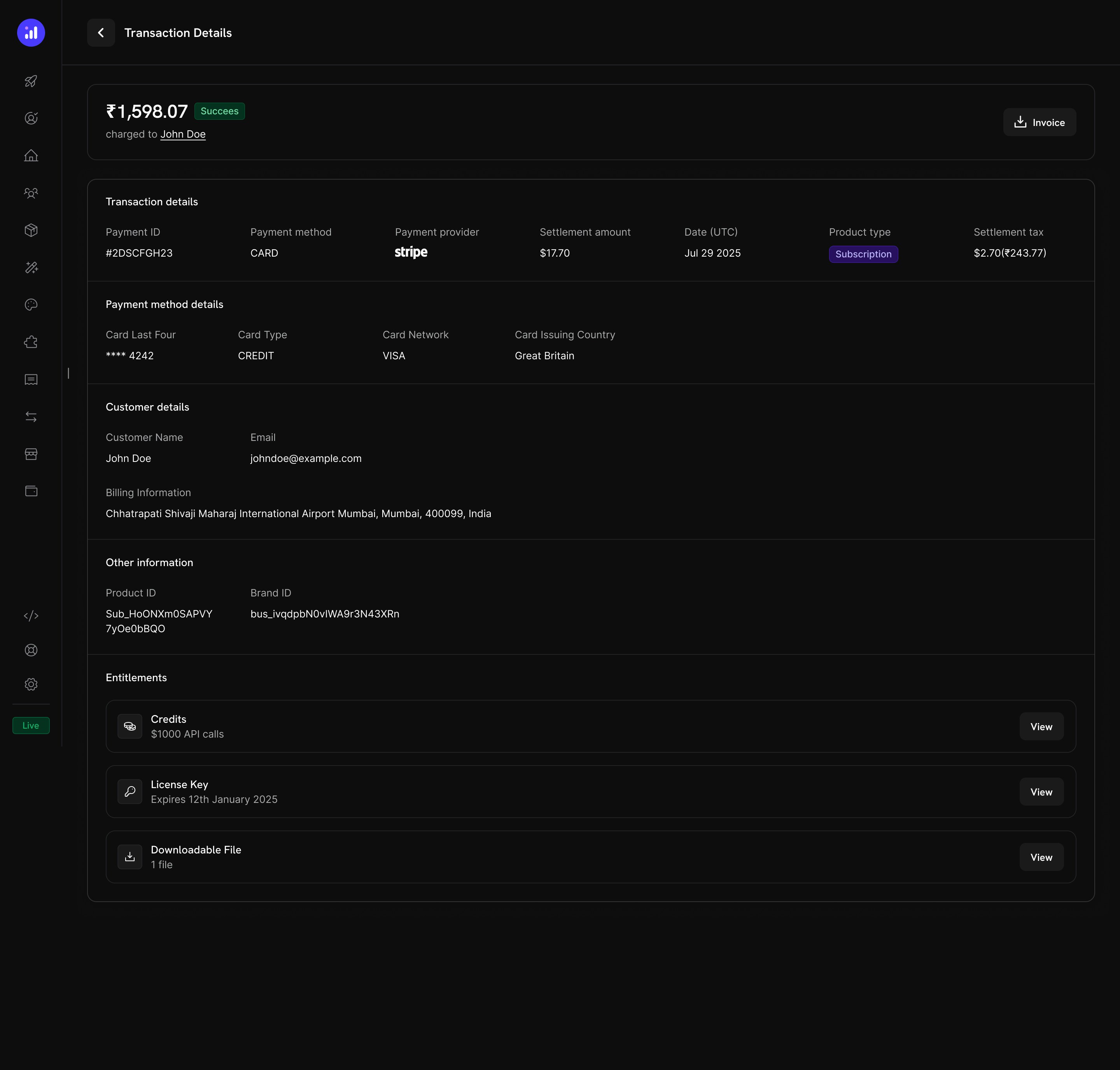
Transaction details show credits alongside other entitlements like license keys and digital downloads.
管理 Credits
仪表板视图
Credit 权益列表
在 Products → Credits 中查看所有 credit 权益。表格显示 credit 名称和过期设置,并提供编辑或归档的快捷操作。Credits listing with total count, creation button, and management actions.
客户 Credit 详情
从 Customers → [Customer Name] → Credits 查看特定客户的 credit 余额和交易历史。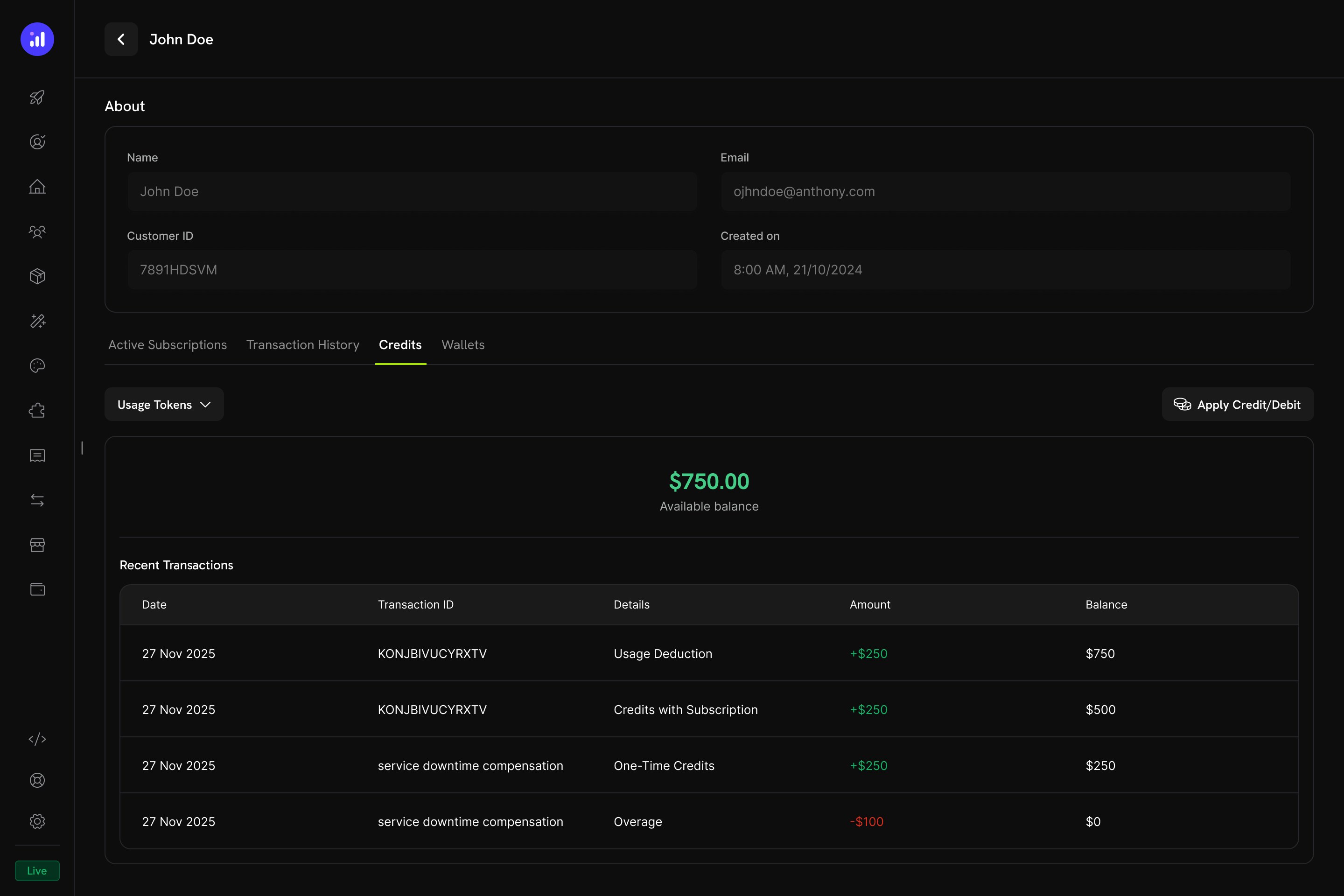
Customer detail page showing credit balance and full transaction ledger.
- Credit Selector - 在不同 credit 权益之间切换
- Available Balance - 以醒目的大尺寸显示当前余额
- Apply Credit/Debit - 手动调整客户余额的按钮
- Recent Transactions - 完整 ledger,包括日期、交易 ID、类型、金额和实时余额
手动调整
您可以直接从仪表板手动为客户余额增加或扣除 credits:Navigate to Customer
Open Credits Tab
Confirm
manual_adjustment ledger 条目,并包含完整的审计轨迹。Credit Ledger
每项 credit 操作都会记录在 credit ledger 中,从而提供完整的审计轨迹:Webhooks
Credit-Based Billing 会为每项 credit 生命周期变更触发 webhook 事件。您可以使用这些事件使应用程序与 credit 余额保持同步、触发通知或构建自定义计费工作流。credit.balance_low 外的每个 credit.* 事件)都包含完整的 CreditLedgerEntry payload,其中包含交易前后的余额、交易前后的超额使用量、来源引用,以及 grant 来源订阅或付款的 metadata(直接通过 API 创建的 grant 为空)。credit.balance_low 事件包含阈值配置和当前余额。
Credit Webhook Payloads
API 管理
Create Credit Entitlements
Create Credit Entitlements
Create Credit Entitlement
List Credit Entitlements
Manage Credit Entitlements
Manage Credit Entitlements
Get Credit Entitlement
Update Credit Entitlement
Delete Credit Entitlement
Undelete Credit Entitlement
Grant and Adjust Credits
Grant and Adjust Credits
Create Ledger Entry
Query Balances and Ledger
Query Balances and Ledger
List Balances
Get Customer Balance
List Customer Grants
List Customer Ledger
集成示例
初始化 Dodo Payments 客户端:实际应用示例
AI SaaS Platform
AI SaaS Platform
- Credit Type:Custom Unit(“AI Tokens”)
- Precision:0(整数 tokens)
- Rollover:最多 25%,结转期限为 1 个月
- Overage:已启用,在计费时收取超额费用
- Meter:
ai.generation,在tokens字段上使用 Sum 聚合
API Gateway
API Gateway
- Credit Type:Custom Unit(“API Calls”)
- Precision:0(整数调用次数)
- Rollover:已禁用
- Overage:Developer+ 计划允许超额使用(在重置时免除),Free 计划禁用超额使用
- Meter:
api.request,使用 Count 聚合
Cloud Storage Service
Cloud Storage Service
- 额度类型:自定义单位(“GB-hours”)
- 精度:2(两位小数)
- 结转:最多 50%,结转一次
- 超额用量:已启用,并设置了以 GB-hours 为单位的超额用量上限
- 计量器:
storage.usage,使用 Sum 聚合
最佳实践
- 从简单开始:从单一 credit 类型且不启用 rollover 开始。根据客户反馈和使用模式逐步增加复杂性。
- 设定清晰预期:在产品页面和客户门户中醒目显示 credit 配额、剩余余额和超额使用价格。
- 使用有意义的单位:根据 credits 所代表的内容命名(例如,“API Calls” 或 “AI Tokens”),而不是使用通用术语。这有助于客户理解其价值。
- 谨慎配置过期时间:较短的过期窗口(7 天)可以带来紧迫感,但可能让客户感到沮丧。对于大多数 SaaS 产品,较长的窗口(30–90 天)对客户更加友好。
- 监控低余额:设置低余额阈值,在客户用尽 credits 前发出提醒,减少意外的超额费用。
- 在测试模式中测试:创建 credits,将其附加到测试产品,并在正式上线前模拟完整的购买 → 使用 → 扣除 → 过期周期。