


介绍
仪表板分析展示您的业务表现:收入、客户、订阅、留存、支付成功率和回收收入。首页提供每日快速概览。分析包含完整的指标集,并支持按时间段、比较范围和产品筛选。Home
Business Analytics
Product-Level Analytics
Page Highlight Tiles
Reports
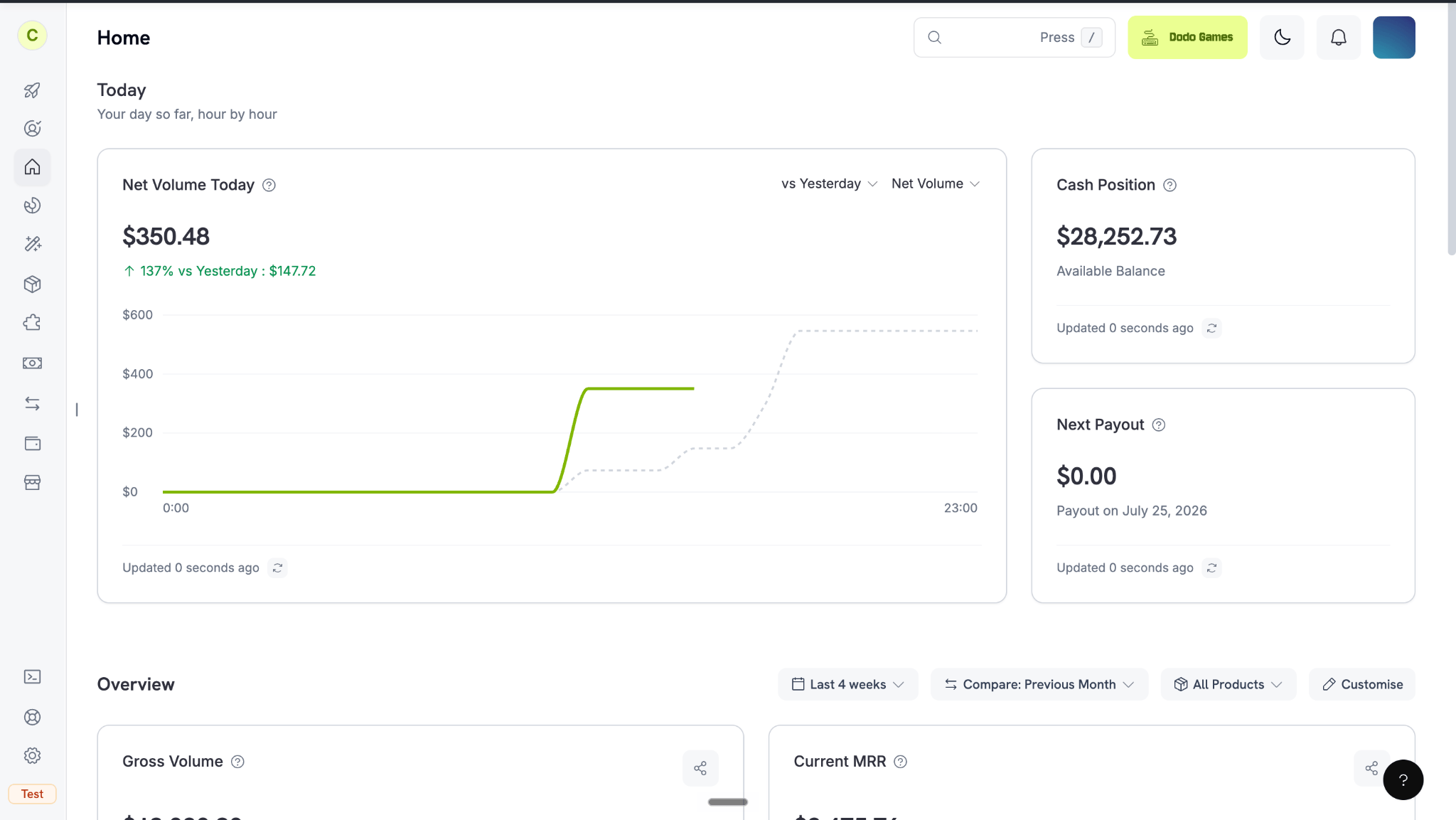
The Home dashboard: a daily pulse plus a customizable overview
首页
首页是侧边栏中的登录页面,包含两个部分:今天和概览。今天
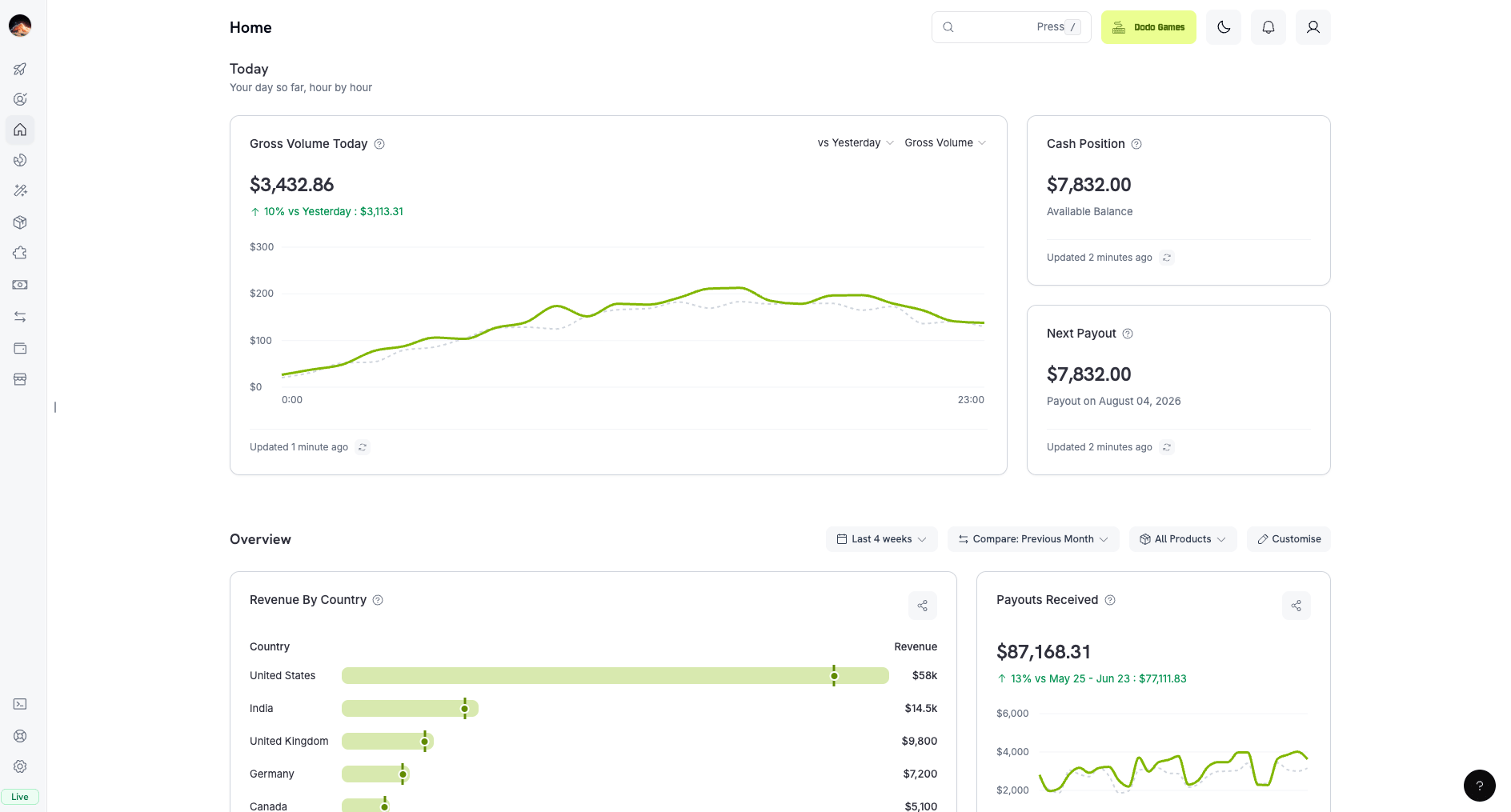
Today: your day's pulse, hour by hour
- 主要图表:在净交易量和总交易量之间切换。默认显示净交易量,并将每小时数据与昨天的同一小时进行比较。如需与其他日期比较,请选择日期。
- **现金余额:**您余额中可用的资金。它遵循您当前所处的模式,因此测试模式和正式模式会显示不同的余额。
- **下一笔付款:**下一笔付款的金额和日期。即使处于测试模式,也始终显示正式模式的数据。
您的概览
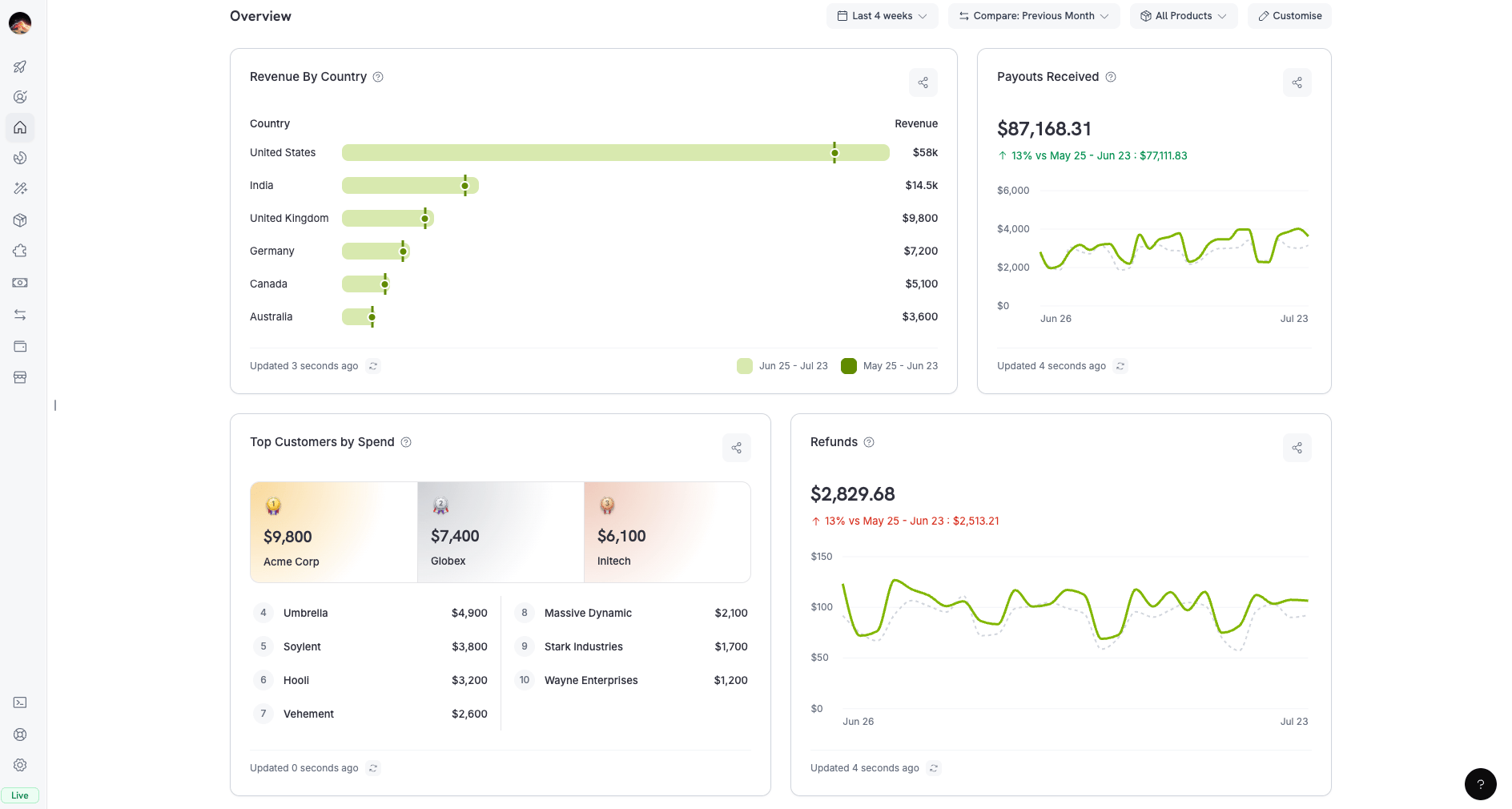
Your overview: a fully customizable set of metric cards
- 默认卡片:总交易量、净交易量、退款、新客户、按消费额排名的顶级客户、平均订单金额、按国家划分的收入和支付成功率。
- 控件:
- 时间段:预设范围,例如过去 30 天,或自定义日期范围。
- 比较:上一时间段(默认)、上一周、上个月或上一年。
- 产品:一个或多个产品。默认选择所有产品。
分析
从侧边栏中打开分析(位于首页正下方),以分析整个业务。该页面包含六个选项卡,每个选项卡都有独立的筛选条件。Revenue
Customers
Subscriptions
Retention
Success Rate
Recovery
筛选和自定义
每个选项卡都有包含三个控件的筛选栏:- 时间范围: 预设范围(今天、过去 7 天、过去 30 天、本月至今、本季度至今、过去 6 个月或全部时间)或自定义日期范围。新建仪表板默认从过去 30 天开始。
- 比较: 上一时间段(默认)、上一周、上个月或上一年。全部时间不支持比较,因为没有更早的时间窗口可供比较。
- 产品: 多选,默认为所有产品。此筛选器会应用于收入、客户、订阅和留存标签页。已收款项、退款、争议以及大多数成功率和回收卡片始终涵盖所有产品。
收入选项卡
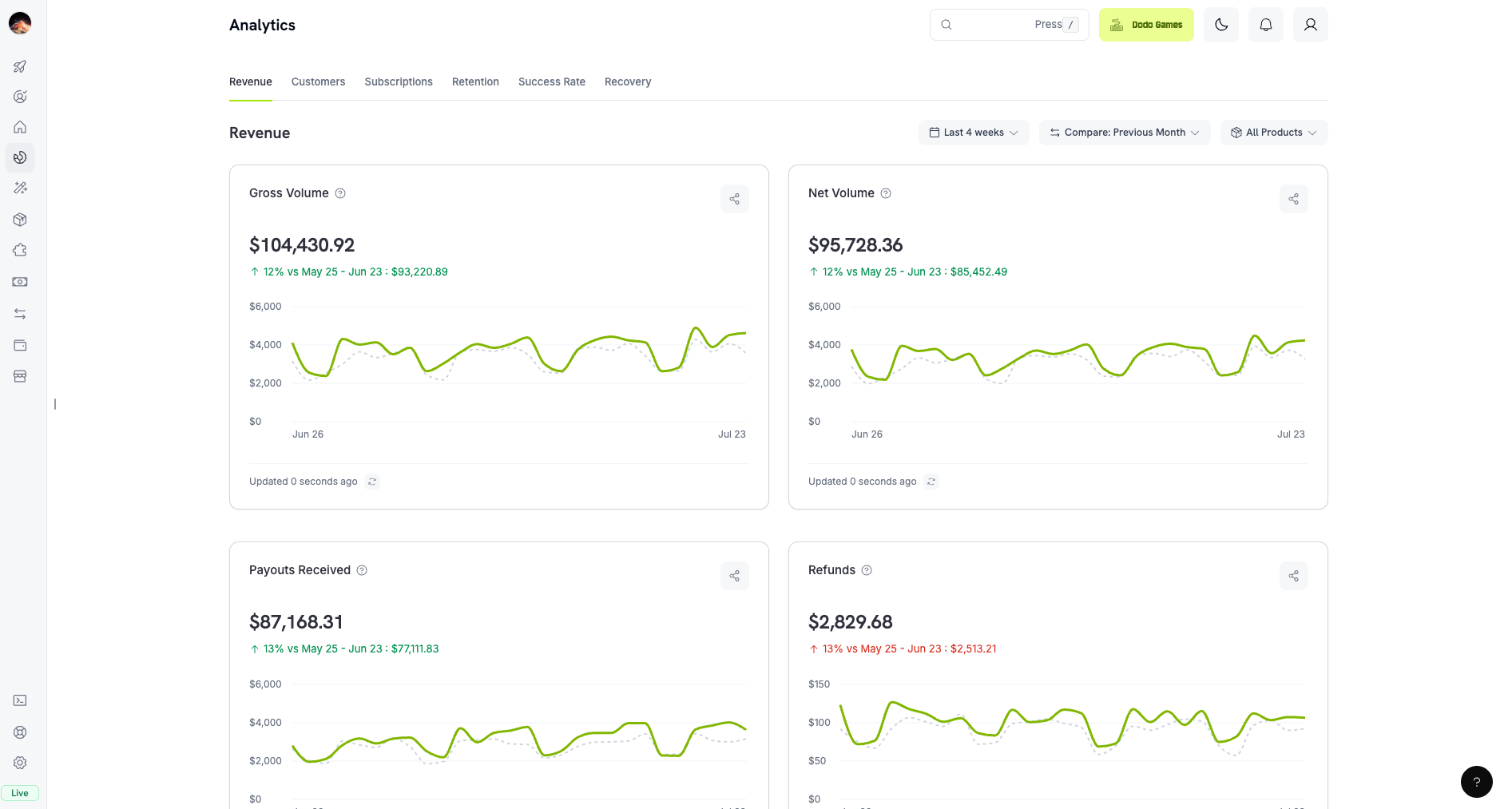
Revenue tab: gross/net volume, payouts, and refunds
客户标签页
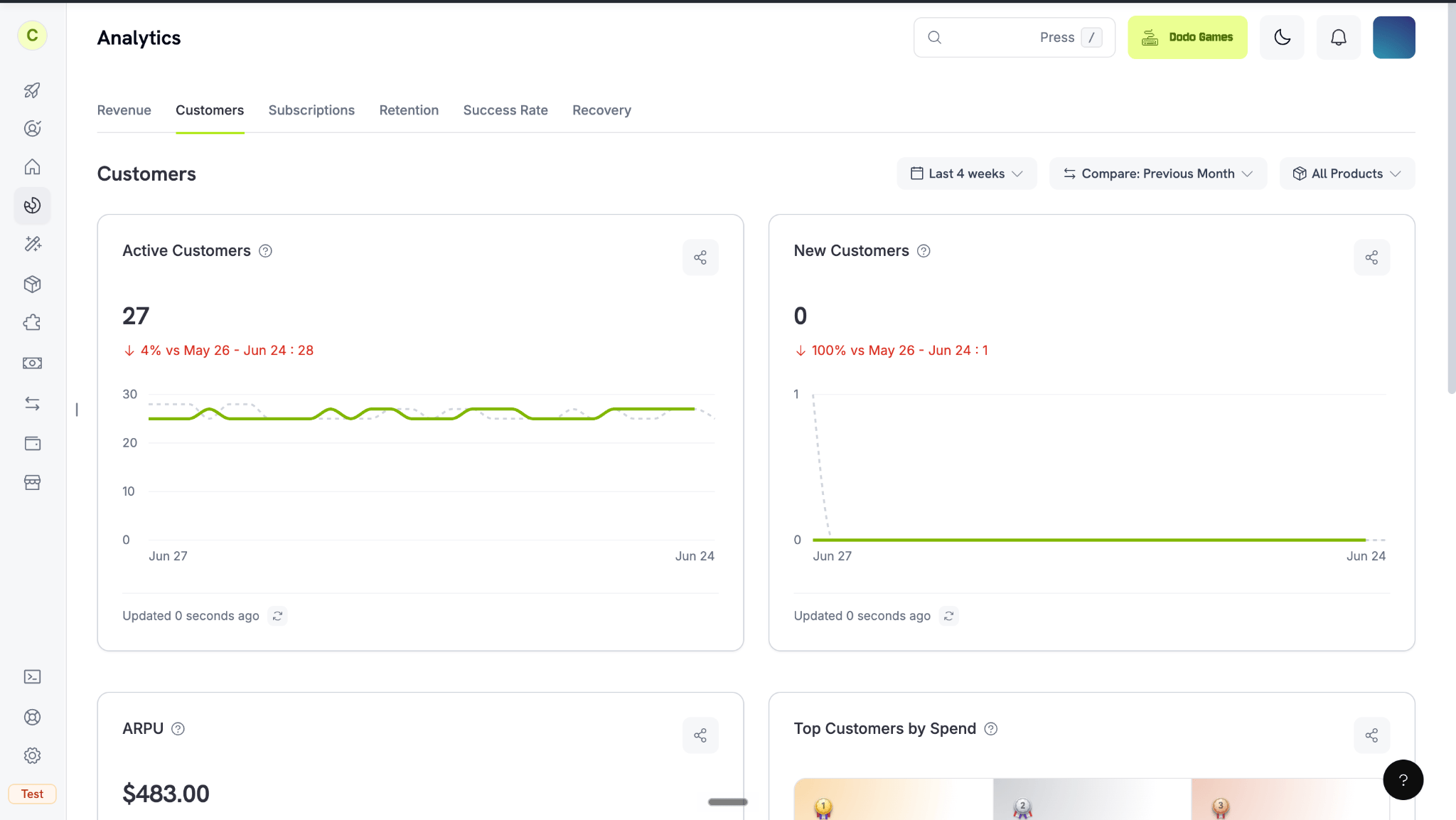
Customers tab: active and new customers, ARPU, and top customers
订阅标签页
监控经常性收入,了解 Monthly Recurring Revenue (MRR) 如何随时间变化。留存标签页
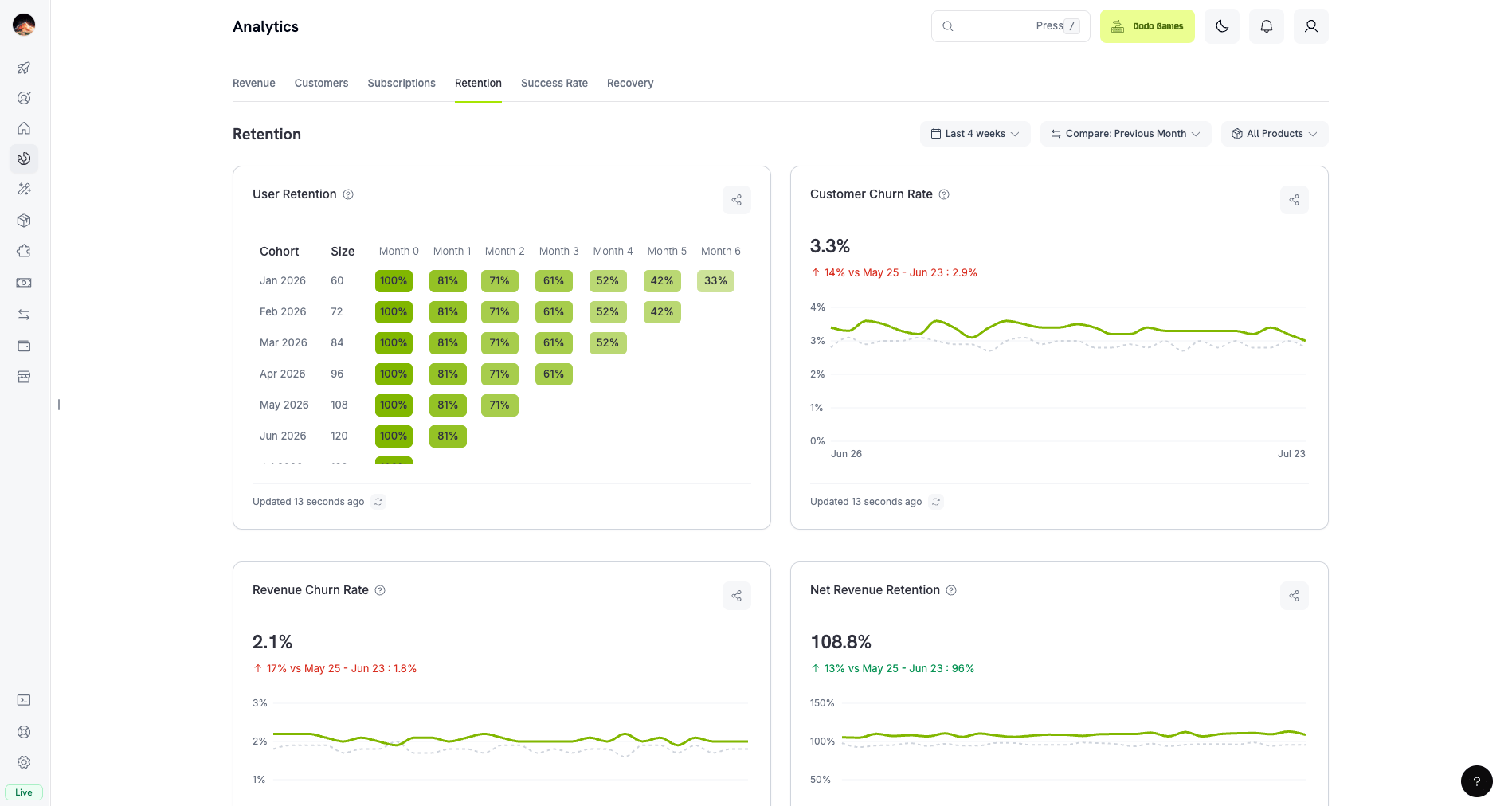
Retention tab: churn rates, retention matrix, and NRR/GRR
成功率标签页
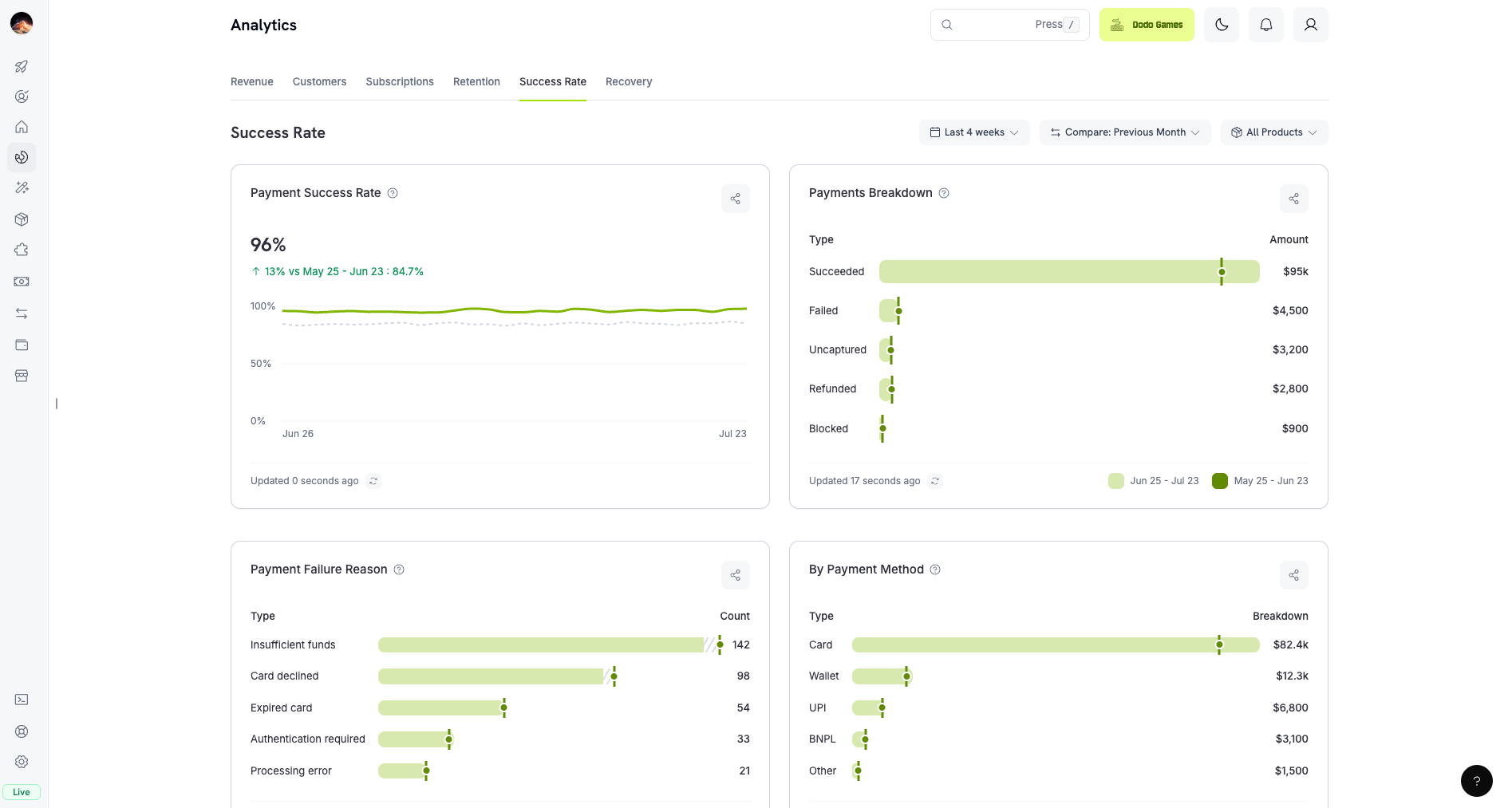
Success Rate tab: payment and refund success rates with failure analysis
Transaction Failure Reference
回收标签页
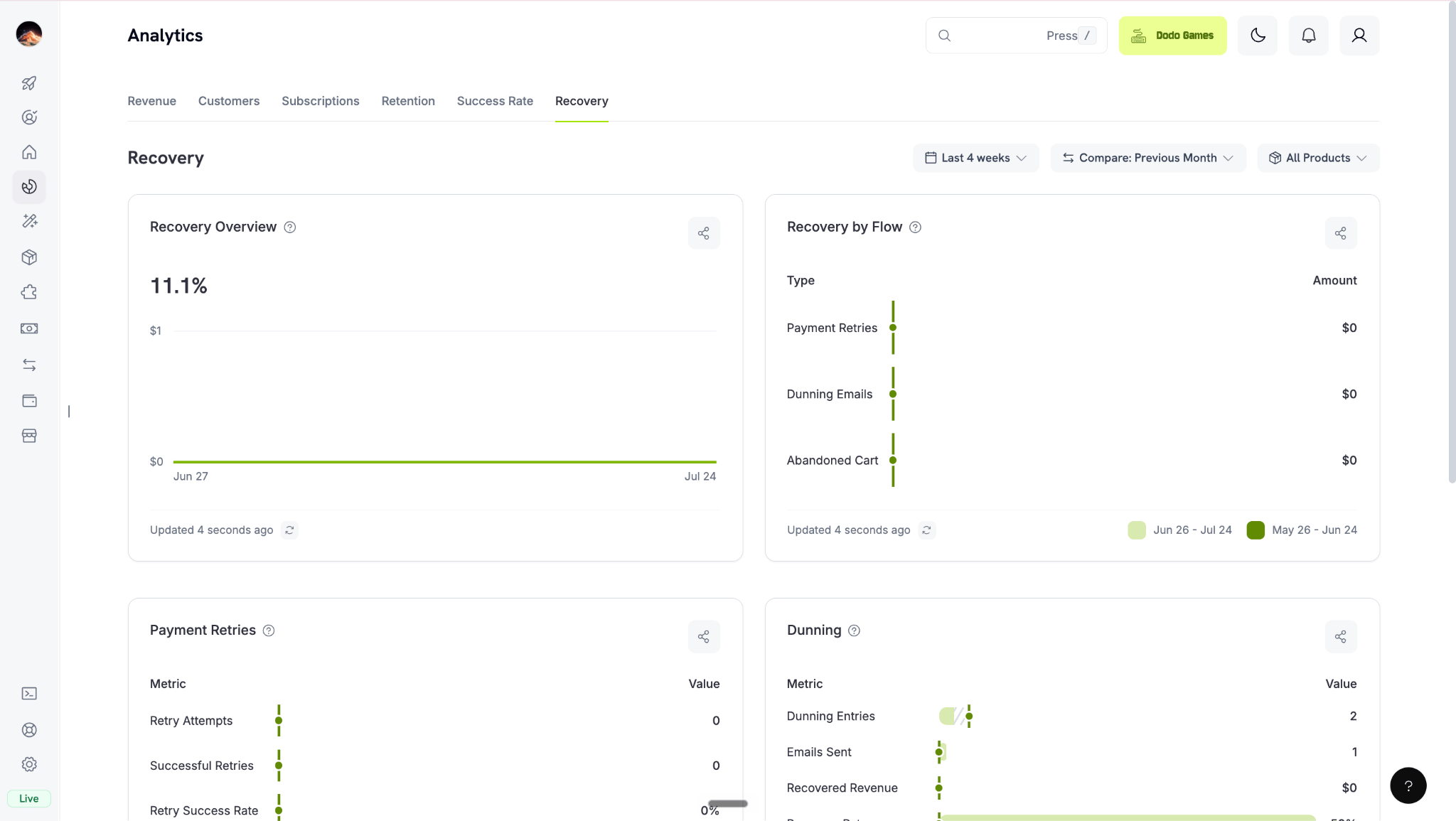
Recovery tab: retries, dunning, and abandoned cart recovery
Recovery Features
产品级分析
如需查看单个产品的分析,请前往产品并选择该产品。产品页面会显示与分析相同的卡片,但范围仅限于该产品。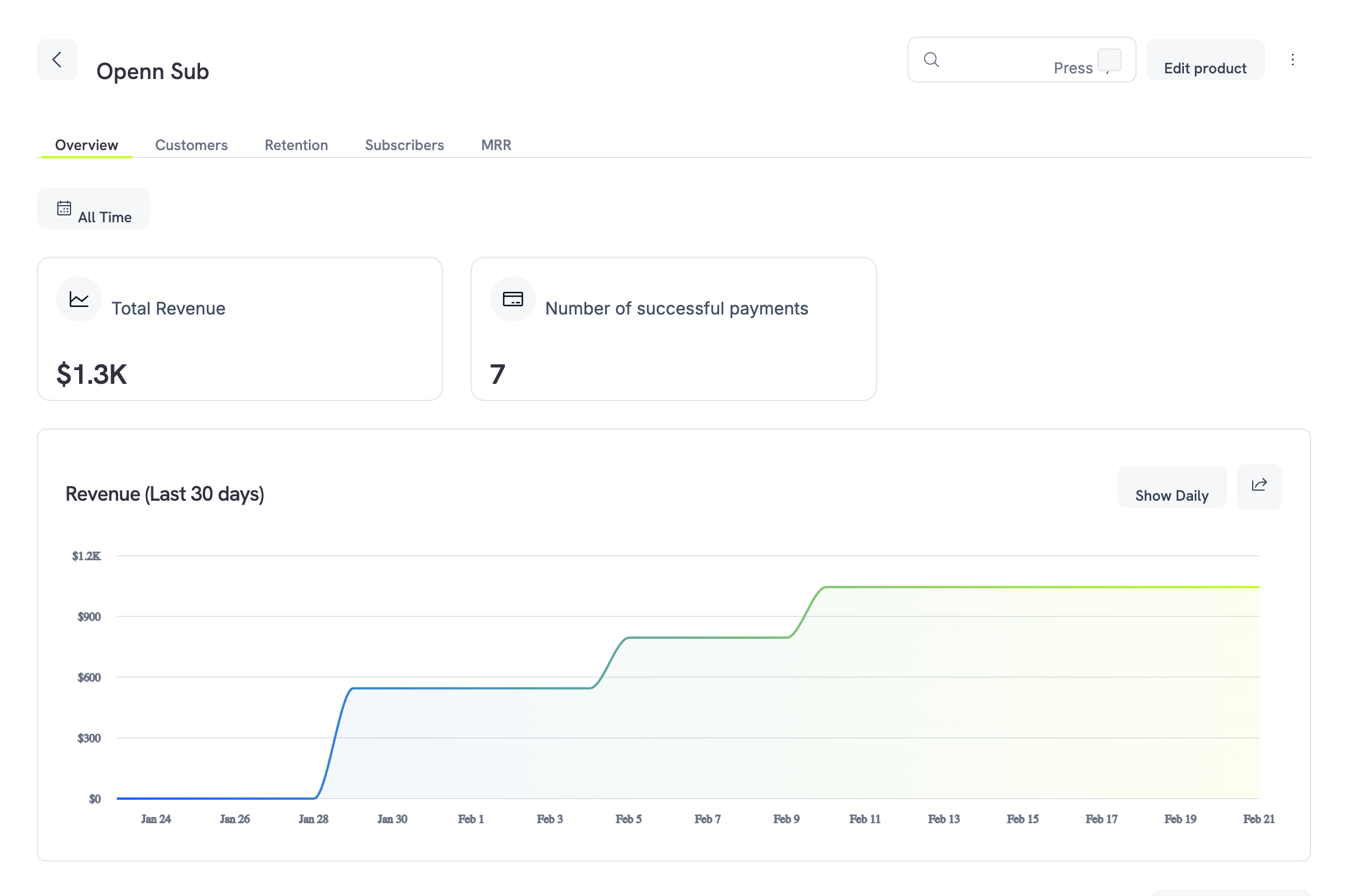
Product analytics overview showing revenue summary and trend chart
Overview
Customers
Retention
Subscribers
MRR
概览标签页
概览标签页显示该产品的收入卡片:总交易额、净交易额、付款次数、付款明细、平均订单金额和按国家划分的收入。收入标签页中定义了每个指标。 卡片下方的交易表会列出该产品的每笔付款: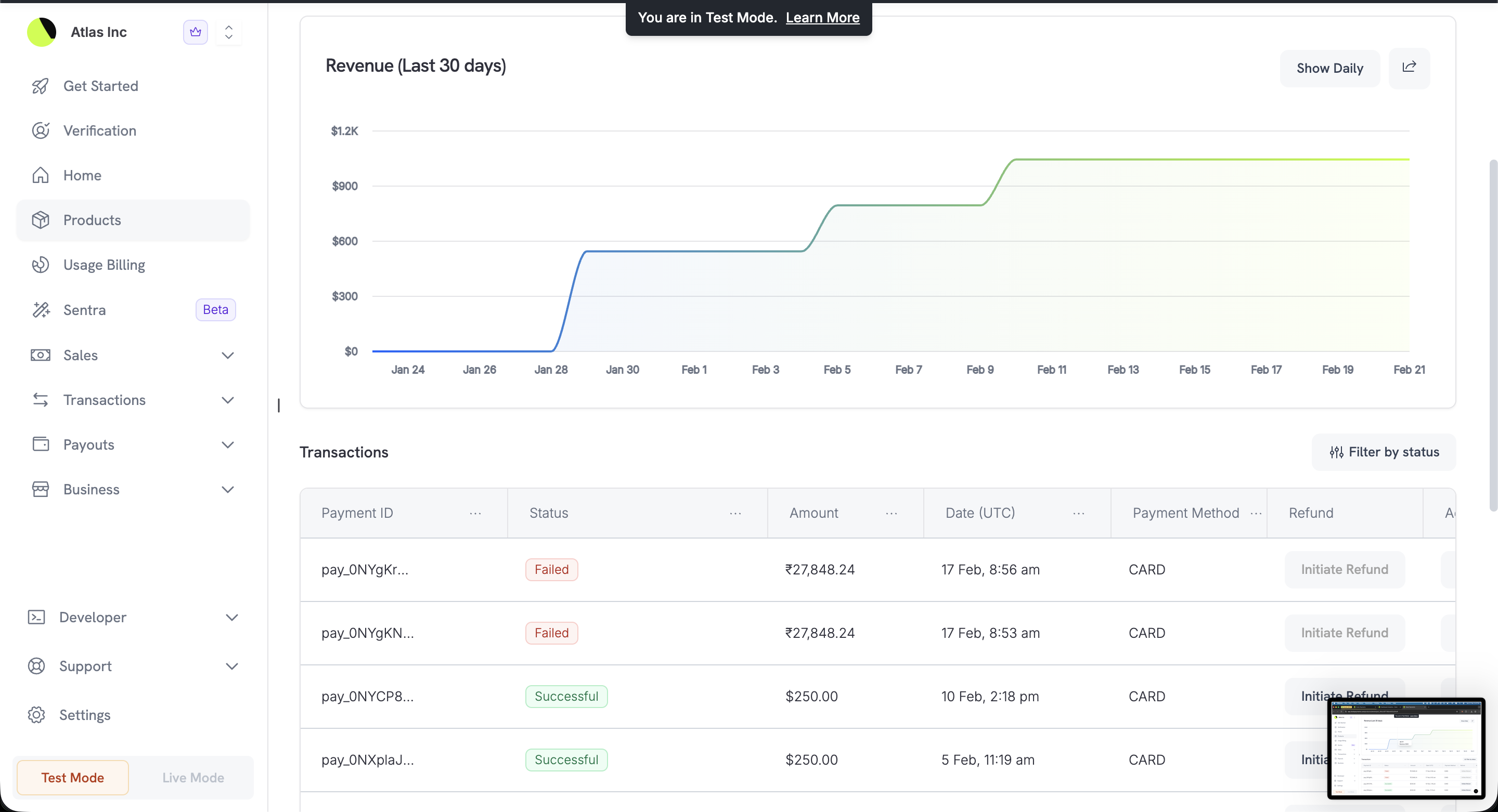
Transactions table showing payment history for the product
客户标签页
查看购买该产品的客户及其消费金额。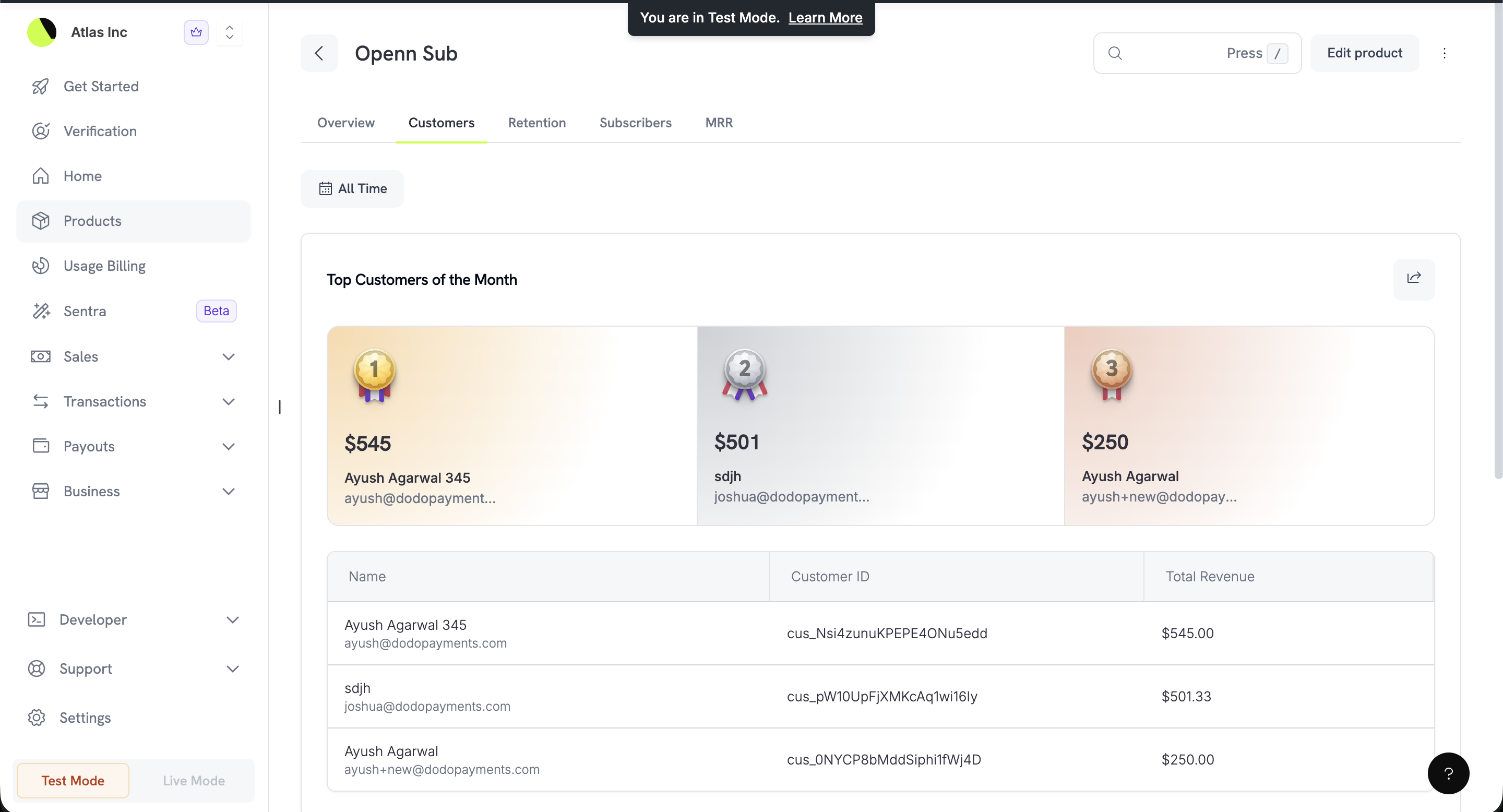
Top customers of the month with podium ranking and customer table
留存标签页
查看该产品留住订阅者的效果。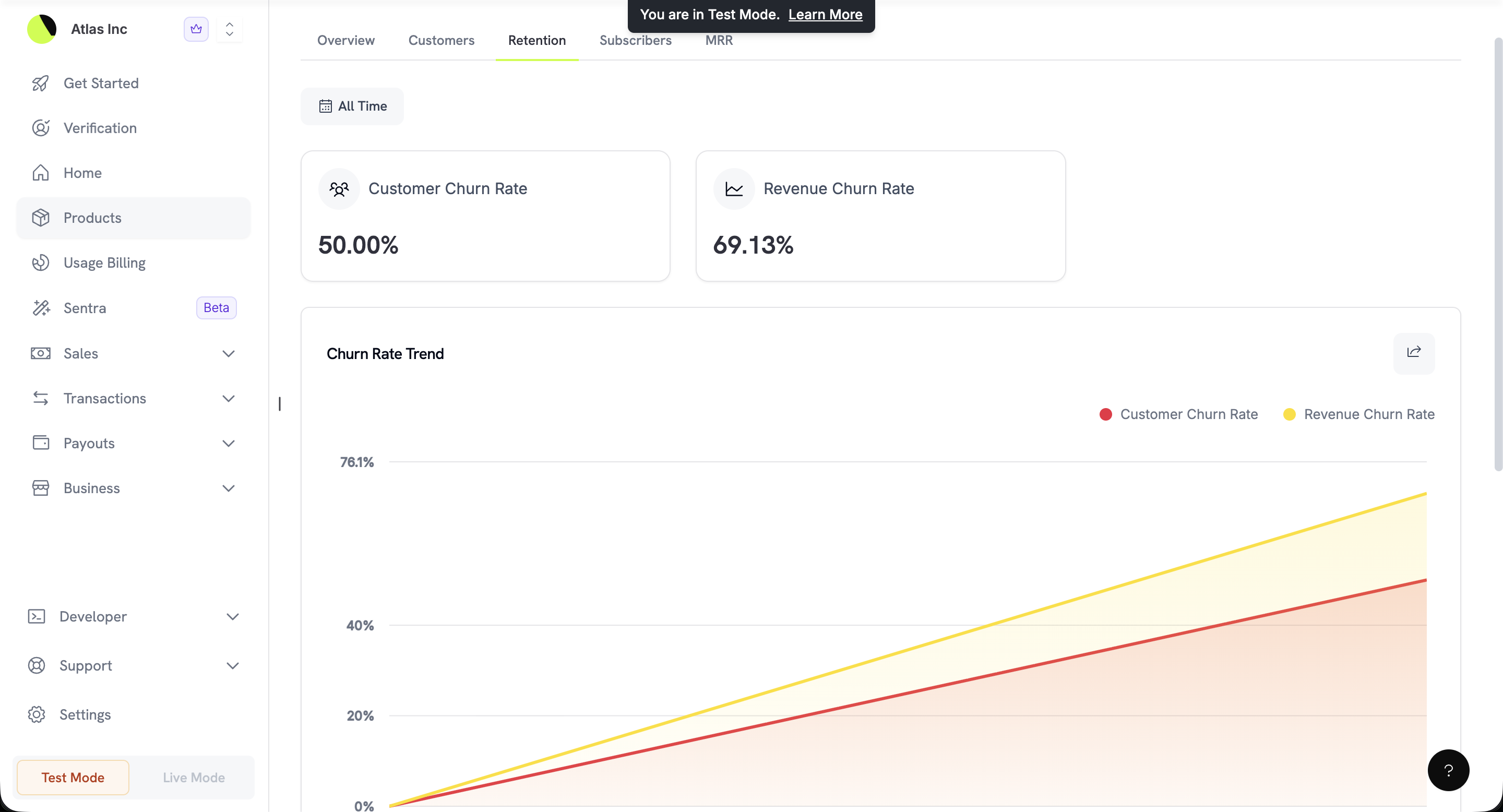
Customer and revenue churn rates with trend analysis
订阅者标签页
列出在所选时间段内创建的该产品订阅。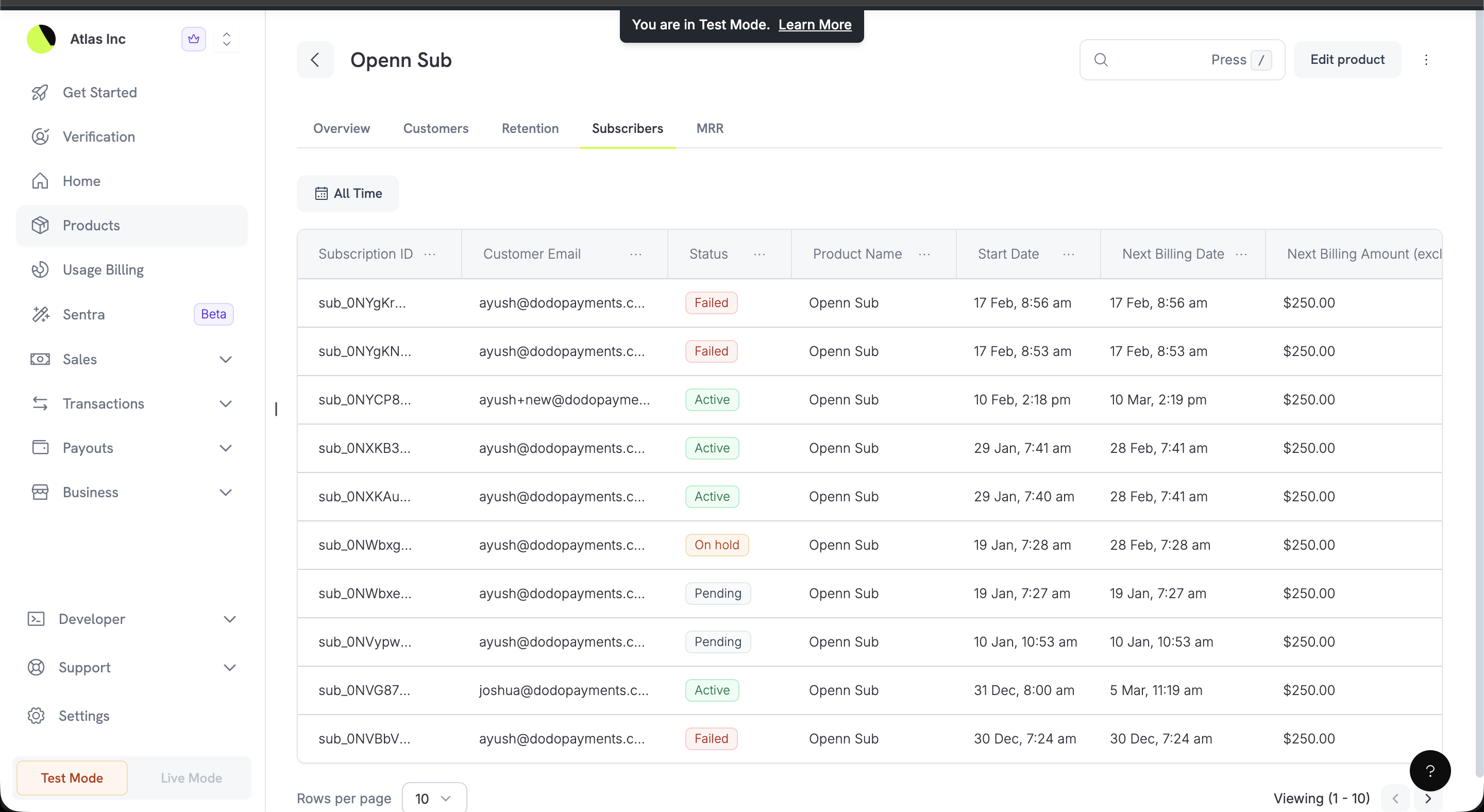
Subscribers table showing all subscriptions with statuses and billing details
MRR 标签页
该产品的 Monthly Recurring Revenue 明细。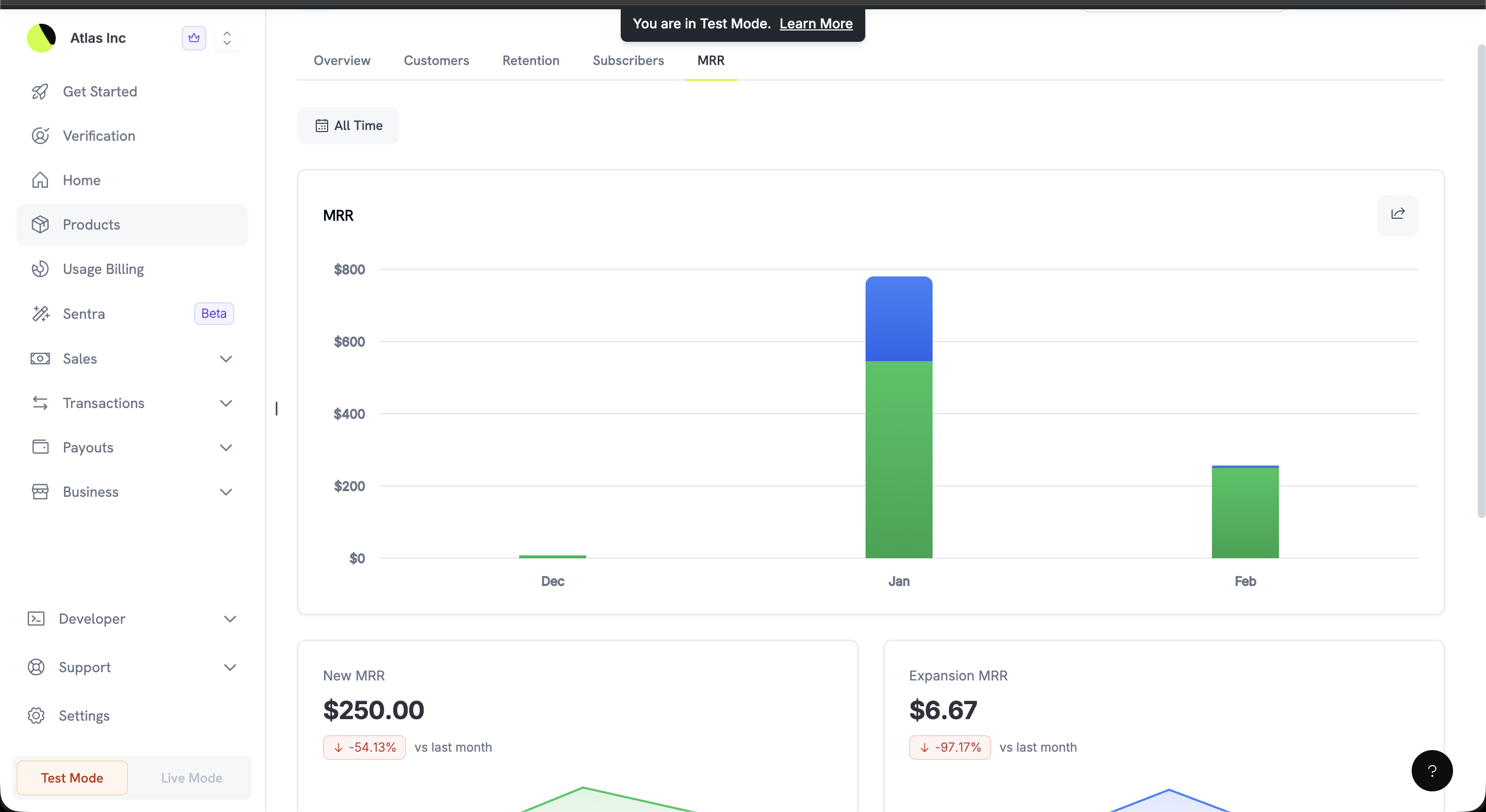
MRR stacked bar chart showing monthly revenue composition
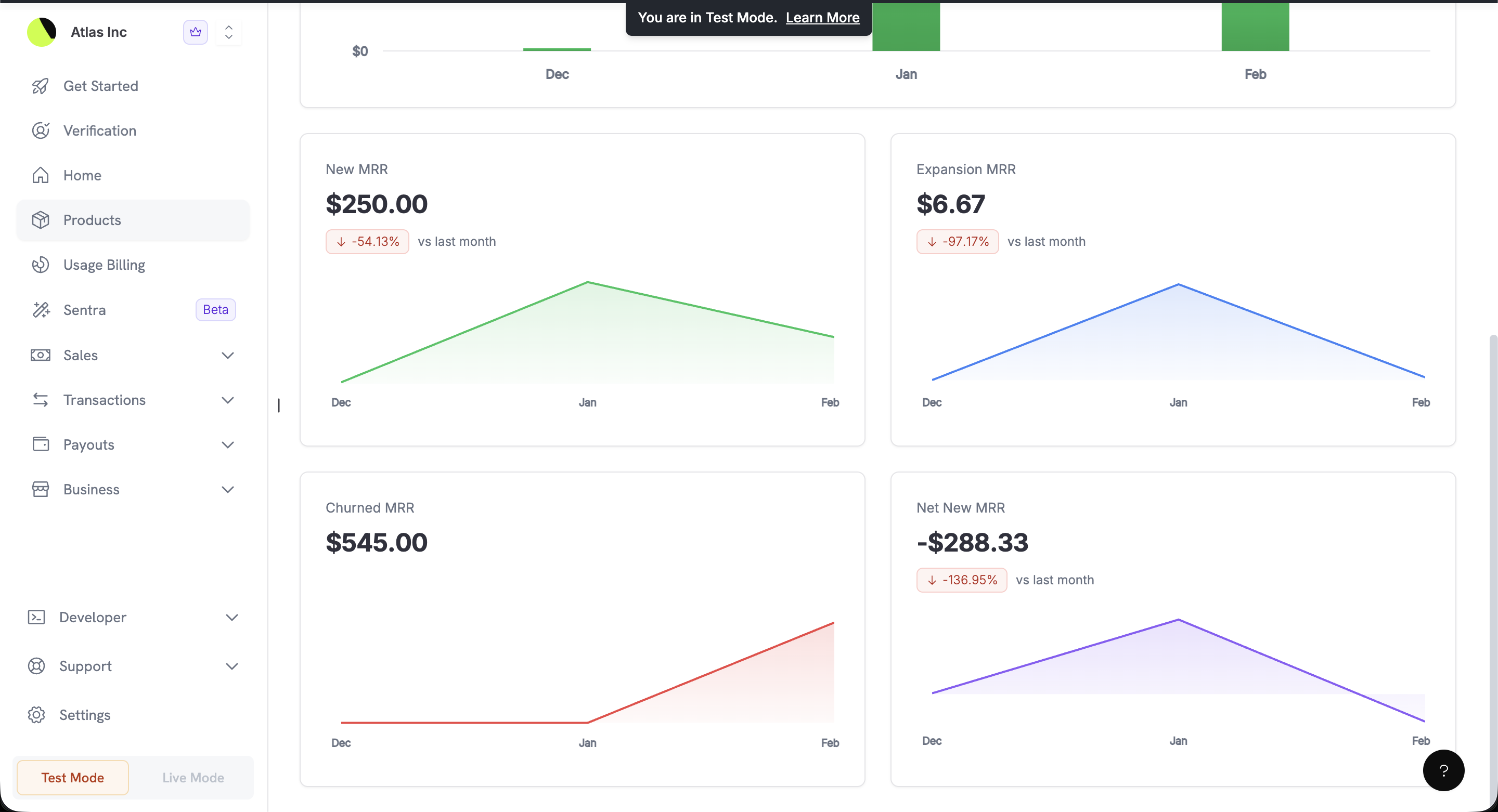
Detailed MRR breakdown with New, Expansion, Churned, and Net New MRR
页面重点指标卡片
仪表板中的许多列表页面顶部会显示重点指标卡片,你无需打开分析即可查看摘要指标。这些卡片会遵循页面当前启用的筛选条件。报告
报告拥有独立页面:设置 → 报告。你可以在那里在屏幕上跟踪资金流动,并为任意日期范围创建 CSV 或 XLSX 导出文件。报告仅涵盖 live mode。Reports
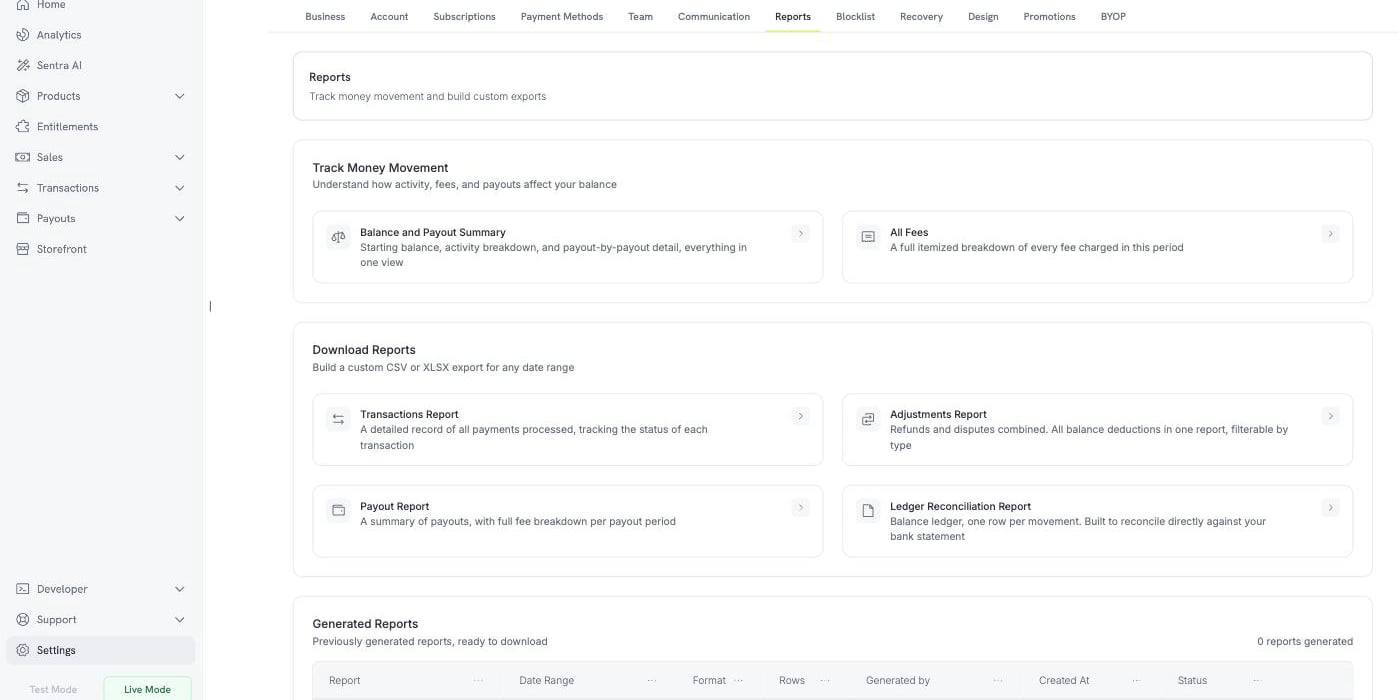
Settings → Reports: live views, custom exports, and your report history