

Giới thiệu
Reports giải thích cách tiền di chuyển qua số dư của bạn và tạo các tệp xuất cho công tác kế toán. Để mở, hãy đi tới Settings → Reports. Trang này có ba phần:Track Money Movement
Hai chế độ xem trực tiếp giải thích số dư và các khoản phí của bạn trên màn hình.
Download Reports
Bốn tệp xuất bạn tạo cho một khoảng thời gian, dưới dạng CSV hoặc XLSX.
Generated Reports
Mọi báo cáo bạn đã tạo trước đây, sẵn sàng để tải xuống lại.
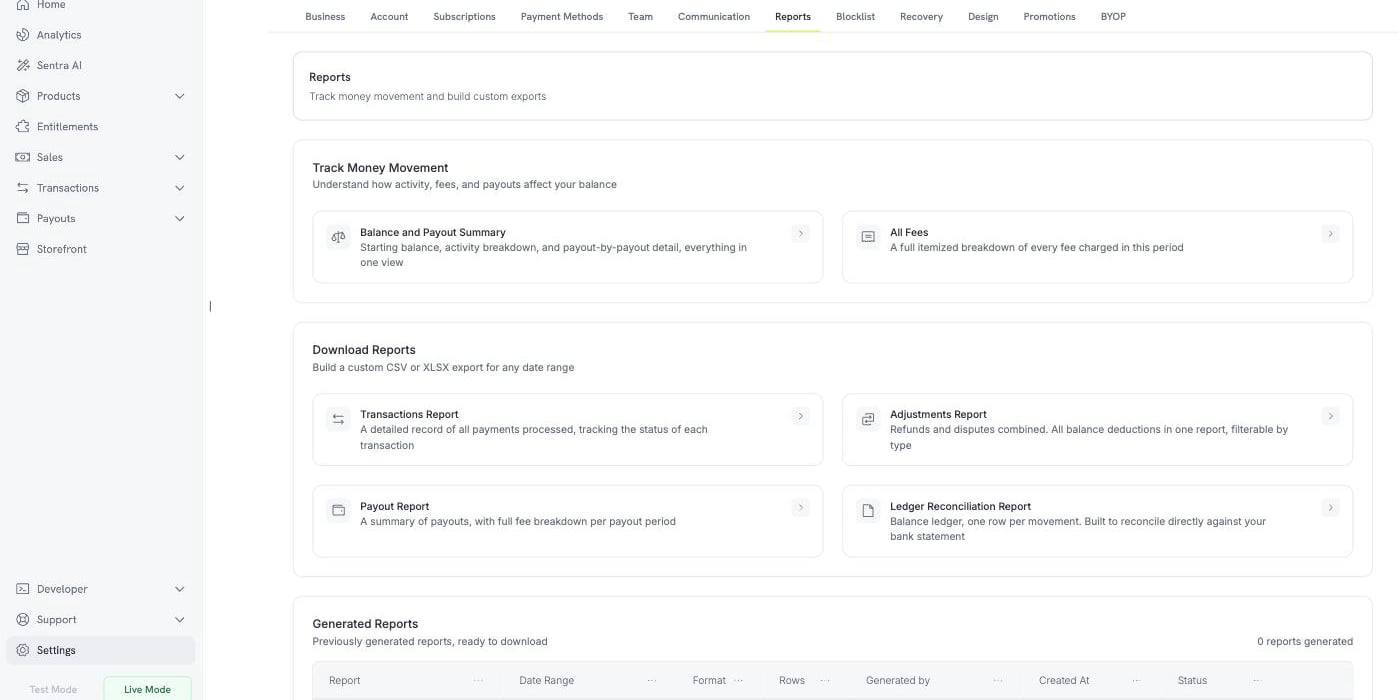
Settings → Reports: live views, custom exports, and your report history
Reports chỉ khả dụng trong Live Mode. Reports đọc sổ cái số dư trực tiếp, nơi hoạt động ở chế độ kiểm thử không được ghi nhận, vì vậy trong Test Mode, trang Reports sẽ hiển thị một thông báo thay vì các báo cáo. Bật công tắc Live Mode trong thanh bên trước khi tạo báo cáo.
Theo dõi dòng tiền
Hai chế độ xem trả lời một câu hỏi ngay trên màn hình mà không cần tải xuống. Mỗi chế độ nhận một khoảng thời gian và có nút Export để lưu cùng chế độ xem đó dưới dạng tệp.Tóm tắt số dư và khoản chi trả
Chế độ xem này đối soát số dư của bạn trong kỳ. Chế độ xem gồm ba khối.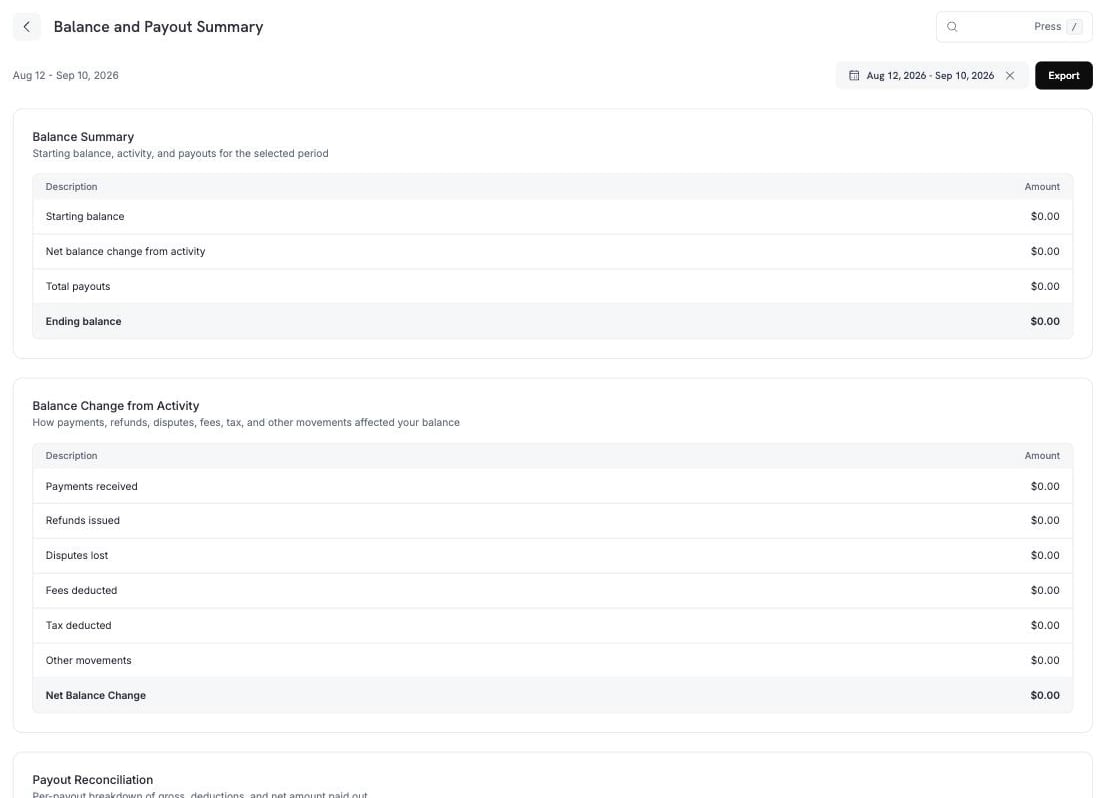
Balance and Payout Summary: starting balance, activity breakdown, and payout detail
Thay đổi số dư từ hoạt động phân rã hàng ở giữa thành các phần cấu thành.
Other movements chứa các mục không phù hợp với bất kỳ hàng nào có tên ở trên: Dodo Credits (các khoản credit mà Dodo Payments áp dụng vào số dư của bạn), điều chỉnh thủ công (các khoản sửa đổi do đội ngũ Dodo Payments ghi nhận) và chuyển đổi tiền tệ (phần chênh lệch được ghi nhận khi số dư được chuyển đổi giữa các loại tiền tệ).
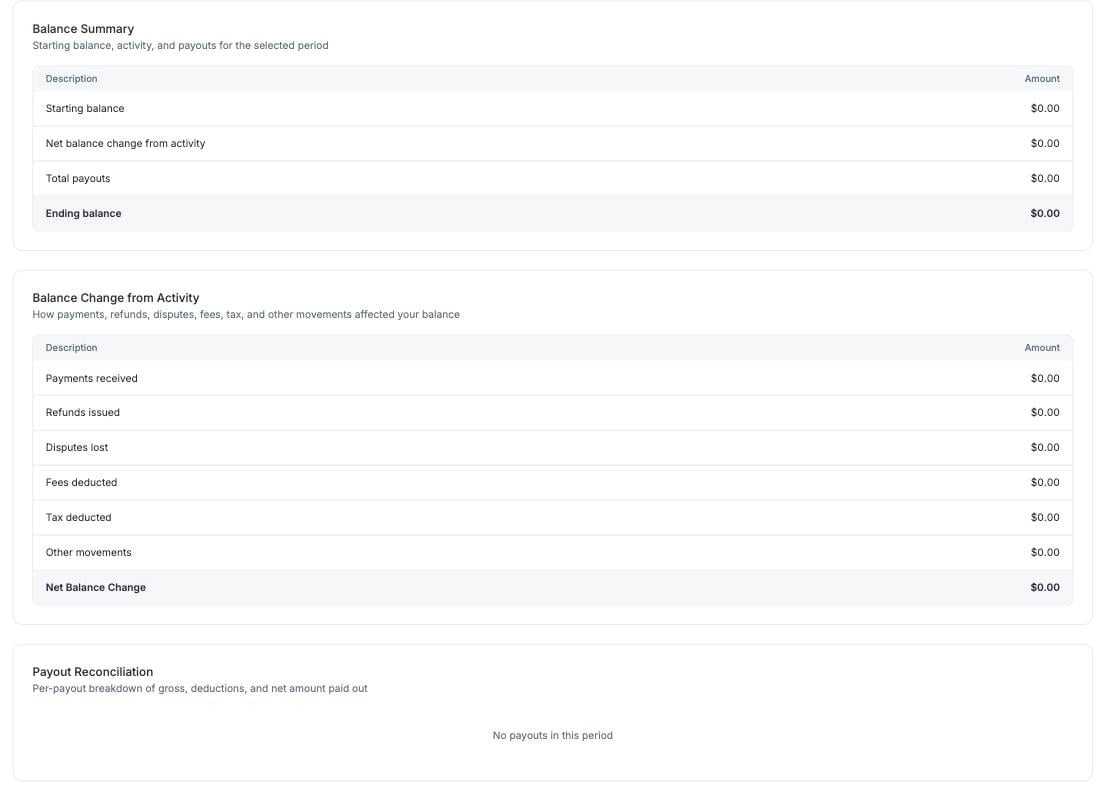
Payout Reconciliation: one row per payout, gross to net
Tất cả Fees
All Fees liệt kê mọi fee được trừ khỏi số dư của bạn trong kỳ, cùng với tổng số tiền và bảng phân tích theo từng transaction.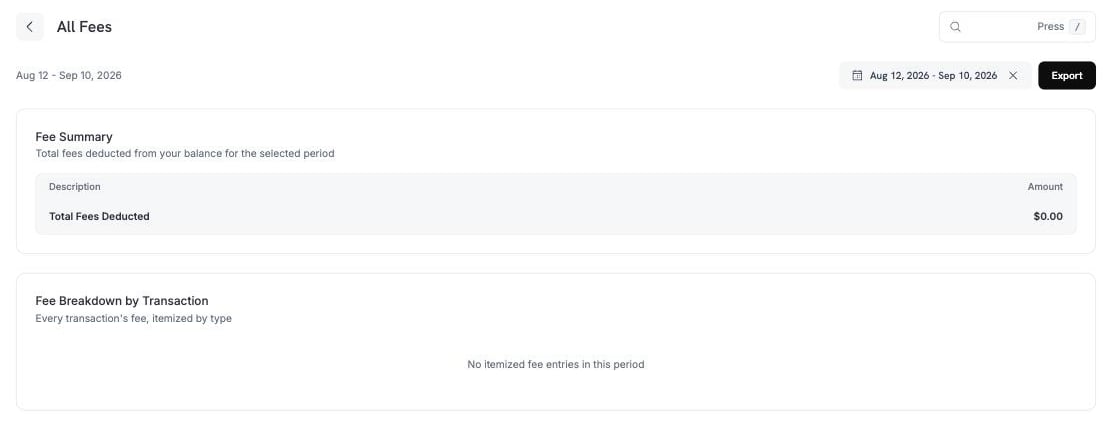
All Fees: a total, then every fee itemized by transaction
Tải xuống Reports
Bốn report tạo một file cho bất kỳ khoảng thời gian nào. Mỗi report mở một panel để bạn chọn kỳ, định dạng và các filter cho report đó. Mỗi report được export dưới dạng CSV hoặc XLSX. Bốn report bao gồm:Transactions Report
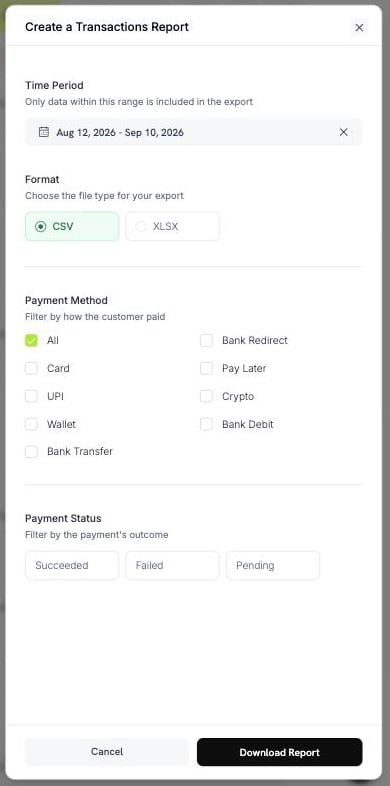
Create a Transactions Report
- Payment Method: Card, UPI, Wallet, Bank Transfer, Bank Redirect, Pay Later, Crypto hoặc Bank Debit. Chọn All để bao gồm mọi method.
- Payment Status: Succeeded, Failed hoặc Pending.
Adjustments Report
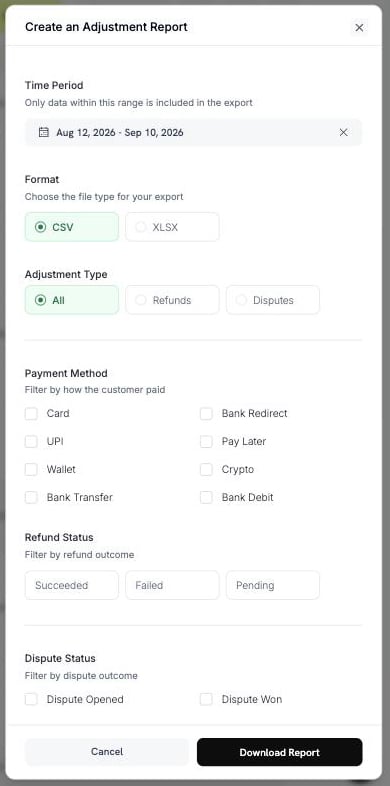
Create an Adjustment Report
- Adjustment Type: All, Refunds hoặc Disputes.
- Payment Method: tám method giống như trong Transactions Report.
- Refund Status: Succeeded, Failed hoặc Pending.
- Dispute Status: Opened, Challenged, Accepted, Lost, Won, Cancelled hoặc Expired.
Payout Report
Chọn một kỳ và một định dạng. Report này không có filter nào khác.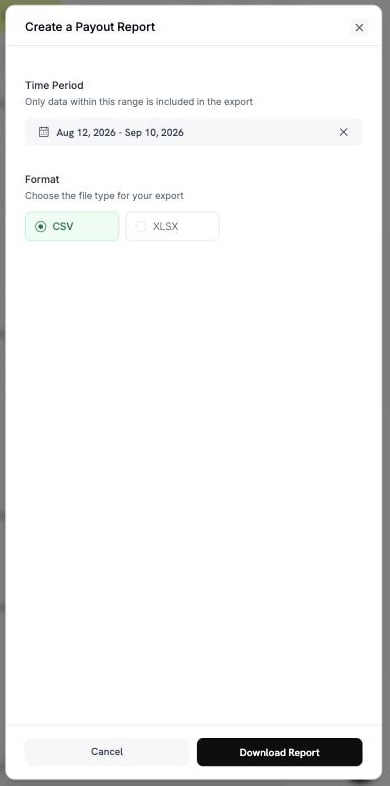
Create a Payout Report
Ledger Reconciliation Report
Report này có hai mode. Để chọn một mode, sử dụng Reconciliation by.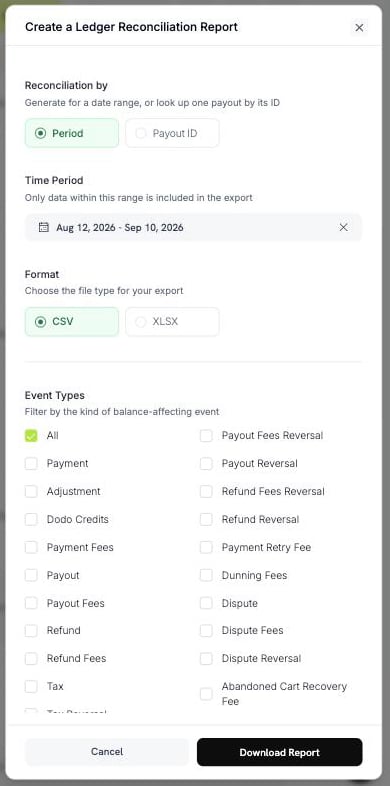
Create a Ledger Reconciliation Report, by period
pyt_kxncrebha, để lấy chính xác các hàng mà payout đó đã settlement.
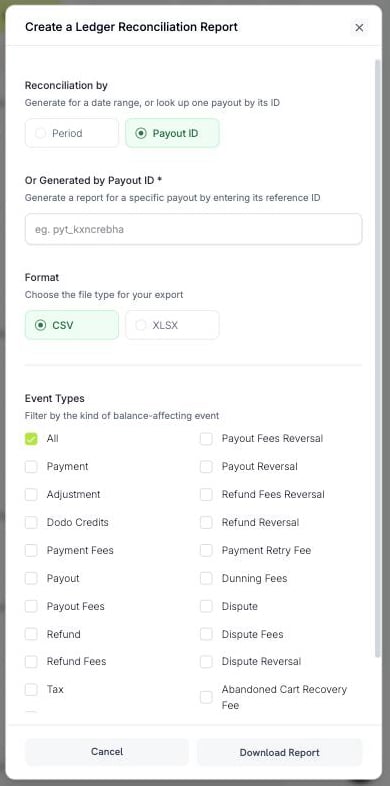
Look up one payout by its reference ID
Payout ID không tồn tại sẽ trả về error, không phải file trống.
Không phải type nào cũng có reversal. Chỉ Payout, Payout Fees, Refund, Refund Fees, Dispute, Dispute Fees, Deflection Fees và Tax có reversal.
Tạo và tải xuống Report
Để tạo report và tải xuống:1
Open the report
Đi đến Settings → Reports và chọn report bạn cần.
2
Choose the period
Chọn một khoảng thời gian. Chỉ dữ liệu trong khoảng thời gian này được đưa vào file.
3
Choose the format and filters
Chọn CSV hoặc XLSX, sau đó thiết lập các filter cho report đó.
4
Download
Chọn Download Report. File được tải xuống và report được thêm vào Generated Reports.
dodo_ledger_1Jun2026-30Jun2026.csv.
Bản export CSV bắt đầu bằng byte order mark UTF-8, vì vậy Excel hiển thị chính xác các ký tự có dấu và các hệ chữ không phải Latin.
Giới hạn hàng
Một lần export có giới hạn số hàng, vì vậy bạn có thể cần chia nhỏ một kỳ lớn.
Nếu khoảng thời gian vượt quá giới hạn, export sẽ bị từ chối kèm thông báo. Hãy thu hẹp khoảng thời gian hoặc thêm filter, sau đó tạo lại report.
Generated Reports
Mọi report bạn tạo đều được ghi lại, vì vậy bạn có thể tải xuống lần nữa mà không cần tạo lại. Bảng Generated Reports có các cột sau:
Link tải xuống có hiệu lực trong thời gian ngắn. Nếu file được lưu trữ đã hết hạn, Dodo Payments sẽ tạo lại file từ cùng các parameter và đánh dấu hàng đó là đã được tạo lại.
Tôi cần Report nào?
Đối chiếu câu hỏi của bạn với report tương ứng:Best Practices
Contact Support
Gửi email đến support@dodopayments.com với loại report và kỳ cần kiểm tra.
Bước tiếp theo
Dashboard Analytics
Theo dõi doanh thu, khách hàng, retention và tình trạng của transaction.
Account Summary & Payout Wallet
Tìm hiểu earnings, các khoản khấu trừ và chu kỳ payout của bạn.
Payout Structure
Xem cách thức và thời điểm payout đến tài khoản ngân hàng của bạn.
Refunds
Initiate và theo dõi refund.