

What is Credit-Based Billing?
Credit-Based Billing gives you a flexible system to issue credit entitlements to customers as part of your products. Instead of charging per-use or limiting access through feature flags, you allocate a pool of credits that customers draw from as they use your service. Credit phù hợp với:- AI and LLM platforms: Grant tokens or generation credits per plan tier
- API services: Allocate API call credits with overage pricing
- Infrastructure platforms: Issue compute hours or storage credits
- Communication services: Provide message or minute credits per subscription
- SaaS with consumption tiers: Bundle included usage into credit pools
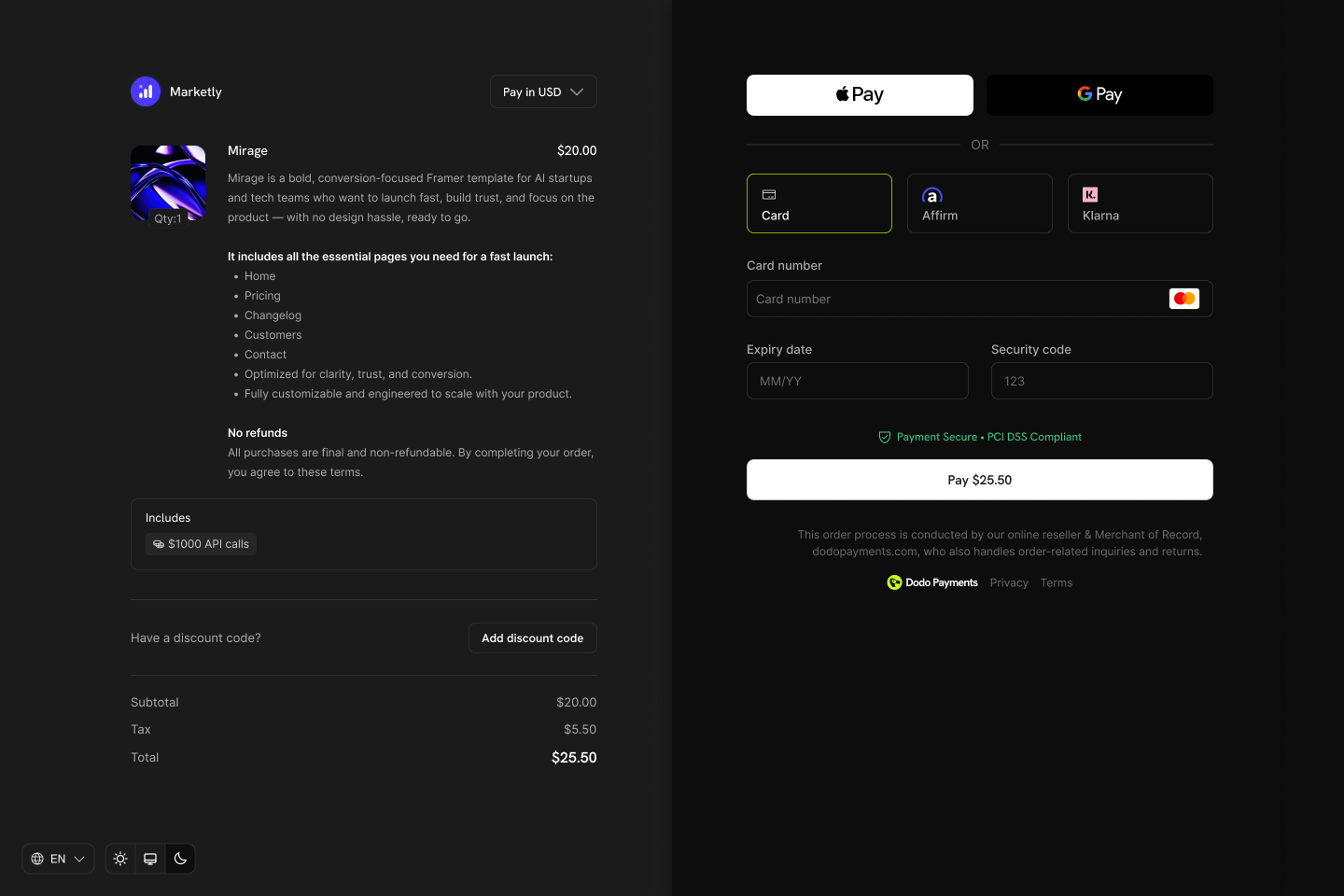
Credits appear as entitlements on your products and show in checkout, customer portal, and subscription details.
Core Concepts
Credit Types
When creating a credit, you choose between two types:- Custom Unit
- Fiat Credits
Credit Lifecycle
Credits follow a clear lifecycle from issuance through consumption:Credits Issued
Credits Consumed
Credits Expire or Roll Over
Overage Handling
Grant Sources
Credits can be granted from multiple sources:Creating Credits
Create credit entitlements in the Products → Credits section of your dashboard. Each credit defines the unit, precision, expiry rules, and lifecycle behavior.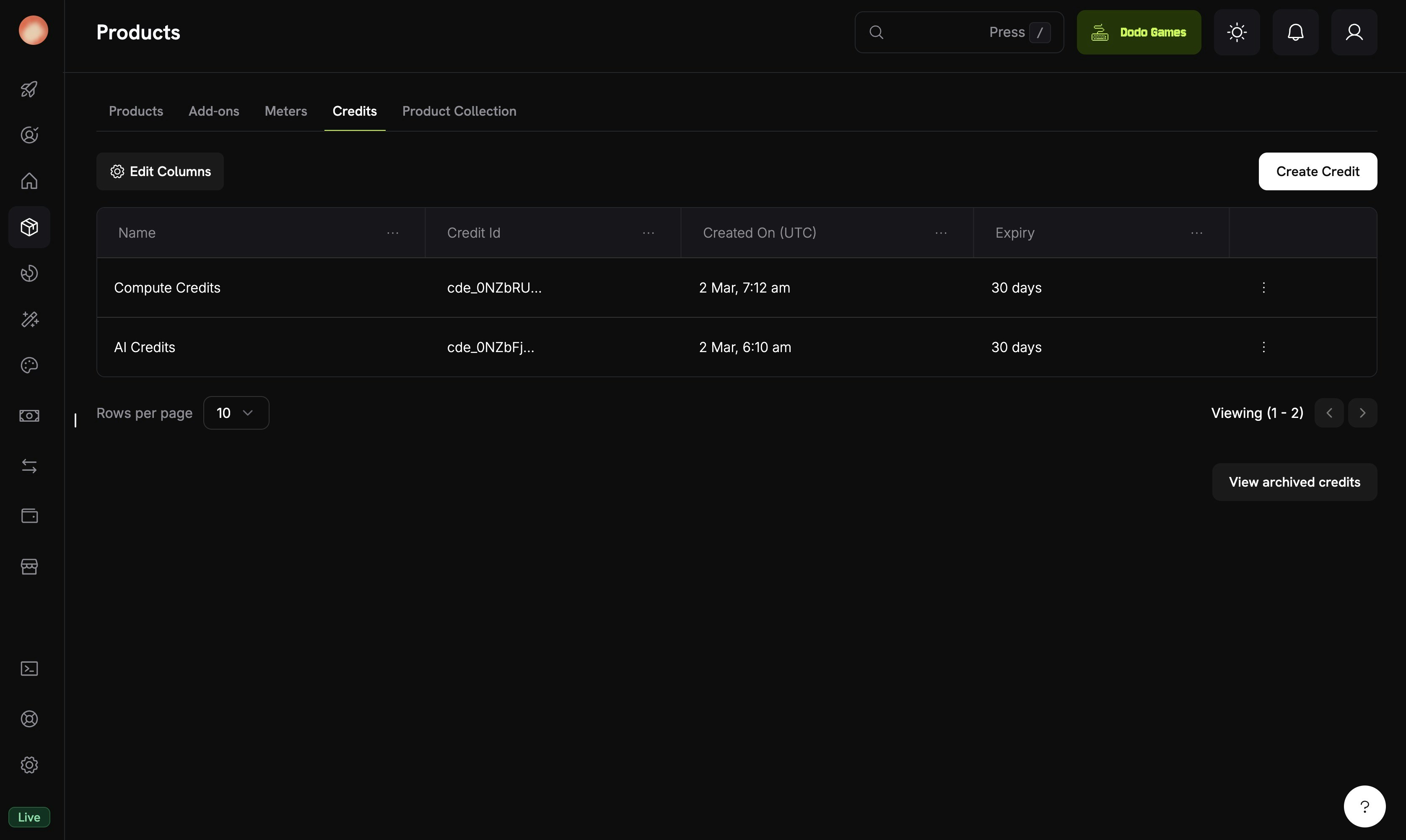
The Credits tab under Products shows all your credit entitlements.
Navigate to Credits
Configure Basic Information
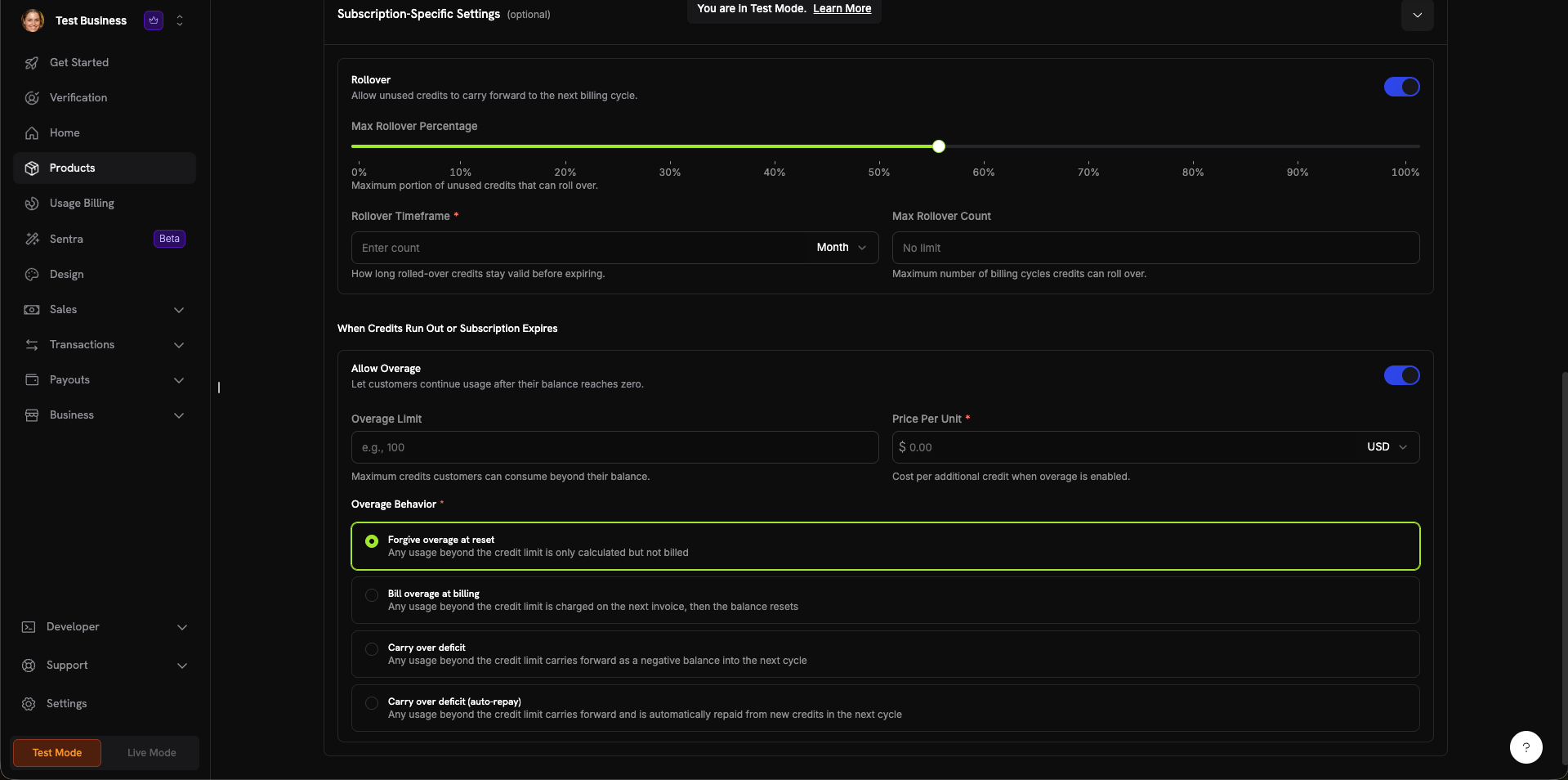
The credit creation form with all configuration sections.
Set General Settings
- Custom Unit: Xác định chỉ số riêng của bạn (token, lượt gọi API, giờ điện toán). Yêu cầu Unit Name (ví dụ: “Platform tokens”) và thiết lập Precision.
- Fiat Credits: Credit đại diện cho giá trị tiền tệ thực. Yêu cầu chọn Unit Currency (USD, EUR, GBP, INR, v.v.).
0 đến 10:0: Số nguyên (phù hợp nhất với các mục có thể đếm như lượt gọi API)1: Một chữ số thập phân (0.0)2: Hai chữ số thập phân (0.00)—mặc định3: Ba chữ số thập phân (0.000)- Tối đa
10: Dành cho các đơn vị yêu cầu độ chính xác cao (ví dụ: token phân số hoặc mức sử dụng rất nhỏ)
- 7 days, 30 days (default), 60 days, 90 days, Custom, or Never
Configure Subscription Settings (Optional)
- Max Rollover Percentage (0–100%): Giới hạn lượng credit được chuyển sang kỳ tiếp theo
- Rollover Timeframe: Khoảng thời gian credit được chuyển tiếp còn hiệu lực (ví dụ: 1 Month)
- Max Rollover Count: Số lần chuyển tiếp liên tiếp tối đa trước khi credit bị mất
- Overage Limit: Số credit tối đa khách hàng có thể sử dụng vượt quá số dư
- Price Per Unit: Chi phí cho mỗi credit bổ sung khi bật overage (kèm bộ chọn tiền tệ)
- Forgive overage at reset (mặc định): Mức sử dụng vượt quá giới hạn credit được ghi nhận nhưng không tính phí. Số dư được đặt lại sau mỗi chu kỳ.
- Bill overage at billing: Mức sử dụng vượt quá giới hạn credit được tính vào hóa đơn tiếp theo, sau đó số dư được đặt lại.
- Carry over deficit: Mức sử dụng vượt quá giới hạn credit được chuyển sang chu kỳ tiếp theo dưới dạng số dư âm.
- Carry over deficit (auto-repay): Phần thiếu được chuyển sang kỳ tiếp theo và tự động hoàn trả bằng credit mới trong chu kỳ đó.
Create Credit
Attaching Credits to Products
Tín dụng được gắn vào sản phẩm như các quyền lợi trong quá trình tạo hoặc chỉnh sửa sản phẩm. Bạn có thể gắn tối đa 5 tín dụng cho mỗi sản phẩm. Tín dụng hoạt động với cả ba loại giá.Subscription Products
For subscriptions, credits are issued per billing cycle and can be configured with proration, trial credits, and cycle-specific settings.Create or Edit a Subscription Product
Open Entitlements Section

The Entitlements section in the product form with Credits, License Key, and Digital Product Delivery options.
Select Credits to Attach
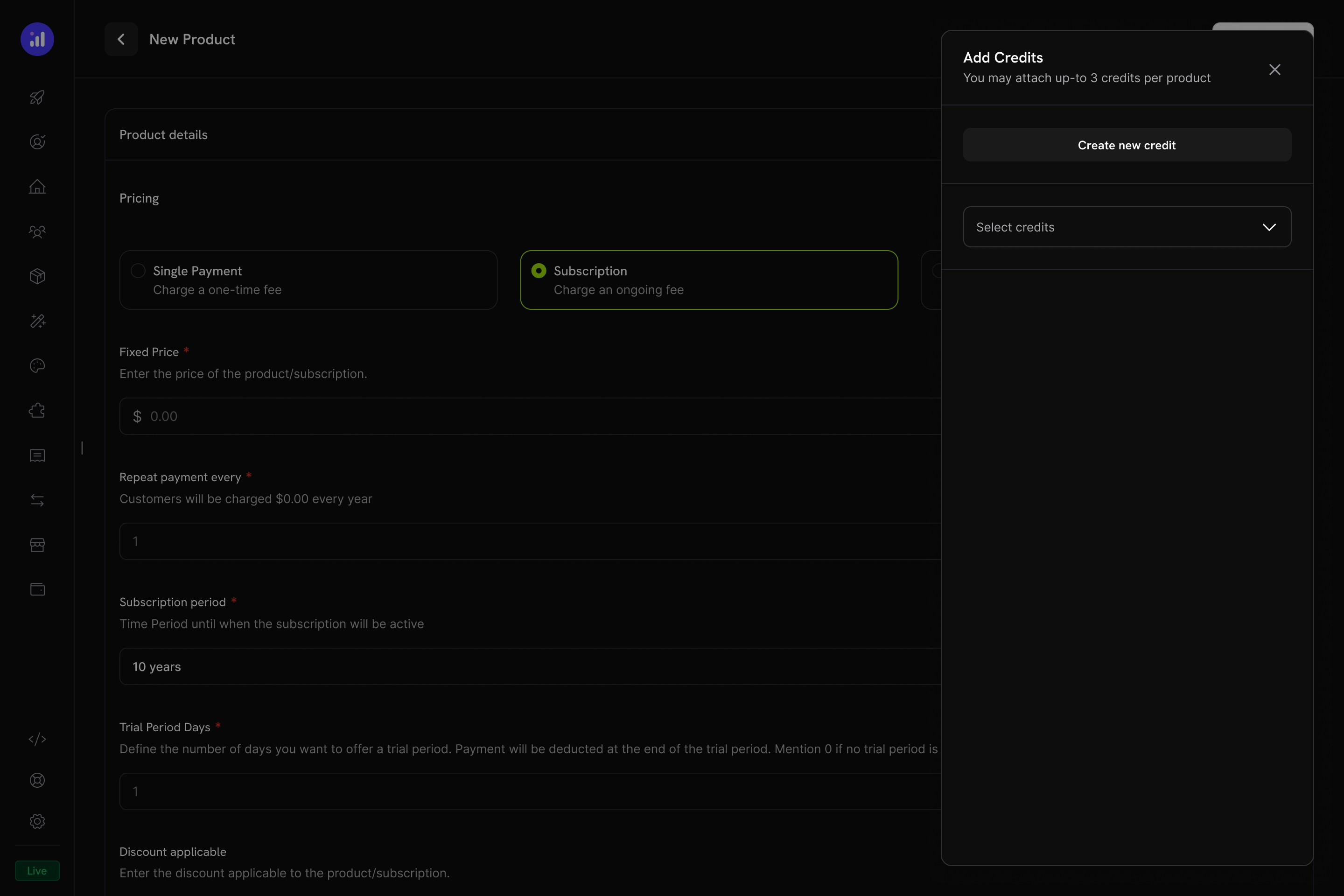
The Add Credits panel lets you select existing credits or create new ones.
Configure Credit Settings
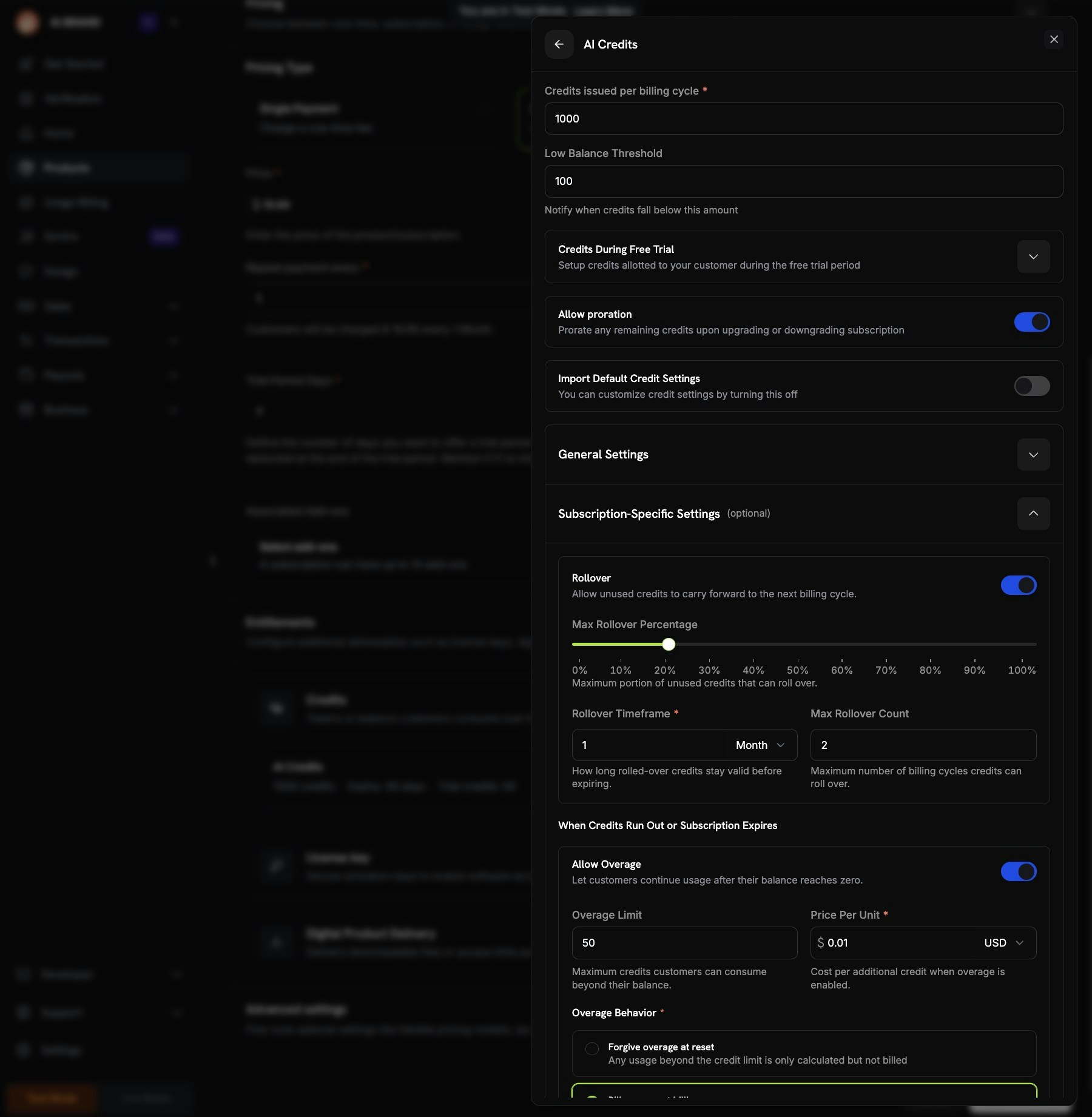
Credit configuration showing per-cycle amount, trial credits, proration, and custom settings.
Review and Add
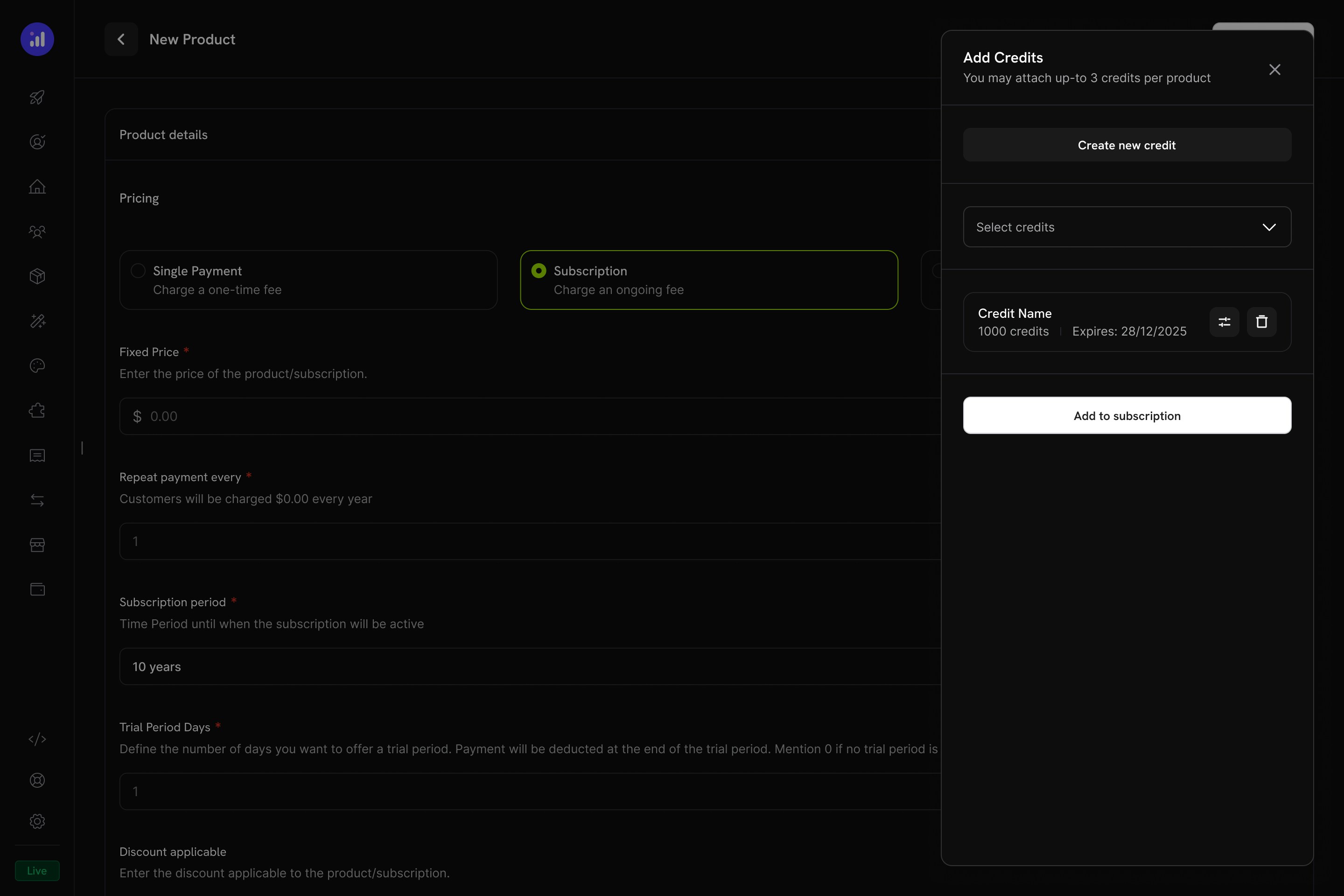
Review attached credits before adding them to the subscription.
One-Time Payment Products
For one-time payments, credits are issued once at the time of purchase.Create a One-Time Product
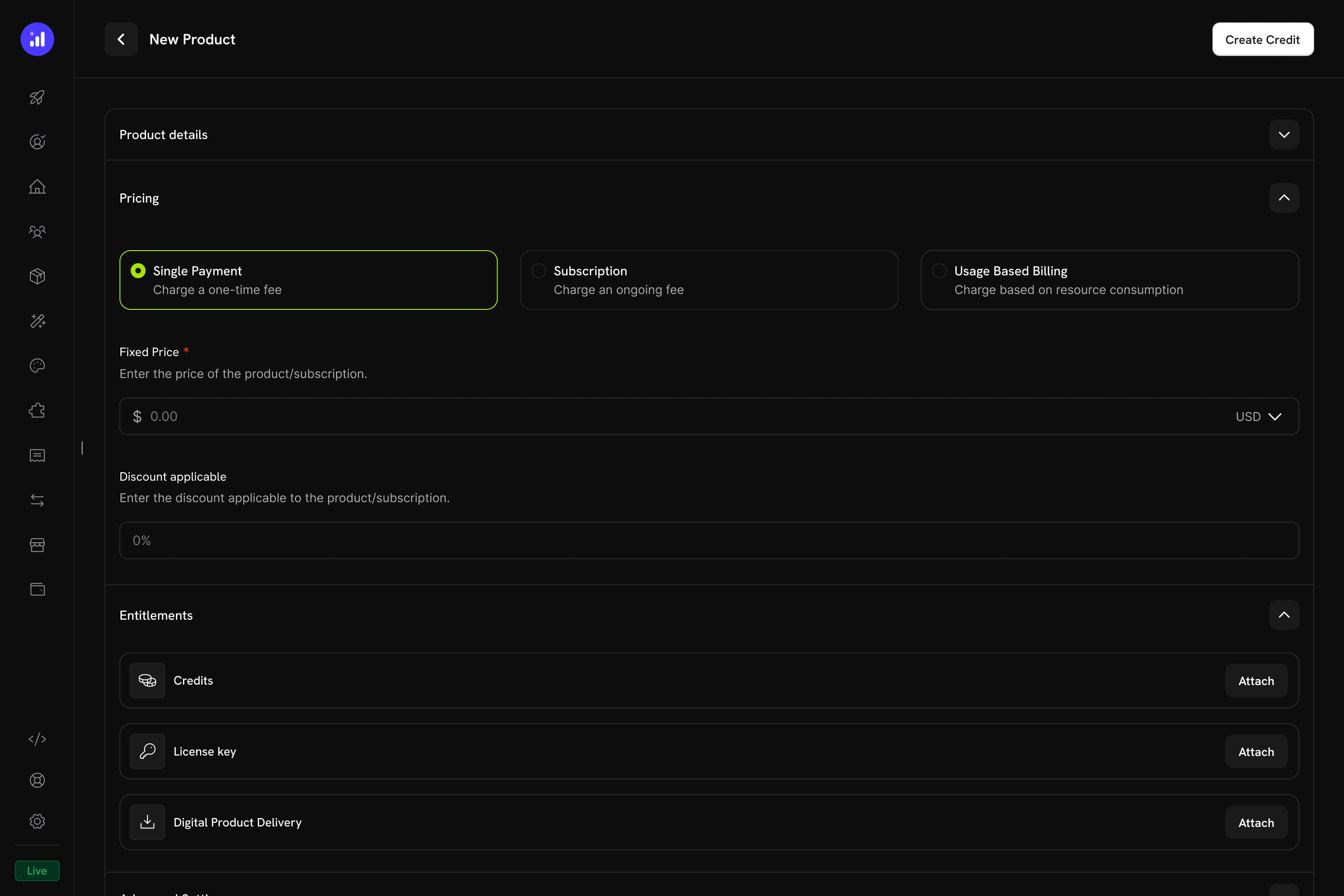
Single Payment pricing selected for a one-time credit product.
Attach Credits
Usage-Based Billing Products
For usage-based products, credits are linked to meters and automatically deducted based on real-time consumption events.Create a Usage-Based Product
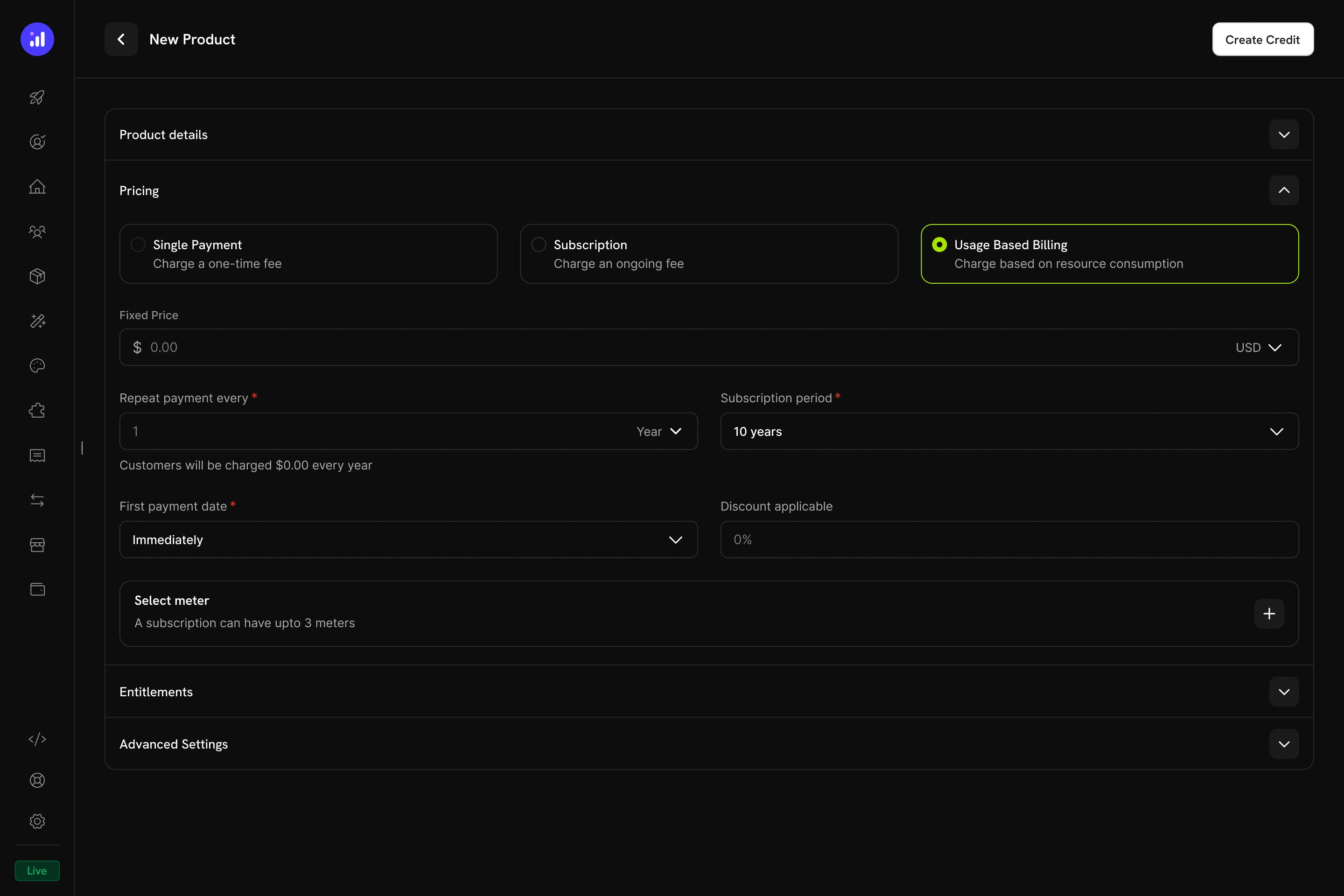
Usage Based Billing pricing type with meter configuration.
Add a Meter
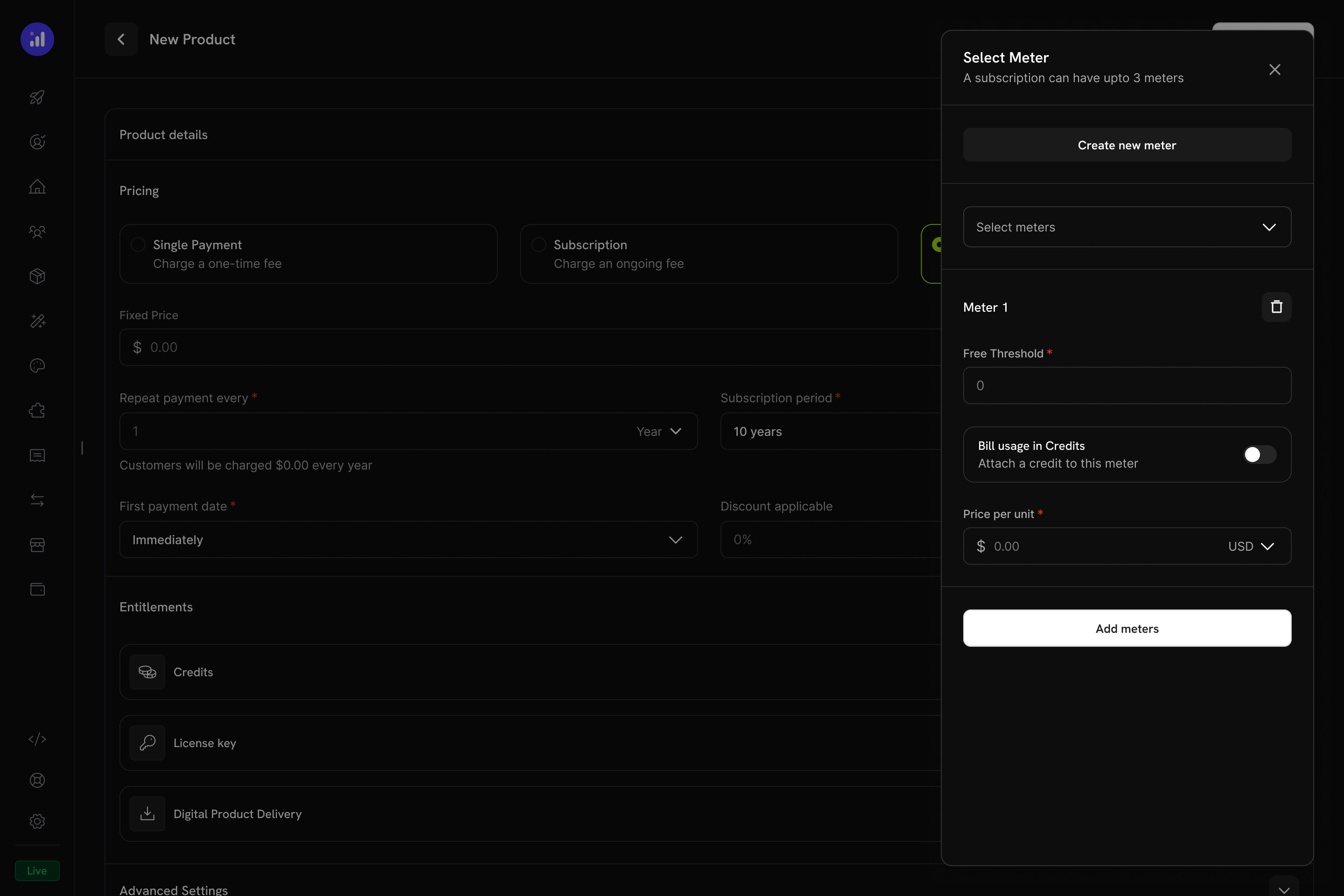
The Select Meter panel with meter configuration and credit toggle.
Enable Credit Billing on the Meter
1000, then 1,000 API calls consume 1 credit.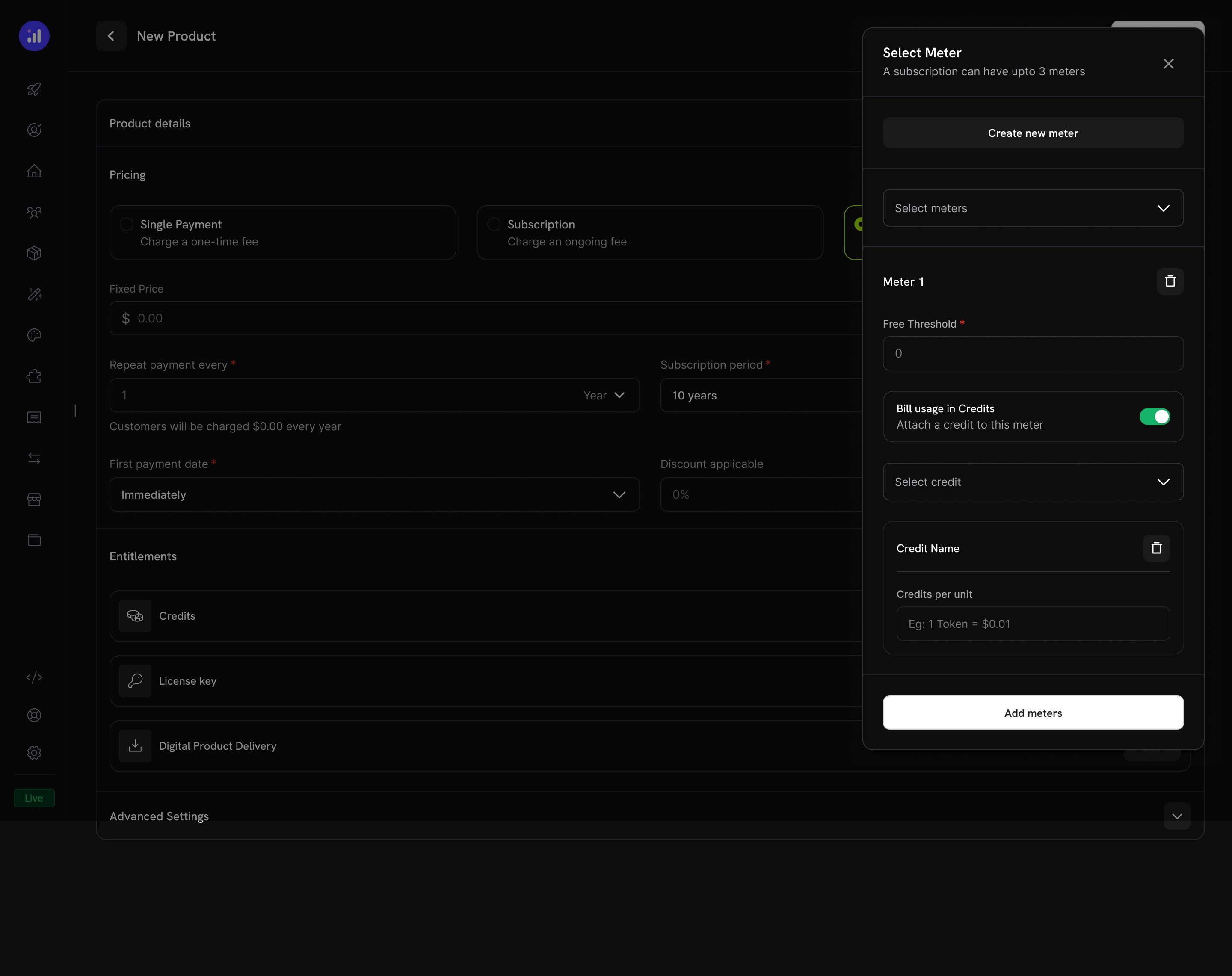
Credit attached to a meter with per-unit conversion rate.
Configure Credit Issuance
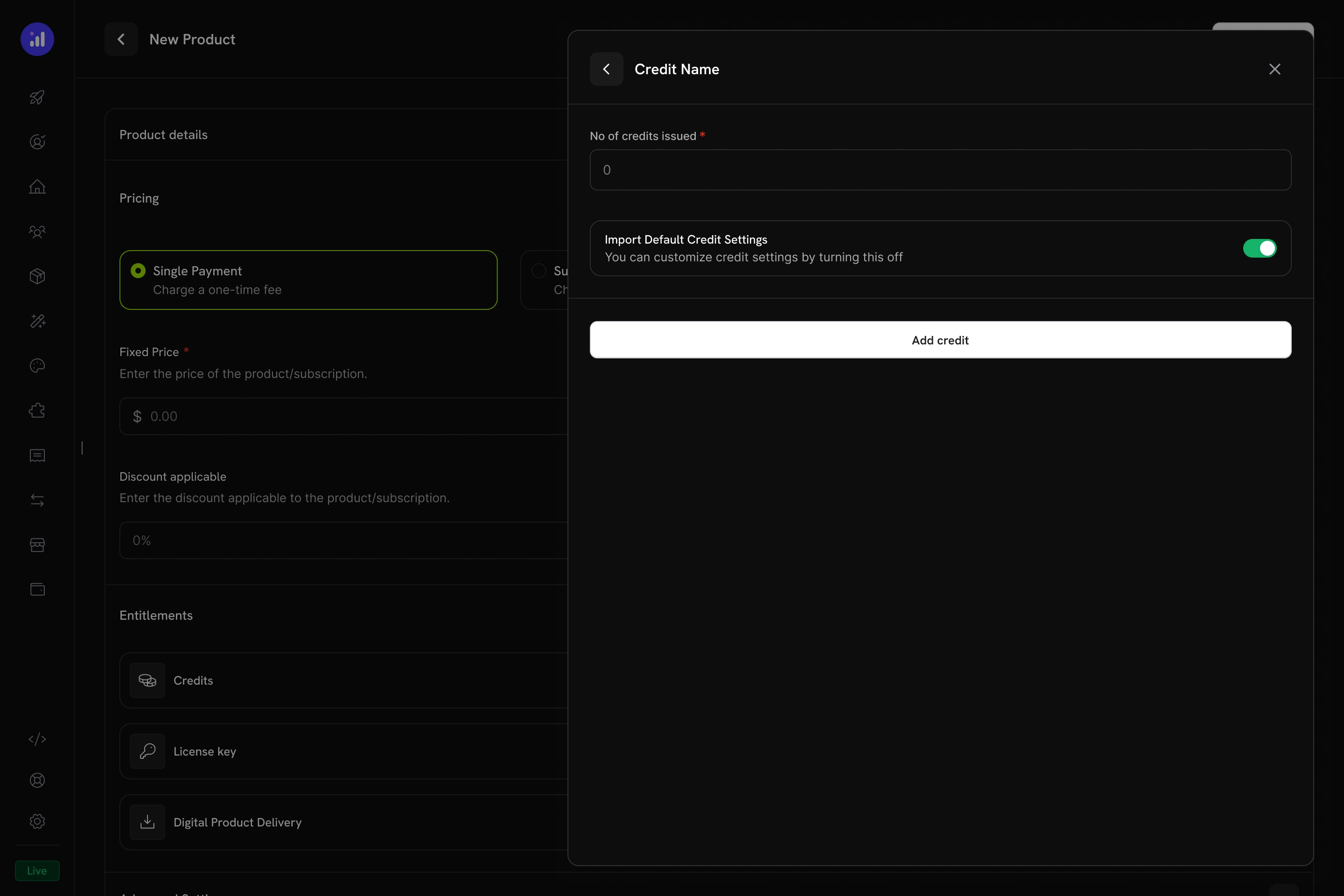
Configure how many credits to issue and whether to use default settings.
Verify Attachment
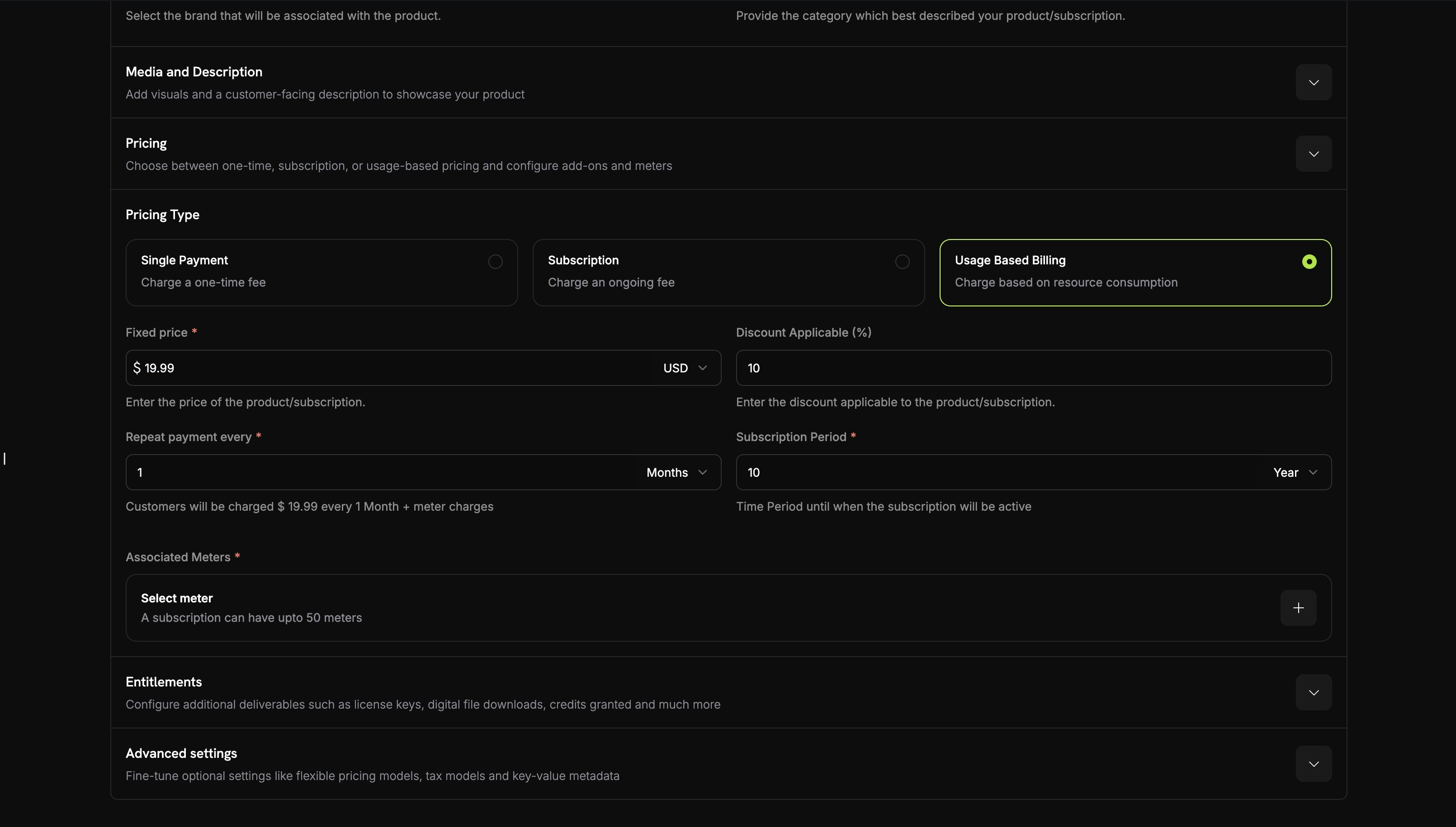
Meter with credit attached showing price, threshold, and credit name.
Credit Settings
Rollover
Rollover lets unused credits carry forward to the next billing cycle instead of expiring.Overage
Overage controls what happens when a customer’s credit balance reaches zero mid-cycle.Hết hạn
credit_expired. Nếu bật rollover, phần trăm rollover được áp dụng trước khi hết hạn và chỉ phần còn lại mới hết hạn.Billing dựa trên mức sử dụng với Credit
Khi credit được liên kết với usage meter, hệ thống tạo ra mô hình billing dựa trên mức tiêu thụ mạnh mẽ. Khách hàng nhận được một hạn mức credit và các sự kiện mức sử dụng sẽ tự động khấu trừ vào số dư của họ.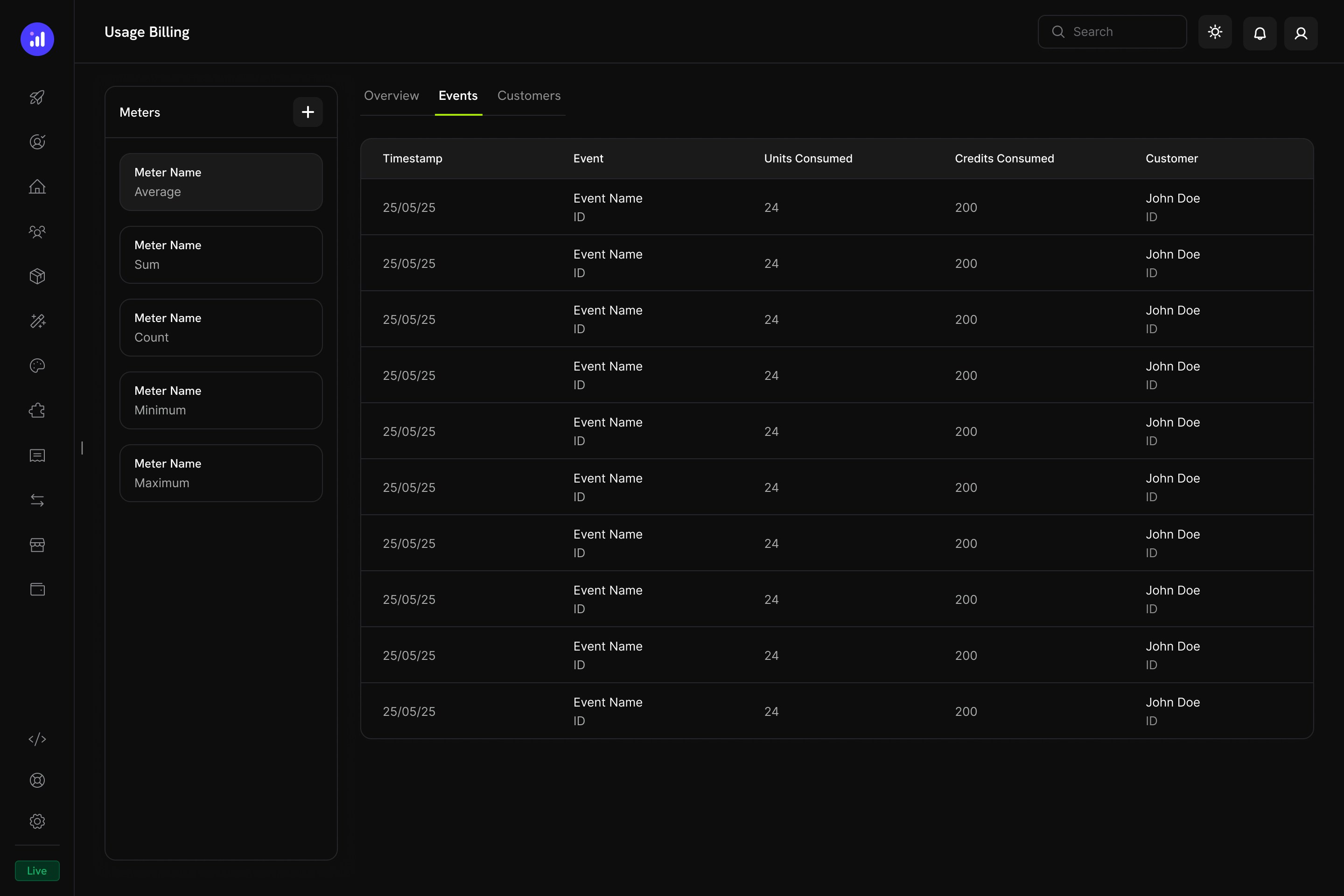
The Usage Billing dashboard shows meter events with units consumed, credits consumed, and customer details.
Cách khấu trừ Credit dựa trên Meter hoạt động
- Ứng dụng của bạn gửi các sự kiện mức sử dụng: Mỗi sự kiện bao gồm customer ID, event name và metadata
- Meter tổng hợp các sự kiện: Sử dụng phép tổng hợp Count, Sum, Max hoặc Last
- Credit được khấu trừ tự động: Một background worker xử lý sự kiện mỗi phút, chuyển đổi đơn vị meter thành credit theo rate đã cấu hình và khấu trừ khỏi số dư của khách hàng theo thứ tự FIFO (grant hết hạn sớm nhất trước)
- Overage được theo dõi: Nếu số dư credit bằng 0 và overage được bật, hệ thống theo dõi mức sử dụng overage để tính phí cuối chu kỳ
Bảng Meters
Bảng điều khiển Usage Billing có bảng Meters liệt kê tất cả meter đã xác định cùng loại tổng hợp của chúng:Trải nghiệm khách hàng
Checkout
Khi khách hàng mua sản phẩm có kèm credit, trang checkout hiển thị credit đi kèm như một phần của gói sản phẩm.Checkout shows included credits with the product, making the value proposition clear.
Customer Portal
Khách hàng có thể xem và quản lý số dư credit trong Customer Portal, tại phần Credits.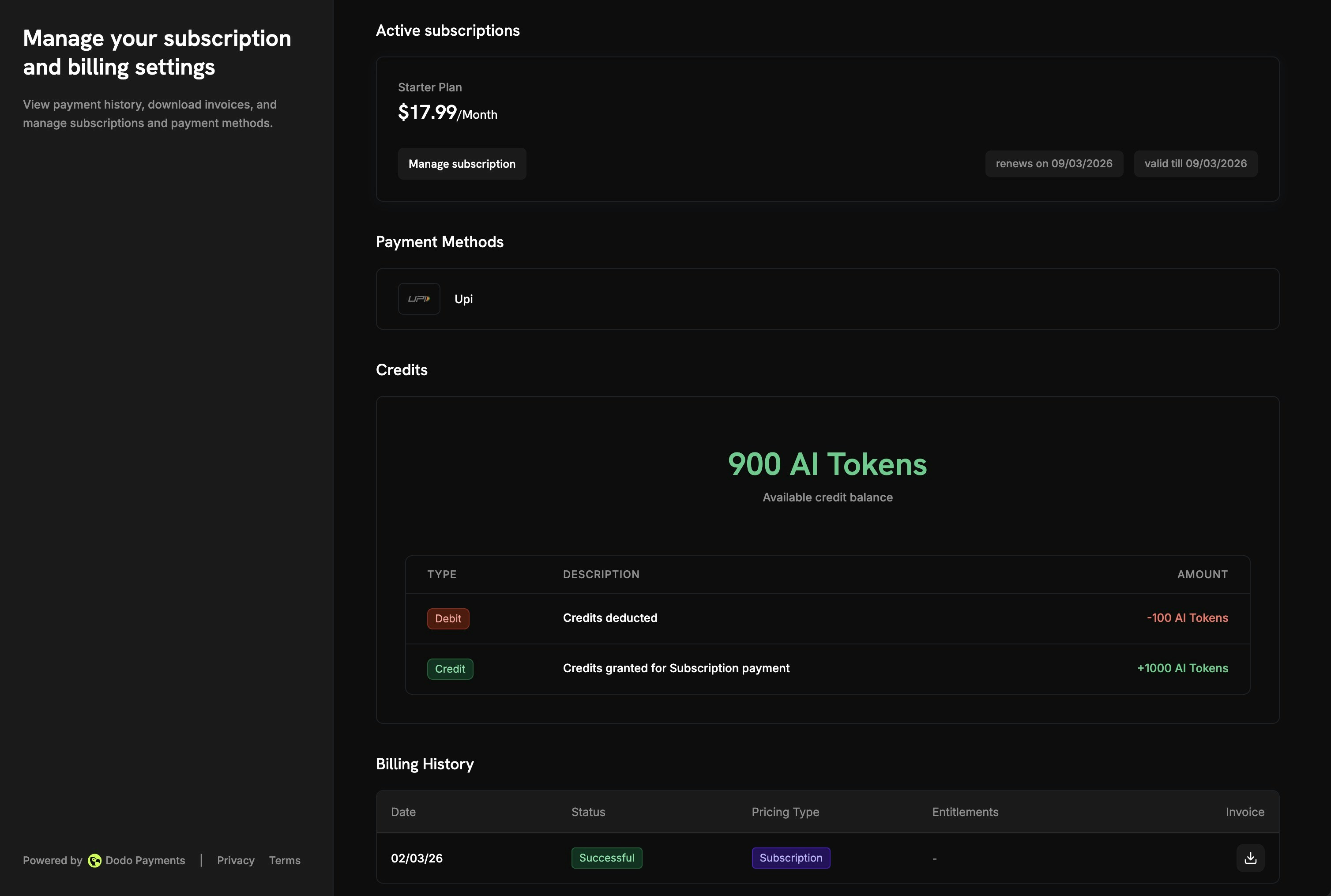
The Customer Portal shows available balance and full transaction history.
- Available Balance: Số dư credit hiện tại được hiển thị nổi bật
- Credit Tabs: Chuyển đổi giữa các loại credit khác nhau (ví dụ: “OpenAI Credits” hoặc “Usage Tokens”)
- Recent Transactions: Lịch sử đầy đủ gồm ngày, transaction ID, loại, số lượng và số dư lũy kế
Chi tiết gói đăng ký
Trang chi tiết gói đăng ký hiển thị các quyền lợi credit cùng với thông tin khác của gói.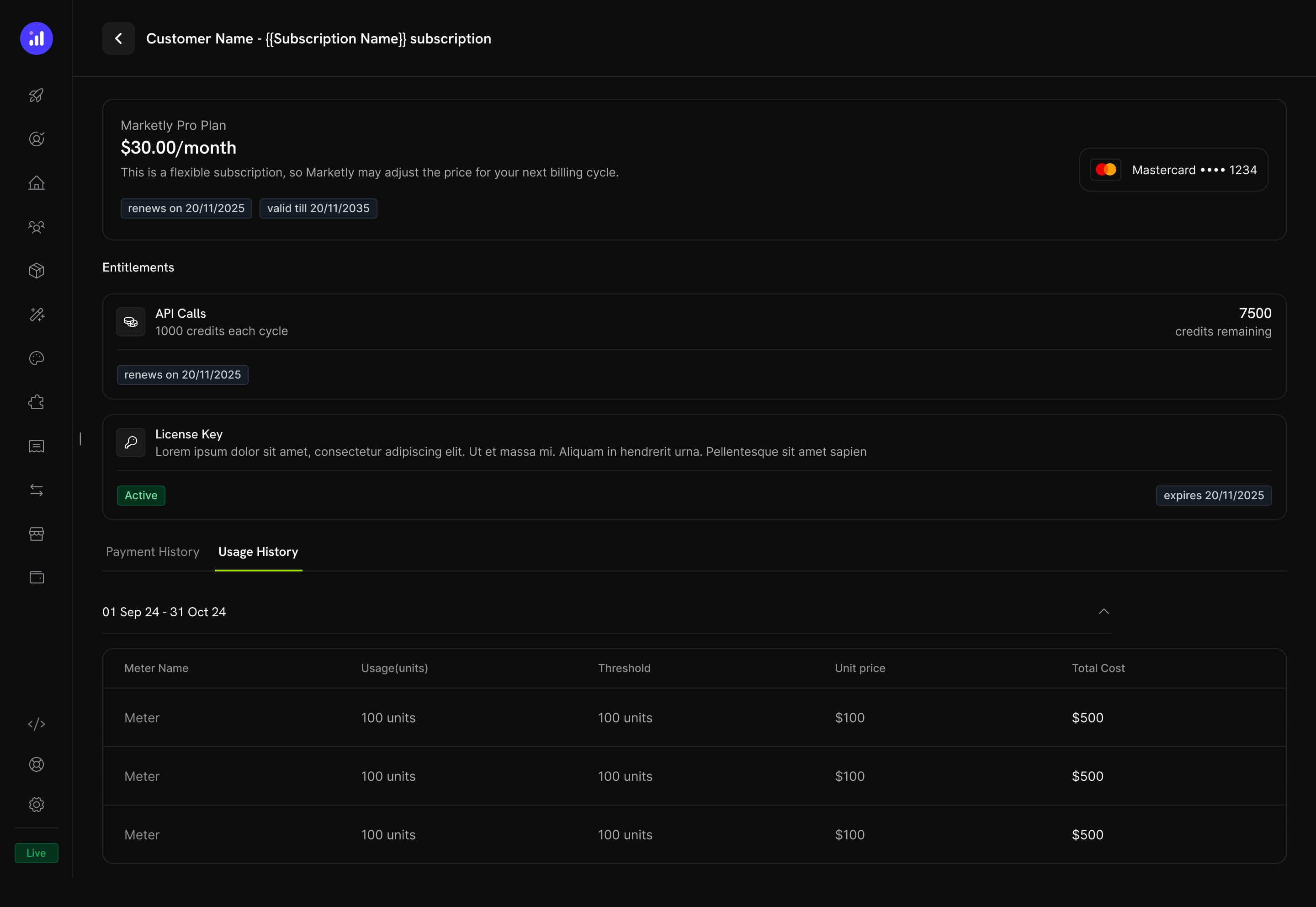
Subscription details show credit allocation, remaining balance, and renewal date.
- Credit allocation cho mỗi chu kỳ thanh toán (ví dụ: “1000 credits each cycle”)
- Remaining balance (ví dụ: “7500 credits remaining”)
- Renewal date cho lần cấp credit tiếp theo
- Tab Usage History với phân tích theo từng meter, hiển thị đơn vị đã tiêu thụ, ngưỡng, giá mỗi đơn vị và tổng chi phí
Chi tiết giao dịch
Các trang giao dịch thanh toán có phần Entitlements hiển thị tất cả quyền lợi được cung cấp cùng khoản thanh toán, bao gồm credit.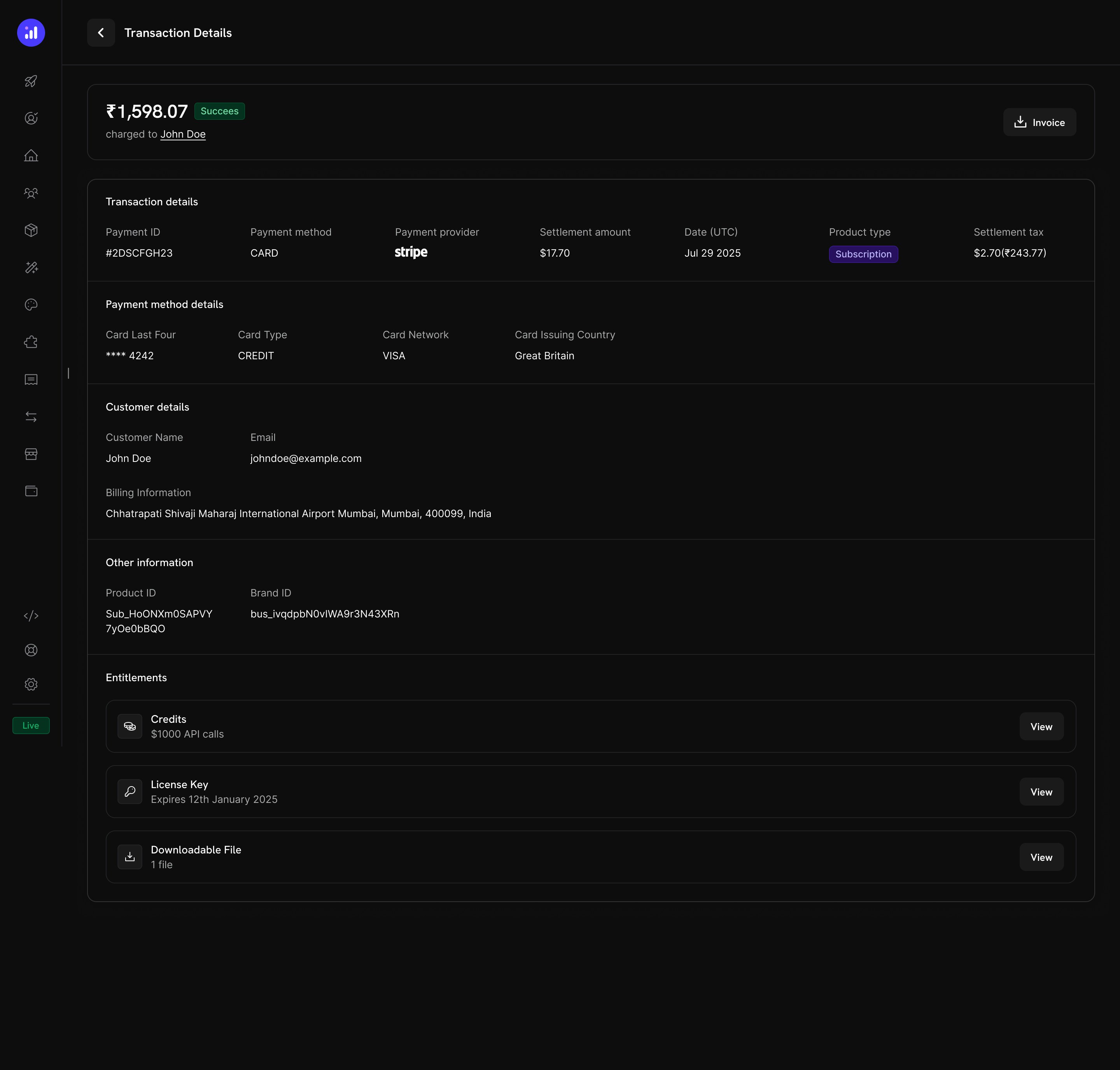
Transaction details show credits alongside other entitlements like license keys and digital downloads.
Quản lý Credit
Chế độ xem trên Dashboard
Danh sách quyền lợi Credit
Xem tất cả quyền lợi credit tại Products → Credits. Bảng hiển thị tên credit, thiết lập hết hạn và cung cấp các thao tác nhanh để chỉnh sửa hoặc lưu trữ.Credits listing with total count, creation button, and management actions.
Chi tiết Credit của khách hàng
Xem số dư credit và lịch sử giao dịch của một khách hàng cụ thể tại Customers → [Customer Name] → Credits.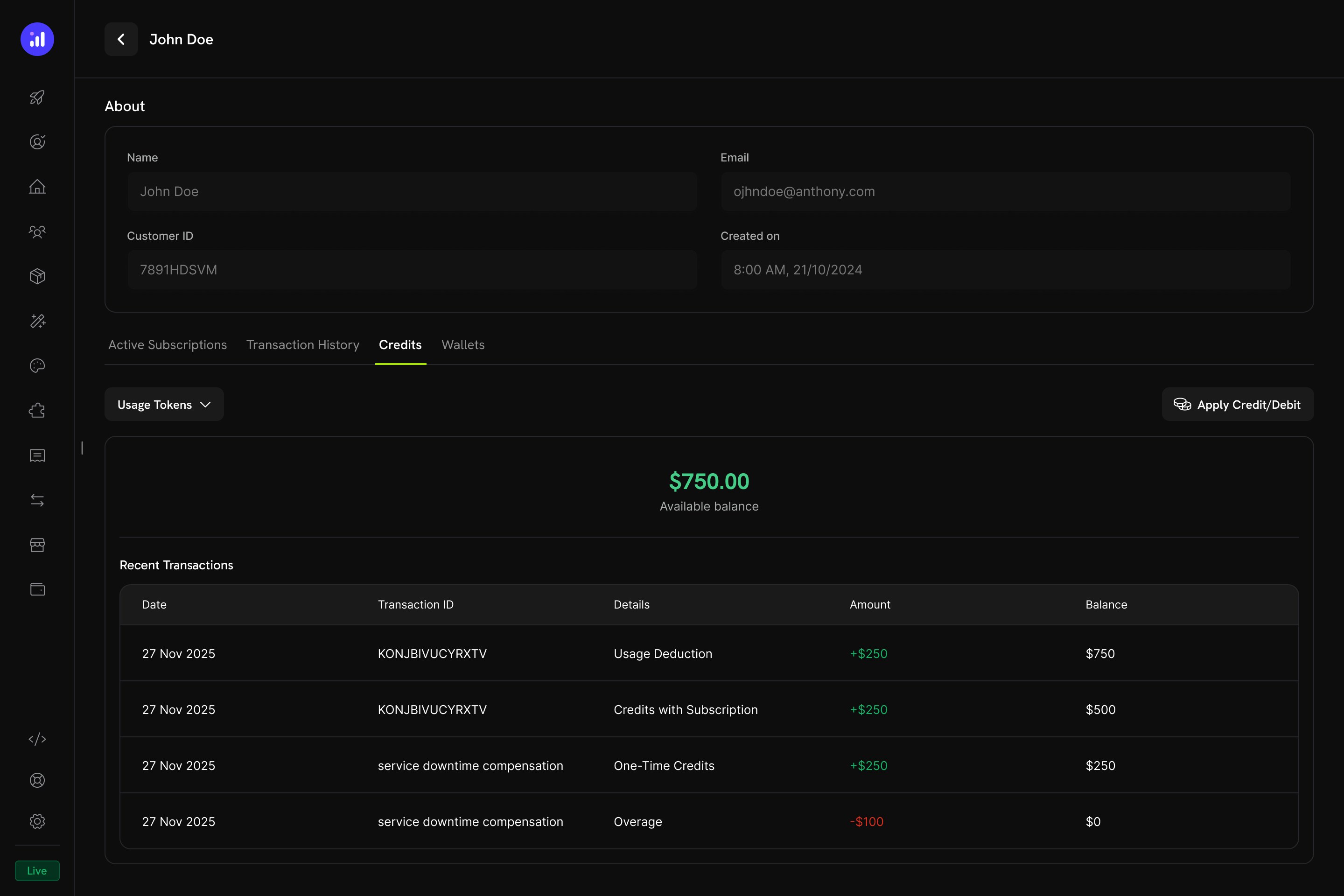
Customer detail page showing credit balance and full transaction ledger.
- Credit Selector - Chuyển đổi giữa các quyền lợi credit khác nhau
- Available Balance - Số dư hiện tại được hiển thị lớn và nổi bật
- Apply Credit/Debit - Nút điều chỉnh thủ công số dư của khách hàng
- Recent Transactions - Ledger đầy đủ gồm ngày, transaction ID, loại, số lượng và số dư lũy kế
Điều chỉnh thủ công
Bạn có thể cộng hoặc trừ số dư của khách hàng theo cách thủ công trực tiếp từ dashboard:Navigate to Customer
Open Credits Tab
Apply Credit or Debit
Confirm
manual_adjustment với audit trail đầy đủ.Credit Ledger
Mọi thao tác credit đều được ghi lại trong credit ledger, cung cấp audit trail đầy đủ:Webhooks
Credit-Based Billing phát webhook event cho mọi thay đổi trong vòng đời credit. Sử dụng các event này để đồng bộ ứng dụng với số dư credit, kích hoạt thông báo hoặc xây dựng workflow billing tùy chỉnh.credit.* ngoại trừ credit.balance_low) đều bao gồm payload CreditLedgerEntry đầy đủ với số dư trước/sau, overage trước/sau, tham chiếu nguồn và metadata của subscription hoặc payment nguồn của grant (để trống đối với grant được tạo trực tiếp qua API). Event credit.balance_low bao gồm cấu hình ngưỡng và số dư hiện tại.
Credit Webhook Payloads
Quản lý API
Create Credit Entitlements
Create Credit Entitlements
Create Credit Entitlement
List Credit Entitlements
Manage Credit Entitlements
Manage Credit Entitlements
Get Credit Entitlement
Update Credit Entitlement
Delete Credit Entitlement
Undelete Credit Entitlement
Grant and Adjust Credits
Grant and Adjust Credits
Create Ledger Entry
Query Balances and Ledger
Query Balances and Ledger
List Balances
Get Customer Balance
List Customer Grants
List Customer Ledger
Ví dụ tích hợp
Khởi tạo client Dodo Payments:Ví dụ thực tế
AI SaaS Platform
AI SaaS Platform
- Loại credit: Custom Unit (“AI Tokens”)
- Precision: 0 (token nguyên)
- Rollover: tối đa 25%, thời hạn 1 tháng
- Overage: Đã bật, tính phí overage tại thời điểm billing
- Meter:
ai.generationvới phép tổng hợp Sum trên fieldtokens
API Gateway
API Gateway
- Loại credit: Custom Unit (“API Calls”)
- Precision: 0 (lượt gọi nguyên)
- Rollover: Đã tắt
- Overage: Gói Developer trở lên cho phép overage (miễn phí khi reset), gói Free tắt overage
- Meter:
api.requestvới phép tổng hợp Count
Cloud Storage Service
Cloud Storage Service
- Loại tín dụng: Đơn vị tùy chỉnh (“GB-hours”)
- Độ chính xác: 2 (hai chữ số thập phân)
- Chuyển số dư: tối đa 50%, chuyển sang một lần
- Vượt mức: Đã bật, với giới hạn vượt mức được đặt theo GB-hours
- Meter:
storage.usagevới phép tổng hợp Sum
Phương pháp hay nhất
- Bắt đầu đơn giản: Bắt đầu với một loại credit duy nhất và không rollover. Thêm độ phức tạp dựa trên phản hồi của khách hàng và mẫu sử dụng.
- Đặt kỳ vọng rõ ràng: Hiển thị nổi bật hạn mức credit, số dư còn lại và giá overage trên các trang sản phẩm và Customer Portal.
- Sử dụng đơn vị có ý nghĩa: Đặt tên credit theo ý nghĩa của chúng (ví dụ: “API Calls” hoặc “AI Tokens”) thay vì các thuật ngữ chung chung. Điều này giúp khách hàng hiểu giá trị.
- Cấu hình thời hạn một cách thận trọng: Thời hạn ngắn (7 ngày) tạo cảm giác cấp bách nhưng có thể khiến khách hàng khó chịu. Thời hạn dài hơn (30–90 ngày) thân thiện với khách hàng hơn đối với hầu hết sản phẩm SaaS.
- Theo dõi số dư thấp: Đặt ngưỡng số dư thấp để cảnh báo khách hàng trước khi credit hết, giúp giảm các khoản phí overage bất ngờ.
- Kiểm thử trong test mode: Tạo credit, đính kèm vào sản phẩm thử nghiệm và mô phỏng toàn bộ chu kỳ mua → sử dụng → khấu trừ → hết hạn trước khi triển khai chính thức.