

Introduzione
L’integrazione con Resend invia un’email transazionale tramite Resend quando si verifica un evento di Dodo Payments. Usala per confermare i pagamenti, dare il benvenuto ai nuovi abbonati e informare i clienti quando un pagamento non va a buon fine, utilizzando il tuo dominio di invio.Questa integrazione richiede una chiave API di Resend con Sending access e un dominio di invio verificato in Resend. Devi inoltre avere accesso a Developer → Webhooks nella dashboard di Dodo Payments.
Iniziare
1
Open the Webhook Section
Nel dashboard di Dodo Payments, vai a Developer → Webhooks e fai clic su Add endpoint.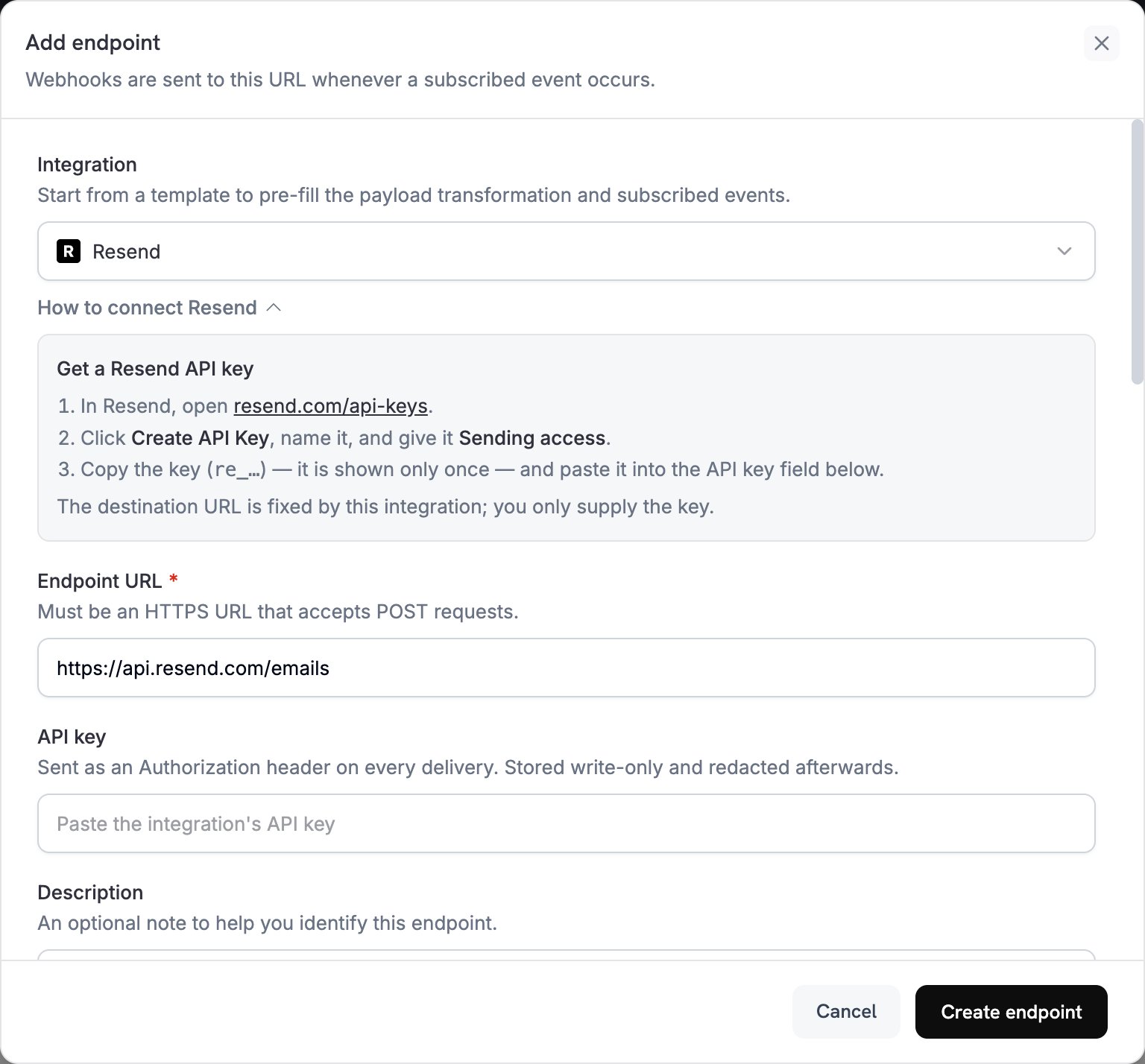
2
Select Resend
In Integration, seleziona Resend. La dashboard compila Endpoint URL e il codice di trasformazione per Resend, mentre il pannello How to connect Resend mostra i passaggi di configurazione.
3
Enter API Key
In Resend, apri API Keys, fai clic su Create API Key e assegna alla chiave Sending access. Resend mostra la chiave, che inizia con
re_, una sola volta. Incollala in API key. Dodo Payments la invia come bearer token nell’header Authorization di ogni richiesta a Resend.4
Select Events
In Subscribed events, seleziona solo gli eventi gestiti dalla tua trasformazione. Un evento che la trasformazione lascia invariato arriva a Resend nel formato di Dodo Payments, e Resend lo rifiuta.
5
Configure Transformation
In Transformation code, modifica l’handler in modo che ogni evento sottoscritto diventi un’email Resend. Inizia dagli esempi.
6
Test & Create
In Test this code, seleziona un tipo di evento e fai clic su Simulate per visualizzare in anteprima la richiesta a Resend. Quindi fai clic su Create endpoint.
7
Done
Dodo Payments ora invia un’email tramite Resend per ogni evento sottoscritto. Per visualizzare ogni invio e la risposta di Resend, apri la scheda Logs in Developer → Webhooks.
Esempi di codice di trasformazione
Ogni handler impostawebhook.url sull’endpoint send-email di Resend e sostituisce webhook.payload con l’email. Gli importi di Dodo Payments sono espressi nell’unità monetaria più piccola, quindi gli esempi li dividono per 100 e mostrano il codice della valuta. Per le valute senza decimali, come JPY e KRW, usa l’importo così com’è.
Email di conferma del pagamento
Invia una ricevuta quando un pagamento va a buon fine (payment.succeeded):
payment_confirmation.js
Email di benvenuto per l’abbonamento
Dai il benvenuto a un cliente quando un abbonamento diventa attivo (subscription.active):
subscription_welcome.js
Notifica di pagamento non riuscito
Chiedi al cliente di aggiornare il metodo di pagamento quando un pagamento non va a buon fine (payment.failed):
payment_failure.js
Suggerimenti
- Invia da un dominio che hai verificato in Resend, in modo da migliorare la deliverability.
- Includi una versione
htmle una versionetextdi ogni email. - Personalizza i contenuti con i dati del cliente presenti nel payload, come
customer.name. - Scrivi oggetti che indichino il risultato o l’azione richiesta.
- Includi un link per annullare l’iscrizione in qualsiasi email che contenga contenuti di marketing.
- Visualizza in anteprima ogni template con Simulate prima di creare l’endpoint.
- Per ignorare un evento nel codice, imposta
webhook.cancel = trueprima di restituire il webhook. I log registrano un invio ignorato come riuscito.
Risoluzione dei problemi
Emails Not Being Sent
Emails Not Being Sent
- Verifica che la chiave API sia corretta, attiva e disponga di Sending access. Per sostituirla, modifica l’endpoint e incolla una nuova chiave in API key.
- Verifica che il dominio del mittente sia verificato in Resend.
- Verifica che gli indirizzi email dei destinatari siano validi.
- Verifica i limiti e le quote di invio di Resend per il tuo piano.
- Apri la scheda Logs in Developer → Webhooks e leggi la risposta di Resend relativa all’invio non riuscito.
Transformation Errors
Transformation Errors
- Verifica che il payload corrisponda al formato send-email di Resend. Resend richiede
from,toesubject. - Verifica che ogni evento gestito dal codice imposti tutti i campi obbligatori.
- Verifica che il valore
htmlsia HTML valido. - Verifica che l’indirizzo
fromutilizzi un dominio verificato in Resend.