

Pendahuluan
Integrasi Microsoft Teams memposting event Dodo Payments ke channel Teams sebagai Adaptive Cards, sehingga tim Anda dapat melihat pembayaran, perubahan langganan, dan sengketa saat terjadi. Gunakan integrasi ini jika Teams adalah tempat tim bisnis Anda bekerja.Panduan ini mengasumsikan Anda memiliki akses admin untuk membuat webhook di ruang kerja Microsoft Teams Anda.
Memulai
1
Open the Webhook Section
Di dasbor Dodo Payments, buka Developer → Webhooks lalu klik Add endpoint.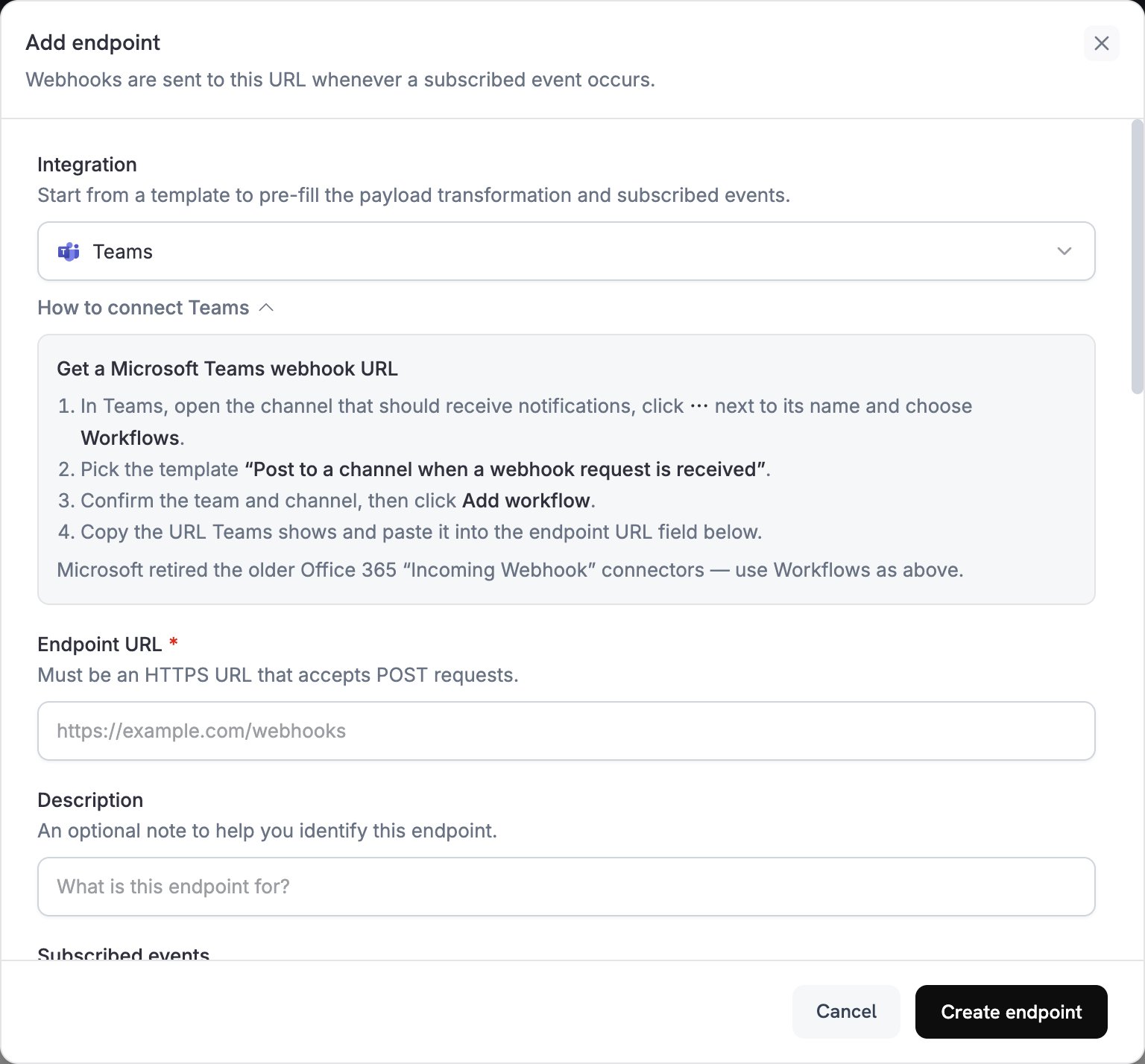
2
Select Microsoft Teams
Dalam daftar Integration, pilih Teams.
3
Create Teams Webhook
Microsoft menghentikan konektor Incoming Webhook Office 365 di Teams, jadi buat webhook dengan aplikasi Workflows:
- Di Teams, buka channel yang akan menerima notifikasi.
- Klik ⋯ di samping nama channel, lalu pilih Workflows.
- Pilih template Post to a channel when a webhook request is received.
- Konfirmasikan team dan channel, lalu klik Add workflow.
- Salin URL webhook yang ditampilkan Teams.
4
Paste Webhook URL
Tempel URL webhook Teams ke kolom Endpoint URL.
5
Customize Transformation
Edit kode di bawah Transformation code untuk memformat setiap event sebagai Adaptive Card. Mulai dari contoh di bawah.
6
Test & Create
Di bawah Test this code, jalankan transformasi terhadap payload sampel, lalu klik Create endpoint.
7
Done
Channel Teams Anda kini menerima event Dodo Payments sebagai Adaptive Cards.
Contoh Kode Transformasi
Setiap contoh mengganti payload event dengan pesan Teams yang membawa satu lampiran Adaptive Card.Kartu Pembayaran Dasar
Contoh ini memposting jumlah, email pelanggan, dan ID pembayaran saat pembayaran berhasil.payment_card.js
Manajemen Langganan
Contoh ini memposting satu kartu saat langganan menjadi aktif dan kartu lainnya saat langganan dibatalkan.subscription_card.js
Peringatan Sengketa
Contoh ini memposting kartu untuk setiap eventdispute.*. Judul dan warna berubah saat sengketa dimenangkan atau kalah.
dispute_card.js
Tips
- Gunakan Adaptive Cards untuk format yang kaya dan interaktif.
- Pilih warna berdasarkan makna:
Good(hijau),Warning(kuning), danAttention(merah). - Buat set fakta tetap singkat dan mudah dibaca.
- Sebelum mengandalkan endpoint, buka tab Testing lalu klik Send example untuk memposting kartu sampel ke channel Anda.
Pemecahan Masalah
No Messages in Teams
No Messages in Teams
- Periksa apakah URL webhook sudah benar dan workflow telah diaktifkan.
- Periksa apakah transformasi mengembalikan JSON Adaptive Card yang valid.
- Periksa apakah workflow memiliki izin untuk memposting di channel.
Card Formatting Issues
Card Formatting Issues
- Jalankan transformasi di bawah Test this code dan periksa hasilnya terhadap skema Adaptive Card.
- Periksa apakah semua field yang diperlukan tersedia.
- Periksa apakah nilai warna valid, seperti
Default,Good,Warning, atauAttention.