

Pending grant가 생성되며, 결제 시 Dodo Payments가 키를 생성하는 대신 사용자가 키 값을 제공할 때까지 대기합니다. 키는 자체 시스템, 타사 공급업체 또는 유한한 코드 풀에서 가져올 수 있습니다.
이 가이드를 완료하면 다음을 수행할 수 있습니다.
- A product with a License Key entitlement set to
manualfulfillment. - A webhook listener that detects when a customer is waiting for a key.
- A fulfillment call that delivers the key and notifies the customer automatically.
License Keys Overview
전체 라이선스 키 수명 주기와
fulfillment_mode 설정을 이해할 수 있습니다.Fulfill License Key Grant API
키를 전달할 때 호출하는 endpoint의 API reference를 확인할 수 있습니다.
How It Works
아래 순서는 checkout부터 키 전달까지 하나의 구매 과정을 보여 줍니다. 수동 fulfillment는 발급 단계만 변경합니다. 키가 전달된 후에는 activation, validation, deactivation, expiry, revocation에서 자동 생성된 키와 동일하게 동작합니다. 여러 수량을 구매하면 단위마다Pending grant가 하나씩 생성되며, 각 grant에는 별도의 키가 필요합니다.
사전 요구 사항
이 가이드를 따라 하려면 다음이 필요합니다.- Dodo Payments merchant account.
- Developer → API Keys에서 생성하여
DODO_PAYMENTS_API_KEY에 저장한 API key와 Developer → Webhooks에서 확인하여DODO_PAYMENTS_WEBHOOK_KEY에 저장한 webhook signing secret. API key generation guide를 참고하세요. - webhook을 수신할 수 있는 backend endpoint.
구축하는 동안
https://test.dodopayments.com와 test mode credentials를 사용하세요. production으로 전환할 때는 https://live.dodopayments.com와 live mode keys로 변경하세요.1단계 — Manual Mode로 License Key Entitlement 만들기
entitlement는 제공할 항목을 재사용할 수 있도록 정의한 것입니다. License Key entitlement를 만들고fulfillment_mode를 manual로 설정하세요.
- Dashboard
- API
1
Open Entitlements
Dashboard에서 Entitlements로 이동하고 **+**를 클릭하여 entitlement를 만드세요.
2
Choose License Key
License Keys를 선택하고 Name을 입력하세요. 양식에는 다음 필드가 있습니다.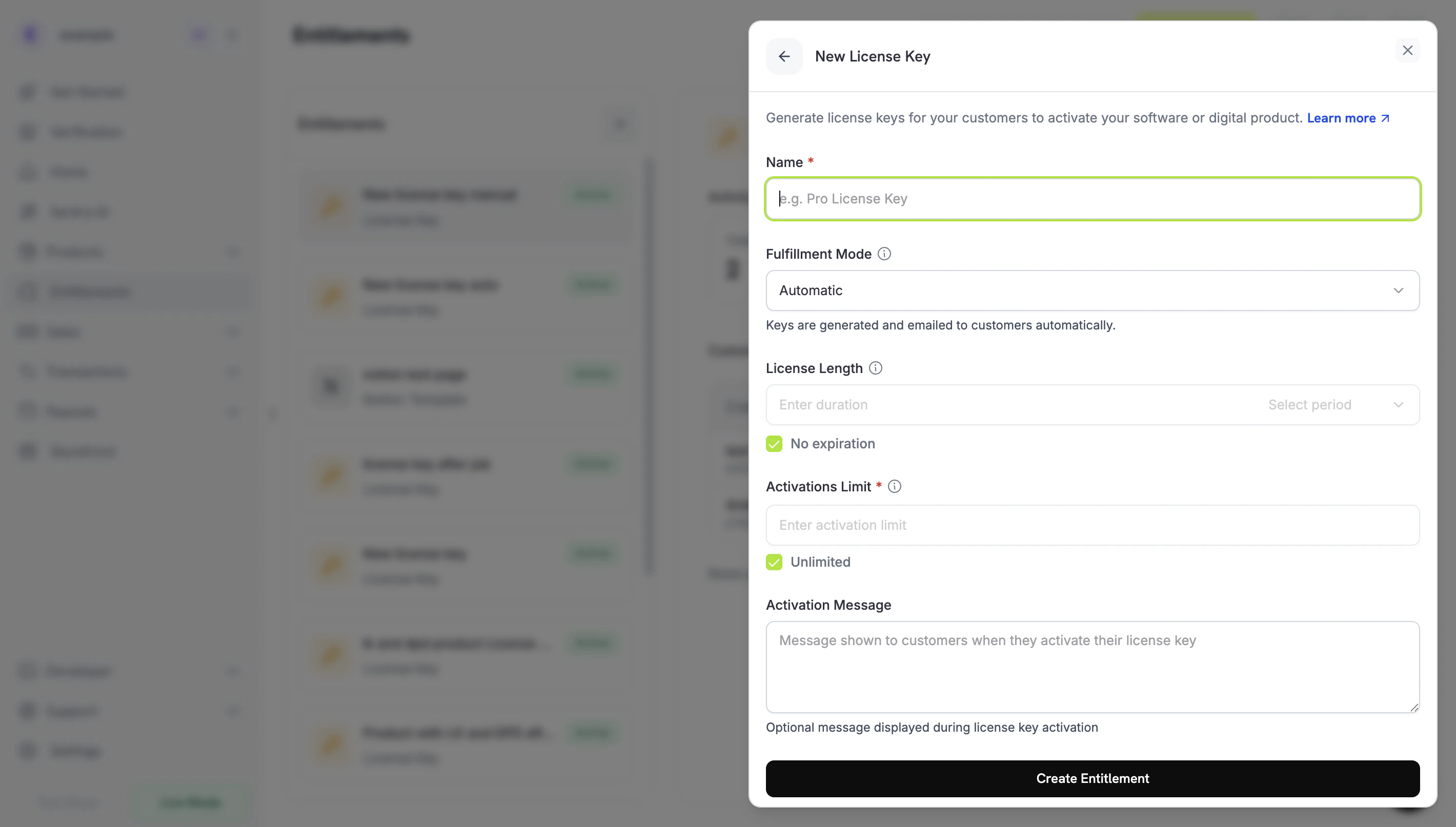
- Fulfillment Mode: 기본값은 Automatic입니다. 이 설정으로 수동 fulfillment를 활성화하며, 다음 단계에서 변경합니다.
- License Length: 발급된 각 키가 유효한 기간 또는 No expiration.
- Activations Limit: 키당 허용되는 최대 activation 수 또는 Unlimited.
- Activation Message: 고객이 키를 activation할 때 표시되고 license key email에 포함되는 선택적 고객용 메시지.
3
Set Fulfillment Mode to Manual
Fulfillment Mode dropdown을 열고 Automatic에서 Manual로 변경하세요. 이 가이드의 나머지 과정은 이 설정에 따라 달라집니다. 이 설정이 없으면 Dodo Payments가 키를 자동으로 생성하고 이메일로 보내며, 처리 대기 중인 grant를 생성하지 않습니다. Manual을 선택하면 구매할 때마다 사용자가 fulfillment해야 하는
Pending grant가 생성됩니다. Create Entitlement을 클릭하여 저장하세요.fulfillment_mode의 기본값은 auto입니다. 이 값을 생략하거나 기존 entitlement를 변경하지 않으면 entitlement는 automatic fulfillment를 유지합니다. manual로 명시적으로 설정한 entitlement만 처리 대기 중인 grant를 생성합니다.2단계 — Entitlement를 Product에 연결하기
판매하려는 product를 열고 Entitlements 섹션으로 이동한 다음 1단계에서 Manual로 설정한 License Key entitlement를 선택하세요. 하나의 product는 동일한 구매에서 이 license key와 다른 entitlement를 함께 제공할 수 있습니다. 아직 product가 없다면 먼저 일회성 product 또는 subscription product를 만드세요. checkout을 통해 판매하려면 Integration Guide를 참고하세요.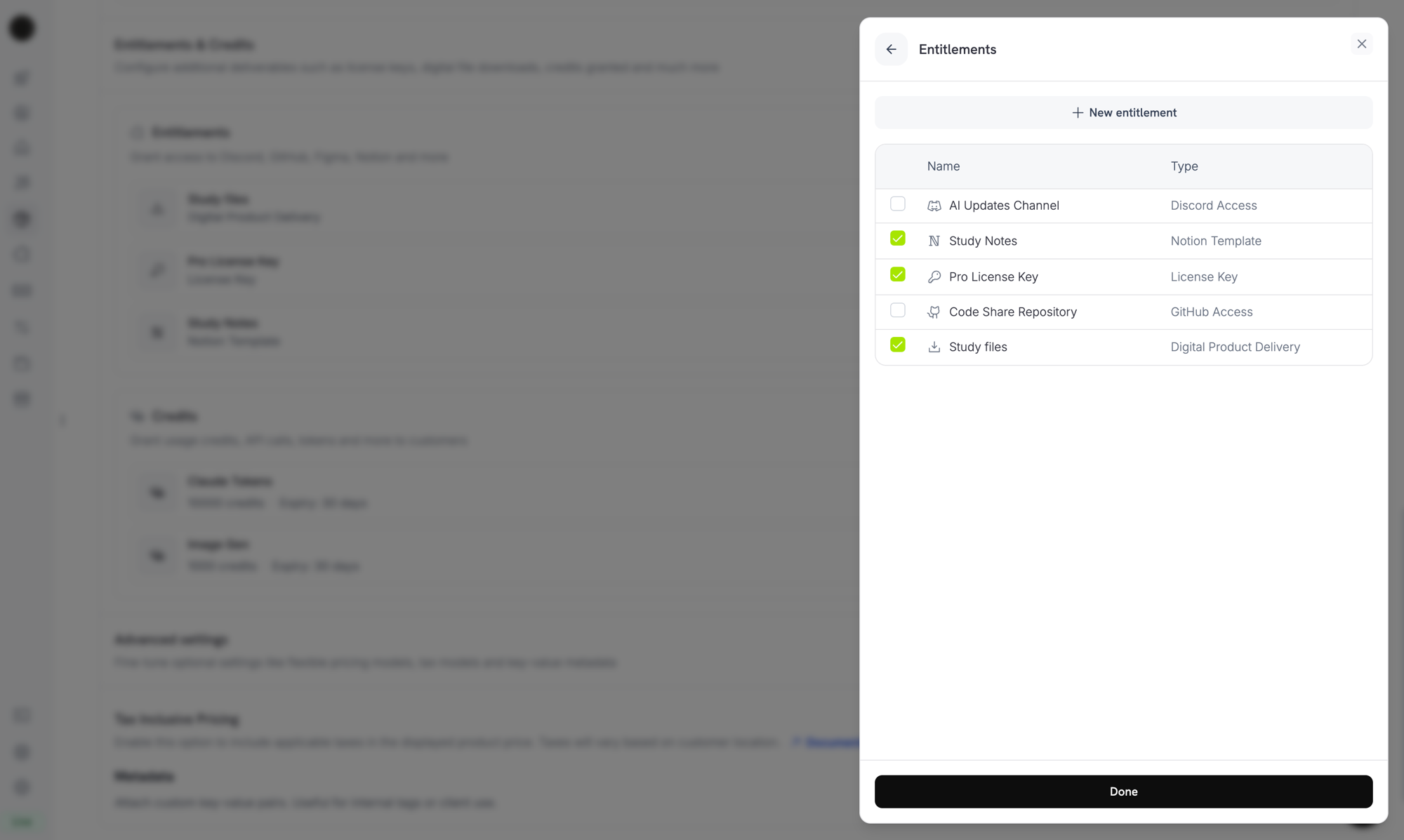
Selecting the License Key entitlement in the product entitlements panel.
Fulfillment mode은 product가 아니라 entitlement의 속성입니다. 1단계에서 Manual로 설정했으므로 이 entitlement가 연결된 모든 product는 구매 시
Pending license-key grant를 생성합니다. product에서 추가로 설정할 항목은 없습니다.3단계 — 처리 대기 중인 Grant 감지하기
고객이 product를 구매하면 Dodo Payments는 키가 연결되지 않은Pending 상태의 grant를 생성하고 entitlement_grant.created webhook을 전송합니다. 이 event는 고객이 키를 기다리고 있다는 신호입니다.
Webhook 수신 대기
Dashboard의 Developer → Webhooks에서 webhook endpoint를 추가한 다음 처리 대기 중인 license-key grant에 대응하세요. webhook은 Standard Webhooks specification을 따르므로standardwebhooks library로 검증할 수 있습니다.
integration_type: "license_key"가 포함되므로 추가 lookup 없이 license-key grant인지 식별할 수 있습니다. Webhook delivery는 반복될 수 있으므로 이미 처리한 webhook-id header가 있는 event는 건너뛰세요. 전체 payload는 Entitlement Grant webhook reference를 참고하세요.
또는 List Grants API Polling
webhook에 의존하지 않으려면 License Key entitlement의 grant를 조회하고status로 필터링하세요. License Key entitlement의 모든 grant는 license-key grant이므로 integration_type filter는 필요하지 않습니다.
4단계 — 키 전달하기
자체 시스템에서 키 값을 가져온 다음 Fulfill License Key Grant endpoint로 제출하세요. 이 호출에는 Editor permission이 있는 secret API key가 필요합니다. 이 endpoint는 public license endpoint 중 하나가 아닙니다. SDK에서도 제공되며, 예를 들어 TypeScript에서는client.entitlements.grants.fulfillLicenseKey(), Python에서는 client.entitlements.grants.fulfill_license_key()로 사용할 수 있습니다.
Request Fields
string
필수
고객에게 전달할 license key 문자열로, 최대 255자입니다. 앞뒤 공백은 제거되며, 비어 있거나 공백만 포함된 값은 거부됩니다.
integer
키별 activation limit이며 최소값은 1입니다. 생략하면 entitlement의 Activations Limit이 적용됩니다.
string
키별 expiry(ISO 8601)입니다. 생략하면 일회성 grant의 키는 entitlement의 License Length에 따라 만료되고, subscription grant의 키에는 expiry가 없으므로 subscription에 따라 유효성이 결정됩니다.
Delivered로 이동하고, Dodo Payments가 고객에게 키를 이메일로 보냅니다(automatic fulfillment에서 받는 이메일과 동일). 또한 license_key.created 및 entitlement_grant.delivered webhook event가 발생합니다.
이메일에는 license key, product, activation limit, expiry 및 activation instructions가 포함됩니다.
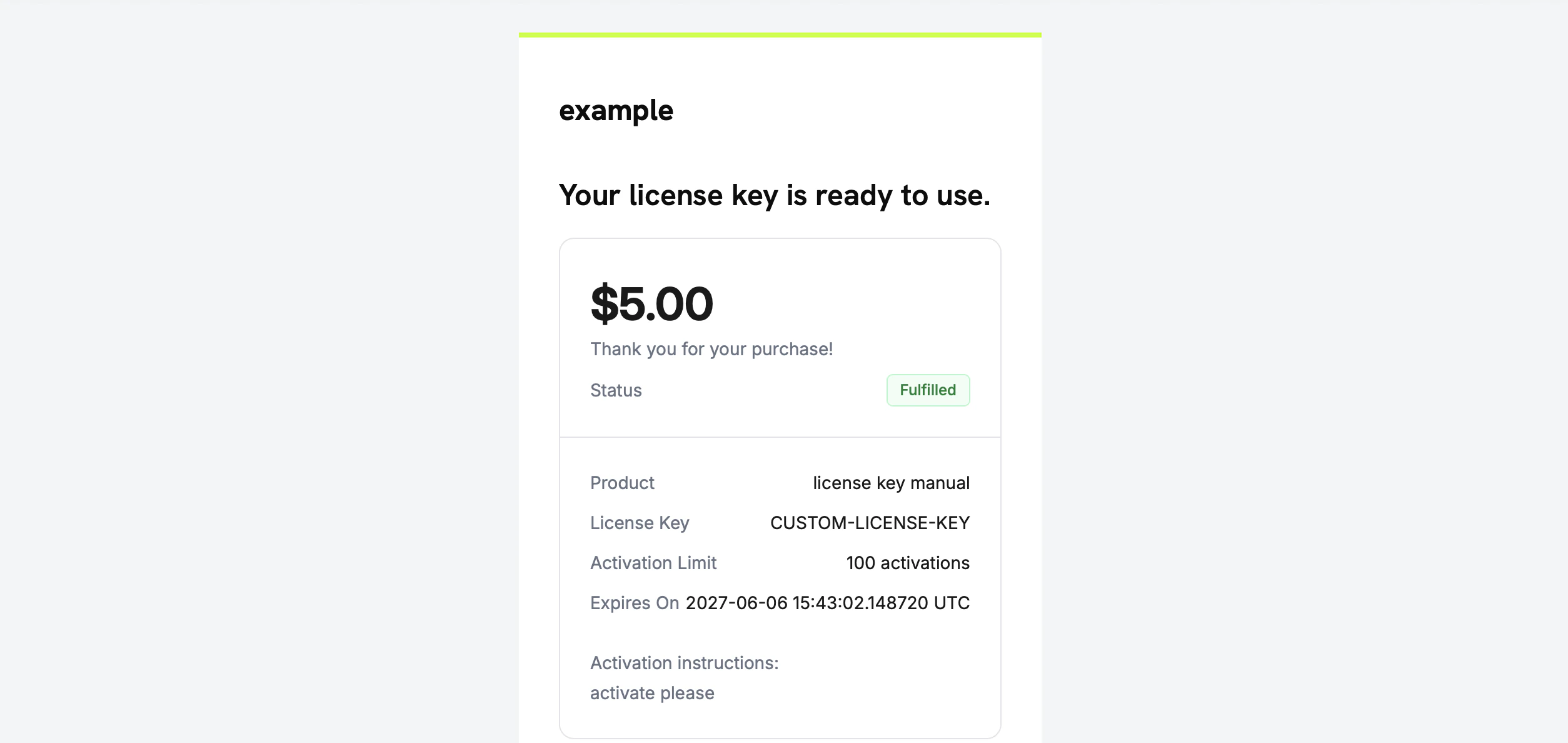
The license key email the customer receives once you fulfill the grant.
직접 키를 이메일로 보낼 필요는 없습니다. grant가 fulfilled되면 자동으로 전달됩니다.
5단계 — 오류 및 재시도 처리
endpoint는 무엇이든 전달하기 전에 grant를 검증합니다. 다음 response를 처리하세요.Flow 확인하기
end-to-end로 flow를 테스트하려면 다음 단계를 따르세요.- test mode에서 product를 구매하세요. checkout guides를 참고하세요.
- webhook이
status: "Pending"및integration_type: "license_key"와 함께entitlement_grant.created를 수신했는지 확인하거나,status=Pending로 필터링한 List Grants response에 grant가 표시되는지 확인하세요. - test key를 사용하여 fulfill endpoint를 호출하세요.
- response에 채워진
license_key와 함께status: "Delivered"가 표시되는지, 고객이 key email을 수신하는지,entitlement_grant.delivered가 발생하는지 확인하세요.
키가 전달되면 고객은 자동 생성된 키와 마찬가지로 public license endpoint를 사용하여 activate and validate할 수 있습니다.
관련 API Reference
Create Entitlement
fulfillment_mode: manual를 사용하여 License Key entitlement를 만드세요.List Grants
status 및 customer_id로 필터링하여 처리 대기 중인 grant를 찾으세요.Fulfill License Key Grant
키 값을 전달하고 grant를
Delivered로 이동하세요.Entitlement Grant Webhooks
처리 대기 중인 grant와 전달된 grant를 알리는
entitlement_grant.* event입니다.