

Giới thiệu
Tích hợp Customer.io gửi các sự kiện Dodo Payments đến Track API của Customer.io, để các khoản thanh toán và thay đổi gói đăng ký có thể kích hoạt các chiến dịch và hành trình khách hàng. Ví dụ: khách hàng mới có thể nhận email chào mừng, thay đổi gói đăng ký có thể gửi thông báo cập nhật, và khoản thanh toán không thành công có thể gửi thông báo.Tích hợp này yêu cầu Customer.io Site ID và API key của bạn. Track API sử dụng HTTP Basic authentication, với Site ID làm tên người dùng và API key làm mật khẩu.
Bắt đầu
1
Open the Webhook Section
Trong dashboard Dodo Payments, đi đến Nhà phát triển → Webhooks và nhấp vào Thêm endpoint.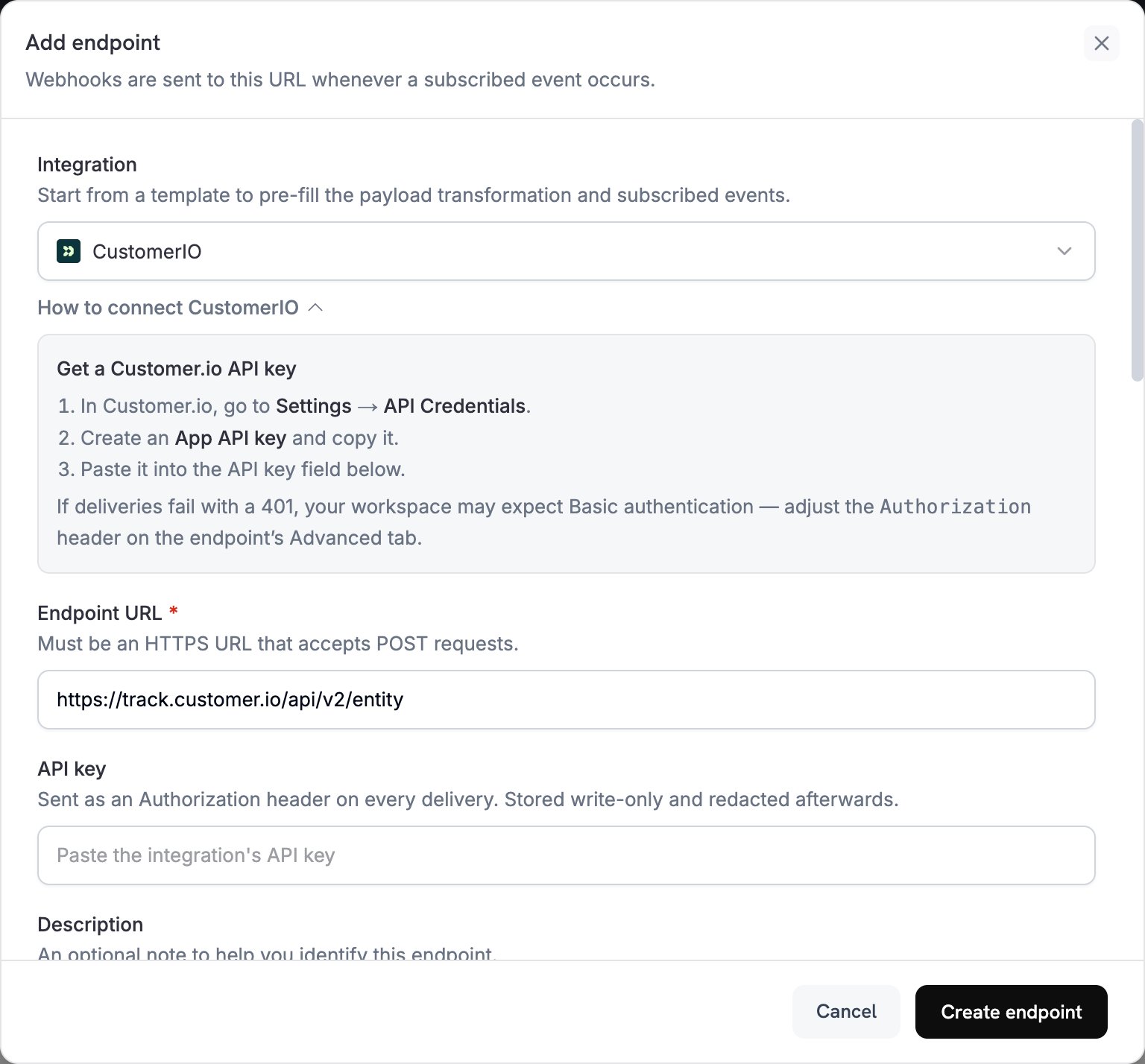
2
Select Customer.io
Trong Integration, chọn CustomerIO.
3
Enter Credentials
Trong API key, dán Customer.io API key của bạn. Dodo Payments gửi key trong header
Authorization dưới dạng bearer token.Track API yêu cầu Basic authentication. Nếu việc gửi không thành công với 401, hãy mở tab Advanced của endpoint và thay header Authorization bằng Basic, theo sau là mã hóa Base64 của site_id:api_key.4
Select Events
Trong Subscribed events, chọn các sự kiện mà transformation của bạn xử lý. Các ví dụ trên trang này sử dụng
payment.succeeded, subscription.active và subscription.cancelled.5
Configure Transformation
Trong Transformation code, chỉnh sửa handler để định dạng các sự kiện cho Track API của Customer.io. Bắt đầu từ các ví dụ.
6
Test & Create
Trong Test this code, nhấp vào Simulate để chạy handler với payload mẫu. Sau đó nhấp vào Create endpoint.
7
Done
Các sự kiện đã đăng ký giờ đây sẽ đến Customer.io, nơi chúng có thể kích hoạt các automation email của bạn.
Ví dụ về Transformation Code
Mỗi handler gửi một request đến endpoint Track API v2entity và xác định người dùng bằng customer_id của Dodo Payments. Để ghi lại một sự kiện, request đặt action thành event và đặt tên sự kiện vào name. Để cập nhật các thuộc tính của một người dùng, request đặt action thành identify. Số tiền Dodo Payments được tính theo đơn vị nhỏ nhất của tiền tệ, vì vậy các ví dụ chia cho 100.
Theo dõi sự kiện thanh toán
Ghi lại sự kiệnpayment_completed khi thanh toán thành công:
track_payments.js
Theo dõi vòng đời gói đăng ký
Ghi lại sự kiệnsubscription_started khi gói đăng ký được kích hoạt và sự kiện subscription_cancelled khi gói đăng ký bị hủy:
track_subscriptions.js
Theo dõi thuộc tính khách hàng
Cập nhật các thuộc tính hồ sơ của người dùng khi thanh toán thành công. Mỗi requestidentify sẽ ghi đè các thuộc tính được gửi, vì vậy last_payment_amount và last_payment_date luôn chứa thông tin thanh toán mới nhất.
track_attributes.js
Mẹo
- Sử dụng cùng tên sự kiện trong transformation và trong các trigger chiến dịch Customer.io, chẳng hạn như
payment_completed. Chọn những tên mô tả điều đã xảy ra. - Bao gồm các thuộc tính mà thông điệp của bạn sử dụng để cá nhân hóa.
- Xác định mỗi người dùng bằng cùng một ID trong mọi request. Các ví dụ sử dụng
customer_idcủa Dodo Payments. - Để xem mọi field của request, hãy tham khảo tài liệu tham chiếu Customer.io Track API.
Khắc phục sự cố
Events Not Triggering Campaigns
Events Not Triggering Campaigns
- Xác minh Site ID và API key chính xác.
- Nếu việc gửi không thành công với
401, hãy đặt headerAuthorizationthành Basic authentication, như mô tả trong Bắt đầu. - Kiểm tra để đảm bảo tên sự kiện khớp với các trigger chiến dịch Customer.io.
- Kiểm tra để đảm bảo các mã định danh khách hàng đã được thiết lập.
- Xem lại giới hạn tốc độ API của Customer.io.
Transformation Errors
Transformation Errors
- Kiểm tra để đảm bảo payload khớp với định dạng API của Customer.io.
- Kiểm tra để đảm bảo tất cả field bắt buộc đều có mặt và
actionlà một action được Track API hỗ trợ, chẳng hạn nhưeventhoặcidentify. - Kiểm tra để đảm bảo tên sự kiện và thuộc tính được định dạng chính xác.