

Introduktion
Microsoft Teams-integrationen publicerar Dodo Payments-händelser till en Teams-kanal som Adaptive Cards, så att ditt team ser betalningar, prenumerationsändringar och tvister när de inträffar. Använd den när Teams är platsen där ditt företagsteam arbetar.Denna guide förutsätter att du har administratörsbehörighet för att skapa webhooks i din Microsoft Teams-arbetsyta.
Komma igång
1
Open the Webhook Section
I Dodo Payments-instrumentpanelen går du till Developer → Webhooks och klickar på Add endpoint.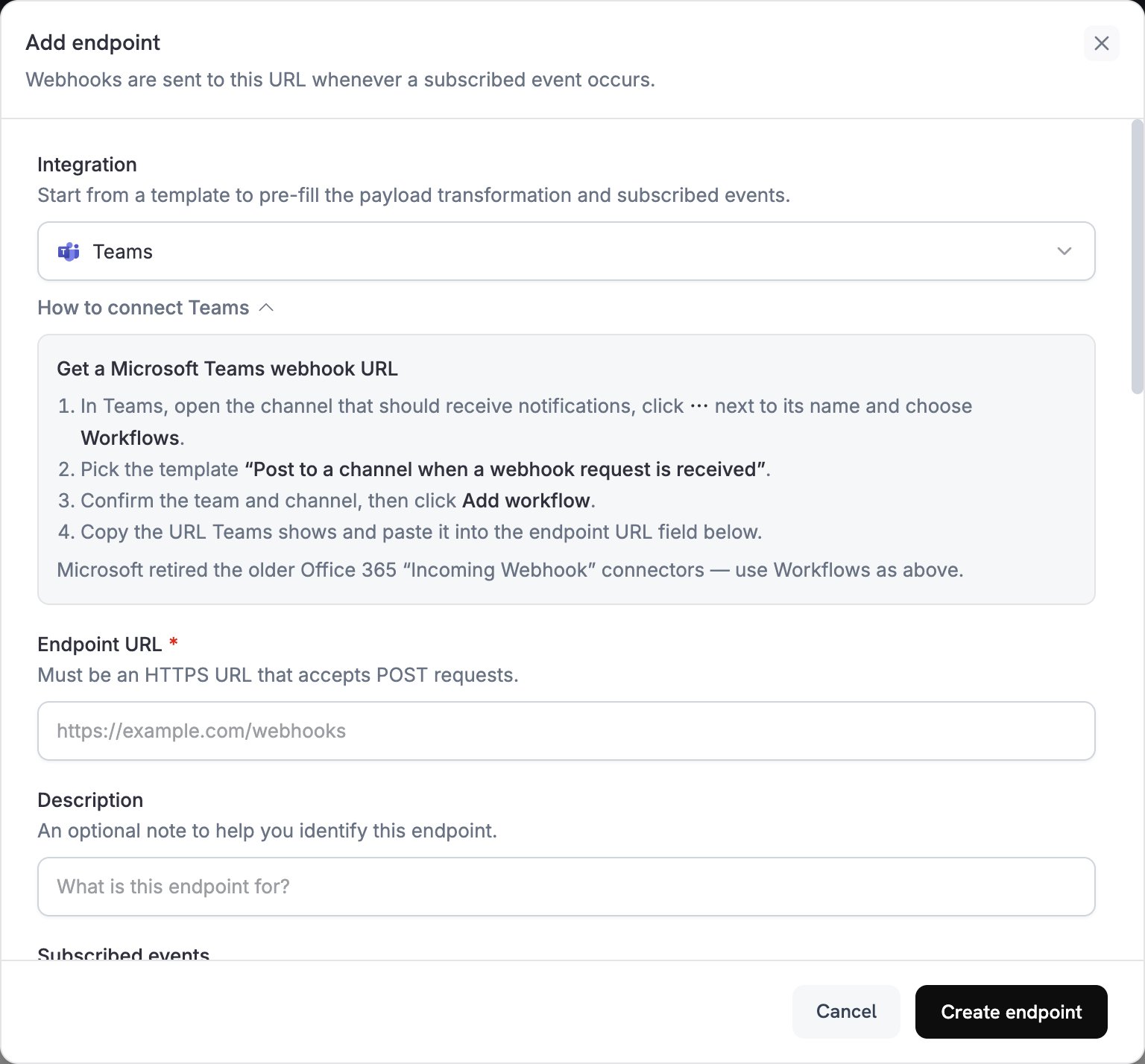
2
Select Microsoft Teams
Välj Teams i listan Integration.
3
Create Teams Webhook
Microsoft har avvecklat Office 365-anslutningsprogrammen Incoming Webhook i Teams, så skapa webhooken med appen Workflows:
- Öppna kanalen i Teams som ska ta emot aviseringar.
- Klicka på ⋯ bredvid kanalnamnet och välj Workflows.
- Välj mallen Post to a channel when a webhook request is received.
- Bekräfta teamet och kanalen och klicka sedan på Add workflow.
- Kopiera webhook-URL:en som Teams visar.
4
Paste Webhook URL
Klistra in Teams webhook-URL i fältet Endpoint URL.
5
Customize Transformation
Redigera koden under Transformation code för att formatera varje händelse som ett Adaptive Card. Utgå från exemplen nedan.
6
Test & Create
Kör transformeringen mot en exempelnyttolast under Test this code och klicka sedan på Create endpoint.
7
Done
Din Teams-kanal tar nu emot Dodo Payments-händelser som Adaptive Cards.
Exempel på transformationskod
Varje exempel ersätter händelsens nyttolast med ett Teams-meddelande som innehåller en Adaptive Card-bilaga.Grundläggande betalkort
Det här exemplet publicerar beloppet, kundens e-postadress och betalnings-ID:t när en betalning lyckas.payment_card.js
Prenumerationshantering
Det här exemplet publicerar ett kort när en prenumeration blir aktiv och ett annat när den avslutas.subscription_card.js
Tvistaviseringar
Det här exemplet publicerar ett kort för varjedispute.*-händelse. Titel och färg ändras när en tvist avgörs till din fördel eller nackdel.
dispute_card.js
Tips
- Använd Adaptive Cards för avancerad, interaktiv formatering.
- Välj färger efter betydelse:
Good(grönt),Warning(gult) ochAttention(rött). - Håll faktauppsättningarna korta och lättlästa.
- Innan du förlitar dig på slutpunkten öppnar du fliken Testing och klickar på Send example för att publicera ett exempelkort i kanalen.
Felsökning
No Messages in Teams
No Messages in Teams
- Kontrollera att webhook-URL:en är korrekt och att arbetsflödet är aktiverat.
- Kontrollera att transformeringen returnerar giltig JSON för Adaptive Card.
- Kontrollera att arbetsflödet har behörighet att publicera i kanalen.
Card Formatting Issues
Card Formatting Issues
- Kör transformeringen under Test this code och kontrollera resultatet mot schemat för Adaptive Card.
- Kontrollera att alla obligatoriska fält finns med.
- Kontrollera att färgvärdena är giltiga, till exempel
Default,Good,WarningellerAttention.