

- Create a custom credit entitlement for tokens, and a meter that deducts from it.
- Attach credits to subscription plans, with and without overage, and to a one-time top-up product.
- Call OpenAI from an endpoint that bills tokens through Dodo Payments.
- Read a customer’s live credit balance with the SDK.
- Verify webhook signatures and route Dodo Payments credit events.
What We’re Building
NeuralAPI sells three products:- A Dodo Payments account. Build everything in test mode.
- An OpenAI API key.
- Node.js 22 or later, and working knowledge of TypeScript and Node.js.
Step 1: Create Your Token Credit Entitlement
Create the credit entitlement that both plans and the top-up pack share. It defines the token unit NeuralAPI sells.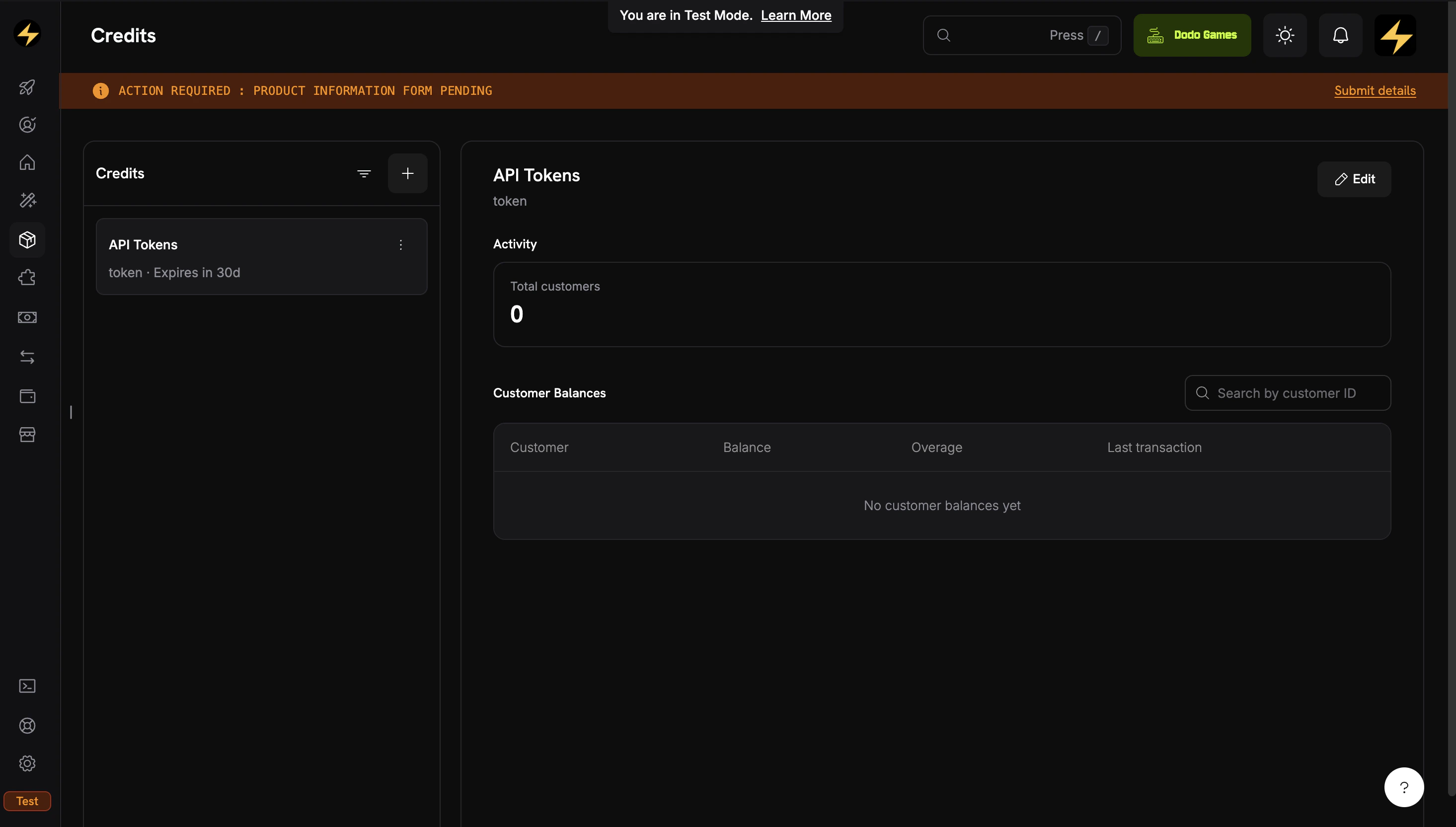
The Credits tab under Products shows all your credit entitlements.
Navigate to Credits
- Log in to the Dodo Payments dashboard.
- Click Products in the sidebar.
- Select the Credits tab.
- Click Create Credit.
Configure the Credit Unit
API TokensCredit Type: Custom UnitUnit Name: tokenDefine Precision: 0. Token counts are whole numbers.Credit Expiry: 30 days. Credits expire 30 days after they’re issued, which matches the monthly billing cycle.Skip Overage at the Credit Level
Save and Copy the Credit ID
cde_.API Tokens credit entitlement is ready. Next, create a meter so that usage events deduct credits.Step 2: Create a Meter for Token Usage
A meter aggregates incoming usage events. When you link it to a credit, the aggregated usage is deducted from the customer’s credit balance. Create the meter before the plan products, because you attach it while you create them in Step 3.Open the Meters Section
- In the dashboard sidebar, go to Products → Meters.
- Click Create Meter.
Configure the Meter
Token Usage MeterEvent Name: api.tokens_used. This must match the event_name your app sends.Aggregation Type: Sum, to add up the token count from each event.Over Property: tokens, the metadata key whose value is summed.Measurement Unit: tokensCreate the meter. You select it by name when you attach it to products.Step 3: Create the Plan Products
Create both plans with the Usage Based Billing pricing type, not plain Subscription. Meters attach to Usage Based Billing products, and the meter is what deducts credits as customers call your API. A Usage Based Billing product still charges a recurring base fee ($29 or $99), and usage on top of it is billed in credits.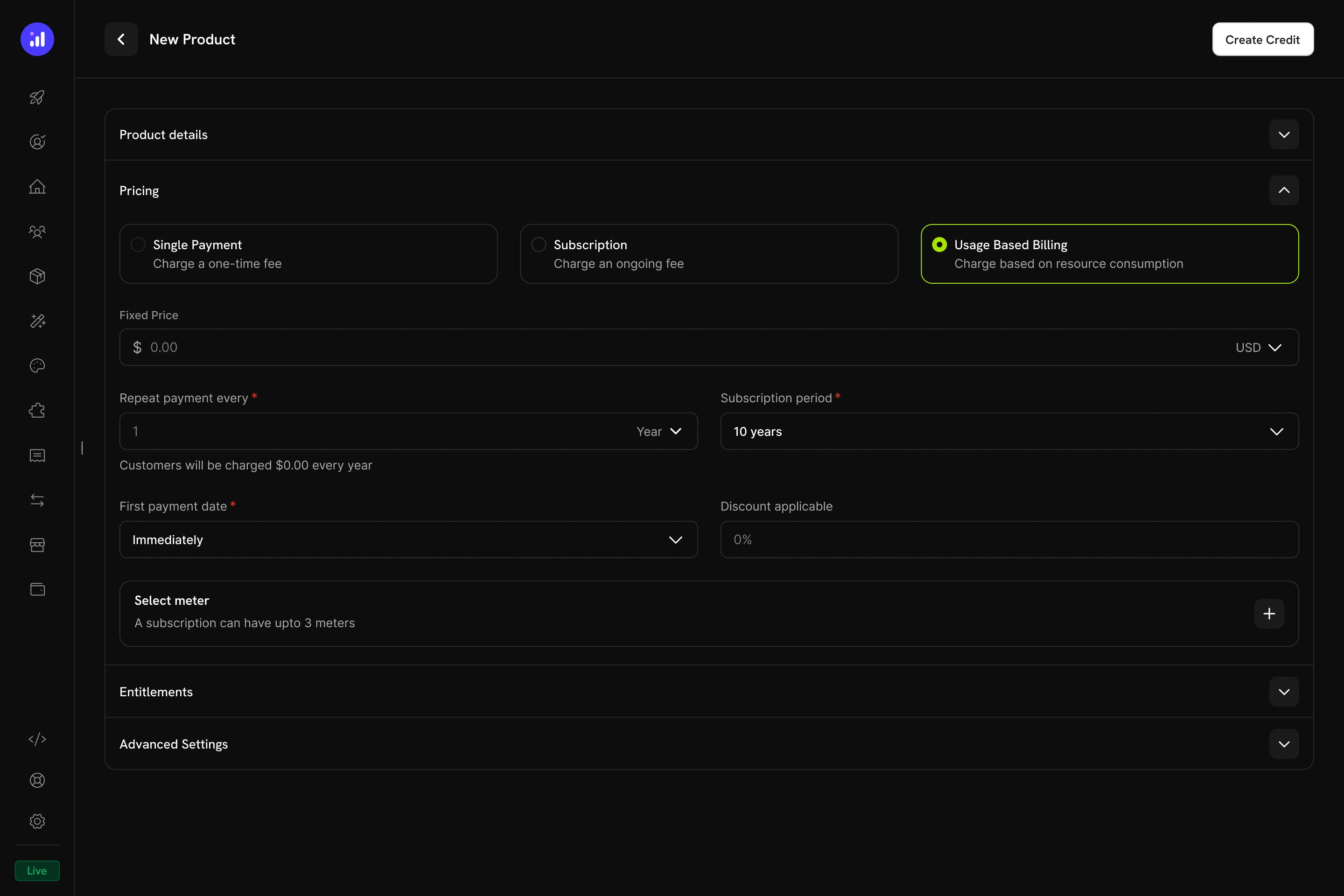
Usage Based Billing pricing type with meter configuration.
Starter Plan ($29/month — 10M Tokens, No Overage)
Create the Starter Product
- Go to Products and click Add Product.
- Under Pricing Type, select Usage Based Billing.
- Enter these values:
NeuralAPI StarterDescription: 10 million API tokens per month. Perfect for individual developers and small projects.Price: 29.00. This is the recurring base fee, charged every month even before any usage.Repeat payment every: 1 monthCurrency: USDAttach the Meter
Token Usage Meter. Then configure the meter:- Turn on Bill usage in credits.
- Select credit:
API Tokens - Meter units per credit:
1. Each token in an event deducts one credit. - Free Threshold:
0. The free threshold applies only when a meter bills in money. When it bills in credits, every unit is deducted from the balance.
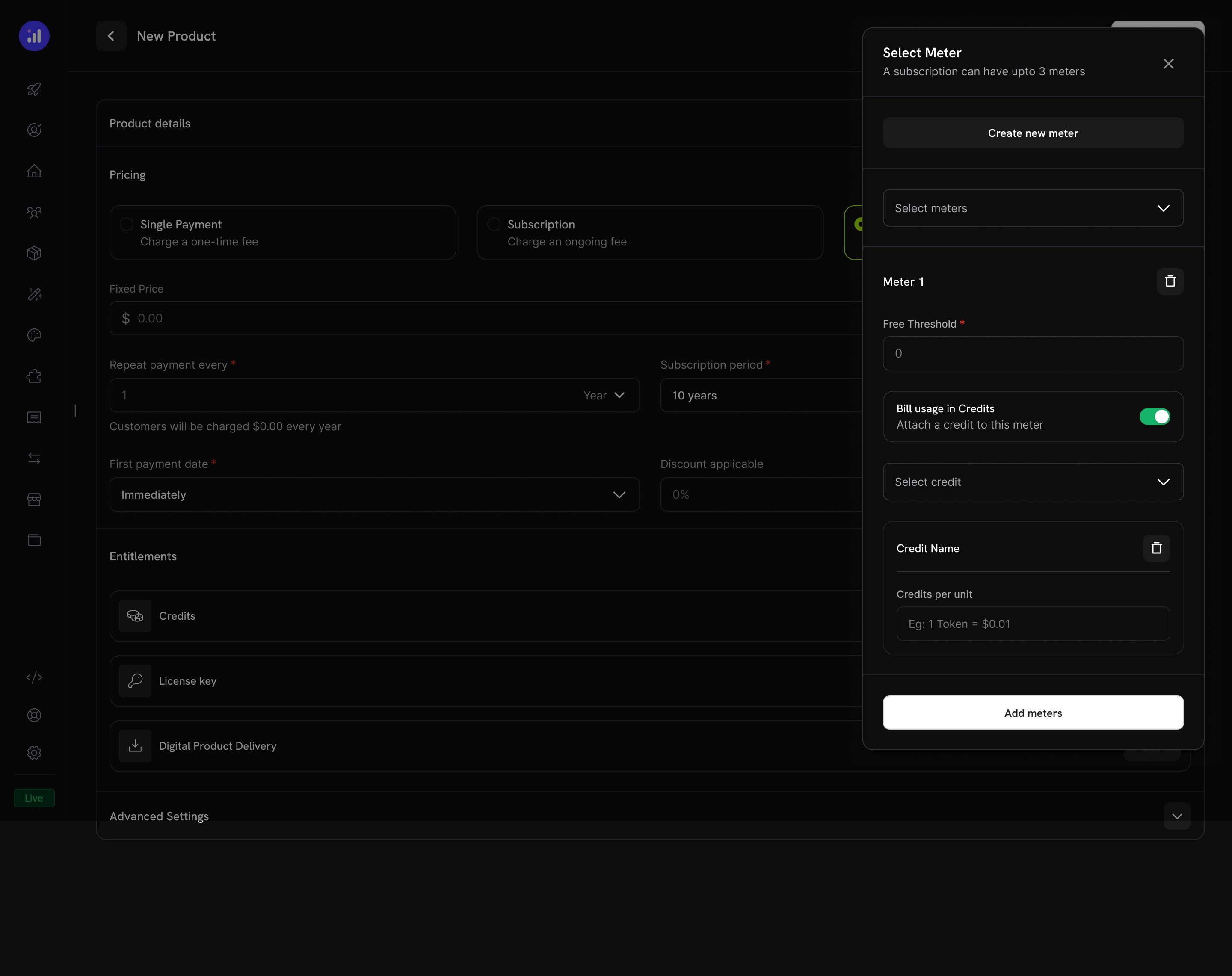
Toggle 'Bill usage in Credits' on the meter and pick the credit entitlement.
api.tokens_used events deduct from the customer’s balance.Configure Credit Issuance for Starter
10000000Import Default Credit Settings: on, so the product uses the 30-day expiry from the credit entitlement.Allow Overage: off. The default from Step 1 keeps overage disabled, so Starter customers stop at zero.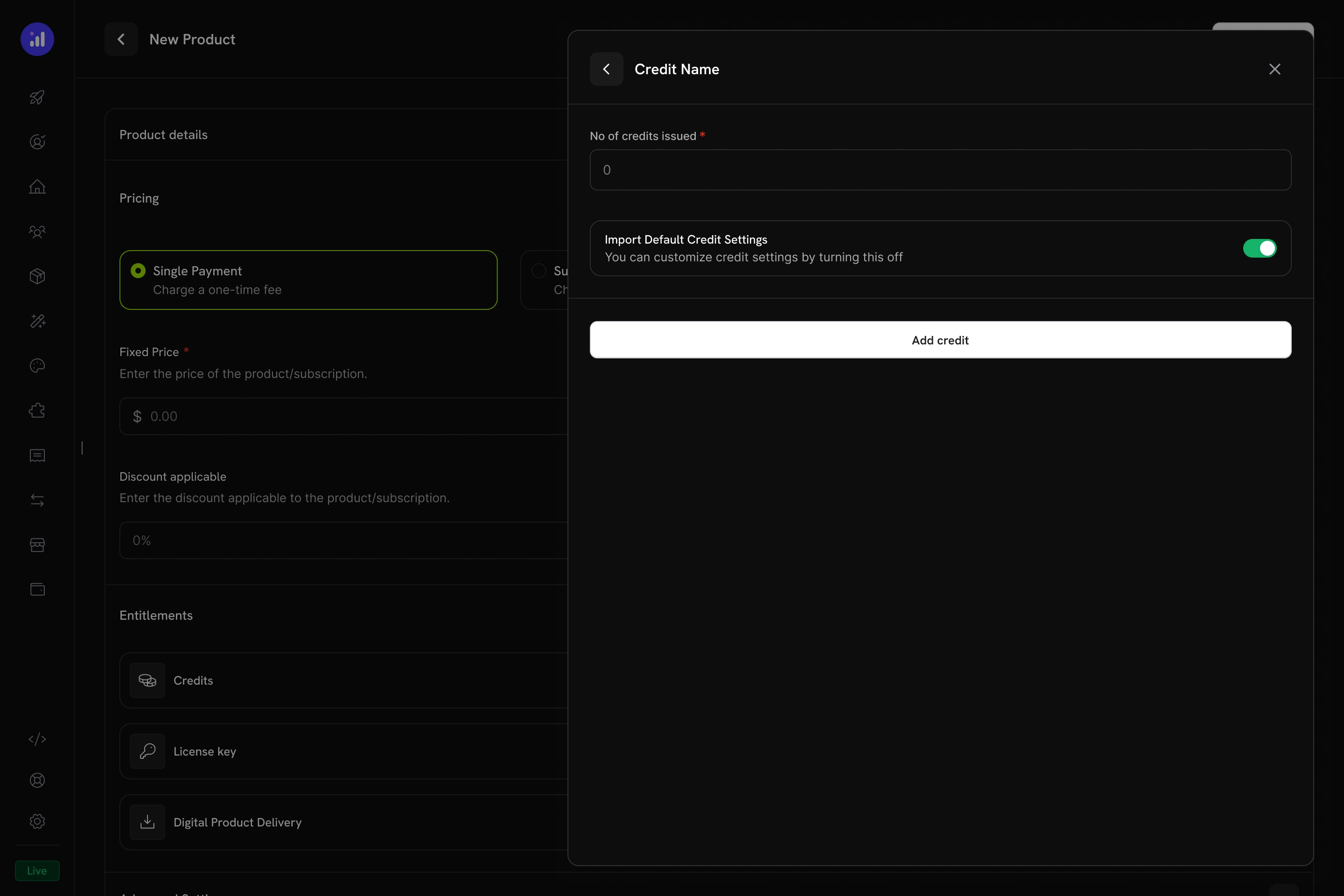
Configure credit issuance per cycle on the UBB product.
pdt_.Pro Plan ($99/month — 40M Tokens, Overage Enabled)
Create the Pro Product
NeuralAPI ProDescription: 40 million API tokens per month with overage. Built for production applications.Price: 99.00Repeat payment every: 1 monthCurrency: USDAttach the Meter
Token Usage Meter, turn on Bill usage in credits, select API Tokens, and set Meter units per credit to 1 and Free Threshold to 0.Configure Credit Issuance with Overage
40000000Import Default Credit Settings: off, so you can set overage for this product.Allow Overage: onPrice Per Unit: 0.000005 USD per token. That is $0.005 per 1K tokens, or $5 per 1M tokens, which is above the plan’s effective per-token rate and discourages overage.Overage Behavior: Bill overage at billing. Overage is charged on the next invoice, and then the balance resets.Save the product and copy its ID.Step 4: Create the Token Top-Up Pack
The top-up pack is a one-time purchase that adds 5,000,000 tokens to an existing customer’s balance.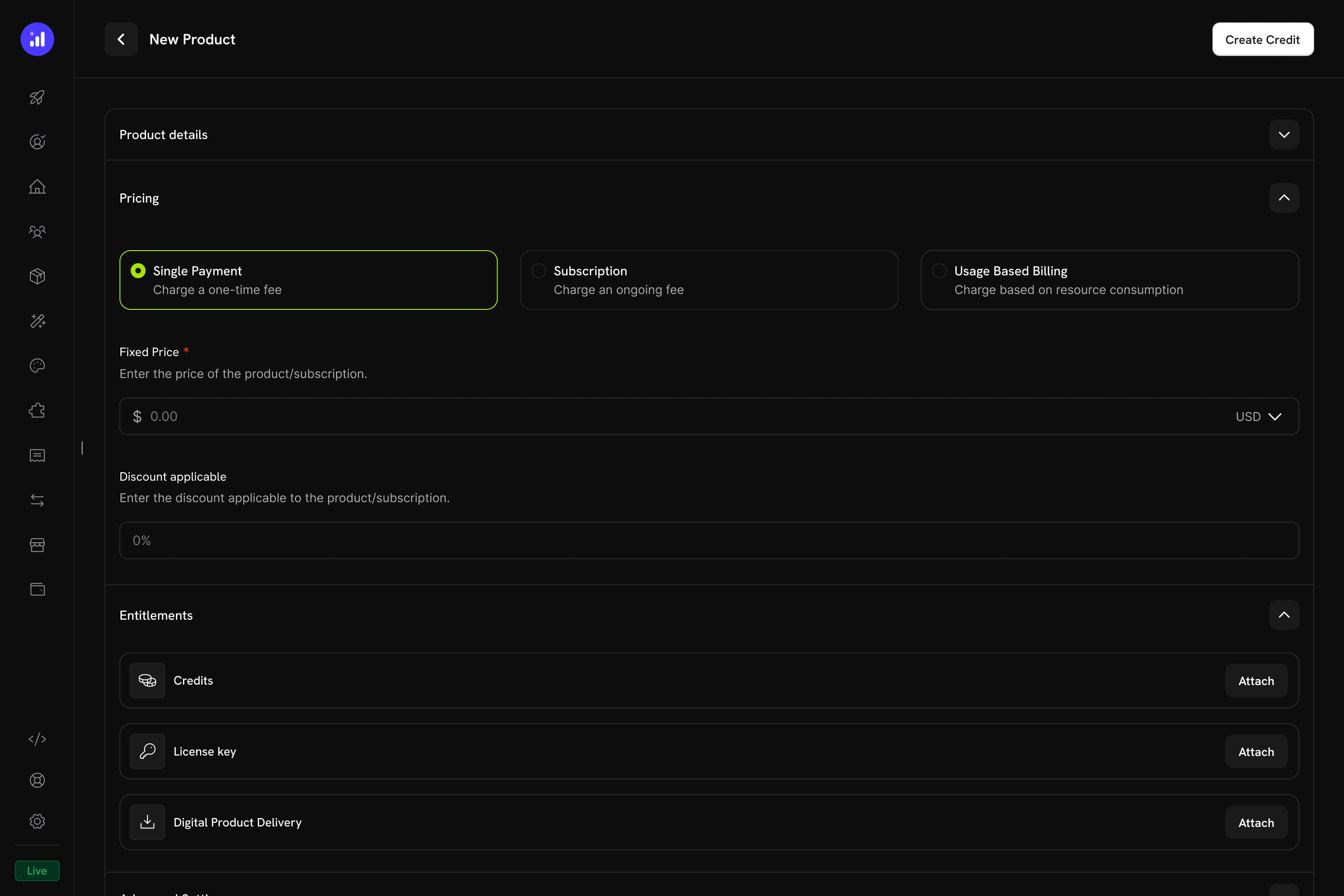
One-time pricing selected for a credit product.
Create a One-Time Product
- Go to Products and click Add Product.
- Under Pricing Type, select One Time.
- Enter these values:
Token Top-Up PackDescription: Add 5 million tokens to your NeuralAPI balance.Price: 19.00Currency: USDAttach the Token Credit
- In the Entitlements section, click Attach next to Credits.
- Select
API Tokens. - Set No of credits issued to
5000000. - Turn off Import Default Credit Settings to override the default 30-day expiry.
- Set Credit Expiry to Custom and enter
365days. - Save the product.
Step 5: Build the Backend
Build the Express server. It creates subscription and top-up checkouts, calls OpenAI and bills the tokens, reads balances, and receives credit webhook events.Set Up Your Project
tsconfig.json:package.json scripts:Set Up Environment Variables
.env with a test mode API key from Developer → API Keys and the IDs from the previous steps:DODO_PAYMENTS_WEBHOOK_KEY in Step 7, after you register the webhook endpoint.Implement the Server
src/server.ts. Completion-endpointen anropar OpenAI:s modell gpt-6-luna, som passar för förfrågningar med hög volym. Fliken package.json visar hela listan över beroenden:How Deductions Happen
- Din handler anropar OpenAI och läser
usage.total_tokens, till exempel 1532. - Du skickar in en användningshändelse med
event_name: api.tokens_usedochmetadata: { tokens: 1532 }. Token Usage Meteraggregerar händelser per kund. En bakgrundsworker bearbetar nya händelser varje minut.- Eftersom mätaren fakturerar
API Tokens-krediten via Bill usage in credits, drar Dodo Payments av 1532 krediter, med början från kundens tilldelning som löper ut först (FIFO). - Om överdebitering är aktiverad och saldot tar slut spåras underskottet och faktureras på nästa faktura.
Steg 6: Lägg till ett demo-frontend
Skapapublic/index.html för att testa alla flöden i webbläsaren. Sidan sparar kund-ID:t i localStorage, så prenumeration, generering och påfyllning delar samma identitet, precis som i en app där användaren är inloggad:
Steg 7: Koppla in webhooken
Webhooks låter servern reagera på saldoändringar, till exempel genom att skicka e-post till en kund vars saldo börjar ta slut.Expose Your Local Server
ngrok-free.app.Register the Webhook in Dodo Payments
- Gå till Developer → Webhooks i dashboarden och klicka på Add endpoint.
- Ange URL:en
https://your-tunnel.ngrok-free.app/webhooks/dodooch använd din egen tunnelvärd. - Välj minst dessa händelser:
credit.addedcredit.deductedcredit.overage_charged
- Klicka på Create endpoint och kopiera sedan signeringshemligheten från endpointens flik Overview.
- Klistra in den i
.envsomDODO_PAYMENTS_WEBHOOK_KEYoch starta sedan omnpm run dev.
Steg 8: Testa hela flödet
Subscribe a Test Customer
- Kör
npm run dev. - Öppna
http://localhost:3000. - Välj Pro, ange en test-e-postadress och ett namn och klicka på Get Checkout Link. Slutför checkout med testkortuppgifter.
- Gå till Customers i dashboarden, öppna den nyaste kunden och kopiera dess ID, som börjar med
cus_. - Klistra in ID:t i fältet Logged-in customer ID i demon och klicka på Save.
Generate an AI Response
total_tokens, skickar in en användningshändelse och returnerar svaret.Test the Top-Up Flow
credit.added-händelse.Felsökning
Credits not deducting after usage events
Credits not deducting after usage events
- Mätarens händelsenamn matchar inte
event_namesom du skickar.api.tokens_usedär skiftlägeskänsligt. - Mätaren är inte länkad till
API Tokens-krediten på produkten. Öppna produktens mätarkonfiguration och bekräfta att Bill usage in credits är aktiverat. - Nyckeln
metadata.tokensmatchar inte mätarens Over Property. - Kundens tilldelning har upphört att gälla. Kontrollera kundens kredithistorik.
- Öppna mätaren via Products → Meters och bekräfta att produktkopplingen visar det länkade kreditnamnet.
- Öppna mätarens flik Events. Inskickade händelser visas där även innan något avdrag görs.
- Öppna kunden i Customers och välj fliken Credits. Huvudboksposter visas inom en eller två minuter.
Balance always shows 0 or 'customer not found'
Balance always shows 0 or 'customer not found'
- Kunden har inte slutfört checkout. Krediter utfärdas först efter en genomförd betalning.
- Du frågar med fel
customer_id. Använd ID:t från dashboarden som börjar medcus_, inte ett ID från din egen databas. CREDIT_ENTITLEMENT_IDi.envmatchar inte krediten som är kopplad till produkten.
Overage not working for Pro plan customers
Overage not working for Pro plan customers
- Överdebitering är inte aktiverad på Pro product’s credit attachment. Inställningen på krediten är endast ett standardvärde.
- Kunden använder Starter, inte Pro.
- Overage Limit är inställd på 0.
0.000005 ($5 per miljon tokens). Kontrollera de inledande nollorna: fältet tar emot ett pris per token, inte per 1K tokens.Webhook verification failed in logs
Webhook verification failed in logs
- Ordningen för body-tolkning:
express.json()kördes på/webhooks/dodoinnanexpress.raw(). SDK:n behöver förfrågans råa bytes, inte tolkad JSON. DODO_PAYMENTS_WEBHOOK_KEYinnehåller fel signeringshemlighet.- En reverse proxy skriver om förfrågans headers.
app.use('/webhooks/dodo', express.raw(...)) kommer före app.use(express.json()) i server.ts.Behöver du hjälp?
Grattis! Du har byggt kreditbaserad fakturering för NeuralAPI
NeuralAPI fakturerar nu i krediter från checkout till avdrag:Token Credit Entitlement
Tiered Plans, One Credit
One-Time Top-Up Pack
Deduction Through a Meter
Live Balance API
Verified Webhook Pipeline
- Lägg till autentisering för
/credits/:customerIdoch/api/generate. Som koden är skriven kan vem som helst anropa dem med valfritt kund-ID. Autentisera användare och slå upp deras kund-ID på servern. - Använd stabila värden för
event_id. Exemplet använderDate.now()plus en slumpmässig sträng. I produktion ska du använda ditt request-ID så att retries blir idempotenta: Dodo Payments ignorerar en händelse varsevent_idredan har skickats in. - Lagra kopplingen mellan kund och användare. Spara
customer_idi din databas efter den första checkout-processen, så att användarna inte behöver klistra in det manuellt. - Bestäm vad som händer när en prenumeration avslutas. Plankrediter ligger kvar i kundens huvudbok tills de upphör att gälla 30 dagar efter utfärdandet, och påfyllningskrediter är giltiga i 365 dagar. Tutorialens
/api/generatekontrollerar endast saldot, inte prenumerationsstatusen, så en avslutad kund kan fortfarande använda sina återstående tokens. Det är det kundvänliga standardalternativet. För striktare åtkomst kan du antingen (a) lyssna efter webhookensubscription.cancelledoch begränsa/api/generateutifrån prenumerationsstatus, eller (b) vid avslut debitera de oanvända plankrediterna via huvudboks-API:t. Avdrag görs från den tilldelning som löper ut först, så de 30 dagar långa plankrediterna används före de 365 dagar långa påfyllningskrediterna. - Övervaka Usage Billing-dashboarden för att upptäcka mätavvikelser tidigt.