> ## Documentation Index
> Fetch the complete documentation index at: https://docs.dodopayments.com/llms.txt
> Use this file to discover all available pages before exploring further.
# FAQs
> Comprehensive answers to common questions about Dodo Payments, covering onboarding, payments, subscriptions, compliance, and technical integration to help you navigate and make the most of our platform.
## Getting Started & Account Setup
A: Visit our dashboard and enter your account email. Dodo Payments uses passwordless login — we send a **6-digit one-time code (OTP)** to your email, which you enter to sign in. No password is required. In case you face any issues please reach out to our support team.
A: The documents required for verification include a valid government-issued ID (for identity verification) and business registration documents (for business verification). For details check the [verification process page](/miscellaneous/verification-process).
A: If your verification is rejected, you will receive an email with the reason for rejection. You can contact our support team to resolve any issues, correct documentation, and reapply. The resubmit option will be enabled by our verification team if necessary.
A: The verification process typically takes **24-72 working hours**. However, if additional documents are required, the process may take longer.
A: We need your website to understand the kind of products you are selling and verify your business for live access. If you do not have a website or are in the process of building one please reach out to us at [support@dodopayments.com](mailto:support@dodopayments.com)
A: Yes, we support unregistered businesses as well. You do not need a registered business to use Dodo Payments.
* You can onboard as an individual and start receiving international payments without any hassle
* You will still need to submit Identity Verification and Business Verification forms as an unregistered business for us to onboard you
A: No, you can manage multiple businesses through a single account. To add a new business, click the + icon in the bottom left corner of the dashboard and select the Add Business option.
You can refer to /miscellaneous/accounts#managing-multiple-businesses for more details
A: No, there is no need for you to wait. You can start integrating using the Test mode and once your verification is successful you can start making Live payments in production. Learn more about Test and Live modes here,
/miscellaneous/test-mode-vs-live-mode
A: Once your account is created, you will automatically get access to live mode.
A: Yes — you can run your own affiliate program through our integrations with affiliate partners **[Affonso](https://affonso.io)** and **[Dub Partners](https://dub.co)**. These integrations handle commission attribution, real-time reporting, and referral tracking on top of your Dodo Payments checkout. See the [affiliates documentation](/features/affiliates) for setup steps.
A: Currently, you cannot delete products or customers, as they must be retained for future compliance. However, you can now archive products, which removes them from the active products list while keeping the records for compliance purposes.
A: You can add your business logo and your business name to the payment page. To upload them, visit the business profile page on your dashboard.
A: Yes. You can:
* Go to Dashboard → Settings → Business
* Update your logo, brand name, and support email.
* Changes will reflect on both static and dynamic links
A: No. The hosted checkout flow does not support embedding in an iframe.
Instead:
* Redirect users to the Dodo checkout URL
* Or use our Overlay Checkout Feature. [Overlay Checkout Docs](/developer-resources/overlay-checkout)
A: No. Products are mandatory in the Dodo Payments system.
A: No, we do not support e-commerce websites.
A: Yes, you can switch between brands for products. You can select the desired brand when creating or editing products in your dashboard.
A: No, Dodo Payments currently does not support:
* **Deleting a brand**: If a brand is not in use, you can simply ignore it — it won't affect your account or operations
* **Changing or updating the Brand URL**: Once created, the Brand URL cannot be modified. Even if the URL is incorrect, it does not impact your setup or functionality
A: No, Dodo Payments currently does not support physical goods and does not offer a Shopify plugin.
A: Our subscription products are managed in USD by default. To display prices in the customer's local currency and enable the corresponding payment methods, you need to enable Adaptive Pricing.
A: Update your brand URL from the Dodo Payments dashboard under **Settings → Business**. Ensure the URL is valid and publicly accessible.
A: No, changing the primary brand is not supported. As a workaround, you can swap the brand names — update your secondary brand's name to the one you want as primary, and vice versa.
## Verification, Tax & Compliance
A: Dodo Payments typically takes 24–72 working hours to process verifications. However, delays can occur due to:
* High volume of applications
* Weekends and public holidays
* Incomplete or incorrect submissions
* Manual reviews for risk or compliance
If it's been more than 72 hours, please check your email or Dodo Payments dashboard for any required action. You can also DM your registered email to the team on Discord for a follow-up.
A: If you selected the wrong entity type (e.g., chose "Organization" but you're an individual or a Sole Prop with GST), your verification might be On-hold, requiring you to change or update the documentation.
Steps to fix:
Step 1: Inform support via Intercom who will help you enable resubmission for the Payout Compliance form.
Step 2: Choose the right registration type, and resubmit the required documents.
A: Yes, this is allowed. However, KYC, bank details, and ownership must be under the parent's name.
If your parent is the actual business owner:
* They should sign up using their email and mobile number.
* All KYC documents, bank details, and ownership records must be in their name.
All verification documents and bank account details must match the name used for sign-up.
A: You can find the reason in the Dodo Payments dashboard, under the verification section.
If it's not visible, contact [compliance@dodopayments.com](mailto:compliance@dodopayments.com) for assistance.
A: Yes — but only if:
* You've fixed the issues that led to rejection.
* You're not attempting to bypass risk decisions (e.g., deboarding for fraud concerns).
Creating multiple accounts without resolving the underlying issue will likely result in the new account being rejected as well.
A: If you see a message stating your account was previously deboarded by the risk team:
* It means Dodo Payments found significant compliance or risk issues with your activity or business.
* Attempting to create new accounts using the same identity or business details will likely be rejected again.
If you believe this is a mistake, email [compliance@dodopayments.com](mailto:compliance@dodopayments.com) and request a review — include clear evidence to support your case.
A: To avoid delays:
* Submit clear, properly formatted documents
* Avoid repeated messages/tags in Discord — this slows the queue
* Mention if you've crossed the payout threshold or have urgent timelines
* DM your registered email ID if asked
Most payout reviews are completed within 72 working hours, unless there's an issue with your submission.
A: No. If you're registered with a GST as an individual (sole proprietor), you're still considered an Individual. Incorrect information provided during registration can be updated by contacting support.
✅ Select "Individual" in the registration
❌ Do not select "Organization" unless you're a registered legal entity
A: Dodo Payments automatically calculates and applies **GST** for Indian merchants based on your customer's location.
A: Yes, Dodo Payments supports international sales and manages all associated compliances.
A: Yes, they are mandatory. As we are the Merchant of Record, we require the customer's billing address to:
* Generate invoices
* File taxes
* Ensure all purchases are compliant
You can implement our API-based checkout flow to pre-fill customer details if you have already collected them, ensuring a smoother experience. However, we will need these details for every purchase.
A: Not directly. Dodo Payments acts as the Merchant of Record, handles customer-side tax, and remits where applicable. We no longer require tax forms. You still need to file income tax in your home country (e.g., India).
A: **For Indian Individuals:**
* PAN is mandatory (for KYC and tax purposes)
**For registered businesses:**
* Either Business PAN or GSTIN can be submitted
* GST is optional unless you exceed the registration threshold or want input credit
**For foreign nationals:**
* Equivalent identity and tax documentation from your country of residence will be required during the verification process
A: A Udyam/MSME certificate is applicable for both individuals and private entities. Having a Udyam/MSME certificate does not automatically make you an Organization. The registration type depends on your bank account type:
* **If you operate with a personal bank account** (even with Udyam/MSME certificate): You're considered an **Individual**
* **If you operate with a company bank account** (registered entity): You're an **Organization**
The key factor is whether your bank account is in your personal name or your company's name, not whether you have business registration certificates.
A: Yes, Dodo Payments does support merchants who are under 18, provided that your business is signed up with a parent or guardian's details. All documents and bank account details must belong to a parent or guardian, and all payouts will be disbursed to their bank account. Once you turn 18, you can update the account details to your own information.
To proceed with verification, the following documents are required:
* **Proof of Identity of the Minor:** Passport, Birth Certificate, Aadhaar Card, or any valid government-issued ID
* **Proof of Identity of the Parent/Guardian:** A valid government-issued ID (e.g., Passport, Aadhaar Card, National ID Card, or Driver's License)
* **Proof of Relationship with the Parent/Guardian:** Birth Certificate, Aadhaar Card, Passport, or equivalent official document
* **Website Domain Registration Certificate or Invoice:** The domain registration must be transferred to the assigned parent or guardian's name
For any questions, please reach out to [support@dodopayments.com](mailto:support@dodopayments.com).
A: Please ensure you are using a physical ID document (not a screenshot or photocopy) and capturing a live photo. Try switching browsers or devices, and make sure you are in a well-lit environment so the system can accurately capture your details.
A: The only mandatory tax form is the **W-8BEN-E**, and it is required only if you are a registered entity in the UK.
A: All details in the PVF must accurately match the information on your website. Ensure that your website is live, accessible, and reflects the same information provided in the form.
A: You can view the reason for rejection on your dashboard. If you believe the rejection was incorrect, you may file an appeal (only once).
A: Follow the dashboard navigation to file an appeal. Ensure your explanation is detailed and not a one-liner. For additional clarification, you may contact [support@dodopayments.com](mailto:support@dodopayments.com).
A: Appeals typically take more than **48 working hours** to be reviewed.
A: An appeal rejection is considered final. Rejections usually occur if the product violates merchant acceptance policies, is incomplete, or still under development. You may create a new account after addressing the issues identified. For further clarification, please contact [support@dodopayments.com](mailto:support@dodopayments.com).
A: Yes. You can switch between Individual and Business account types at any time. To do this, contact support via Intercom and request resubmission access. Once enabled, go to the verification section on your dashboard, select the correct registration type, and resubmit your documents. This change will not impact your existing subscriptions or payments.
A: On-Hold means our compliance team needs additional information or documents from you. Check your dashboard for the specific requirement. You can also contact [support@dodopayments.com](mailto:support@dodopayments.com) with your registered email for clarification.
A: If your account is deboarded, only live payments will be disabled — you will no longer be able to receive new payments. Existing subscriptions and historical payment data will not be affected.
## Payments & Transactions
A: Dodo Payments supports a variety of payment methods, including **credit cards**, **debit cards**, and **digital wallets**. We also support one-time payments and recurring subscription payments for digital products.
A: If a product has a trial period, the first payment automatically becomes a mandate payment of \$0. This is expected behavior and confirms that the mandate has been created successfully.
A: No. Once the trial ends, the system automatically generates the product price(e.g \$25) for the customer. They do not need to pay it manually.
A: This usually indicates a setup or implementation issue on your end. Test the trial + subscription flow in test mode first, confirm it's working, and then switch to live mode.
A: Yes. It's recommended to fully implement and test the feature in test mode to ensure everything works correctly before switching to live mode.
A: You can track the status of payments from the **Payments** section of your dashboard. Each transaction is listed with a status indicator: **In Progress**, **Failed**, or **Successful**.
A: If a payment fails, check the **Payment Details Page** for more information. Common reasons include incorrect payment details, insufficient funds, or network issues. You can resend the payment link to your customer to retry the payment.
Look up the specific decline code in the [Transaction Failures](/api-reference/transaction-failures) reference for its meaning and recommended action, and see [Handle Payment Failures](/developer-resources/handle-payment-failures) to handle failures programmatically.
A: Yes. Dodo Payments notifies the merchant when a user's payment fails through multiple channels in live mode:
* Email notifications
* Webhook events
* Mobile notifications
* Dashboard notifications
This ensures merchants stay informed about failed transactions.
A: The subscription is not cancelled immediately. Instead, it is moved to on-hold status until a successful payment is made.
If you have an issue with the card, you can update the payment method by:
* Clicking on the on-hold subscription in your dashboard and using the **Update Payment Method** button
* Or using the API endpoint: [https://docs.dodopayments.com/api-reference/subscriptions/update-payment-method](https://docs.dodopayments.com/api-reference/subscriptions/update-payment-method)
Dodo Payments can recover these failures for you automatically: [Subscription Payment Retries](/features/recovery/payment-retries) re-attempt soft declines, and [Subscription Dunning](/features/recovery/subscription-dunning) emails the customer to update their payment method.
A: No. You only need the subscription ID to initiate a new payment attempt. If you would rather not manage retries yourself, enable [Subscription Payment Retries](/features/recovery/payment-retries) to recover failed renewals automatically.
A: A subscription payment can fail with `INCORRECT_NUMBER` if the customer's card was:
* Cancelled
* Replaced
* Deactivated
* Flagged by their bank or payment provider
This can happen after the previous billing cycle. Dodo Payments simply displays the error message returned by the payment provider. See the [Transaction Failures](/api-reference/transaction-failures) reference for what `INCORRECT_NUMBER` and other decline codes mean and how to respond.
A: Yes. A "No refund" policy does not override the card network's dispute resolution process. Chargebacks are governed by the cardholder's bank and card network rules (e.g., Visa, Mastercard).
If a customer files a dispute:
* Your business is still subject to a chargeback investigation
* You must respond with evidence (proof of delivery, usage logs, terms acceptance, etc.)
* If the bank decides in favor of the cardholder, the chargeback fee and transaction reversal will apply regardless of your stated policy
We recommend having clear communications, tracking customer usage, and providing compelling evidence when chargebacks arise.
A: payment.status can be null for a short time:
* Right after creation but before processing completes
* During subscription billing failures or retries
Eventually, it becomes one of: succeeded, failed, or cancelled.
Use webhook events like payment.succeeded or payment.failed for more reliable status tracking.
A:
* For subscription payments, product\_cart is empty because there's no one-time item being bought
* product\_cart is only populated for one-time payments
A: You likely tested in Live Mode instead of Test Mode.
Live payments:
* Use real money
* Go through real banks
* May be flagged as suspicious if volume is low or inconsistent
✅ Always test using:
* Test Mode in the dashboard
* Test card numbers provided in the documentation
A: Checklist:
* Confirm webhook is configured in Dashboard > Developers -> Webhooks
* Check if webhook is failing silently due to non-2xx response
* Check logs: was a 429 or timeout returned?
A: It's likely you're relying solely on redirect\_url query params and not handling:
* Webhooks
* API confirmation call
✅ Fix:
* Always listen for payment.succeeded webhook
* Or query the API to confirm transaction after redirect
A: UPI may not appear as a payment option for several reasons:
* The billing country is not set to India (IN).
* Adaptive Currency is disabled.
Note: If you are a non-Indian merchant and Adaptive Currency is not enabled, UPI will not be available for your customers.
A: Yes, UPI subscriptions are supported with RBI-compliant mandates. UPI subscriptions operate under RBI (Reserve Bank of India) regulations with specific requirements:
* **Mandate Limits**:
* Charges below Rs 15,000: An on-demand mandate for Rs 15,000 INR is created
* Charges Rs 15,000 or above: A subscription mandate for the exact subscription amount is created
* **48-Hour Processing Delay**: Charges are initiated on the scheduled date, but the actual deduction occurs 48 hours after initiation (may extend up to 2-3 additional hours)
* **Mandate Cancellation**: Customers can cancel mandates via their banking apps during the 48-hour window
UPI subscriptions have the same RBI-compliant mandate requirements as Indian card subscriptions. For detailed information, see the [Payment Methods documentation](/features/payment-methods#upi-and-rupay-india).
A: Google Pay and Apple Pay automatically appear on static payment links in live mode. You do not need to take any additional steps to enable them.
A: You can enable 3DS directly from the Dodo Payments dashboard. Simply go to **Settings → Business** and turn on the 3DS option under Payment Settings.
A: If you want users to enter billing info themselves:
* Use static links, which automatically collect billing
* For dynamic flows, you must collect info manually and pass it in the API
There's no built-in UI yet for collecting billing during dynamic link creation.
A: **Static payment links** are no-code options meant for quick use. They:
* Are configured from the dashboard
* Automatically collect billing info
* Cannot be customized per customer/session
**Dynamic payment links** are created via API. They:
* Require you to pass billing info explicitly
* Can be customized in real-time (price, user ID, redirect URL, etc.)
If you don't want to write code, go with static links. If you need flexibility or want to build custom workflows, use dynamic links.
A: On the first successful subscription payment, you will typically receive these three webhooks if no trial period is involved:
* `subscription.active` webhook
* `payment.succeeded` webhook
* `subscription.renewed` webhook
A: Dodo supports both immediate and scheduled cancellations.
When a cancellation request is made:
* **Immediate cancellation**: The subscription.cancelled\_at timestamp is set immediately and the subscription ends at that moment
* **Scheduled cancellation**: Use the `cancel_at_next_billing_date` parameter in the subscription patch API to cancel at the end of the current billing period
A: Dodo Payments charges the customer immediately upon subscription creation if the product does not have a trial period.
For Indian cards and UPI subscriptions, see the India Payment Methods page for detailed information about RBI regulations and processing delays.
A: The Change Plan API returns only a 200 status code with no response body, so the response will appear empty even though the plan change is successful.
A: When changing plans, Dodo Payments automatically charges the saved card. If the charge fails, the subscription is moved to "on hold." So no manual payment flow is triggered.
A: This happens when Adaptive Currency is enabled. The feature adds an additional 4% charge automatically.
A: Checkout always creates a new subscription. It does not check whether the customer already has an active subscription. Your application must block existing subscribers from starting a checkout session to avoid duplicate charges.
A: This error comes from the card issuer, not Dodo Payments. The bank is blocking the transaction due to restrictions on that card.
Common reasons:
* Card not allowed for online, international, or recurring payments
* Merchant category (MCC) is blocked
* Bank's fraud rules prevented the charge
* Prepaid or restricted cards may not support these payments
A: Yes. You can test live-mode checkout flows by creating a 100% discount code. This allows you to complete the full payment and redirect flow without being charged.
A: A \$0 payment occurs when the total payable amount becomes zero (e.g., by applying a 100% discount). In such cases, no actual payment is processed, but the checkout and subscription flow still work normally.
A: In most cases, this happens because you've accidentally switched to an old or inactive business account. Simply switch back to your active business account in the Dodo Payments dashboard. If the issue continues after switching, contact Dodo Payments Support for assistance.
A: No, ACH payments are not currently supported.
A: PayPal is currently paused. We don't have an ETA for when it will be available. Once it's live, we'll update our docs.
A: Dodo Payments natively supports three payout currencies: USD, GBP, and EUR. INR remains supported as a transaction currency (UPI, RuPay, Indian-card subscriptions) but is no longer a native payout wallet. For other currencies, you can enable Adaptive Pricing to automatically convert prices to your customer's local currency.
A: FX conversion charges are applied based on the exchange rate on the day the transaction is processed. Rates vary daily based on market fluctuations.
A: See the full list of supported countries here: [https://docs.dodopayments.com/miscellaneous/list-of-countries-we-accept-payments-from](https://docs.dodopayments.com/miscellaneous/list-of-countries-we-accept-payments-from)
A: Use the Change Plan API with the same product\_id and include the addons array. The addon will be added without changing the base plan, and the customer will be charged a prorated amount immediately.
Example:
```
POST /subscriptions/{subscription_id}/change-plan
{
"product_id": "pdt_current_product",
"quantity": 1,
"proration_billing_mode": "prorated_immediately",
"addons": [
{ "addon_id": "adn_your_addon", "quantity": 1 }
]
}
```
A: A subscription stays On-Hold until the customer updates their payment method and a successful payment is made. You can update the payment method only after a payment has failed — not while the current card is still valid.
A: Yes. Go to Dashboard → Products → Edit Product → Pricing → enable Tax Inclusive Pricing. Taxes are automatically calculated based on the customer's location — there's no fixed tax list to manage.
A: No. Add-ons cannot be purchased standalone and don't support branding directly. The brand is defined on the base product. Attach the brand to the main product and then add your add-ons to it.
A: No. Brands are selected at the Product level and cannot be switched after the product is created. Create a new product under the desired brand if needed.
## Payouts & Bank Integration
A: Payouts are the transfer of your collected sales revenue to your linked bank account. Dodo Payments supports multiple payout cycles:
* **Bi-Monthly (Default)**:
* Billing Period 1: 1st to 15th → Payout on 18th of same month
* Billing Period 2: 16th to end of month → Payout on 4th of following month
* **Weekly**: Available for businesses with higher transaction volumes (contact support to request)
* **Monthly**:
* Billing Period: 1st to end of month → Payout on 11th of following month
Payouts are only initiated if all verifications are successful and the payout threshold is met. It typically takes 1-2 business days for funds to appear in your bank account after the payout is initiated.
Delays may occur if payout processing dates fall on weekends or bank holidays. The default payout cycle for all businesses is bi-monthly.
A: The minimum payout threshold after platform fees and taxes deduction is:
* **USD**: \$50
Payouts are only initiated when the overall wallet balance across all currencies exceeds **\$50 USD**. If your balance doesn't meet the threshold, it will carry forward to the next payout cycle.
You can customize your USD wallet threshold to any amount of **\$50 or above** directly from your dashboard. You can see the exact wallet amount and manage your payout threshold in the [payouts section](https://app.dodopayments.com/business/payouts) of your dashboard.
The flexible threshold feature is available for the USD/EUR/GBP wallets. Support for the INR native wallet has been discontinued.
A: To link your bank account, navigate to **Payouts** in your dashboard and click **Add Bank Account**. You'll need to enter your bank details and verify the account.
A: Yes, you can track your payout status from the **Payouts** section of the dashboard.
A: Payout fees are the transaction costs for transferring collected revenue to your bank account.
* We constantly work to reduce fees by partnering with local partners in your country
* Please refer to the [pricing page](https://dodopayments.com/pricing) for detailed information
A: Payouts usually take 1–2 business days to reflect in your bank account.
Transfers don't settle on weekends or bank holidays. If your payout was processed on Friday, expect it by Monday or Tuesday.
A: Just enter your Payoneer bank details in the Bank Info Form under your dashboard. There's no separate Payoneer integration yet.
A: Yes. You can receive payouts via Payoneer by:
* Entering your Payoneer account details in the Bank Info Form on the Dodo dashboard
* Ensure your account is approved and supports USD or the currency you're withdrawing
There is no dedicated Payoneer integration — it is treated as a regular bank account.
A: No compliance form is required anymore. For bank info review, just wait. Our team typically reviews bank details within 1–2 working days. If it's urgent:
* Email [support@dodopayments.com](mailto:support@dodopayments.com)
A: If your payout day is on a Friday, it is usually processed on the same day. However:
* If there's a bank holiday or weekend, it may be delayed to the next working day (usually Monday).
* The exact timing may depend on your bank's processing rules.
If in doubt, check your dashboard or ask support with your registered email.
A: If you've submitted everything and are awaiting payout compliance:
* Mention your urgency clearly in support chats (e.g., live launch, paid campaigns).
* Include your business ID and email.
* Avoid spamming or tagging multiple team members — this may slow down the queue.
A: If you've entered incorrect bank details:
* Contact support via Intercom or Mail.
* Wait for the compliance team to reopen the section for you to re-submit.
Editing bank details directly in the dashboard may not be allowed post-submission.
A: No. If you're registered as a company or legal entity, you must use the entity's bank account.
A: If your country does not issue SWIFT codes, this will not block your verification.
What to do:
* Contact support and explain that your country doesn't issue SWIFT codes
* Submit official bank documents that confirm:
* Your account number
* Account holder name
* That no SWIFT code is issued in your country
* In some cases, a generic placeholder SWIFT may be used based on your country
For faster processing, write to [compliance@dodopayments.com](mailto:compliance@dodopayments.com) for escalation.
A: If your country doesn't use SWIFT codes, provide the following alternative documentation:
* Official bank statement or certificate showing your account details
* Bank letter confirming your account number, holder name, and that SWIFT codes are not issued
* Any government-issued document that confirms your bank's routing information format
Contact [support@dodopayments.com](mailto:support@dodopayments.com) before submitting to ensure you provide the correct documentation format for your country.
A: No. The minimum payout threshold is **\$50** and cannot be lowered.
* You **can** increase the threshold above \$50
* You **cannot** set it below \$50
A: No, daily payouts are not available. The available payout cycles are bi-monthly (default), weekly (for high-volume businesses), and monthly. See full details: [https://docs.dodopayments.com/features/payouts/payout-structure#payout-cycles](https://docs.dodopayments.com/features/payouts/payout-structure#payout-cycles)
## Invoicing & Reports
A: Yes, Dodo Payments automatically generates **invoices** for every successful transaction. These invoices include all necessary details such as tax breakdowns, customer information, and product details.
A: Yes, you can customize the look of your invoices by adding your **company logo and brand name.** You can manage these settings in the Business Profile section of your dashboard.
A: You can view or download invoices from the **Invoices** section of the dashboard. Each payment will have an associated invoice that can be downloaded as a **PDF**.
A: You can generate detailed reports from the **Reports** section of your dashboard. These reports include data on transactions, refunds, and payouts, which you can filter by date and export in CSV format.
## Refunds & Disputes
A: To issue a refund, go to the **Payment Details Page** of the transaction you want to refund and click the **Initiate Refund** button. You can issue a **full** or **partial** refund, provided the payment meets the refund eligibility rules.
A: Once a refund is initiated, the customer will typically receive the refunded amount within **3-5 business days**, depending on the payment method and their bank.
A: If a chargeback is filed against you:
* You may lose both the transaction amount and a dispute fee
* You can submit evidence of product delivery, usage logs, or customer communication
* However, the final decision lies with the customer's issuing bank
Email [support@dodopayments.com](mailto:support@dodopayments.com) with:
* Dispute ID
* Payment ID
* Relevant proof
A: Yes — you can:
* Share documentation (chat logs, usage records, delivery confirmation)
* Explain that the service was fulfilled
* Request a waiver of the dispute fee if it's a first-time issue or if fraud is provable
There's no guarantee the fee will be waived, but our team reviews each case on merit.
A: Refunds are checked against your available account balance, not your scheduled payout amount. If payouts are already scheduled, that amount is not counted as available. If your available balance is too low, the refund will fail. Wait for your next payout cycle to build up balance, or contact support.
## Webhooks & Integration
A: Proration is calculated on the **total amount paid**, not just the base product price.
This means if a discount is applied, the proration is calculated on the **final amount after the discount**.
A: After the first payment succeeds, the subscription enters its first billing period and the next billing date is set.
The `subscription.renewed` webhook is sent to indicate that a billing period is now active and the next billing cycle has been scheduled.
This webhook is used for every billing period—including the first one—so billing logic can be handled consistently each time.
A: Yes. Manual verification is possible, but it must strictly follow the correct signing steps. For an easier and more reliable approach, Dodo Payments recommends using the standardwebhooks package:
```python theme={null}
from standardwebhooks.webhooks import Webhook
wh = Webhook(webhook_secret_key)
payload = request.get_data(as_text=True)
headers = request.headers
if not wh.verify(payload, headers):
return jsonify({'error': 'Invalid webhook signature'}), 401
Then parse the payload as needed.
```
A: You can refer to the official Dodo Payments documentation here: [https://docs.dodopayments.com/developer-resources/webhooks#manual-verification-alternative](https://docs.dodopayments.com/developer-resources/webhooks#manual-verification-alternative)
A: You're likely confusing the redirect URL with the webhook URL. A redirect URL is where the user is sent after a payment, and it may contain `?subscription_id=...&status=active` in a GET request. This is not your webhook.
To receive structured POST payloads from Dodo Payments:
* Set up a webhook under Dashboard → Developers → Webhooks
* Ensure the URL accepts POST requests and verifies the signature
You can have both a webhook and a redirect URL — they serve different purposes.
A: You likely forgot to pass the correct environment when initializing the DodoPayments client.
**Fix:**
```python theme={null}
client = DodoPayments(
bearer_token="your_api_key",
environment="live_mode" # or "test_mode"
)
```
A: You can do it through the webhook dashboard. Go to Dashboard -> Developers -> Webhooks
A:
* **Webhook URL**: Configured in dashboard. Receives POST payloads about events.
* **Redirect URL**: Sent in the payment API request. Sends user back to your app with query params (`?status=success`).
Use webhooks to automate things like DB updates, and redirects to show thank-you screens.
A: The payment.succeeded webhook event for subscription products does not include a product\_id. Instead, it provides the `subscription_id` associated with the subscription, along with other relevant details.
A: To verify webhook authenticity, follow these steps:
1. **Check the Signature**: Each webhook includes a unique signature in the `webhook-signature` header, generated using your secret key and the payload
2. **Retrieve the Secret Key**: Found in your Dodo Payments dashboard under Webhooks settings
3. **Recompute the Signature**: Use HMAC-SHA256 with your webhook secret key and the payload
4. **Compare Signatures**: If they match, the webhook is authentic; if not, reject it
5. **Use HTTPS**: Ensure your endpoint uses HTTPS to prevent tampering during transmission
We recommend using packages provided by StandardWebhooks to verify the signature rather than constructing it yourself.
A: For subscriptions, `subscription.renewed` will be triggered whenever the subscription amount is deducted. So yes, this is expected behavior.
A: To test webhooks locally, you can follow these steps:
1. **Use a Tunneling Tool**: Tools like [ngrok](https://ngrok.com/), [LocalTunnel](https://localtunnel.github.io/www/), or [Cloudflare Tunnel](https://developers.cloudflare.com/cloudflare-one/connections/connect-apps/) can expose your local server to the internet. This provides a public URL that Dodo Payments can use to send webhook events to your local environment.
2. **Set Up the Webhook Endpoint**: Create a webhook endpoint in your local application to handle incoming webhook events. Ensure it listens for HTTP POST requests.
3. **Configure the Webhook in Dodo Payments**: Go to your Dodo Payments dashboard, navigate to the Webhooks settings, and update the webhook URL to the public URL generated by the tunneling tool.
A: Check the following:
* You did not confuse the webhook URL with redirect URL
* The webhook is configured under Developers > Webhooks
* Your URL accepts POST requests and responds with 2xx
* Signature validation (if enabled) is implemented correctly
If you only see GETs with ?status=success, you are debugging the redirect URL, not the webhook.
A: No. While it's a quick win, URL query params can be tampered with.
If you're using redirect\_url?status=success:
* Double-validate the transaction with an API call
* Or wait for payment.succeeded webhook
Treat redirects as user-facing confirmations, not proof of payment.
A: Yes, Dodo Payments offers **API integration** and **SDKs support** for seamless integration with your website or platform. You can find API documentation, SDK guides, and integration resources in the **Developer Section** of your dashboard.
A: Common causes:
* Your endpoint is unreachable or returning a non-2xx status code
* The endpoint is timing out before responding
* The webhook URL in your dashboard is incorrect
Ensure your endpoint is publicly accessible, returns a 200 promptly, and the URL is correctly configured in the Dodo Payments dashboard.
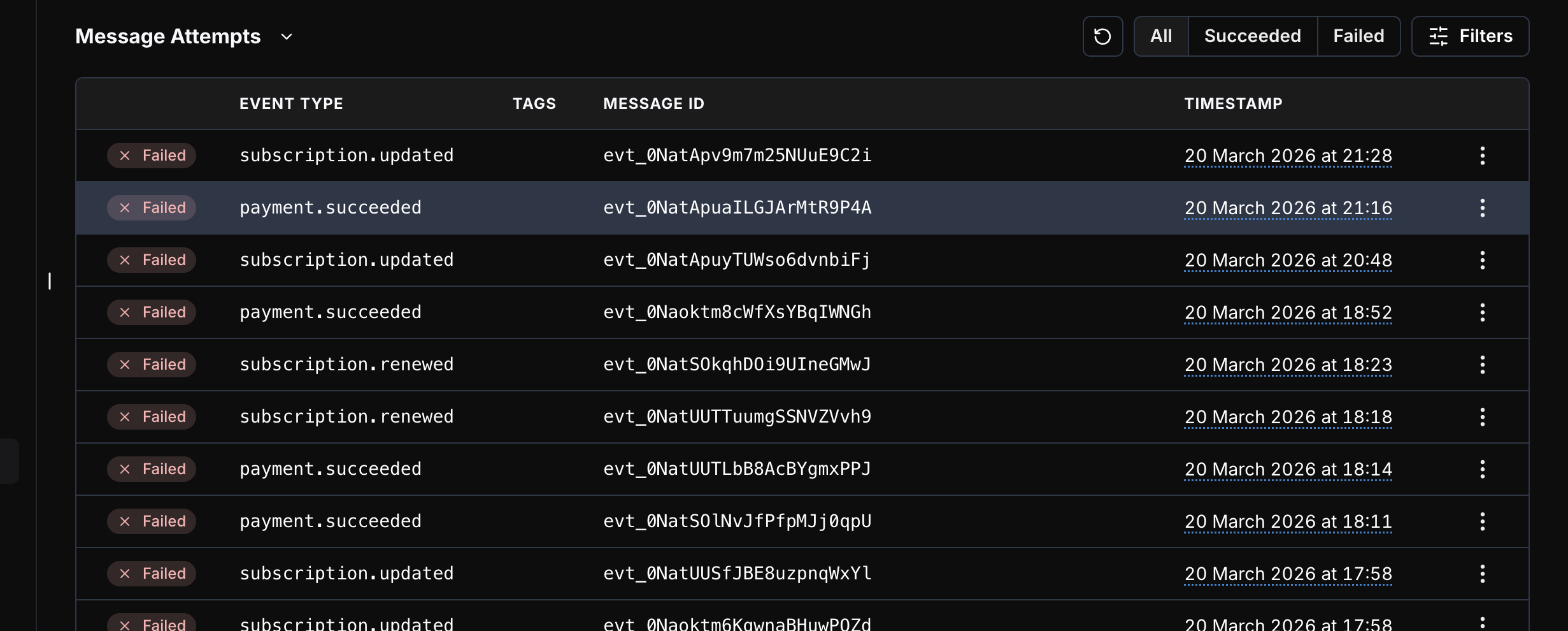 A: Go to Dashboard → Developer tab → API Keys section. Make sure you're in the correct mode (Test or Live) before copying the key.
A: - **Live Mode:** [https://live.dodopayments.com](https://live.dodopayments.com)
* **Test Mode:** [https://test.dodopayments.com](https://test.dodopayments.com)
## Testing & Local Development
A: Yes — subscriptions can be tested fully in Test Mode.
Just don't use real card numbers.
A:
* On your Dodo dashboard, look for a Test Mode toggle.
* Switch it ON to use test API keys and simulate payments.
You'll see "Test Mode" labels on all screens. Make sure to use the corresponding API key or environment when switching.
A: Yes, but keep in mind:
* No real money will be transferred
* You can simulate webhooks and flows
* Card details should still be test cards
This helps debug flows end-to-end without any financial impact.
A: Yes. Use the Update Subscription API and set the next\_billing\_date field to the date you want. See the docs: [https://docs.dodopayments.com/api-reference/subscriptions/patch-subscriptions#body-next-billing-date-one-of-0](https://docs.dodopayments.com/api-reference/subscriptions/patch-subscriptions#body-next-billing-date-one-of-0)
A: In Test Mode, emails are **not sent** to simulate a development environment without real notifications.
**What this means:**
* No license keys will be generated or shared via email
* Customer transactional emails will not be sent
* Webhook events will still be triggered for testing
To test the complete email flow including license key generation, you can test in Live Mode using a **100% discount code**. This allows you to complete the full payment flow without being charged while receiving all transactional emails.
## Support & Communication
A: You can contact our support team by sending an email to [**support@dodopayments.com**](mailto:support@dodopayments.com). We are here to assist you with any issues or questions you may have.
A: If you've messaged in:
* Intercom with no response
* Discord without acknowledgement
Then:
* Escalate via [compliance@dodopayments.com](mailto:compliance@dodopayments.com) or [support@dodopayments.com](mailto:support@dodopayments.com) with subject line Urgent: No Response – \[Your Email]
A: Share the customer's email address with us via Intercom and we'll unsubscribe them from our end.
## Security & Fraud Prevention
A: Dodo Payments uses **real-time fraud detection** to monitor suspicious transactions. We also comply with **PCI-DSS standards** to ensure that all payment information is encrypted and secure.
A: Yes, Dodo Payments uses **data encryption** and **tokenization** to protect sensitive information. We ensure that customer payment data is never stored directly and remains secure during transactions.
A: Please report any discovered vulnerabilities directly to our security team at [pt-team@dodopayments.com](mailto:pt-team@dodopayments.com)
A: We currently do not offer monetary bounties, but we do provide Dodo Payments merchandise as a token of appreciation.
A: Dodo Payments uses real-time fraud detection to analyze and block suspicious transactions before they occur. All payments are also protected through standard card network safeguards — customers can raise disputes or chargebacks for unauthorized charges. We are PCI compliant, ensuring all payment data meets the highest security standards.
## Payments Failures
A: This means the payment link was created, but the user never opened the payment page or attempted the payment.
A: This means the user opened the payment page and entered customer details but exited before adding card or payment details.
A: This usually happens when the 3D Secure (3DS) authentication fails or is not completed by the user.
A: The payment failed due to an authentication error. Please check with your bank regarding this issue. Unfortunately, there is nothing further we can do from our side. We recommend trying a different card or a different payment method.
A: This typically happens when the test card does not match the billing country:
* **US billing country** → Use a US test card
* **India billing country** → Use an INR test card
Refer to the [test card numbers documentation](https://docs.dodopayments.com/miscellaneous/testing-process#test-card-numbers).
A: The selected payment method is not enabled for your merchant account. Ensure you are using the correct test card for your billing country:
* **US billing country** → Use a US test card
* **India billing country** → Use an INR test card
Refer to the [test card numbers documentation](https://docs.dodopayments.com/miscellaneous/testing-process#test-card-numbers).
A: The payment requires additional action from the customer — such as 3D Secure authentication, OTP verification, or UPI approval. The customer must complete the required action before the payment can be processed.
A: This error occurs when the customer has cancelled the mandate (recurring payment authorization) from their UPI app. The subscription can no longer process payments because the underlying mandate has been revoked by the customer.
A: Your payment failed with error code `unknown_error`. The payment was initially processed, but your bank later reversed the transaction and refunded the amount, so it was marked as failed. This issue is not from our side.
Please try making the payment again. If it fails again, try using a different card or payment method. You may also contact your bank for further clarification.
A: It means:
* An Indian Card is used to make the payment but the billing country is not set as IN.
* You likely passed an incorrect billing country.
## Developer & Technical Integration
A: Yes. The portal is customer-specific. You can either send a magic link for a specific customer (one-time, expires in 24 hours) or use the static email login where the customer enters their purchase email to get a secure link. When you create a portal session via API (customerPortal.create('cus\_123')), it's bound to that customer.
A: Yes, Laravel is supported. See the PHP/Laravel SDK docs: [https://docs.dodopayments.com/developer-resources/sdks/php#laravel](https://docs.dodopayments.com/developer-resources/sdks/php#laravel)
A: WHMCS is not officially supported. You can either build a custom payment module using our API (payments + webhooks), or use Dodo checkout links in invoices as a temporary workaround.
A: Yes. Refer to the mobile integration guide: [https://docs.dodopayments.com/developer-resources/mobile-integration#mobile-integration-guide](https://docs.dodopayments.com/developer-resources/mobile-integration#mobile-integration-guide)
You can also use the Sentra VS Code extension for integration assistance: [https://docs.dodopayments.com/developer-resources/sentra#sentra](https://docs.dodopayments.com/developer-resources/sentra#sentra)
A: Switch to Live Mode in the dashboard. Go to the Developer section → click Other → you'll see the Publishable Key. Click View to reveal it.
A: Not currently. The WooCommerce plugin is open source — if you'd like this feature, you're welcome to raise a pull request to implement it.
A: Go to Dashboard → Developer tab → API Keys section. Make sure you're in the correct mode (Test or Live) before copying the key.
A: - **Live Mode:** [https://live.dodopayments.com](https://live.dodopayments.com)
* **Test Mode:** [https://test.dodopayments.com](https://test.dodopayments.com)
## Testing & Local Development
A: Yes — subscriptions can be tested fully in Test Mode.
Just don't use real card numbers.
A:
* On your Dodo dashboard, look for a Test Mode toggle.
* Switch it ON to use test API keys and simulate payments.
You'll see "Test Mode" labels on all screens. Make sure to use the corresponding API key or environment when switching.
A: Yes, but keep in mind:
* No real money will be transferred
* You can simulate webhooks and flows
* Card details should still be test cards
This helps debug flows end-to-end without any financial impact.
A: Yes. Use the Update Subscription API and set the next\_billing\_date field to the date you want. See the docs: [https://docs.dodopayments.com/api-reference/subscriptions/patch-subscriptions#body-next-billing-date-one-of-0](https://docs.dodopayments.com/api-reference/subscriptions/patch-subscriptions#body-next-billing-date-one-of-0)
A: In Test Mode, emails are **not sent** to simulate a development environment without real notifications.
**What this means:**
* No license keys will be generated or shared via email
* Customer transactional emails will not be sent
* Webhook events will still be triggered for testing
To test the complete email flow including license key generation, you can test in Live Mode using a **100% discount code**. This allows you to complete the full payment flow without being charged while receiving all transactional emails.
## Support & Communication
A: You can contact our support team by sending an email to [**support@dodopayments.com**](mailto:support@dodopayments.com). We are here to assist you with any issues or questions you may have.
A: If you've messaged in:
* Intercom with no response
* Discord without acknowledgement
Then:
* Escalate via [compliance@dodopayments.com](mailto:compliance@dodopayments.com) or [support@dodopayments.com](mailto:support@dodopayments.com) with subject line Urgent: No Response – \[Your Email]
A: Share the customer's email address with us via Intercom and we'll unsubscribe them from our end.
## Security & Fraud Prevention
A: Dodo Payments uses **real-time fraud detection** to monitor suspicious transactions. We also comply with **PCI-DSS standards** to ensure that all payment information is encrypted and secure.
A: Yes, Dodo Payments uses **data encryption** and **tokenization** to protect sensitive information. We ensure that customer payment data is never stored directly and remains secure during transactions.
A: Please report any discovered vulnerabilities directly to our security team at [pt-team@dodopayments.com](mailto:pt-team@dodopayments.com)
A: We currently do not offer monetary bounties, but we do provide Dodo Payments merchandise as a token of appreciation.
A: Dodo Payments uses real-time fraud detection to analyze and block suspicious transactions before they occur. All payments are also protected through standard card network safeguards — customers can raise disputes or chargebacks for unauthorized charges. We are PCI compliant, ensuring all payment data meets the highest security standards.
## Payments Failures
A: This means the payment link was created, but the user never opened the payment page or attempted the payment.
A: This means the user opened the payment page and entered customer details but exited before adding card or payment details.
A: This usually happens when the 3D Secure (3DS) authentication fails or is not completed by the user.
A: The payment failed due to an authentication error. Please check with your bank regarding this issue. Unfortunately, there is nothing further we can do from our side. We recommend trying a different card or a different payment method.
A: This typically happens when the test card does not match the billing country:
* **US billing country** → Use a US test card
* **India billing country** → Use an INR test card
Refer to the [test card numbers documentation](https://docs.dodopayments.com/miscellaneous/testing-process#test-card-numbers).
A: The selected payment method is not enabled for your merchant account. Ensure you are using the correct test card for your billing country:
* **US billing country** → Use a US test card
* **India billing country** → Use an INR test card
Refer to the [test card numbers documentation](https://docs.dodopayments.com/miscellaneous/testing-process#test-card-numbers).
A: The payment requires additional action from the customer — such as 3D Secure authentication, OTP verification, or UPI approval. The customer must complete the required action before the payment can be processed.
A: This error occurs when the customer has cancelled the mandate (recurring payment authorization) from their UPI app. The subscription can no longer process payments because the underlying mandate has been revoked by the customer.
A: Your payment failed with error code `unknown_error`. The payment was initially processed, but your bank later reversed the transaction and refunded the amount, so it was marked as failed. This issue is not from our side.
Please try making the payment again. If it fails again, try using a different card or payment method. You may also contact your bank for further clarification.
A: It means:
* An Indian Card is used to make the payment but the billing country is not set as IN.
* You likely passed an incorrect billing country.
## Developer & Technical Integration
A: Yes. The portal is customer-specific. You can either send a magic link for a specific customer (one-time, expires in 24 hours) or use the static email login where the customer enters their purchase email to get a secure link. When you create a portal session via API (customerPortal.create('cus\_123')), it's bound to that customer.
A: Yes, Laravel is supported. See the PHP/Laravel SDK docs: [https://docs.dodopayments.com/developer-resources/sdks/php#laravel](https://docs.dodopayments.com/developer-resources/sdks/php#laravel)
A: WHMCS is not officially supported. You can either build a custom payment module using our API (payments + webhooks), or use Dodo checkout links in invoices as a temporary workaround.
A: Yes. Refer to the mobile integration guide: [https://docs.dodopayments.com/developer-resources/mobile-integration#mobile-integration-guide](https://docs.dodopayments.com/developer-resources/mobile-integration#mobile-integration-guide)
You can also use the Sentra VS Code extension for integration assistance: [https://docs.dodopayments.com/developer-resources/sentra#sentra](https://docs.dodopayments.com/developer-resources/sentra#sentra)
A: Switch to Live Mode in the dashboard. Go to the Developer section → click Other → you'll see the Publishable Key. Click View to reveal it.
A: Not currently. The WooCommerce plugin is open source — if you'd like this feature, you're welcome to raise a pull request to implement it.