> ## Documentation Index
> Fetch the complete documentation index at: https://docs.dodopayments.com/llms.txt
> Use this file to discover all available pages before exploring further.
# Welcome to Dodo Payments
> The complete payments & billing platform for SaaS, AI, and digital products. Accept payments globally, set up flexible billing models, and monetize your product in minutes - all without building your own infrastructure.
## What is Dodo Payments?
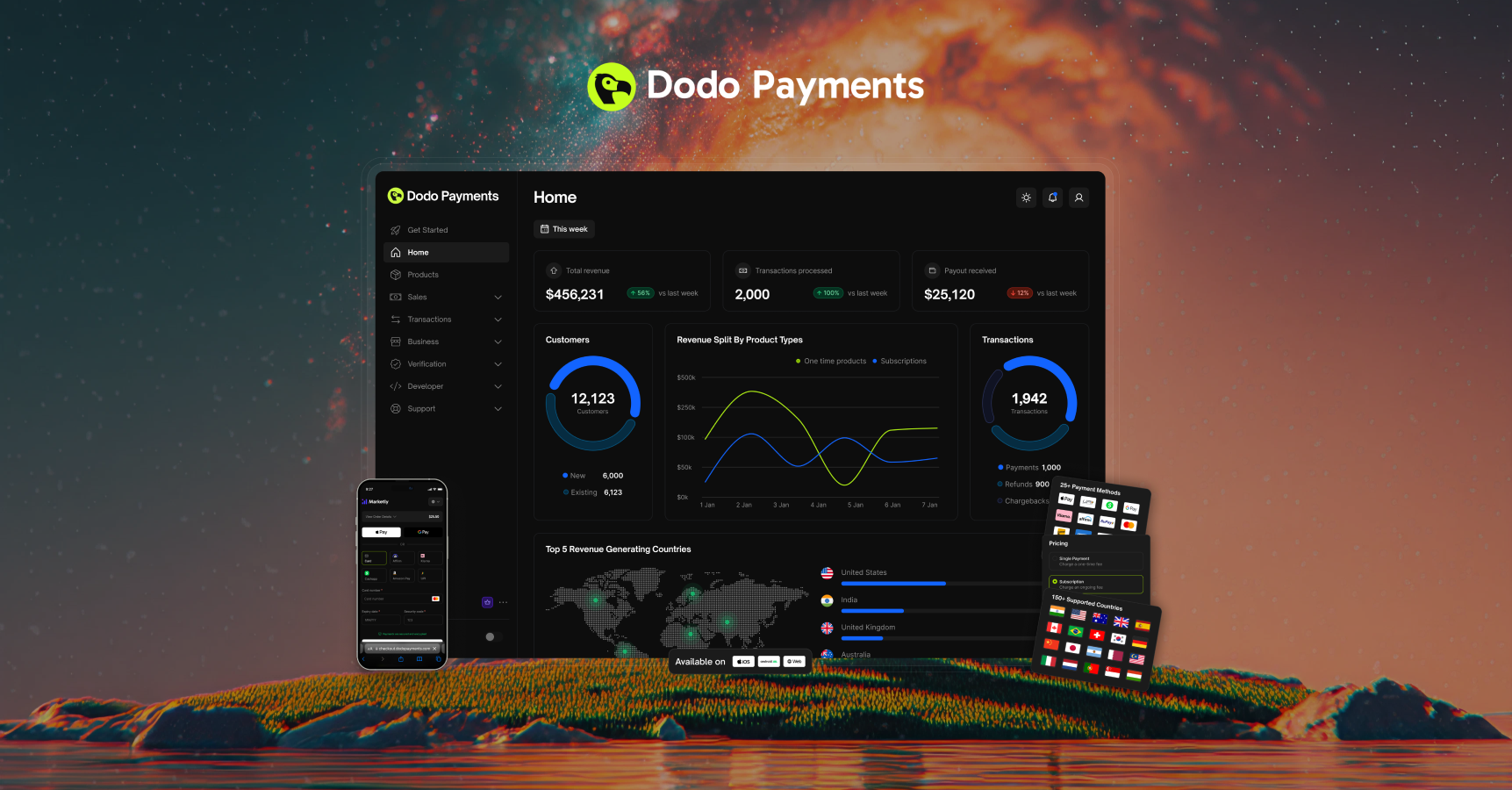
Dodo Payments is the **all-in-one engine** to launch, scale, and monetize worldwide. Designed for the new generation of digital SaaS and AI products, we handle everything from **payments to billing to distribution** - all without extra engineering.
**Built for SaaS and AI Products**: Handle one-time payments, subscriptions, credits, seats, tokens, or any usage metric with our optimized billing infrastructure.
Meet Sentra: Your AI-powered billing assistant
Sentra is an AI agent that integrates, analyzes, and acts on billing and payments directly in your IDE. Ask questions, build integrations, or plan billing architectures - all by describing what you want.
Get started with Sentra →
### Why Choose Dodo Payments?
One solution for payments, billing, and distribution—no more piecing tools together
복잡함 없이 글로벌로 나아가세요: 190개 이상의 국가, 80개 이상의 통화, 30가지 이상의 결제 수단에 대한 내장 커버리지
Seamless APIs and SDKs for fast integration, plus Sentra AI agent to build integrations by just describing what you need
Start collecting revenue in minutes, not weeks
Usage-based, credit-based, subscriptions with addons, or one-time payments are built in
Handle credits, seats, tokens, or any usage metric with credit-based billing
## Quick Start Guide
Get up and running with Dodo Payments in just a few steps.
Prefer to drive the integration yourself? The steps below walk you through creating an account, adding a product, and picking an integration method in under five minutes. No code required for the no-code path; SDK samples are waiting in every major language if you want them.
If you'd rather let your AI coding assistant do the heavy lifting - integration scaffolding, webhook handlers, subscription flows - install **[Sentra](/developer-resources/sentra)**, our AI billing assistant for VS Code, Cursor, and Windsurf. Describe what you want; Sentra plans, scaffolds, and ships it.
Dodo Payments is built for agent-native workflows. If you're an LLM reading this - or a developer configuring one - start here.
**Install**. For Claude Code, Codex CLI, Cursor, or OpenCode, the [Dodo Agent Plugin](/developer-resources/build-with-ai-coding-agents) wires both MCP servers and all skills in one step. See the [AI Coding Agents guide](/developer-resources/build-with-ai-coding-agents) for per-agent install commands.
**Discover**. The full docs index is served at [`docs.dodopayments.com/llms.txt`](https://docs.dodopayments.com/llms.txt), and every documentation page is available in plain markdown by appending `.md` to its URL (e.g. `/api-reference/introduction.md`).
**Connect**. Two MCP servers give agents live access to the platform:
* **[Dodo Knowledge MCP](/developer-resources/mcp-server#dodo-knowledge-mcp)** - semantic search across all Dodo documentation
* **[Dodo Payments MCP](/developer-resources/mcp-server)** - execute API operations (create payments, manage subscriptions, issue refunds)
See the [MCP Server guide](/developer-resources/mcp-server) for the full client configuration.
**Extend**. Install official [Dodo Payments Skills](/developer-resources/agent-skills) to teach your agent how to handle checkout, subscriptions, usage-based billing, credit-based billing, webhooks, and more:
```bash theme={null}
npx skills add dodopayments/skills
```
Works with Claude Code, OpenCode, Cursor, and any MCP-compatible agent.
Sign up at [app.dodopayments.com](https://app.dodopayments.com/signup) using your email.
You'll receive a confirmation email to verify your account.
Choose your billing model and add your product to start accepting payments.
디지털 다운로드, 강의 또는 단일 구매에 적합
SaaS, 멤버십 또는 정기 서비스에 이상적
API 호출, 크레딧, 토큰 또는 사용량 측정 단위로 고객에게 청구 - AI 및 SaaS에 이상적
크레딧 발행 (API 호출, 토큰, 컴퓨팅 단위)하고 고객이 소비할 때 공제 - 롤오버 및 초과 사용 제어
Select the integration approach that best fits your needs and technical requirements.
**Perfect for getting started quickly:**
* Create **Payment Links** from your dashboard
* Share via email, social media, or embed in websites
* Start accepting payments immediately
**Best for seamless, on-brand payments:**
* Launch checkout as an overlay on your site or app
* Keep users on your page for a frictionless experience
* Customize appearance to match your brand
Add our overlay checkout with a single line of code
**Best for fully integrated, embedded checkout experiences:**
* Embed checkout directly into your page layout
* Build custom order summaries that sync with checkout
* Maximum control over checkout design and flow
Embed checkout directly into your website
**Best for advanced, fully customized solutions:**
* Use our TypeScript/Python/Go/Java/Kotlin/C#/Ruby SDK for seamless integration
* Programmatic access to all payment, subscription, and customer portal APIs
* Deep integration with your backend, workflows, and data models
* Full support for webhooks, advanced features, and automation
Skip the manual work with Sentra
Install our AI agent in VS Code, Cursor, or Windsurf. Describe what you want - SDK integration, webhook handlers, subscription flows - and Sentra generates the code for you.
Install Sentra →
Learn how to install and use our official SDK
Explore the full API and SDK documentation
## Developer Integration
**Build billing integrations by describing what you need.** Sentra is an AI agent for VS Code, Cursor, and Windsurf that generates SDK code, webhook handlers, subscription flows, and more. Use **Ask** mode to learn, **Build** mode to implement, or **Plan** mode to architect your billing system.
### Build with AI Coding Agents
Connect your AI coding assistant (Claude Code, Codex CLI, Cursor, OpenCode, Windsurf, VS Code) directly to Dodo Payments — install the Agent Plugin for a one-command setup, or connect the MCP servers manually.
One install bundles both MCP servers and all skills for Claude Code, Codex CLI, Cursor, and OpenCode
Semantic search across Dodo Payments documentation - get instant answers about features, APIs, and best practices
Execute API operations directly - create payments, manage subscriptions, and handle refunds through your AI assistant
Add both servers to your MCP configuration (`~/.cursor/mcp.json` or Claude Desktop config):
```json theme={null}
{
"mcpServers": {
"dodo-knowledge": {
"command": "npx",
"args": ["-y", "mcp-remote@latest", "https://knowledge.dodopayments.com/mcp"]
},
"dodopayments": {
"command": "npx",
"args": ["-y", "mcp-remote@latest", "https://mcp.dodopayments.com/sse"]
}
}
}
```
Requires Node.js 18+. See the [MCP Server documentation](/developer-resources/mcp-server) for detailed setup instructions for all supported clients.
### Agent Skills
Enhance your AI coding assistant with official Dodo Payments skills - reusable capabilities that teach agents how to implement payment integrations, webhook handlers, and billing flows correctly.
Install skills for checkout integration, subscriptions, usage-based billing, credit-based billing, webhooks, and more. Works with Claude Code, OpenCode, Cursor, and any MCP-compatible agent.
```bash theme={null}
# Install all Dodo Payments skills
npx skills add dodopayments/skills
# Or install individual skills
npx skills add dodopayments/skills/dodo-best-practices
npx skills add dodopayments/skills/webhook-integration
npx skills add dodopayments/skills/subscription-integration
npx skills add dodopayments/skills/credit-based-billing
```
See the [Agent Skills documentation](/developer-resources/agent-skills) for Claude Code, OpenCode, and other client setup instructions.
### Framework Adapters
Integrate in under 10 lines of code with our framework adapters. Choose from our recommended frameworks or explore all supported options.
#### Recommended Frameworks
React-based full-stack framework with App Router support
Authentication framework with built-in integrations
Open source Firebase alternative with Postgres and Auth
Backend-as-a-Service with real-time capabilities
### Powerful SDKs
Speed up development with our official SDKs. Choose from our recommended languages or explore all supported options.
### Dodo CLI
터미널에서 Dodo Payments를 실행하세요. Dodo CLI는 대화형 TUI, 내장 AI 어시스턴트 및 오프라인 웹훅 테스트 기능을 제공합니다. 한 줄로 설치하세요:
```bash theme={null}
curl -fsSL https://dodopayments.com/install.sh | sh
```
TUI, AI 어시스턴트 및 실시간 웹훅 리스너가 내장된 터미널에서 결제, 고객 및 웹훅을 관리하세요.
### 청구 SDK
바퀴를 다시 발명하지 마세요. React와 ShadCN에 맞춰 제작된 가격 카드부터 구독 대시보드까지, 프로덕션 준비가 완료된 접근 가능한 청구 컴포넌트를 사용하세요.
아름답고 사용자 정의 가능한 청구 컴포넌트, 가격 테이블, 구독 관리 및 사용량 미터 - 결제와 청구를 위한 프로덕션 준비된 UI로 개발 시간을 절약하세요.
**오픈 소스 및 무료**: BillingSDK는 개인 및 상업 프로젝트에 대해 무료로 사용 및 수정할 수 있습니다. 개발자를 위해 Dodo Payments 팀이 제작했습니다.
### Android 및 iOS용 인앱 구매
iOS 및 Android에 최적화된 React Native SDK와 경량 결제 링크로 풍부한 인앱 결제 경험을 구축하세요.
모바일 애플리케이션 결제 통합에 대한 완전한 가이드
iOS 및 Android용 네이티브 모바일 SDK를 통한 매끄러운 결제 흐름
오픈 소스 Expo 템플릿으로 React Native 인앱 결제를 신속하게 시작하세요
## 외부 통합
Dodo Payments를 선호하는 도구 및 플랫폼과 연결하여 워크플로 자동화, 알림 전송 및 결제 운영을 강화하세요.
**모든 것 자동화**: 실시간 알림을 설정하고, 워크플로를 트리거하고, 고객 데이터를 동기화하고, 통합 라이브러리를 확장하세요.
### 인기 있는 통합
워크플로를 간소화하고 결제 운영을 자동화하기 위해 가장 많이 사용되는 디자인 및 생산성 도구에 Dodo Payments를 빠르게 연결하세요.
Framer 웹사이트에 결제를 추가하세요
WooCommerce 스토어에서 결제를 수락하세요
Raycast에서 결제를 관리하세요
Figma에서 Dodo Payments에 액세스하세요
결제 이벤트에 대한 정보를 팀 통신 도구에서 실시간 알림으로 받아보세요.
Slack 채널로 결제 알림 및 경고를 전송하세요
Discord 서버에서 즉시 결제 업데이트를 받아보세요
Teams 채널에서 직접 결제 알림을 받으세요
결제 이벤트를 기반으로 고객 데이터를 동기화하고 이메일 캠페인을 트리거하세요.
Resend로 거래 이메일 전송
SendGrid로 이메일 캠페인 자동화
Loops로 이메일 시퀀스 트리거
Customer.io에 고객 데이터 동기화
AutoSend로 자동화된 거래 이메일 전송
판매 및 고객 관리를 간소화하기 위해 결제 데이터를 CRM 플랫폼과 연결하세요.
HubSpot CRM과 고객 및 거래 동기화
Close CRM으로 판매 워크플로 자동화
워크플로 자동화 플랫폼으로 강력한 자동화 및 데이터 파이프라인을 구축하세요.
Zapier로 5,000개 이상의 앱에 연결
자체 호스팅 또는 클라우드 N8N으로 워크플로 자동화
Windmill로 사용자 정의 워크플로 구축
Inngest로 이벤트 기반 워크플로 생성
Segment CDP에 결제 데이터 스트림
DataFast 분석으로 마케팅 채널에 수익 속성 부여
자세한 설정 가이드로 통합 라이브러리를 전체 탐색하세요
## 도움이 필요하신가요?
포괄적인 가이드 및 API 참조를 탐색하세요
모든 Dodo Payments API에 대한 전체 OpenAPI 참조, 엔드포인트, 매개변수 및 예제 요청
도움과 토론을 위한 Discord 커뮤니티에 참여하세요
지원팀의 직접적인 도움을 받으세요
 ## What is Dodo Payments?
Dodo Payments is the **all-in-one engine** to launch, scale, and monetize worldwide. Designed for the new generation of digital SaaS and AI products, we handle everything from **payments to billing to distribution** - all without extra engineering.
## What is Dodo Payments?
Dodo Payments is the **all-in-one engine** to launch, scale, and monetize worldwide. Designed for the new generation of digital SaaS and AI products, we handle everything from **payments to billing to distribution** - all without extra engineering.